service interval Seat Altea Freetrack 2009 Owner's Manual
[x] Cancel search | Manufacturer: SEAT, Model Year: 2009, Model line: Altea Freetrack, Model: Seat Altea Freetrack 2009Pages: 291, PDF Size: 7.67 MB
Page 60 of 291

Cockpit59
Safety First
Operating instructions
Practical tips
Te c h n i c a l D a t a
display
4).
Stop the car and switch off the engine. Check the coolant level
⇒ page 222 ⇒.
Even if the coolant level is correct do not continue driving. You should obtain
technical assistance.WARNING
When working in the engine compartment, always observe the safety warn-
ings ⇒page 215.
Caution
Accessories in front of the air inlet reduce the cooling effect of the coolant. At
high outside temperatures and high engine loads, there is a risk of the
engine overheating.Rev counter
The rev. counter displays the engine speed in revolutions per
minute.The start of the red zone ⇒page 57, fig. 33 indicates the maximum
engine speed operating at service temperature. However, it is advisable to
change up a into a higher gear, move the selector lever to D or lift your foot
off the accelerator before the needle reaches the red zone.
Caution
The rev counter needle must never enter the red zone on the scale. Risk of
engine damage.
For the sake of the environment
Changing up into higher gears early will help you to save fuel and minimise
engine noise.SpeedometerThe speedometer is equipped with a digital odometer and a trip counter, in
addition to a service intervals display.
During the running-in period, the instructions shown on ⇒page 192 should
be followed.Setting the digital clock*
The digital clock is located in the instrument panel display.– Turn the setting knob ⇒ page 57, fig. 33 clockwise until the
first “click” to set the hour. The hour will flash. To change the
hour, press the button.
– Turn the setting knob clockwise to the second “click” to set the minutes. The minutes will flash. To change the minutes, press the
button.
4)Depending on the version of the model.
A4
A5
altea_freetrack_ingles.book Seite 59 Montag, 16. Februar 2009 10:48 10
Page 61 of 291

Cockpit
60Digital display in the instrument panelDisplay (without warning or information texts)
The display in the instrument panel shows, amongst other
things, the mileage and trip recorder as well as the selector
lever position.
Digital clock display ⇒page 59. On the right of the display: Selector
lever position display for the automatic gearbox*. The current position of
the selector lever or the gear which is engaged (for Tiptronic)* is high-
lighted.
Ambient temperature.
Distance display or flexible service interval display*.
Displayed categories*
The display in the instrument panel shows the mileage and
trip recorder as well as the selector lever position.
Clock: “Setting the time”. On the right of the display: Selector lever posi-
tion display for the automatic gearbox*. The actual position of the
selector lever or the gear which is engaged (for Tiptronic) are high-
lighted.
There are optional and automatic displays in this field.
– Optional indicators: e.g. those on the multi-function display (MFD)
– Automatic indicators: Information texts and warnings.
– Menus providing further information and which can be used to make diverse settings are also shown: “Instrument panel menus”
Ambient temperature:
Distance display or flexible service interval display.
Fig. 36 Detail of the
instrument cluster: screen
with different indicators
A1A2A3
Fig. 37 Digital display in
the instrument panel
A1A2A3A4
altea_freetrack_ingles.book Seite 60 Montag, 16. Februar 2009 10:48 10
Page 62 of 291

Cockpit61
Safety First
Operating instructions
Practical tips
Te c h n i c a l D a t a
Recommended gear display*
This display helps to save fuel.Use the gear display to save fuel. If you are driving in the correct gear, a dot
will be shown next to the gear display. If you are not in the correct gear, an
arrow will appear next to the gear display indicating whether you should
change up or down.Mileage display or Service Interval DisplayDistance display
The left-hand counter in the display registers the total amount of distance
covered by the vehicle.
The right-hand counter registers the short journeys. The last digit indicates
steps of 100 metres. The trip recorder counter may be reset by holding down
the reset button ⇒page 57, fig. 33 for a few seconds. Service interval display
A
Service pre-warning will appear in the mileage displays if a service is due
soon. A “spanner” symbol appears and the display “km” with the distance
that can be driven until the next service appointment is due. The display will
change after approximately 10 seconds. A “clock symbol” appears and the
number of days until the service appointment should be carried out. The
following message is shown in the instrument panel display: SERV. IN... KM
OR... DAYS . The service message will disappear approximately 20 seconds
after the ignition is switched on or the engine is running. The normal display
can be resumed by pressing the reset button on the trip counter or by
pressing the rocker switch of the MFI ⇒page 62, fig. 39 .
With the ignition switched on, you can call up the current service message by
pressing the trip counter reset knob for 2 seconds.
An overdue service is indicated by a minus sign in front of the mileage or day
information.
Fig. 38 Gear display
A6
AB
altea_freetrack_ingles.book Seite 61 Montag, 16. Februar 2009 10:48 10
Page 125 of 291
Lights and visibility
124icing in the zone. The function is switched on by pressing the rear heating
window key
.
WARNING
•
Worn and dirty wiper blades obstruct visibility and reduce safety levels.
•
In cold conditions, you should not use the wash / wipe system unless
you have warmed the windscreen with the heating and ventilation system.
The washer fluid could otherwise freeze on the windscreen and obscure
your view of the road.
•
Always note the corresponding warnings on ⇒page 225, “Changing
windscreen wiper blades”.Caution
In icy conditions, always check that the wiper blades are not frozen to the
glass before using the wipers for the first time. If you switch on the wipers
when the wiper blades are frozen to the windscreen, you could damage both
the wiper blades and the wiper motor.
Note
•
The windscreen wipers will only work when the ignition is switched on.
•
In certain versions of vehicles with alarms, the windscreen wiper will only
work when the ignition is on and the bonnet closed.
•
When in use, the wipers do not go as far as the rest position. When the
lever is moved to position 0, they are totally hidden.
•
The next speed down will automatically be selected if speed ⇒page 123,
fig. 85 or is selected when the vehicle stops. The set speed will be
resumed when the vehicle starts again.
•
The windscreen will be wiped again after approximately five seconds once
the “automatic wipe/wash system” has been operated, provided the vehicle
is in transit (drip function). If you activate the wipers less than three secionds
after the drip function, a new wash sequence will begin without the last wipe. For the “drip” function to work again, you have to turn the ignition off and
then on again.
•
When the “intermittent wipe function” is on, the intervals are directly
proportional to the speed. This way, the higher the vehicle speed the shorter
the intervals.
•
The wiper will try to wipe away any obstacles that are on the windscreen.
The wiper will stop moving if the obstacle blocks its path. Remove the
obstacle and switch the wiper back on again.
•
Before removing any objects that may be trapped in the side areas of the
windscreen, always move the wiper arms to the service position (horizontal).
•
The heat output of the heated jets is controlled automatically when the
ignition is switched on, depending upon the outside temperature.
A2
A3
altea_freetrack_ingles.book Seite 124 Montag, 16. Februar 2009 10:48 10
Page 164 of 291

Heating, Ventilation and Air conditioning163
Safety First
Operating instructions
Practical tips
Te c h n i c a l D a t a
When the button is off (LED off), the heating, ventilation and air condi-
tioning system is off.
When the button is off, the heating, ventilation and air conditioning
system is switched off to save fuel. The temperature continues to self-regu-
late. The set temperature can then only be reached if it is higher than the
ambient temperature.
Driver and passenger temperature control
The button controls the synchronisation of the 2 Climatronic climate
zones.
When the button is on (LED lit), the climate zone of the Climatronic is
personalised, for example: Driver side temperature 22°C and passenger side
temperature 23°C.
When the button is off (LED off), the climate zone of the Climatronic is
synchronised, for example: Driver side temperature 22°C and passenger side
temperature 22°C.
If the button is off and the passenger side temperature is changed, the
function is automatically activated.
Air recirculation mode
Air recirculation mode prevents fumes or unpleasant smells
from coming from the outside.– Press the button
⇒page 162, fig. 134 to switch air recir-
culation mode on or off. It is switched on if the following symbol
appears in the display
.
Air recirculation mode prevents strong odours in the ambient air from
entering the vehicle interior, for example when passing through a tunnel or in
a traffic jam. With low temperatures outside, the air recirculation increases the effective-
ness of the heating system by heating the air inside the passenger compart-
ment rather than the air from outside.
With high ambient temperatures, the air recirculation increases the effective-
ness of the air conditioning system by cooling the air inside the passenger
compartment rather than the ambient air.
If the windscreen air output is on and the air recirculation mode is pressed,
this remains active. When the recirculation mode is on, if the air distribution
towards the windscreen mode is selected, the recirculation mode is deacti-
vated. For safety reasons, the air recirculation mode should not be
connected.
WARNING
In air recirculation mode, no cold air from the outside enters the vehicle
interior. If the air conditioning system is switched off, the windows can
quickly mist over. Therefore, never leave the air recirculation mode
switched on for a long time (risk of accident).General notesThe impurity filter
The impurity filter (a combined particle filter and active carbon filter) serves
as a barrier against impurities in the ambient air, including dust and pollen.
For the air conditioning system to work with maximum efficiency, the pollen
filter must be replaced at the intervals specified in the Service Schedule.
If the filter loses efficiency prematurely due to use in areas reaching very high
pollution levels, the pollen filter must be changed more frequently than
stated in the Service Schedule.
ACAC
DUAL
DUALDUAL
DUAL
A2
altea_freetrack_ingles.book Seite 163 Montag, 16. Februar 2009 10:48 10
Page 192 of 291
Intelligent technology191
Safety First
Operating instructions
Practical tips
Te c h n i c a l D a t a
and prolongs the service life of the brakes. If you still have to use the brakes,
it is better to brake firmly at intervals than to apply the brakes continuously.
Note
•
If the brake servo is not functioning due to a malfunction, or if the vehicle
has to be towed, you will have to press the brake pedal considerably harder
to make up for the lack of servo assistance.
•
If you wish to equip the car with accessories such as a front spoiler or
wheel covers, it is important that the flow of air to the front wheels is not
obstructed, otherwise the brakes can overheat.
Power steering (servotronic*)
The power steering assists the driver when turning the
steering wheel (with the engine running).The power steering assists the driver by reducing the force needed to turn the
steering wheel. In cars equipped with servotronic* power steering the degree
of power assistance is regulated electronically according to road speed.
The power steering will keep on working even if the servotronic* device fails.
The degree of power assistance will, however, no longer adapt to different
speeds. If the electronic regulating system is not working properly, this is
most noticeable when turning the steering wheel at low speeds (for instance
when parking) – more effort will be required than usual. The fault should be
corrected by a qualified workshop as soon as possible.
The power steering does not work if the engine is off. In this case the steering
wheel is very hard to turn.
If the steering is held at its turning limit when the car is stationary, this will
place an excessive load on the power steering system. Turning the steering
wheel to its limit places a load on the system, which causes noise. It will also
reduce the idling speed of the engine.
Caution
When the engine is running, do not turn the steering wheel to its limit for
more than 15 seconds. Otherwise, there is a risk of damaging the power
steering.
Note
•
If the power steering should fail at any time or the engine is switched off
(for instance when being towed), the car can still be steered. However, more
effort will be required to turn the steering wheel.
•
If the system is leaking or malfunctioning, please take the car to a quali-
fied workshop as soon as possible.
•
The power steering requires a special hydraulic fluid. The container is
located in the engine compartment (front left). The correct fluid level in the
reservoir is important for the power steering to function properly. The
hydraulic fluid level is checked at the Inspection Service.
altea_freetrack_ingles.book Seite 191 Montag, 16. Februar 2009 10:48 10
Page 198 of 291
Trailer towing197
Safety First
Operating instructions
Practical tips
Te c h n i c a l D a t a
Trailer towingInstructions to followYour vehicle may be used to tow a trailer when fitted with the correct equip-
ment.
If the car is supplied with a factory-fitted towing bracket it will already have
the necessary technical modifications and meet the statutory requirements
for towing a trailer. For the after-market fitting of a trailer towing bracket see
⇒ page 199.
Connectors
Your vehicle is fitted with a 12-pin connector for the electrical connection
between the trailer and the vehicle.
If the trailer has a 7-pin plug you will need to use an adapter cable. This is
available in any SEAT dealer.
Trailer weight / draw bar loading
Never exceed the authorised towing limit. If you do not load the trailer up to
the maximum permitted trailer weight, you can then climb correspondingly
steeper slopes.
The maximum trailer weights listed are only applicable for altitudes up to
1,000 m above sea level. With increasing altitude the engine power and
therefore the vehicle's climbing ability are impaired because of the reduced
air density. The maximum trailer weight has to be reduced accordingly. The
weight of the vehicle and trailer combination must be reduced by 10% for
every further 1,000 m (or part thereof). The gross combination weight is the
actual weight of the laden vehicle plus the actual weight of the laden trailer.
When possible, operate the trailer with the maximum permitted draw bar
weight on the ball joint of the towing bracket, but do not exceed the specified
limit. The figures for
trailer weights and draw bar weights that are given on the
data plate of the towing bracket are for certification purposes only. The
correct figures for your specific model, which may be lower than these figures
for the towing bracket, are given in the registration documents ⇒ Section
“Technical data”.
Distributing the load
Distribute loads in the trailer so that heavy objects are as near to the axle as
possible. Loads carried in the trailer must be secured to prevent them
moving.
Tyre pressure
Set tyre pressure to the maximum permissible pressure shown on the sticker
on the inside of the fuel tank flap. Set the tyre pressure of the trailer tyres in
accordance with the trailer manufacturer's recommendations.
Exterior mirrors
Check whether you can see enough of the road behind the trailer with the
standard mirrors. If this is not the case, you should have additional mirrors
fitted. Both exterior mirrors should be mounted on hinged extension
brackets. Adjust the mirrors to give sufficient vision to the rear.
WARNING
Never transport people in a trailer. This could result in fatal accidents.
Note
•
Towing a trailer places additional demands on the vehicle. We recom-
mend additional services between the normal inspection intervals if the
vehicle is used frequently for towing a trailer.
altea_freetrack_ingles.book Seite 197 Montag, 16. Februar 2009 10:48 10
Page 221 of 291
Checking and refilling levels
220
Checking oil level
– Park the vehicle in a horizontal position.
– Briefly run the engine at idle speed until the service temperature is reached then stop.
– Wait two minutes.
– Pull out the dipstick. Wipe the dipstick with a clean cloth and insert it again, pushing it in as far as it will go.
– Then pull it out once more and check the oil level ⇒page 219,
fig. 158 . Top up with engine oil if necessary.Oil level in area
– Do not add oil.
Oil level in area
–Oil can be topped up. The indicated oil level should be after zone
Oil level in area
–Oil must be topped up. The indicated oil level should be after in zone .
Depending on how you drive and the conditions in which the car is used, oil
consumption can be up to 0.5 l/1,000 km. Oil consumption is likely to be
higher for the first 5,000 km. For this reason the engine oil level must be
checked at regular intervals, preferably when filling the tank and before a
journey.
WARNING
Any work carried out in the engine compartment or on the engine must be
carried out cautiously.•
When working in the engine compartment, always observe the safety
warnings ⇒page 215.
Caution
If the oil level is above the area do not start the engine. This could result
in damage to the engine and catalytic converter. Contact an Authorised
Service Centre.Topping up engine oil
Top up gradually with small quantities of oil.
Before opening the bonnet, read and observe the warnings ⇒ in
“Safety instructions on working in the engine compartment” on
page 215.
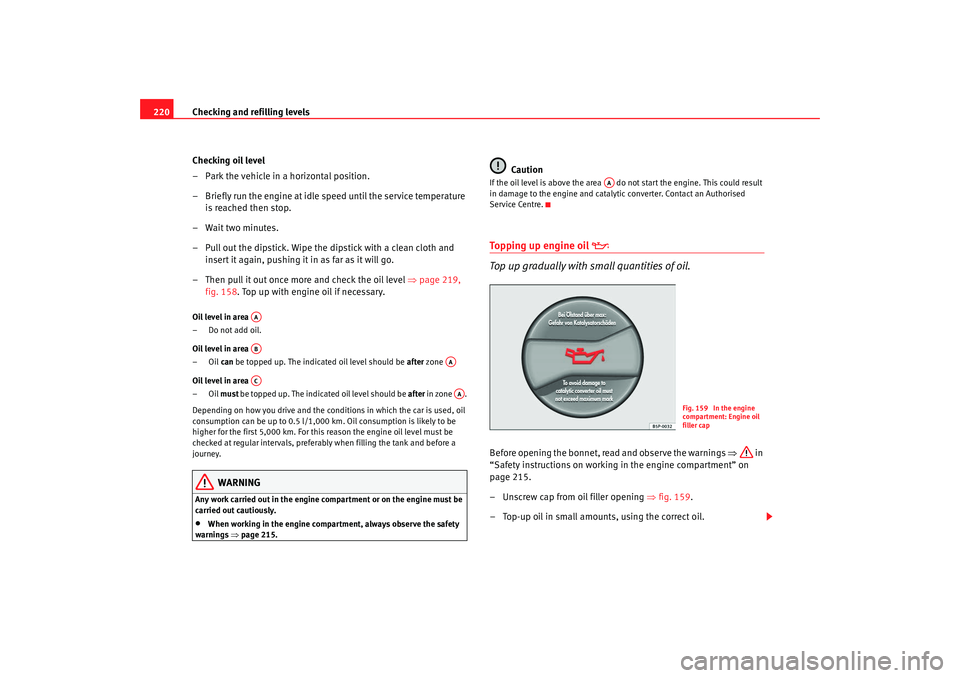
– Unscrew cap from oil filler opening ⇒fig. 159.
– Top-up oil in small amounts, using the correct oil.
AAAB
AA
AC
AA
AA
Fig. 159 In the engine
compartment: Engine oil
filler cap
altea_freetrack_ingles.book Seite 220 Montag, 16. Februar 2009 10:48 10
Page 222 of 291
Checking and refilling levels221
Safety First
Operating instructions
Practical tips
Te c h n i c a l D a t a
– To avoid over-filling with engine oil, you should top-up using
small quantities, wait a while and check the oil level before
adding any more oil.
– As soon as the oil level is in area , carefully close the cap.The position of the oil filler opening is shown in the corresponding engine
compartment diagram ⇒ page 275.
Engine oil specification ⇒page 218.
WARNING
Oil is highly inflammable! Ensure that no oil comes into contact with hot
engine components when topping up.
Caution
If the oil level is above the area do not start the engine. This could result
in damage to the engine and catalytic converter. Contact a qualified work-
shop.
For the sake of the environment
The oil level must never be above area . Otherwise oil can be drawn in
through the crankcase breather and escape into the atmosphere via the
exhaust system.
Changing engine oil
The engine oil must be changed at the intervals given in the
service schedule.We recommend that you have the engine oil changed by an Authorised
Service Centre.
The oil change intervals are shown in the Maintenance Programme.
WARNING
Only change the oil yourself if you have the specialist knowledge required!•
Before opening the bonnet, read and observe the warnings
⇒ page 215, “Safety instructions on working in the engine compartment”.
•
Wait for the engine to cool down. Hot oil may cause burn injuries.
•
Wear eye protection to avoid injuries caused by splashes of oil.
•
When removing the oil drain plug with your fingers, keep your arm hori-
zontal to help prevent oil from running down your arm.
•
Wash your skin thoroughly if it comes into contact with engine oil.
•
Engine oil is poisonous! Used oil must be stored in a safe place out of
the reach of children until it is disposed of.Caution
No additives should be used with engine oil. This could result in engine
damage. Any damage caused by the use of such additives would not be
covered by the factory warranty.
For the sake of the environment
•
Because of the disposal problems, the necessary special tools and
specialist knowledge required, we recommend that you have the engine oil
and filter changed by an Authorised Service Centre.
AB
AA
AA
altea_freetrack_ingles.book Seite 221 Montag, 16. Februar 2009 10:48 10
Page 229 of 291
Checking and refilling levels
228Brake fluidChecking the brake fluid level
The brake fluid is checked at the intervals given in the service
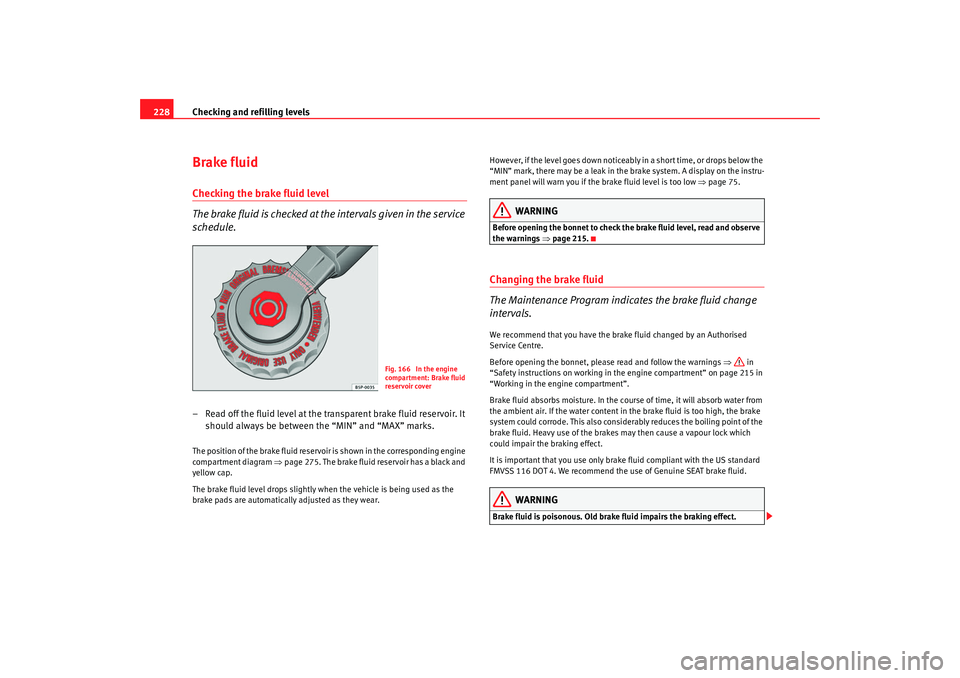
schedule.– Read off the fluid level at the transparent brake fluid reservoir. It
should always be between the “MIN” and “MAX” marks.The position of the brake fluid reservoir is shown in the corresponding engine
compartment diagram ⇒page 275. The brake fluid reservoir has a black and
yellow cap.
The brake fluid level drops slightly when the vehicle is being used as the
brake pads are automatically adjusted as they wear. However, if the level goes down noticeably in a short time, or drops below the
“MIN” mark, there may be a leak in the brake system. A display on the instru-
ment panel will warn you if the brake fluid level is too low
⇒page 75.
WARNING
Before opening the bonnet to check the brake fluid level, read and observe
the warnings ⇒page 215.Changing the brake fluid
The Maintenance Program indicates the brake fluid change
intervals.We recommend that you have the brake fluid changed by an Authorised
Service Centre.
Before opening the bonnet, please read and follow the warnings ⇒ in
“Safety instructions on working in the engine compartment” on page 215 in
“Working in the engine compartment”.
Brake fluid absorbs moisture. In the course of time, it will absorb water from
the ambient air. If the water content in the brake fluid is too high, the brake
system could corrode. This also considerably reduces the boiling point of the
brake fluid. Heavy use of the brakes may then cause a vapour lock which
could impair the braking effect.
It is important that you use only brake fluid compliant with the US standard
FMVSS 116 DOT 4. We recommend the use of Genuine SEAT brake fluid.
WARNING
Brake fluid is poisonous. Old brak e fluid impairs the braking effect.
Fig. 166 In the engine
compartment: Brake fluid
reservoir cover
altea_freetrack_ingles.book Seite 228 Montag, 16. Februar 2009 10:48 10