wiper Seat Altea XL 2011 Owner's Manual
[x] Cancel search | Manufacturer: SEAT, Model Year: 2011, Model line: Altea XL, Model: Seat Altea XL 2011Pages: 319, PDF Size: 8.92 MB
Page 5 of 319
Contents3
ContentsManual structure
. . . . . . . . . . . . . . . . . . . .
Content
. . . . . . . . . . . . . . . . . . . . . . . . . . . . . . . .
Safety First
. . . . . . . . . . . . . . . . . . . . . . . . . . .
Safe driving
. . . . . . . . . . . . . . . . . . . . . . . . . . . . . .
Brief introduction . . . . . . . . . . . . . . . . . . . . . . . .
Proper sitting position for occupants . . . . . . . . .
Pedal area . . . . . . . . . . . . . . . . . . . . . . . . . . . . . .
Storing objects . . . . . . . . . . . . . . . . . . . . . . . . . .
Seat belts
. . . . . . . . . . . . . . . . . . . . . . . . . . . . . . . .
Brief introduction . . . . . . . . . . . . . . . . . . . . . . . .
Why wear seat belts? . . . . . . . . . . . . . . . . . . . . . .
Seat belts . . . . . . . . . . . . . . . . . . . . . . . . . . . . . . .
Seat belt tensioners . . . . . . . . . . . . . . . . . . . . . .
Airbag system
. . . . . . . . . . . . . . . . . . . . . . . . . . . .
Brief introduction . . . . . . . . . . . . . . . . . . . . . . . .
Front airbags . . . . . . . . . . . . . . . . . . . . . . . . . . . .
Side airbags* . . . . . . . . . . . . . . . . . . . . . . . . . . . .
Curtain airbags . . . . . . . . . . . . . . . . . . . . . . . . . .
Deactivating airbags* . . . . . . . . . . . . . . . . . . . . .
Child safety
. . . . . . . . . . . . . . . . . . . . . . . . . . . . . .
Brief introduction . . . . . . . . . . . . . . . . . . . . . . . .
Child seats . . . . . . . . . . . . . . . . . . . . . . . . . . . . . .
Securing child seats . . . . . . . . . . . . . . . . . . . . . .
Operating Instructions
. . . . . . . . . . . .
Cockpit
. . . . . . . . . . . . . . . . . . . . . . . . . . . . . . . . . . .
Overview . . . . . . . . . . . . . . . . . . . . . . . . . . . . . . .
Instruments . . . . . . . . . . . . . . . . . . . . . . . . . . . . .
LPG system* . . . . . . . . . . . . . . . . . . . . . . . . . . . . .
Digital instrument panel display . . . . . . . . . . . .
Instrument panel menus* . . . . . . . . . . . . . . . . . .
Warning lamps . . . . . . . . . . . . . . . . . . . . . . . . . . .
Steering wheel controls
. . . . . . . . . . . . . . . . . . .
General information . . . . . . . . . . . . . . . . . . . . . .
Audio system . . . . . . . . . . . . . . . . . . . . . . . . . . . .
Radio navigation system . . . . . . . . . . . . . . . . . . .
Unlocking and locking
. . . . . . . . . . . . . . . . . . . .
Central locking . . . . . . . . . . . . . . . . . . . . . . . . . . .
Keys . . . . . . . . . . . . . . . . . . . . . . . . . . . . . . . . . . .
Radio frequency remote control . . . . . . . . . . . . .
Anti-theft alarm system* . . . . . . . . . . . . . . . . . . .
Tailgate . . . . . . . . . . . . . . . . . . . . . . . . . . . . . . . . .
Windows . . . . . . . . . . . . . . . . . . . . . . . . . . . . . . .
Sliding/tilting sunroof* . . . . . . . . . . . . . . . . . . . .
Lights and visibility
. . . . . . . . . . . . . . . . . . . . . . .
Lights . . . . . . . . . . . . . . . . . . . . . . . . . . . . . . . . . .
Interior lights . . . . . . . . . . . . . . . . . . . . . . . . . . . .
Visibility . . . . . . . . . . . . . . . . . . . . . . . . . . . . . . . .
Windscreen wipers . . . . . . . . . . . . . . . . . . . . . . .
Rear-view mirrors . . . . . . . . . . . . . . . . . . . . . . . . .
Seats and storage compartments
. . . . . . . . . .
The importance of correct seat adjustment . . . .
Head restraints . . . . . . . . . . . . . . . . . . . . . . . . . .
Front seats . . . . . . . . . . . . . . . . . . . . . . . . . . . . . .
Rear seats . . . . . . . . . . . . . . . . . . . . . . . . . . . . . .
Storage compartment . . . . . . . . . . . . . . . . . . . . . Ashtrays*, cigarette lighter* and electrical
sockets . . . . . . . . . . . . . . . . . . . . . . . . . . . . . . . . .
First-aid kit, warning triangle, fire extinguisher
Luggage compartment . . . . . . . . . . . . . . . . . . . .
Air conditioning
. . . . . . . . . . . . . . . . . . . . . . . . . .
Heating . . . . . . . . . . . . . . . . . . . . . . . . . . . . . . . . .
Climatic* . . . . . . . . . . . . . . . . . . . . . . . . . . . . . . .
2C-Climatronic* . . . . . . . . . . . . . . . . . . . . . . . . . .
General notes . . . . . . . . . . . . . . . . . . . . . . . . . . .
Driving
. . . . . . . . . . . . . . . . . . . . . . . . . . . . . . . . . . .
Steering . . . . . . . . . . . . . . . . . . . . . . . . . . . . . . . .
Safety . . . . . . . . . . . . . . . . . . . . . . . . . . . . . . . . . .
Ignition lock . . . . . . . . . . . . . . . . . . . . . . . . . . . . .
Starting and stopping the engine . . . . . . . . . . .
Start-Stop function* . . . . . . . . . . . . . . . . . . . . . .
Manual gearbox . . . . . . . . . . . . . . . . . . . . . . . . . .
Automatic gearbox* / DSG automatic gearbox*
Handbrake . . . . . . . . . . . . . . . . . . . . . . . . . . . . . .
Acoustic parking aid system* . . . . . . . . . . . . . . .
Cruise control* . . . . . . . . . . . . . . . . . . . . . . . . . . .
Practical Tips
. . . . . . . . . . . . . . . . . . . . . . . .
Intelligent technology
. . . . . . . . . . . . . . . . . . . . .
Brakes . . . . . . . . . . . . . . . . . . . . . . . . . . . . . . . . .
Anti-lock brake system and traction control M-ABS
(ABS and TCS) . . . . . . . . . . . . . . . . . . . . . . . . . . .
Electronic Stability Programme (ESP)* . . . . . . . .
Driving and the environment
. . . . . . . . . . . . . .
Running-in . . . . . . . . . . . . . . . . . . . . . . . . . . . . . .
Exhaust gas purification system . . . . . . . . . . . . .
Economical and environmentally friendly driving
Driving abroad . . . . . . . . . . . . . . . . . . . . . . . . . . .
5
6
7
7
7
10
16
17
19
19
21
24
28
30
30
34
37
41
44
46
46
48
51 55
55
55
57
60
61
68
77
91
91
92
96
99
99
105
107
109
111
113
115
118
118
126
129
130
134
137
137
138
140
142
144 153
156
157
160
160
162
166
170
172
172
173
174
175
179
182
183
188
190
193
197
197
197
198
199
205
205
206
207
210
AlteaXL_EN.book Seite 3 Donnerstag, 9. September 2010 12:13 12
Page 6 of 319
Contents
4Trailer towing
. . . . . . . . . . . . . . . . . . . . . . . . . . . . .
Instructions to follow . . . . . . . . . . . . . . . . . . . . .
Ball coupling of towing bracket* . . . . . . . . . . . .
Driving tips . . . . . . . . . . . . . . . . . . . . . . . . . . . . .
Fitting a towing bracket* . . . . . . . . . . . . . . . . . . .
Vehicle maintenance and cleaning
. . . . . . . .
General notes . . . . . . . . . . . . . . . . . . . . . . . . . . .
Vehicle exterior maintenance . . . . . . . . . . . . . . .
Vehicle interior maintenance . . . . . . . . . . . . . . .
Accessories, parts replacement and
modifications
. . . . . . . . . . . . . . . . . . . . . . . . . . . .
Accessories and spare parts . . . . . . . . . . . . . . . .
Technical modifications . . . . . . . . . . . . . . . . . . .
Roof aerial* . . . . . . . . . . . . . . . . . . . . . . . . . . . . .
Mobile phones and two-way radios . . . . . . . . . .
Checking and refilling levels
. . . . . . . . . . . . . .
Refuelling . . . . . . . . . . . . . . . . . . . . . . . . . . . . . . .
LPG system* . . . . . . . . . . . . . . . . . . . . . . . . . . . . .
Petrol . . . . . . . . . . . . . . . . . . . . . . . . . . . . . . . . . .
Diesel . . . . . . . . . . . . . . . . . . . . . . . . . . . . . . . . . .
Working in the engine compartment . . . . . . . . .
Engine oil . . . . . . . . . . . . . . . . . . . . . . . . . . . . . . .
Coolant . . . . . . . . . . . . . . . . . . . . . . . . . . . . . . . . .
Washer fluid and windscreen wiper blades . . . .
Brake fluid . . . . . . . . . . . . . . . . . . . . . . . . . . . . . .
Vehicle battery . . . . . . . . . . . . . . . . . . . . . . . . . . .
Wheels and tyres
. . . . . . . . . . . . . . . . . . . . . . . . .
Wheels . . . . . . . . . . . . . . . . . . . . . . . . . . . . . . . . .
If and when
. . . . . . . . . . . . . . . . . . . . . . . . . . . . . .
Tools, tyre repair kit and spare wheel . . . . . . . .
Changing a wheel . . . . . . . . . . . . . . . . . . . . . . . .
Tyre repair kit (Tyre Mobility System)* . . . . . . . .
Fuses . . . . . . . . . . . . . . . . . . . . . . . . . . . . . . . . . .
Bulb change . . . . . . . . . . . . . . . . . . . . . . . . . . . . .
Jump-starting . . . . . . . . . . . . . . . . . . . . . . . . . . . .
Towing and tow-starting . . . . . . . . . . . . . . . . . . .
Technical Specifications
. . . . . . . . . .
Description of specifications
. . . . . . . . . . . . . .
Important information . . . . . . . . . . . . . . . . . . . . .
Information on fuel consumption . . . . . . . . . . . .
Towing a trailer . . . . . . . . . . . . . . . . . . . . . . . . . .
Technical Specifications
. . . . . . . . . . . . . . . . . .
Checking fluid levels . . . . . . . . . . . . . . . . . . . . . .
Petrol engine 1.4 63 kW (85 PS) . . . . . . . . . . . .
Petrol engine 1.6 75 kW (102 PS) . . . . . . . . . . .
Petrol engine 1.2 77 kW (105 PS) . . . . . . . . . . .
Petrol engine 1.4 92 kW (125 PS) . . . . . . . . . . .
Petrol engine 1.8 118 kW (160 PS) . . . . . . . . . .
Diesel engine 1.6 TDI CR 77 kW (105 PS)
with/without DPF . . . . . . . . . . . . . . . . . . . . . . . . .
Diesel engine 1.6 TDI CR 77 kW (105 PS) with
Start&Stop . . . . . . . . . . . . . . . . . . . . . . . . . . . . . .
Diesel engine 2.0 TDI CR 103 kW (140 PS) DPF
Diesel engine 2.0 TDI PD 103 kW (140 PS) without
DPF . . . . . . . . . . . . . . . . . . . . . . . . . . . . . . . . . . . .
Dimensions and capacities . . . . . . . . . . . . . . . .
Index
. . . . . . . . . . . . . . . . . . . . . . . . . . . . . . . . . .
211
211
212
212
213
215
215
216
222
224
224
224
225
225
226
226
228
231
232
233
236
240
242
245
247
250
250
258
258
260
267
269
273
282
285 289
289
289
291
291
293
293
294
295
296
298
299
300
302
303
304
306
307
AlteaXL_EN.book Seite 4 Donnerstag, 9. September 2010 12:13 12
Page 57 of 319
Cockpit55
Safety First
Operating Instructions
Practical Tips
Technical Specifications
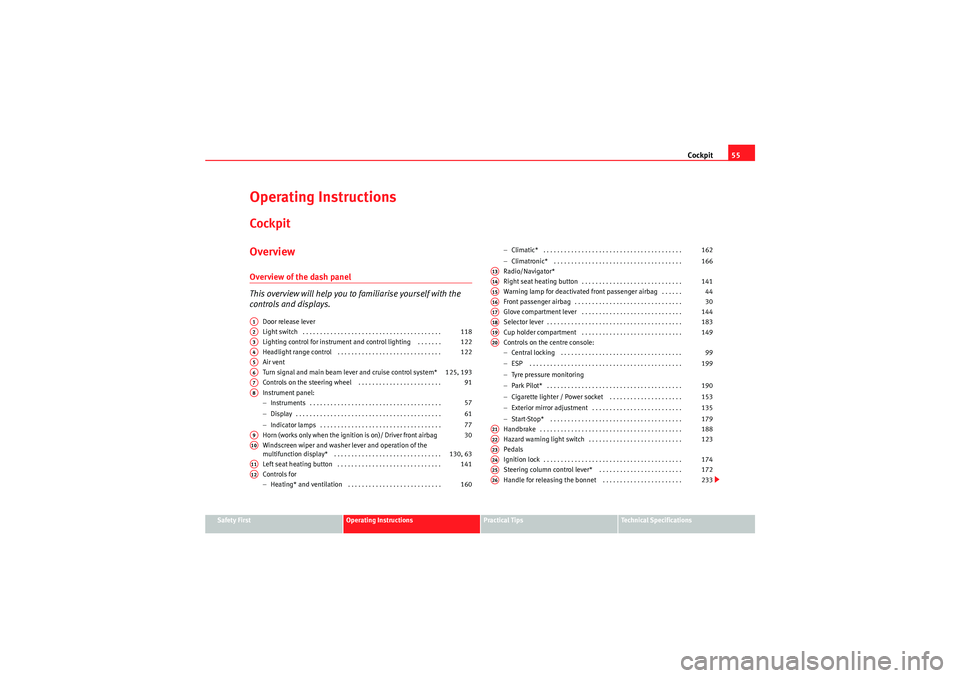
Operating InstructionsCockpitOverviewOverview of the dash panel
This overview will help you to familiarise yourself with the
controls and displays.
Door release lever
Light switch . . . . . . . . . . . . . . . . . . . . . . . . . . . . . . . . . . . . . . . .
Lighting control for instrument and control lighting . . . . . . .
Headlight range control . . . . . . . . . . . . . . . . . . . . . . . . . . . . . .
Air vent
Turn signal and main beam lever and cruise control system*
Controls on the steering wheel . . . . . . . . . . . . . . . . . . . . . . . .
Instrument panel:
− Instruments . . . . . . . . . . . . . . . . . . . . . . . . . . . . . . . . . . . . . .
− Display . . . . . . . . . . . . . . . . . . . . . . . . . . . . . . . . . . . . . . . . . .
− Indicator lamps . . . . . . . . . . . . . . . . . . . . . . . . . . . . . . . . . . .
Horn (works only when the ignition is on)/ Driver front airbag
Windscreen wiper and washer lever and operation of the
multifunction display* . . . . . . . . . . . . . . . . . . . . . . . . . . . . . . .
Left seat heating button . . . . . . . . . . . . . . . . . . . . . . . . . . . . . .
Controls for
− Heating* and ventilation . . . . . . . . . . . . . . . . . . . . . . . . . . . −
Climatic* . . . . . . . . . . . . . . . . . . . . . . . . . . . . . . . . . . . . . . . .
− Climatronic* . . . . . . . . . . . . . . . . . . . . . . . . . . . . . . . . . . . . .
Radio/Navigator*
Right seat heating button . . . . . . . . . . . . . . . . . . . . . . . . . . . . .
Warning lamp for deactivated front passenger airbag . . . . . .
Front passenger airbag . . . . . . . . . . . . . . . . . . . . . . . . . . . . . . .
Glove compartment lever . . . . . . . . . . . . . . . . . . . . . . . . . . . . .
Selector lever . . . . . . . . . . . . . . . . . . . . . . . . . . . . . . . . . . . . . . .
Cup holder compartment . . . . . . . . . . . . . . . . . . . . . . . . . . . . .
Controls on the centre console:
− Central locking . . . . . . . . . . . . . . . . . . . . . . . . . . . . . . . . . . .
− ESP . . . . . . . . . . . . . . . . . . . . . . . . . . . . . . . . . . . . . . . . . . . .
− Tyre pressure monitoring
− Park Pilot* . . . . . . . . . . . . . . . . . . . . . . . . . . . . . . . . . . . . . . .
− Cigarette lighter / Power socket . . . . . . . . . . . . . . . . . . . . .
− Exterior mirror adjustment . . . . . . . . . . . . . . . . . . . . . . . . . .
− Start-Stop* . . . . . . . . . . . . . . . . . . . . . . . . . . . . . . . . . . . . . .
Handbrake . . . . . . . . . . . . . . . . . . . . . . . . . . . . . . . . . . . . . . . . .
Hazard warning light switch . . . . . . . . . . . . . . . . . . . . . . . . . . .
Pedals
Ignition lock . . . . . . . . . . . . . . . . . . . . . . . . . . . . . . . . . . . . . . . .
Steering column control lever* . . . . . . . . . . . . . . . . . . . . . . . .
Handle for releasing the bonnet . . . . . . . . . . . . . . . . . . . . . . .
A1A2
118
A3
122
A4
122
A5A6
125, 193
A7
91
A8
57
61
77
A9
30
A10
130, 63
A11
141
A12
160 162
166
A13A14
141
A15
44
A16
30
A17
144
A18
183
A19
149
A20
99
199
190
153
135
179
A21
188
A22
123
A23A24
174
A25
172
A26
233
AlteaXL_EN.book Seite 55 Donnerstag, 9. September 2010 12:13 12
Page 66 of 319
Cockpit
64
The multifunction system uses two automatic memories: 1 - Actual
memory and 2 - Total memory . The selected memory will be shown
in the upper right-hand corner of the display.
Selecting a memory
– When the ignition is on, briefly press button ⇒page 63, fig. 41
on the windscreen wiper lever to change from one memory to
another or press button on the steering wheel controls
⇒ page 63, fig. 41 .
Resetting a memory
– Select the memory that you would like to reset.
– Hold down button on the windscreen wiper lever or button on the steering wheel contro ls for at least 2 seconds.The trip memory 1 collects the travel and consumption rates from the
moment the ignition is switched on until it is switched off. If the journey is
continued within two hours of switching off the ignition, the new values will
be added to the existing trip recorder memory. The memory will automatically
be deleted if the journey is interrupted for more than two hours.
The total memory 2 collects the trip data for any number of individual jour-
neys (even if the ignition is switched off for longer than two hours) up to a
total of 19 hours and 59 minutes travel time or 1999 km distance travelled.
The memory will automatically be deleted if one of the named values is
reached.
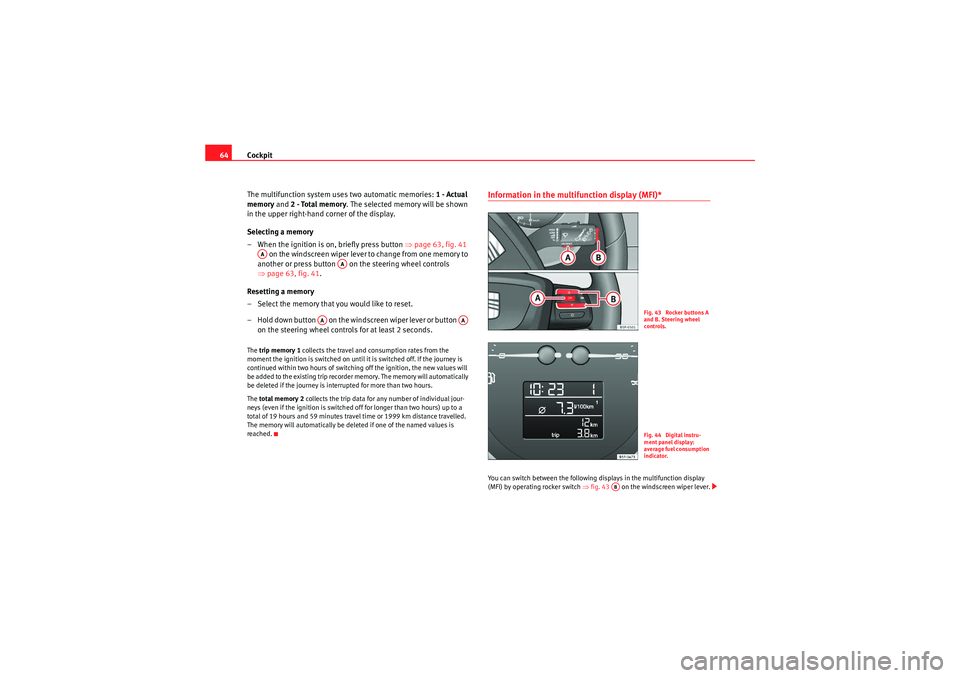
Information in th e multifunction display (MFI)* You can switch between the following displays in the multifunction display
(MFI) by operating rocker switch ⇒fig. 43 on the windscreen wiper lever.
AA
AA
AA
AA
Fig. 43 Rocker buttons A
and B. Steering wheel
controls.Fig. 44 Digital instru-
ment panel display:
average fuel consumption
indicator.
AB
AlteaXL_EN.book Seite 64 Donnerstag, 9. September 2010 12:13 12
Page 70 of 319
Cockpit
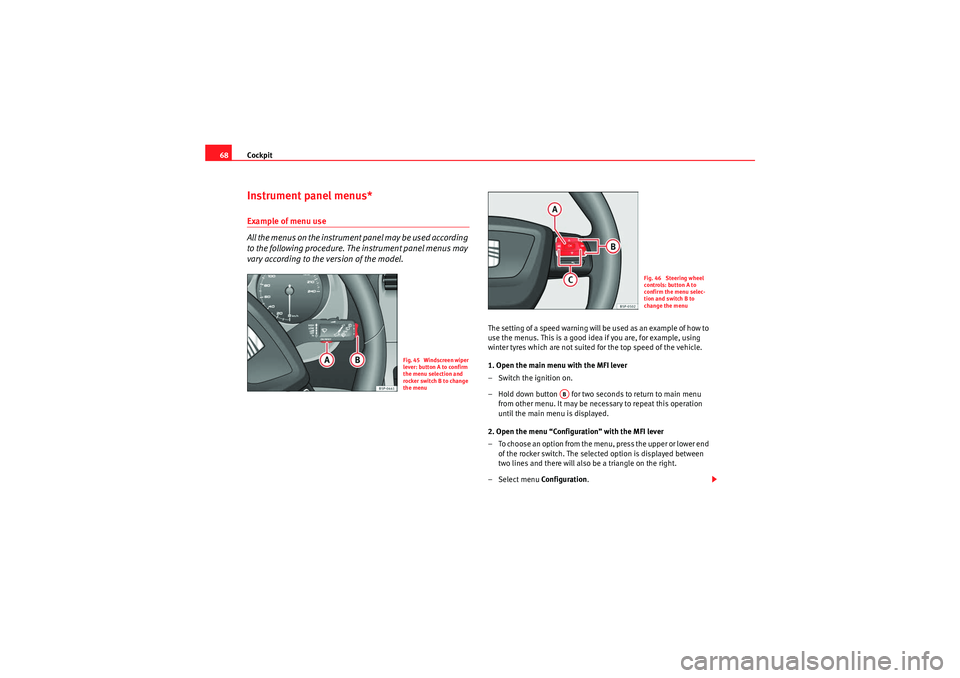
68Instrument panel menus*Example of menu use
All the menus on the instrument panel may be used according
to the following procedure. The instrument panel menus may
vary according to the version of the model.
The setting of a speed warning will be used as an example of how to
use the menus. This is a good idea if you are, for example, using
winter tyres which are not suited for the top speed of the vehicle.
1. Open the main menu with the MFI lever
– Switch the ignition on.
– Hold down button for two seconds to return to main menu
from other menu. It may be necessary to repeat this operation
until the main menu is displayed.
2. Open the menu “Configuration” with the MFI lever
– To choose an option from the menu, press the upper or lower end of the rocker switch. The selected option is displayed between
two lines and there will also be a triangle on the right.
– Select menu Configuration.
Fig. 45 Windscreen wiper
lever: button A to confirm
the menu selection and
rocker switch B to change
the menu
Fig. 46 Steering wheel
controls: button A to
confirm the menu selec-
tion and switch B to
change the menu
AB
AlteaXL_EN.book Seite 68 Donnerstag, 9. September 2010 12:13 12
Page 71 of 319
Cockpit69
Safety First
Operating Instructions
Practical Tips
Technical Specifications
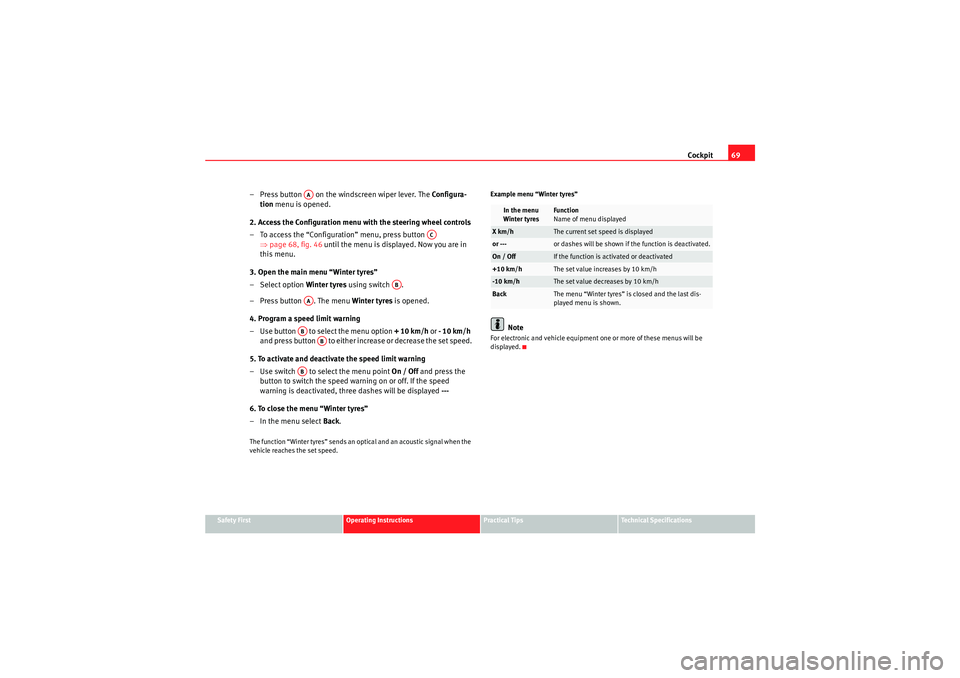
– Press button on the windscreen wiper lever. The Configura-
tion menu is opened.
2. Access the Configuration menu with the steering wheel controls
– To access the “Configuration” menu, press button ⇒page 68, fig. 46 until the menu is displayed. Now you are in
this menu.
3. Open the main menu “Winter tyres”
– Select option Winter tyres using switch .
– Press button . The menu Winter tyres is opened.
4. Program a speed limit warning
– Use button to select the menu option + 10 km/h or - 10 km/h
and press button to either increase or decrease the set speed.
5. To activate and deactivate the speed limit warning
– Use switch to se lect the menu point On / Off and press the
button to switch the speed warning on or off. If the speed
warning is deactivated, three dashes will be displayed ---
6. To close the menu “Winter tyres”
–In the menu select Back .The function “Winter tyres” sends an optical and an acoustic signal when the
vehicle reaches the set speed. Example menu “Winter tyres”
Note
For electronic and vehicle equipment one or more of these menus will be
displayed.
AA
AC
AB
AAAB
AB
AB
In the menu
Winter tyres
Function
Name of menu displayed
X km/h
The current set speed is displayed
or ---
or dashes will be shown if the function is deactivated.
On / Off
If the function is activated or deactivated
+10 km/h
The set value increases by 10 km/h
-10 km/h
The set value decreases by 10 km/h
Back
The menu “Winter tyres” is closed and the last dis-
played menu is shown.
AlteaXL_EN.book Seite 69 Donnerstag, 9. September 2010 12:13 12
Page 72 of 319
Cockpit
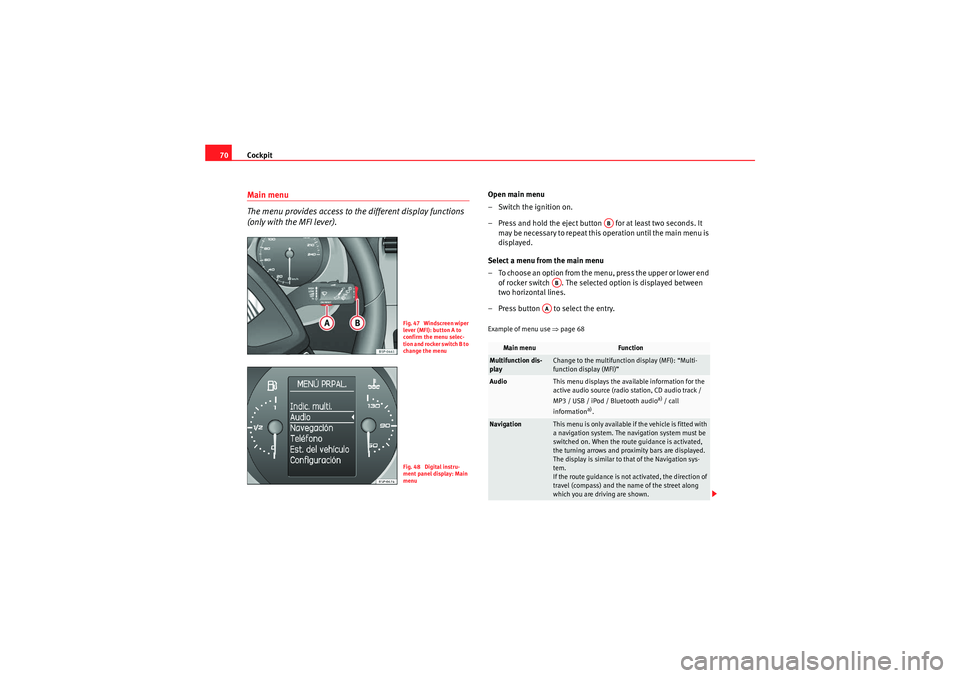
70Main menu
The menu provides access to the different display functions
(only with the MFI lever).
Open main menu
– Switch the ignition on.
– Press and hold the eject button for at least two seconds. It
may be necessary to repeat this operation until the main menu is
displayed.
Select a menu from the main menu
– To choose an option from the menu, press the upper or lower end of rocker switch . The selected option is displayed between
two horizontal lines.
– Press button to select the entry.Example of menu use ⇒page 68
Fig. 47 Windscreen wiper
lever (MFI): button A to
confirm the menu selec-
tion and rocker switch B to
change the menuFig. 48 Digital instru-
ment panel display: Main
menu
Main menu
Function
Multifunction dis-
play
Change to the multifunction display (MFI): “Multi-
function display (MFI)”
Audio
This menu displays the available information for the
active audio source (radio station, CD audio track /
MP3 / USB / iPod / Bluetooth audio
a) / call
information
a).
Navigation
This menu is only available if the vehicle is fitted with
a navigation system. The navigation system must be
switched on. When the route guidance is activated,
the turning arrows and proximity bars are displayed.
The display is similar to that of the Navigation sys-
tem.
If the route guidance is not activated, the direction of
travel (compass) and the name of the street along
which you are driving are shown.
AB
AB
AA
AlteaXL_EN.book Seite 70 Donnerstag, 9. September 2010 12:13 12
Page 73 of 319
Cockpit71
Safety First
Operating Instructions
Practical Tips
Technical Specifications
Note
For electronic and vehicle equipment one or more of these menus will be
displayed.
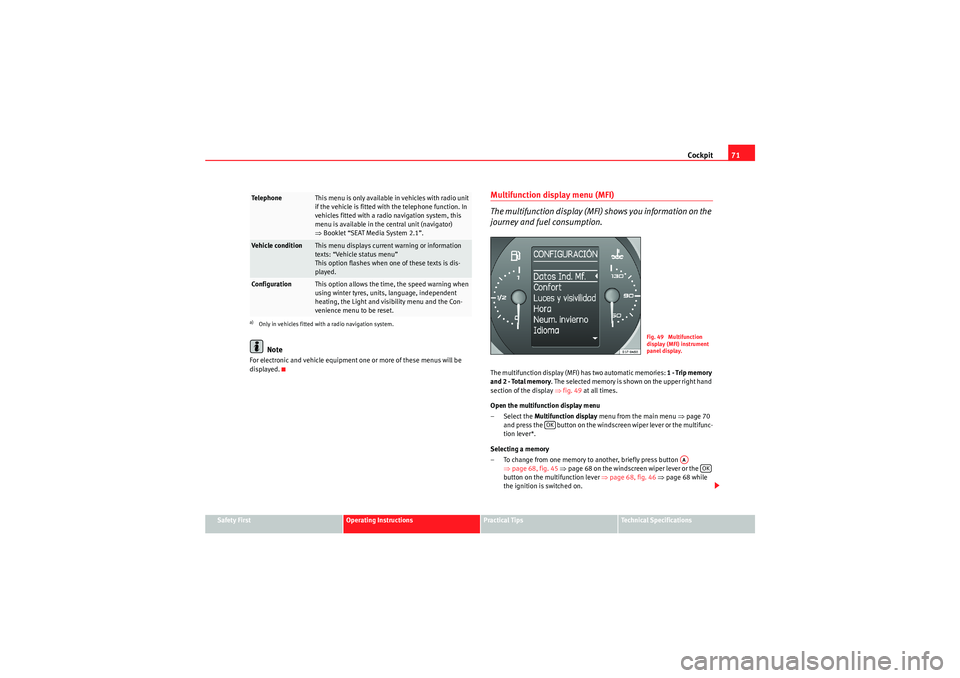
Multifunction disp lay menu (MFI)
The multifunction display (MFI) shows you information on the
journey and fuel consumption.The multifunction display (MFI) has two automatic memories: 1 - Trip memory
and 2 - Total memory . The selected memory is shown on the upper right hand
section of the display ⇒fig. 49 at all times.
Open the multifunction display menu
–Select the Multifunction display menu from the main menu ⇒page 70
and press the button on the windscreen wiper lever or the multifunc-
tion lever*.
Selecting a memory
– To change from one memory to another, briefly press button ⇒page 68, fig. 45 ⇒ page 68 on the windscreen wiper lever or the
button on the multifunction lever ⇒page 68, fig. 46 ⇒page 68 while
the ignition is switched on.
Te l e p h o n e
This menu is only available in vehicles with radio unit
if the vehicle is fitted with the telephone function. In
vehicles fitted with a radio navigation system, this
menu is available in the central unit (navigator)
⇒ Booklet “SEAT Media System 2.1”.
Vehicle condition
This menu displays current warning or information
texts: “Vehicle status menu”
This option flashes when one of these texts is dis-
played.
Configuration
This option allows the time, the speed warning when
using winter tyres, units, language, independent
heating, the Light and visibility menu and the Con-
venience menu to be reset.
a)Only in vehicles fitted with a radio navigation system.
Fig. 49 Multifunction
display (MFI) instrument
panel display.
OK
AA
OK
AlteaXL_EN.book Seite 71 Donnerstag, 9. September 2010 12:13 12
Page 74 of 319
Cockpit
72Resetting a memory
– Select the memory where you wish to erase the values.
– Hold down button on the windscreen wiper lever or the button on
the multifunction* steering wheel for at least two seconds.
The journey memory 1 collects the travel and consumption data from the
moment the ignition is switched on until it is switched off. If the journey is
continued within two hours of switching off the ignition, the new values will
be added to the existing trip recorder memory. The memory will automatically
be deleted if the journey is interrupted for more than two hours.
The total journey memory 2 collects the journey data for any number of indi-
vidual journeys (even if the ignition is switched off for longer than two hours)
up to a total of 19 hours and 59 minutes travel time or 1999 km distance trav-
elled. The memory will automatically be deleted if one of the named values is
reached.
Memory indications
The following data can be viewed on the multifunction display using the
rocker switch ⇒page 68, fig. 45 ⇒page 68 on the windscreen wiper
lever or by pressing button or ⇒page 68, fig. 46 on the multifunction
steering wheel*.•Duration•Current fuel consumption•Average fuel consumption•Distance to empty•Distance•Average speed•Auxiliary speed•Digital display of speed
9)
•Speed warning at --- km/h Personal selection of display
The driver can establish which displays are shown on the instrument panel
display as required:
•Select the submenu
Multifunction Display Data from the Configuration
menu ⇒page 74.•The displays can be activated or deactivated individually by marking the
required option and pressing the button on the windscreen wiper lever or
the multifunction steering wheel*.
Duration in h and min
The display shows the amount of time which has elapsed since the ignition
was switched on.
The maximum display value in both me mories is 19 hours and 59 minutes.
The memory will automatically be deleted once this value has been reached.
Current fuel consumption in l/100 km or l/h
The display will show the current fuel consumption in litres/100 km whilst the
vehicle is in motion or in litres/hour when the vehicle is in a stationary posi-
tion with the engine running.
Using this display you can see how your driving style affects fuel consump-
tion ⇒page 207.
Average consumption in l/100 km
The average fuel consumption will be shown after a distance of approximately
100 metres has been travelled. Until then dashes will appear in the display.
The display will be updated every five seconds while the vehicle is in motion.
The amount of fuel used will not be shown.
Fuel range in km
The fuel range is calculated using the figures for tank content and current fuel
consumption. It shows how far the vehicle can travel using the same condi-
tions as a reference.
9)It is not possible to see whether the alternative speed display is activated.
AA
OK
AB
…
†
OK
AlteaXL_EN.book Seite 72 Donnerstag, 9. September 2010 12:13 12
Page 75 of 319
Cockpit73
Safety First
Operating Instructions
Practical Tips
Technical Specifications
Distance travelled in km
The display shows the distance travelled since the ignition was switched on.
The maximum display value in both memories is 1999 km. The memory will
automatically be deleted once this value has been reached.
Average speed in km/h
The average speed will be shown after a distance of approximately 100
metres has been travelled. Until then dashes will appear in the display. The
display will be updated every five seconds while the vehicle is in motion.
Alternative speed display (mph or km/h)
The speed is also displayed in a second unit of measurement other than that
used on the speedometer.
•Select the menu
Configuration using the rocker switch on the windscreen
wiper lever or the buttons on the multifunction steering wheel* ⇒page 68.•Select the option Auxiliary speed and press on the windscreen wiper
lever or the multifunction steering wheel*.
Digital display of speed
The instrument panel display gives the speed in digital format
9).
Speed warning at --- km/h
This function may help you to keep within the speed limits. Press the
button on the windscreen wiper lever or the multifunction steering wheel*
to select the current speed. The instrument panel display gives the selected
speed, for example, Speed warning 120 km/h . You have five seconds to reset
the speed between 30 km/h and 250 km/h using rocker switch or buttons or on the multifunction steering wheel*. Press the button or wait
five seconds until the speed is stored and the warning is activated. If the set
speed is exceeded, an acoustic signal is heard and a warning message is
displayed until the speed is reduced to at least 4 km/h below the stored
speed. The function is switched off by pressing the button again. Speed
warning --- km/h is now displayed on the instrument panel. Outside temperature display
The measurement margin ranges from -40 °C (-40 °F) to +50 °C (+125 °F). At
outside temperatures below +4 °C (+39.2 °F), the snowflake symbol (ice
danger warning) appears in addition to the outside temperature display. This
symbol flashes for a few seconds and remains lit until the outside tempera-
ture rises above +6 °C (+42.8 °F).
WARNING
There could be black ice on the road surface even if the “snowflake symbol”
is not shown. For this reason you should not rely exclusively on this display
- Risk of accident!
Note
•There are different instrument panels; therefore the multifunction display
may vary.•When the vehicle is stationary or travelling at very low speeds, the
temperature displayed may be slightly higher than the actual outside temper-
ature as a result of the heat radiated from the engine.•Vehicles with a multifunction steering wheel* do not have buttons on the
windscreen wiper lever. The multifunction display can only be controlled from
the buttons on the multifunction steering wheel*.Vehicle status menu
This menu shows warning or information textsOpen Vehicle Condition menu
– Select the option Veh i cle status from the main menu: “Main
menu” and press button on the windscreen wiper lever
⇒ page 70, fig. 47 . or
OK
OK
AA
AB
OK
OK
OK
AA
AlteaXL_EN.book Seite 73 Donnerstag, 9. September 2010 12:13 12