display Seat Altea XL 2013 Service Manual
[x] Cancel search | Manufacturer: SEAT, Model Year: 2013, Model line: Altea XL, Model: Seat Altea XL 2013Pages: 317, PDF Size: 4.69 MB
Page 168 of 317
166Air conditioning
Switching on manual mode
–To enter manual mode, press one of the buttons ⇒ Fig. 134 1
to 5 or press the air flow control 10. The selected function is
shown on the radio or navigator display.
Temperature
There are separate temperature selectors for the left and right sides of the
vehicle interior. The selected temperature is displayed above the selector.
The inside temperature can be set between +18 °C (64 °F) and +26 °C
(80 °F). These are approximate temperatures and the actual temperature
may be slightly higher or lower depending on the ambient conditions.
If a temperature below 18 °C (64 °F) is selected, the display switches to LO
In this setting the system runs at maximum cooling output and the tempera-
ture is not regulated.
If a temperature above 26 °C (80 °F) is selected, the display switches to HI.
In this setting the system runs at maximum heating output and the temper-
ature is not regulated.
Blower
The air flow may be adjusted freely using the control 10
. Always have the
blower running at a low setting to ensure a constant flow of fresh air into
the vehicle. Pushing the button to the minimum -1, turns the Climatronic
off.
Air distribution
The air distribution is adjusted using the buttons
, and . It is also
possible to open and close some of the air vents separately.
Switching the air conditioning on and off
When the AC
button is on (LED lit), the air conditioning system is on.
When the AC
button is off (LED off), the air conditioning system is off. When the
AC
button is off, the air conditioning system is switched off to
save fuel. The temperature continues to self-regulate. The set temperature
can then only be reached if it is higher than the outside temperature.
Driver and passenger temperature control
The SYNC
button controls the synchronisation of the 2 Climatronic climate
zones.
When the SYNC
button is off (LED off), the climate zone of the Climatronic is
personalised. For example: driver side temperature 22 °C and passenger
side temperature 23 °C.
When the SYNC
button is on (LED lit), the climate zone of the Climatronic is
synchronised. For example: driver side temperature 22 °C and passenger
side temperature 22 °C.
If the SYNC
button is on and the passenger side temperature is changed,
the function is automatically deactivated.
Air recirculation mode
Air recirculation mode prevents fumes or unpleasant smells
from coming from the outside. – Press the button
⇒ Fig. 134
2 to switch air recirculation
mode on or off. It is switched on if the following symbol appears
in the display .
Air recirculation mode prevents strong odours in the ambient air from enter-
ing the vehicle interior, for example when passing through a tunnel or in a
traffic jam.
With low outside temperatures, the air recirculation increases the effective-
ness of the heating system by heating the air inside the vehicle rather than
the air from outside.
Page 177 of 317
175
Driving
Driving with LPG*
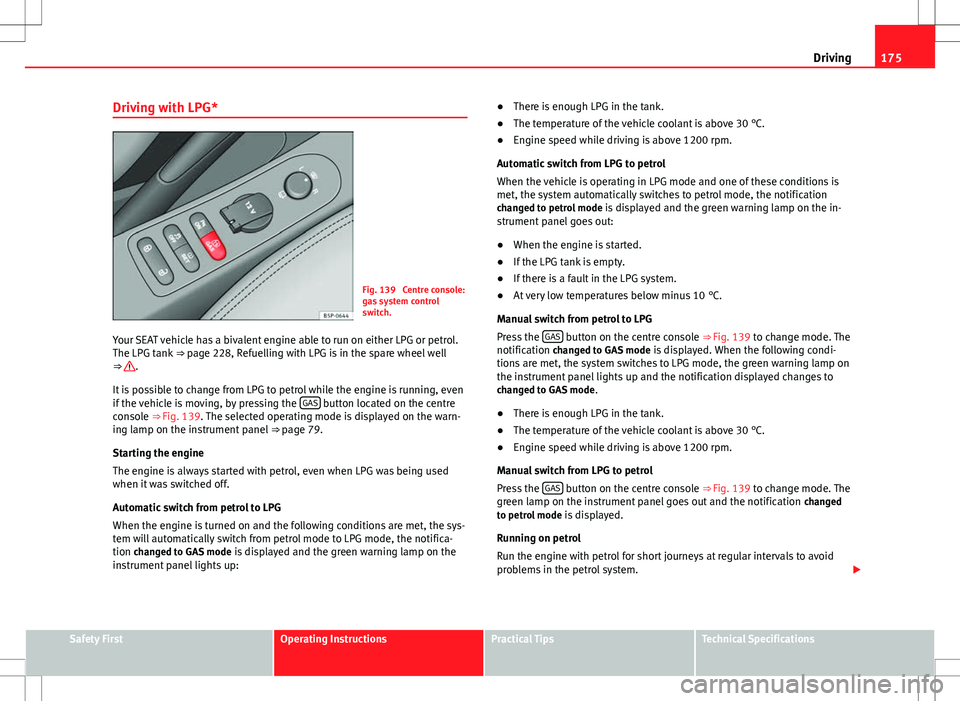
Fig. 139 Centre console:
gas system control
switch.
Your SEAT vehicle has a bivalent engine able to run on either LPG or petrol.
The LPG tank ⇒ page 228, Refuelling with LPG is in the spare wheel well
⇒
.
It is possible to change from LPG to petrol while the engine is running, even
if the vehicle is moving, by pressing the GAS
button located on the centre
console ⇒ Fig. 139. The selected operating mode is displayed on the warn-
ing lamp on the instrument panel ⇒ page 79.
Starting the engine
The engine is always started with petrol, even when LPG was being used
when it was switched off.
Automatic switch from petrol to LPG
When the engine is turned on and the following conditions are met, the sys-
tem will automatically switch from petrol mode to LPG mode, the notifica-
tion changed to GAS mode is displayed and the green warning lamp on the
instrument panel lights up: ●
There is enough LPG in the tank.
● The temperature of the vehicle coolant is above 30 °C.
● Engine speed while driving is above 1200 rpm.
Automatic switch from LPG to petrol
When the vehicle is operating in LPG mode and one of these conditions is
met, the system automatically switches to petrol mode, the notification changed to petrol mode is displayed and the green warning lamp on the in-
strument panel goes out:
● When the engine is started.
● If the LPG tank is empty.
● If there is a fault in the LPG system.
● At very low temperatures below minus 10 °C.
Manual switch from petrol to LPG
Press the GAS
button on the centre console ⇒
Fig. 139 to change mode. The
notification changed to GAS mode is displayed. When the following condi-
tions are met, the system switches to LPG mode, the green warning lamp on
the instrument panel lights up and the notification displayed changes to changed to GAS mode .
● There is enough LPG in the tank.
● The temperature of the vehicle coolant is above 30 °C.
● Engine speed while driving is above 1200 rpm.
Manual switch from LPG to petrol
Press the GAS
button on the centre console ⇒ Fig. 139 to change mode. The
green lamp on the instrument panel goes out and the notification changed
to petrol mode is displayed.
Running on petrol
Run the engine with petrol for short journeys at regular intervals to avoid
problems in the petrol system.
Safety FirstOperating InstructionsPractical TipsTechnical Specifications
Page 178 of 317
176Driving
WARNING
LPG is a highly explosive and inflammable substance. It may cause se-
vere burns and other injury.
● Due care must be taken to avoid any risk of fire or explosion.
● When parking the vehicle in a closed area (for example in a garage),
make sure that there is adequate ventilation, either natural or mechani-
cal, to neutralise the LPG in the event of a leak.
Note
● If frequent short journeys are made, especially when the outside tem-
perature is low, the vehicle will tend to run on petrol more often than on
LPG. Therefore, the petrol tank may empty before the LPG tank.
● The notification LPG mode not possible may be displayed.
Start-Stop function* Description and operation
The Start-Stop function stops the engine when the vehicle is stop-
ped and starts it automatically when required.
– When the vehicle is stopped, put it in neutral and release the
clutch pedal. The engine will stop.
– When the clutch pedal is pressed, the engine starts again.
– The instrument panel display shows information about the sta-
tus of the Start-Stop function ⇒
Fig. 141. Start-Stop function conditions
●
The driver seat belt must be buckled.
● The bonnet must be closed.
● The engine must be at operating temperature.
● The steering wheel must not be turned more than 270°.
● The vehicle must not be on a steep gradient.
● The vehicle must not be in reverse.
● A trailer must not be connected.
● The temperature of the passenger compartment must be within the com-
fort limits (button AC
11 ⇒ Fig. 134 should be selected).
● The windscreen de-mist function must be off.
● If not, it requires an increase in airflow 10
⇒ Fig. 134 for more than three
presses.
● The temperature must not be set to HI or LO.
● The driver door must be closed.
● The diesel particulate filter must not be in regeneration mode, for diesel
engines.
● The battery charge must not be low for the next start.
● The battery temperature must be between -1 °C and 55 °C.
● The Parking aid system (Park Assist*) must not be activated.
Start-Stop function interruption
In the following situations, the Start-Stop function will be interrupted and
the engine will automatically start:
● The vehicle starts moving.
● The brake pedal is pressed several times in a row.
● The battery has been discharged excessively.
● The Start-Stop System is manually deactivated.
● The windscreen de-mist function is turned on.
● The temperature of the passenger compartment exceeds the comfort
limits (button AC
11 ⇒ Fig. 134 should be selected).
Page 179 of 317
177
Driving
● If in an increase in airflow 10
⇒ Fig. 134 is required for more than three
presses.
● Temperature setting HI or LO is selected.
● The engine coolant temperature is insufficient.
● The alternator is faulty, for example the V-belt has ruptured.
● If any of the conditions described in the previous section are not fulfil-
led.
WARNING
Never allow the vehicle to move with the engine off for any reason. You
could lose control of your vehicle. This could cause an accident and seri-
ous injury.
● Power steering does not work when the engine is not running. That is
why it is much more difficult to turn the steering wheel.
● Turn off the Start-Stop system when driving through water (fording
streams, etc.).
Note
● For vehicles with the Start-Stop function and a manual gearbox, when
the engine is started, the clutch must be pressed.
● When the conditions for the Start-Stop function are not fulfilled, the in-
strument panel displays the Start-Stop indicator dimmed.
● If the steering wheel is turned more than 270°, Stop will not function;
however, the angle of steering wheel turn does not affect starting the vehi-
cle. Activating and deactivating the Start-Stop function
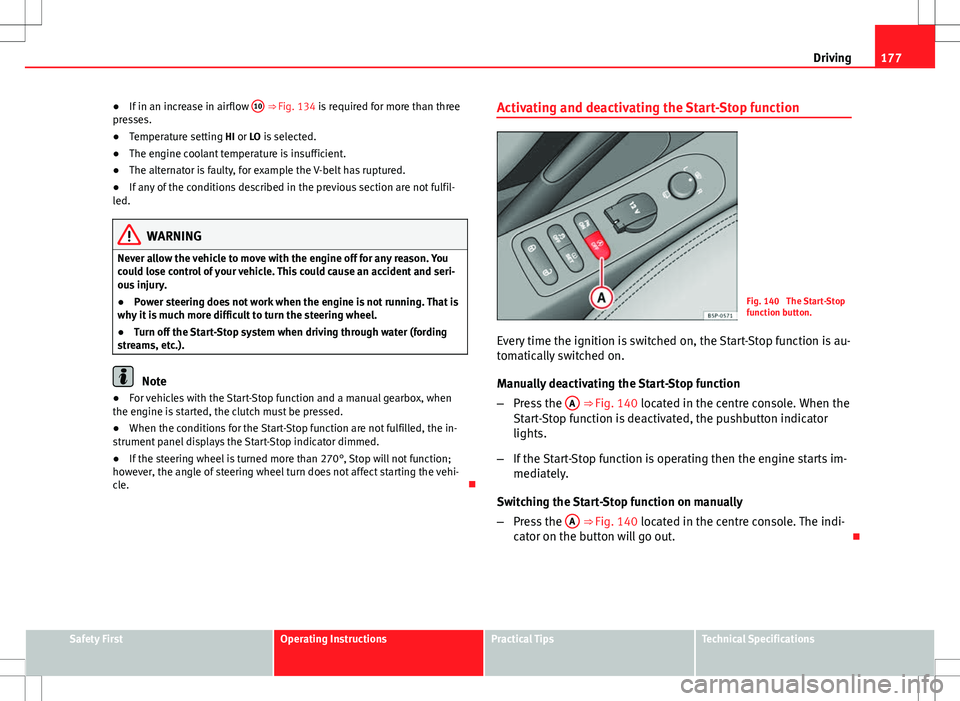
Fig. 140 The Start-Stop
function button.
Every time the ignition is switched on, the Start-Stop function is au-
tomatically switched on.
Manually deactivating the Start-Stop function
– Press the A
⇒ Fig. 140 located in the centre console. When the
Start-Stop function is deactivated, the pushbutton indicator
lights.
– If the Start-Stop function is operating then the engine starts im-
mediately.
Switching the Start-Stop function on manually
– Press the A
⇒ Fig. 140 located in the centre console. The indi-
cator on the button will go out.
Safety FirstOperating InstructionsPractical TipsTechnical Specifications
Page 180 of 317
178Driving
Driver messages
Fig. 141 Display on the
instrument panel during
Start-Stop function oper-
ation.
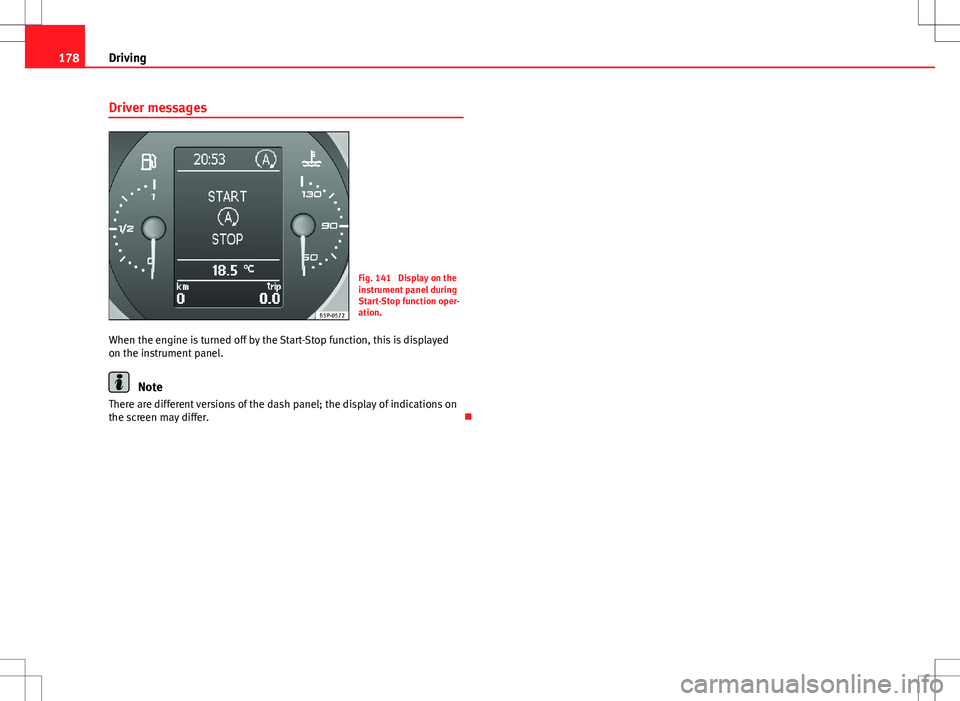
When the engine is turned off by the Start-Stop function, this is displayed
on the instrument panel.
Note
There are different versions of the dash panel; the display of indications on
the screen may differ.
Page 187 of 317
185
Driving
Handbrake Using the handbrake
The handbrake should be applied firmly to prevent the vehi-
cle from accidentally rolling away.
Fig. 150 Handbrake be-
tween the front seats
Always apply the handbrake when you leave your vehicle and when
you park.
Applying the handbrake
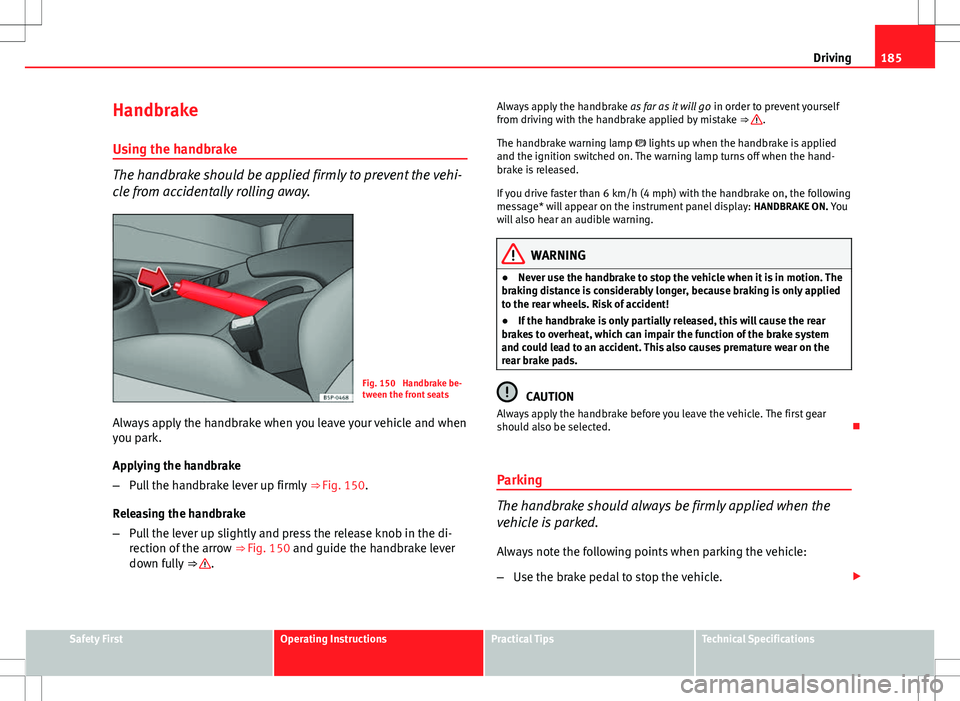
– Pull the handbrake lever up firmly ⇒ Fig. 150.
Releasing the handbrake
– Pull the lever up slightly and press the release knob in the di-
rection of the arrow ⇒ Fig. 150 and guide the handbrake lever
down fully ⇒
. Always apply the handbrake
as far as it will go in order to prevent yourself
from driving with the handbrake applied by mistake ⇒
.
The handbrake warning lamp lights up when the handbrake is applied
and the ignition switched on. The warning lamp turns off when the hand-
brake is released.
If you drive faster than 6 km/h (4 mph) with the handbrake on, the following
message* will appear on the instrument panel display: HANDBRAKE ON. You
will also hear an audible warning.
WARNING
● Never use the handbrake to stop the vehicle when it is in motion. The
braking distance is considerably longer, because braking is only applied
to the rear wheels. Risk of accident!
● If the handbrake is only partially released, this will cause the rear
brakes to overheat, which can impair the function of the brake system
and could lead to an accident. This also causes premature wear on the
rear brake pads.
CAUTION
Always apply the handbrake before you leave the vehicle. The first gear
should also be selected.
Parking
The handbrake should always be firmly applied when the
vehicle is parked.
Always note the following points when parking the vehicle:
– Use the brake pedal to stop the vehicle.
Safety FirstOperating InstructionsPractical TipsTechnical Specifications
Page 190 of 317

188Driving
SEAT Parking System Plus*: Description
The Parking System Plus is an acoustic and optical parking
aid.
Sensors are located in the front and rear bumpers. When the sensors detect
an obstacle, you are alerted by audible and optical warnings. The measur-
ing range of the sensors starts at approximately:
FrontSide0,90Centre1,20
RearSide0,60Centre1,60
The audible warnings sound with increasing frequency as you approach the
obstacle. When the vehicle is less than 0.30 m away from the obstacle, the
warning tone will sound continuously. Stop moving immediately!
The volume of the warning beeps will be gradually reduced after about four
seconds if the vehicle remains at a constant distance from a detected obsta-
cle (it does not affect the permanent audible warning). Activating/DeactivatingFig. 151 Centre console:
Switch for parking aid
Activate
– Connects the radio navigator.
– Press the switch on the centre console ⇒ Fig. 151 or on the
gear selector gate. You will hear a brief confirmation tone and
the LED on the switch will light up.
Deactivating
– Drive forward faster than 10 km/h (6 mph), or
– Press the switch or
– Switch the ignition off.
Segments in the optical display
Some colour segments in front and behind and an audible warning enable
the driver to assess the distance with respect to an obstacle. The amber col-
our segments combined with a discontinuous beep indicate the presence of
Page 191 of 317

189
Driving
an obstacle. As the vehicle gets closer to the obstacle, the colour of the seg-
ment changes to red and the acoustic signal beeps continuously. When the
penultimate segment is displayed, this means that the vehicle has reached
the collision zone. Stop moving immediately! ⇒
WARNING
● The parking aid is not a replacement for driver awareness. The driver
is personally responsible for safe parking and other manoeuvres.
● The sensors have blind spots in which obstacles are not registered.
Always look out for small children and animals because the system will
not always detect them. Always pay attention when reversing to avoid ac-
cidents.
● Always keep a close eye on the area around the vehicle and make full
use of the rear vision mirrors.
CAUTION
Please note that low obstacles detected by the system may no longer be
registered by the sensors as the vehicle moves closer, so the system will not
give any further warning. Certain kinds of obstacles (such as wire fences,
chains, thin painted posts or trailer draw bars, etc) may not always be de-
tected by the system, so take care not to damage the vehicle in such cases.
Note
● Please refer to the notes on towing ⇒ page 189.
● There is a slight delay in the picture display.
Towing bracket
In towing mode, the rear parking aid sensors are not enabled when you se-
lect reverse gear or press the switch . This function may not be guaran- teed on towing brackets that are not factory fitted. This results in the follow-
ing restrictions:
SEAT Parking System*
No warning is given.
SEAT Parking System Plus*
There is no rear distance warning. The system will still give a warning when
obstacles are detected while driving forward. The optical display changes to
towing mode.
Fault messages
If you hear a long beep for a few seconds and the LED on the switch *
starts flashing when you switch on the parking aid, a system fault has oc-
curred. Please refer the problem to a SEAT Official Service or specialised
workshop.
Note
If the fault is not corrected before you switch off the ignition, it will only be
indicated by the flashing LED on the switch the next time you switch on
the parking aid.
Safety FirstOperating InstructionsPractical TipsTechnical Specifications
Page 238 of 317
236Checking and refilling levels
WARNING (Continued)
● Wait until no more steam, smoke or coolant is emitted from the bon-
net, then carefully open the bonnet.
● When working in the engine compartment, always observe the safety
warnings ⇒ page 233.
Closing the bonnet
– Raise the bonnet slightly.
– Release the bonnet stay and replace it in its support.
– At a height of about 30 cm let it fall so it is locked.
If the bonnet does not close, do not press downwards. Open it once more
and let it fall as before.
WARNING
If the bonnet is not closed properly, it could open while you are driving
and completely obscure your view of the road. Risk of accident.
● After closing the bonnet, always check that it is properly secured. The
bonnet must be flush with the surrounding body panels.
● If you notice that the bonnet latch is not secured when the vehicle is
moving, stop the vehicle immediately and close the bonnet properly.
Risk of accident.
Engine oil
General notes
The engine comes with a special, multi-grade oil that can be used all year
round.
Because the use of high-quality oil is essential for the correct operation of
the engine and its long useful life, when topping up or changing oil, use on-
ly those oils that comply with VW standards.
The specifications (VW standards) set out in the following page should ap-
pear on the container of the service oil; when the container displays the
specific standards for petrol and diesel engines together, it means that the
oil can be used for both types of engines.
We recommend that the oil change, indicated in the Maintenance Pro-
gramme, be performed by a Technical Service or a specialised workshop.
The correct oil specifications for your engine are listed in the ⇒ page 237,
Oil properties.
Service intervals
Service intervals can be flexible (LongLife service) or fixed (dependent on
time/distance travelled).
If the PR code that appears on the back of the “Maintenance Programme”
booklet is PR QI6, this means that your vehicle has the LongLife service pro-
grammed. If it lists the codes QI1, QI2, QI3, QI4 or QI7, the interval service
is dependent on time/distance travelled.
Flexible service intervals (LongLife service intervals*)
Special oils and processes have been developed which, depending on the
characteristics and individual driving profiles, enable the extension of the
oil change service (LongLife service intervals).
Page 248 of 317
246Checking and refilling levels
Brake fluid
Checking the brake fluid level
The brake fluid is checked at the intervals given in the serv-
ice schedule.
Fig. 173 In the engine
compartment: Brake fluid
reservoir cover
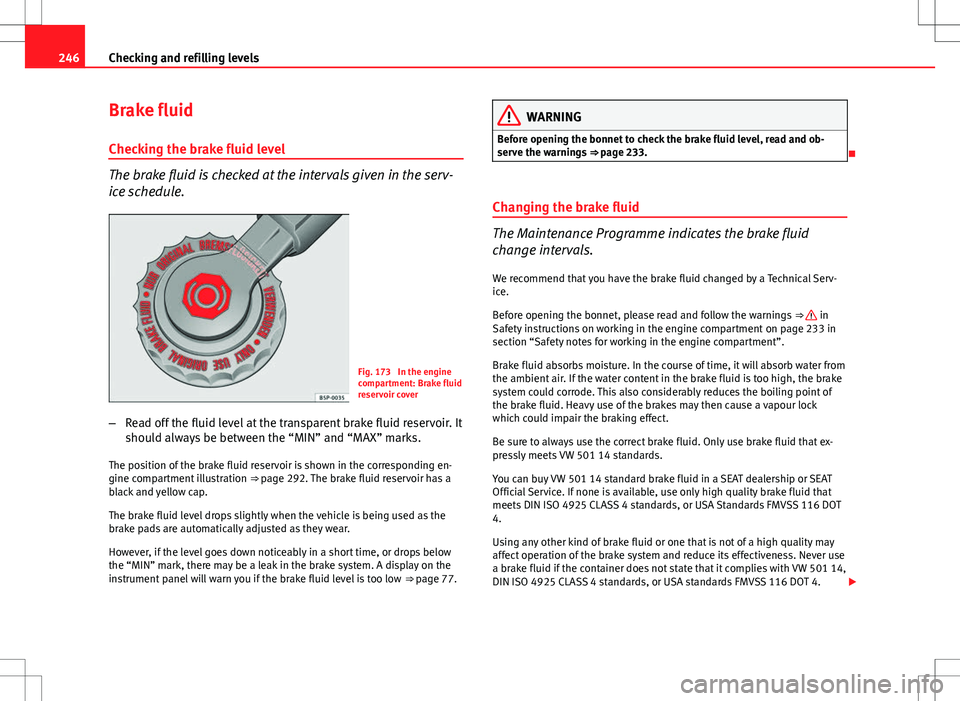
– Read off the fluid level at the transparent brake fluid reservoir. It
should always be between the “MIN” and “MAX” marks.
The position of the brake fluid reservoir is shown in the corresponding en-
gine compartment illustration ⇒ page 292. The brake fluid reservoir has a
black and yellow cap.
The brake fluid level drops slightly when the vehicle is being used as the
brake pads are automatically adjusted as they wear.
However, if the level goes down noticeably in a short time, or drops below
the “MIN” mark, there may be a leak in the brake system. A display on the
instrument panel will warn you if the brake fluid level is too low ⇒ page 77.
WARNING
Before opening the bonnet to check the brake fluid level, read and ob-
serve the warnings ⇒ page 233.
Changing the brake fluid
The Maintenance Programme indicates the brake fluid
change intervals. We recommend that you have the brake fluid changed by a Technical Serv-
ice.
Before opening the bonnet, please read and follow the warnings ⇒
in
Safety instructions on working in the engine compartment on page 233 in
section “Safety notes for working in the engine compartment”.
Brake fluid absorbs moisture. In the course of time, it will absorb water from
the ambient air. If the water content in the brake fluid is too high, the brake
system could corrode. This also considerably reduces the boiling point of
the brake fluid. Heavy use of the brakes may then cause a vapour lock
which could impair the braking effect.
Be sure to always use the correct brake fluid. Only use brake fluid that ex-
pressly meets VW 501 14 standards.
You can buy VW 501 14 standard brake fluid in a SEAT dealership or SEAT
Official Service. If none is available, use only high quality brake fluid that
meets DIN ISO 4925 CLASS 4 standards, or USA Standards FMVSS 116 DOT
4.
Using any other kind of brake fluid or one that is not of a high quality may
affect operation of the brake system and reduce its effectiveness. Never use
a brake fluid if the container does not state that it complies with VW 501 14,
DIN ISO 4925 CLASS 4 standards, or USA standards FMVSS 116 DOT 4.