air condition Seat Arona 2017 Owner's Guide
[x] Cancel search | Manufacturer: SEAT, Model Year: 2017, Model line: Arona, Model: Seat Arona 2017Pages: 308, PDF Size: 6.66 MB
Page 166 of 308
Operation
● Set the air di
s
tribution regulator 3 to the
air flo w c
onfigur
ation desired: (towards
the windscreen), (towards the chest),
(towards the footwell) and (towards the
windscreen and footwell areas).
Interior cooling
When the air conditioning is switched on, the
temperature and the air humidity go down.
This way, if the outside humidity is extreme,
the air conditioning prevents the misting of
the windows and therefore, comfort is im-
proved.
● Turn on the cooling system using the
button (the b
utton light turns on).
● Turn the temperature control switch until
the desir
ed interior temperature is reached. ●
Turn the blo
wer switch to any of the set-
tings 1-4.
● Set the air distribution control to the air
flow configur
ation desired: (towards the
windscreen), (towards the chest), (to-
wards the footwell) and (towards the wind-
screen and footwell areas).
Demisting the windscreen
● Turn air distribution to .
● Turn the fan control to one of the two levels
depending on the speed r
equired.
● Rotate the temperature control to the de-
sired l
evel of comfort.
● Close the central outlets. ●
Open and turn the side outl
ets towards the
windows.
If the air conditioning does not work, this
may be due to the following reasons:
● The engine is stationary.
● The fan blower is switched off.
● The outside temperature is lower than ap-
prox
imately +3°C (+37°F).
● The air conditioning system compressor
has
been temporarily switched off because of
an increased engine coolant temperature.
● The air conditioner fuse is faulty.
● Another fault in the vehicle. Have the air
conditioning c
hecked by a specialised work-
shop.
164
Page 167 of 308
Air conditioning
Climatronic* Gener a
l
notes Fig. 172
Climatronic: controls. Read the additional information carefully
› ›
›
page 49
Climatronic automatically maintains a com-
fortable temperature. To do so, it automati-
cally regulates the supplied air temperature
and the blower and air distribution levels.
The system also allows for the effect of sun-
light, so there is no need for manual adjust-
ment.
Automatic operation guarantees maximum
comfort any time of year ››› page 166. Climatronic description
Coolin
g only works if the following conditions
are met:
● The engine is running
● the outside temperature is above +2°C
(+36°F);
● turned on.
Star
ting the Climatronic
When a button is pressed, the corresponding
function will be activated (except for the recir-
culation button), switching on the air condi-
tioning if it was switched off. Switching off the Climatronic
●
Adjust fan power to zero ›››
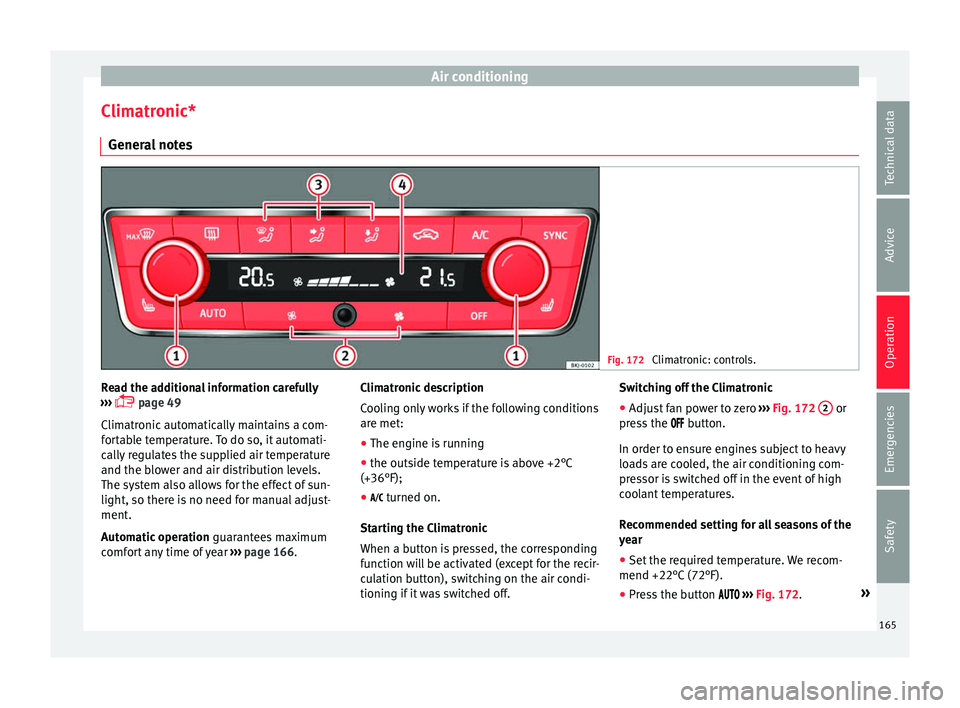
Fig. 172 2 or
pr e
s
s the button.
In order to ensure engines subject to heavy
loads are cooled, the air conditioning com-
pressor is switched off in the event of high
coolant temperatures.
Recommended setting for all seasons of the
year
● Set the required temperature. We recom-
mend +22°C (72°F).
● Pre
ss the button ››
› Fig. 172. »
165
Technical data
Advice
Operation
Emergencies
Safety
Page 177 of 308
Driving
a great extent on the conditions under which
the v
ehic
le is operated and the way the vehi-
cle is driven. If you often drive in town, drive
short distances or have a sporty driving style,
we recommend that you have the thickness
of your brake pads checked by technical serv-
ices more frequently than recommended in
the Maintenance Programme.
If you drive with wet brakes, for example, af-
ter crossing areas of water, on days of heavy
rainfall or even after washing the car, the ef-
fect of the brakes is reduced as the brake
discs are wet or even frozen (in winter): in
this case, the brakes should be “dried” by
pressing the brake pedal several times. WARNING
Longer braking distances and faults in the
brak e sy
stem increase the risk of accidents.
● New brake pads must be run in and do not
have the c
orrect friction during the first
200 km. This reduced braking capacity may
be compensated for by pressing on the brake
pedal a little harder, which also applies when
the brake pads have to be changed further
on.
● If brakes are wet or frozen, or if you are
driving on r
oads which have been salted,
braking power may be lower than normal.
● On steep slopes, if brakes are excessively
used, they w
ill overheat. Before driving down
a long steep slope, it is advisable to reduce
speed and change down into a lower gear or range (depending on the type of transmis-
sion).
Thu
s, make use of engine braking and
relieve the brakes.
● Never let the brakes “drag” by applying
light pre
ssure. Continuous braking will cause
the brakes to overheat and the braking dis-
tance will increase. Apply and then release
the brakes alternately.
● Never let the vehicle run with the engine
switc
hed off. The braking distance is in-
creased considerably when the brake servo is
not active.
● If the brake fluid loses its viscosity and is
subj
ected to heavy use, vapour bubbles can
form in the brake system. This reduces the ef-
ficiency of the brakes.
● Non-standard or damaged front spoilers
coul
d restrict the airflow to the brakes and
cause them to overheat. Before purchasing
accessories please observe the relevant in-
structions ››› page 255, Modifications.
● If a brake system circuit fails, the braking
dist
ance will be increased considerably. Con-
tact a specialised workshop immediately and
avoid unnecessary journeys. Control lamp
Situations in which the warning lamp lights
up *
●
the brake fluid level is too low
› ›
›
page 275. ●
there is
a fault in the brake system.
This warning lamp can light up together with
the ABS system warning lamp. WARNING
● If the br ak
e warning lamp does not go out
or if it lights up when driving, the brake fluid
level in the reservoir is too low so there is a
risk of an accident ››› page 275, Brake fluid.
Stop the vehicle and do not drive on. Obtain
technical assistance.
● If the brake warning lamp lights up to-
gether w
ith the ABS lamp this could be
due to an ABS fault. This could cause the rear
wheels to lock quickly when you brake. This
could cause the rear to break away. Risk of
skidding. Stop the vehicle and seek technical
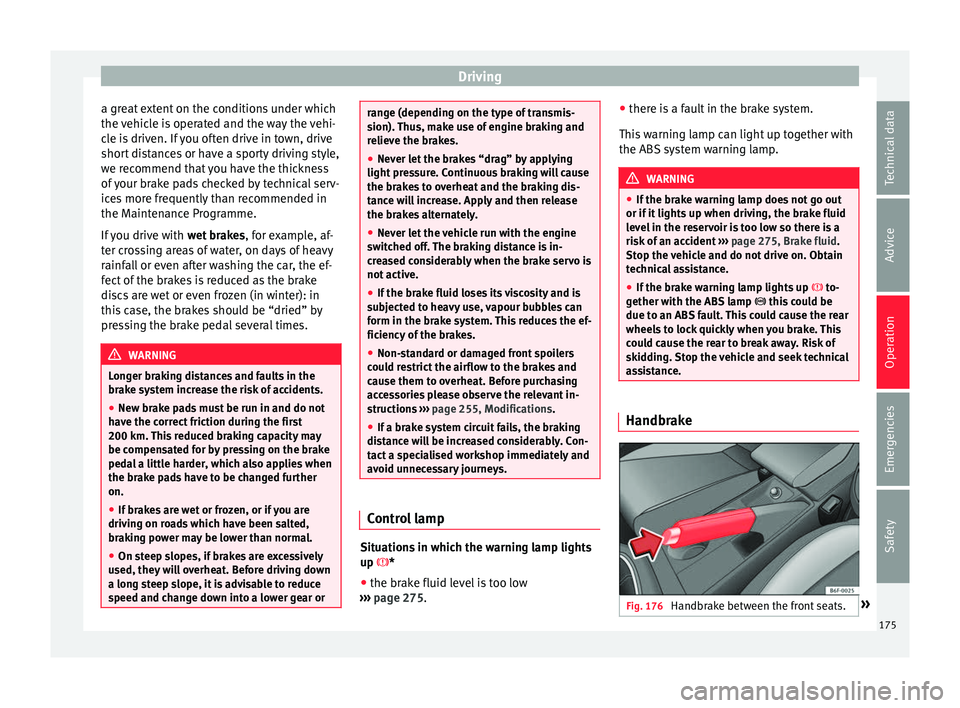
assistance. Handbrake
Fig. 176
Handbrake between the front seats. » 175
Technical data
Advice
Operation
Emergencies
Safety
Page 178 of 308
Operation
The handbrake should be applied firmly to
pr ev
ent
the vehicle from accidentally rolling
away. Always apply the handbrake when you
leave your vehicle and when you park.
Applying the handbrake
– Pull the handbrake lever up firmly
›››
Fig. 176.
Releasing the handbrake
– Pull the lever up slightly and press the re-
lea
se knob in the direction of the arrow
››› Fig. 176 and guide the handbrake lever
down fully ››› .
A lw
a
ys pull the handbrake all the way up, so
there is less risk of driving off with it still en-
gaged ››› .
The h andbr
ak
e warning lamp lights up
when the handbrake is applied and the igni-
tion switched on. The warning lamp turns off
when the handbrake is released. WARNING
● Never u se the h
andbrake to stop the vehi-
cle when it is in motion. The braking distance
is considerably longer, because braking is
only applied to the rear wheels. Risk of acci-
dent!
● If the handbrake is only partially released,
this w
ill cause the rear brakes to overheat,
which can impair the function of the brake
system and could lead to an accident. This al- so causes premature wear on the rear brake
pa
d
s. CAUTION
Always apply the handbrake before you leave
the vehic
le. Put it in 1st gear as well. In vehi-
cles with an automatic gearbox, place the
gear lever in position P. Parking
The handbrake should always be firmly ap-
p
lied when the
v
ehicle is parked.
Always note the following points when park-
ing the vehicle: – Use the brake pedal to stop the vehicle.
– Apply the handbrake.
– Put it in 1st gear.
– Switch the engine off and remove the key
from the ignition. T
urn the steering wheel
slightly to engage the steering lock.
– Always take you keys with you when you
leav
e the vehicle ››› .
Ad dition
a
l notes on parking the vehicle on
gradients:
Turn the steering wheel so that the vehicle
rolls against the kerb if it started to roll. ●
If the v
ehicle is parked facing downhill,
turn the front wheels so that they point to-
wards the kerb .
● If the vehicle is parked facing uphill
, turn
the front wheels so that they point away from
the kerb.
● Secure the vehicle as usual by applying the
handbrak
e firmly and putting it in 1st gear. WARNING
● Tak e me
asures to reduce the risk of injury
when you leave your vehicle unattended.
● Never park where the hot exhaust system
coul
d ignite inflammable materials, such as
dry grass, low bushes, spilt fuel etc.
● Never allow vehicle occupants to remain in
the vehic
le when it is locked. They would be
unable to open the vehicle from the inside,
and could become trapped in the vehicle in
an emergency. In the event of an emergency,
locked doors will delay assistance to vehicle
occupants.
● Never leave children alone in the vehicle.
They cou
ld set the vehicle in motion, for ex-
ample, by releasing the handbrake or the
gearbox lever.
● Depending on weather conditions, it may
become extr
emely hot or cold inside the vehi-
cle. This can be fatal. 176
Page 182 of 308
Operation
the wheel which has lost traction and distrib-
utin g mor
e driv
ing force to the other driven
wheel via the differential.
To prevent the disc brake of the braking
wheel from overheating, the EDL cuts out au-
tomatically if subjected to excessive loads.
The vehicle will continue to function normally
without EDL. For this reason, the driver is not
informed that the EDL has been switched off.
The EDL will switch on again automatically
when the brake has cooled down.
Control lamp
A malfunction in the EDL is indicated by the
ESC control lamp . Take the vehicle to a
specialised workshop as soon as possible. WARNING
● When acc el
erating on a slippery surface,
for example on ice and snow, press the accel-
erator carefully. Despite EDL, the driven
wheels may start to spin. This could impair
the vehicle's stability.
● Always adapt your driving style to suit road
conditions
and the traffic situation. Do not let
the extra safety afforded by EDL tempt you in-
to taking any risks when driving, this can
cause accidents. CAUTION
Modifications to the vehicle (e.g. to the en-
gine, the brak e sy
stem, running gear or any components affecting the wheels and tyres)
cou
l
d affect the efficiency of the EDL
››› page 255. Hydraulic Brake Assist (HBA)*
The function (Hydraulic Brake Assist HBA) is
only
inc
luded in vehicles with ESC.
In an emergency, most drivers brake in time,
but not with maximum force. This results in
unnecessarily long braking distances.
This is when the brake assist system comes
into action. When pressing the brake pedal
rapidly, the assistant interprets it as an emer-
gency. It very quickly builds up the full brake
pressure so that the ABS can be activated
more quickly and efficiently, thus reducing
braking distance.
Do not reduce the pressure on the brake ped-
al, since the brake assist system switches off
automatically as soon as you release the
brake.
Automatic hazard warning lights activation
The brake lights flash automatically to indi-
cate that the vehicle is braking suddenly or in
an emergency situation. If the emergency
braking continues until the vehicle comes to
a standstill, the hazard warning lights will
then come on and the brake lights will re-
main on permanently from that moment. The warning lights will automatically switch off
when the v
ehic
le begins to move again or
when the "warning" light button is pressed. WARNING
● The risk of
accident is higher if you drive
too fast, if you do not keep your distance from
the vehicle in front, and when the road sur-
face is slippery or wet. The increased acci-
dent risk cannot be reduced by the brake as-
sist system.
● The brake assist system cannot defy the
law
s of physics. Slippery and wet roads are
dangerous even with the brake assist system!
Therefore, it is essential that you adjust your
speed to suit the road and traffic conditions.
Do not let the extra safety features tempt you
into taking any risks when driving. Anti-lock brake system (ABS)
The anti-lock brake (ABS) system prevents
the wheel
s
fr
om locking during braking and
is an important part of the vehicle's active
safety system.
How the ABS works
If one of the wheels turns too slowly in rela-
tion to the vehicle's speed, and is close to
locking, the system will reduce the braking
pressure to this wheel. The driver is made
aware of this control process by a pulsating
of the brake pedal and audible noise. This is
180
Page 199 of 308
Driver assistance systems
display. The engine may stop before the ve-
hic l
e c
omes to a halt in the deceleration
phase (at 7 km/h or 2 km/h, depending on
the vehicle’s gearbox).
– When you take your foot off the brake pedal
the engine wi
ll start up again. The warning
lamp will switch off.
Additional information related to the auto-
matic gearbox
The engine stops when the selector lever is in
the positions P, D, N and S, in addition to
when in manual mode. With the selector lev-
er in position P, the engine will also remain
switched off when you take your foot off the
brake pedal. In order to start the engine up
again the accelerator must be pressed, or an-
other gear engaged or the brake released.
If the selector lever is placed in position R
during the stopping phase, the engine will
start up again.
Change from position D to P to prevent the
engine from accidentally starting when
changing and passing by position R.
Additional information about vehicles with
Adaptive Cruise Control (ACC)
In vehicles with an automatic gearbox and
the ACC function, if the vehicle ahead drives
off again, the engine will start up again in
certain operating conditions. Note
● In v ehic
les with an automatic gearbox, you
can control whether the engine should switch
off or not by reducing or increasing the brake
force applied. While the vehicle remains stop-
ped, the engine will not stop if the brake ped-
al is slightly pressed, in traffic jams with fre-
quent stopping and starting for example. As
soon as strong pressure is applied to the
brake pedal, the engine will stop.
● In vehicles with manual gearbox, during
the stop
ping phases the brake pedal must re-
main depressed to prevent the vehicle from
moving.
● If the engine “stalls” in vehicles with man-
ual g
earbox, it can be directly started up
again by immediately pressing the clutch
pedal. General notes
The system can interrupt the Start-Stop mode
fr
equently
f
or different reasons.
The engine does not switch off
Before the stopping phase, the system veri-
fies whether certain conditions are met. The
engine does not switch off, in the following
situations for example:
● The engine has not yet reached the mini-
mum required t
emperature for the Start-Stop
mode. ●
The interior temper
ature selected for the air
conditioner has not yet been reached.
● The interior temperature is very high/low.
● Defrost function button activated
›››
page 48.
● The parking aid* is switched on.
● The battery is very low.
● The steering wheel is overly turned or is be-
ing turned.
● If
there is a danger of misting.
● After engaging reverse gear.
● In case of a very steep gradient.
The indication is
shown on the instrument
panel display, and in addition, the driver in-
formation system* shows, .
The engine starts by itself
During a stopping phase the normal Start-
Stop mode can be interrupted in the follow-
ing situations: The engine restarts by itself
without involvement from the driver.
● The interior temperature differs from the
value select
ed on the air conditioner.
● Defrost function button activated
›››
page 48.
● The brake has been pressed several times
consec
utively.
● The battery is too low.
● High power consumption. »
197
Technical data
Advice
Operation
Emergencies
Safety
Page 200 of 308
Operation
Note
In vehicles with an automatic gearbox, if the
select or l
ever is placed in position D, N or S
after engaging reverse gear, the vehicle must
be driven at a speed faster than 10 km/h (6
mph) for the system to return to conditions in
which the engine can be stopped. Manually switching on/off the Start-
Stop sy
s
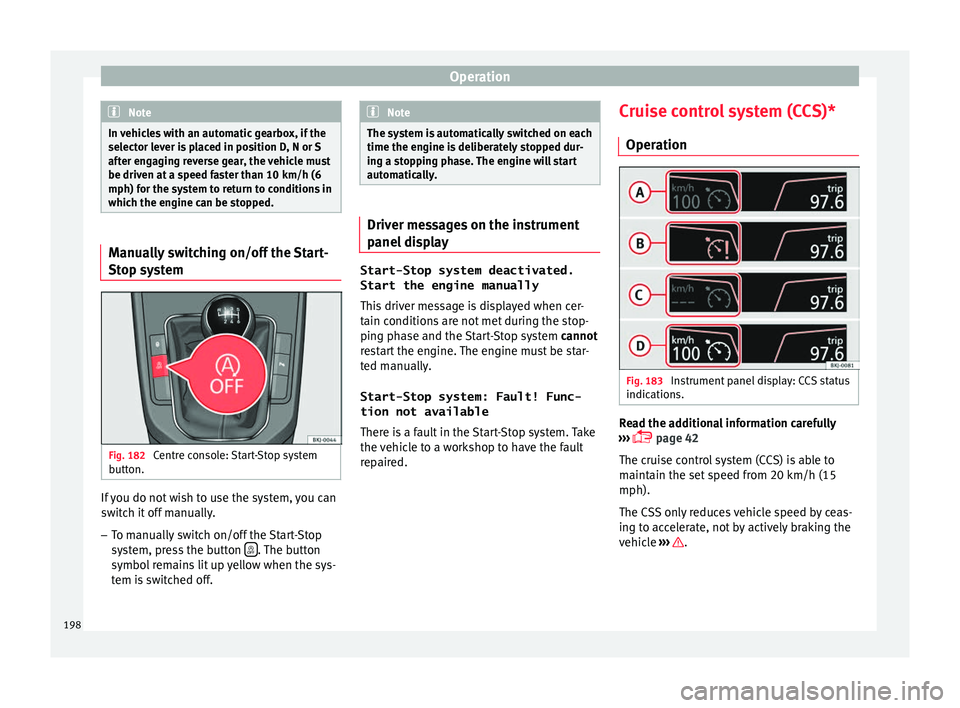
tem Fig. 182
Centre console: Start-Stop system
b utt
on. If you do not wish to use the system, you can
sw
it
c
h it off manually.
– To manually switch on/off the Start-Stop
syst
em, press the button . The button
symbo l
r
emains lit up yellow when the sys-
tem is switched off. Note
The system is automatically switched on each
time the engine i s
deliberately stopped dur-
ing a stopping phase. The engine will start
automatically. Driver messages on the instrument
panel
di
splay Start-Stop system deactivated.
Start the engine manually
This driv
er message is displayed when cer-
tain conditions are not met during the stop-
ping phase and the Start-Stop system cannot
restart the engine. The engine must be star-
ted manually.
Start-Stop system: Fault! Func-
tion not available There is a fault in the Start-Stop system. Take
the vehicle to a workshop to have the fault
repaired. Cruise control system (CCS)*
Operation Fig. 183
Instrument panel display: CCS status
indic ation
s. Read the additional information carefully
› ›
›
page 42
The cruise control system (CCS) is able to
maintain the set speed from 20 km/h (15
mph).
The CSS only reduces vehicle speed by ceas-
ing to accelerate, not by actively braking the
vehicle ››› .
198
Page 201 of 308
Driver assistance systems
Control lamp Lights up
The Cruise Control System (GRA) is switched on and ac-
tive.
OR: The Adaptive Cruise Control system (CCS) is switch-
ed on and active.
OR: the speed limiter is switched on and active. Several warning and control lamps light up
for a f
ew sec
onds when the ignition is switch-
ed on, signalling that the function is being
verified. They will switch off after a few sec-
onds.
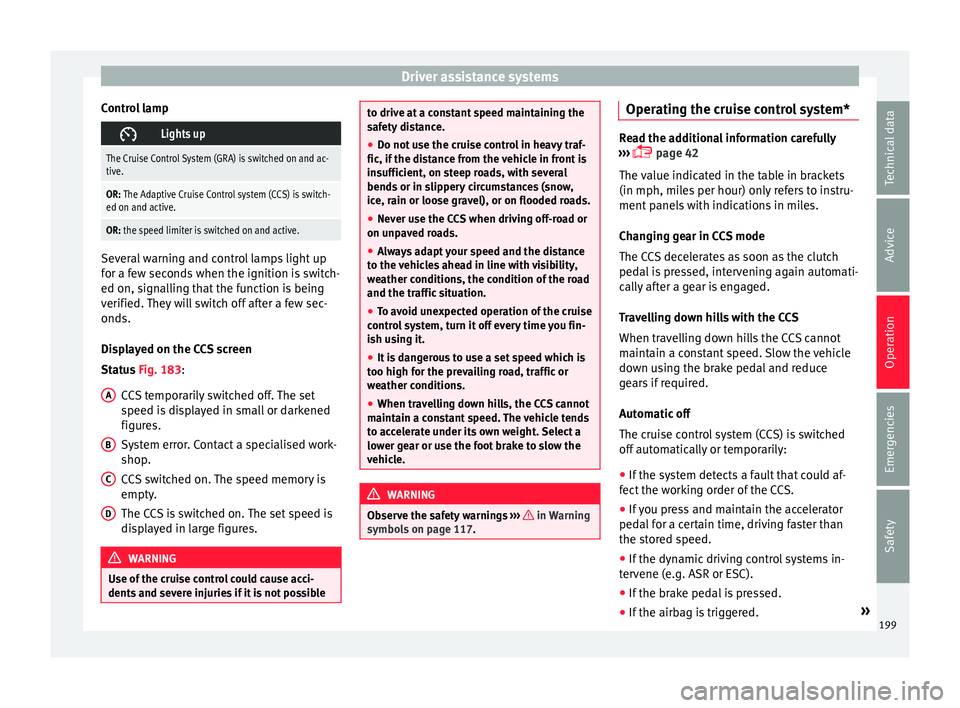
Displayed on the CCS screen
Status Fig. 183:
CCS temporarily switched off. The set
speed is displayed in small or darkened
figures.
System error. Contact a specialised work-
shop.
CCS switched on. The speed memory is
empty.
The CCS is switched on. The set speed is
displayed in large figures. WARNING
Use of the cruise control could cause acci-
dents and sev
ere injuries if it is not possibleA
B
C
D to drive at a constant speed maintaining the
saf
ety
distance.
● Do not use the cruise control in heavy traf-
fic, if the dis
tance from the vehicle in front is
insufficient, on steep roads, with several
bends or in slippery circumstances (snow,
ice, rain or loose gravel), or on flooded roads.
● Never use the CCS when driving off-road or
on unpav
ed roads.
● Always adapt your speed and the distance
to the v
ehicles ahead in line with visibility,
weather conditions, the condition of the road
and the traffic situation.
● To avoid unexpected operation of the cruise
contro
l system, turn it off every time you fin-
ish using it.
● It is dangerous to use a set speed which is
too high for the pr
evailing road, traffic or
weather conditions.
● When travelling down hills, the CCS cannot
maintain a c
onstant speed. The vehicle tends
to accelerate under its own weight. Select a
lower gear or use the foot brake to slow the
vehicle. WARNING
Observe the safety warnings ›››
in Warning
symbol s on p
age 117. Operating the cruise control system*
Read the additional information carefully
›› ›
page 42
The value indicated in the table in brackets
(in mph, miles per hour) only refers to instru-
ment panels with indications in miles.
Changing gear in CCS mode
The CCS decelerates as soon as the clutch
pedal is pressed, intervening again automati-
cally after a gear is engaged.
Travelling down hills with the CCS
When travelling down hills the CCS cannot
maintain a constant speed. Slow the vehicle
down using the brake pedal and reduce
gears if required.
Automatic off
The cruise control system (CCS) is switched
off automatically or temporarily:
● If the system detects a fault that could af-
fect the w
orking order of the CCS.
● If you press and maintain the accelerator
pedal f
or a certain time, driving faster than
the stored speed.
● If the dynamic driving control systems in-
terv
ene (e.g. ASR or ESC).
● If the brake pedal is pressed.
● If the airbag is triggered. »
199
Technical data
Advice
Operation
Emergencies
Safety
Page 206 of 308
Operation
Distance warning
If the sy
s
tem detects that safety is endan-
gered by the proximity of the vehicle in front,
it may warn the driver by means of a message
on the instrument panel when driving at a
speed of between approximately 60 km/h
(37 mph) and 250 km/h (156 mph)
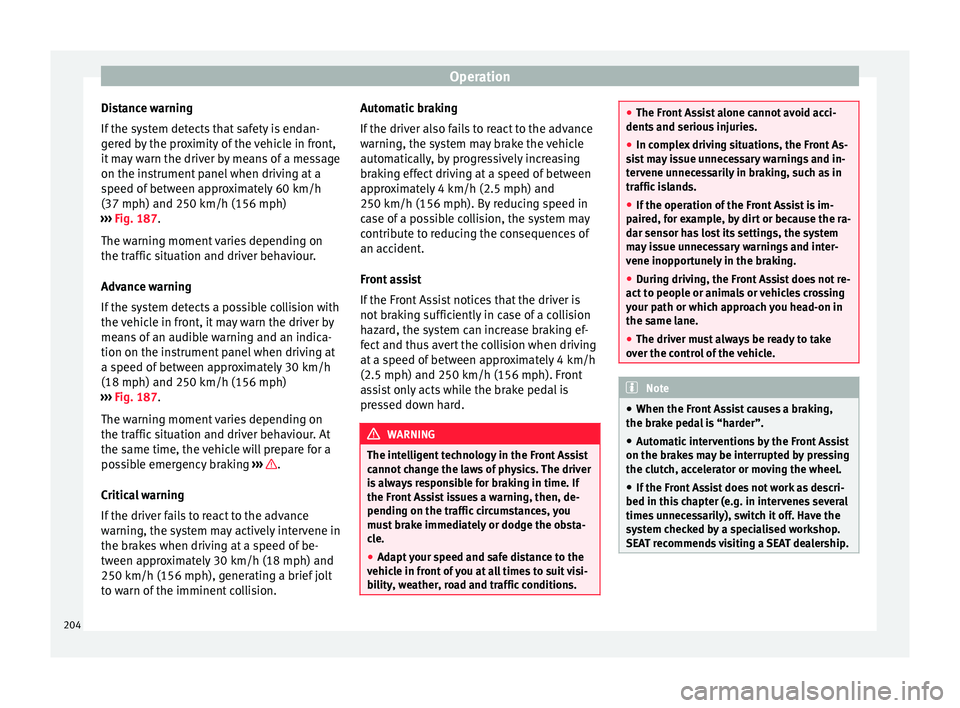
››› Fig. 187.
The warning moment varies depending on
the traffic situation and driver behaviour.
Advance warning
If the system detects a possible collision with
the vehicle in front, it may warn the driver by
means of an audible warning and an indica-
tion on the instrument panel when driving at
a speed of between approximately 30 km/h
(18 mph) and 250 km/h (156 mph)
››› Fig. 187.
The warning moment varies depending on
the traffic situation and driver behaviour. At
the same time, the vehicle will prepare for a
possible emergency braking ››› .
C ritic
a
l warning
If the driver fails to react to the advance
warning, the system may actively intervene in
the brakes when driving at a speed of be-
tween approximately 30 km/h (18 mph) and
250 km/h (156 mph), generating a brief jolt
to warn of the imminent collision. Automatic braking
If the driver al
so fails to react to the advance
warning, the system may brake the vehicle
automatically, by progressively increasing
braking effect driving at a speed of between
approximately 4 km/h (2.5 mph) and
250 km/h (156 mph). By reducing speed in
case of a possible collision, the system may
contribute to reducing the consequences of
an accident.
Front assist
If the Front Assist notices that the driver is
not braking sufficiently in case of a collision
hazard, the system can increase braking ef-
fect and thus avert the collision when driving
at a speed of between approximately 4 km/h
(2.5 mph) and 250 km/h (156 mph). Front
assist only acts while the brake pedal is
pressed down hard. WARNING
The intelligent technology in the Front Assist
cannot c
hange the laws of physics. The driver
is always responsible for braking in time. If
the Front Assist issues a warning, then, de-
pending on the traffic circumstances, you
must brake immediately or dodge the obsta-
cle.
● Adapt your speed and safe distance to the
vehicl
e in front of you at all times to suit visi-
bility, weather, road and traffic conditions. ●
The Front As
sist alone cannot avoid acci-
dents and serious injuries.
● In complex driving situations, the Front As-
sis
t may issue unnecessary warnings and in-
tervene unnecessarily in braking, such as in
traffic islands.
● If the operation of the Front Assist is im-
paired, f
or example, by dirt or because the ra-
dar sensor has lost its settings, the system
may issue unnecessary warnings and inter-
vene inopportunely in the braking.
● During driving, the Front Assist does not re-
act to peop
le or animals or vehicles crossing
your path or which approach you head-on in
the same lane.
● The driver must always be ready to take
over the c
ontrol of the vehicle. Note
● When the Front As
sist causes a braking,
the brake pedal is “harder”.
● Automatic interventions by the Front Assist
on the brake
s may be interrupted by pressing
the clutch, accelerator or moving the wheel.
● If the Front Assist does not work as descri-
bed in this c
hapter (e.g. in intervenes several
times unnecessarily), switch it off. Have the
system checked by a specialised workshop.
SEAT recommends visiting a SEAT dealership. 204
Page 210 of 308
Operation
If the system detects a possible collision with
a v
ehic
le in front of it, the vehicle prepares
for a possible emergency braking ››› .
If the driv
er f
ails to react to a possible colli-
sion, the system may brake the vehicle auto-
matically, by progressively increasing braking
effect driving to reduce speed in the event of
a collision. The system can thus help to re-
duce the consequences of an accident.
Status display
Automatic deceleration by means of the City
Emergency braking function is displayed on
the instrument panel by means of the ad-
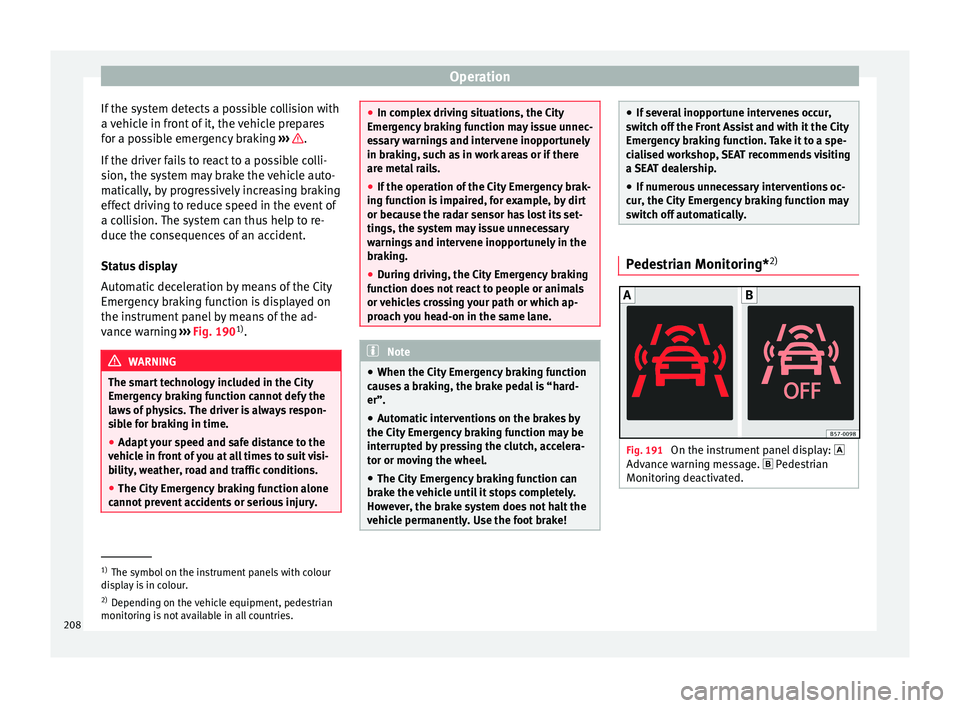
vance warning ››› Fig. 190 1)
. WARNING
The smart technology included in the City
Emerg ency
braking function cannot defy the
laws of physics. The driver is always respon-
sible for braking in time.
● Adapt your speed and safe distance to the
vehicl
e in front of you at all times to suit visi-
bility, weather, road and traffic conditions.
● The City Emergency braking function alone
cannot pr
event accidents or serious injury. ●
In comp l
ex driving situations, the City
Emergency braking function may issue unnec-
essary warnings and intervene inopportunely
in braking, such as in work areas or if there
are metal rails.
● If the operation of the City Emergency brak-
ing fu
nction is impaired, for example, by dirt
or because the radar sensor has lost its set-
tings, the system may issue unnecessary
warnings and intervene inopportunely in the
braking.
● During driving, the City Emergency braking
function doe
s not react to people or animals
or vehicles crossing your path or which ap-
proach you head-on in the same lane. Note
● When the City Emer
gency braking function
causes a braking, the brake pedal is “hard-
er”.
● Automatic interventions on the brakes by
the City Emer
gency braking function may be
interrupted by pressing the clutch, accelera-
tor or moving the wheel.
● The City Emergency braking function can
brake the
vehicle until it stops completely.
However, the brake system does not halt the
vehicle permanently. Use the foot brake! ●
If sev er
al inopportune intervenes occur,
switch off the Front Assist and with it the City
Emergency braking function. Take it to a spe-
cialised workshop, SEAT recommends visiting
a SEAT dealership.
● If numerous unnecessary interventions oc-
cur, the C
ity Emergency braking function may
switch off automatically. Pedestrian Monitoring*
2) Fig. 191
On the instrument panel display:
Adv anc
e w
arning message. Pedestrian
Monitoring deactivated. 1)
The symbol on the instrument panels with colour
dis p
lay is in colour.
2) Depending on the vehicle equipment, pedestrian
monitoring i
s not available in all countries.
208