warning Seat Ateca 2016 User Guide
[x] Cancel search | Manufacturer: SEAT, Model Year: 2016, Model line: Ateca, Model: Seat Ateca 2016Pages: 328, PDF Size: 6.32 MB
Page 36 of 328
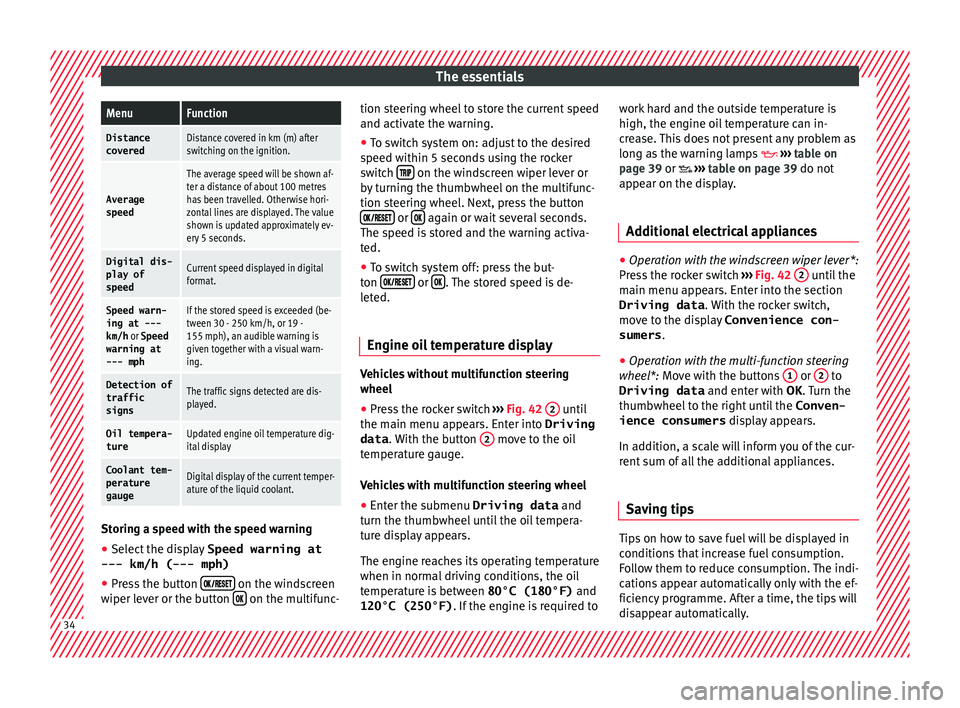
The essentialsMenuFunction
Distance
coveredDistance covered in km (m) after
switching on the ignition.
Average
speed
The average speed will be shown af-
ter a distance of about 100 metres
has been travelled. Otherwise hori-
zontal lines are displayed. The value
shown is updated approximately ev-
ery 5 seconds.
Digital dis- play of
speedCurrent speed displayed in digital
format.
Speed warn-
ing at ---
km/h or Speed
warning at
--- mphIf the stored speed is exceeded (be-
tween 30 - 250 km/h, or 19 -
155 mph), an audible warning is
given together with a visual warn-
ing.
Detection of
traffic
signsThe traffic signs detected are dis-
played.
Oil tempera- tureUpdated engine oil temperature dig-
ital display
Coolant tem-
perature
gaugeDigital display of the current temper-
ature of the liquid coolant. Storing a speed with the speed warning
● Select the display Speed warning at
--- km/h (---
mph)
● Press the button
on the windscreen
w iper l
ever or the button on the multifunc-tion steering wheel to store the current speed
and activ
at
e the warning.
● To switch system on: adjust to the desired
speed w
ithin 5 seconds using the rocker
switch on the windscreen wiper lever or
b y
turning the thumbwheel on the multifunc-
tion steering wheel. Next, press the button or
again or wait several seconds.
The s peed i
s stored and the warning activa-
ted.
● To switch system off: press the but-
ton or
. The stored speed is de-
l et
ed.
Engine oil temperature display Vehicles without multifunction steering
wheel
● Press the rocker switch ››
› Fig. 42 2 until
the m ain menu ap
pears. Enter into Driving
data . With the button 2 move to the oil
t emper
ature gauge.
Vehicles with multifunction steering wheel
● Enter the submenu Driving data and
turn the thumb
wheel until the oil tempera-
ture display appears.
The engine reaches its operating temperature
when in normal driving conditions, the oil
temperature is between 80°C (180°F) and
120°C (250°F) . If the engine is required to work hard and the outside temperature is
high, the engine oi
l temperature can in-
crease. This does not present any problem as
long as the warning lamps ››› table on
page 39 or ››› table on page 39 do not
appear on the display.
Additional electrical appliances ●
Operation with the windscreen wiper lever*:
Pr e
ss the rocker switch ››› Fig. 42 2 until the
m ain menu ap
pears. Enter into the section
Driving data . With the rocker switch,
move to the display Convenience con-
sumers .
● Operation with the multi-function steering
whe e
l*: Move with the buttons 1 or
2 to
Driving data and enter w
ith OK . Turn the
thumbwheel to the right until the Conven-
ience consumers display appears.
In addition, a scale will inform you of the cur-
rent sum of all the additional appliances.
Saving tips Tips on how to save fuel will be displayed in
c
ondition
s that increase fuel consumption.
Follow them to reduce consumption. The indi-
cations appear automatically only with the ef-
ficiency programme. After a time, the tips will
disappear automatically. 34
Page 37 of 328
The essentials
If you wish to hide a saving tip immediately
af t
er it appears, press any button on the
windscreen wiper lever*/multifunction steer-
ing wheel*. Note
● If
you hide a saving tip, it will reappear af-
ter you switch the ignition on again.
● The saving tips do not appear in all situa-
tions, b
ut rather with a large separation of
time. Speed warning device
The speed warning device warns the driver
when they
h
ave exceeded the pre-set speed
limit by 3 km/h (2 mph). An audible warning
signal sounds, and the warning lamp and
the driver message Speed limit excee-
ded! will be displayed simultaneously on the
instrument panel. The warning lamp
switches off when reducing speed below the
stored maximum limit.
Speed warning programming is recommen-
ded if you wish to be reminded of a maxi-
mum speed, such as when travelling in a
country with different speed limits or for a
maximum speed for winter tyres.
Setting speed limit warning
You can use the radio or the Easy Connect* to
set, alter or cancel the speed limit warning. ●
Vehicle
s with radio : press the button SETUP > control button
Driver Assistant >
Speed warning .
● Vehicles with Easy Connect : pre
ss the but-
ton Systems or else Vehicle systems >
Driver assistant > Speed warning.
The warning limit can be set from 30 to
240 km/h (20 to 149 mph). The adjustment
is made at 10 km/h (5 mph) intervals. Note
● Ple
ase bear in mind that, even with the
speed warning function, it is still important
to keep an eye on the vehicle speed with the
speedometer and to observe the legal speed
limits.
● The speed limit warning function in the ver-
sion f
or some countries warns you at a speed
of 120 km/h (75 mph). This is a factory-set
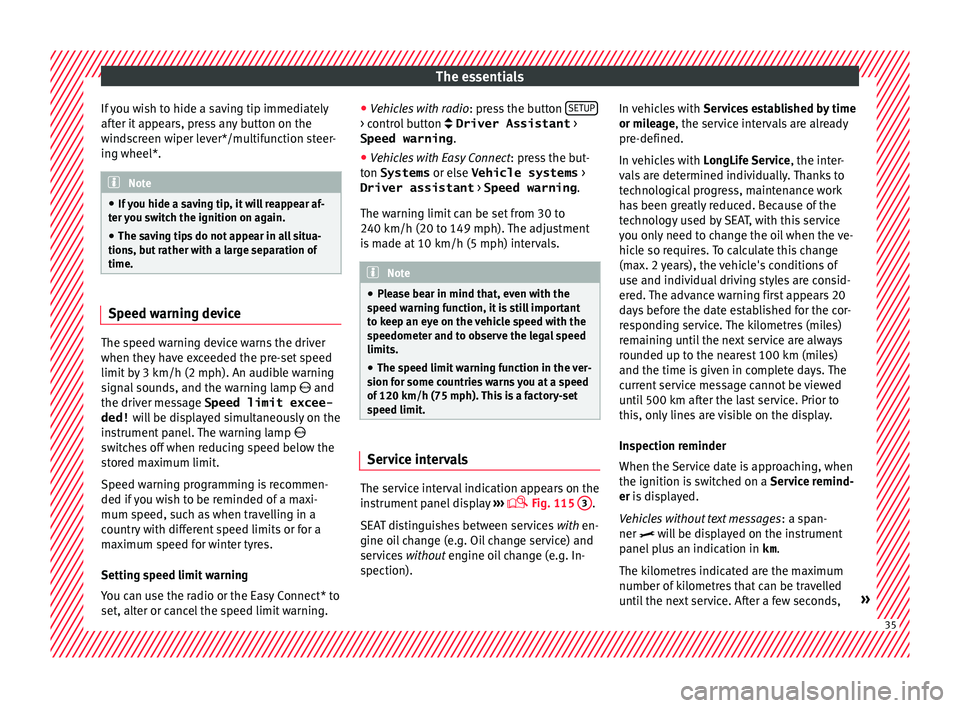
speed limit. Service intervals
The service interval indication appears on the
in
s
trument panel display ›››
Fig. 115
3 .
S EA
T distinguishes between services with en-
gine oil change (e.g. Oil change service) and
services without engine oil change (e.g. In-
spection). In vehicles with
Serv
ices established by time
or mileage, the service intervals are already
pre-defined.
In vehicles with LongLife Service , the inter-
vals are determined individually. Thanks to
technological progress, maintenance work
has been greatly reduced. Because of the
technology used by SEAT, with this service
you only need to change the oil when the ve-
hicle so requires. To calculate this change
(max. 2 years), the vehicle's conditions of
use and individual driving styles are consid-
ered. The advance warning first appears 20
days before the date established for the cor-
responding service. The kilometres (miles)
remaining until the next service are always
rounded up to the nearest 100 km (miles)
and the time is given in complete days. The
current service message cannot be viewed
until 500 km after the last service. Prior to
this, only lines are visible on the display.
Inspection reminder
When the Service date is approaching, when
the ignition is switched on a Service remind-
er is displayed.
Vehicles without text messages : a span-
ner will be displayed on the instrument
panel plus an indication in km.
The kilometres indicated are the maximum
number of kilometres that can be travelled
until the next service. After a few seconds, » 35
Page 38 of 328
The essentials
the display mode changes. A clock symbol
ap pe
ars and the number of days until the
next service is due.
Vehicles with text messages : Service in
--- km or --- days will be shown on the
instrument panel display.
Service due
When the service date is due , an audible
warning is given when the ignition is switch-
ed on and the spanner displayed on the
screen flashes for a few seconds .
Vehicles with text messages : Service now
will be shown on the instrument panel dis-
play.
Reading a service notification
With the ignition switched on, the engine off
and the vehicle at a standstill, the current
service notification can be read:
Press and hold the button ›››
Fig. 115
4 for more than 5 seconds to consult the serv-
ic
e me
ssage.
When the service date has passed , a minus
sign is displayed in front of the number of kil-
ometres or days.
Vehicles with text messages : the following
message is displayed: Service --- km
(miles) or --- days ago .The time can also be set via the
key and
Set up function button in the Easy Connect
sy s
tem ›››
page 108.
Resetting service interval display
If the service was not carried out by a SEAT
dealership, the display can be reset as fol-
lows: ● Switch off the ignition, press and hold but-
ton ›
›› Fig. 115
4 .
● Switch ignition back on.
● Release THE 4
› ›
›
Fig. 115 button and
press it again for the next 20 seconds. Note
● The ser v
ice message disappears after a few
seconds, when the engine is started or when OK/RESET is pressed on the windscreen wiper
l ev
er, or OK on the multifunction steering
wheel .
● In
vehicles with the LongLife system in
which the b
attery has been disconnected for
a long period of time, it is not possible to cal-
culate the date of the next service. Therefore
the service interval display may not be cor- rect. In this case, bear in mind the maximum
service intervals permitted in the ››› Book-
let Maintenance Programme.
● If you reset the display manually, the next
serv
ice interval will be indicated as in vehi-
cles with fixed service intervals. For this rea-
son we recommend that the service interval
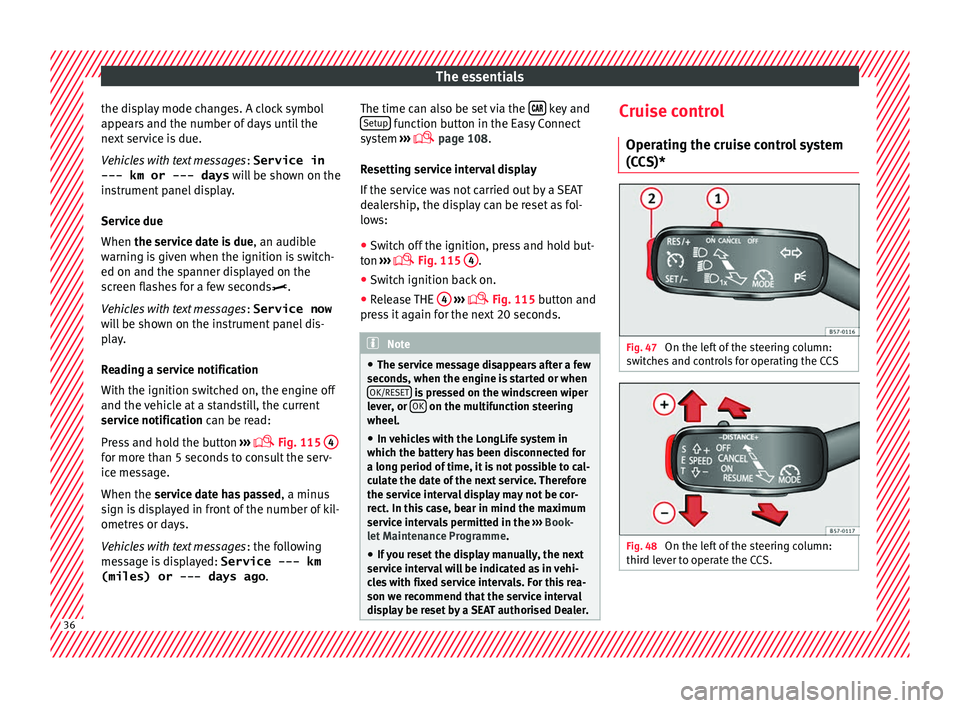
display be reset by a SEAT authorised Dealer. Cruise control
Oper atin
g the cruise control system
(CCS)* Fig. 47
On the left of the steering column:
sw it
ches and controls for operating the CCS Fig. 48
On the left of the steering column:
thir d l
ever to operate the CCS. 36
Page 40 of 328
The essentials
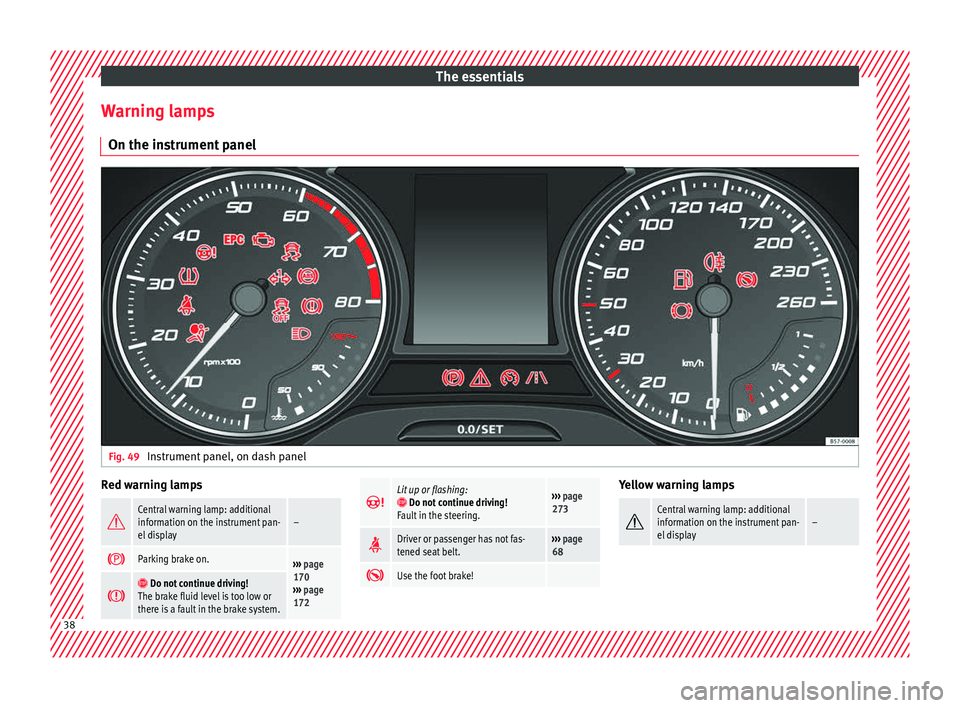
Warning lamps On the in s
trument panelFig. 49
Instrument panel, on dash panel Red warning lamps
Central warning lamp: additional
information on the instrument pan-
el display–
Parking brake on.›››
page
170
››› page
172
Do not continue driving!
The brake fluid level is too low or
there is a fault in the brake system.
Lit up or flashing: Do not continue driving!
Fault in the steering.››› page
273
Driver or passenger has not fas-
tened seat belt.›››
page
68
Use the foot brake! Yellow warning lamps
Central warning lamp: additional
information on the instrument pan-
el display–
38
Page 41 of 328
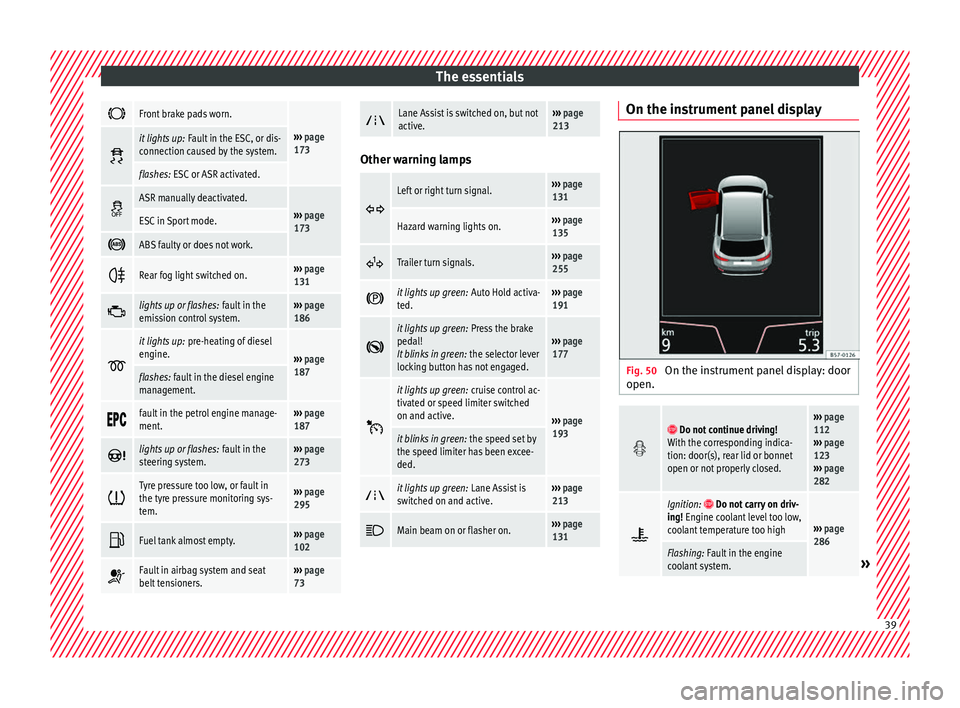
The essentials
Front brake pads worn.
›››
page
173 it lights up:
Fault in the ESC, or dis-
connection caused by the system.
flashes: ESC or ASR activated.
ASR manually deactivated.›››
page
173ESC in Sport mode.
ABS faulty or does not work.
Rear fog light switched on.›››
page
131
lights up or flashes:
fault in the
emission control system.››› page
186
it lights up:
pre-heating of diesel
engine.
››› page
187
flashes: fault in the diesel engine
management.
fault in the petrol engine manage-
ment.›››
page
187
lights up or flashes:
fault in the
steering system.››› page
273
Tyre pressure too low, or fault in
the tyre pressure monitoring sys-
tem.›››
page
295
Fuel tank almost empty.›››
page
102
Fault in airbag system and seat
belt tensioners.›››
page
73
Lane Assist is switched on, but not
active.›››
page
213 Other warning lamps
Left or right turn signal.›››
page
131
Hazard warning lights on.››› page
135
Trailer turn signals.›››
page
255
it lights up green:
Auto Hold activa-
ted.››› page
191
it lights up green:
Press the brake
pedal!
It blinks in green: the selector lever
locking button has not engaged.››› page
177
it lights up green:
cruise control ac-
tivated or speed limiter switched
on and active.
››› page
193
it blinks in green: the speed set by
the speed limiter has been excee-
ded.
it lights up green:
Lane Assist is
switched on and active.››› page
213
Main beam on or flasher on.›››
page
131 On the instrument panel display
Fig. 50
On the instrument panel display: door
open.
Do not continue driving!
With the corresponding indica-
tion: door(s), rear lid or bonnet
open or not properly closed.››› page
112
››› page
123
››› page
282
Ignition: Do not carry on driv-
ing! Engine coolant level too low,
coolant temperature too high
››› page
286
Flashing: Fault in the engine
coolant system.» 39
Page 42 of 328
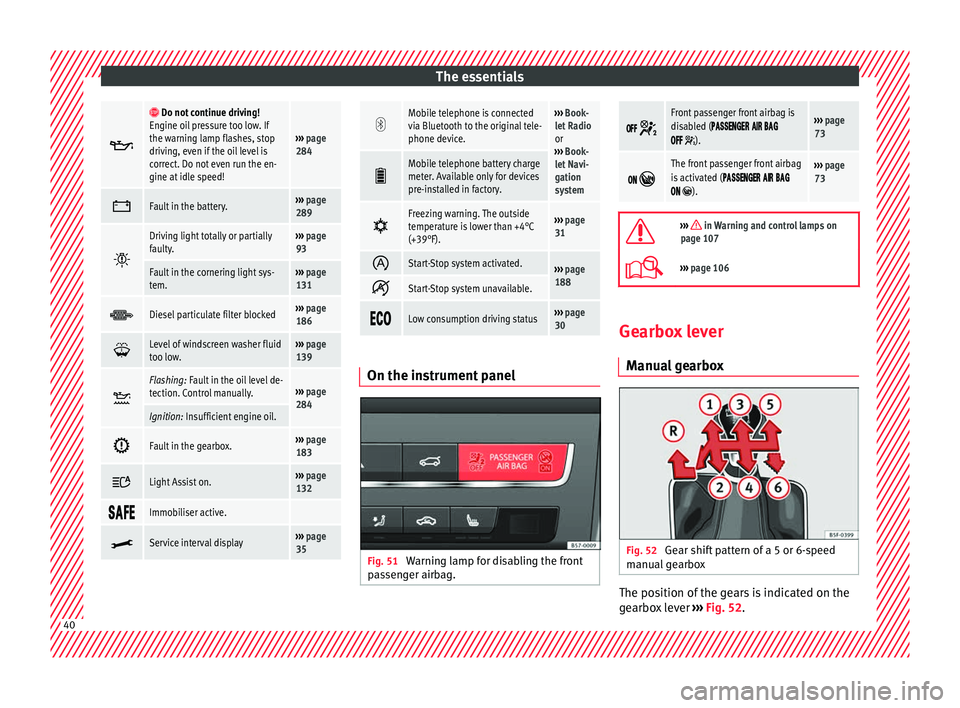
The essentials
Do not continue driving!
Engine oil pressure too low. If
the warning lamp flashes, stop
driving, even if the oil level is
correct. Do not even run the en-
gine at idle speed!
››› page
284
Fault in the battery.›››
page
289
Driving light totally or partially
faulty.›››
page
93
Fault in the cornering light sys-
tem.››› page
131
Diesel particulate filter blocked›››
page
186
Level of windscreen washer fluid
too low.›››
page
139
Flashing: Fault in the oil level de-
tection. Control manually.›››
page
284
Ignition: Insufficient engine oil.
Fault in the gearbox.›››
page
183
Light Assist on.›››
page
132
Immobiliser active.
Service interval display›››
page
35
Mobile telephone is connected
via Bluetooth to the original tele-
phone device.›››
Book-
let Radio
or
››› Book-
let Navi-
gation
system
Mobile telephone battery charge
meter. Available only for devices
pre-installed in factory.
Freezing warning. The outside
temperature is lower than +4°C
(+39°F).›››
page
31
Start-Stop system activated.›››
page
188
Start-Stop system unavailable.
Low consumption driving status›››
page
30 On the instrument panel
Fig. 51
Warning lamp for disabling the front
p a
ssenger airbag.
Front passenger front airbag is
disabled (
).
››› page
73
The front passenger front airbag
is activated (
).
››› page
73
››› in Warning and control lamps on
page 107
››› page 106 Gearbox lever
M anua
l gearbox Fig. 52
Gear shift pattern of a 5 or 6-speed
m anual
gearbox The position of the gears is indicated on the
g
e
arbox lever ››› Fig. 52.40
Page 44 of 328
The essentials
Releasing the selector lever
● Using a screwdriver, press and hold the yel-
lo w u
nlocking tab sideways ››› Fig. 54.
● Press the interlock button on the selector
lev
er and move the selector lever to posi-
tion N.
● After carrying out the manual release, at-
tac
h the selector lever boot on the gearbox
console again. If the power supply should ever fail (e.g. dis-
ch
arged battery) and the vehicle has to be
pushed or towed, the selector lever must first
be moved to position N, after operating the
manual release mechanism. WARNING
The selector lever may be moved out of posi-
tion P on ly
when the handbrake is firmly ap-
plied. If this does not work, secure the vehi-
cle with the brake pedal. On a slope the vehi- cle could otherwise start to move inadver-
t
ently
after shifting the selector lever out of
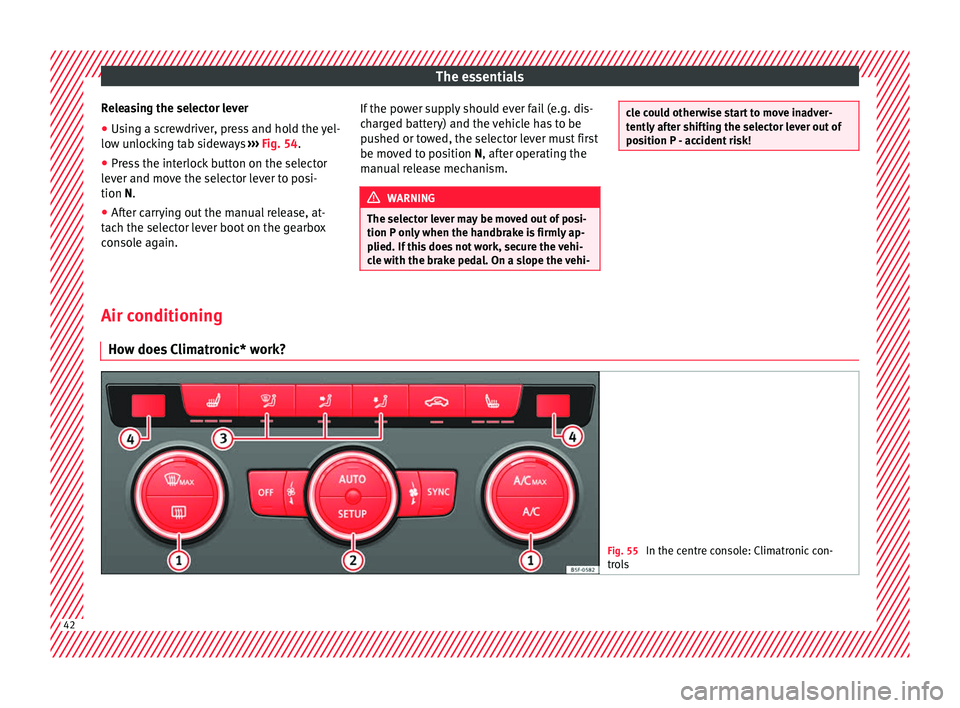
position P - accident risk! Air conditioning
Ho w doe
s Climatronic* work? Fig. 55
In the centre console: Climatronic con-
tr o
ls 42
Page 45 of 328
The essentials
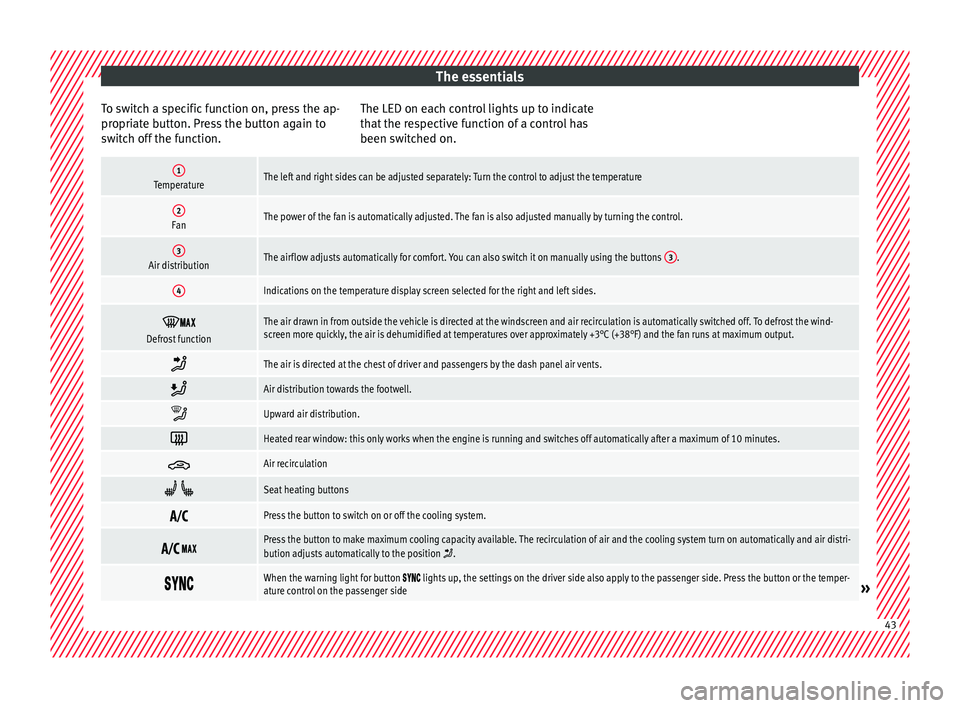
To switch a specific function on, press the ap-
pr opri
ate button. Press the button again to
switch off the function. The LED on each control lights up to indicate
that
the respective function of a control has
been switched on.
1TemperatureThe left and right sides can be adjusted separately: Turn the control to adjust the temperature
2FanThe power of the fan is automatically adjusted. The fan is also adjusted manually by turning the control.
3Air distributionThe airflow adjusts automatically for comfort. You can also switch it on manually using the buttons 3.
4Indications on the temperature display screen selected for the right and left sides.
Defrost functionThe air drawn in from outside the vehicle is directed at the windscreen and air recirculation is automatically switched off. To defrost the wind-
screen more quickly, the air is dehumidified at temperatures over approximately +3°C (+38°F) and the fan runs at maximum output.
The air is directed at the chest of driver and passengers by the dash panel air vents.
Air distribution towards the footwell.
Upward air distribution.
Heated rear window: this only works when the engine is running and switches off automatically after a maximum of 10 minutes.
Air recirculation
Seat heating buttons
Press the button to switch on or off the cooling system.
Press the button to make maximum cooling capacity available. The recirculation of air and the cooling system turn on automatically and air distri-
bution adjusts automatically to the position .
When the warning light for button lights up, the settings on the driver side also apply to the passenger side. Press the button or the temper-
ature control on the passenger side» 43
Page 46 of 328
The essentials
Automatic adjustment of temperature, fan, and air distribution. Press the button: the warning lamp on the button will light up .
Press the configuration button : the air conditioning operation menu will be displayed on the Easy Connect system screen.
Switching offTurn the blower control to the position or press the button.
››› in Introduction on page 157
›››
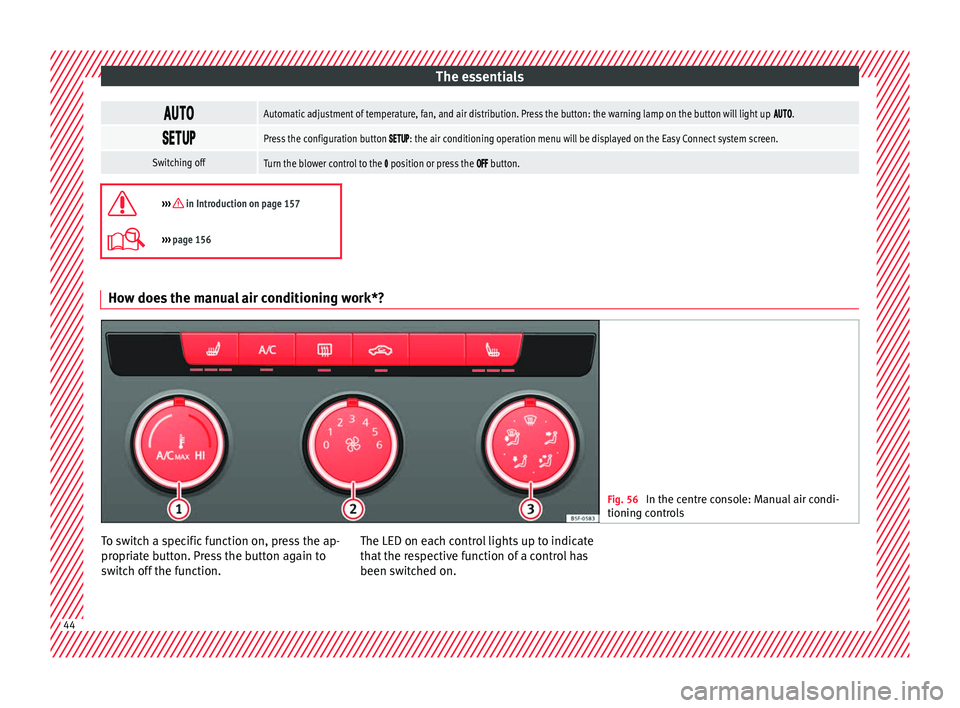
page 156 How does the manual air conditioning work*?
Fig. 56
In the centre console: Manual air condi-
tionin g c
ontrols To switch a specific function on, press the ap-
pr
opri
ate button. Press the button again to
switch off the function. The LED on each control lights up to indicate
that
the respective function of a control has
been switched on. 44
Page 52 of 328
The essentials
››› in Topping up coolant on page 287
››› page 286 Brake fluid
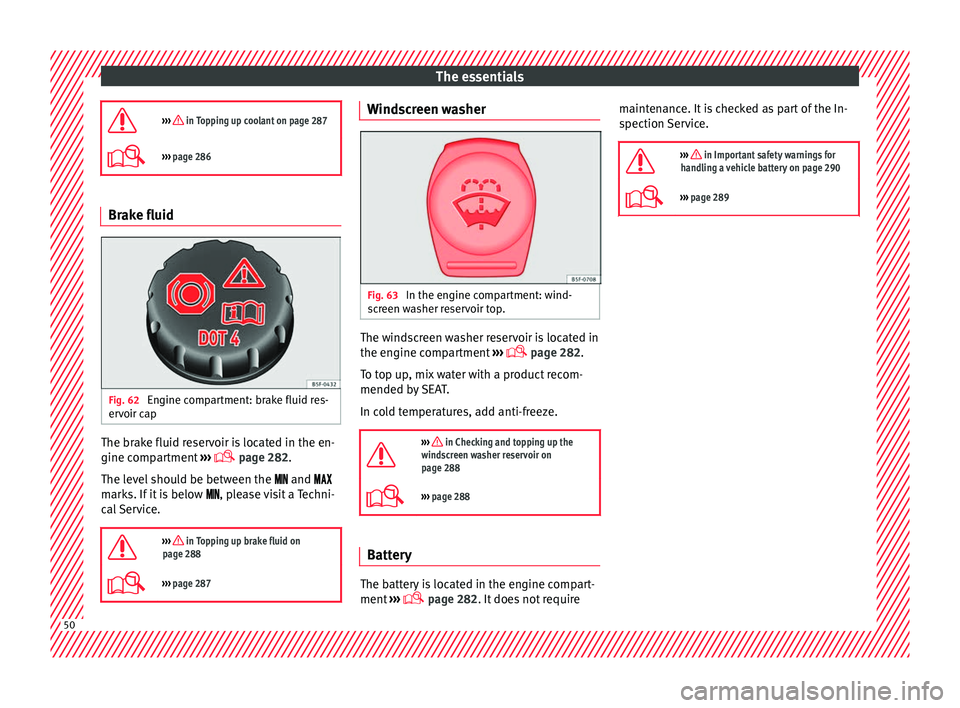
Fig. 62
Engine compartment: brake fluid res-
er v
oir cap The brake fluid reservoir is located in the en-
gine c
omp
artment ›››
page 282.
The level should be between the and
marks. If it is below , please visit a Techni-
cal Service.
››› in Topping up brake fluid on
page 288
››› page 287 Windscreen washer
Fig. 63
In the engine compartment: wind-
s c
reen washer reservoir top. The windscreen washer reservoir is located in
the en
gine c
ompartment ›››
page 282.
To top up, mix water with a product recom-
mended by SEAT.
In cold temperatures, add anti-freeze.
››› in Checking and topping up the
windscreen washer reservoir on
page 288
››› page 288 Battery
The battery is located in the engine compart-
ment
›
›› page 282. It does not require maintenance. It is checked as part of the In-
spection
Service.
››› in Important safety warnings for
handling a vehicle battery on page 290
››› page 289 50