turn signal Seat Ateca 2016 Owner's Guide
[x] Cancel search | Manufacturer: SEAT, Model Year: 2016, Model line: Ateca, Model: Seat Ateca 2016Pages: 328, PDF Size: 6.32 MB
Page 195 of 328
Driver assistance systems
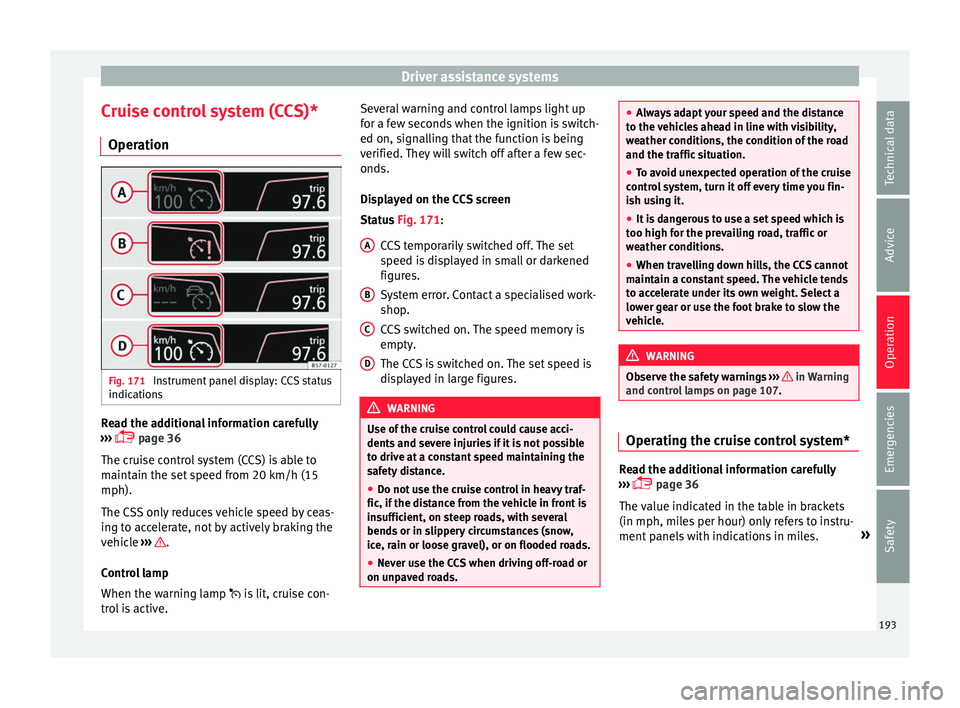
Cruise control system (CCS)* Oper ation Fig. 171
Instrument panel display: CCS status
indic ation
s Read the additional information carefully
› ›
› page 36
The cruise control system (CCS) is able to
maintain the set speed from 20 km/h (15
mph).
The CSS only reduces vehicle speed by ceas-
ing to accelerate, not by actively braking the
vehicle ››› .
C ontr
ol lamp
When the warning lamp is lit, cruise con-
trol is active. Several warning and control lamps light up
for a f
ew seconds when the ignition is switch-
ed on, signalling that the function is being
verified. They will switch off after a few sec-
onds.
Displayed on the CCS screen
Status Fig. 171:
CCS temporarily switched off. The set
speed is displayed in small or darkened
figures.
System error. Contact a specialised work-
shop.
CCS switched on. The speed memory is
empty.
The CCS is switched on. The set speed is
displayed in large figures. WARNING
Use of the cruise control could cause acci-
dent s
and severe injuries if it is not possible
to drive at a constant speed maintaining the
safety distance.
● Do not use the cruise control in heavy traf-
fic, if the di
stance from the vehicle in front is
insufficient, on steep roads, with several
bends or in slippery circumstances (snow,
ice, rain or loose gravel), or on flooded roads.
● Never use the CCS when driving off-road or
on unp
aved roads. A
B
C
D ●
Alw
ays adapt your speed and the distance
to the vehicles ahead in line with visibility,
weather conditions, the condition of the road
and the traffic situation.
● To avoid unexpected operation of the cruise
contr
ol system, turn it off every time you fin-
ish using it.
● It is dangerous to use a set speed which is
too high f
or the prevailing road, traffic or
weather conditions.
● When travelling down hills, the CCS cannot
maint
ain a constant speed. The vehicle tends
to accelerate under its own weight. Select a
lower gear or use the foot brake to slow the
vehicle. WARNING
Observe the safety warnings ››
› in Warning
and c ontr
ol lamps on page 107. Operating the cruise control system*
Read the additional information carefully
› ›
› page 36
The value indicated in the table in brackets
(in mph, miles per hour) only refers to instru-
ment panels with indications in miles. »
193
Technical data
Advice
Operation
Emergencies
Safety
Page 197 of 328
Driver assistance systems
●
When driv in
g downhill, the speed limiter
cannot limit the vehicle speed. Its speed will
increase due to its own weight. In this case,
select a lower gear or use the foot brake to
slow the vehicle. WARNING
Observe the safety warnings ›
›
› in Warning
and c ontr
ol lamps on page 107. Note
● Diff er
ent versions of the instrument panel
are available and therefore the versions and
instructions on the display may vary.
● If when switching the ignition off, the
crui
se control system (CCS), the adaptive
cruise control (ACC) or the speed limiter were
switched on, then the cruise control system or the adaptive cruise control will automati-
c
a
lly switch themselves on when the ignition
is back on. However, no speed will be stored.
The last set speed of the speed limiter will be
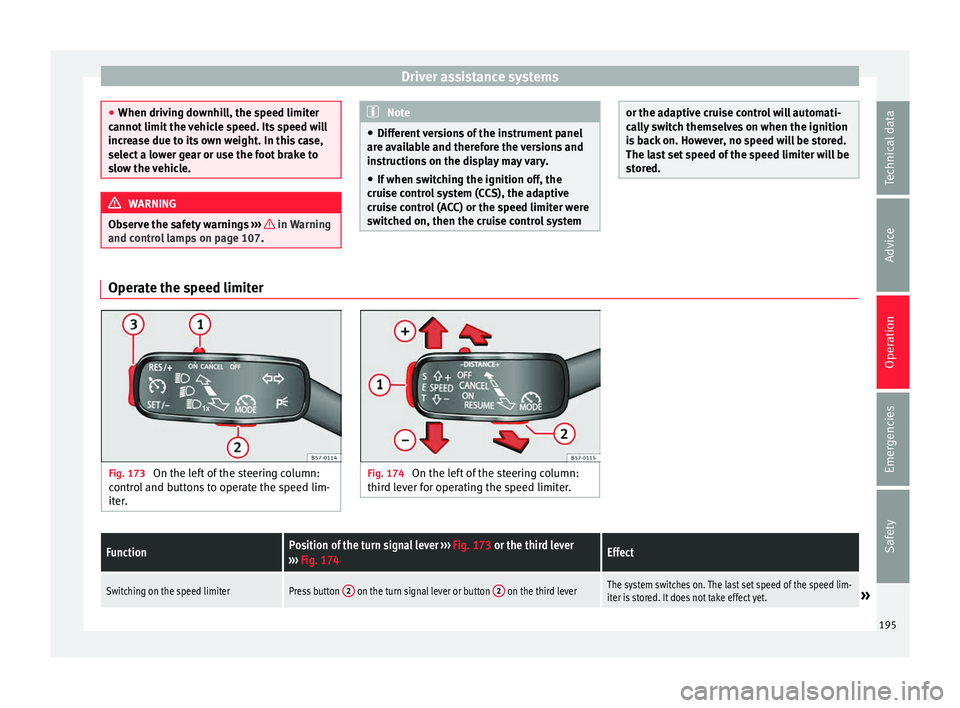
stored. Operate the speed limiter
Fig. 173
On the left of the steering column:
c ontr
ol and buttons to operate the speed lim-
iter. Fig. 174
On the left of the steering column:
thir d l
ever for operating the speed limiter.
FunctionPosition of the turn signal lever ››› Fig. 173 or the third lever
››› Fig. 174Effect
Switching on the speed limiterPress button 2 on the turn signal lever or button 2 on the third leverThe system switches on. The last set speed of the speed lim-
iter is stored. It does not take effect yet.» 195
Technical data
Advice
Operation
Emergencies
Safety
Page 198 of 328
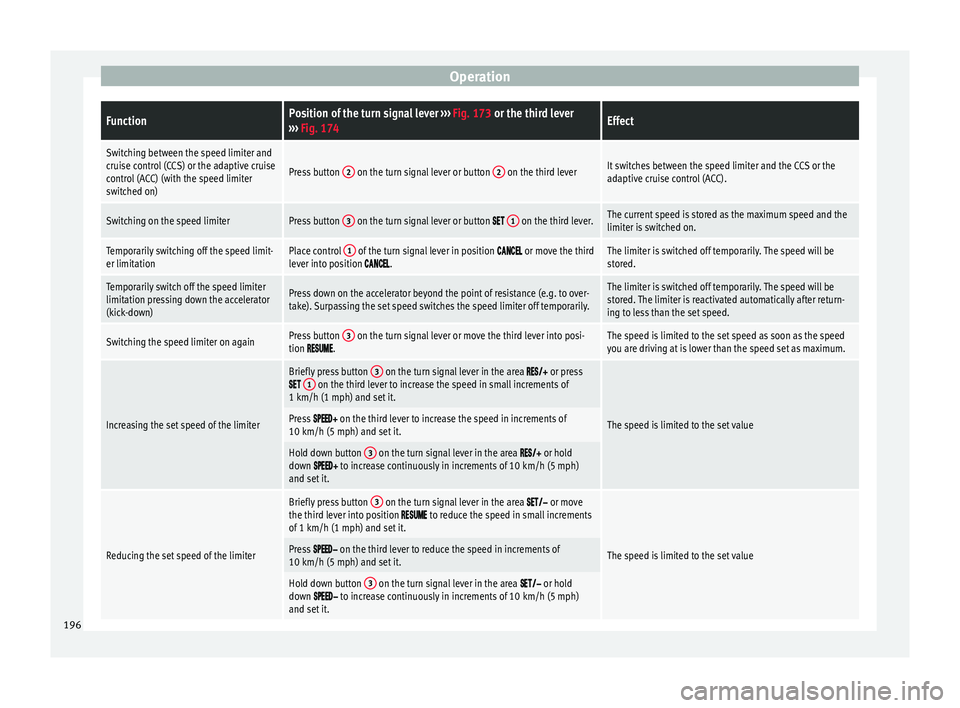
OperationFunctionPosition of the turn signal lever
››› Fig. 173 or the third lever
››› Fig. 174Effect
Switching between the speed limiter and
cruise control (CCS) or the adaptive cruise
control (ACC) (with the speed limiter
switched on)
Press button 2 on the turn signal lever or button 2 on the third leverIt switches between the speed limiter and the CCS or the
adaptive cruise control (ACC).
Switching on the speed limiterPress button 3 on the turn signal lever or button 1 on the third lever.The current speed is stored as the maximum speed and the
limiter is switched on.
Temporarily switching off the speed limit-
er limitationPlace control 1 of the turn signal lever in position or move the third
lever into position .The limiter is switched off temporarily. The speed will be
stored.
Temporarily switch off the speed limiter
limitation pressing down the accelerator
(kick-down)Press down on the accelerator beyond the point of resistance (e.g. to over-
take). Surpassing the set speed switches the speed limiter off temporarily.The limiter is switched off temporarily. The speed will be
stored. The limiter is reactivated automatically after return-
ing to less than the set speed.
Switching the speed limiter on againPress button 3 on the turn signal lever or move the third lever into posi-
tion .The speed is limited to the set speed as soon as the speed
you are driving at is lower than the speed set as maximum.
Increasing the set speed of the limiter
Briefly press button 3 on the turn signal lever in the area or press 1 on the third lever to increase the speed in small increments of
1 km/h (1 mph) and set it.
The speed is limited to the set valuePress on the third lever to increase the speed in increments of
10 km/h (5 mph) and set it.
Hold down button 3 on the turn signal lever in the area or hold
down to increase continuously in increments of 10 km/h (5 mph)
and set it.
Reducing the set speed of the limiter
Briefly press button 3 on the turn signal lever in the area or move
the third lever into position to reduce the speed in small increments
of 1 km/h (1 mph) and set it.
The speed is limited to the set valuePress on the third lever to reduce the speed in increments of
10 km/h (5 mph) and set it.
Hold down button 3 on the turn signal lever in the area or hold
down to increase continuously in increments of 10 km/h (5 mph)
and set it. 196
Page 199 of 328
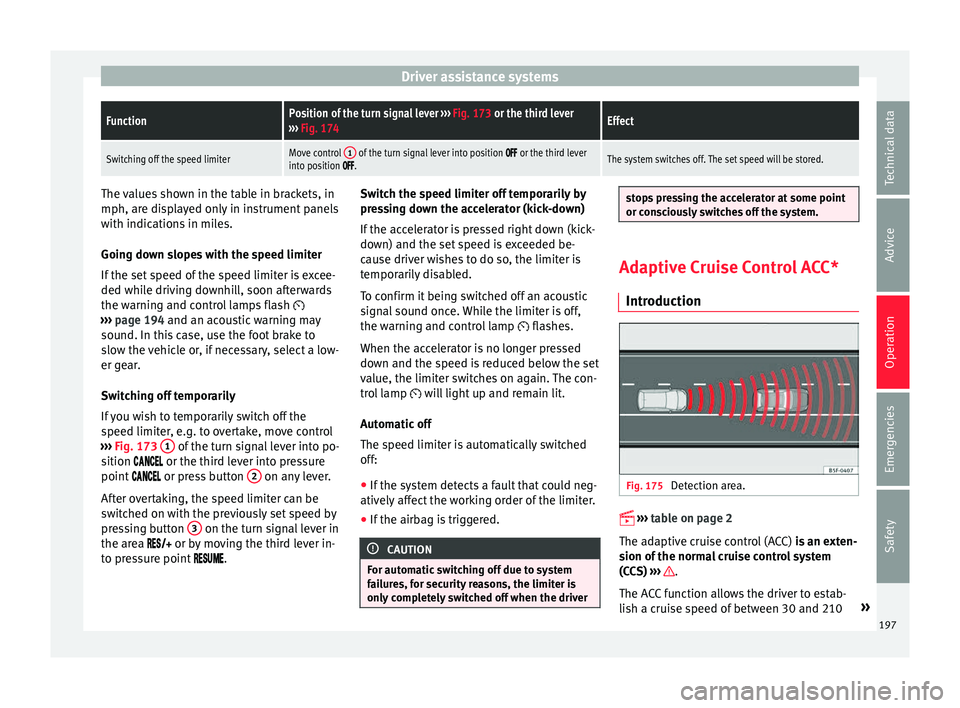
Driver assistance systemsFunctionPosition of the turn signal lever
››› Fig. 173 or the third lever
››› Fig. 174Effect
Switching off the speed limiterMove control 1 of the turn signal lever into position or the third lever
into position .The system switches off. The set speed will be stored. The values shown in the table in brackets, in
mph, ar
e di
splayed only in instrument panels
with indications in miles.
Going down slopes with the speed limiter
If the set speed of the speed limiter is excee-
ded while driving downhill, soon afterwards
the warning and control lamps flash
››› page 194 and an acoustic warning may
sound. In this case, use the foot brake to
slow the vehicle or, if necessary, select a low-
er gear.
Switching off temporarily
If you wish to temporarily switch off the
speed limiter, e.g. to overtake, move control
››› Fig. 173 1 of the turn signal lever into po-
s ition
or the third lever into pressure
point or press button 2 on any lever.
Af t
er overtaking, the speed limiter can be
switched on with the previously set speed by
pressing button 3 on the turn signal lever in
the ar e
a or by moving the third lever in-
to pressure point . Switch the speed limiter off temporarily by
pre
ssing down the accelerator (kick-down)
If the accelerator is pressed right down (kick-
down) and the set speed is exceeded be-
cause driver wishes to do so, the limiter is
temporarily disabled.
To confirm it being switched off an acoustic
signal sound once. While the limiter is off,
the warning and control lamp flashes.
When the accelerator is no longer pressed
down and the speed is reduced below the set
value, the limiter switches on again. The con-
trol lamp will light up and remain lit.
Automatic off
The speed limiter is automatically switched
off:
● If the system detects a fault that could neg-
atively
affect the working order of the limiter.
● If the airbag is triggered. CAUTION
For automatic switching off due to system
f ai
lures, for security reasons, the limiter is
only completely switched off when the driver stops pressing the accelerator at some point
or c
on
sciously switches off the system. Adaptive Cruise Control ACC*
Intr oduction Fig. 175
Detection area.
›
›
›
table on page 2
The adaptive cruise control (ACC) is an exten-
sion of the normal cruise control system
(CCS) ››› .
The A C
C function allows the driver to estab-
lish a cruise speed of between 30 and 210 »
197
Technical data
Advice
Operation
Emergencies
Safety
Page 217 of 328
Driver assistance systems
The system is operational, the highligh-
t ed line A indicates that there was a
ri sk
of involuntarily crossing the lane
line and that the steering is being adjus-
ted to correct the angle ››› Fig. 190 C.
The two lines A light up simultaneously
when both l ane line
s are recognised and
the Lane Assist function is active
››› Fig. 190 D.
Control lamps
Blinks or lights up yellow: Lane Assist
active but not available.
The system can not accurately recognise the lane.
Please see page 216, the Lane Assist system is not
available (the control lamp is lit up yellow).
Blinks or lights up green:
Lane Assist system active and available.
WARNING
Observe the safety warnings ››
› in Warning
and c ontr
ol lamps on page 107. –
–
Operation Fig. 191
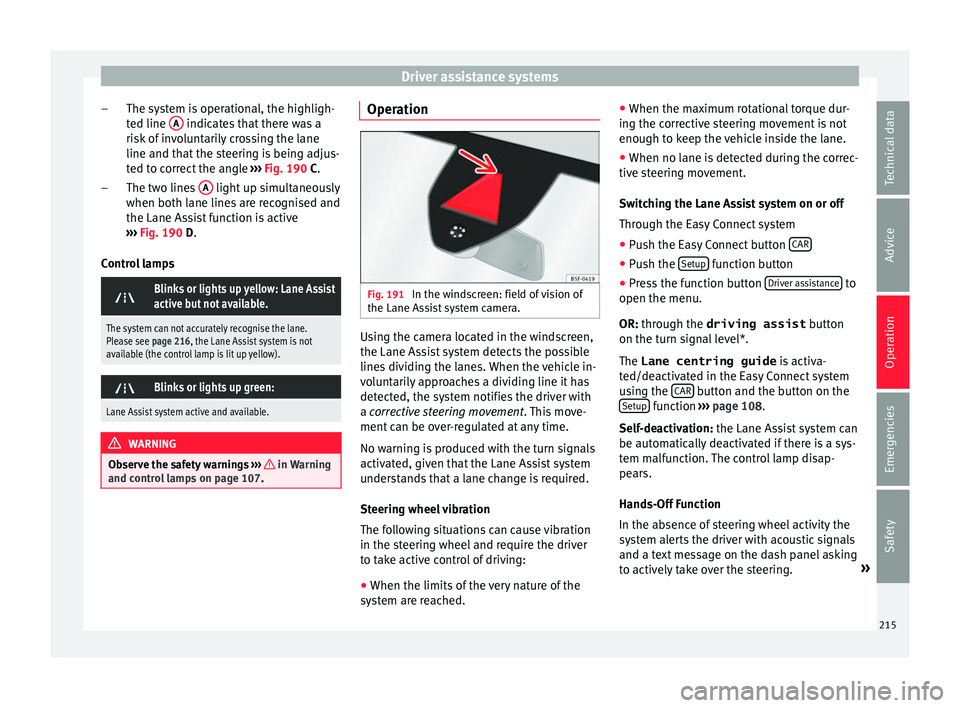
In the windscreen: field of vision of
the Lane As s
ist system camera. Using the camera located in the windscreen,
the Lane As
s
ist system detects the possible
lines dividing the lanes. When the vehicle in-
voluntarily approaches a dividing line it has
detected, the system notifies the driver with
a corrective steering movement . This move-
ment can be over-regulated at any time.
No warning is produced with the turn signals
activated, given that the Lane Assist system
understands that a lane change is required.
Steering wheel vibration
The following situations can cause vibration
in the steering wheel and require the driver
to take active control of driving:
● When the limits of the very nature of the
sys
tem are reached. ●
When the max
imum rotational torque dur-
ing the corrective steering movement is not
enough to keep the vehicle inside the lane.
● When no lane is detected during the correc-
tive s
teering movement.
Switching the Lane Assist system on or off
Through the Easy Connect system
● Push the Easy Connect button CAR ●
Push the Set
up function button
● Press the function button Driv
er a
ssistance to
open the menu.
OR: thr ough the driving assist
b
utton
on the turn signal level*.
The Lane centring guide is activa-
ted/deactivated in the Easy Connect system
using the CAR button and the button on the
Set up function
››
›
page 108.
Self-deactivation: the Lane Assist system can
be automatically deactivated if there is a sys-
tem malfunction. The control lamp disap-
pears.
Hands-Off Function
In the absence of steering wheel activity the
system alerts the driver with acoustic signals
and a text message on the dash panel asking
to actively take over the steering. »
215
Technical data
Advice
Operation
Emergencies
Safety
Page 218 of 328
Operation
If the driver does not react to this, the system
al so al
erts the driver with a little shaking mo-
tion through the brakes and, if the vehicle
has it, activates the Emergency Assist func-
tion ››› page 218.
In vehicles without Emergency Assist, the
adaptive lane guidance function will be disa-
bled after the corresponding warnings to the
driver.
The lane assist system is active but it is not
available (the control lamp is lit up yellow)
● When driving at speeds below 65 km/h (38
mph).
● When the Lane Assist system does not de-
tect
the dividing lines of the road. For exam-
ple, in the event warnings indicating road
works, and snow, dirt, moisture or reflec-
tions.
● When the radius of a curve is too small.
● When no road markings can be seen.
● When the distance to the next marking to
too gr
eat.
● When the system does not detect any clear
and active s
teering movement during a long
period of time.
● Temporarily, in the event of very dynamic
drivin
g styles.
● If a turn signal is activated.
● With the stability control system (ESC) in
Spor
t mode or switched off. Side Assist PLUS
If the
vehicle is also equipped with Side As-
sist and the system is switched on, the driver
is alerted when changing lanes during a pos-
sible critical situation (level of information,
warning level) through a corrective steering
wheel intervention. This occurs even if the
turn signal is activated in the corresponding
direction. If the driver over-regulates the
steering wheel intervention, an additional
warning is given through a vibration in the
steering wheel. Note
● Bef
ore starting a journey, verify that the
field of vision of the camera is not covered
››› Fig. 191.
● Always keep the field of vision of the cam-
era c
lean. Switching off the Lane Assist system
in the f
o
llowing situations Due to the limits of the Lane Assist system,
sw
it
ch it off in the following situations:
● When more attention is required of the
driver
● When driv
ing in a sporty style
● In unfavourable weather conditions
● On roads in poor condition ●
In are
as of road works
Traffic Jam Assist De
scription and operation
› ›
›
table on page 2
Traffic Jam Assist helps the driver keep the
car within its lane and to move in convoy in
case of traffic congestion or slow traffic.
Traffic Jam Assist is an additional function of
Lane Assist ›››
page 213 and combines Lane
Assist functions with Adaptive Cruise Control
(ACC) ›››
page 197. Therefore, it is essential
that you read these two chapters carefully
and note the limitations of the systems and
the information about them.
Operation of Traffic Jam Assist
At speeds of below 60 km/h (40 mph), Traffic
Jam Assist can maintain a (temporary) dis-
tance preset by the driver with respect to the
vehicle ahead and help stay within the lane
››› .
T o do thi
s, the system automatically controls
the acceleration, brakes and steering, and
slows down the vehicle if necessary until it
stops fully before a vehicle that has stopped,
before moving off again automatically.
216
Page 222 of 328
Operation
Blind spot detector (BSD) with
p ark
ing assistance (RCTA)*
Introduction
› ›
›
table on page 2
The blind spot detector (BSD) helps to detect
the traffic situation behind the vehicle.
The integrated parking assistant (RTA) helps
the driver when backing out of a parallel
parking spot and in manoeuvring.
The blind spot detector has been developed
for driving on paved roads. WARNING
The smart technology incorporated into the
b lind s
pot detector (BSD) with parking assis-
tance (RCTA) included cannot overcome the
limits imposed by the laws of physics; it only
works within the limits of the system. Acci-
dents and severe injury may occur if the blind
spot detection system or the rear cross traffic
alert are used negligently or involuntarily.
The system is not a replacement for driver
awareness.
● Adapt your speed and safe distance to the
vehic
le in front of you at all times to suit visi-
bility, weather, road and traffic conditions.
● Keep your hands on the wheel at all times
to be r
eady to intervene in the steering at any
time. ●
Pa
y attention to the control lamps that may
come on in the external rear view mirrors and
on the instrument panel, and follow any in-
structions they may give.
● The blind spot assistant could react to any
spec
ial constructions that might be present
on the sides of the vehicle: e.g. high or irreg-
ular dividers. This may cause erroneous warn-
ings.
● Never use the blind spot detector with rear
cr
oss traffic alert on unpaved roads. The blind
spot detector with rear cross traffic alert has
been designed for use on paved roads.
● Always pay attention to the vehicle's sur-
rou
ndings.
● Never use the blind spot detector or the
park
ing assistant if the radar sensors are
dirty.
● The external rear view mirror control lamps
ma
y have limited functionality due to solar
radiation. CAUTION
● The r a
dar sensors on the rear bumper may
be damaged or shifted in the event of a colli-
sion, for example, when entering or exiting a
parking space. This may result in the system
disconnecting itself, or at least possibly hav-
ing its functionality diminished.
● In order to ensure that the radar sensors
work
properly, keep the rear bumper free of
snow and ice and do not cover it. ●
The r e
ar bumper should only be painted
with paint authorised by SEAT. The blind spot
detector's functions may be limited or work
incorrectly if other paints are used. Note
If the blind spot detector with parking assis-
t ant
does not work as described in this chap-
ter, do not use it and contact a specialised
workshop. Control lamps
Control lamp in external rear view mirrors:
Lights up
Lights up once briefly: the blind spot detector is activa-
ted and ready to operate.
Lights up: blind spot detector has detected a vehicle in
the blind spot.
Flashes
The blind spot detector has detected a vehicle in the
blind spot and the turn signal has been turned on in the
direction of the detected vehicle
›››
.
For vehicles that are also equipped with Lane Assist
››› page 213, a warning to switch lanes will also appear
even though the turn signal has not been engaged
(blind spot detector “Plus”). 220
Page 234 of 328
Operation
● When c ornerin
g
● On roads in poor condition
● In unfavourable weather conditions
● When a sporty driving style is employed
● In the event of a serious distraction to the
driver
F
atigue detection will be restored when the
vehicle is stopped for more than 15 minutes,
when the ignition is switched off or when the
driver has unbuckled their seat belt and
opened the door.
In the event of slow driving during a long pe-
riod of time (below 65 km/h, 40 mph) the
system automatically re-establishes the tired-
ness calculation. When driving at a faster
speed the driving behaviour will be recalcula-
ted.
Park Assist*
Introduction
› ›
›
table on page 2
The Park Assist system is an additional func-
tion of ParkPilot ›››
page 239 and helps the
driver to:
● find a suitable parking space,
● select a parking mode, ●
park
driving in reverse in suitable perpen-
dicular and parallel spaces,
● park driving forwards in suitable perpen-
dicu
lar spaces,
● exit a parking space driving forwards from
a par
allel space.
In vehicles with a Park Assist system and fac-
tory radio the front, rear and side areas are
represented, and the position of obstacles is
shown relative to the vehicle.
The Park Assist system is subject to certain
limitations inherent to the system and its use
requires special attention by the driver ››› .
WARNING
The smart technology incorporated into the
P ark
Assist system cannot overcome the lim-
its imposed by the laws of physics; it only
works within the limits of the system. The
greater convenience provided by Park Assist
should never tempt you to take any risk that
may compromise safety. The system is not a
replacement for driver awareness.
● Any accidental movement of the vehicle
cou
ld result in serious injury.
● Adapt your speed and driving style at all
times
to suit visibility, weather, road and traf-
fic conditions.
● Certain surfaces of objects and garments
do not r
eflect the ultrasound sensors' sig-
nals. The system cannot detect, at least cor- rectly, these objects or people wearing such
c
lothe
s.
● Ultrasound sensor signals may be affected
by
external sound sources. In certain circum-
stances this may prevent them from detect-
ing people or objects.
● The ultrasound sensors have blind spots in
which o
bstacles and people are not regis-
tered.
● Monitor the area around the vehicle at all
times, s
ince the ultrasound sensors do not
detect small children, animals or certain ob-
jects in all situations. WARNING
Quick turns of the steering wheel when park-
in g or e
xiting a parking space with Park As-
sist can cause serious injury.
● Do not hold the steering wheel during ma-
noeuvr
es to park or exit a parking space until
the system requests it. Doing so disables the
system during the manoeuvre, resulting in
the parking being cancelled. CAUTION
● In c er
tain circumstances, the ultrasonic
sensors do not detect objects such as trailer
tongues, bars, fences, posts or thin trees, or
an open (or opening) rear lid, which could
damage the vehicle.
● Retrofitting of certain accessories to the ve-
hicl
e, such as a bicycle rack, may interfere 232
Page 236 of 328
Operation
Special Characteristics
The P ark
Assist system is subject to certain
limitations inherent to the system. For exam-
ple, it is therefore not possible to enter or exit
a parking space on sharp bends.
While entering or exiting a parking space, a
brief signal sounds to prompt the driver to
change between forward and reverse gears. If
this signal does not sound, the gear change
will be indicated when the continuous signal
sounds (object at 30 cm) in ParkPilot.
When the Park Assist system turns the steer-
ing wheel with the vehicle stationary, the in- strument panel also displays the symbol
.
Pre ss down the brake pedal so that the turn
takes place with the vehicle stationary and
the smallest possible number of manoeuvres
take place in the parking space.
Trailer mode
The Park Assist system cannot be switched
on if the factory-fitted towing bracket
››› page 255 is electrically connected to a
trailer. After changing a wheel
If, af
ter changing a wheel, the vehicle stops
entering and exiting parking spaces correctly,
the circumference of the new wheel may be
different and the system may need to adapt
to it. The adaptation is automatic and takes
place during driving. Making turns slowly, at
less than 20 km/h (12 mph) may contribute
to this adaptation process ››› in Introduc-
tion on p ag
e 232.
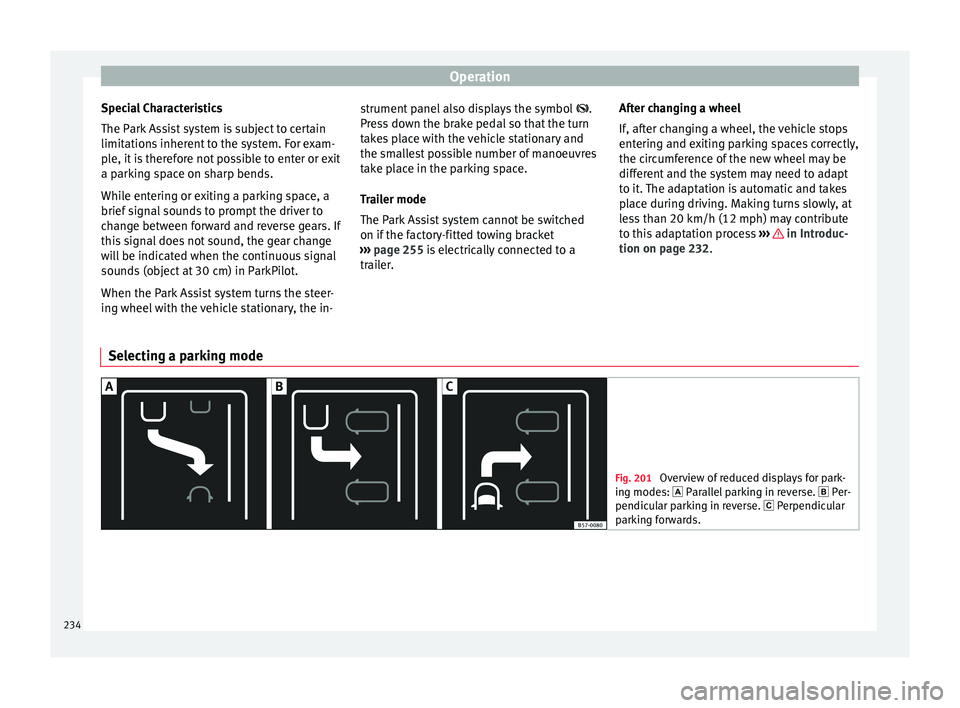
Selecting a parking mode Fig. 201
Overview of reduced displays for park-
in g mode
s: Parallel parking in reverse. Per-
pendicular parking in reverse. Perpendicular
parking forwards. 234
Page 237 of 328
Driver assistance systems
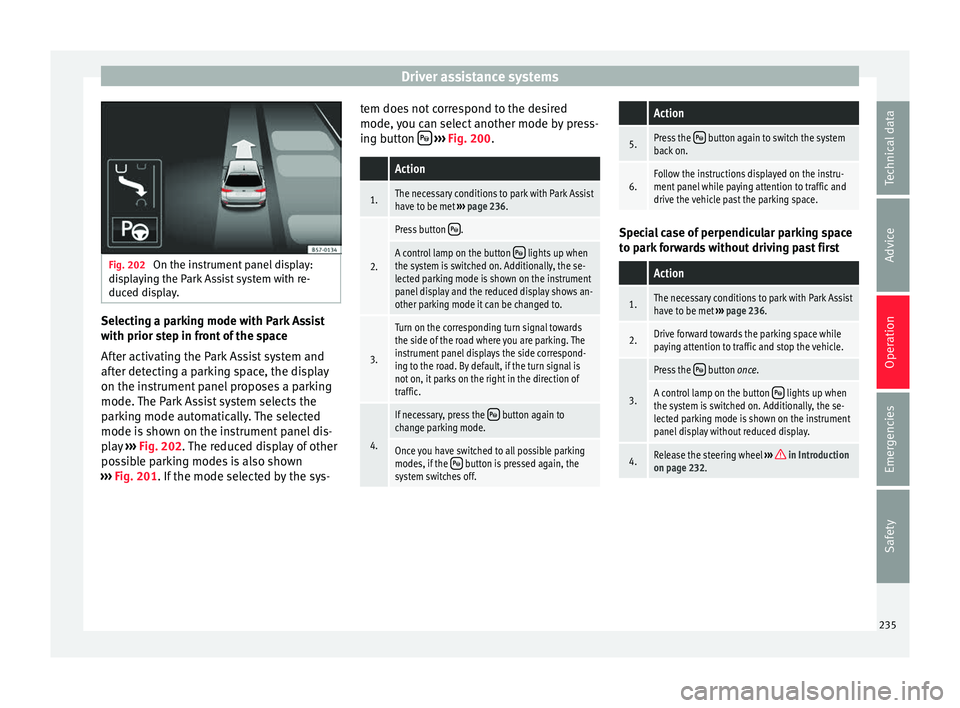
Fig. 202
On the instrument panel display:
di s
playing the Park Assist system with re-
duced display. Selecting a parking mode with Park Assist
w
ith prior s
tep in front of the space
After activating the Park Assist system and
after detecting a parking space, the display
on the instrument panel proposes a parking
mode. The Park Assist system selects the
parking mode automatically. The selected
mode is shown on the instrument panel dis-
play ››› Fig. 202. The reduced display of other
possible parking modes is also shown
››› Fig. 201. If the mode selected by the sys- tem does not correspond to the desired
mode, y
ou can select another mode by press-
ing button
› ››
Fig. 200
.
Action
1.The necessary conditions to park with Park Assist
have to be met ››› page 236.
2.
Press button .
A control lamp on the button lights up when
the system is switched on. Additionally, the se-
lected parking mode is shown on the instrument
panel display and the reduced display shows an-
other parking mode it can be changed to.
3.
Turn on the corresponding turn signal towards
the side of the road where you are parking. The
instrument panel displays the side correspond-
ing to the road. By default, if the turn signal is
not on, it parks on the right in the direction of
traffic.
4.
If necessary, press the button again to
change parking mode.
Once you have switched to all possible parking
modes, if the button is pressed again, the
system switches off.
Action
5.Press the button again to switch the system
back on.
6.Follow the instructions displayed on the instru-
ment panel while paying attention to traffic and
drive the vehicle past the parking space. Special case of perpendicular parking space
t
o p
ark forwards without driving past first
Action
1.The necessary conditions to park with Park Assist
have to be met ››› page 236.
2.Drive forward towards the parking space while
paying attention to traffic and stop the vehicle.
3.
Press the button once.
A control lamp on the button lights up when
the system is switched on. Additionally, the se-
lected parking mode is shown on the instrument
panel display without reduced display.
4.Release the steering wheel ››› in Introduction
on page 232. 235
Technical data
Advice
Operation
Emergencies
Safety