buttons Seat Cordoba 2006 ALANA
[x] Cancel search | Manufacturer: SEAT, Model Year: 2006, Model line: Cordoba, Model: Seat Cordoba 2006Pages: 70, PDF Size: 0.97 MB
Page 29 of 70
Radio 26
2 Choose the programme class.
- With the pre-set station buttons: NEWS), (SPORT), (POP),
(ROCK M), (CLASSICS) or (PERS). When the desired programme
button is pressed, the radio starts to search for the nearest programme
in the selected class, as long as “PTY..” is displayed.
- Briefly press or until the desired programme class is displayed,
then press or again until the confirmation signal is heard. The PTY
search starts until finding the next station which broadcasts the desired
class of programme, in which case the corresponding abbreviation is
displayed, e.g.: “POP”.
To search for the next station, hold the button down until the confirmation
signal is heard.
If there is no available station broadcasting this class of programme, at the
end of the search the last station to have been tuned will be heard and the
PTY function is automatically deactivated.
3 Leave the PTY function.
Briefly press the button or wait approximately 9 seconds until it is
deactivated automatically.
123456
‚b‚b
PTY
Page 31 of 70
Compact Disc 28
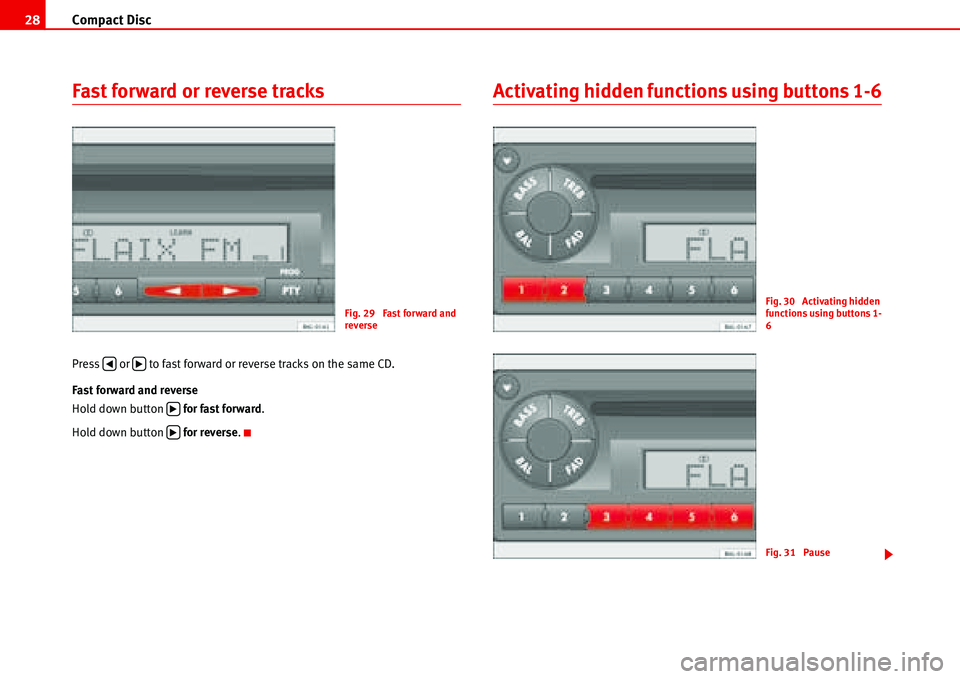
Fast forward or reverse tracks
Press or to fast forward or reverse tracks on the same CD.
Fast forward and reverse
Hold down button for fast forward.
Hold down button for reverse.
Activating hidden functions using buttons 1-6
Fig. 29 Fast forward and
reverse
‚b
b
b
Fig. 30 Activating hidden
functions using buttons 1-
6
Fig. 31 Pause
Page 32 of 70
Compact Disc29
- Shortplay (10 sec) of each track on a CD (TRACK SCAN)
Press the button until the confirmation signal is heard. “TRK SCAN” is
displayed briefly.
If you wish to hear the track which is being played:
Briefly press one of the buttons - . “RESET” appears briefly on the
display.
End:
Briefly press one of the buttons - . “RESET” appears briefly on the
display.
- Play CD tracks in random order (TRACK RANDOM)
Press the button until the confirmation signal is heard. “TRK RND” is
displayed briefly.
End:
Briefly press one of the buttons - . “RESET” appears briefly on the
display.
- Pause
Press the button until the confirmation signal is heard. “PAUSE” appears
on the display.
To remove the pause briefly press one of the buttons - . “RESET” appears
briefly on the display.
- Shortplay (10 sec) of each track of each CD (CD SCAN)
(Only where compact disc exchanger is fitted)
Press the button until the confirmation signal is heard. Message “CD
SCAN” appears briefly.
If you wish to hear the CD which is being played:
Briefly press one of the buttons - . “RESET” appears briefly on the
display.- Playing CDs in random order (CD RANDOM)
(Only where compact disc exchanger is fitted)
Press the button until the confirmation signal is heard. “CD RND” is
displayed briefly.
End:
Briefly press one of the buttons - . “RESET” appears briefly on the
display.
- Repeat last track (REPEAT)
Press the button until the confirmation signal is heard. “REPEAT” appears
briefly on the display.
End:
Briefly press one of the buttons - . “RESET” appears briefly on the
display.
SCAN Button
By pressing the button, 10 seconds of all the stations in the selected
range are played.
•Press the button
•“SCAN” appears on the screen.
Next, the stations are heard, one after another for a few seconds.
If you wish to continue listening to the station which is broadcasting, press
the button .
1
16
16
2
16
3
16
4
16
5
16
6
16
SCAN
SCAN
SCAN
Page 33 of 70
Compact Disc 30
Device for broadcasting traffic messages
while CD is playing
Activate TP
Press the button briefly. TP is shown on the display.
While the traffic message is being broadcast, the CD/CD6 stops playing.
Deactivate TP
Press the button briefly again.
While the traffic message is being broadcast, only the broadcasting of that
message is deactivated.
The player returns to CD/CD6 mode. The word “TP” remains on the display.
During normal CD/CD6 operating mode: if the “TP” function is deactivated.
“TP” goes from the display.
Ending CD mode
Select another operating mode.
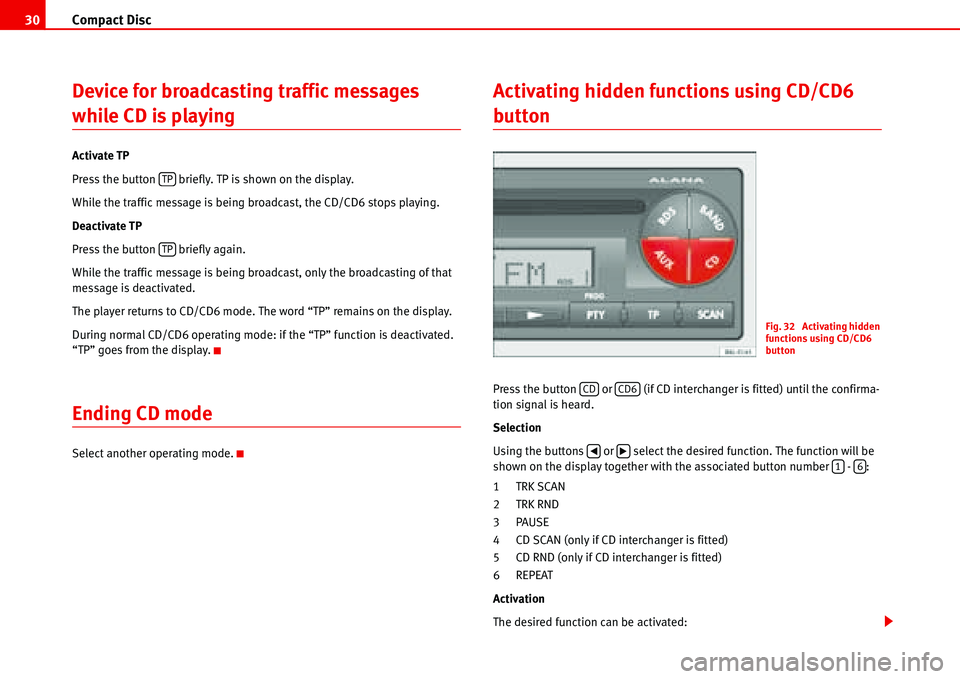
Activating hidden functions using CD/CD6
button
Press the button or (if CD interchanger is fitted) until the confirma-
tion signal is heard.
Selection
Using the buttons or select the desired function. The function will be
shown on the display together with the associated button number - :
1TRK SCAN
2TRK RND
3PAUSE
4 CD SCAN (only if CD interchanger is fitted)
5 CD RND (only if CD interchanger is fitted)
6 REPEAT
Activation
The desired function can be activated:
TP
TP
Fig. 32 Activating hidden
functions using CD/CD6
button
CDCD6
‚b16
Page 34 of 70
Compact Disc31
– by pressing the associated button - , or
– by briefly pressing the button or (if CD exchanger is fitted) when
the function to be activated is shown on the display.
End
Briefly press one of the buttons - . “RESET” appears briefly on the
display.16
CDCD6
16
Page 36 of 70
AUX* mode33
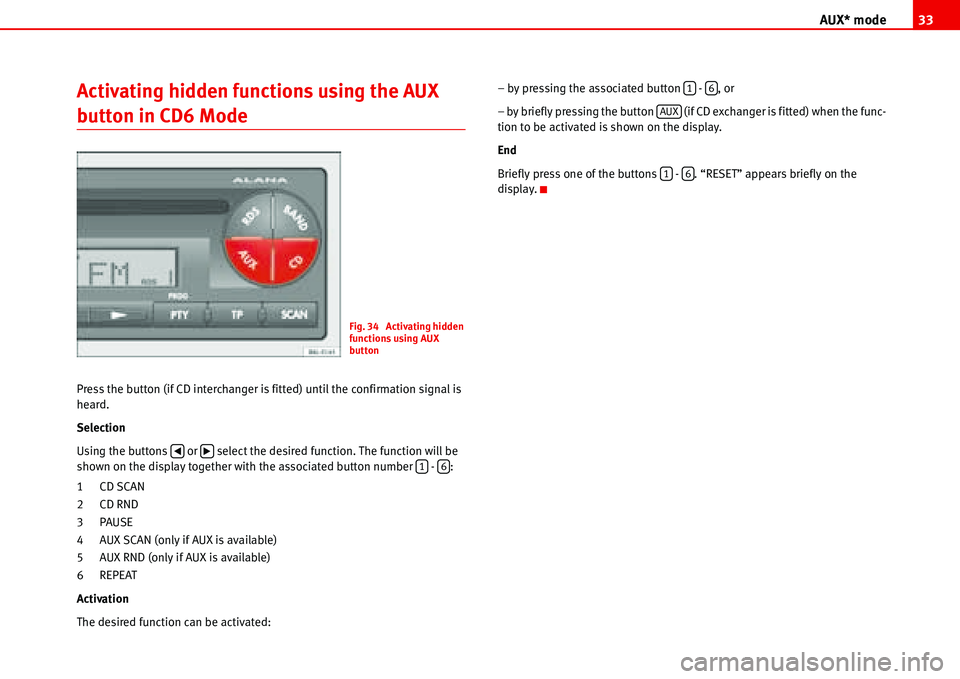
Activating hidden functions using the AUX
button in CD6 Mode
Press the button (if CD interchanger is fitted) until the confirmation signal is
heard.
Selection
Using the buttons or select the desired function. The function will be
shown on the display together with the associated button number - :
1CD SCAN
2CD RND
3PAUSE
4 AUX SCAN (only if AUX is available)
5 AUX RND (only if AUX is available)
6 REPEAT
Activation
The desired function can be activated:– by pressing the associated button - , or
– by briefly pressing the button (if CD exchanger is fitted) when the func-
tion to be activated is shown on the display.
End
Briefly press one of the buttons - . “RESET” appears briefly on the
display.
Fig. 34 Activating hidden
functions using AUX
button
‚b16
16
AUX
16
Page 54 of 70
MP3 mode51
By pressing briefly on the SCAN button it is possible to change between the
following display modes:
1 - FOLDER - TRACK
2 - TRACK - TIME
3 - SCROLL ID3
1 - FOLDER-TRACK
The display shows a scroll of the folder and file and then displays information
on the folder number and file or track number.
2 - TRACK-TIME
The display shows a scroll of the folder name and file and then displays infor-
mation with the track or file number and the time code.
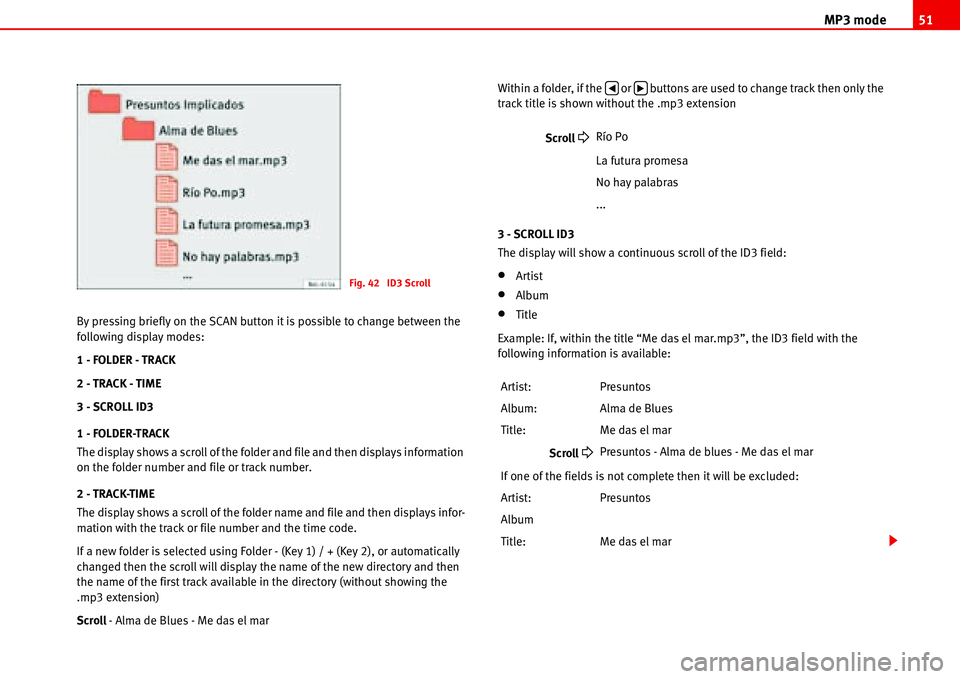
If a new folder is selected using Folder - (Key 1) / + (Key 2), or automatically
changed then the scroll will display the name of the new directory and then
the name of the first track available in the directory (without showing the
.mp3 extension)
Scroll - Alma de Blues - Me das el marWithin a folder, if the or buttons are used to change track then only the
track title is shown without the .mp3 extension
3 - SCROLL ID3
The display will show a continuous scroll of the ID3 field:
•Artist
•Album
•Title
Example: If, within the title “Me das el mar.mp3”, the ID3 field with the
following information is available:
Fig. 42 ID3 Scroll
Scroll
Río Po
La futura promesa
No hay palabras
...
Artist: Presuntos
Album: Alma de Blues
Title: Me das el mar
Scroll
Presuntos - Alma de blues - Me das el mar
If one of the fields is not complete then it will be excluded:
Artist: Presuntos
Album
Title: Me das el mar
‚b
Page 55 of 70
MP3 mode 52
Note
•Latin characters (accents, dieresis, ñ etc) will be substituted by an “*”.
Example: Paríso tropical.mp3
•Scroll
Para* so tropical
•The maximum number of characters that may be indicated on the display
is 33.
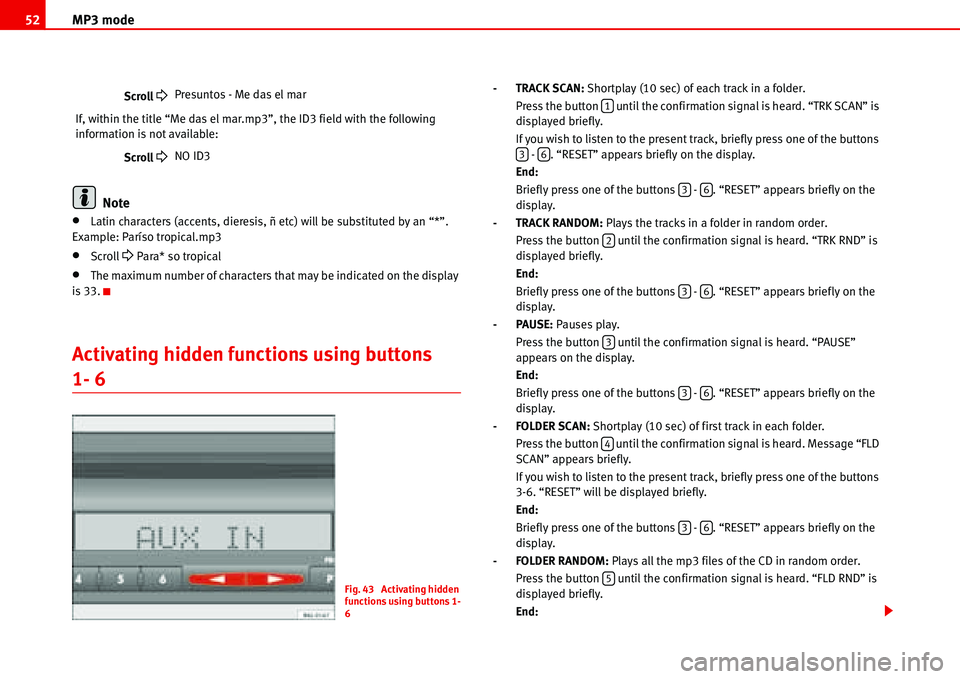
Activating hidden functions using buttons
1- 6
- TRACK SCAN: Shortplay (10 sec) of each track in a folder.
Press the button until the confirmation signal is heard. “TRK SCAN” is
displayed briefly.
If you wish to listen to the present track, briefly press one of the buttons
- . “RESET” appears briefly on the display.
End:
Briefly press one of the buttons - . “RESET” appears briefly on the
display.
- TRACK RANDOM: Plays the tracks in a folder in random order.
Press the button until the confirmation signal is heard. “TRK RND” is
displayed briefly.
End:
Briefly press one of the buttons - . “RESET” appears briefly on the
display.
-PAUSE: Pauses play.
Press the button until the confirmation signal is heard. “PAUSE”
appears on the display.
End:
Briefly press one of the buttons - . “RESET” appears briefly on the
display.
- FOLDER SCAN: Shortplay (10 sec) of first track in each folder.
Press the button until the confirmation signal is heard. Message “FLD
SCAN” appears briefly.
If you wish to listen to the present track, briefly press one of the buttons
3-6. “RESET” will be displayed briefly.
End:
Briefly press one of the buttons - . “RESET” appears briefly on the
display.
- FOLDER RANDOM: Plays all the mp3 files of the CD in random order.
Press the button until the confirmation signal is heard. “FLD RND” is
displayed briefly.
End: Scroll
Presuntos - Me das el mar
If, within the title “Me das el mar.mp3”, the ID3 field with the following
information is not available:
Scroll
NO ID3
Fig. 43 Activating hidden
functions using buttons 1-
6
1
36
36
2
36
3
36
4
36
5
Page 56 of 70
MP3 mode53
Briefly press one of the buttons - . “RESET” appears briefly on the
display.
-Repeat last track REPEAT
Press the button until the confirmation signal is heard. “REPEAT”
appears briefly on the display.
End:
Briefly press one of the buttons - . “RESET” appears briefly on the
display.36
6
36
Page 61 of 70
Coding 58
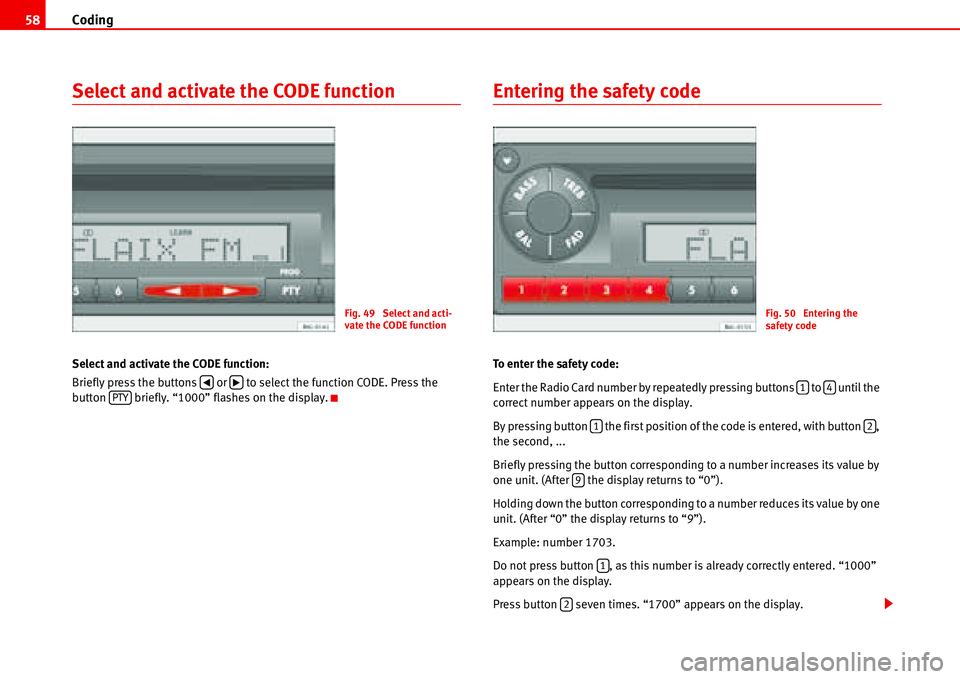
Select and activate the CODE function
Select and activate the CODE function:
Briefly press the buttons or to select the function CODE. Press the
button briefly. “1000” flashes on the display.
Entering the safety code
To enter the safety code:
Enter the Radio Card number by repeatedly pressing buttons to until the
correct number appears on the display.
By pressing button the first position of the code is entered, with button ,
the second, ...
Briefly pressing the button corresponding to a number increases its value by
one unit. (After the display returns to “0”).
Holding down the button corresponding to a number reduces its value by one
unit. (After “0” the display returns to “9”).
Example: number 1703.
Do not press button , as this number is already correctly entered. “1000”
appears on the display.
Press button seven times. “1700” appears on the display.
Fig. 49 Select and acti-
vate the CODE function
‚bPTY
Fig. 50 Entering the
safety code
14
12
9
1
2