lock Seat Cordoba 2006 User Guide
[x] Cancel search | Manufacturer: SEAT, Model Year: 2006, Model line: Cordoba, Model: Seat Cordoba 2006Pages: 255, PDF Size: 7.57 MB
Page 56 of 255
Cockpit
54
WARNING
When working in the engine compartment, always bear in mind the safety
wa rnings ⇒ page 169.
Caution
Accessories in front of the air inlet reduce the cooling effect of the coolant. At
high outside temperatures and high engine loads, there is a risk of the
engine overheating.Fuel gauge
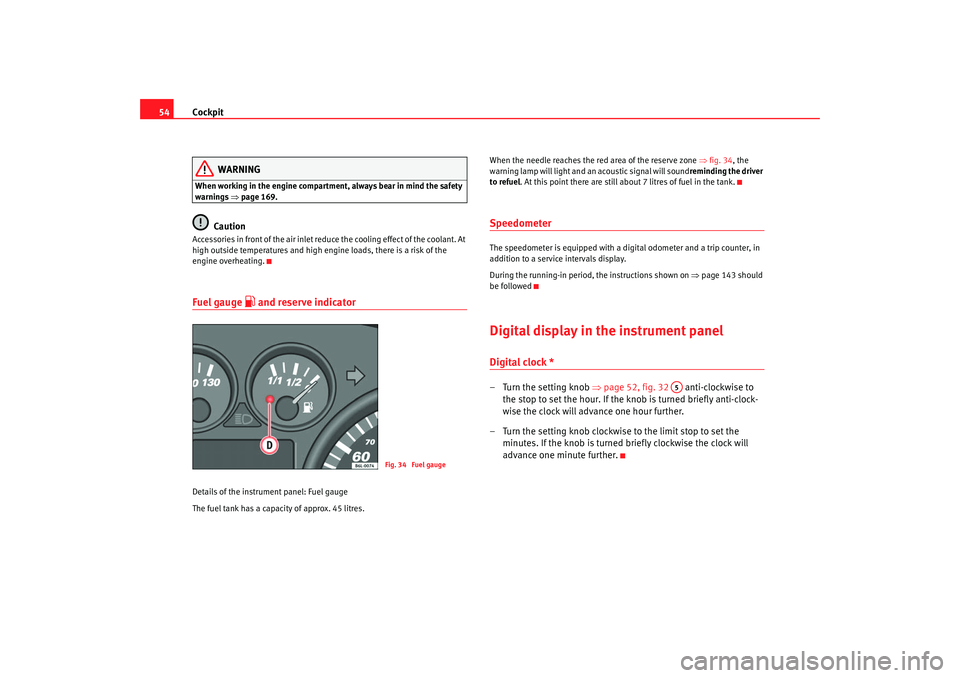
and reserve indicator
Details of the instrument panel: Fuel gauge
The fuel tank has a capacity of approx. 45 litres. When the needle reaches the red area of the reserve zone
⇒fig. 34 , the
warning lamp will light and an acoustic signal will sound reminding the driver
to refuel. At this point there are still about 7 litres of fuel in the tank.
SpeedometerThe speedometer is equipped with a digital odometer and a trip counter, in
addition to a service intervals display.
During the running-in period, the instructions shown on ⇒page 143 should
be followedDigital display in the instrument panelDigital clock *– Turn the setting knob ⇒page 52, fig. 32 anti-clockwise to
the stop to set the hour. If the kn ob is turned briefly anti-clock-
wise the clock will advance one hour further.
– Turn the setting knob clockwise to the limit stop to set the minutes. If the knob is turned briefly clockwise the clock will
advance one minute further.
Fig. 34 Fuel gauge
A5
cordoba_ingles Seite 54 Freitag, 7. Oktober 2005 6:00 18
Page 57 of 255
Cockpit55
Safety First
Operating instructions
Tips and Maintenance
Te c h n i c a l D a t a
Ambient temperature display*
The outside temperature is displayed when the ignition is
switched on.At temperatures be t
ween +6°C to -7 °C
, in addition to the outside tempe ra-
ture, an ice crystal is displayed and if travel speed is over 10 km/h an acoustic
buzzer is heard.
The illumination of the crystal symbol ai ms to warn the driver of the risk of
ice, so that he/she proceeds with due care.
When the vehicle is stationary or travelling at very low speeds, the tempera-
ture displayed may be slightly higher than the actual outside temperature as
a result of heat coming from the engine.
Mileage display or Service Interval DisplayDistance display
The left-hand counter in the display registers the total amount of distance
covered by the vehicle.
The right-hand counter registers the sh ort journeys. The last digit indicates
steps of 100 metres. The trip recorder counter may be reset by the reset
button ⇒page 52, fig. 32 .
Service interval display
A Service pre-warning will appear in the mileage displays if a service is due
soon. A “spanner” symbol appears and the display “km” with the distance
that can be driven until the next service appointment is due. The display will
change after approximately 10 seconds. A “clock symbol” appears and the
number of days until the service appointment should be carried out. The
following information text displayed in the instrument panel display: SERV. IN
... KM OR ... DAYS . The service message will disappear approximately 20 seconds after the igni
tion is switched on or the engine is running. The normal
display can be resumed by pressing the reset button on the trip counter or by
pressing the rocker switch of the MFI ⇒page 56, fig. 35 .
With the ignition switched on, you can call up the current service message by
pressing the trip counter reset knob for 2 seconds.
An overdue service is indicated by a minus sign in front of the mileage or day
information.
A6
AB
cordoba_ingles Seite 55 Freitag, 7. Oktober 2005 6:00 18
Page 59 of 255

Cockpit57
Safety First
Operating instructions
Tips and Maintenance
Te c h n i c a l D a t a
Displays in the multi-function display (MFD)* You can switch between the following di splays in the multi-function display
(MFD) by operating the rocker switch ⇒ fig. 37 on the windscreen wiper
lever. Memory displays
•
Time
•
Journey duration
•
Average speed
•
Distance
•
Distance to empty (the distance you can travel with the remaining fuel)
•
Average fuel consumption
•
Current fuel consumption
Time
The time is also displayed when the ignition is switched off. The clock can be
set with the right-hand rotating button below the rev counter “digital clock”.
min - Journey duration
The display shows the amount of time which has elapsed since the ignition
was switched on.
The maximum display value in both memories is 99 hours and 59 minutes.
The memory will automatically be deleted once this value has been reached.
Ø mph - Average speed
The average speed will be shown after a distance of approximately 100
metres has been travelled. Dashes will appear in the display until that time.
The display will be updated every 5 seconds whilst the vehicle is in motion.
km - Distance travelled
The display shows the distance travelled since the ignition was switched on.
The maximum display value in both me mories is 9999 miles. The memory will
automatically be deleted once this value has been reached.
km - Fuel range
The fuel range is calculated using the fi gures for tank content and current fuel
consumption. It shows how far the vehicle can travel using the same condi-
tions as a reference.
Fig. 37 Windscreen wiper
and washer lever: Button
A and rocker switch BFig. 38 Digital screen on
the instrument panel:
outside temperature
display
AB
cordoba_ingles Seite 57 Freitag, 7. Oktober 2005 6:00 18
Page 63 of 255
Cockpit61
Safety First
Operating instructions
Tips and Maintenance
Te c h n i c a l D a t a
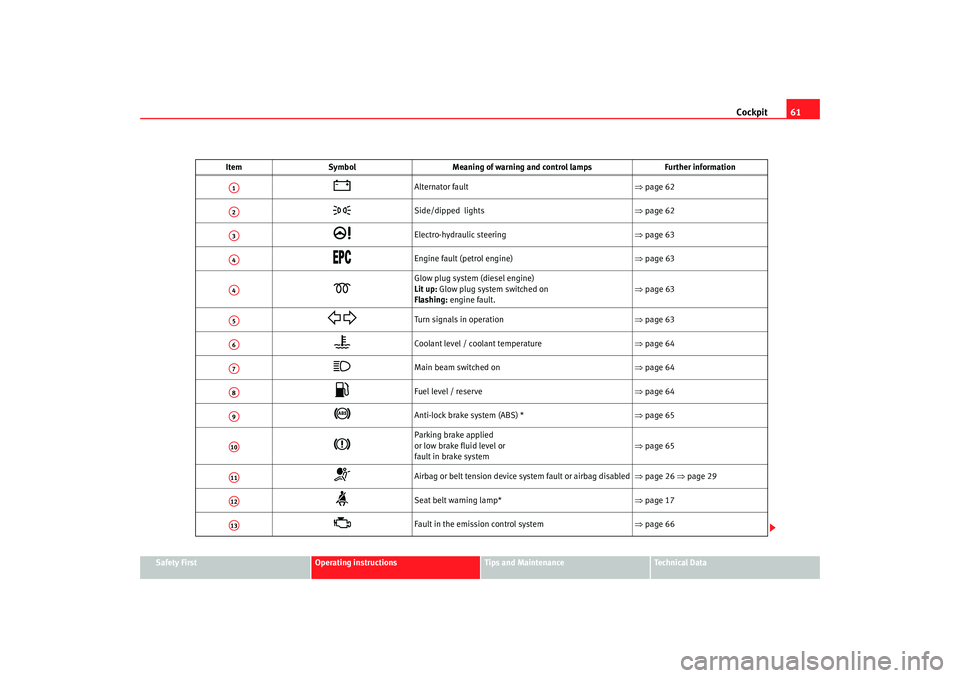
Item
Symbol Meaning of warning and control lamps Further information
Alternator fault ⇒page 62
Side/dipped lights ⇒page 62
Electro-hydraulic steering ⇒page 63
Engine fault (petrol engine) ⇒ page 63
Glow plug system (diesel engine)
Lit up: Glow plug system switched on
Flashing: engine fault.
⇒ page 63
Turn signals in operation ⇒page 63
Coolant level / coolant temperature ⇒page 64
Main beam switched on ⇒page 64
Fuel level / reserve ⇒page 64
Anti-lock brake system (ABS) * ⇒page 65
Parking brake applied
or low brake fluid level or
fault in brake system ⇒
page 65
Airbag or belt tension device system fault or airbag disabled ⇒page 26 ⇒page 29
Seat belt warning lamp* ⇒page 17
Fault in the emission control system ⇒page 66
A1A2A3A4A4A5A6A7A8A9A10A11A12A13
cordoba_ingles Seite 61 Freitag, 7. Oktober 2005 6:00 18
Page 67 of 255
Cockpit65
Safety First
Operating instructions
Tips and Maintenance
Te c h n i c a l D a t a
Anti-lock brake system (ABS)
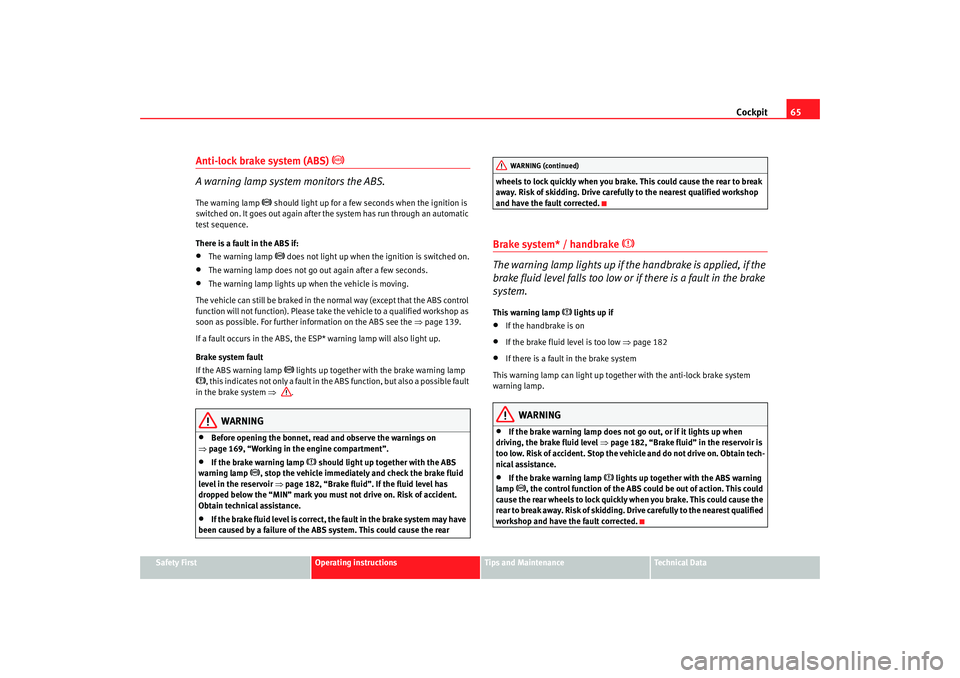
A warning lamp system monitors the ABS.The warning lamp
should light up for a few seconds when the ignition is
switched on. It goes out again after th e system has run through an automatic
test sequence.
There is a fault in the ABS if:
•
The warning lamp
does not light up when the ignition is switched on.
•
The warning lamp does not go out again after a few seconds.
•
The warning lamp lights up when the vehicle is moving.
The vehicle can still be braked in the normal way (except that the ABS control
function will not function). Please take the vehicle to a qualified workshop as
soon as possible. For further information on the ABS see the ⇒page 139.
If a fault occurs in the ABS, the ESP* warning lamp will also light up.
Brake system fault
If the ABS warning lamp
lights up together with the brake warning lamp
, this indicates not only a fault in the ABS function, but also a possible fault
in the brake sy stem ⇒ .
WARNING
•
Before opening the bonnet, read and observe the warnings on
⇒ page 169, “Working in the engine compartment”.
•
If the brake warning lamp
should light up together with the ABS
warning lamp
, stop the vehicle immediately and check the brake fluid
level in the reservoir ⇒page 182, “Brake fluid”. If the fluid level has
dropped below the “MIN” mark you must not drive on. Risk of accident.
Obtain technical assistance.
•
If the brake fluid level is correct, the fault in the brake system may have
been caused by a failure of the ABS system. This could cause the rear wheels to lock quickly when you brake. This could cause the rear to break
away. Risk of skidding. Drive carefully to the nearest qualified workshop
and have the fault corrected.
Brake system* / handbrake
The warning lamp lights up if the handbrake is applied, if the
brake fluid level falls too low or if there is a fault in the brake
system.This warning lamp
lights up if
•
If the handbrake is on
•
If the brake fluid level is too low
⇒page 182
•
If there is a fault in the brake system
This warning lamp can light up together with the anti-lock brake system
warning lamp.
WARNING
•
If the brake warning lamp does not go out, or if it lights up when
driving, the brake fluid level ⇒page 182, “Brake fluid” in the reservoir is
too low. Risk of accident. Stop the vehicle and do not drive on. Obtain tech-
nical assistance.
•
If the brake warning lamp
lights up together with the ABS warning
lamp
, the control function of the ABS could be out of action. This could
cause the rear wheels to lock quickly when you brake. This could cause the
rear to break away. Risk of skidding. Drive carefully to the nearest qualified
workshop and have the fault corrected.
WARNING (continued)
cordoba_ingles Seite 65 Freitag, 7. Oktober 2005 6:00 18
Page 68 of 255
Cockpit
66Emission control system*
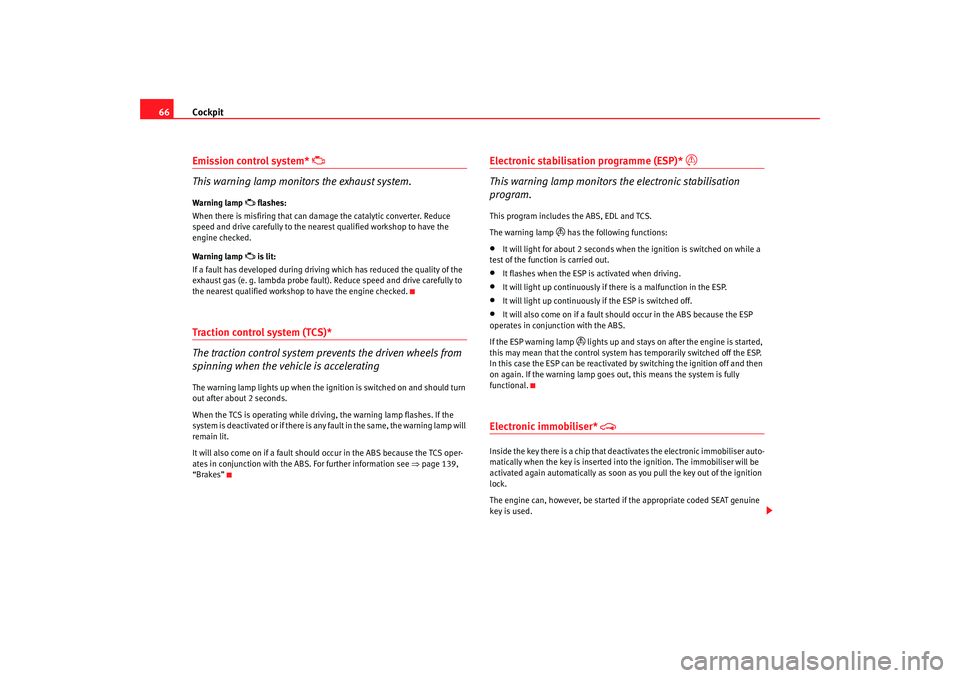
This warning lamp monitors the exhaust system.
Warning lamp
flashes:
When there is misfiring that can damage the catalytic converter. Reduce
speed and drive carefully to the near est qualified workshop to have the
engine checked.
Warning lamp is lit:
If a fault has developed during driving which has reduced the quality of the
exhaust gas (e. g. lambda probe fault). Reduce speed and drive carefully to
the nearest qualified workshop to have the engine checked.
Traction control system (TCS)*
The traction control system prevents the driven wheels from
spinning when the vehicle is acceleratingThe warning lamp lights up when the ignition is switched on and should turn
out after about 2 seconds.
When the TCS is operating while drivi ng, the warning lamp flashes. If the
system is deactivated or if there is any fault in the same, the warning lamp will
remain lit.
It will also come on if a fault should occur in the ABS because the TCS oper-
ates in conjunction with the ABS. For further information see ⇒page 139,
“Brakes”
Electronic stabilisation programme (ESP)*
This warning lamp monitors the electronic stabilisation
program.
This program includes the ABS, EDL and TCS.
The warning lamp
has the following functions:
•
It will light for about 2 seconds when the ignition is switched on while a
test of the function is carried out.
•
It flashes when the ESP is activated when driving.
•
It will light up continuously if there is a malfunction in the ESP.
•
It will light up continuously if the ESP is switched off.
•
It will also come on if a fault should occur in the ABS because the ESP
operates in conjunction with the ABS.
If the ESP warning lamp
lights up and stays on af ter the engine is started,
this may mean that the control system has temporarily switched off the ESP.
In this case the ESP can be reactivated by switching the ignition off and then
on again. If the warning lamp goes out, this means the system is fully
functional.
Electronic immobiliser*
Inside the key there is a chip that deac tivates the electronic immobiliser auto-
matically when the key is inserted into the ignition. The immobiliser will be
activated again automatically as soon as you pull the key out of the ignition
lock.
The engine can, however, be started if the appropriate coded SEAT genuine
key is used.
cordoba_ingles Seite 66 Freitag, 7. Oktober 2005 6:00 18
Page 69 of 255
Cockpit67
Safety First
Operating instructions
Tips and Maintenance
Te c h n i c a l D a t a
Note
The vehicle cannot be operated properly if you do not have a genuine SEAT
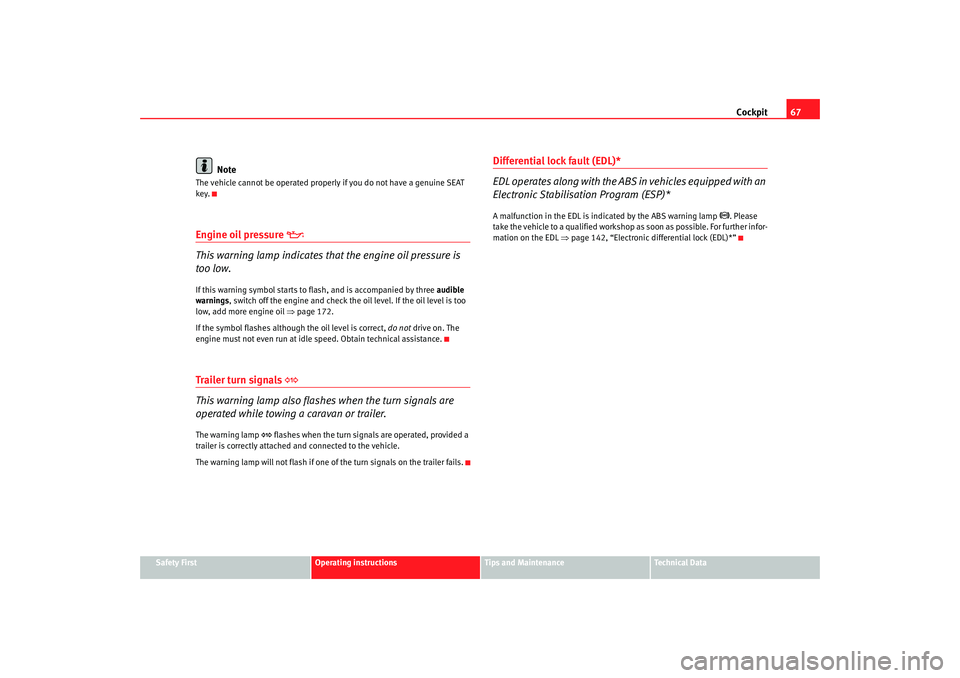
key.Engine oil pressure
This warning lamp indicates that the engine oil pressure is
too low.If this warning symbol starts to flash, and is accompanied by three audible
warnings , switch off the engine and check the oil level. If the oil level is too
low, add more engine oil ⇒page 172.
If the symbol flashes although the oil level is correct, do not drive on. The
engine must not even run at idle speed. Obtain technical assistance.Trailer turn signals
This warning lamp also flashes when the turn signals are
operated while towing a caravan or trailer.The warning lamp
flashes when the turn signals are operated, provided a
trailer is correctly attached and connected to the vehicle.
The warning lamp will not flash if one of the turn signals on the trailer fails.
Differential lock fault (EDL)*
EDL operates along with the ABS in vehicles equipped with an
Electronic Stabilisation Program (ESP)*A malfunction in the EDL is indicated by the ABS warning lamp
. Please
take the vehicle to a qualified workshop as soon as possible. For further infor-
mation on the EDL ⇒page 142, “Electronic diff erential lock (EDL)*”
cordoba_ingles Seite 67 Freitag, 7. Oktober 2005 6:00 18
Page 72 of 255
Opening and closing
70Opening and closingCentral lockingDescription
The central locking system enables you to lock and unlock all
the doors and the tailgate from one point.Central locking can be activated us ing any of the following options:•
the key, by inserting it into the driver's door cylinder and rotating manu-
ally,
•
the central locking button , (electronic control) in the passenger compart-
ment ⇒ page 72.
• the radio frequency remote control, us ing th
e buttons on the ke y
⇒ pa
ge 77.
Various f u
nctions are available to improve the vehicle security:
- Locking system“Safe”
- Selective unlocking system*
- Locking system for involuntary unlocking
- Automatic speed dependent locking and unlocking system*
- Emergency unlocking systemNote
For anti-theft security, only the driver's door is fitted with a lock cylinder.
Safety system “Safe”
This is an anti-theft device consisting of a double lock for the
door locks and a deactivation function for the boot in order to
make forced entry more difficult.Activation
The “safe” system is activated when the vehicle is locked using the key or the
remote control.
To activate this system with the key, rotate the key once in the door lock
cylinder in the locking direction.
To activate the system using the remote control, press the lock button on the
remote once.
When this system is activated, it is no t possible to open the doors normally,
from the outside or the inside. The boot/tailgate may not be opened. The
central locking button does not work.
Voluntary deactivation
The “Safe” system can be deactivated voluntarily by the user.
This is done by locking two times in quick succession (in under 2 seconds).
This double locking can be executed using the key or the remote control.
Using the key, rotate the lock cylinder twice in the locking direction.
To activate the system using the remote control, press the lock button on the
remote twice.
When the “Safe” system is deactivated, the alarm volumetric sensor is also
deactivated.
cordoba_ingles Seite 70 Freitag, 7. Oktober 2005 6:00 18
Page 73 of 255
Opening and closing71
Safety First
Operating instructions
Tips and Maintenance
Te c h n i c a l D a t a
When the “Safe” system is deactivated, the doors are locked using the simple
locking system, meaning that
they may be opened from the interior but not
from the exterior.
Involuntary deactivation
The methods described for deactivation of the “Safe” system may be
executed involuntarily (for example, if we press the button because we
want to lock the vehicle, and it locks as a result, however, we are not sure that
it is locked and we press the button once more within 2 seconds, we will have
deactivated the “Safe” system).
Deactivation when opening
To deactivate the system on opening, see “Selective unlocking system*”
“Safe” status
On the driver's door, there is a light indicator visible from the outside of the
vehicle that indicates the “Safe” system status.
We can see that the “Safe” system is activated, by the flashing of the light
indicator . The indicator will flash on all vehicles, whether they are fitted with
an alarm or not, and until the vehicle is unlocked.
Remember:
Safe activated with or without alarm: Continuous flashing of the indicator.
Safe deactivated without alarm: The indicator remains unlit.
Safe deactivated with alarm: The indicator remains unlit.
WARNING
No one should remain in the vehicle if the “Safe” deadlock mechanism has
been activated. It is not possible to open the doors from the inside or the
outside and this would make any outsid e intervention difficult in case of
emergency. Danger of death. People could become trapped inside in an
emergency.
Selective unlocking system*
This system allows for unlocking only the driver's door, or all
the vehicle.Driver's door unlock button
This is done by a simple unlocking (o nce). This can be done with the key or
the remote control.
With the key, rotate the key once in the lock cylinder in the unlock direction.
The driver's door will be released from the “Safe” system and unlocked and
may be opened and the indicator light will switch off. For vehicles fitted with
an alarm, this system is deactivated.
Using the remote control, press the unlock button on the remote once. The
“Safe” system is deactivated for all the vehicle, only the driver's door is
unlocked for opening, the alarm is tu rned off as is the light indicator.
Unlocking all doors and the boot
So that all the doors and the boot ca n be opened, the unlock button on
the remote must be pressed twice.
The button must be pressed twice in under 2 seconds and this will deactivate
the “Safe” system for all the vehicle, all doors will be unlocked and the boot
will be activated. The indicator will be turned off as will be the alarm for those
vehicles fitted with one.
Unlocking the boot
See ⇒ page 77 and ⇒ page 82.
cordoba_ingles Seite 71 Freitag, 7. Oktober 2005 6:00 18
Page 74 of 255
Opening and closing
72Locking system for involuntary unlocking
This is an anti-theft system and will avoid situations where
the vehicle is left open unintentionallyThe vehicle will be re-locked automatically, if it is unlocked and neither the
boot or any of the doors are opened within 30 seconds. This function
prevents the vehicle from remaining unlocked if the unlocking button is
pressed by mistake.Automatic speed dependent locking and unlocking system*
This is a safety system to prevent access to the vehicle from
the exterior when the vehicle is in transit (for example, when
stopped at a traffic light).Locking
The doors and the boot are automatically locked when vehicle speed exceeds
15 km/h.
If the vehicle is stopped and one of the doors is opened, when the vehicle
moves off again and exceeds a speed of 15 km/h the unlocked door(s) will be
locked once more.
Unlocking
The driver's door automatically unlocks when the key is removed from the
ignition.
Each door may be unlocked and opened from the interior (for example when
a passenger gets out). For this, simply operate the lever on the inside of the
door twice.
WARNING
When the vehicle is in motion, the internal door release levers should not
be operated, this could cause a door to open.Emergency unlocking systemThe entire vehicle is unlocked if the airbags are triggered during an accident,
except for the boot. It is possible to lock the vehicle from inside using the
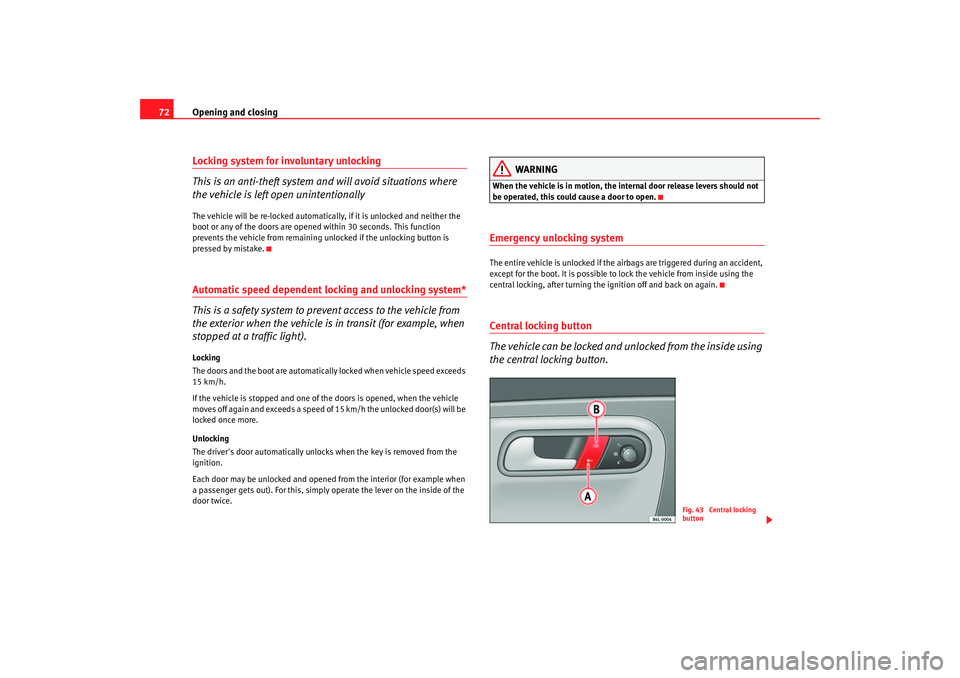
central locking, after tu rning the ignition off and back on again.Central locking button
The vehicle can be locked and unlocked from the inside using
the central locking button.
Fig. 43 Central locking
button
cordoba_ingles Seite 72 Freitag, 7. Oktober 2005 6:00 18