light Seat Exeo 2008 User Guide
[x] Cancel search | Manufacturer: SEAT, Model Year: 2008, Model line: Exeo, Model: Seat Exeo 2008Pages: 303, PDF Size: 10.02 MB
Page 40 of 303

Airbag system
38Side airbags*Description of side airbags
The airbag system is not a substitute for the seat belts.The front side airbags are located in the driver's seat and front passenger's
seat backrests ⇒fig. 23 . The rear side airbags are located in the rear wheel
housing lining. The locations are identified by the text “AIRBAG” in the upper
region of the backrests and in the rear wheel housing lining.
Together with the seat belts, the side airbag system gives the front seat occu-
pants additional protection for the upper body in the event of a severe side
collision ⇒page 40, “Safety notes on the op eration of the side airbag
system”.
In a side collision, the side airbags reduce the risk of injury to passengers on
the front seats to the areas of the body facing the impact. In addition to their
normal function of protecting the occupants in a collision, the seat belts also hold the passengers in the front seats an
d the outer rear seats in a position
where the side airbags can provide maximum protection.
The airbag system is not a substitute for seat belts, but it is an integral part
of the vehicle's overall passive safety system. Please bear in mind that the
airbag system can only work effectively when the occupants are wearing their
seat belts. Therefore, it is most important to wear the seat belts at all times,
not only because this is required by law in most countries, but also for your
safety ⇒page 18, “Brief introduction”.
The side airbag system will not be triggered if:
•
the ignition is switched off,
•
there is a minor side collision,
•
there is a frontal collision,
•
there is a rear-end collision,
•
the vehicle turns over.
The main parts of the airbag system are:
•
an electronic control and monitoring system (control unit),
•
The front side airbags in the backrests of the front seats and the rear side
airbags in the lining of the rear wheel housing.
•
a warning lamp
in the dash panel insert ⇒ page 29.
The airbag system operation is monitored electronically. The airbag warning
lamp will light up for approx. 4 seconds every time the ignition is switched on
(self-diagnosis).
WARNING
•
In a side-on collision, the side airb ags will not work, if the sensors do
not correctly measure the pressure incr ease on the interior of the doors,
due to air escaping through the areas wi th holes or openings in the door
panel.
•
Never drive the vehicle if the interior panels have been removed.
Fig. 23 Side airbag in
driver seat
Exeo_EN.book Seite 38 Freitag, 17. Oktober 2008 11:24 11
Page 42 of 303
Airbag system
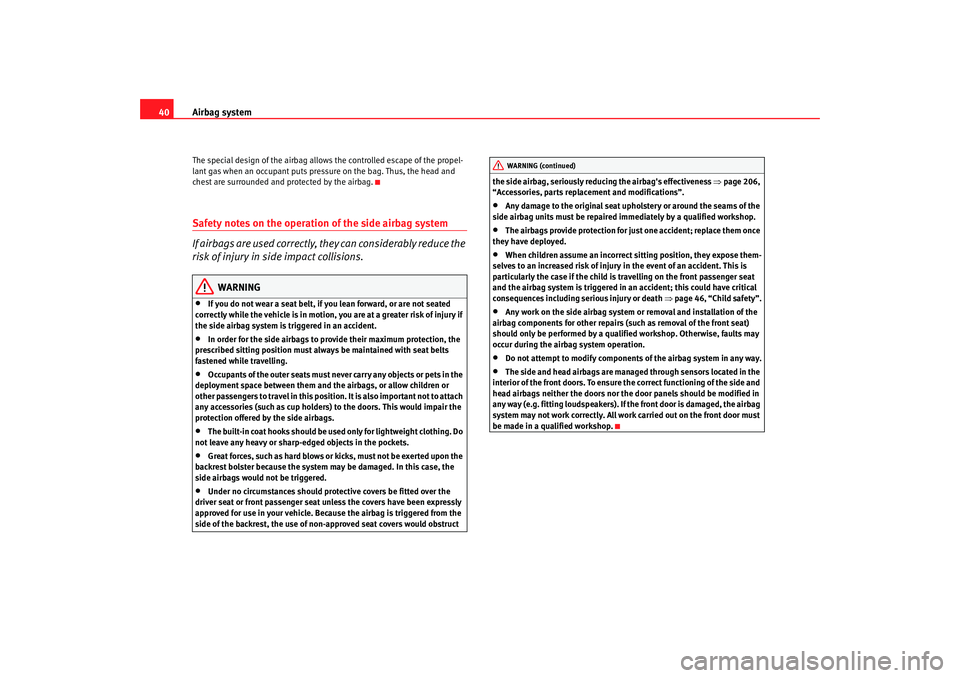
40The special design of the airbag allows the controlled escape of the propel-
lant gas when an occupant puts pressure on the bag. Thus, the head and
chest are surrounded and protected by the airbag.Safety notes on the operation of the side airbag system
If airbags are used correctly, they can considerably reduce the
risk of injury in side impact collisions.
WARNING
•
If you do not wear a seat belt, if you lean forward, or are not seated
correctly while the vehicle is in motion, you are at a greater risk of injury if
the side airbag system is triggered in an accident.
•
In order for the side airbags to provide their maximum protection, the
prescribed sitting position must always be maintained with seat belts
fastened while travelling.
•
Occupants of the outer seats must never carry any objects or pets in the
deployment space between them and th e airbags, or allow children or
other passengers to travel in this position. It is also important not to attach
any accessories (such as cup holders) to the doors. This would impair the
protection offered by the side airbags.
•
The built-in coat hooks should be used only for lightweight clothing. Do
not leave any heavy or sharp-edged objects in the pockets.
•
Great forces, such as hard blows or kicks, must not be exerted upon the
backrest bolster because the system ma y be damaged. In this case, the
side airbags would not be triggered.
•
Under no circumstances should protective covers be fitted over the
driver seat or front passenger seat unless the covers have been expressly
approved for use in your vehicle. Because the airbag is triggered from the
side of the backrest, the use of non- approved seat covers would obstruct the side airbag, seriously reducing the airbag's effectiveness
⇒page 206,
“Accessories, parts replacement and modifications”.
•
Any damage to the original seat uphol stery or around the seams of the
side airbag units must be repaired immediately by a qualified workshop.
•
The airbags provide protection for just one accident; replace them once
they have deployed.
•
When children assume an incorrect si tting position, they expose them-
selves to an increased risk of injury in the event of an accident. This is
particularly the case if the child is travelling on the front passenger seat
and the airbag system is triggered in an accident; this could have critical
consequences including serious injury or death ⇒page 46, “Child safety”.
•
Any work on the side airbag system or removal and installation of the
airbag components for other repairs (such as removal of the front seat)
should only be performed by a qualified workshop. Otherwise, faults may
occur during the airbag system operation.
•
Do not attempt to modify components of the airbag system in any way.
•
The side and head airbags are managed through sensors located in the
interior of the front doors. To ensure the correct functioning of the side and
head airbags neither the doors nor the door panels should be modified in
any way (e.g. fitting loudspeakers). If the front door is damaged, the airbag
system may not work correctly. All work carried out on the front door must
be made in a qualified workshop.WARNING (continued)
Exeo_EN.book Seite 40 Freitag, 17. Oktober 2008 11:24 11
Page 44 of 303
Airbag system
42Function of curtain airbags
Fully inflated airbags reduce the ri sk of head or chest injury in
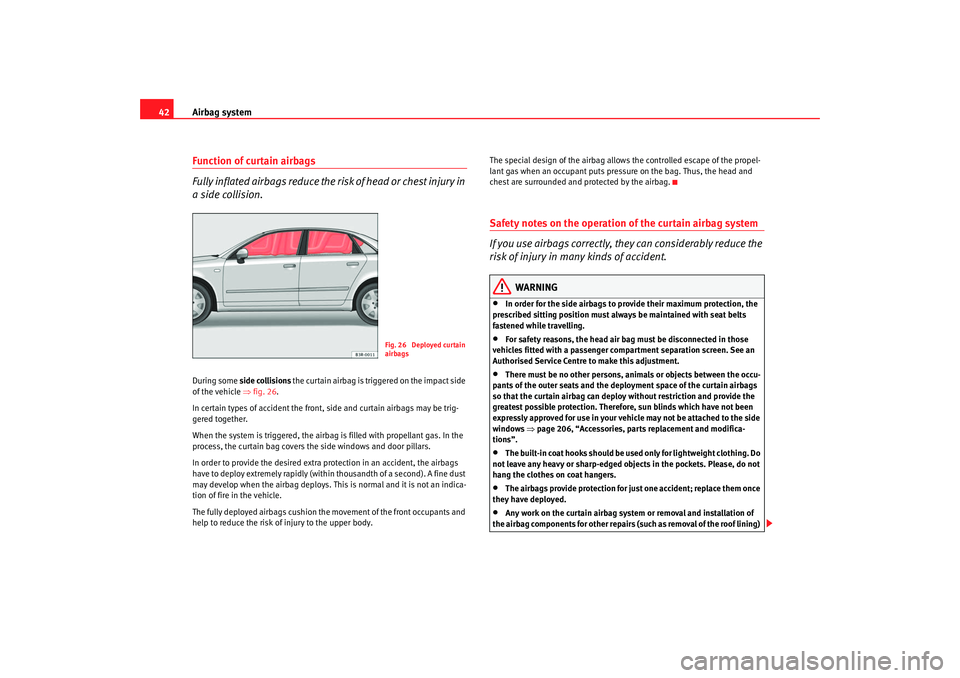
a side collision.During some side collisions the curtain airbag is tri ggered on the impact side
of the vehicle ⇒fig. 26 .
In certain types of accident the front, side and curtain airbags may be trig-
gered together.
When the system is triggered, the airbag is filled with propellant gas. In the
process, the curtain bag covers the side windows and door pillars.
In order to provide the desired extra protection in an accident, the airbags
have to deploy extremely rapidly (within thousandth of a second). A fine dust
may develop when the airbag deploys. This is normal and it is not an indica-
tion of fire in the vehicle.
The fully deployed airbags cushion the movement of the front occupants and
help to reduce the risk of injury to the upper body. The special design of the airbag allows the controlled escape of the propel-
lant gas when an occupant puts pressure on the bag. Thus, the head and
chest are surrounded and protected by the airbag.
Safety notes on the operation of the curtain airbag system
If you use airbags correctly, they can considerably reduce the
risk of injury in many kinds of accident.
WARNING
•
In order for the side airbags to provide their maximum protection, the
prescribed sitting position must alwa ys be maintained with seat belts
fastened while travelling.
•
For safety reasons, the head air bag must be disconnected in those
vehicles fitted with a passenger compartment separation screen. See an
Authorised Service Centre to make this adjustment.
•
There must be no other persons, animals or objects between the occu-
pants of the outer seats and the depl oyment space of the curtain airbags
so that the curtain airbag can deploy without restriction and provide the
greatest possible protection. Therefor e, sun blinds which have not been
expressly approved for use in your vehicle may not be attached to the side
windows ⇒page 206, “Accessories, parts replacement and modifica-
tions”.
•
The built-in coat hooks should be us ed only for lightweight clothing. Do
not leave any heavy or sharp-edged objects in the pockets. Please, do not
hang the clothes on coat hangers.
•
The airbags provide protection for just one accident; replace them once
they have deployed.
•
Any work on the curtain airbag system or removal and installation of
the airbag components for other repairs (such as removal of the roof lining)
Fig. 26 Deployed curtain
airbags
Exeo_EN.book Seite 42 Freitag, 17. Oktober 2008 11:24 11
Page 47 of 303
Airbag system45
Safety First
Operating instructions
Practical tips
Te c h n i c a l D a t a
– Check that the warning lamp on the instrument panel does
⇒page 44, fig. 28 not light up when the ignition is switched on
⇒ .
WARNING
•
The driver is responsible for the proper position of the key-operated
switch.
•
You should deactivate the front passenger airbag only if you have to use
a rear-facing child seat in exceptional cases ⇒page 46, “Child safety”.
•
Never install a child seat facing backwards (or rear-facing) on the front
passenger seat unless the front passenger airbag has been disabled. This
represents a risk of fatal injuries to th e child! However, if it is necessary in
exceptional circumstances to transport a child in a rear-facing child seat on
the front passenger seat, you must always disable the front passenger
airbag.
•
As soon as the child seat is no longer needed on the front passenger
seat, enable the front passenger airbag again.
•
Only deactivate the passenger airbag when the ignition is off, other-
wise a fault may occur in the airbag system, this will create a danger that
in case of an accident, the airbag do es not deploy properly or does not
deploy at all.
•
When the passenger airbag is deactivated, if the warning lamp AIRBAG
OFF is not continuously lit up when the front passenger airbag is disabled,
there may be a fault in the airbag system:
−Have the airbag system inspected immediately by a qualified work-
shop.
− Do not use a child seat on the front passenger seat! The front
passenger airbag could be triggered despite the fact that there is a fault
in the system and, as a result, a child could sustain serious or fatal inju-
ries. −
It is predictable whether the front passenger airbag will deploy
during an accident! Warn all your passengers of this.
•
When using the ignition key to activate / deactivate the passenger front
airbag, only the passenger front airbag will be activated / deactivated. The
side airbag and head airbag on the passenger side will remain active.WARNING (continued)
Exeo_EN.book Seite 45 Freitag, 17. Oktober 2008 11:24 11
Page 59 of 303
Cockpit57
Safety First
Operating instructions
Practical tips
Te c h n i c a l D a t a
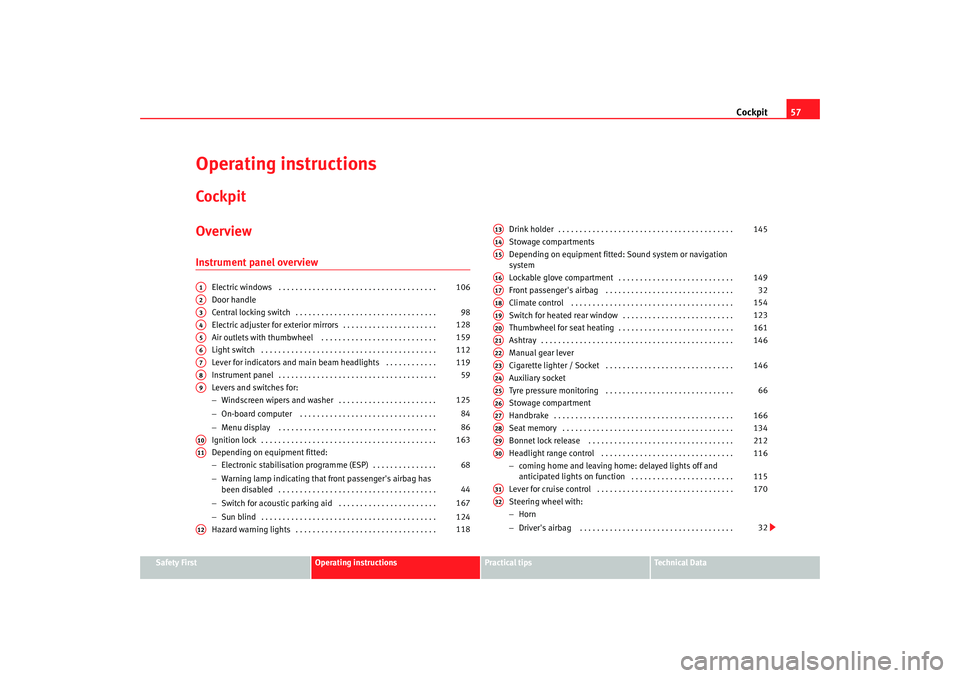
Operating instructionsCockpitOverviewInstrument panel overview
Electric windows . . . . . . . . . . . . . . . . . . . . . . . . . . . . . . . . . . . . .
Door handle
Central locking switch . . . . . . . . . . . . . . . . . . . . . . . . . . . . . . . . .
Electric adjuster for exterior mirrors . . . . . . . . . . . . . . . . . . . . . .
Air outlets with thumbwheel . . . . . . . . . . . . . . . . . . . . . . . . . . .
Light switch . . . . . . . . . . . . . . . . . . . . . . . . . . . . . . . . . . . . . . . . .
Lever for indicators and main beam headlights . . . . . . . . . . . .
Instrument panel . . . . . . . . . . . . . . . . . . . . . . . . . . . . . . . . . . . . .
Levers and switches for:
−Windscreen wipers and washer . . . . . . . . . . . . . . . . . . . . . . .
− On-board computer . . . . . . . . . . . . . . . . . . . . . . . . . . . . . . . .
− Menu display . . . . . . . . . . . . . . . . . . . . . . . . . . . . . . . . . . . . .
Ignition lock . . . . . . . . . . . . . . . . . . . . . . . . . . . . . . . . . . . . . . . . .
Depending on equipment fitted:
− Electronic stabilisation programme (ESP) . . . . . . . . . . . . . . .
− Warning lamp indicating that front passenger's airbag has
been disabled . . . . . . . . . . . . . . . . . . . . . . . . . . . . . . . . . . . . .
− Switch for acoustic parking aid . . . . . . . . . . . . . . . . . . . . . . .
− Sun blind . . . . . . . . . . . . . . . . . . . . . . . . . . . . . . . . . . . . . . . . .
Hazard warning lights . . . . . . . . . . . . . . . . . . . . . . . . . . . . . . . . . Drink holder . . . . . . . . . . . . . . . . . . . . . . . . . . . . . . . . . . . . . . . . .
Stowage compartments
Depending on equipment fitted: Sound system or navigation
system
Lockable glove compartment . . . . . . . . . . . . . . . . . . . . . . . . . . .
Front passenger's airbag . . . . . . . . . . . . . . . . . . . . . . . . . . . . . .
Climate control . . . . . . . . . . . . . . . . . . . . . . . . . . . . . . . . . . . . . .
Switch for heated rear window . . . . . . . . . . . . . . . . . . . . . . . . . .
Thumbwheel for seat heating . . . . . . . . . . . . . . . . . . . . . . . . . . .
Ashtray . . . . . . . . . . . . . . . . . . . . . . . . . . . . . . . . . . . . . . . . . . . . .
Manual gear lever
Cigarette lighter / Socket . . . . . . . . . . . . . . . . . . . . . . . . . . . . . .
Auxiliary socket
Tyre pressure monitoring . . . . . . . . . . . . . . . . . . . . . . . . . . . . . .
Stowage compartment
Handbrake . . . . . . . . . . . . . . . . . . . . . . . . . . . . . . . . . . . . . . . . . .
Seat memory . . . . . . . . . . . . . . . . . . . . . . . . . . . . . . . . . . . . . . . .
Bonnet lock release . . . . . . . . . . . . . . . . . . . . . . . . . . . . . . . . . .
Headlight range control . . . . . . . . . . . . . . . . . . . . . . . . . . . . . . .
−
coming home and leaving home : delayed lights off and
anticipated lights on function . . . . . . . . . . . . . . . . . . . . . . . .
Lever for cruise control . . . . . . . . . . . . . . . . . . . . . . . . . . . . . . . .
Steering wheel with:
− Horn
− Driver's airbag . . . . . . . . . . . . . . . . . . . . . . . . . . . . . . . . . . . .
A1
106
A2A3
98
A4
128
A5
159
A6
112
A7
119
A8
59
A9
125
84
86
A10
163
A11
68
44
167
124
A12
118
A13
145
A14A15A16
149
A17
32
A18
154
A19
123
A20
161
A21
146
A22A23
146
A24A25
66
A26A27
166
A28
134
A29
212
A30
116
115
A31
170
A32
32
Exeo_EN.book Seite 57 Freitag, 17. Oktober 2008 11:24 11
Page 60 of 303

Cockpit
58
− Controls for radio and telephone*
Adjustable steering column . . . . . . . . . . . . . . . . . . . . . . . . . . . .
Vehicle wallet compartment / knee airbag* . . . . . . . . . . . . . . . Note
•
Separate operating instructions are enclosed if the vehicle is equipped
with a factory-fitted radio or navigation system.
•
The arrangement of switches and controls on right-hand drive models*
may be slightly different from the layout shown in ⇒page 56, fig. 36 .
However, the symbols used to identify the controls are the same.
A33
162
A34
32
Exeo_EN.book Seite 58 Freitag, 17. Oktober 2008 11:24 11
Page 61 of 303

Cockpit59
Safety First
Operating instructions
Practical tips
Te c h n i c a l D a t a
InstrumentsInstrument panel overview
The instrument panel is the driver's information centre.Fig. 37 Overview of instrument panel
Coolant temperature gauge . . . . . . . . . . . . . . . . . . . . . . . . . . . .
Rev counter incorporating digital clock and date . . . . . . . . . . .
Warning and indicator lamps . . . . . . . . . . . . . . . . . . . . . . . . . . .
Speedometer (incorporating mileage recorder display) . . . . . .
Fuel gauge . . . . . . . . . . . . . . . . . . . . . . . . . . . . . . . . . . . . . . . . . . Adjuster buttons for
−
Digital clock and date . . . . . . . . . . . . . . . . . . . . . . . . . . . . . .
− Instrument lighti ng . . . . . . . . . . . . . . . . . . . . . . . . . . . . . . . . .
Digital display with
− Service indicator . . . . . . . . . . . . . . . . . . . . . . . . . . . . . . . . . . .
A1
60
A2
61, 61
A3
65
A4
63
A5
63
A6
61
62
A7
74
Exeo_EN.book Seite 59 Freitag, 17. Oktober 2008 11:24 11
Page 62 of 303
Cockpit
60
− Driver information system . . . . . . . . . . . . . . . . . . . . . . . . . . .
CHECK button . . . . . . . . . . . . . . . . . . . . . . . . . . . . . . . . . . . . . . .
Call-up button for service indicator . . . . . . . . . . . . . . . . . . . . . .
Reset button for trip recorder . . . . . . . . . . . . . . . . . . . . . . . . . . .
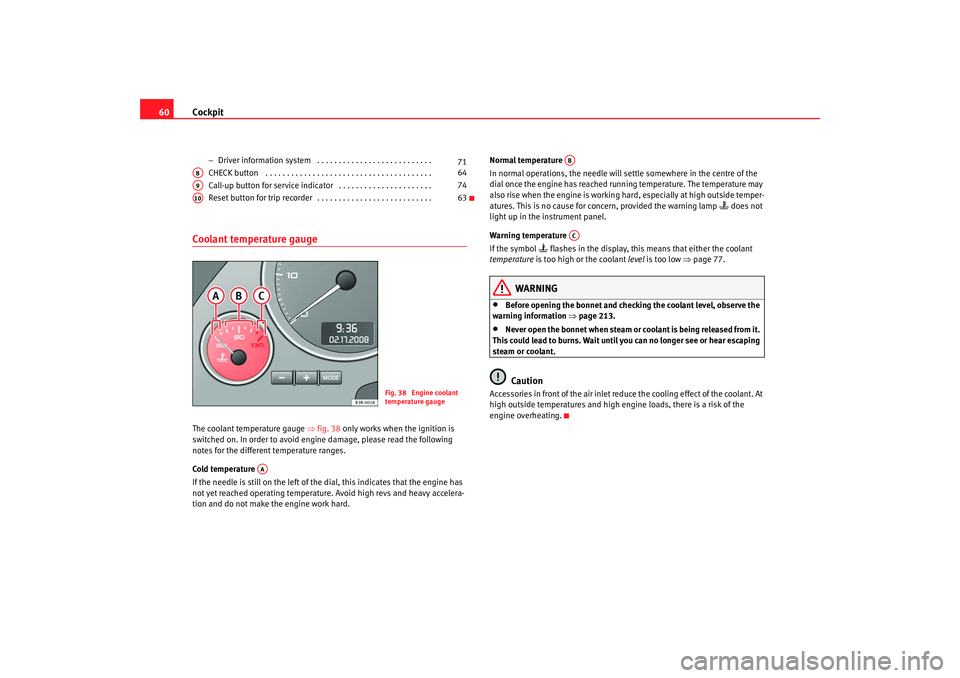
Coolant temperature gaugeThe coolant temperature gauge ⇒fig. 38 only works when the ignition is
switched on. In order to avoid engine damage, please read the following
notes for the different temperature ranges.
Cold temperature
If the needle is still on the left of the dial, this indicates that the engine has
not yet reached operating temperature. Avoid high revs and heavy accelera-
tion and do not make the engine work hard. Normal temperature
In normal operations, the needle will settle somewhere in the centre of the
dial once the engine has reached running temperature. The temperature may
also rise when the engine is working hard, especially at high outside temper-
atures. This is no cause for conc
ern, provided the warning lamp
does not
light up in the instrument panel.
Warning temperature
If the symbol
flashes in the display, this means that either the coolant
temperature is too high or the coolant level is too low ⇒page 77.
WARNING
•
Before opening the bonnet and checking the coolant level, observe the
warning information ⇒ page 213.
•
Never open the bonnet when steam or coolant is being released from it.
This could lead to burns. Wait until you can no longer see or hear escaping
steam or coolant.Caution
Accessories in front of the air inlet reduce the cooling effect of the coolant. At
high outside temperatures and high engine loads, there is a risk of the
engine overheating.
71
A8
64
A9
74
A10
63
Fig. 38 Engine coolant
temperature gauge
AA
ABAC
Exeo_EN.book Seite 60 Freitag, 17. Oktober 2008 11:24 11
Page 64 of 303

Cockpit
62
Setting the minutes
– Keep pressing the button until the minutes display flashes.
– Use the and buttons to set the minutes.
Setting the date
– Keep pressing the button until the date display (day) flashes.
– Use the and buttons to set the day.
– Keep pressing the button until the month display flashes.
– Use the and buttons to set the month.
– Keep pressing the button until the year display flashes.
– Use the and buttons to set the year.
Disabling the date display
– Keep pressing the button until the complete date display flashes.
– Use the button to disable the date display.
Enabling the date display
– Keep pressing the button until the complete date display flashes.
– Use the button to enable the date display.When the display stops flashing, this means the setting you are performing
is completed and the time and date have been successfully stored. When the ignition is switched off, the mileage recorder and the digital clock
with date display can be switched on for a few seconds by pressing the CHECK
button
⇒page 59, fig. 37 .
Instrument lighting
The brightness of the instrument lighting can be adjusted as
required.– Press the "+" button to increase the brightness of the instrument
lighting.
– Press the "-" button to reduce the brightness of the instrument lighting.The instrument lighting (dials and needles), the centre console illumination
and the illumination of the displays are regulated by a light sensor incorpo-
rated in the instrument panel, depending on the outside light.
MODE
+
-
MODE
+
-
MODE
+
-
MODE
+
-
MODE
-
MODE
+
A8
Fig. 41 Instrument panel
lighting
Exeo_EN.book Seite 62 Freitag, 17. Oktober 2008 11:24 11
Page 65 of 303

Cockpit63
Safety First
Operating instructions
Practical tips
Te c h n i c a l D a t a
Speedometer with distance display
The speedometer indicates the speed of the vehicle and the
distance travelled.The distance is normally stated in kilometres (km). On some models,
however, the mileage recorder will show “miles”.
Lower distance display
The lower distance display records the vehicle's total mileage.
Upper distance display (trip recorder)
The upper distance display shows the distance that has been travelled since
the trip recorder was last reset. It is used to measure short journeys. The last
digit of the trip recorder indicates dist ances of 100 metres or tenths of a mile.
The upper distance display can be reset to zero by pressing the reset button
⇒ fig. 42 . Fault display
If there is a fault in the instrument panel, the letters
DEF will permanently
appear in the trip recorder display. Please have the fault rectified as soon as
possible.
Electronic immobiliser
The vehicle key data is consulted when the ignition is switched on.
If an uncoded key is used, the message SAFE will appear in the trip recorder
display. The vehicle can no longer be started if that happens.
Fuel reserveThe display only works when the ignition is switched on.
When the needle reaches the reserve zone, the symbol
lights up in the
instrument cluster display ⇒ page 79. At this point there are still about 8 to
10 litres of fuel left in the tank. This is your reminder to fill up soon.
The tank capacity of your vehicle is given in the Technical data section
⇒ page 282.
Caution
Never run the tank completely dry. If there is an irregular fuel supply, misfiring
can occur. This means that fuel could reach the exhaust system without
burning. This may lead to the cata lytic converter reheating and being
damaged.
Fig. 42 Detailed view of
the instrument panel:
Distance display
Exeo_EN.book Seite 63 Freitag, 17. Oktober 2008 11:24 11