fuel Seat Exeo 2009 Owner's manual
[x] Cancel search | Manufacturer: SEAT, Model Year: 2009, Model line: Exeo, Model: Seat Exeo 2009Pages: 310, PDF Size: 8.54 MB
Page 6 of 310
Contents
4Economical and environmentally friendly driving
Driving abroad . . . . . . . . . . . . . . . . . . . . . . . . . . . Trailer towing
. . . . . . . . . . . . . . . . . . . . . . . . . . . . .
Trailer towing . . . . . . . . . . . . . . . . . . . . . . . . . . . .
Removable towing bracket . . . . . . . . . . . . . . . . .
Your vehicle maintenance and cleaning
. . . .
General notes . . . . . . . . . . . . . . . . . . . . . . . . . . .
Vehicle exterior maintenance . . . . . . . . . . . . . . .
Vehicle interior maintenance . . . . . . . . . . . . . . .
Accessories, replacement of parts and
modifications
. . . . . . . . . . . . . . . . . . . . . . . . . . . .
Accessories and spare parts . . . . . . . . . . . . . . . .
Technical modifications . . . . . . . . . . . . . . . . . . .
Mobile telephones and radiotelephones . . . . .
Athermic windscreen* . . . . . . . . . . . . . . . . . . . . .
Checking and refilling levels
. . . . . . . . . . . . . .
Refuelling . . . . . . . . . . . . . . . . . . . . . . . . . . . . . . .
Releasing the tank flap manually . . . . . . . . . . . .
Petrol . . . . . . . . . . . . . . . . . . . . . . . . . . . . . . . . . .
Diesel . . . . . . . . . . . . . . . . . . . . . . . . . . . . . . . . . .
The bonnet . . . . . . . . . . . . . . . . . . . . . . . . . . . . . .
Engine oil . . . . . . . . . . . . . . . . . . . . . . . . . . . . . . .
Cooling system . . . . . . . . . . . . . . . . . . . . . . . . . .
Washer fluid and windscreen wiper blades . . . .
Brake fluid . . . . . . . . . . . . . . . . . . . . . . . . . . . . . .
Battery . . . . . . . . . . . . . . . . . . . . . . . . . . . . . . . . .
Wheels and tyres
. . . . . . . . . . . . . . . . . . . . . . . . .
Wheels . . . . . . . . . . . . . . . . . . . . . . . . . . . . . . . . .
If and when
. . . . . . . . . . . . . . . . . . . . . . . . . . . . . .
Tools, tyre repair kit and spare wheel . . . . . . . .
Changing a wheel . . . . . . . . . . . . . . . . . . . . . . . .
Tyre repair* (Tyre-Mobility-System) . . . . . . . . . .
Fuses . . . . . . . . . . . . . . . . . . . . . . . . . . . . . . . . . .
Bulbs . . . . . . . . . . . . . . . . . . . . . . . . . . . . . . . . . .
Changing bulbs Halogen headlights . . . . . . . . . Changing bulbs. Bi-Xenon AFS headlights . . . .
Replacing rear bulbs (in side panel) . . . . . . . . .
Changing rear light bulbs (in boot lid) . . . . . . . .
Side indicators . . . . . . . . . . . . . . . . . . . . . . . . . .
Luggage compartment lights . . . . . . . . . . . . . . .
Registration light . . . . . . . . . . . . . . . . . . . . . . . . .
Sunroof light . . . . . . . . . . . . . . . . . . . . . . . . . . . .
Jump-starting . . . . . . . . . . . . . . . . . . . . . . . . . . . .
Towing and tow-starting . . . . . . . . . . . . . . . . . . .
Technical Data
. . . . . . . . . . . . . . . . . . . . . . .
General notes on the technical data
. . . . . . .
Outstanding information . . . . . . . . . . . . . . . . . .
Data on fuel consumption . . . . . . . . . . . . . . . . .
Towing a trailer . . . . . . . . . . . . . . . . . . . . . . . . . .
Wheels . . . . . . . . . . . . . . . . . . . . . . . . . . . . . . . . .
Te chni cal Data
. . . . . . . . . . . . . . . . . . . . . . . . . . . .
Checking fluid levels . . . . . . . . . . . . . . . . . . . . . .
Petrol engine 1.6l 75 kW (102 HP) . . . . . . . . . . .
Petrol engine 1.8l 110 kW (150 HP) . . . . . . . . .
Petrol engine 2.0l 147 kW (200 HP) . . . . . . . . .
Diesel engine 2.0 l 88 kW (120 HP) CR . . . . . . .
Diesel engine 2.0l 105 kW (143 HP) . . . . . . . . .
Diesel engine 2.0l 125 kW (170 HP) . . . . . . . . .
Dimensions and capacities . . . . . . . . . . . . . . . .
Index
. . . . . . . . . . . . . . . . . . . . . . . . . . . . . . . . . .
191
193
194
194
197
205
205
206
211
214
214
214
215
215
216
216
217
218
218
220
222
225
228
230
231
235
235
244
244
246
251
255
257
257 264
270
274
276
277
278
279
279
282
285
285
285
287
288
288
289
289
290
291
292
293
295
296
298
299
Exeo_EN.book Seite 4 Freitag, 28. August 2009 10:14 10
Page 61 of 310
Cockpit59
Safety First
Controls and equipment
Practical tips
Technical Data
InstrumentsInstrument panel overview
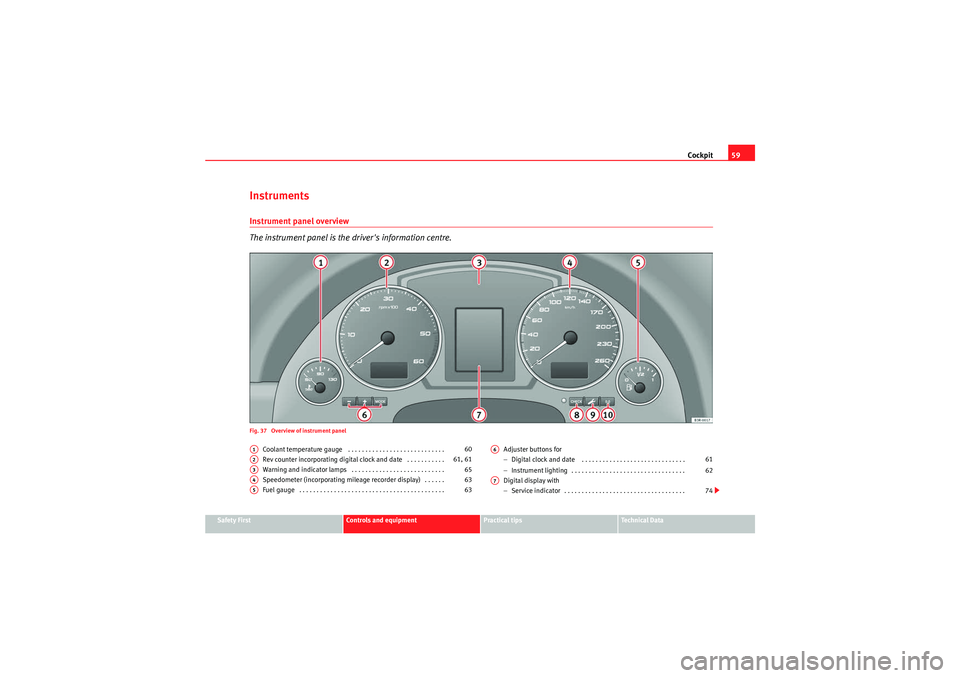
The instrument panel is the driver's information centre.Fig. 37 Overview of instrument panel
Coolant temperature gauge . . . . . . . . . . . . . . . . . . . . . . . . . . . .
Rev counter incorporating digital clock and date . . . . . . . . . . .
Warning and indicator lamps . . . . . . . . . . . . . . . . . . . . . . . . . . .
Speedometer (incorporating mileage recorder display) . . . . . .
Fuel gauge . . . . . . . . . . . . . . . . . . . . . . . . . . . . . . . . . . . . . . . . . . Adjuster buttons for
−
Digital clock and date . . . . . . . . . . . . . . . . . . . . . . . . . . . . . .
− Instrument lighting . . . . . . . . . . . . . . . . . . . . . . . . . . . . . . . . .
Digital display with
− Service indicator . . . . . . . . . . . . . . . . . . . . . . . . . . . . . . . . . . .
A1
60
A2
61, 61
A3
65
A4
63
A5
63
A6
61
62
A7
74
Exeo_EN.book Seite 59 Freitag, 28. August 2009 10:14 10
Page 63 of 310
Cockpit61
Safety First
Controls and equipment
Practical tips
Technical Data
Rev counter
The rev counter indicates the number of engine revolutions
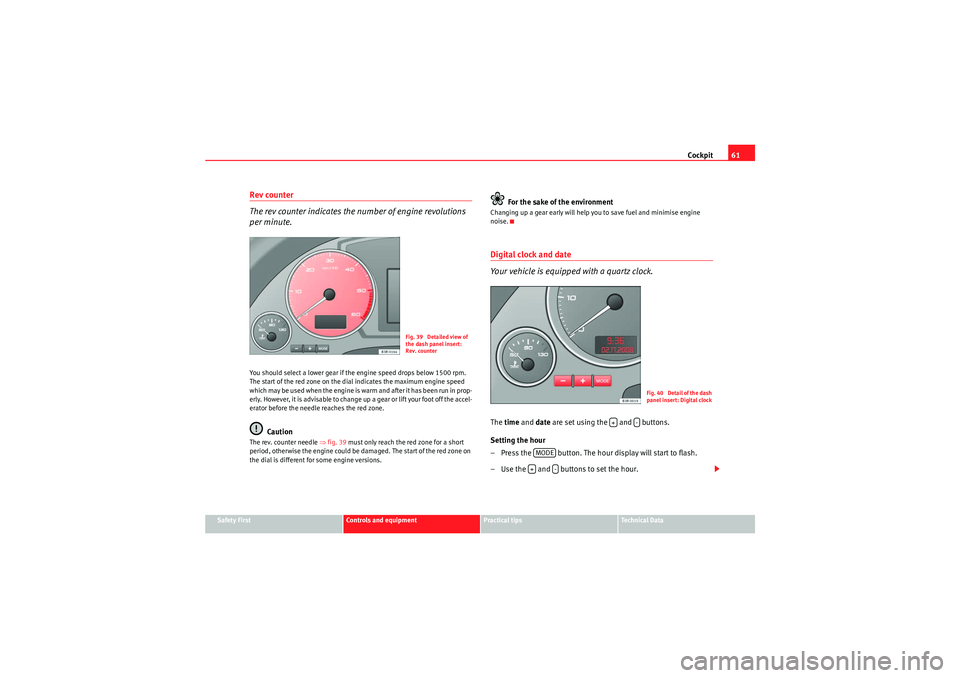
per minute.You should select a lower gear if the engine speed drops below 1500 rpm.
The start of the red zone on the dial indicates the maximum engine speed
w hich may b e us ed wh en the e ngin e is war m a nd af te r it has b e e n r un i n p rop -
erly. However, it is advisable to change up a gear or lift your foot off the accel-
erator before the needle reaches the red zone.
Caution
The rev. counter needle ⇒fig. 39 must only reach the red zone for a short
period, otherwise the engine could be damaged. The start of the red zone on
the dial is different for some engine versions.
For the sake of the environment
Changing up a gear early will help you to save fuel and minimise engine
noise.Digital clock and date
Your vehicle is equipped with a quartz clock.The time and date are set using the and buttons.
Setting the hour
– Press the button. The hour display will start to flash.
– Use the and buttons to set the hour.
Fig. 39 Detailed view of
the dash panel insert:
Rev. counter
F ig. 40 Detail of th e dash
panel insert: Digital clock
+
-
MODE+
-
Exeo_EN.book Seite 61 Freitag, 28. August 2009 10:14 10
Page 65 of 310
Cockpit63
Safety First
Controls and equipment
Practical tips
Technical Data
Speedometer with distance display
The speedometer indicates the speed of the vehicle and the
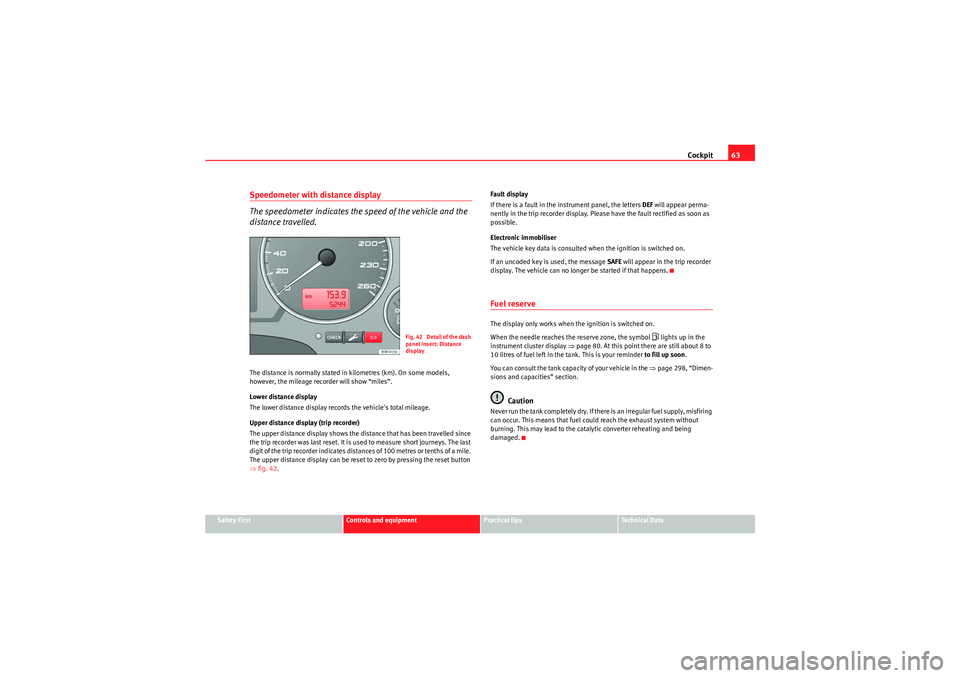
distance travelled.The distance is normally stated in kilometres (km). On some models,
however, the mileage recorder will show “miles”.
Lower distance display
The lower distance display records the vehicle's total mileage.
Upper distance display (trip recorder)
The upper distance display shows the distance that has been travelled since
the trip recorder was last reset. It is used to measure short journeys. The last
digit of the trip recorder indicates distances of 100 metres or tenths of a mile.
The upper distance display can be reset to zero by pressing the reset button
⇒fig. 42 . Fault display
If there is a fault in the instrument panel, the letters
DEF will appear perma-
nently in the trip recorder display. Please have the fault rectified as soon as
possible.
Electronic immobiliser
The vehicle key data is consulted when the ignition is switched on.
If an uncoded key is used, the message SAFE will appear in the trip recorder
display. The vehicle can no longer be started if that happens.
Fuel reserveThe display only works when the ignition is switched on.
When the needle reaches the reserve zone, the symbol
lights up in the
instrument cluster display ⇒page 80. At this point there are still about 8 to
10 litres of fuel left in the tank. This is your reminder to fill up soon.
You can consult the tank capacity of your vehicle in the ⇒page 298, “Dimen-
sions and capacities” section.
Caution
N e v e r r un t h e ta n k co m p le t e l y d r y. I f t h e r e i s a n i r r e g u la r f u e l s u p p l y, m i s f i r i ng
can occur. This means that fuel could reach the exhaust system without
burning. This may lead to the catalytic converter reheating and being
damaged.
F ig. 42 Detail of th e dash
panel insert: Distance
display
Exeo_EN.book Seite 63 Freitag, 28. August 2009 10:14 10
Page 73 of 310
Cockpit71
Safety First
Controls and equipment
Practical tips
Technical Data
Driver information systemGeneral notes
The driver information system in the instrument panel shows
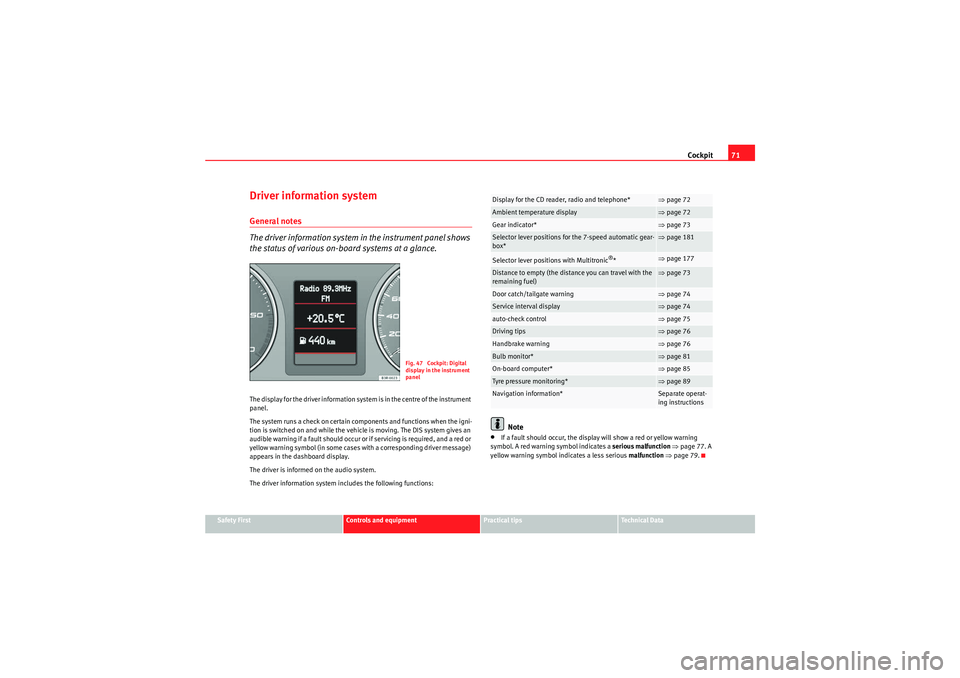
the status of various on-board systems at a glance.The display for the driver information system is in the centre of the instrument
panel.
The system runs a check on certain components and functions when the igni-
tion is switched on and while the vehicle is moving. The DIS system gives an
audible warning if a fault should occur or if servicing is required, and a red or
yellow warning symbol (in some cases with a corresponding driver message)
appears in the dashboard display.
The driver is informed on the audio system.
The driver information system includes the following functions:
Note
•If a fault should occur, the display will show a red or yellow warning
symbol. A red warning symbol indicates a serious malfunction ⇒ page 77. A
yellow warning symbol indicates a less serious malfunction ⇒ page 79.
Fig. 47 Cockpit: Digital
display in the instrument
panel
Display for the CD reader, radio and telephone*
⇒page 72
Ambient temperature display
⇒page 72
Gear indicator*
⇒page 73
Selector lever positions for the 7-speed automatic gear-
box*
⇒page 181
Selector lever positions with Multitronic
®*
⇒page 177
Distance to empty (the distance you can travel with the
remaining fuel)
⇒page 73
Door catch/tailgate warning
⇒page 74
Service interval display
⇒page 74
auto-check control
⇒page 75
Driving tips
⇒page 76
Handbrake warning
⇒page 76
Bulb monitor*
⇒page 81
On-board computer*
⇒page 85
Tyre pressure monitoring*
⇒page 89
Navigation information*
Separate operat-
ing instructions
Exeo_EN.book Seite 71 Freitag, 28. August 2009 10:14 10
Page 75 of 310
Cockpit73
Safety First
Controls and equipment
Practical tips
Technical Data
Note
When the display shows route guidance instructions from the navigation
system, the ambient temperature appears in the second line of the radio
display.Gear display*
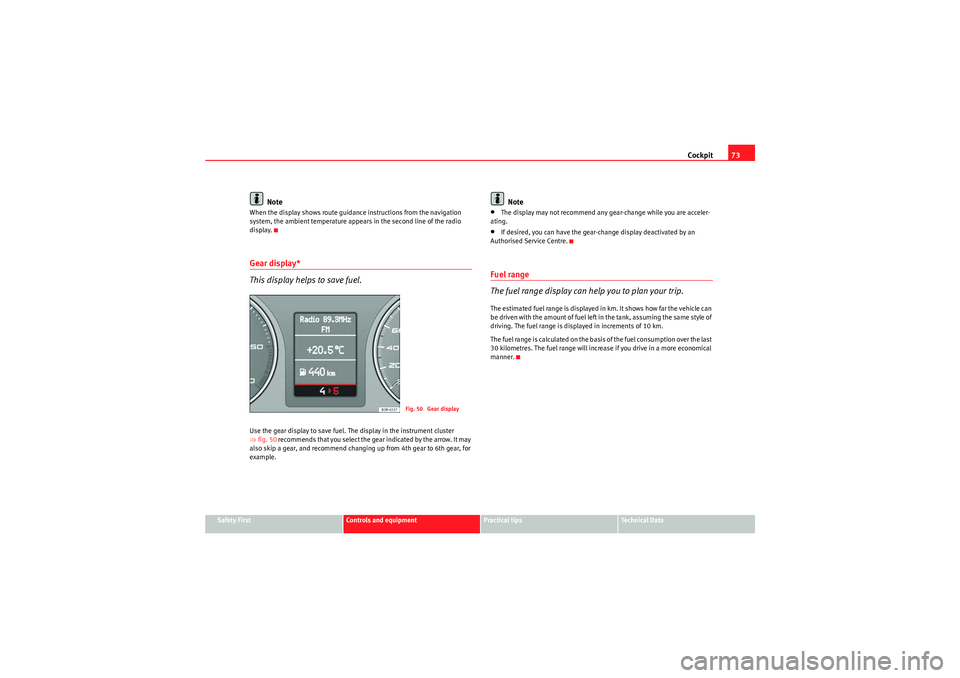
This display helps to save fuel.Use the gear display to save fuel. The display in the instrument cluster
⇒fig. 50 recommends that you select the gear indicated by the arrow. It may
also skip a gear, and recommend changing up from 4th gear to 6th gear, for
example.
Note
•The display may not recommend any gear-change while you are acceler-
ating.•If desired, you can have the gear-change display deactivated by an
Authorised Service Centre.Fuel range
The fuel range display can help you to plan your trip.The estimated fuel range is displayed in km. It shows how far the vehicle can
be driven with the amount of fuel left in the tank, assuming the same style of
driving. The fuel range is displayed in increments of 10 km.
The fuel range is calculated on the basis of the fuel consumption over the last
30 kilometres. The fuel range will increase if you drive in a more economical
manner.
Fig. 50 Gear display
Exeo_EN.book Seite 73 Freitag, 28. August 2009 10:14 10
Page 81 of 310
Cockpit79
Safety First
Controls and equipment
Practical tips
Technical Data
Note
The oil pressure warning lamp
is not an indicator for the oil level. The oil
level should therefore be checked regularly, preferably every time you fill the
tank.
Ye ll o w s y m b o l s
A yellow symbol indicates a warning.
Yellow symbols are used to indicate a Priority 2 fault (warning).
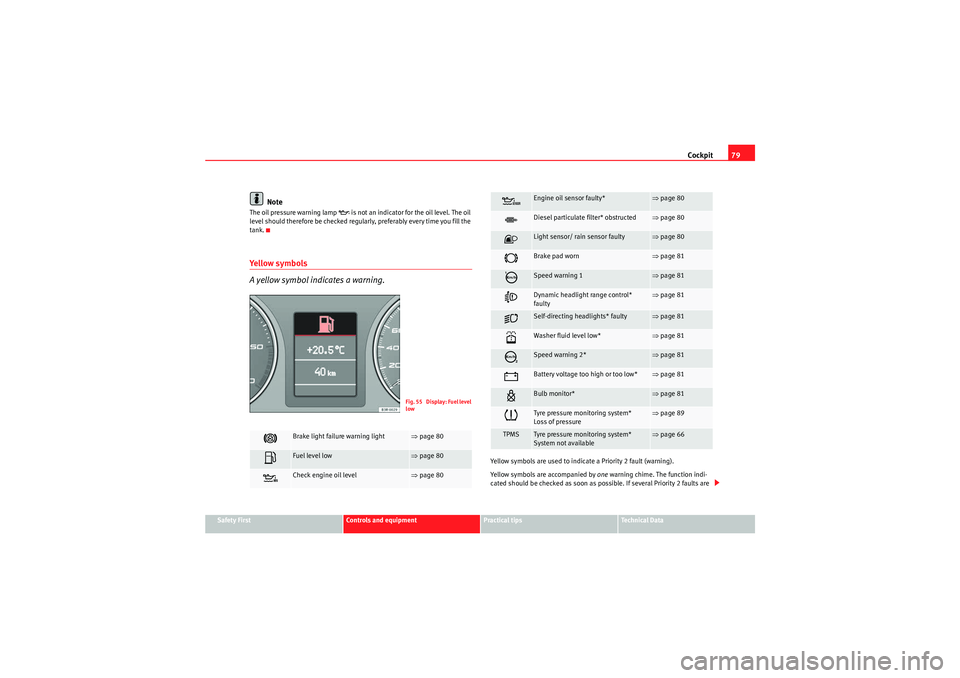
Yellow symbols are accompanied by one warning chime. The function indi-
cated should be checked as soon as possible. If several Priority 2 faults are
Brake light failure warning light
⇒ page 80
Fuel level low
⇒page 80
Check engine oil level
⇒page 80F i g . 5 5 D i s p l a y : F u e l l e v e l
low
Engine oil sensor faulty*
⇒page 80
Diesel particulate filter* obstructed
⇒page 80
Light sensor/ rain sensor faulty
⇒page 80
Brake pad worn
⇒page 81
Speed warning 1
⇒page 81
Dynamic headlight range control*
faulty
⇒page 81
Self-directing headlights* faulty
⇒page 81
Washer fluid level low*
⇒page 81
Speed warning 2*
⇒page 81
Battery voltage too high or too low*
⇒page 81
Bulb monitor*
⇒page 81
Tyre pressure monitoring system*
Loss of pressure
⇒page 89
TPMS
Tyre pressure monitoring system*
System not available
⇒page 66
Exeo_EN.book Seite 79 Freitag, 28. August 2009 10:14 10
Page 82 of 310
Cockpit
80detected at the same time, the symbol s are displayed one after the other for
about 2 seconds at a time.Brake light failure
This warning light will appear on the upper part of the display if any of the
brake lights has failed. A text message in the central part of the display indi-
cates which brake light has failed (left or right).Fuel level low
When this symbol
comes on for the first time, there are about 8 to 10 litres
of fuel left in the tank. You should fill up as soon as possible ⇒page 216.
Check engine oil level
If the
symbol lights up, please check the engine oil level as soon as
possible ⇒page 224. Top up the oil at the next opportunity ⇒page 224.
Engine oil sensor defective*
If the
symbol lights up, take the vehicle to a qualified workshop and have
the oil level sensor checked. Until then it is advisable to check the oil level
every time you fill up with fuel ⇒page 224.
Diesel particulate filter obstructed
If the symbol
lights up, you may be able to contribute towards automatic
filter cleaning by driving in the right manner. To do this, drive about 15
minutes in 4th or 5th gear (automatic gearbox: S gear range) at a speed of 60
km/h, with the engine running at approximately 2000 rpm. The increase in
temperature will burn off any soot in the filter. When cleaning is successful,
the symbol switches off.
If the light on symbol
does not go off, take the vehicle to a specialist
garage to repair the fault.
For further information on the diesel particulate filter, see ⇒page 191.
WARNING
It is essential that you adjust your speed to suit the weather, road, terrain
and traffic conditions. The recommended driving speed must never lead to
the driver disregarding the traffic regulations.Light sensor/ rain sensor faulty
Automatic headlights / automatic wipers faulty
If the symbol appears, this means that the light sensor / rain sensor is not
working. For safety reasons, the dipped beam headlights will then be
switched on permanently when the light switch is set to the AUTO position.
However, you can still switch the lights on and off in the normal way with the
light switch. If the rain sensor is faulty, the functions operated via the wind-
screen wiper lever will still be available. You should have the light sensor /
rain sensor checked by a specialist garage as soon as possible.
Exeo_EN.book Seite 80 Freitag, 28. August 2009 10:14 10
Page 87 of 310
Cockpit85
Safety First
Controls and equipment
Practical tips
Technical Data
On-board computerIntroduction
The on-board computer provides you with useful information
during a journey, including average and current fuel
consumption, average speed, fuel range, driving time and
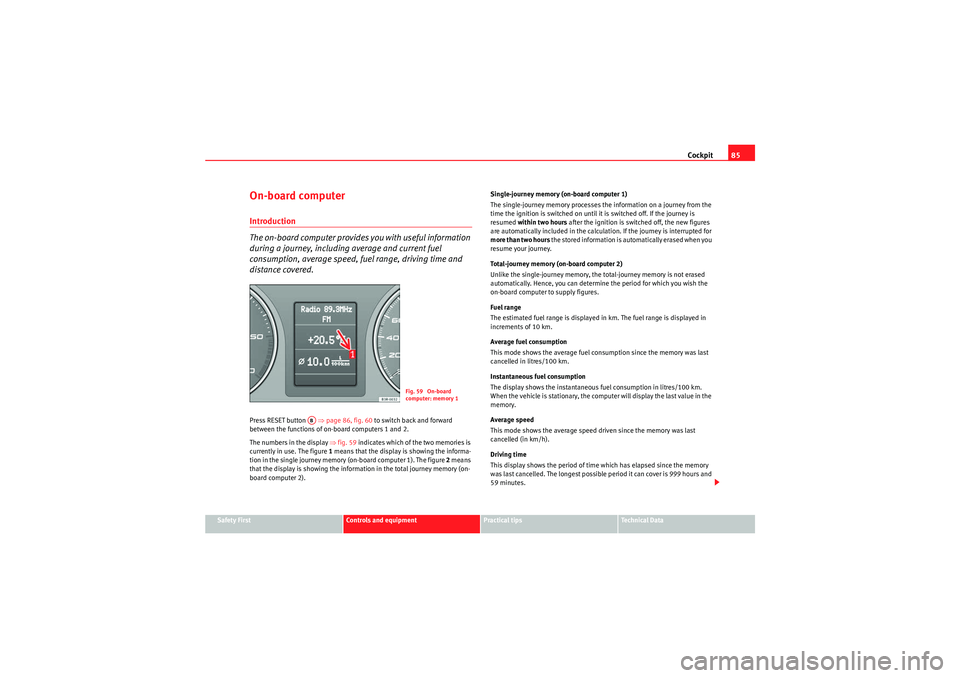
distance covered.Press RESET button ⇒page 86, fig. 60 to switch back and forward
between the functions of on-board computers 1 and 2.
The numbers in the display ⇒fig. 59 indicates which of the two memories is
currently in use. The figure 1 means that the display is showing the informa-
tion in the single journey memory (on-board computer 1). The figure 2 means
that the display is showing the information in the total journey memory (on-
board computer 2). Single-journey memory (on-board computer 1)
The single-journey memory processes the information on a journey from the
time the ignition is switched on until it is switched off. If the journey is
resumed
within two hours after the ignition is switched off, the new figures
are automatically included in the calculation. If the journey is interrupted for
more than two hours t h e s t o r e d i n f o r m a t i o n i s a u t o m a t i ca l l y e r a s e d w h e n y o u
resume your journey.
Total-journey memory (on-board computer 2)
Unlike the single-journey memory, the total-journey memory is not erased
automatically. Hence, you can determine the period for which you wish the
on-board computer to supply figures.
Fuel range
The estimated fuel range is displayed in km. The fuel range is displayed in
increments of 10 km.
Average fuel consumption
This mode shows the average fuel consumption since the memory was last
cancelled in litres/100 km.
Instantaneous fuel consumption
The display shows the instantaneous fuel consumption in litres/100 km.
When the vehicle is stationary, the computer will display the last value in the
memory.
Average speed
This mode shows the average speed driven since the memory was last
cancelled (in km/h).
Driving time
This display shows the period of time which has elapsed since the memory
was last cancelled. The longest possible period it can cover is 999 hours and
59 minutes.
Fig. 59 On-board
computer: memory 1
AB
Exeo_EN.book Seite 85 Freitag, 28. August 2009 10:14 10
Page 88 of 310
Cockpit
86Driving time warning
After 2 hours of continuous driving, the display automatically switches over
to the driving time display of 2:00 . At the same time the driving time display
starts flashing. This is to remind the driver to take a break.
The driving time warning can be switched off by briefly pressing the function
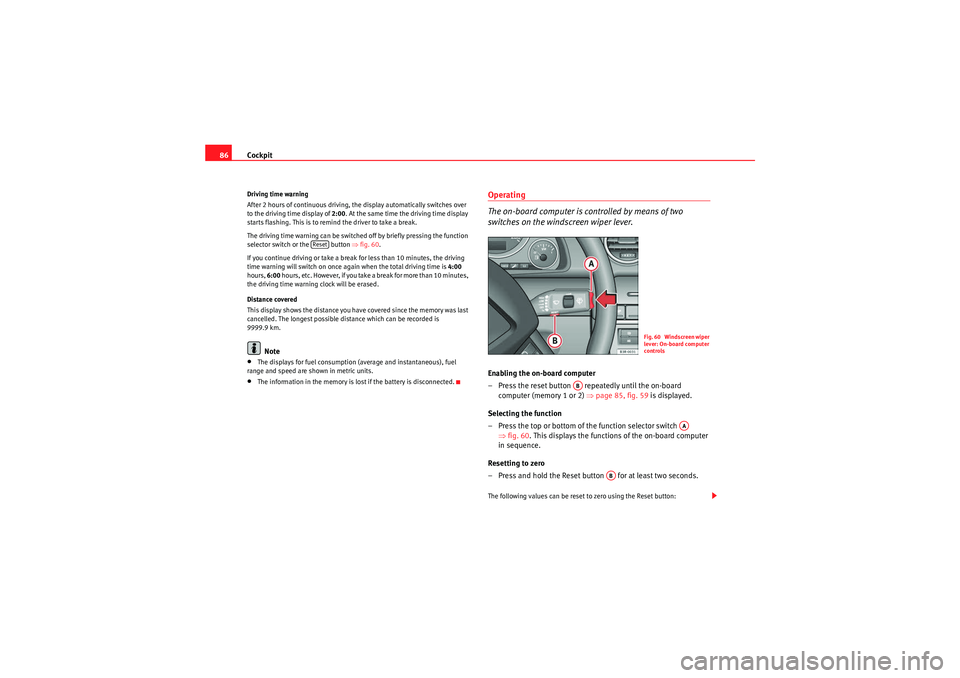
selector switch or the button ⇒fig. 60 .
If you continue driving or take a break for less than 10 minutes, the driving
time warning will switch on once again when the total driving time is 4:00
hours, 6:00 h o u r s , e t c . H o w e v e r, i f yo u ta ke a b r e a k f o r m o r e t ha n 1 0 m i n u te s ,
the driving time warning clock will be erased.
Distance covered
This display shows the distance you have covered since the memory was last
cancelled. The longest possible distance which can be recorded is
9999.9 km.
Note
•The displays for fuel consumption (average and instantaneous), fuel
range and speed are shown in metric units.•The information in the memory is lost if the battery is disconnected.
Operating
The on-board computer is controlled by means of two
switches on the windscreen wiper lever.Enabling the on-board computer
– Press the reset button repeatedly until the on-board computer (memory 1 or 2) ⇒page 85, fig. 59 is displayed.
Selecting the function
– Press the top or bottom of the function selector switch ⇒fig. 60 . This displays the functions of the on-board computer
in sequence.
Resetting to zero
– Press and hold the Reset button for at least two seconds.The following values can be reset to zero using the Reset button:
Reset
Fig. 60 Windscreen wiper
lever: On-board computer
controls
AB
AA
AB
Exeo_EN.book Seite 86 Freitag, 28. August 2009 10:14 10