buttons Seat Exeo 2010 User Guide
[x] Cancel search | Manufacturer: SEAT, Model Year: 2010, Model line: Exeo, Model: Seat Exeo 2010Pages: 319, PDF Size: 9.64 MB
Page 161 of 319
Air conditioning159
Safety First
Operating Instructions
Practical Tips
Technical Specifications
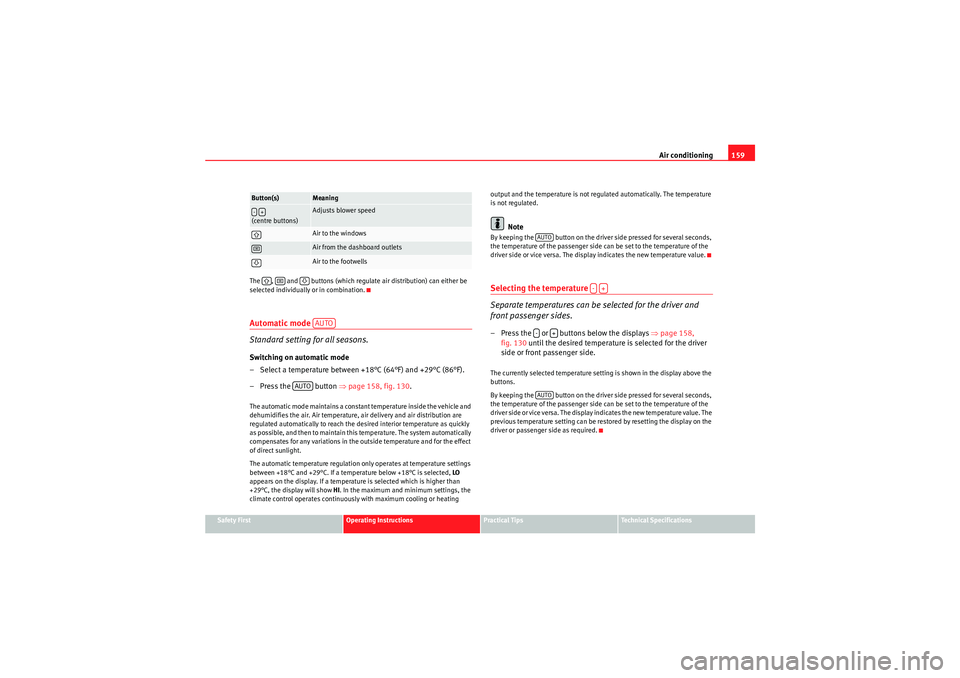
The , and buttons (which regulate air distribution) can either be
selected individually or in combination.
Automatic mode
Standard setting for all seasons.Switching on automatic mode
– Select a temperature between +18°C (64°F) and +29°C (86°F).
– Press the button
⇒page 158, fig. 130 .The automatic mode maintains a constant temperature inside the vehicle and
dehumidifies the air. Air temperature, air delivery and air distribution are
regulated automatically to reach the desired interior temperature as quickly
as possible, and then to maintain this temperature. The system automatically
compensates for any variations in the outside temperature and for the effect
of direct sunlight.
The automatic temperature regulation only operates at temperature settings
between +18°C and +29°C. If a temperature below +18°C is selected, LO
appears on the display. If a temperature is selected which is higher than
+29°C, the display will show HI. In the maximum and minimum settings, the
climate control operates continuously with maximum cooling or heating output and the temperature is not regulated automatically. The temperature
is not regulated.
Note
By keeping the button on the driver side pressed for several seconds,
the temperature of the passenger side can be set to the temperature of the
driver side or vice versa. The display indicates the new temperature value.Selecting the temperature
Separate temperatures can be selected for the driver and
front passenger sides.– Press the or buttons below the displays
⇒page 158,
fig. 130 until the desired temperature is selected for the driver
side or front passenger side.The currently selected temperature setting is shown in the display above the
buttons.
By keeping the button on the driver side pressed for several seconds,
the temperature of the passenger side can be set to the temperature of the
driver side or vice versa. The display indicates the new temperature value. The
previous temperature setting can be restored by resetting the display on the
driver or passenger side as required.
(centre buttons)
Adjusts blower speedAir to the windowsAir from the dashboard outletsAir to the footwells
Button(s)
Meaning
-+
AUTO
AUTO
AUTO
-+
-
+
AUTO
exeo_EN.book Seite 159 Montag, 30. August 2010 4:45 16
Page 164 of 319
Air conditioning
162Switching the air conditioner on/offSwitching the air conditioner off: models with an button
– Press the button. The air conditioner is switched off and the
supply of air from outside the vehicle is cut off.
Switching the air conditioner off: models with a button
– Keep pressing the button for the blower until the display segment is empty. The air conditioner is switched off and the
supply of air from outside the vehicle is cut off.
Switching the air conditioner on: models with an button
– Press the button again, or
– Press the button or
– Press one of the air distribution buttons , or .
Switching the air conditioner on: models with a button
– Press the button for the blower, or
– Press the button or
– Press one of the air distribution buttons , or .The air conditioner also starts to operate if one of the blower or temperature
selector buttons is pressed.
Blower speed
The automatically selected blower speed can be reduced or
increased manually.– Press the and buttons in the centre of the control panel ⇒page 158, fig. 130 to set the blower to the desired speed (and
regulate the volume of air delivery).The air conditioner system automatically regulates the blower speed
according to the interior temperature. However, you can also adjust the air
delivery manually. The current blower setting is illustrated by a bar in the
middle display (above the buttons).Automatic change of passenger temperatureIn order to automatically set the passenger temperature like the driver
temperature, press the button on the driver side for 2 seconds approx-
imately. In order to automatically set the driver temperature like the
passenger temperature, press the button on the passenger side for 2
seconds approximately.
OFF
OFF
-
OFF
OFFAUTO
+AUTO
-+
-
+AUTO
AUTO
exeo_EN.book Seite 162 Montag, 30. August 2010 4:45 16
Page 165 of 319
Air conditioning163
Safety First
Operating Instructions
Practical Tips
Technical Specifications
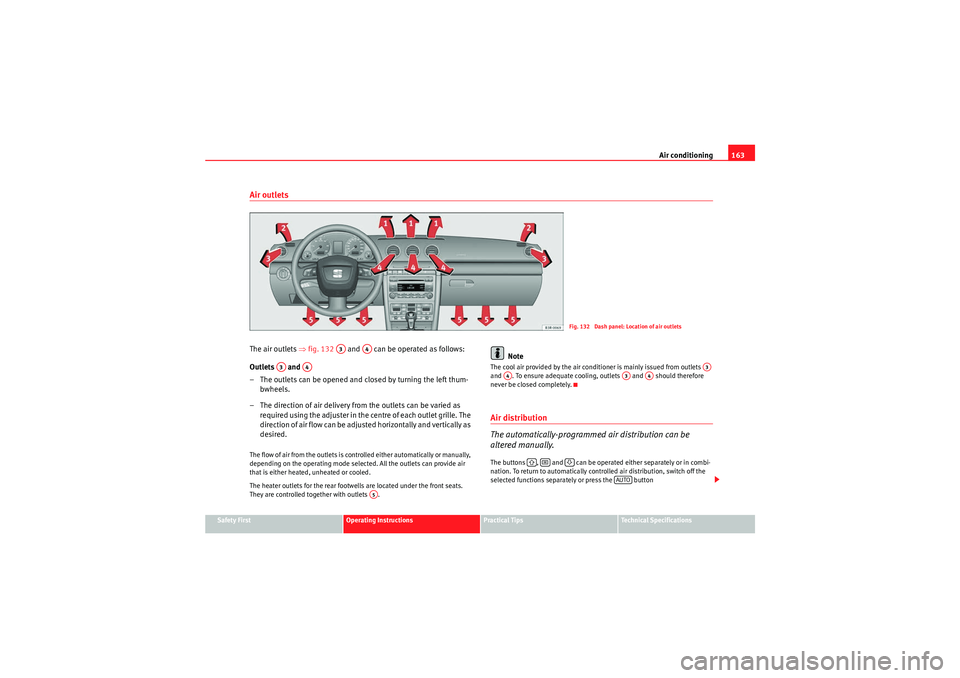
Air outletsThe air outlets ⇒fig. 132 and can be operated as follows:
Outlets and
– The outlets can be opened and closed by turning the left thum- bwheels.
– The direction of air delivery from the outlets can be varied as re quire d using the adjuster in the ce n tre o f ea ch o u t let g rille. The
direction of air flow can be adjusted horizontally and vertically as
desired.The flow of air from the outlets is controlled either automatically or manually,
depending on the operating mode selected. All the outlets can provide air
that is either heated, unheated or cooled.
The heater outlets for the rear footwells are located under the front seats.
They are controlled together with outlets .
Note
The cool air provided by the air conditioner is mainly issued from outlets
and . To ensure adequate cooling, outlets and should therefore
never be closed completely.Air distribution
The automatically-programmed air distribution can be
altered manually.The buttons , and can be operated either separately or in combi-
nation. To return to automatically controlled air distribution, switch off the
selected functions separately or press the button
Fig. 132 Dash panel: Location of air outlets
A3
A4
A3
A4
A5
A3
A4
A3
A4
AUTO
exeo_EN.book Seite 163 Montag, 30. August 2010 4:45 16
Page 166 of 319

Air conditioning
164Each of the three buttons has a specific function. The numbers relate to the
air outlets ⇒page 163, fig. 132.
Air directed to windows
This setting directs all the air to outlets 1 and 2. Unlike in setting , the
volume of air delivery remains the same.
Air to the driver/front passenger
All the air comes from outlets 3 and 4 in the dash panel and from the rear of
the centre console.
Air to the footwells
Most of the air emerges from outlets 5 and the outlets under the front seats.
Some of the air will also be issued from outlets 3 and 4.
Note
In all of the above air distribution settings, a small amount of air will still
come from the other outlets.Economical use of the air conditioner
Economical use of the air conditioner will help save fuel.Engine power is reduced and fuel consumption increases when the
air conditioner is in co oling mode. To ensure that the system is only
switched on when it is really necessary, please note the following
points:
– Select ECON mode if you wish to save fuel.
– S e le c t ECO N m o d e i f yo u d e ci d e t o o p e n t h e w i n d o w s o r su n r o o f * while driving. – If the vehicle has heated up after standing in the sun, open the
windows and doors for a short time to cool the vehicle.
For the sake of the environment
By saving fuel you also reduce the amount of pollutants emitted from your
vehicle.Key settings
When the ignition is switched on, the air conditioner settings
assigned to the key are selected automatically.The air conditioner settings selected are automatically stored and assigned
to the key in use. When the vehicle is started, the air conditioner automati-
cally selects the settings assigned to the key. Hence, every driver automati-
cally obtains his/her preferred settings without having to select them manu-
ally.
Note
Should another driver use the key and enter other settings, the previous
settings will be deleted.
<
exeo_EN.book Seite 164 Montag, 30. August 2010 4:45 16