oil level Seat Exeo 2012 Owner's manual
[x] Cancel search | Manufacturer: SEAT, Model Year: 2012, Model line: Exeo, Model: Seat Exeo 2012Pages: 317, PDF Size: 5.29 MB
Page 6 of 317
Trailer towing . . . . . . . . . . . . . . . . . . . . . . . . . . . . . . 199
Trailer towing . . . . . . . . . . . . . . . . . . . . . . . . . . . . . 199
Removable towing bracket . . . . . . . . . . . . . . . . . . 202
Vehicle maintenance and cleaning . . . . . . . . . 209
General notes . . . . . . . . . . . . . . . . . . . . . . . . . . . . 209
Care of the vehicle exterior . . . . . . . . . . . . . . . . . . 210
Vehicle interior maintenance . . . . . . . . . . . . . . . . 215
Accessories, replacement of parts and
modifications . . . . . . . . . . . . . . . . . . . . . . . . . . . . . 221
Accessories and spare parts . . . . . . . . . . . . . . . . 221
Technical modifications . . . . . . . . . . . . . . . . . . . . 221
Mobile phones and two-way radios . . . . . . . . . . . 222
Athermic windscreen* . . . . . . . . . . . . . . . . . . . . . 222
Checking and refilling levels . . . . . . . . . . . . . . . 223
Refuelling . . . . . . . . . . . . . . . . . . . . . . . . . . . . . . . 223
Petrol . . . . . . . . . . . . . . . . . . . . . . . . . . . . . . . . . . . 224
Diesel . . . . . . . . . . . . . . . . . . . . . . . . . . . . . . . . . . . 225
Bonnet . . . . . . . . . . . . . . . . . . . . . . . . . . . . . . . . . . 226
Engine oil . . . . . . . . . . . . . . . . . . . . . . . . . . . . . . . . 228
Cooling system . . . . . . . . . . . . . . . . . . . . . . . . . . . 231
Washer fluid and windscreen wiper blades . . . . 234
Brake fluid . . . . . . . . . . . . . . . . . . . . . . . . . . . . . . . 236
Vehicle battery . . . . . . . . . . . . . . . . . . . . . . . . . . . 237
Wheels and tyres . . . . . . . . . . . . . . . . . . . . . . . . . . 241
Wheels . . . . . . . . . . . . . . . . . . . . . . . . . . . . . . . . . . 241
If and when . . . . . . . . . . . . . . . . . . . . . . . . . . . . . . . 251
Tools, tyre repair kit and spare wheel . . . . . . . . . 251
Changing a wheel . . . . . . . . . . . . . . . . . . . . . . . . . 253
Tyre repair* (Tyre-Mobility-System) . . . . . . . . . . . 258
Fuses . . . . . . . . . . . . . . . . . . . . . . . . . . . . . . . . . . . 262
Bulbs . . . . . . . . . . . . . . . . . . . . . . . . . . . . . . . . . . . 264
Changing bulbs. Halogen headlights . . . . . . . . . 265
Changing bulbs. Bi-Xenon AFS headlights . . . . . 271
Changing tail light bulbs (on side panel) . . . . . . 275
Changing tail light bulbs (on rear lid) . . . . . . . . . 280
Side turn signals . . . . . . . . . . . . . . . . . . . . . . . . . . 283 Luggage compartment lights . . . . . . . . . . . . . . . . 284
Registration light . . . . . . . . . . . . . . . . . . . . . . . . . . 284
Sun visor light . . . . . . . . . . . . . . . . . . . . . . . . . . . . 285
Jump-starting . . . . . . . . . . . . . . . . . . . . . . . . . . . . . 285
Towing and tow-starting . . . . . . . . . . . . . . . . . . . . 289
Technical Specifications . . . . . . . . . . . 292
Description of specifications . . . . . . . . . . . . . . . 292
Important information . . . . . . . . . . . . . . . . . . . . . 292
Information on fuel consumption . . . . . . . . . . . . 294
Towing a trailer . . . . . . . . . . . . . . . . . . . . . . . . . . . 294
Wheels . . . . . . . . . . . . . . . . . . . . . . . . . . . . . . . . . . 295
Technical specifications . . . . . . . . . . . . . . . . . . . . 296
Engine specifications . . . . . . . . . . . . . . . . . . . . . . 296
Dimensions and capacities . . . . . . . . . . . . . . . . . 304
Index . . . . . . . . . . . . . . . . . . . . . . . . . . . . . . . . . . . 305
4Table of Contents
Page 66 of 317

64Cockpit
CHECK button
Fig. 43 Detailed view of
the instrument panel:
CHECK button
The CHECK
button has the following functions:
Activating the digital clock and the odometer
When the ignition is switched off, the odometer and the digital clock with
date display can be enabled for a few seconds by pressing the CHECK
but-
ton ⇒ Fig. 43.
Starting check procedure (auto-check control)
The auto-check control ⇒ page 76 checks important components and ve-
hicle systems. These background checks are run constantly, as long as the
ignition is switched on.
You can start the “check procedure” manually by pressing the CHECK
button
with the ignition switched on. This function check can be started with the
engine either stationary or running, but not at road speeds above 5 km/h.
Calling up driver messages
If a Priority 1 symbol flashes in the display ⇒ page 76, or if the bulb moni-
tor detects a failure of one of the lights ⇒ page 83, the relevant driver in- formation can be called up again by briefly pressing the
CHECK
button. For
example:
Switch off engine, check oil level
The message will disappear from the display after about 5 seconds.
Setting the speed warning
You can press the CHECK
button to set speed limit warning 1
⇒ page 84,
Setting speed limit warning 1 while the vehicle is moving . Speed limit warn-
ing 2* ⇒ page 85, Setting speed limit warning 2 can only be set when the
ignition is switched off .
Page 79 of 317

77
Cockpit
The red symbol indicates danger, whereas the yellow one represents a
warning. Additional messages for the driver may be shown with the red or
yellow symbols.
Driver messages
Additional messages for the driver are displayed together
with the warning symbols on the instrument panel.
Fig. 53 Instrument pan-
el: CHECK button
Driver messages and red symbols
If a red warning symbol appears on the display, you can press the CHECK
button ⇒ Fig. 53 to call up an additional driver message.
For example: in the event of an oil pressure malfunction, the oil pressure
symbol
will appear in the display. If you now press the CHECK
button,
the following message will appear in the display:
Switch off engine, check oil level The message will disappear from the display after about 5 seconds. If re-
quired, the message can be called up again by briefly pressing the
CHECK
button.
Driver messages and yellow symbols
If a yellow warning symbol appears in the display, it will automatically be
accompanied by the corresponding driver message.
For example, the symbol
is displayed to indicate that the windscreen
washer fluid level is low. In addition, the following message will appear:
Top up washer fluid
The message will disappear after a few seconds. If required, the message
can be called up again by briefly pressing the CHECK
button.
Note
● The messages handbrake on and when stationary apply footbrake to se-
lect gear cannot be called up a second time. They will remain in the display
until the handbrake is released or until a gear is selected.
Handbrake warning
– Release the handbrake.
If you drive by mistake with the handbrake still applied, you will hear a
warning buzzer and the display will show the message: Handbrake on
The handbrake warning switches on after driving for 3 seconds at speeds
above 5 km/h.
Safety FirstOperating InstructionsPractical TipsTechnical Specifications
Page 80 of 317

78Cockpit
Red symbols
A red symbol warns of a danger.
Fig. 54 Display: Coolant
level warning
– Stop the vehicle.
– Switch the engine off.
– Check the fault. Obtain professional assistance if necessary.
BRAKESBrake fluid required or
brake system fault⇒ page 78
COOLANTCoolant level too low / coolant tempera-
ture too high⇒ page 79
OIL PRES- SUREEngine oil pressure too low⇒ page 79
The red symbols are used to indicate a Priority 1 fault (serious malfunction).
A red symbol is accompanied by three warning chimes. The symbols will
keep flashing until the faults are corrected. If several Priority 1 faults are de-tected at the same time, the symbols are displayed one after the other for
about 2 seconds.
Fault in the brake system
A fault in the brake system should be repaired as soon as
possible.
If the symbol flashes in the display, there is a fault in the brake
system. One of the following messages will appear in the display
together with the symbol:
Stop vehicle, check brake fluid and hydraulic fluid levels
Warning! Fault in brake system (ABS) Take vehicle to workshop
– Stop the vehicle.
– Check the brake fluid level ⇒ page 236.
If the ABS fails, the ABS warning lamp will light up together with the
brake system fault symbol ⇒
.
Page 81 of 317

79
Cockpit
WARNING
● Before opening the bonnet and checking the brake fluid level, ob-
serve the warning information in ⇒ page 227, Work in the engine com-
partment.
● If the brake fluid level in the reservoir is too low, this could result in
an accident. Do not drive on! Obtain technical assistance.
● If the brake warning lamp lights up together with the ABS warning
lamp, this can mean that there is a fault in the ABS control function. As a
result, the rear wheels can lock relatively easily when braking. Under cer-
tain circumstances, the rear of the vehicle could suddenly sway from side
to side, with the subsequent danger of skidding. Drive carefully to the
nearest specialised workshop and have the fault repaired.
Fault in the cooling system
Faults in the cooling system must be repaired immediately.
If the symbol flashes in the display, this means that either the
coolant temperature is too high or the coolant level is too low. The
following message will appear in the display together with the
symbol:
Switch off engine and check coolant level
– Stop the vehicle.
– Switch the engine off.
– Check the coolant level ⇒ page 232.
– Add more coolant if necessary ⇒ page 233.
– Wait for the symbol to go out before driving on. –
Obtain professional assistance if necessary.
If the coolant level is correct, the overheating may be caused by a malfunc-
tion of the radiator fan.
If the alternator warning lamp lights up as well ⇒ page 70, it is possible that
the drive belt has broken.
CAUTION
Do not drive on if the symbol has come on to indicate a fault in the cool-
ing system, otherwise there is a risk of engine damage.
Engine oil pressure too low
If the engine oil pressure is too low the fault must be re-
paired immediately.
If the symbol flashes in the display, the oil pressure is too low.
The following message will appear in the display together with the
symbol:
Switch off engine, check oil level
– Stop the vehicle.
– Switch the engine off.
– Check the engine oil level ⇒ page 230.
– Obtain professional assistance if necessary.
Engine oil level too low
If the engine oil level is too low, add more oil ⇒ page 231.
Safety FirstOperating InstructionsPractical TipsTechnical Specifications
Page 82 of 317

80Cockpit
Engine oil level correct
If the symbol flashes and the engine oil level is correct, obtain profes-
sional assistance. Do not drive on! Do not continue to run the engine, even
at idle speed .
Note
The oil pressure warning lamp is not an indicator for the oil level. The oil
level should therefore be checked regularly, preferably every time you fill
the tank.
Yellow symbols
A yellow symbol indicates a warning.
Fig. 55 Display: Fuel lev-
el low
Brake light failure warning light⇒ page 81
Fuel level low⇒ page 81
Engine speed governing⇒ page 81
Check engine oil level⇒ page 81
Engine oil sensor faulty*⇒ page 81
Diesel particulate filter* obstructed⇒ page 81
Photosensor/rain sensor faulty⇒ page 82
Brake pad worn⇒ page 82
Speed warning 1⇒ page 82
Dynamic headlight range control* faul-
ty⇒ page 82
Adaptive headlights* faulty⇒ page 82
Washer fluid level low*⇒ page 82
Speed warning 2*⇒ page 82
Battery voltage too high or too low*⇒ page 82
Bulb monitor*⇒ page 83
Tyre pressure monitoring system*
Loss of pressure⇒ page 90
Tyre pressure monitoring system*
System not available⇒ page 67
Start-Stop system fault*⇒ page 171
Page 83 of 317
81
Cockpit
Yellow symbols are used to indicate a Priority 2 fault (warning).
Yellow symbols are accompanied by one warning buzzer. The function indi-
cated should be checked as soon as possible. If several Priority 2 faults are
detected at the same time, the symbols are displayed one after the other for
about 2 seconds at a time.
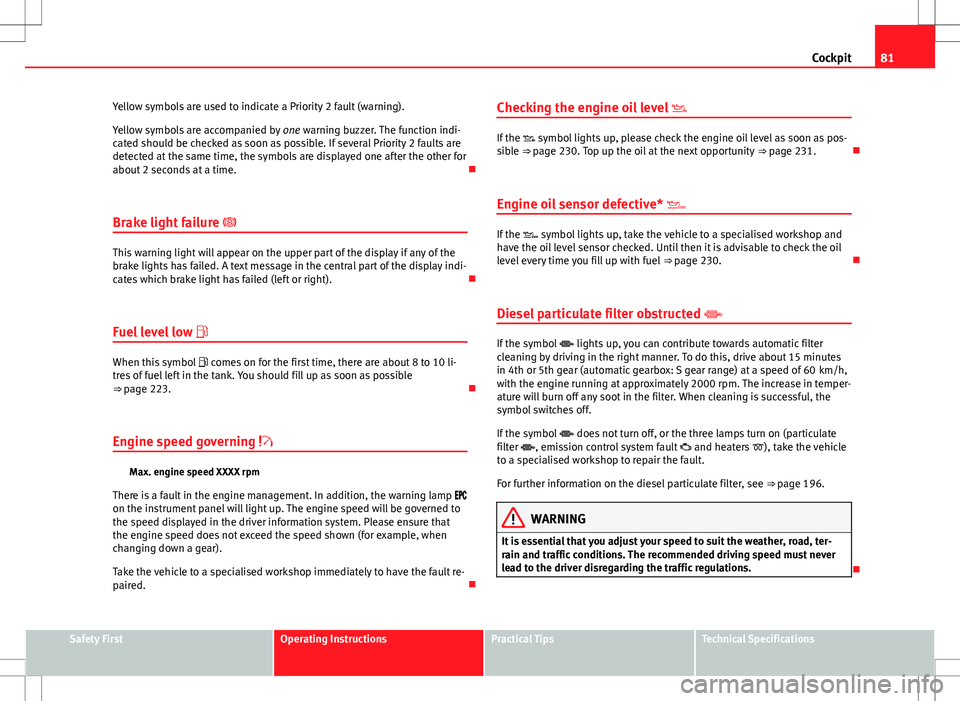
Brake light failure
This warning light will appear on the upper part of the display if any of the
brake lights has failed. A text message in the central part of the display indi-
cates which brake light has failed (left or right).
Fuel level low
When this symbol comes on for the first time, there are about 8 to 10 li-
tres of fuel left in the tank. You should fill up as soon as possible
⇒ page 223.
Engine speed governing
Max. engine speed XXXX rpm
There is a fault in the engine management. In addition, the warning lamp
on the instrument panel will light up. The engine speed will be governed to
the speed displayed in the driver information system. Please ensure that
the engine speed does not exceed the speed shown (for example, when
changing down a gear).
Take the vehicle to a specialised workshop immediately to have the fault re-
paired. Checking the engine oil level
If the symbol lights up, please check the engine oil level as soon as pos-
sible ⇒ page 230. Top up the oil at the next opportunity ⇒ page 231.
Engine oil sensor defective*
If the symbol lights up, take the vehicle to a specialised workshop and
have the oil level sensor checked. Until then it is advisable to check the oil
level every time you fill up with fuel ⇒ page 230.
Diesel particulate filter obstructed
If the symbol lights up, you can contribute towards automatic filter
cleaning by driving in the right manner. To do this, drive about 15 minutes
in 4th or 5th gear (automatic gearbox: S gear range) at a speed of 60 km/h,
with the engine running at approximately 2000 rpm. The increase in temper-
ature will burn off any soot in the filter. When cleaning is successful, the
symbol switches off.
If the symbol does not turn off, or the three lamps turn on (particulate
filter , emission control system fault and heaters ), take the vehicle
to a specialised workshop to repair the fault.
For further information on the diesel particulate filter, see ⇒ page 196.
WARNING
It is essential that you adjust your speed to suit the weather, road, ter-
rain and traffic conditions. The recommended driving speed must never
lead to the driver disregarding the traffic regulations.
Safety FirstOperating InstructionsPractical TipsTechnical Specifications
Page 194 of 317
192Intelligent technology
Brakes
General notes
New brake pads
New brake pads do not provide optimal performance during the first
200 km; first they must be “run in”. However, the reduced braking capacity
may be compensated by pressing on the brake pedal a little harder. Avoid
overloading the brakes during run-in.
Wear
The rate of wear on the brake pads depends a great deal on how you drive
and the conditions in which the vehicle is operated. Negative factors are, for
instance, city traffic, frequent short trips or hard driving with abrupt starts
and stops.
Wet roads or road salt
In certain conditions, such as in heavy rain, or after washing the vehicle or
driving through water, the full braking effect can be delayed by moisture (or
in winter by ice) on the discs and brake pads. In this case the brakes should
be dried by pressing the brake pedal several times.
The effectiveness of the brakes can also be temporarily reduced if the vehi-
cle is driven for some distance without using the brakes when there is a lot
of salt on the road in winter. In this case, the layer of salt on the brake discs
and pads has to wear off before braking.
Corrosion
There may be a tendency for corrosion to form on the discs and dirt to build
up on the brake pads if the vehicle is used infrequently or the brakes are
not used very often.
If the brakes are not used frequently, or if rust has formed on the disks, it is
advisable to clean off the pads and disks by braking firmly a few times at a
moderately high speed ⇒
. Faults in the brake system
If the brake pedal travel should ever increase
suddenly, this may mean that
one of the two brake circuits has failed. Drive immediately to the nearest
specialised workshop and have the fault repaired. Drive there slowly and re-
member that you will have to apply more pressure on the brake pedal and
allow for longer stopping distances.
Low brake fluid level
Malfunctions can occur in the brake system if the brake fluid level is too
low. The brake fluid level is monitored electronically.
WARNING
When applying the brakes to clean off deposits on the pads and discs,
select a clear, dry road. Be sure not to inconvenience or endanger other
road users. Risk of accident.
CAUTION
● Never let the brakes “drag” by leaving your foot on the pedal when it is
not necessary to brake. This overheats the brakes, resulting in longer stop-
ping distances and greater wear.
● Before driving down a long, steep gradient, it is advisable to reduce
speed and change to a lower gear (or move the gear lever to a lower gear
position if your vehicle has automatic transmission). This makes use of en-
gine braking and prolongs the service life of the brakes. If you still have to
use the brakes, it is better to brake firmly at intervals than to apply the
brakes continuously.
Note
If you wish to equip the vehicle with accessories such as a front spoiler or
wheel covers, it is important that the flow of air to the front wheels is not
obstructed, otherwise the brakes can overheat.
Page 227 of 317

225
Checking and refilling levels
CAUTION
● Petrol with standard EN 228 may be mixed with small quantities of etha-
nol. However, bioethanol fuels available at commercial establishments with
reference E50 or E85, which contain a high percentage of ethanol, may not
be used, as they will damage the fuel system.
● Even one tankful of leaded fuel would permanently impair the efficiency
of the catalytic converter.
● High engine speed and full throttle can damage the engine when using
petrol with an octane rating lower than the correct grade for the engine.
For the sake of the environment
Just one full tank of leaded fuel would seriously impair the efficiency of the
catalytic converter.
Petrol additives
Petrol additives improve the quality of the petrol.
The quality of the petrol influences the performance, power and life of the
engine. For this reason, you should use good quality petrol containing addi-
tives. These additives will help to prevent corrosion, keep the fuel system
clean and prevent deposits from building up in the engine.
If good quality petrol with additives is not available or engine problems oc-
cur, the required additives must be added during refuelling. Diesel
Diesel*
Diesel fuel must conform to DIN EN 590 (EN = “European Standard”). It
must have a cetane number (CN) of at least 51. The cetane number indi-
cates the ignition quality of the diesel fuel.
Notes on refuelling ⇒ page 223.
Biodiesel*
CAUTION
● Your vehicle is not designed to use biodiesel fuel. Never, under any cir-
cumstances refuel with biodiesel. The use of biodiesel fuel could damage
the engine and the fuel system. The addition of biodiesel to diesel fuel by
the diesel manufacturer in accordance with standard EN 590 or DIN 51628
is authorised and will not cause damage to the engine or the fuel system.
● The diesel engine has been designed to be used exclusively with diesel
fuel conforming to standard EN 590. Never refuel or use petrol, kerosene,
fuel oil or any other type of fuel. If you accidentally fill up the vehicle with
the wrong type of fuel, do not start the engine. Seek assistance from speci-
alised personnel. The composition of these fuels may severely damage the
fuel system and the engine.
Safety FirstOperating InstructionsPractical TipsTechnical Specifications
Page 230 of 317

228Checking and refilling levels
WARNING (Continued)
● If any tests have to be performed with the engine running, there is an
added safety risk from the rotating parts (e.g. drive belts, alternator, ra-
diator fan, etc.) and from the high-voltage ignition system.
● Observe the following additional warnings if work on the fuel system
or the electrical system is necessary:
–Always disconnect the battery.
– Do not smoke.
– Never work near open flames.
– Always keep an approved fire extinguisher immediately available.
CAUTION
When topping up fluids, make sure the correct fluid is put into the correct
filler opening. This can otherwise cause serious malfunctions or engine
damage.
For the sake of the environment
Inspect the ground underneath your vehicle regularly so that any leaks are
detected at an early stage. If you find spots of oil or other fluids, have your
vehicle inspected at the workshop.
● When the external temperature and level of humidity are high or when
the engine stops, it is possible for water to drop from the air conditioning
system evaporator potentially forming a small puddle on the ground. This is
normal and does not indicate a leak.
Note
On right-hand drive vehicles some of the reservoirs mentioned below are lo-
cated on the other side of the engine compartment. Closing the bonnet
–
To close the bonnet, push it down until it overcomes the spring
pressure.
– Let the bonnet engage in the locking part. Do not force it ⇒
.
WARNING
● For safety reasons the bonnet must always be completely closed
when the vehicle is moving. After closing it always check that it is proper-
ly secured. The bonnet must be flush with the adjacent body panels.
● Should you notice that the bonnet is not safely secured when the ve-
hicle is moving, stop the vehicle immediately and close the bonnet. Fail-
ure to do so could result in an accident.
Engine oil General notes
The engine is factory-filled with a special multi-grade oil that can be used all
year round.
As the use of high quality oil is essential for the correct operation of the en-
gine and its long useful life, when topping up or replacement is necessary
use only those oils that conform to the requirements of the VW standards.
The specifications (VW standards) set out in the following page should ap-
pear on the container of the service oil; when the container displays the
specific standards for petrol and diesel engines together, it means that the
oil can be used for both types of engines.