warning Seat Exeo ST 2011 Owner's manual
[x] Cancel search | Manufacturer: SEAT, Model Year: 2011, Model line: Exeo ST, Model: Seat Exeo ST 2011Pages: 319, PDF Size: 5.12 MB
Page 156 of 319
154Seats and storage compartments
Opening the ashtray
–Lift the lid.
Removing the ashtray
– Take hold of the lid ⇒ fig. 134 and lift out the ashtray.
Fitting the ashtray casing
– Open the lid on the ashtray and press the casing into the
mounting as far as it will go.
WARNING
Never put waste paper in the ashtray, as this could cause a fire.
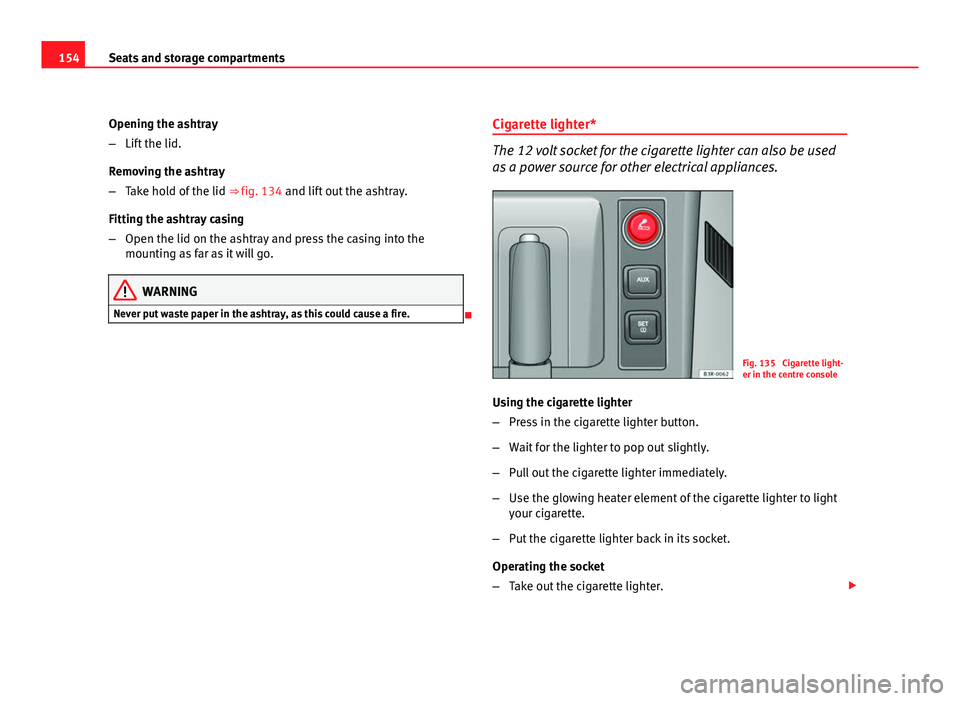
Cigarette lighter*
The 12 volt socket for the cigarette lighter can also be used
as a power source for other electrical appliances.
Fig. 135 Cigarette light-
er in the centre console
Using the cigarette lighter
– Press in the cigarette lighter button.
– Wait for the lighter to pop out slightly.
– Pull out the cigarette lighter immediately.
– Use the glowing heater element of the cigarette lighter to light
your cigarette.
– Put the cigarette lighter back in its socket.
Operating the socket
– Take out the cigarette lighter.
Page 157 of 319
155
Seats and storage compartments
– Insert the plug of the electrical appliance into the cigarette
lighter socket.
The cigarette lighter ⇒ fig. 135 employs a standard 12 volt socket, which
can also be used as a power source for electrical appliances. The applian-
ces connected to the socket must not exceed a power rating of 100 W.
WARNING
● Be careful when using the electric cigarette lighter. Carelessness or
negligence when using the cigarette lighter can cause burns.
● The lighter will only work when the ignition is switched on.
● The electrical sockets and, therefore, any appliances connected to
them will only work when the ignition is switched on.
CAUTION
Always use the correct type of plugs to avoid damaging the sockets.
Note
The use of electrical appliances with the engine switched off will cause a
battery discharge. Electric socket in the luggage compartment*
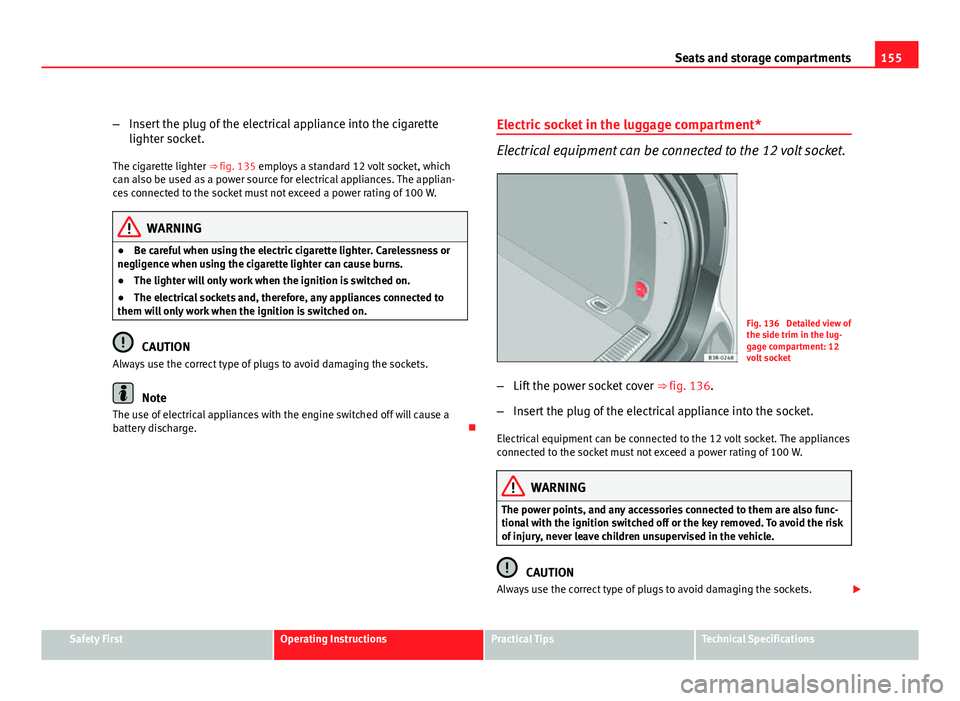
Electrical equipment can be connected to the 12 volt socket.
Fig. 136 Detailed view of
the side trim in the lug-
gage compartment: 12
volt socket
– Lift the power socket cover ⇒ fig. 136.
– Insert the plug of the electrical appliance into the socket.
Electrical equipment can be connected to the 12 volt socket. The appliances
connected to the socket must not exceed a power rating of 100 W.
WARNING
The power points, and any accessories connected to them are also func-
tional with the ignition switched off or the key removed. To avoid the risk
of injury, never leave children unsupervised in the vehicle.
CAUTION
Always use the correct type of plugs to avoid damaging the sockets.
Safety FirstOperating InstructionsPractical TipsTechnical Specifications
Page 158 of 319
156Seats and storage compartments
Note
The use of electrical appliances with the engine switched off will cause a
battery discharge.
230 volt socket for Europlug*
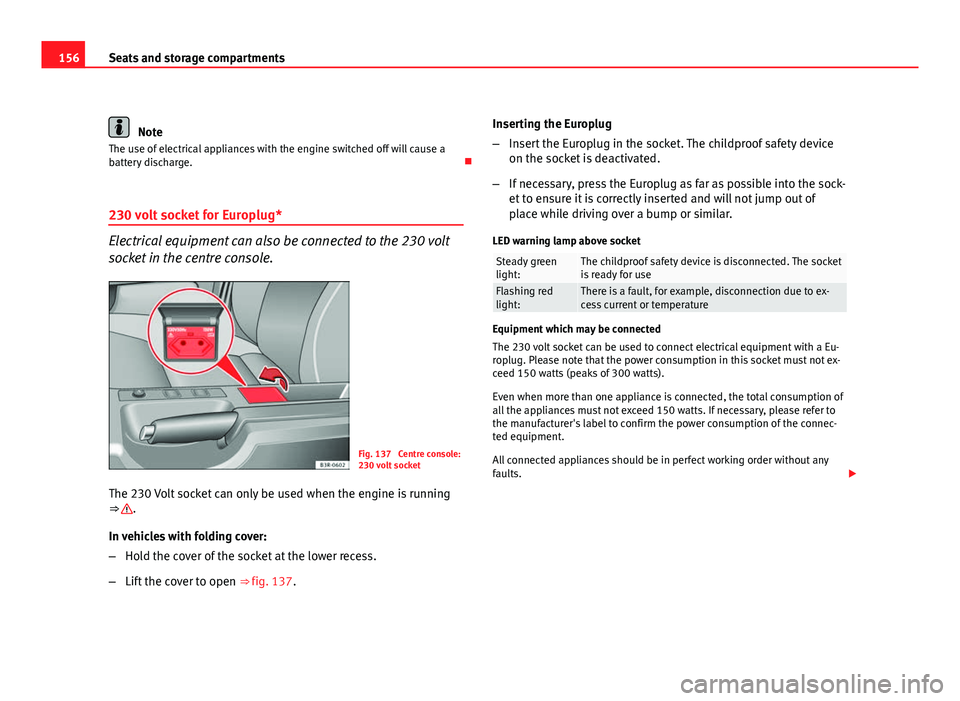
Electrical equipment can also be connected to the 230 volt
socket in the centre console.
Fig. 137 Centre console:
230 volt socket
The 230 Volt socket can only be used when the engine is running
⇒
.
In vehicles with folding cover:
– Hold the cover of the socket at the lower recess.
– Lift the cover to open ⇒ fig. 137. Inserting the Europlug
–
Insert the Europlug in the socket. The childproof safety device
on the socket is deactivated.
– If necessary, press the Europlug as far as possible into the sock-
et to ensure it is correctly inserted and will not jump out of
place while driving over a bump or similar.
LED warning lamp above socket
Steady green
light:The childproof safety device is disconnected. The socket
is ready for use
Flashing red
light:There is a fault, for example, disconnection due to ex-
cess current or temperature
Equipment which may be connected
The 230 volt socket can be used to connect electrical equipment with a Eu-
roplug. Please note that the power consumption in this socket must not ex-
ceed 150 watts (peaks of 300 watts).
Even when more than one appliance is connected, the total consumption of
all the appliances must not exceed 150 watts. If necessary, please refer to
the manufacturer's label to confirm the power consumption of the connec-
ted equipment.
All connected appliances should be in perfect working order without any
faults.
Page 159 of 319
157
Seats and storage compartments
WARNING
● Heavy appliances or connectors (for example, adapters) which hang
down directly from the Europlug socket may damage the socket with the
resultant risk of injury.
● Ensure that appliances connected to the socket are secure to prevent
them from being thrown around the vehicle in the event of sharp braking
or an accident. This could result in severe injury or loss of life ⇒ page 16,
Storing objects.
● Never spill liquid over the socket – there is a risk of death. If any
moisture enters the socket, ensure that it is thoroughly dry before using.
● Improper use of the sockets or electrical accessories can lead to seri-
ous injuries or cause a fire, with the resultant risk of injury.
● Children must never be left alone in the vehicle with the engine run-
ning. They could cause an accident.
● Appliances connected to the socket do not behave in the same way as
when they are connected to the mains power supply. They may overheat
during use and cause injury.
● When using adapters and extension leads, the childproof safety de-
vice on the 230 volt socket is disconnected and the socket is live. Risk of
injury!.
● Never insert objects which conduct electricity, such as a needle, in
the pins of the 230 volt socket. There is a risk of death.
● Always switch off electrical appliances connected to the socket if the
inverter goes off as a result of overheating. Failure to comply could result
in injuries.
CAUTION
● The instructions for handling appliances connected to the socket must
be observed.
● If the power consumption of the appliances connected exceeds 150
watts, the socket inverter will overheat. If the temperature exceeds a certain
value, the inverter will switch off. It may also switch off if the outside tem- perature is very high, even if the power consumption is normal. The inverter
will switch on again automatically after it has cooled down. Appliances con-
nected to the socket, and which have been left switched on, will automati-
cally come back on
⇒
.
● Do not connect neon lamps to the socket. For technical reasons, these
could break down.
● Do not connect 115 volt appliances to the 230 volt power socket, as
they could be damaged. If you have any queries, please check the manufac-
turer's label for details of the power supply accepted by the appliance.
● With some adapters, for example for laptops, their built-in overload dis-
connection system prevents the equipment from switching on in the event
of an excessive start-up current. In this case, disconnect the adapter from
the power supply and try to reconnect after ten seconds.
Note
● Non-insulated equipment may cause interference to the radio or vehicle
electronics.
● The Europlug socket has a built-in childproof device and only carries live
current when the Europlug is correctly plugged in.
● Some appliances may not operate correctly in the absence of adequate
power (watts).
● In some countries this socket is 115 volts. Therefore the socket should
have a different inverter installed at the factory. You can obtain retrofit kits
from your Authorised Technical Service. Do not connect 115 Volt appliances
to the 230 Volt socket.
● The use of electrical equipment in the vicinity of the aerial in the rear
window may cause interference to the reception of stations broadcasting in
AM.
Safety FirstOperating InstructionsPractical TipsTechnical Specifications
Page 160 of 319
158Seats and storage compartments
Compartments
Overview
There are several storage compartments at various points in
the vehicle.
Your vehicle has the following storage compartments:
First-aid kit* Emergency triangle* Glove compartment⇒ page 158Storage compartment in the centre console On-board documentation compartment* Compartments in the door trims⇒ page 159Coat hooks⇒ page 159Side storage compartment in luggage com-
partment
Some of the compartments listed are only provided in certain models or are
optional extras. Glove compartment
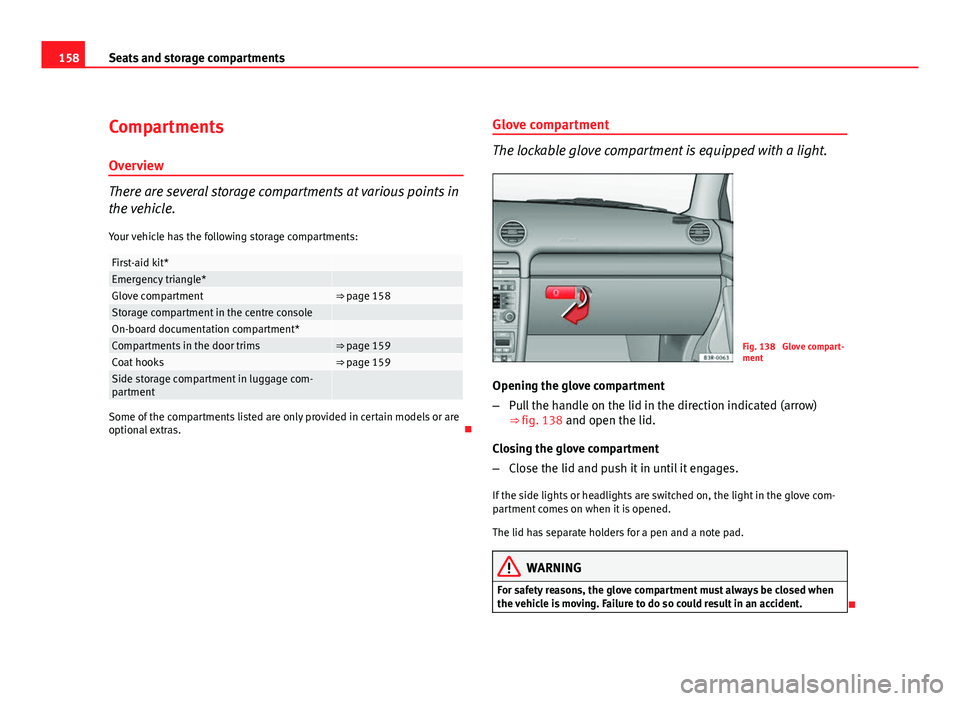
The lockable glove compartment is equipped with a light.
Fig. 138 Glove compart-
ment
Opening the glove compartment
– Pull the handle on the lid in the direction indicated (arrow)
⇒ fig. 138 and open the lid.
Closing the glove compartment
– Close the lid and push it in until it engages.
If the side lights or headlights are switched on, the light in the glove com-
partment comes on when it is opened.
The lid has separate holders for a pen and a note pad.
WARNING
For safety reasons, the glove compartment must always be closed when
the vehicle is moving. Failure to do so could result in an accident.
Page 161 of 319
159
Seats and storage compartments
Compartments in the door trim
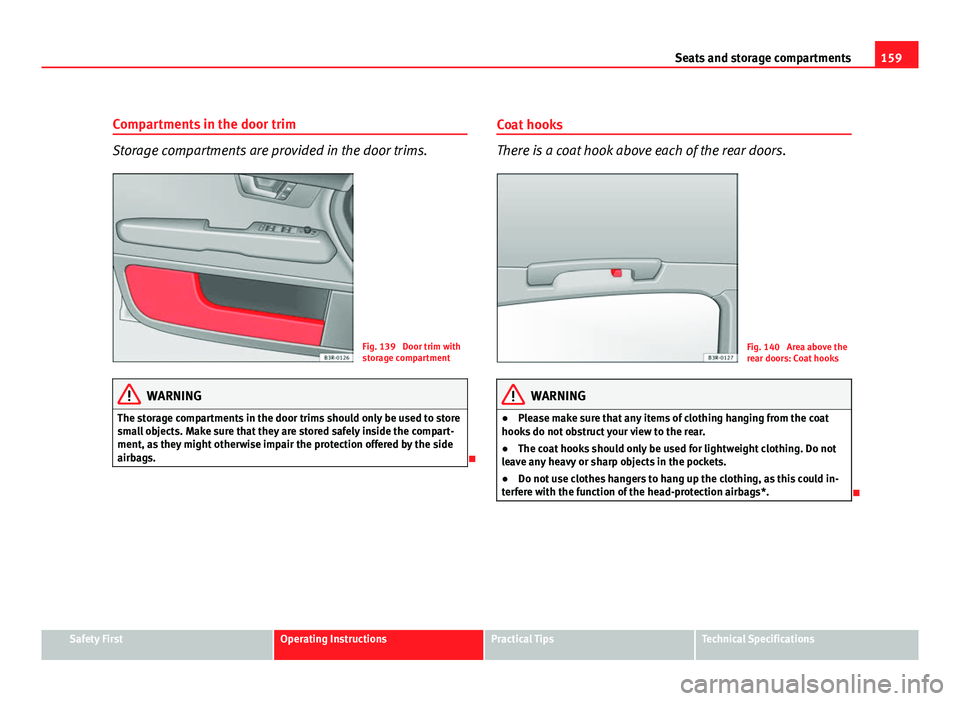
Storage compartments are provided in the door trims.
Fig. 139 Door trim with
storage compartment
WARNING
The storage compartments in the door trims should only be used to store
small objects. Make sure that they are stored safely inside the compart-
ment, as they might otherwise impair the protection offered by the side
airbags.
Coat hooks
There is a coat hook above each of the rear doors.
Fig. 140 Area above the
rear doors: Coat hooks
WARNING
● Please make sure that any items of clothing hanging from the coat
hooks do not obstruct your view to the rear.
● The coat hooks should only be used for lightweight clothing. Do not
leave any heavy or sharp objects in the pockets.
● Do not use clothes hangers to hang up the clothing, as this could in-
terfere with the function of the head-protection airbags*.
Safety FirstOperating InstructionsPractical TipsTechnical Specifications
Page 167 of 319
165
Air conditioning
Defrosting
The windscreen and side windows are defrosted or demisted
as quickly as possible.
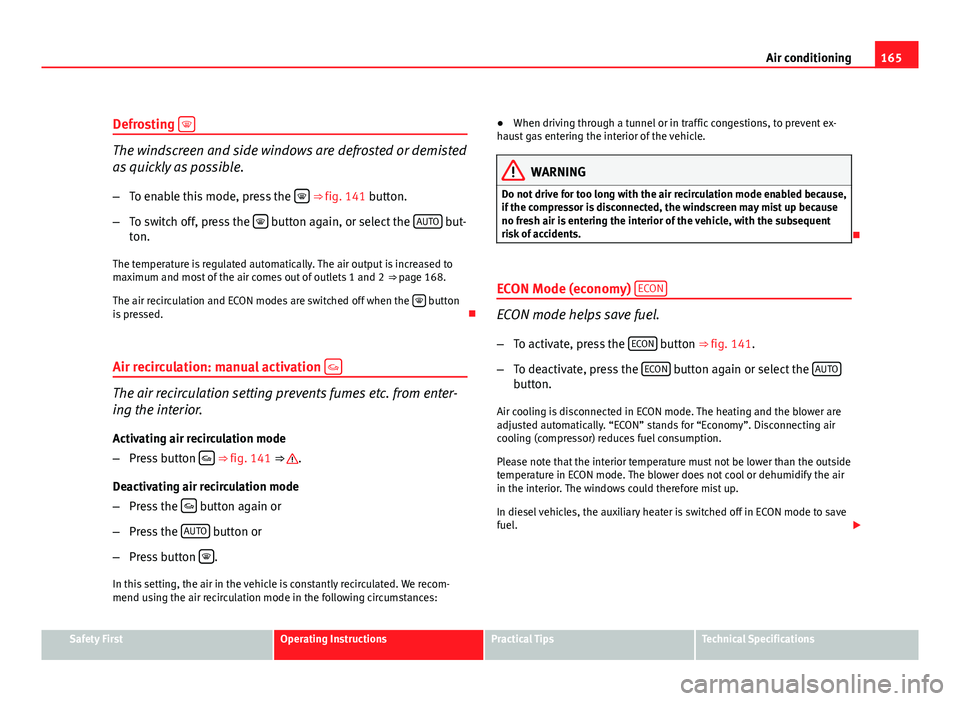
– To enable this mode, press the
⇒
fig. 141 button.
– To switch off, press the
button again, or select the AUTO but-
ton.
The temperature is regulated automatically. The air output is increased to
maximum and most of the air comes out of outlets 1 and 2 ⇒ page 168.
The air recirculation and ECON modes are switched off when the
button
is pressed.
Air recirculation: manual activation
The air recirculation setting prevents fumes etc. from enter-
ing the interior.
Activating air recirculation mode
– Press button
⇒ fig. 141 ⇒ .
Deactivating air recirculation mode
– Press the
button again or
– Press the AUTO
button or
– Press button
.
In this setting, the air in the vehicle is constantly recirculated. We recom-
mend using the air recirculation mode in the following circumstances: ●
When driving through a tunnel or in traffic congestions, to prevent ex-
haust gas entering the interior of the vehicle.
WARNING
Do not drive for too long with the air recirculation mode enabled because,
if the compressor is disconnected, the windscreen may mist up because
no fresh air is entering the interior of the vehicle, with the subsequent
risk of accidents.
ECON Mode (economy) ECON
ECON mode helps save fuel.
– To activate, press the ECON
button ⇒ fig. 141.
– To deactivate, press the ECON
button again or select the AUTObutton.
Air cooling is disconnected in ECON mode. The heating and the blower are
adjusted automatically. “ECON” stands for “Economy”. Disconnecting air
cooling (compressor) reduces fuel consumption.
Please note that the interior temperature must not be lower than the outside
temperature in ECON mode. The blower does not cool or dehumidify the air
in the interior. The windows could therefore mist up.
In diesel vehicles, the auxiliary heater is switched off in ECON mode to save
fuel.
Safety FirstOperating InstructionsPractical TipsTechnical Specifications
Page 173 of 319
171
Driving
Driving SteeringAdjusting the steering wheel position
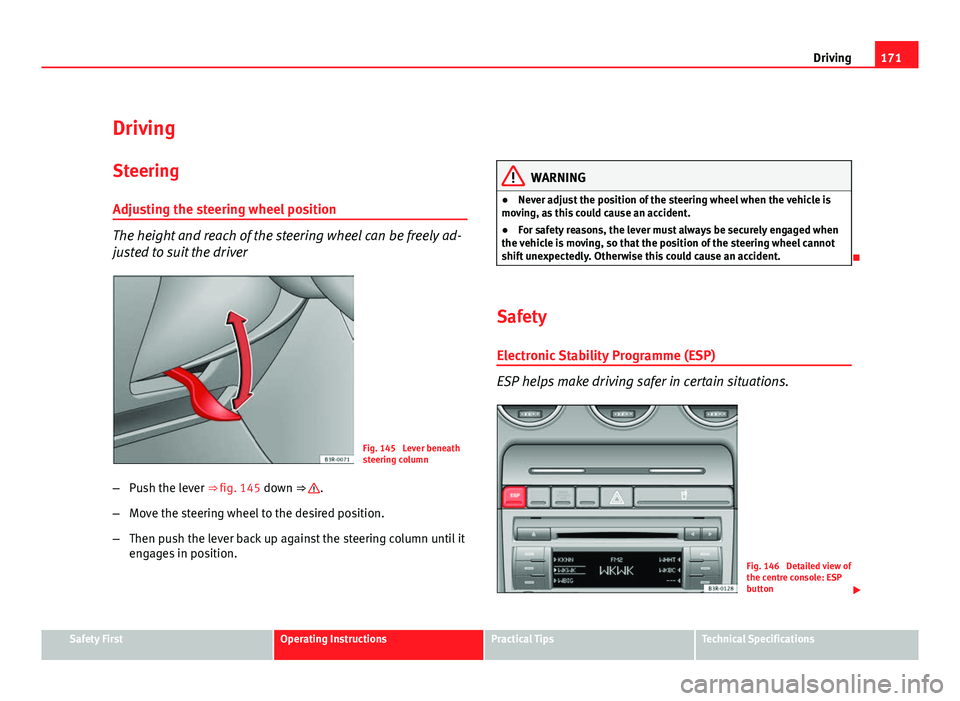
The height and reach of the steering wheel can be freely ad-
justed to suit the driver
Fig. 145 Lever beneath
steering column
– Push the lever ⇒ fig. 145 down ⇒
.
– Move the steering wheel to the desired position.
– Then push the lever back up against the steering column until it
engages in position.
WARNING
● Never adjust the position of the steering wheel when the vehicle is
moving, as this could cause an accident.
● For safety reasons, the lever must always be securely engaged when
the vehicle is moving, so that the position of the steering wheel cannot
shift unexpectedly. Otherwise this could cause an accident.
Safety Electronic Stability Programme (ESP)
ESP helps make driving safer in certain situations.
Fig. 146 Detailed view of
the centre console: ESP
button
Safety FirstOperating InstructionsPractical TipsTechnical Specifications
Page 174 of 319
172Driving
The Electronic Stability Programme (ESP) contains the electronic differential
lock (EDL) and the traction control system (TCS). The ESP function works to-
gether with the ABS. If a fault in the ABS occurs, both warning lamps light
up, but if the ESP fails, only the ESP warning lamp lights up.
The ESP is started automatically when the engine is started.
The ESP switch deactivates both TCS and ESP functions. The ESP, in spite of
being deactivated, will always self-connect when necessary if brakes are be-
ing used.
The TCS can be deactivated when in cases where wheel sliding is desirable.
For example:
● When driving with snow chains.
● When driving in deep snow or on loose surfaces.
● When the vehicle is stuck, to rock it backwards and forwards.
Next, the button should be pressed to reactivate the TCS.
When does the lamp light up or flash
●
On switching the ignition on, it lights up for about two seconds to carry
out a function control.
● The warning lamp will start flashing when the vehicle is moving if the
ESP or the TCS is activated.
● It will light up continuously if there is a malfunction in the ESP.
WARNING
● The Electronic Stability Programme (ESP) cannot defy the laws of
physics. This should be kept in mind, particularly on slippery and wet
roads and when towing a trailer.
● Always adapt your driving style to suit the condition of the roads and
the traffic situation. Do not let the extra safety afforded by ESP tempt you
into taking any risks when driving, as this can cause accidents.
● Please refer to the corresponding warning notes on ESP in
⇒ page 190, Intelligent technology.
Ignition lock Ignition key positions
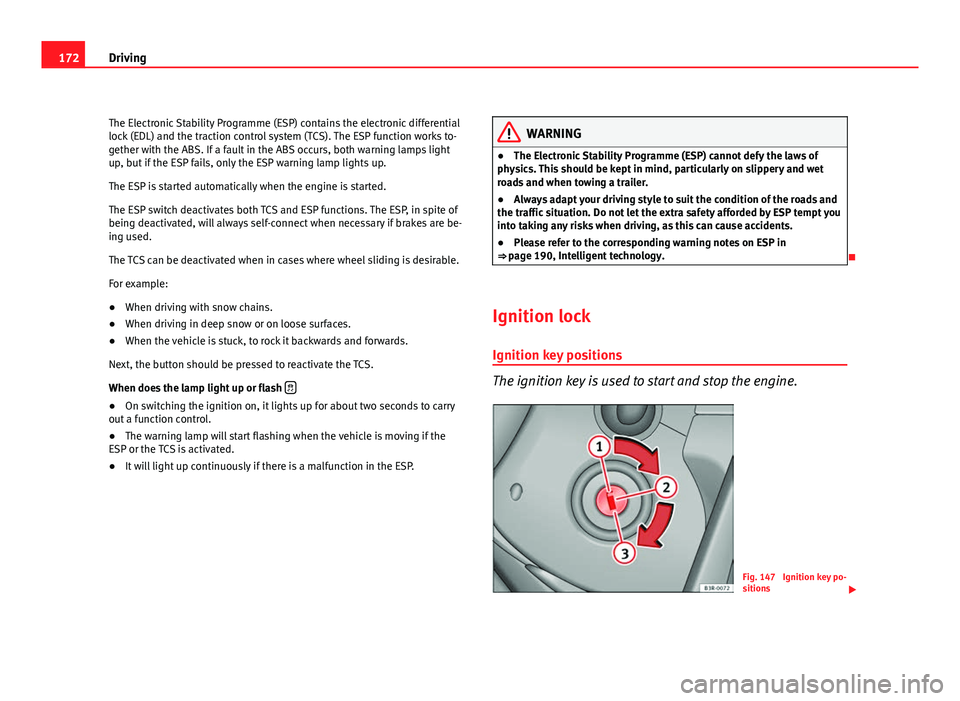
The ignition key is used to start and stop the engine.
Fig. 147 Ignition key po-
sitions
Page 175 of 319
173
Driving
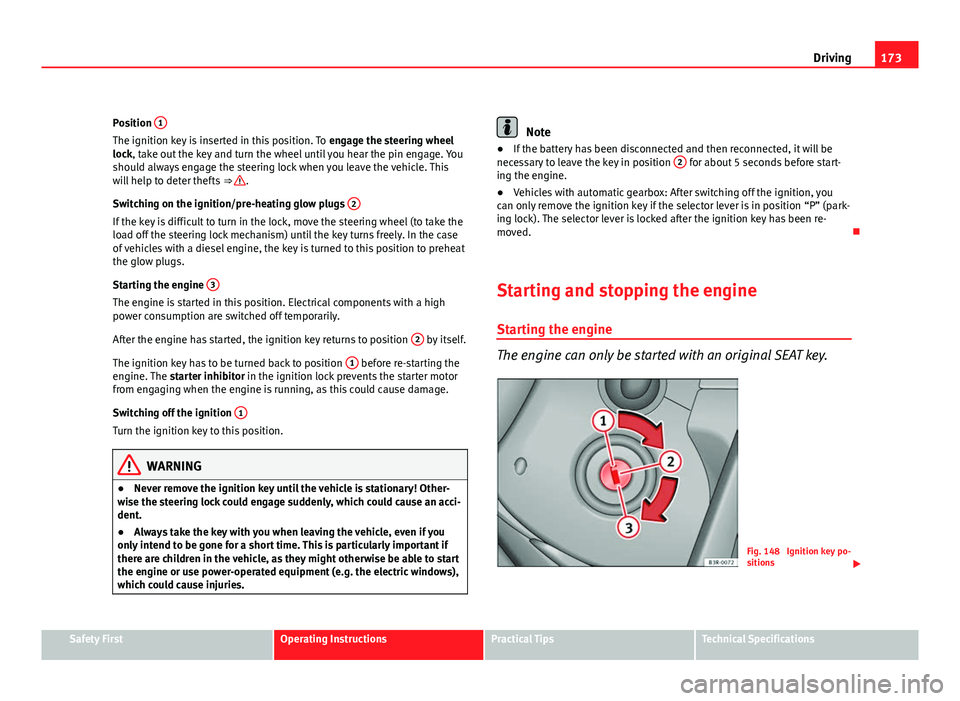
Position 1
The ignition key is inserted in this position. To
engage the steering wheel
lock, take out the key and turn the wheel until you hear the pin engage. You
should always engage the steering lock when you leave the vehicle. This
will help to deter thefts ⇒
.
Switching on the ignition/pre-heating glow plugs 2
If the key is difficult to turn in the lock, move the steering wheel (to take the
load off the steering lock mechanism) until the key turns freely. In the case
of vehicles with a diesel engine, the key is turned to this position to preheat
the glow plugs.
Starting the engine 3
The engine is started in this position. Electrical components with a high
power consumption are switched off temporarily.
After the engine has started, the ignition key returns to position 2
by itself.
The ignition key has to be turned back to position 1
before re-starting the
engine. The starter inhibitor in the ignition lock prevents the starter motor
from engaging when the engine is running, as this could cause damage.
Switching off the ignition 1
Turn the ignition key to this position.
WARNING
● Never remove the ignition key until the vehicle is stationary! Other-
wise the steering lock could engage suddenly, which could cause an acci-
dent.
● Always take the key with you when leaving the vehicle, even if you
only intend to be gone for a short time. This is particularly important if
there are children in the vehicle, as they might otherwise be able to start
the engine or use power-operated equipment (e.g. the electric windows),
which could cause injuries.
Note
● If the battery has been disconnected and then reconnected, it will be
necessary to leave the key in position 2
for about 5 seconds before start-
ing the engine.
● Vehicles with automatic gearbox: After switching off the ignition, you
can only remove the ignition key if the selector lever is in position “P” (park-
ing lock). The selector lever is locked after the ignition key has been re-
moved.
Starting and stopping the engine Starting the engine
The engine can only be started with an original SEAT key.
Fig. 148 Ignition key po-
sitions
Safety FirstOperating InstructionsPractical TipsTechnical Specifications