tailgate Seat Exeo ST 2011 User Guide
[x] Cancel search | Manufacturer: SEAT, Model Year: 2011, Model line: Exeo ST, Model: Seat Exeo ST 2011Pages: 319, PDF Size: 5.12 MB
Page 106 of 319
104Unlocking and locking
Unlocking the tailgate manually
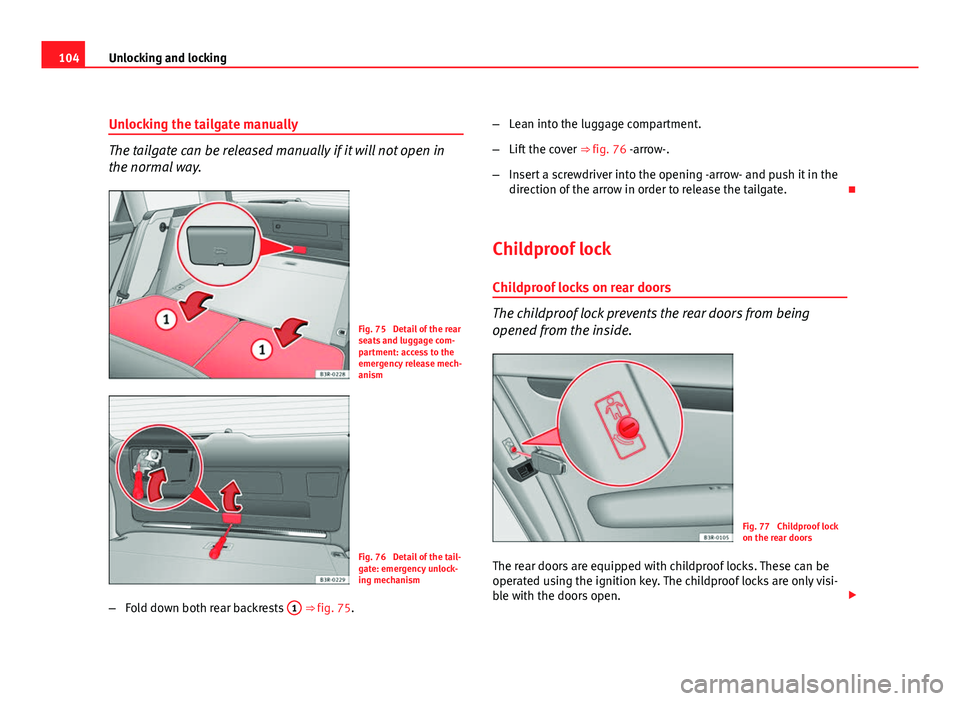
The tailgate can be released manually if it will not open in
the normal way.
Fig. 75 Detail of the rear
seats and luggage com-
partment: access to the
emergency release mech-
anism
Fig. 76 Detail of the tail-
gate: emergency unlock-
ing mechanism
– Fold down both rear backrests 1
⇒ fig. 75. –
Lean into the luggage compartment.
– Lift the cover ⇒ fig. 76 -arrow-.
– Insert a screwdriver into the opening -arrow- and push it in the
direction of the arrow in order to release the tailgate.
Childproof lock Childproof locks on rear doors
The childproof lock prevents the rear doors from being
opened from the inside.
Fig. 77 Childproof lock
on the rear doors
The rear doors are equipped with childproof locks. These can be
operated using the ignition key. The childproof locks are only visi-
ble with the doors open.
Page 107 of 319
105
Unlocking and locking
Activating the childproof lock
– Turn the key in the direction of the arrow ⇒ fig. 77.
Deactivating the childproof lock
– Turn the key in the opposite direction of the arrow.
When the childproof lock is enabled, the inside door handle will not work
and the door can only be opened from the outside.
Remote control key Description
The remote control key will lock and unlock the vehicle with-
out having to insert the key in the lock. The following functions are available:
● Locking and unlocking the vehicle
● Unlocking the tailgate
All the turn signals will flash as confirmation when the vehicle is locked or
unlocked. Furthermore, the interior lights will automatically light up when
the vehicle is unlocked and go out when the vehicle is locked, provided that
the switches are in the courtesy light position.
The remote control transmitter and the battery are integrated into the han-
dle of the key. The receiver is in the interior of the vehicle. The maximum
range depends on different circumstances. The range is reduced when the
battery starts to lose power.
The remote control incorporates a foldaway key that can be used to manual-
ly lock or unlock the vehicle, as well as to start the engine. If the receiver has been repaired or replaced, or if a replacement key is
used, the system will need re-programming by a qualified workshop. Only
then will you be able use the remote control again.
The remote control meets all relevant authorisation requirements and has
been approved by the Federal Approvals Office for Telecommunications of
the Federal Republic of Germany. All components are marked in accordance
with the current legal requirements. This certification forms the basis for of-
ficial approval for use in other countries.
Note
● The remote control is automatically disabled when the ignition is switch-
ed on.
● The function of the remote control may be impaired by interference from
other nearby radio signals (e.g. from a mobile phone or TV transmitter) if
these are in the same frequency range.
Locking and unlocking the vehicle
Fig. 78 Remote control
key: Control buttons
Safety FirstOperating InstructionsPractical TipsTechnical Specifications
Page 108 of 319
106Unlocking and locking
Unlocking the vehicle
–
Press button A ⇒ fig. 78 for about 1 second.
Locking the vehicle
–
Press button B for about 1 second.
Opening the tailgate
–
Press button C and hold for at least one second.
The turn signals will flash twice as confirmation when you unlock the vehi-
cle. The vehicle will be locked again automatically if you do not open one of
the doors or the tailgate within 60 seconds after unlocking the vehicle with
button A
. This function prevents the vehicle from remaining unlocked if the
unlocking button is pressed by mistake.
In vehicles with the security central locking* feature, you can unlock just
the driver door and the tank flap by pressing button A
once or the whole
vehicle by pressing the button twice.
The turn signals flash once when the vehicle is locked to confirm that the
doors and tailgate are properly locked.
Moreover, apart from unlocking the vehicle, the seat* and mirror* memory
programmed in the key is activated. The driver seat and exterior mirrors will
be automatically adjusted to the positions stored in the memory.
The interior lights will automatically light up when the vehicle is unlocked
and go out when the vehicle is locked, provided that the switch is in the
courtesy light position.
WARNING
Do not leave anyone (especially children) in the vehicle if it is locked from
the outside and the anti-theft security system is enabled, as the doors
and windows cannot then be opened from the inside. Locked doors could
delay assistance in an emergency, potentially putting lives at risk.
Note
● The remote control should only be used when the doors and the tailgate
are closed.
● The remote control should not be used when the vehicle is out of sight.
● The anti-theft alarm* can be accidentally triggered and the vehicle
locked if you press the locking button
on the remote control inside the
vehicle before inserting the key in the ignition. If this should happen by
mistake, press the unlock button
.
Re-synchronising
Should the remote control fail to lock or unlock the vehicle,
the system must be re-synchronised.
– If the vehicle is locked, use the key to unlock the driver door.
– Press the unlock button
on the remote control.
– Insert the key into the ignition and switch on the ignition.
– Switch off the ignition and remove the key.
– Press the unlock
or the lock button .
Page 109 of 319
107
Unlocking and locking
Anti-theft alarm system* Description
The system triggers an alarm if anyone attempts to break in-
to the vehicle.
The anti-theft alarm helps to prevent the vehicle being broken into or sto-
len. If the system senses interference with the vehicle, it triggers an audible
and visible alarm.
How is the system enabled?
The anti-theft alarm system is enabled automatically when the vehicle is
locked with the remote control or by turning the key in the driver door (if the
door is closed). The anti-theft alarm is enabled about 30 seconds after the
vehicle is locked.
How is the system disabled?
The anti-theft alarm is only disabled when the vehicle is unlocked using the
remote control. The vehicle will lock again automatically if none of the doors
is opened within 60 seconds after pressing the remote control button.
If the vehicle is unlocked by turning the key in the driver door, all the other
doors, the tailgate and the tank flap will remain locked.
If the vehicle has been unlocked with the key in the driver door, the key
must be inserted in the ignition lock and the ignition switched on within 15
seconds of opening the door in order to disable the alarm. The alarm will be
triggered if the ignition is not switched on within 15 seconds.
Opening and closing function in cars with alarm
When using the key only without remote control to lock and unlock:
in unlocking all the doors, they unlock simultaneously.
When using the key only without remote control to lock and unlock: – in unlocking all the doors, they unlock simultaneously.
When combining locking using the remote control key and unlocking using
the key but without the remote control: when unlocking, only the driver door will unlock.
When does the system trigger the alarm?
The following parts of the vehicle are monitored when the vehicle is locked:
● Engine compartment (bonnet)
● Luggage compartment
● Doors
● Tilt angle (tow-away protection)
● Ignition
● Radio (only with a factory-fitted SEAT radio)
● Interior ⇒ page 108
If any of these areas are entered, the alarm will be triggered.
How is the alarm disabled?
The alarm can be switched off by unlocking the vehicle using the remote
control, or by switching on the ignition with the key, thus “disabling” the
alarm system. The alarm will also switch off when it comes to the end of its
cycle.
Turn signals
The turn signals flash briefly when the vehicle is locked to confirm that the
doors, the engine bonnet and the tailgate are properly closed and locked.
If the turn signals do not flash, check the doors, the bonnet and the tailgate
to make sure they are properly closed. The turn signals will also flash briefly
if one of the doors or the tailgate or engine bonnet is closed after the alarm
system has been enabled.
–
–
Safety FirstOperating InstructionsPractical TipsTechnical Specifications
Page 120 of 319
118Lights and visibility
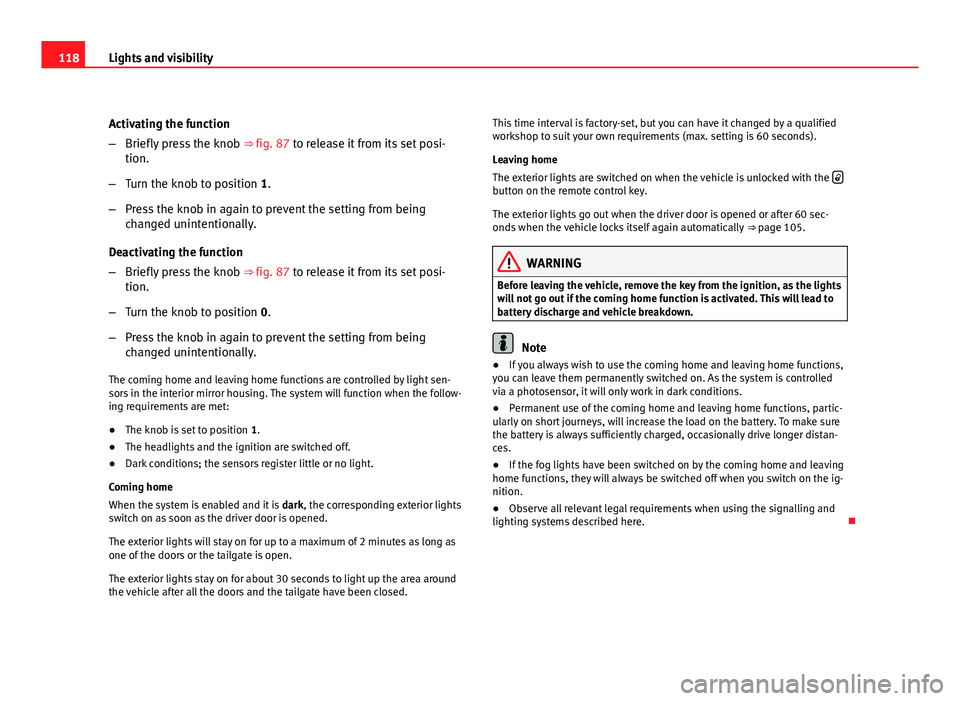
Activating the function
–Briefly press the knob ⇒ fig. 87 to release it from its set posi-
tion.
– Turn the knob to position 1.
– Press the knob in again to prevent the setting from being
changed unintentionally.
Deactivating the function
– Briefly press the knob ⇒ fig. 87 to release it from its set posi-
tion.
– Turn the knob to position 0.
– Press the knob in again to prevent the setting from being
changed unintentionally.
The coming home and leaving home functions are controlled by light sen-
sors in the interior mirror housing. The system will function when the follow-
ing requirements are met:
● The knob is set to position 1.
● The headlights and the ignition are switched off.
● Dark conditions; the sensors register little or no light.
Coming home
When the system is enabled and it is dark, the corresponding exterior lights
switch on as soon as the driver door is opened.
The exterior lights will stay on for up to a maximum of 2 minutes as long as
one of the doors or the tailgate is open.
The exterior lights stay on for about 30 seconds to light up the area around
the vehicle after all the doors and the tailgate have been closed. This time interval is factory-set, but you can have it changed by a qualified
workshop to suit your own requirements (max. setting is 60 seconds).
Leaving home
The exterior lights are switched on when the vehicle is unlocked with the
button on the remote control key.
The exterior lights go out when the driver door is opened or after 60 sec-
onds when the vehicle locks itself again automatically
⇒ page 105.
WARNING
Before leaving the vehicle, remove the key from the ignition, as the lights
will not go out if the coming home function is activated. This will lead to
battery discharge and vehicle breakdown.
Note
● If you always wish to use the coming home and leaving home functions,
you can leave them permanently switched on. As the system is controlled
via a photosensor, it will only work in dark conditions.
● Permanent use of the coming home and leaving home functions, partic-
ularly on short journeys, will increase the load on the battery. To make sure
the battery is always sufficiently charged, occasionally drive longer distan-
ces.
● If the fog lights have been switched on by the coming home and leaving
home functions, they will always be switched off when you switch on the ig-
nition.
● Observe all relevant legal requirements when using the signalling and
lighting systems described here.
Page 127 of 319
125
Lights and visibility
Rear reading lights
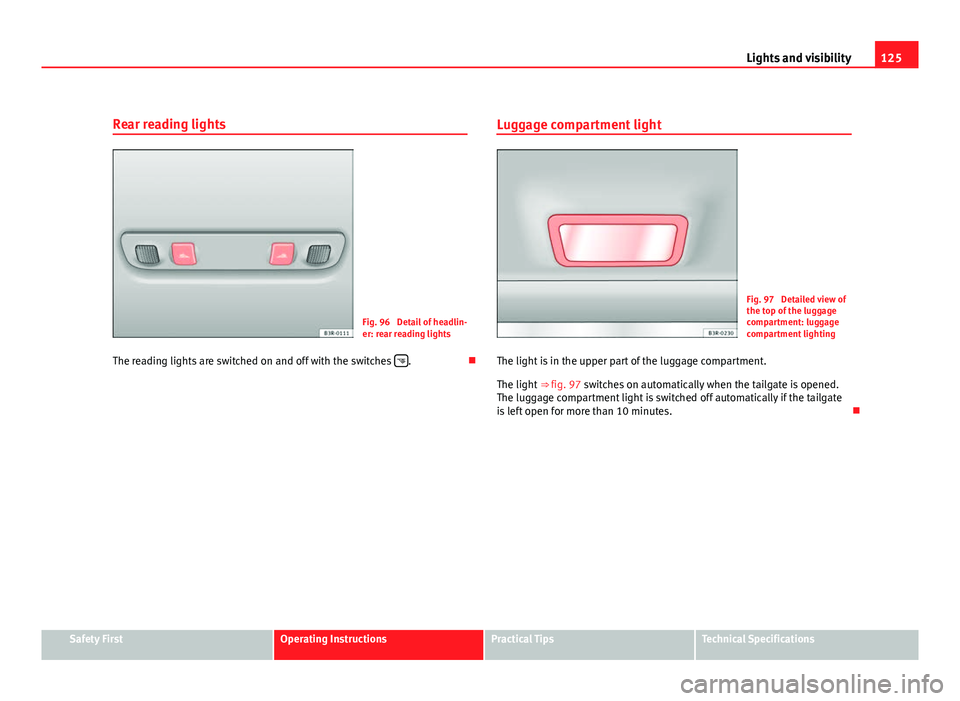
Fig. 96 Detail of headlin-
er: rear reading lights
The reading lights are switched on and off with the switches
.Luggage compartment light
Fig. 97 Detailed view of
the top of the luggage
compartment: luggage
compartment lighting
The light is in the upper part of the luggage compartment.
The light ⇒ fig. 97 switches on automatically when the tailgate is opened.
The luggage compartment light is switched off automatically if the tailgate
is left open for more than 10 minutes.
Safety FirstOperating InstructionsPractical TipsTechnical Specifications
Page 146 of 319
144Seats and storage compartments
Retaining strap*
The retaining strap can be used to secure items of luggage
to the right-hand side lining in the luggage compartment.
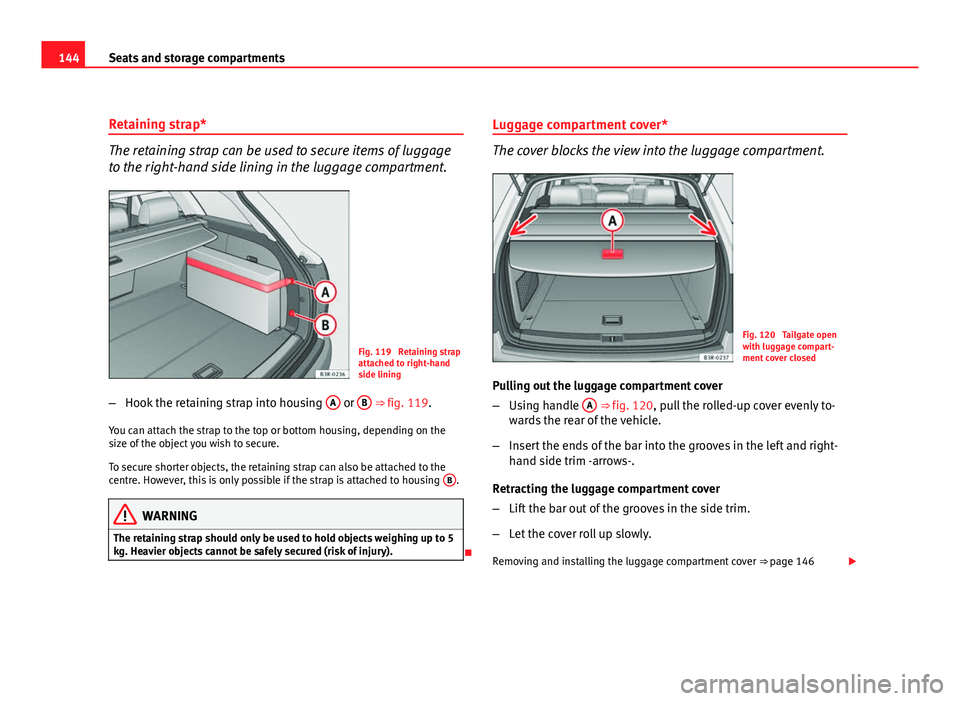
Fig. 119 Retaining strap
attached to right-hand
side lining
– Hook the retaining strap into housing A
or B ⇒ fig. 119.
You can attach the strap to the top or bottom housing, depending on the
size of the object you wish to secure.
To secure shorter objects, the retaining strap can also be attached to the
centre. However, this is only possible if the strap is attached to housing B
.
WARNING
The retaining strap should only be used to hold objects weighing up to 5
kg. Heavier objects cannot be safely secured (risk of injury).
Luggage compartment cover*
The cover blocks the view into the luggage compartment.
Fig. 120 Tailgate open
with luggage compart-
ment cover closed
Pulling out the luggage compartment cover
– Using handle A
⇒ fig. 120, pull the rolled-up cover evenly to-
wards the rear of the vehicle.
– Insert the ends of the bar into the grooves in the left and right-
hand side trim -arrows-.
Retracting the luggage compartment cover
– Lift the bar out of the grooves in the side trim.
– Let the cover roll up slowly.
Removing and installing the luggage compartment cover ⇒ page 146
Page 149 of 319
147
Seats and storage compartments
Luggage compartment liner*
You can use the liner to protect the inside of the luggage
compartment when carrying wet or dirty items.
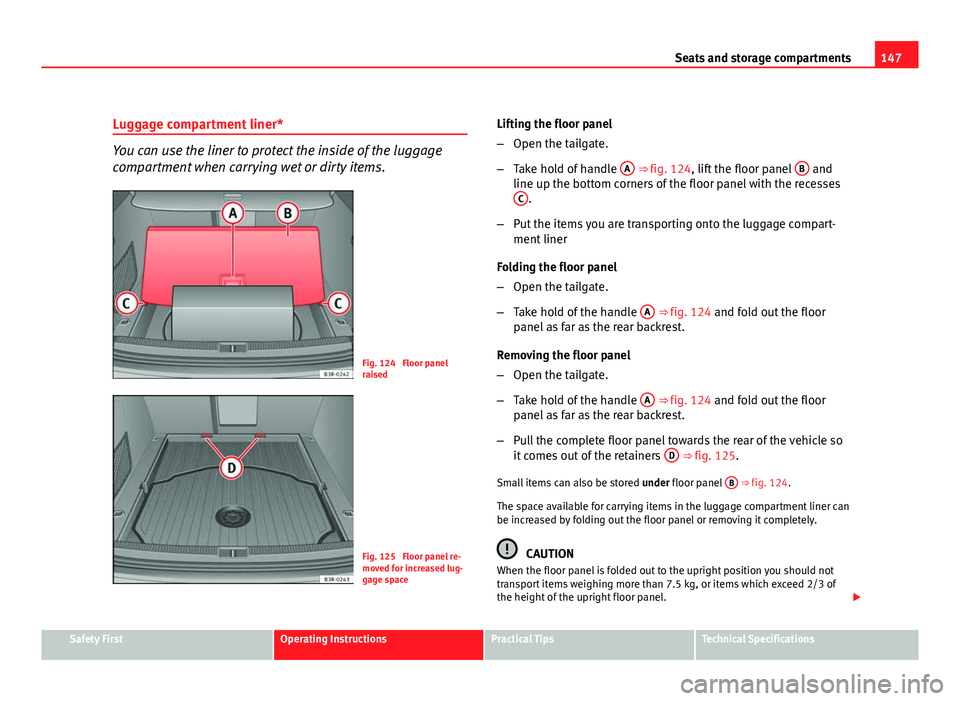
Fig. 124 Floor panel
raised
Fig. 125 Floor panel re-
moved for increased lug-
gage space Lifting the floor panel
–
Open the tailgate.
– Take hold of handle A
⇒ fig. 124, lift the floor panel B and
line up the bottom corners of the floor panel with the recesses C
.
– Put the items you are transporting onto the luggage compart-
ment liner
Folding the floor panel
– Open the tailgate.
– Take hold of the handle A
⇒ fig. 124 and fold out the floor
panel as far as the rear backrest.
Removing the floor panel
– Open the tailgate.
– Take hold of the handle A
⇒ fig. 124 and fold out the floor
panel as far as the rear backrest.
– Pull the complete floor panel towards the rear of the vehicle so
it comes out of the retainers D
⇒ fig. 125.
Small items can also be stored under floor panel B
⇒ fig. 124.
The space available for carrying items in the luggage compartment liner can
be increased by folding out the floor panel or removing it completely.
CAUTION
When the floor panel is folded out to the upright position you should not
transport items weighing more than 7.5 kg, or items which exceed 2/3 of
the height of the upright floor panel.
Safety FirstOperating InstructionsPractical TipsTechnical Specifications
Page 152 of 319
150Seats and storage compartments
Loading
–Open the tailgate.
– Press the release catch for the ski bag cover ⇒ fig. 128 -arrow-
and swivel the cover downwards.
– Pull down the centre rear armrest.
– From the passenger compartment, press down the release catch
for the ski bag cover and pull out the cover.
– Pull out and unfold the ski bag.
– The long items can now be loaded through the luggage com-
partment into the ski bag ⇒
.
Securing
– Insert the fastening belt A
⇒ fig. 129 of the ski bag into the
centre seat belt buckle B.
– Pull the free end of belt C
to tighten.
Storing
– Close the cover of the load-through hatch in the luggage com-
partment.
– Carefully fold away the ski bag.
– Close the inside cover of the load-through hatch from the pas-
senger compartment.
WARNING
The ski bag must be secured in place with the fastening belt after it has
been loaded.
Note
Do not fold away the ski bag after use if it is still damp.
Roof rack / roof rails* Description
Additional luggage can be carried on the roof rack.
Note the following points if you intend to carry loads on the roof:
● We recommend using the cross bars from the of SEAT Genuine Accesso-
ries range.
● These cross bars form the basic elements of a complete roof rack sys-
tem. For safety reasons, however, the corresponding additional fastenings
must be fitted to carry luggage, bicycles, surfboards, skis and boats. All the
components of this system are available from Authorised Service Centres.
CAUTION
Any damage to the vehicle caused by the use of other types of roof rack or
incorrect installation will not be covered by the factory warranty. The roof
rack system must therefore be installed exactly according to the instructions
provided.
Page 153 of 319
151
Seats and storage compartments
Attachment points
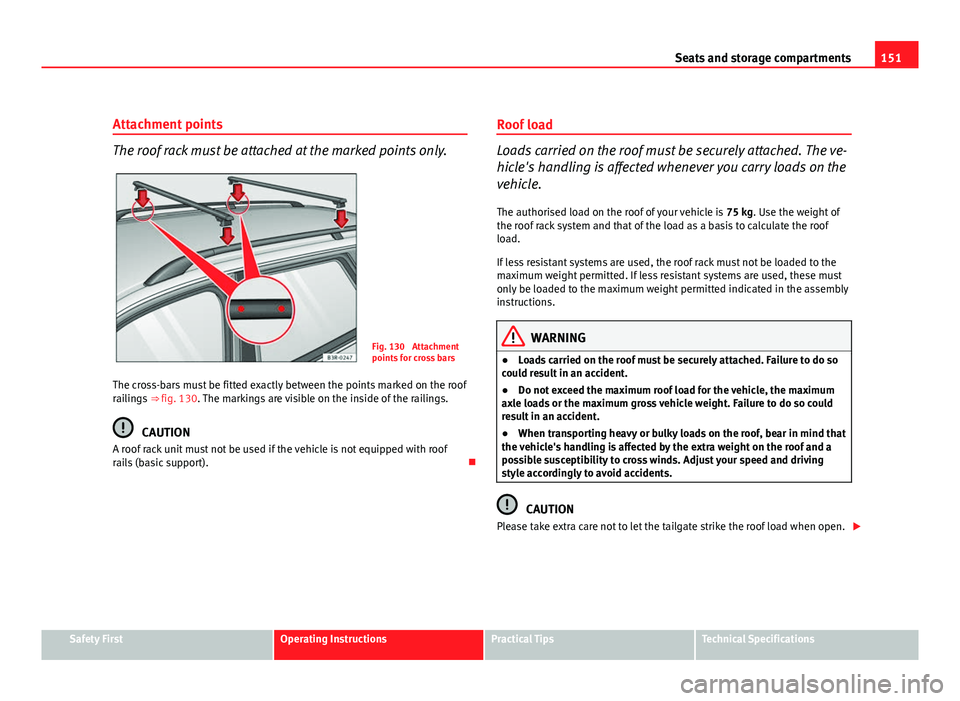
The roof rack must be attached at the marked points only.
Fig. 130 Attachment
points for cross bars
The cross-bars must be fitted exactly between the points marked on the roof
railings ⇒ fig. 130. The markings are visible on the inside of the railings.
CAUTION
A roof rack unit must not be used if the vehicle is not equipped with roof
rails (basic support). Roof load
Loads carried on the roof must be securely attached. The ve-
hicle's handling is affected whenever you carry loads on the
vehicle.
The authorised load on the roof of your vehicle is 75 kg. Use the weight of
the roof rack system and that of the load as a basis to calculate the roof
load.
If less resistant systems are used, the roof rack must not be loaded to the
maximum weight permitted. If less resistant systems are used, these must
only be loaded to the maximum weight permitted indicated in the assembly
instructions.
WARNING
● Loads carried on the roof must be securely attached. Failure to do so
could result in an accident.
● Do not exceed the maximum roof load for the vehicle, the maximum
axle loads or the maximum gross vehicle weight. Failure to do so could
result in an accident.
● When transporting heavy or bulky loads on the roof, bear in mind that
the vehicle's handling is affected by the extra weight on the roof and a
possible susceptibility to cross winds. Adjust your speed and driving
style accordingly to avoid accidents.
CAUTION
Please take extra care not to let the tailgate strike the roof load when open.
Safety FirstOperating InstructionsPractical TipsTechnical Specifications