lights Seat Exeo ST 2011 Owner's Guide
[x] Cancel search | Manufacturer: SEAT, Model Year: 2011, Model line: Exeo ST, Model: Seat Exeo ST 2011Pages: 319, PDF Size: 5.12 MB
Page 83 of 319
81
Cockpit
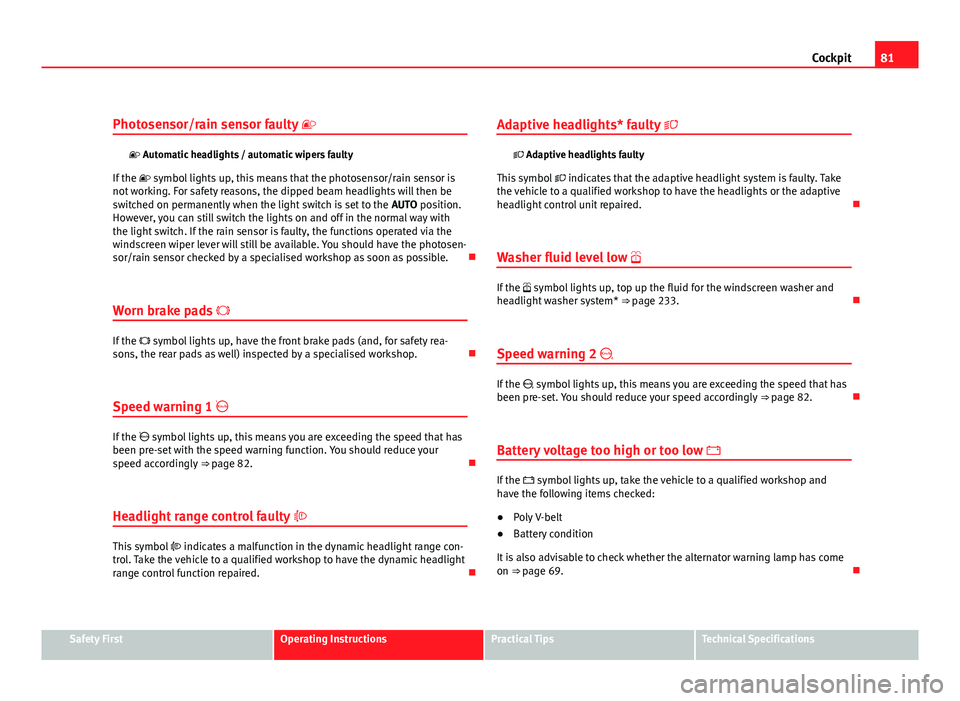
Photosensor/rain sensor faulty
Automatic headlights / automatic wipers faulty
If the symbol lights up, this means that the photosensor/rain sensor is
not working. For safety reasons, the dipped beam headlights will then be
switched on permanently when the light switch is set to the AUTO position.
However, you can still switch the lights on and off in the normal way with
the light switch. If the rain sensor is faulty, the functions operated via the
windscreen wiper lever will still be available. You should have the photosen-
sor/rain sensor checked by a specialised workshop as soon as possible.
Worn brake pads
If the symbol lights up, have the front brake pads (and, for safety rea-
sons, the rear pads as well) inspected by a specialised workshop.
Speed warning 1
If the symbol lights up, this means you are exceeding the speed that has
been pre-set with the speed warning function. You should reduce your
speed accordingly ⇒ page 82.
Headlight range control faulty
This symbol indicates a malfunction in the dynamic headlight range con-
trol. Take the vehicle to a qualified workshop to have the dynamic headlight
range control function repaired. Adaptive headlights* faulty
Adaptive headlights faulty
This symbol indicates that the adaptive headlight system is faulty. Take
the vehicle to a qualified workshop to have the headlights or the adaptive
headlight control unit repaired.
Washer fluid level low
If the symbol lights up, top up the fluid for the windscreen washer and
headlight washer system* ⇒ page 233.
Speed warning 2
If the symbol lights up, this means you are exceeding the speed that has
been pre-set. You should reduce your speed accordingly ⇒ page 82.
Battery voltage too high or too low
If the symbol lights up, take the vehicle to a qualified workshop and
have the following items checked:
● Poly V-belt
● Battery condition
It is also advisable to check whether the alternator warning lamp has come
on ⇒ page 69.
Safety FirstOperating InstructionsPractical TipsTechnical Specifications
Page 84 of 319
82Cockpit
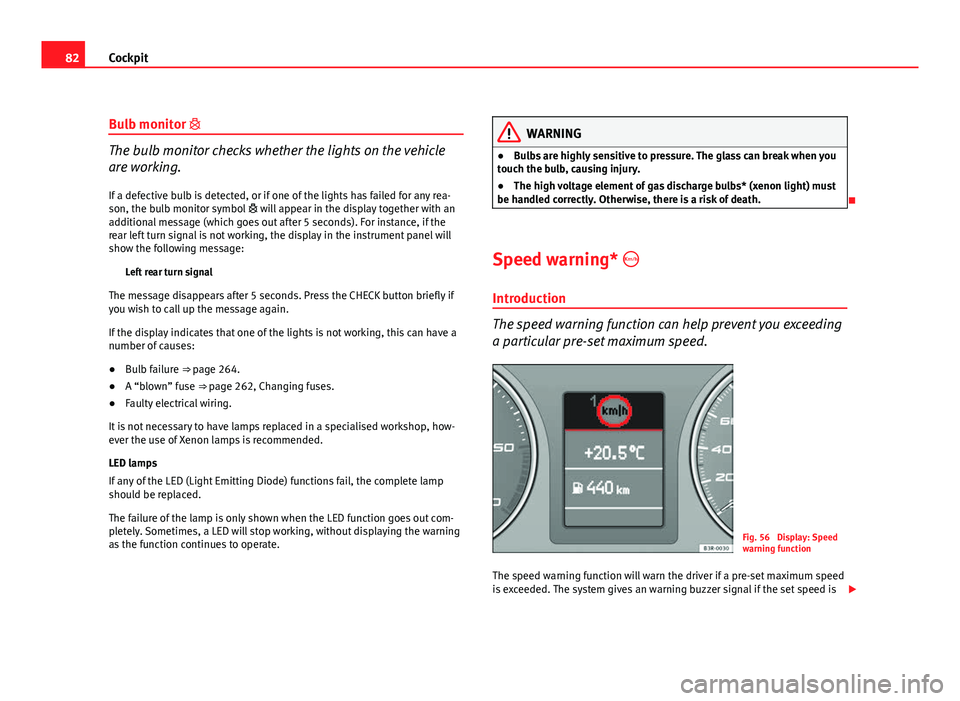
Bulb monitor
The bulb monitor checks whether the lights on the vehicle
are working.
If a defective bulb is detected, or if one of the lights has failed for any rea-
son, the bulb monitor symbol will appear in the display together with an
additional message (which goes out after 5 seconds). For instance, if the
rear left turn signal is not working, the display in the instrument panel will
show the following message:
Left rear turn signal
The message disappears after 5 seconds. Press the CHECK button briefly if
you wish to call up the message again.
If the display indicates that one of the lights is not working, this can have a
number of causes:
● Bulb failure ⇒ page 264.
● A “blown” fuse ⇒ page 262, Changing fuses.
● Faulty electrical wiring.
It is not necessary to have lamps replaced in a specialised workshop, how-
ever the use of Xenon lamps is recommended.
LED lamps
If any of the LED (Light Emitting Diode) functions fail, the complete lamp
should be replaced.
The failure of the lamp is only shown when the LED function goes out com-
pletely. Sometimes, a LED will stop working, without displaying the warning
as the function continues to operate.WARNING
● Bulbs are highly sensitive to pressure. The glass can break when you
touch the bulb, causing injury.
● The high voltage element of gas discharge bulbs* (xenon light) must
be handled correctly. Otherwise, there is a risk of death.
Speed warning* Introduction
The speed warning function can help prevent you exceeding
a particular pre-set maximum speed.
Fig. 56 Display: Speed
warning function
The speed warning function will warn the driver if a pre-set maximum speed
is exceeded. The system gives an warning buzzer signal if the set speed is
Page 86 of 319
84Cockpit
–Press the CHECK button for at least two seconds.
The speed warning symbol lights up briefly in the display when the but-
ton is released to confirm that the selected speed has been stored. The
speed limit that has been selected remains stored until another speed is se-
lected with a brief push of the button, or until the memory is cleared with a
long push of the button.
Setting speed limit warning 2
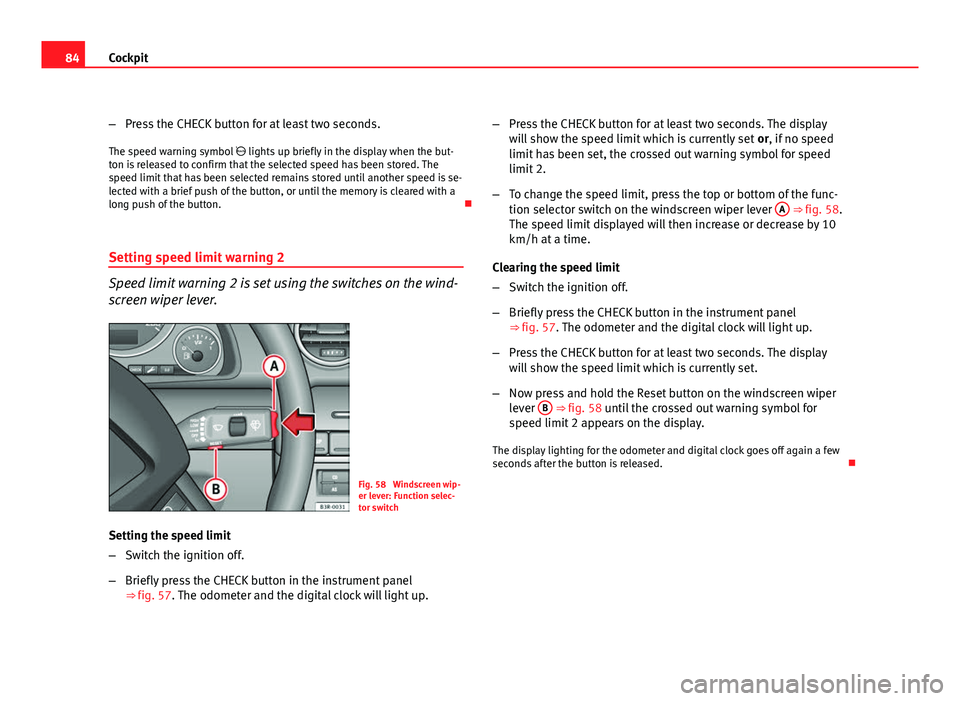
Speed limit warning 2 is set using the switches on the wind-
screen wiper lever.
Fig. 58 Windscreen wip-
er lever: Function selec-
tor switch
Setting the speed limit
– Switch the ignition off.
– Briefly press the CHECK button in the instrument panel
⇒ fig. 57. The odometer and the digital clock will light up. –
Press the CHECK button for at least two seconds. The display
will show the speed limit which is currently set or, if no speed
limit has been set, the crossed out warning symbol for speed
limit 2.
– To change the speed limit, press the top or bottom of the func-
tion selector switch on the windscreen wiper lever A
⇒ fig. 58.
The speed limit displayed will then increase or decrease by 10
km/h at a time.
Clearing the speed limit
– Switch the ignition off.
– Briefly press the CHECK button in the instrument panel
⇒ fig. 57. The odometer and the digital clock will light up.
– Press the CHECK button for at least two seconds. The display
will show the speed limit which is currently set.
– Now press and hold the Reset button on the windscreen wiper
lever B
⇒ fig. 58 until the crossed out warning symbol for
speed limit 2 appears on the display.
The display lighting for the odometer and digital clock goes off again a few
seconds after the button is released.
Page 102 of 319
100Unlocking and locking
–To unlock the vehicle, turn the key in the driver door to position
A
⇒ fig. 70.
– Pull the handle to open the door.
● This will unlock all the doors, the tailgate and the tank flap simultane-
ously.
● The anti-theft security system will be disabled.
Locking with the key
– To lock the vehicle, turn the key in the driver door to position B⇒ fig. 70 ⇒ .
● This will lock all the doors and the tailgate.
● The interior lights are switched off, provided the light switch is in the
courtesy light position.
● The windows and the sunroof* will close as the key is held in the locking
position.
● The anti-theft security system will be enabled immediately.
Locking the vehicle without activating the anti-theft security system
With the anti-theft security system enabled, it is more difficult to break into
the vehicle. If the anti-theft security system has been enabled, the inside
door handles and the central locking switch will not work ⇒
.
If you are leaving passengers in the vehicle while it is parked, it is possible
to lock the vehicle without activating the anti-theft security system.
To do so, turn the key in the driver door twice in quick succession to posi-
tion B
⇒ fig. 70.
WARNING
Do not leave anyone (especially children) in the vehicle if it is locked from
the outside and the anti-theft security system is enabled, as the doors
and windows cannot then be opened from the inside. Locked doors could
delay assistance in an emergency, potentially putting lives at risk.
CAUTION
If the driver door is locked using the key while open, the vehicle will be au-
tomatically immobilised and the alarm triggered.
Note
● Please note that when the vehicle is locked without activating the anti-
theft mechanism, the anti-theft alarm* remains operative. You should there-
fore switch off the interior monitoring* before locking the vehicle, as other-
wise the alarm* could be triggered unintentionally.
● The driver door cannot be locked using the central locking system when
it is still open. The door must be locked separately after it has been closed.
This helps to prevent you from being locked out of the vehicle.
Page 103 of 319
101
Unlocking and locking
Central locking switch
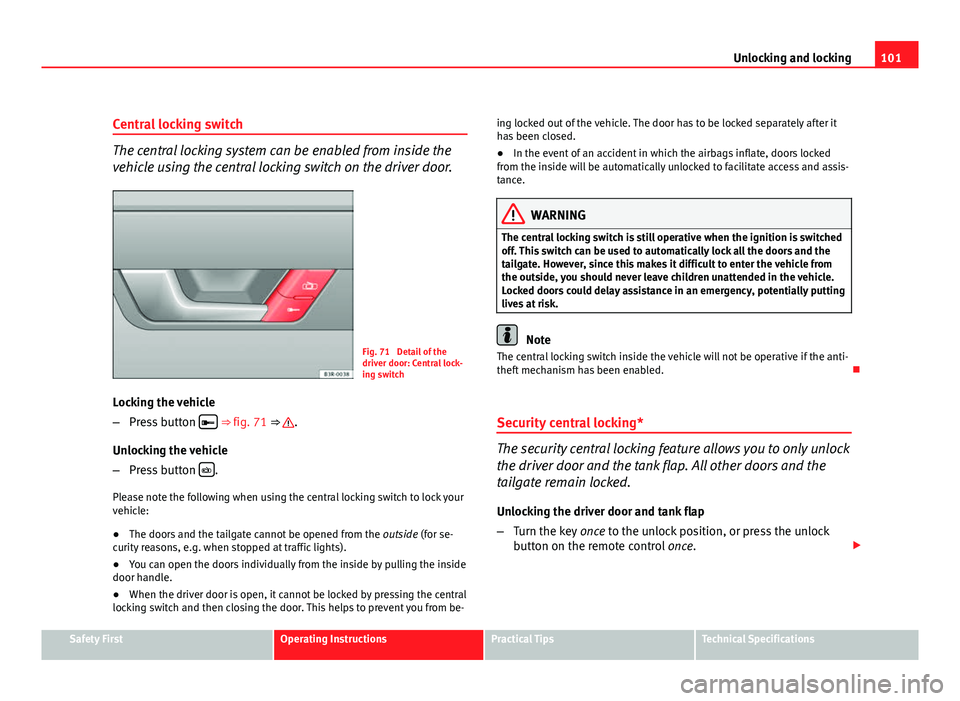
The central locking system can be enabled from inside the
vehicle using the central locking switch on the driver door.
Fig. 71 Detail of the
driver door: Central lock-
ing switch
Locking the vehicle
– Press button
⇒
fig. 71 ⇒ .
Unlocking the vehicle
– Press button
.
Please note the following when using the central locking switch to lock your
vehicle:
● The doors and the tailgate cannot be opened from the outside (for se-
curity reasons, e.g. when stopped at traffic lights).
● You can open the doors individually from the inside by pulling the inside
door handle.
● When the driver door is open, it cannot be locked by pressing the central
locking switch and then closing the door. This helps to prevent you from be- ing locked out of the vehicle. The door has to be locked separately after it
has been closed.
●
In the event of an accident in which the airbags inflate, doors locked
from the inside will be automatically unlocked to facilitate access and assis-
tance.
WARNING
The central locking switch is still operative when the ignition is switched
off. This switch can be used to automatically lock all the doors and the
tailgate. However, since this makes it difficult to enter the vehicle from
the outside, you should never leave children unattended in the vehicle.
Locked doors could delay assistance in an emergency, potentially putting
lives at risk.
Note
The central locking switch inside the vehicle will not be operative if the anti-
theft mechanism has been enabled.
Security central locking*
The security central locking feature allows you to only unlock
the driver door and the tank flap. All other doors and the
tailgate remain locked.
Unlocking the driver door and tank flap
– Turn the key once to the unlock position, or press the unlock
button on the remote control once.
Safety FirstOperating InstructionsPractical TipsTechnical Specifications
Page 105 of 319
103
Unlocking and locking
Tailgate Tailgate: opening and closing
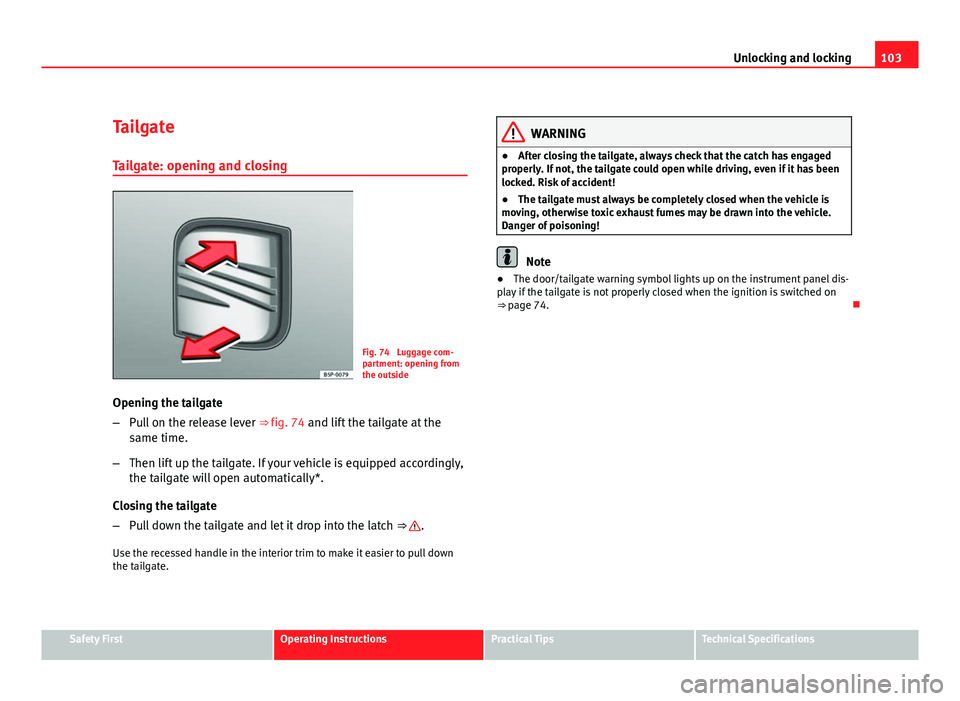
Fig. 74 Luggage com-
partment: opening from
the outside
Opening the tailgate
– Pull on the release lever ⇒ fig. 74 and lift the tailgate at the
same time.
– Then lift up the tailgate. If your vehicle is equipped accordingly,
the tailgate will open automatically*.
Closing the tailgate
– Pull down the tailgate and let it drop into the latch ⇒
.
Use the recessed handle in the interior trim to make it easier to pull down
the tailgate.
WARNING
● After closing the tailgate, always check that the catch has engaged
properly. If not, the tailgate could open while driving, even if it has been
locked. Risk of accident!
● The tailgate must always be completely closed when the vehicle is
moving, otherwise toxic exhaust fumes may be drawn into the vehicle.
Danger of poisoning!
Note
● The door/tailgate warning symbol lights up on the instrument panel dis-
play if the tailgate is not properly closed when the ignition is switched on
⇒ page 74.
Safety FirstOperating InstructionsPractical TipsTechnical Specifications
Page 107 of 319
105
Unlocking and locking
Activating the childproof lock
– Turn the key in the direction of the arrow ⇒ fig. 77.
Deactivating the childproof lock
– Turn the key in the opposite direction of the arrow.
When the childproof lock is enabled, the inside door handle will not work
and the door can only be opened from the outside.
Remote control key Description
The remote control key will lock and unlock the vehicle with-
out having to insert the key in the lock. The following functions are available:
● Locking and unlocking the vehicle
● Unlocking the tailgate
All the turn signals will flash as confirmation when the vehicle is locked or
unlocked. Furthermore, the interior lights will automatically light up when
the vehicle is unlocked and go out when the vehicle is locked, provided that
the switches are in the courtesy light position.
The remote control transmitter and the battery are integrated into the han-
dle of the key. The receiver is in the interior of the vehicle. The maximum
range depends on different circumstances. The range is reduced when the
battery starts to lose power.
The remote control incorporates a foldaway key that can be used to manual-
ly lock or unlock the vehicle, as well as to start the engine. If the receiver has been repaired or replaced, or if a replacement key is
used, the system will need re-programming by a qualified workshop. Only
then will you be able use the remote control again.
The remote control meets all relevant authorisation requirements and has
been approved by the Federal Approvals Office for Telecommunications of
the Federal Republic of Germany. All components are marked in accordance
with the current legal requirements. This certification forms the basis for of-
ficial approval for use in other countries.
Note
● The remote control is automatically disabled when the ignition is switch-
ed on.
● The function of the remote control may be impaired by interference from
other nearby radio signals (e.g. from a mobile phone or TV transmitter) if
these are in the same frequency range.
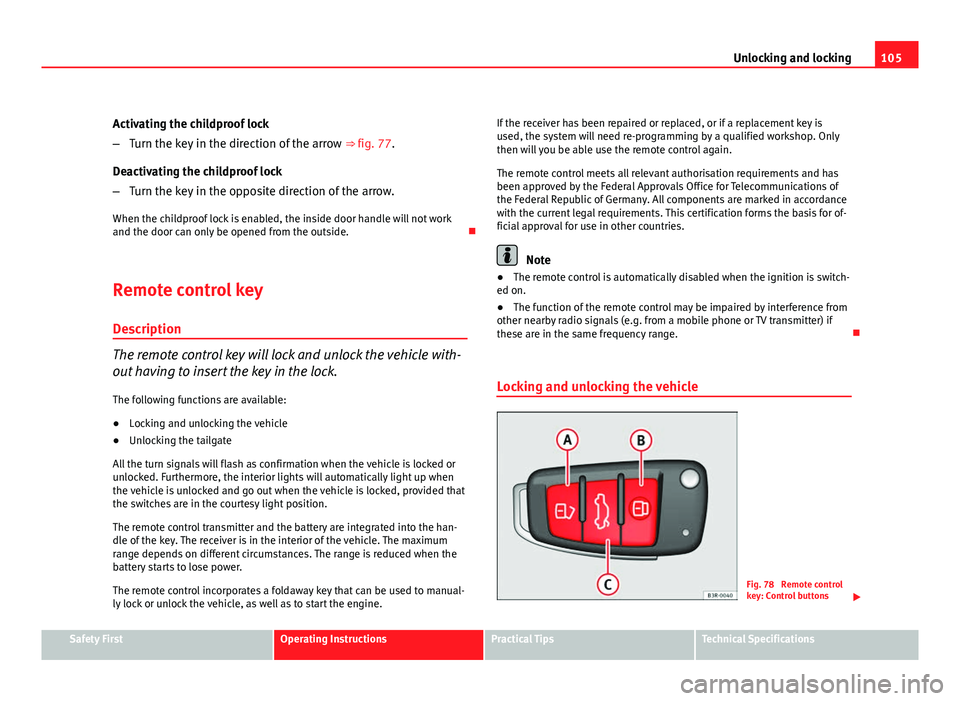
Locking and unlocking the vehicle
Fig. 78 Remote control
key: Control buttons
Safety FirstOperating InstructionsPractical TipsTechnical Specifications
Page 108 of 319
106Unlocking and locking
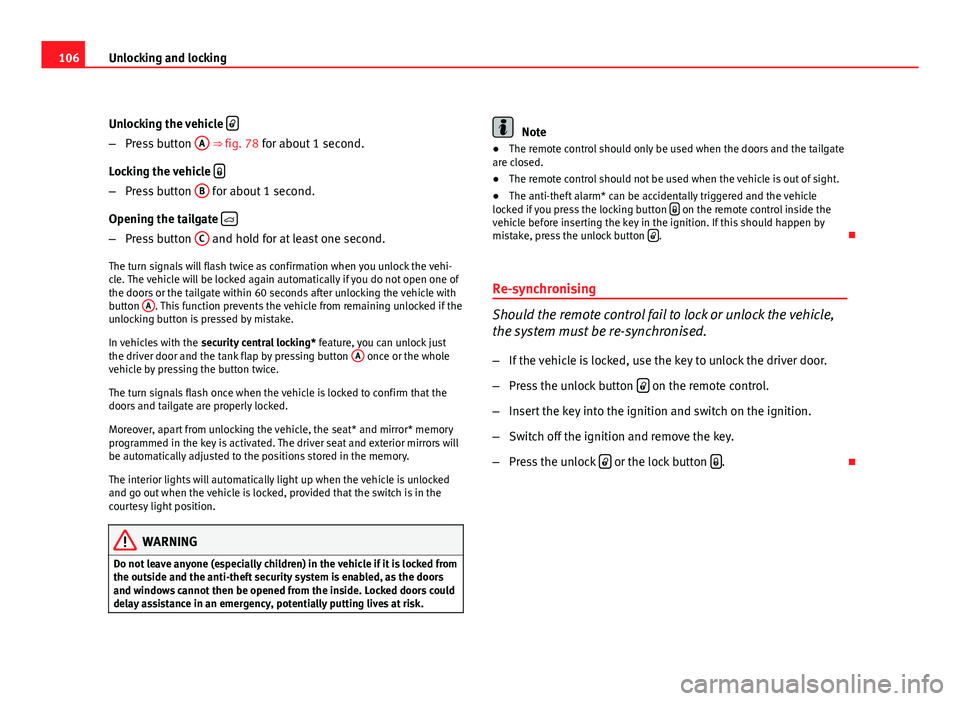
Unlocking the vehicle
–
Press button A ⇒ fig. 78 for about 1 second.
Locking the vehicle
–
Press button B for about 1 second.
Opening the tailgate
–
Press button C and hold for at least one second.
The turn signals will flash twice as confirmation when you unlock the vehi-
cle. The vehicle will be locked again automatically if you do not open one of
the doors or the tailgate within 60 seconds after unlocking the vehicle with
button A
. This function prevents the vehicle from remaining unlocked if the
unlocking button is pressed by mistake.
In vehicles with the security central locking* feature, you can unlock just
the driver door and the tank flap by pressing button A
once or the whole
vehicle by pressing the button twice.
The turn signals flash once when the vehicle is locked to confirm that the
doors and tailgate are properly locked.
Moreover, apart from unlocking the vehicle, the seat* and mirror* memory
programmed in the key is activated. The driver seat and exterior mirrors will
be automatically adjusted to the positions stored in the memory.
The interior lights will automatically light up when the vehicle is unlocked
and go out when the vehicle is locked, provided that the switch is in the
courtesy light position.
WARNING
Do not leave anyone (especially children) in the vehicle if it is locked from
the outside and the anti-theft security system is enabled, as the doors
and windows cannot then be opened from the inside. Locked doors could
delay assistance in an emergency, potentially putting lives at risk.
Note
● The remote control should only be used when the doors and the tailgate
are closed.
● The remote control should not be used when the vehicle is out of sight.
● The anti-theft alarm* can be accidentally triggered and the vehicle
locked if you press the locking button
on the remote control inside the
vehicle before inserting the key in the ignition. If this should happen by
mistake, press the unlock button
.
Re-synchronising
Should the remote control fail to lock or unlock the vehicle,
the system must be re-synchronised.
– If the vehicle is locked, use the key to unlock the driver door.
– Press the unlock button
on the remote control.
– Insert the key into the ignition and switch on the ignition.
– Switch off the ignition and remove the key.
– Press the unlock
or the lock button .
Page 110 of 319
108Unlocking and locking
LED
When the vehicle is locked, the LED on the top of the driver door trim will
flash rapidly for about 30 seconds and then continue flashing slowly. This is
to indicate that the anti-theft alarm system (including the interior monitor-
ing and tow-away protection ) is operative. If the LED lights up continuously
for about 30 seconds when the vehicle is locked instead of flashing, this
means the alarm system is not working properly.
Note
● To make sure that the alarm is fully operative when leaving the vehicle,
briefly check that all the doors and windows and the sunroof* are closed.
● The alarm is triggered immediately if one of the battery cables is discon-
nected while the alarm system is enabled.
Interior monitoring*
The interior monitoring triggers an alarm if it detects move-
ment inside the vehicle.
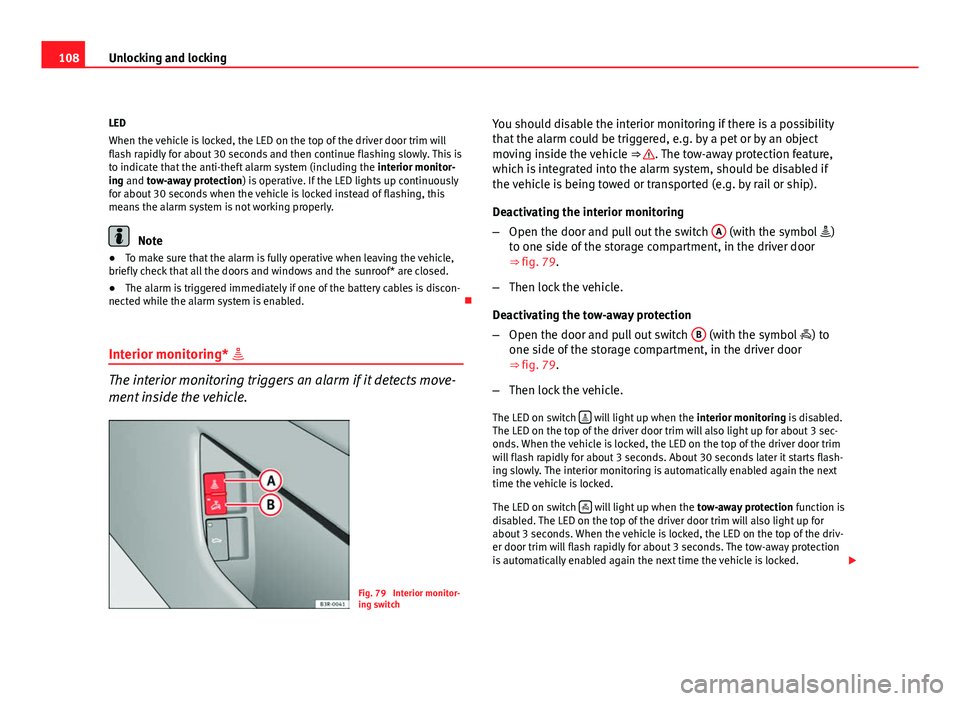
Fig. 79 Interior monitor-
ing switch You should disable the interior monitoring if there is a possibility
that the alarm could be triggered, e.g. by a pet or by an object
moving inside the vehicle
⇒
. The tow-away protection feature,
which is integrated into the alarm system, should be disabled if
the vehicle is being towed or transported (e.g. by rail or ship).
Deactivating the interior monitoring
– Open the door and pull out the switch A
(with the symbol
)
to one side of the storage compartment, in the driver door
⇒ fig. 79.
– Then lock the vehicle.
Deactivating the tow-away protection
– Open the door and pull out switch B
(with the symbol
) to
one side of the storage compartment, in the driver door
⇒ fig. 79.
– Then lock the vehicle.
The LED on switch
will light up when the
interior monitoring is disabled.
The LED on the top of the driver door trim will also light up for about 3 sec-
onds. When the vehicle is locked, the LED on the top of the driver door trim
will flash rapidly for about 3 seconds. About 30 seconds later it starts flash-
ing slowly. The interior monitoring is automatically enabled again the next
time the vehicle is locked.
The LED on switch
will light up when the
tow-away protection function is
disabled. The LED on the top of the driver door trim will also light up for
about 3 seconds. When the vehicle is locked, the LED on the top of the driv-
er door trim will flash rapidly for about 3 seconds. The tow-away protection
is automatically enabled again the next time the vehicle is locked.
Page 112 of 319
110Unlocking and locking
Closing the windows
–Pull the switch as far as the first stop and hold it until the win-
dow has moved to the desired position.
– Pull the switch briefly to the second stop and the window will
automatically close all the way.
Safety switch
The safety switch ⇒ fig. 80 E
can deactivate the rear door switches. The
windows can only be operated from the rear when the safety switch is press-
ed in.
The symbol lights up on the safety switch when the electric windows in
the rear doors are disabled (switch not pressed in).
Note
The windows will work for about ten minutes after the ignition has been
switched off. The electric window switches are only disabled when the driver
door or the front passenger door is opened. Switches on the front passenger's door and rear doors
Each of these doors has a switch for its own window.
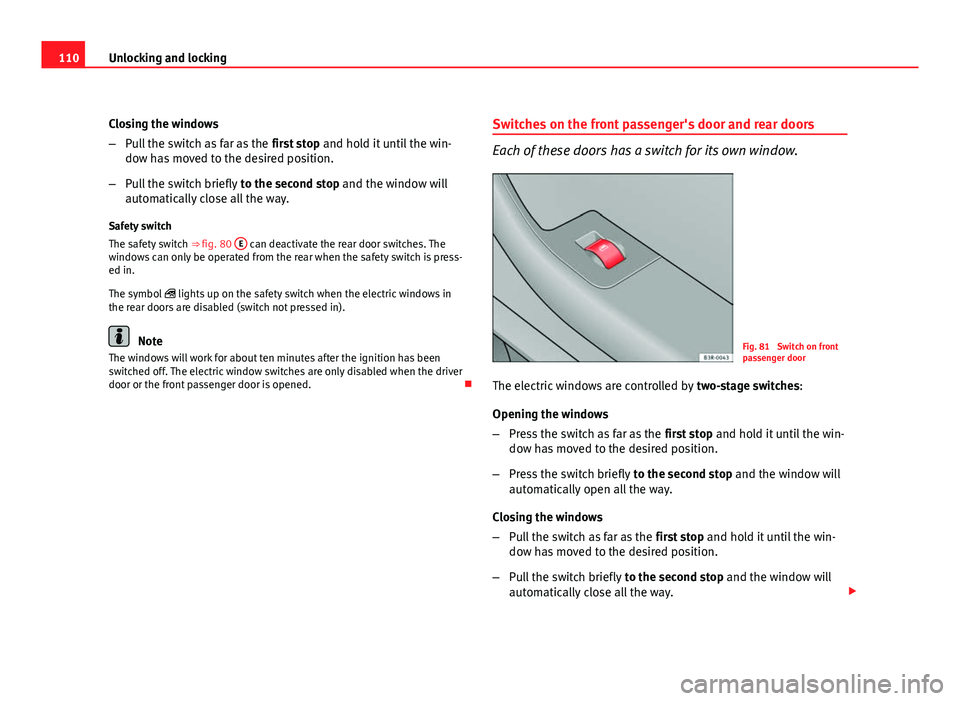
Fig. 81 Switch on front
passenger door
The electric windows are controlled by two-stage switches:
Opening the windows
– Press the switch as far as the first stop and hold it until the win-
dow has moved to the desired position.
– Press the switch briefly to the second stop and the window will
automatically open all the way.
Closing the windows
– Pull the switch as far as the first stop and hold it until the win-
dow has moved to the desired position.
– Pull the switch briefly to the second stop and the window will
automatically close all the way.