stop start Seat Exeo ST 2013 User Guide
[x] Cancel search | Manufacturer: SEAT, Model Year: 2013, Model line: Exeo ST, Model: Seat Exeo ST 2013Pages: 327, PDF Size: 5.07 MB
Page 91 of 327
89
Cockpit
Driving time warning
After 2 hours of continuous driving, the display automatically switches over
to the driving time display of 2:00. At the same time the driving time display
starts flashing. This is to remind the driver to take a break.
The driving time warning can be switched off by briefly pressing the func-
tion selector switch or the Reset
button ⇒ Fig. 61.
If you continue driving or take a break for less than 10 minutes, the driving
time warning will switch on once again when the total driving time is 4:00
hours, 6:00 hours, etc. However, if you take a break for more than 10 mi-
nutes, the driving time warning clock will be erased.
Distance covered
This display shows the distance you have covered since the memory was
last cancelled. The longest possible distance which can be recorded is
9999.9 km.
Note
● The displays for fuel consumption (average and instantaneous), dis-
tance to empty and speed are shown in metric units.
● The information in the memory is lost if the battery is disconnected. Operation
The onboard computer is controlled by means of two
switches on the windscreen wiper lever.
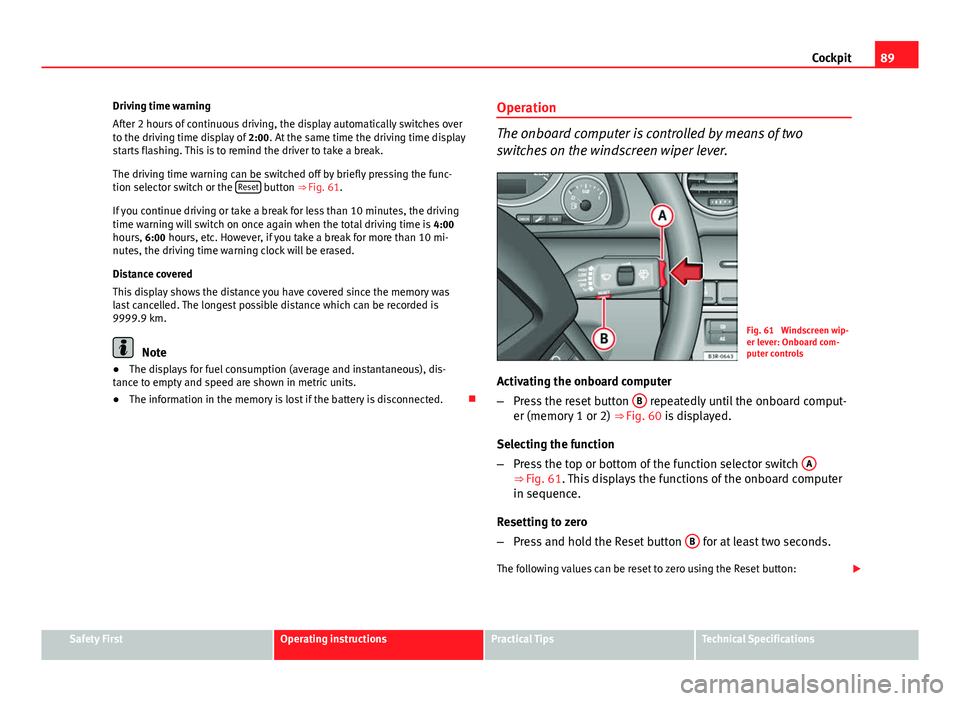
Fig. 61 Windscreen wip-
er lever: Onboard com-
puter controls
Activating the onboard computer
– Press the reset button B
repeatedly until the onboard comput-
er (memory 1 or 2) ⇒ Fig. 60 is displayed.
Selecting the function
– Press the top or bottom of the function selector switch A
⇒ Fig. 61. This displays the functions of the onboard computer
in sequence.
Resetting to zero
– Press and hold the Reset button B
for at least two seconds.
The following values can be reset to zero using the Reset button:
Safety FirstOperating instructionsPractical TipsTechnical Specifications
Page 97 of 327
95
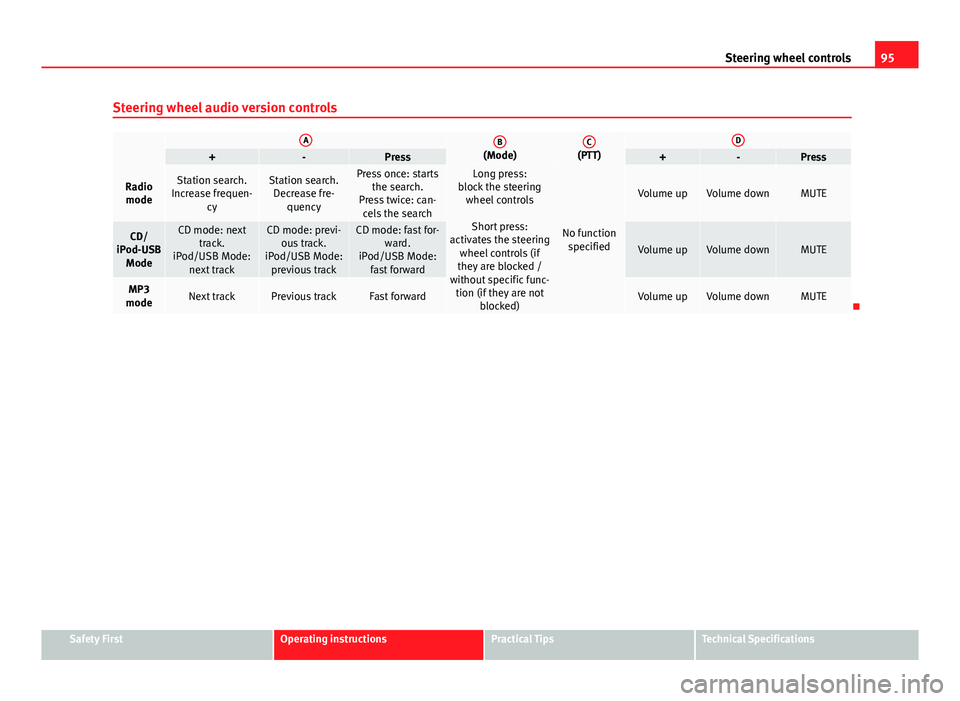
Steering wheel controls
Steering wheel audio version controls
AB(Mode)C(PTT)D+-Press+-Press
Radio modeStation search.
Increase frequen- cyStation search.Decrease fre- quencyPress once: starts the search.
Press twice: can- cels the searchLong press:
block the steering wheel controls
Short press:
activates the steering wheel controls (if
they are blocked /
without specific func- tion (if they are not blocked)
No functionspecified
Volume upVolume downMUTE
CD/
iPod-USB ModeCD mode: next track.
iPod/USB Mode: next trackCD mode: previ-ous track.
iPod/USB Mode: previous trackCD mode: fast for- ward.
iPod/USB Mode: fast forward
Volume upVolume downMUTE
MP3
modeNext trackPrevious trackFast forwardVolume upVolume downMUTE
Safety FirstOperating instructionsPractical TipsTechnical Specifications
Page 99 of 327
97
Steering wheel controls
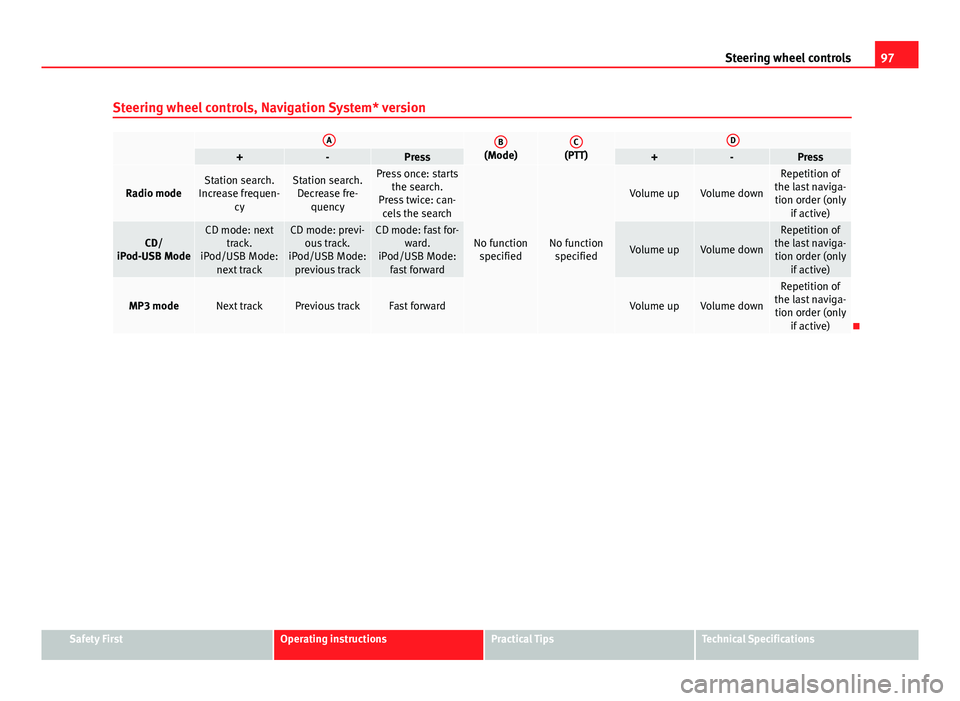
Steering wheel controls, Navigation System* version
AB(Mode)C(PTT)D+-Press+-Press
Radio modeStation search.
Increase frequen- cyStation search.Decrease fre- quencyPress once: starts the search.
Press twice: can- cels the search
No function specifiedNo function specified
Volume upVolume down
Repetition of
the last naviga- tion order (only if active)
CD/
iPod-USB ModeCD mode: next track.
iPod/USB Mode: next trackCD mode: previ-ous track.
iPod/USB Mode: previous trackCD mode: fast for- ward.
iPod/USB Mode: fast forward
Volume upVolume down
Repetition of
the last naviga- tion order (only if active)
MP3 modeNext trackPrevious trackFast forwardVolume upVolume down
Repetition of
the last naviga- tion order (only if active)
Safety FirstOperating instructionsPractical TipsTechnical Specifications
Page 101 of 327
99
Opening and closing
Opening and closing
Remote control keys
Set of keys
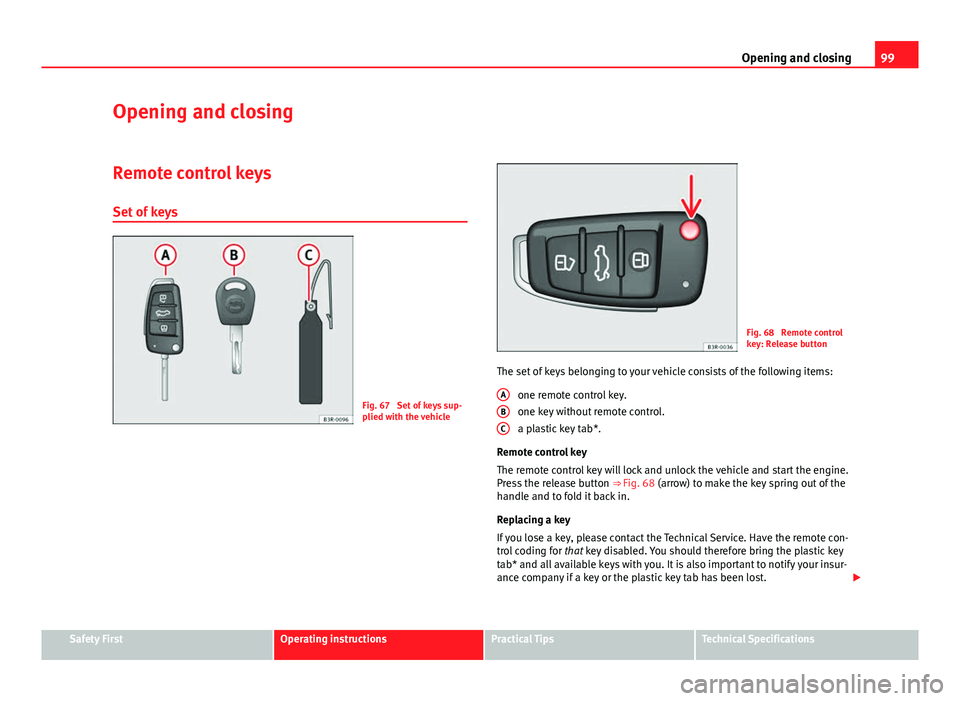
Fig. 67 Set of keys sup-
plied with the vehicle
Fig. 68 Remote control
key: Release button
The set of keys belonging to your vehicle consists of the following items: one remote control key.
one key without remote control.
a plastic key tab*.
Remote control key
The remote control key will lock and unlock the vehicle and start the engine.
Press the release button ⇒ Fig. 68 (arrow) to make the key spring out of the
handle and to fold it back in.
Replacing a key
If you lose a key, please contact the Technical Service. Have the remote con-
trol coding for that key disabled. You should therefore bring the plastic key
tab* and all available keys with you. It is also important to notify your insur-
ance company if a key or the plastic key tab has been lost.
A
BC
Safety FirstOperating instructionsPractical TipsTechnical Specifications
Page 103 of 327
101
Opening and closing
– Insert the new battery. Make sure that the “+” symbol on the
battery is facing downwards. The correct polarity is indicated on
the cover.
– After inserting the battery, align the cover and key and press
the two parts together.
For the sake of the environment
Used batteries must be disposed of at an appropriate waste facility or
through an authorised service, given that their components can affect the
environment.
Note
● The system must be re-synchronised after each battery replacement to
be able to lock and unlock the vehicle using the remote control
⇒ page 109.
● The new battery must be of the same type as the original.
Electronic immobiliser
The electronic immobiliser is designed to prevent unauthor-
ised persons from starting up the vehicle.
There is an electronic chip inside the key which automatically deactivates
the immobiliser when the key is inserted into the ignition lock. The electron-
ic immobiliser is enabled automatically when the ignition key is removed
from the ignition lock after coming to a stop.
If an uncoded key is used, the message SAFE* will appear in the trip record-
er display.
Note
● The engine can only be started using an original SEAT key with the cor-
rect code.
● It may not be possible to start the engine with the key if there is another
ignition key from a different make of vehicle on the same key tab.
Central locking system
Description
The central locking system enables you to lock and unlock
all the doors, the rear lid and the tank flap together. The central locking system on your vehicle locks and unlocks all the doors
and the tank flap simultaneously. The rear lid is unlocked when the vehicle
is opened. However, the handle must be used to open it. The vehicle can be
locked and unlocked using the remote control ⇒ page 108 or by turning the
key in the lock in the driver door.
The windows can also be centrally opened or closed using the central lock-
ing system ⇒ page 114. The sunroof* can be closed but not opened using
the central locking system.
The central locking system is combined with an anti-theft security system.
If the vehicle is locked with the key from the outside, the interior opening
levers stop working, which prevents unauthorised persons from entering
the vehicle.
Should the central locking system fail to work, you can activate all the locks
individually.
Safety FirstOperating instructionsPractical TipsTechnical Specifications
Page 113 of 327
111
Opening and closing
LED
When the vehicle is locked, the LED on the top of the driver door trim will
flash rapidly for about 30 seconds and then continue flashing slowly. This is
to indicate that the anti-theft alarm system (including the interior monitor-
ing and tow-away protection ) is operative. If the LED lights up continuously
for about 30 seconds when the vehicle is locked instead of flashing, this
means the alarm system is not working properly.
Note
● To make sure that the alarm is fully operative when leaving the vehicle,
briefly check that all the doors and windows and the sunroof* are closed.
● The alarm is triggered immediately if one of the battery cables is discon-
nected while the alarm system is enabled.
Interior monitoring*
The interior monitoring triggers an alarm if it detects move-
ment inside the vehicle.
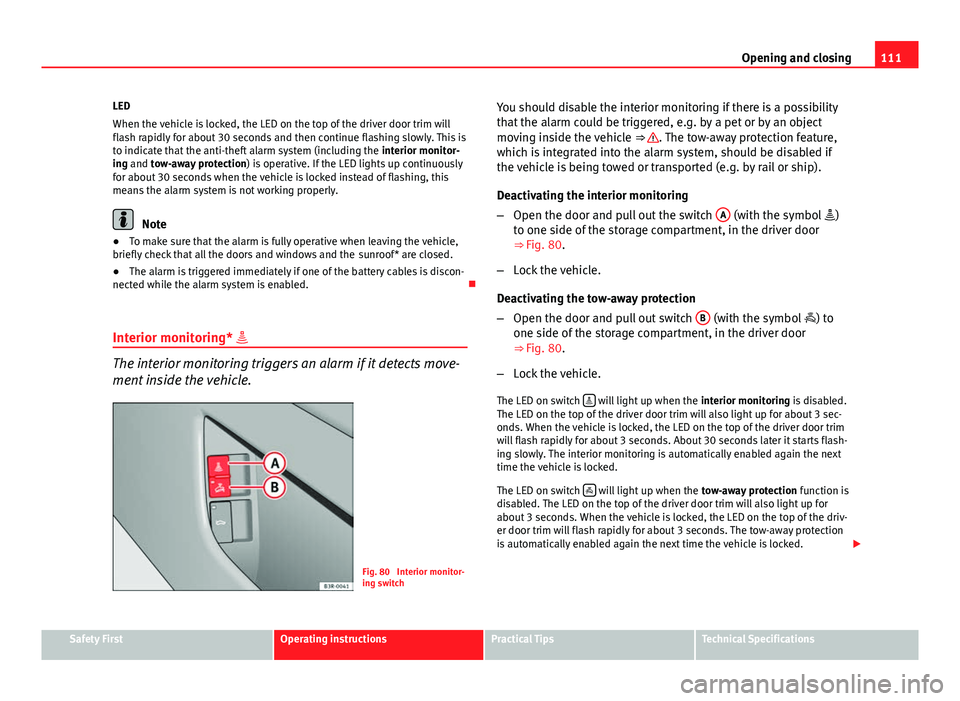
Fig. 80 Interior monitor-
ing switch You should disable the interior monitoring if there is a possibility
that the alarm could be triggered, e.g. by a pet or by an object
moving inside the vehicle
⇒
. The tow-away protection feature,
which is integrated into the alarm system, should be disabled if
the vehicle is being towed or transported (e.g. by rail or ship).
Deactivating the interior monitoring
– Open the door and pull out the switch A
(with the symbol
)
to one side of the storage compartment, in the driver door
⇒ Fig. 80.
– Lock the vehicle.
Deactivating the tow-away protection
– Open the door and pull out switch B
(with the symbol
) to
one side of the storage compartment, in the driver door
⇒ Fig. 80.
– Lock the vehicle.
The LED on switch
will light up when the
interior monitoring is disabled.
The LED on the top of the driver door trim will also light up for about 3 sec-
onds. When the vehicle is locked, the LED on the top of the driver door trim
will flash rapidly for about 3 seconds. About 30 seconds later it starts flash-
ing slowly. The interior monitoring is automatically enabled again the next
time the vehicle is locked.
The LED on switch
will light up when the
tow-away protection function is
disabled. The LED on the top of the driver door trim will also light up for
about 3 seconds. When the vehicle is locked, the LED on the top of the driv-
er door trim will flash rapidly for about 3 seconds. The tow-away protection
is automatically enabled again the next time the vehicle is locked.
Safety FirstOperating instructionsPractical TipsTechnical Specifications
Page 114 of 327
112Opening and closing
WARNING
Do not leave anyone (especially children) in the vehicle if it is locked from
the outside and the anti-theft security system is enabled, as the doors
and windows cannot then be opened from the inside. Locked doors could
delay assistance in an emergency, potentially putting lives at risk.
Electric windows Controls
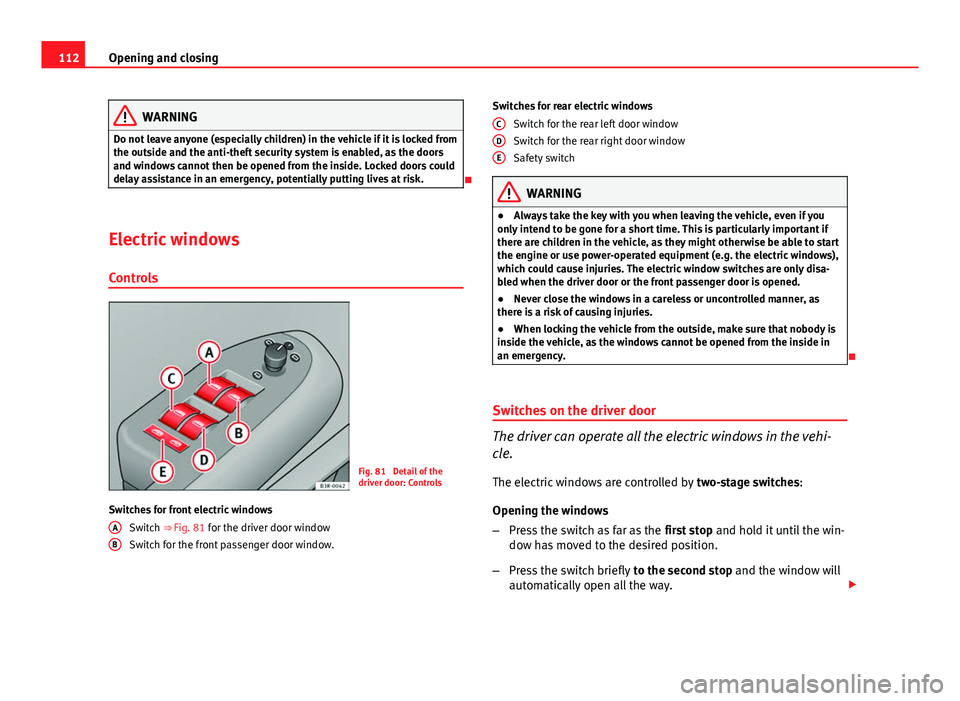
Fig. 81 Detail of the
driver door: Controls
Switches for front electric windows Switch ⇒ Fig. 81 for the driver door window
Switch for the front passenger door window.
A
B
Switches for rear electric windows
Switch for the rear left door window
Switch for the rear right door window
Safety switch
WARNING
● Always take the key with you when leaving the vehicle, even if you
only intend to be gone for a short time. This is particularly important if
there are children in the vehicle, as they might otherwise be able to start
the engine or use power-operated equipment (e.g. the electric windows),
which could cause injuries. The electric window switches are only disa-
bled when the driver door or the front passenger door is opened.
● Never close the windows in a careless or uncontrolled manner, as
there is a risk of causing injuries.
● When locking the vehicle from the outside, make sure that nobody is
inside the vehicle, as the windows cannot be opened from the inside in
an emergency.
Switches on the driver door
The driver can operate all the electric windows in the vehi-
cle. The electric windows are controlled by two-stage switches:
Opening the windows
– Press the switch as far as the first stop and hold it until the win-
dow has moved to the desired position.
– Press the switch briefly to the second stop and the window will
automatically open all the way.
C
DE
Page 117 of 327

115
Opening and closing
The sunroof will work for about ten minutes after the ignition has been
switched off. However, it is immediately disabled when one of the front
doors is opened.
Opening/Tilting
The sunroof will create less wind noise if it is opened in the
convenience position.
Fig. 83 Detail of headlin-
er: Sliding/tilting sunroof
control
Convenience position
– Turn the control until it engages at position 1
⇒ Fig. 83. The
sunroof will now only open as far as the convenience position
which means there is less wind noise.
Opening completely
– Turn the switch to position 2
and hold it until the sunroof rea-
ches the desired position. This position can cause more wind
noise. Tilting open
–
Turn the control to position 0
.
– With the control in position 0, press the control briefly to make
the roof tilt open all the way.
– To open the roof as far as an intermediate setting, press and
hold the control until the roof has moved to the desired posi-
tion.
When you release the switch it will automatically spring back from position 2
to position 1.
The sliding sun blind in the headliner automatically opens when the sunroof
is slid open. If required, it can be closed by hand when the sunroof is
closed.
It is advisable to close the sun blind when the vehicle is left standing in the
sun. It is important to remember to close the sunroof when parking the vehi-
cle or if it suddenly starts raining, especially when the sun blind is closed.
For further information on the automatic close function, see ⇒ page 116.
Closing
Closing
– Turn the control to position 0
⇒ Fig. 83 to close the sunroof
⇒ .
Closing the sunroof from the tilt position
– Pull the specially formed rear end of the control and hold it until
the sunroof has moved down to the desired position.
Safety FirstOperating instructionsPractical TipsTechnical Specifications
Page 132 of 327
130Lights and visibility
–In vehicles equipped with a rain sensor*, you can move the
switch A
up and down to set the sensitivity of the rain sensor.
Slow wipe
– Move the lever up to position 3
.
Continuous wipe
– Move the lever up to position 4
.
Automatic wash and wipe
– Pull the lever towards the steering wheel, 5
, to activate the
windscreen washer.
– Release the lever. The washer will stop and the wipers will keep
running for approximately 4 seconds.
Deactivating the windscreen wiper
– Pull the lever to basic position 0
.
General notes
The washers and wipers will work only when the ignition is switched on.
If you stop briefly, e.g. at traffic lights, the wiper speed will automatically be
reduced. The rain sensor* will automatically be set to the intermittent wipe
function.
The windscreen washer jets are heated when the ignition is switched on.
The wiper intervals in the intermittent wipe setting are also varied automati-
cally according to the road speed (in addition to the manual delay setting).
When the lights are switched on you should only pull the lever briefly to
wash the windscreen, otherwise the headlight washers* will also be ena-
bled. This will use an unnecessary amount of fluid from the reservoir. Rain sensor
The rain sensor* will only function in the intermittent wipe position. The in-
termittent wipe function is enabled automatically when it starts to rain.
If the windscreen wiper lever was in the intermittent wipe position when the
ignition was off, the rain sensor will not activate until you reach a speed of
6 km/h.
Use switch
A
to set the sensitivity of the rain sensor*.
If you have selected a high sensitivity level for the rain sensor the wind-
screen wipers will react sooner to any moisture on the windscreen.
The wiper intervals in the intermittent wipe setting are also varied automati-
cally according to the road speed (in addition to the sensitivity setting).
WARNING
● For correct visibility and safe driving, the wiper must be in perfect
condition ⇒ page 222. Failure to do so could result in an accident.
● The rain sensor* is only intended to assist the driver. The driver is
still obliged to manually operate the windscreen wipers as required de-
pending on visibility.
● Do not use water-repellent coatings on the windscreen. In bad visibili-
ty conditions such as light rain, low sun or when driving at night, these
coatings can cause increased dazzle, which is a serious safety hazard.
Such coatings can also cause the windscreen wiper blades to make
noise.
Page 133 of 327
131
Lights and visibility
CAUTION
● In the event of frost, check that the wiper blade has not frozen before
activating the windscreen wipers. Should the windscreen wiper system be
enabled when the blade is frozen, this could damage it or even the wind-
screen wiper system motor.
● Make sure you switch off the windscreen wiper system (lever in position
0) before you use an automatic car wash. This will avoid inadvertent trigger-
ing of the wipers and possible damage to the wiper system.
Note
● Check that the washer fluid reservoir is full before starting a long jour-
ney. Fill the reservoir ⇒ page 243.
● Worn or dirty wiper blades can cause smearing on the glass which can
also impair the effectiveness of the rain sensor*. Check the condition of
windscreen wiper blades at regular intervals. Rear window wiper
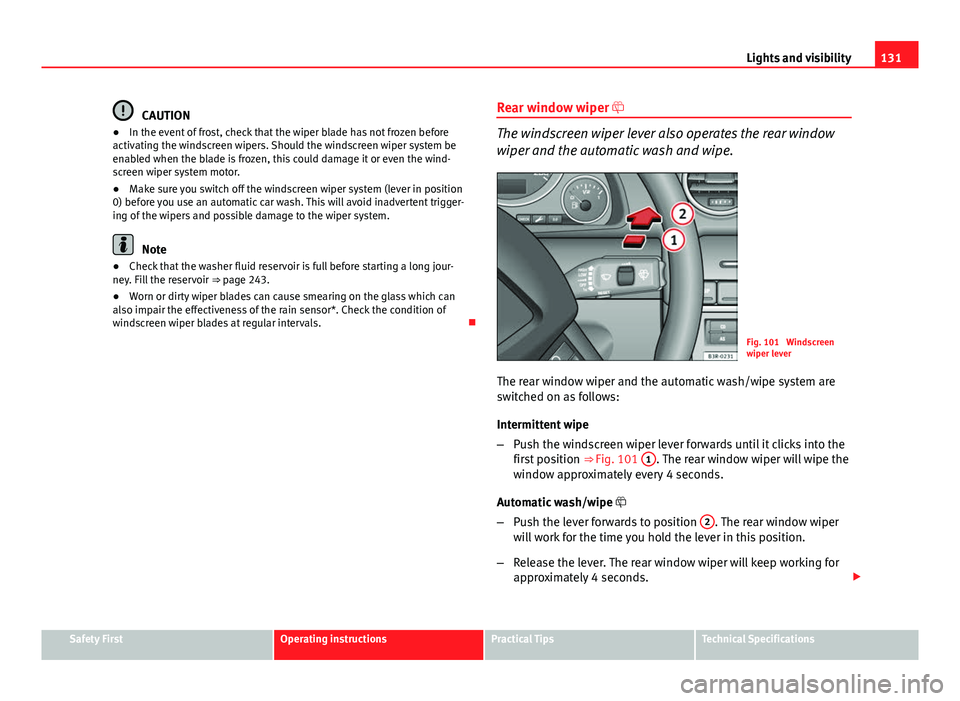
The windscreen wiper lever also operates the rear window
wiper and the automatic wash and wipe.
Fig. 101 Windscreen
wiper lever
The rear window wiper and the automatic wash/wipe system are
switched on as follows:
Intermittent wipe
– Push the windscreen wiper lever forwards until it clicks into the
first position ⇒ Fig. 101 1
. The rear window wiper will wipe the
window approximately every 4 seconds.
Automatic wash/wipe
– Push the lever forwards to position 2
. The rear window wiper
will work for the time you hold the lever in this position.
– Release the lever. The rear window wiper will keep working for
approximately 4 seconds.
Safety FirstOperating instructionsPractical TipsTechnical Specifications