light Seat Ibiza 5D 2012 Owner's Guide
[x] Cancel search | Manufacturer: SEAT, Model Year: 2012, Model line: Ibiza 5D, Model: Seat Ibiza 5D 2012Pages: 280, PDF Size: 3.66 MB
Page 90 of 280
88Opening and closing
Anti-theft alarm system*
Description of anti-theft alarm system*
The anti-theft alarm triggers if unauthorised movements are
detected around the vehicle.
The anti-theft alarm makes it more difficult to break into the vehicle or steal
it. The system will initiate acoustic and optical warning signals when your
vehicle is tried to be forced.
The anti-theft alarm system is automatically switched on when locking the
vehicle. For this, either rotate the key in the locking position or press button
2 on the radio frequency remote control*. The system is immediately ac-
tivated and the turn signal light located on the driver door will flash along
with the turn signals, indicating that the alarm and the locking security sys-
tem (double lock) have been turned on.
If any of the doors or the bonnet are open, they will not be included in the
protection zones of the vehicle when the alarm is connected. If the door or
the bonnet are subsequently closed, they will be automatically included in
the protection areas of the vehicle and the turn signals will flash according-
ly when the doors close.
● The turn signal light will flash twice on opening and deactivating the
alarm.
● The turn signal light will flash once on closing and activating the alarm.
When does the system trigger an alarm?
The system triggers an alarm if the following unauthorised actions are car-
ried out when the vehicle is locked: ●
Opening of vehicle with mechanical key without switching ignition on
within the next 15 seconds
● Opening a door
● Opening the bonnet
● Opening the rear lid
● Ignition switched on with a non-validated key.
● Movements in the driving compartment (vehicles with a volume sensor)
● Towing of the vehicle 1)
● Tilt angle (tow-away protection) 1)
● Undue manipulation of the alarm
● Battery handling
The acoustic signals sound and the turn signals flash for approx. 30 sec-
onds. This may be repeated up to 10 times depending on the country.
Opening all the doors in manual mode
In vehicles without alarm, when opening the driver door manually all the
doors are opened.
How to switch the alarm off
To deactivate the anti-theft alarm, turn the key in the opening direction,
open the door and switch the ignition on, or press the unlock button
on
the remote control.
In vehicles equipped with an anti-theft alarm system, you have 15 seconds
to insert the key in the ignition lock and activate the ignition if the vehicle is
opened using the driver door key.
Otherwise, the alarm will trigger for 30 sec. and the ignition will be blocked.
1)
With vehicles fitted with a tow-away protection
Page 91 of 280
89
Opening and closing
Note
● After 28 days, the indicator light will be switched off to prevent the bat-
tery from exhausting if the vehicle has been left parked for a long period of
time. The alarm system remains activated.
● The alarm will trigger again if attempts are made to open another protec-
tion zone.
● The alarm system can be activated or deactivated using the radio fre-
quency remote control ⇒ page 86.
Vehicle interior monitoring and tow-away protection
system*
Monitoring or control function incorporated in the anti-theft
alarm* which detects unauthorized vehicle entry by means
of ultrasound.
Activation
– It is automatically switched on when the anti-theft alarm is acti-
vated.
Deactivation
– Open the vehicle with the key, either mechanically 1)
or by press-
ing the
button on the remote control.
– Press the button
on the remote control twice. The volumetric
sensor and tilt sensors will be deactivated. The alarm system re-
mains activated. The vehicle interior monitoring and the tow-away protection system are au-
tomatically switched on again next time the vehicle is locked.
The vehicle interior monitoring and tow-away protection sensor (tilt sensor)
are automatically switched on when the anti-theft alarm is switched on. In
order to activate it, all the doors and the rear lid must be closed.
If you wish to switch off the vehicle interior monitoring and the tow-away
protection system, it must be done each time that the vehicle is locked; if
not, they will be automatically switched on.
The vehicle interior monitoring and the tow-away protection system should
be switched off if animals are left inside the locked vehicle (otherwise, their
movements will trigger the alarm) or when, for example, the vehicle is trans-
ported or has to be towed with only one axle on the ground.
False alarms
The interior monitoring only operates correctly if the vehicle is completely
closed. Please observe legal requirements when doing so.
The following cases may cause a false alarm:
●
opened windows (partially or fully)
● panoramic/tilting sunroof open (partially or completely).
● movement of objects inside the vehicle, such as loose papers, items
hanging from the rear vision mirror (air fresheners), etc.
1)
The time period from when the door is opened until the key is inserted in the contact
should not exceed 15 sec., otherwise the alarm will be triggered.
Safety FirstOperating InstructionsPractical TipsTechnical Specifications
Page 93 of 280
91
Opening and closing
Rear lid
Unlocking and locking
The rear lid opening system operates electrically. It is activa-
ted by using the handle on the rear lid.
Fig. 48 Rear lid: opening
from the outside
Fig. 49 Detail of the in-
side of the rear lid: hand
grip
Opening the rear lid
– Pull on the release lever and lift the rear lid ⇒ Fig. 48. The rear
lid will automatically open.
Closing the rear lid
– Hold the rear lid by one of the two handles on the interior lining
and close it, pushing slightly.
The system may or may not operate depending on the situation of the vehi-
cle.
If the rear lid is locked then it cannot be opened, however if it is unlocked
then the opening system is operative and the rear lid may be opened.
To change the locking / unlocking status, press the button
or the button
1 ⇒ Fig. 46 on the remote control key.
A warning appears on the instrument panel display if the rear lid is open or
not properly closed.* An audible warning is also given if the rear lid is
opened while the vehicle is moving faster than 6 km/h (4 mph).*
Safety FirstOperating InstructionsPractical TipsTechnical Specifications
Page 94 of 280
92Opening and closing
WARNING
● Always close the rear lid properly. Risk of accident or injury.
● The rear lid must not be opened when the reverse or rear fog lights
are lit. This may damage the tail lights
● Do not close the rear lid by pushing it down with your hand on the
rear window. The glass could smash. Risk of injury!
● Ensure the rear lid is locked after closing it. If not, it may open unex-
pectedly while driving.
● Never allow children to play in or around the vehicle. A locked vehicle
can be subjected to extremely high and low temperatures, depending on
the time of year, thus causing serious injuries/illness. It could even have
fatal consequences. Close and lock both the rear lid and all the other
doors when you are not using the vehicle.
● Closing the rear lid without observing and ensuring it is clear could
cause serious injury to you and to third parties. Make sure that no one is
in the path of the rear lid.
● Never drive with the rear lid open or half-closed, exhaust gases may
penetrate into the interior of the vehicle. Danger of poisoning!
● If you only open the rear lid, do not leave the key inside. The vehicle
will not be opened if the key is left inside.
Emergency opening
This allows the vehicle to be opened if the central locking
does not operate (for example, if the battery is flat)
Fig. 50 Rear lid: emer-
gency open
There is a groove in the luggage compartment allowing access to
the emergency opening mechanism.
Opening the rear lid from inside the luggage compartment
– Insert the key in the groove and unlock the locking system, turn-
ing the key from right to left, as shown by the arrow ⇒ Fig. 50.
Page 100 of 280
98Lights and visibility
Lights and visibility
Lights Switching lights on and off
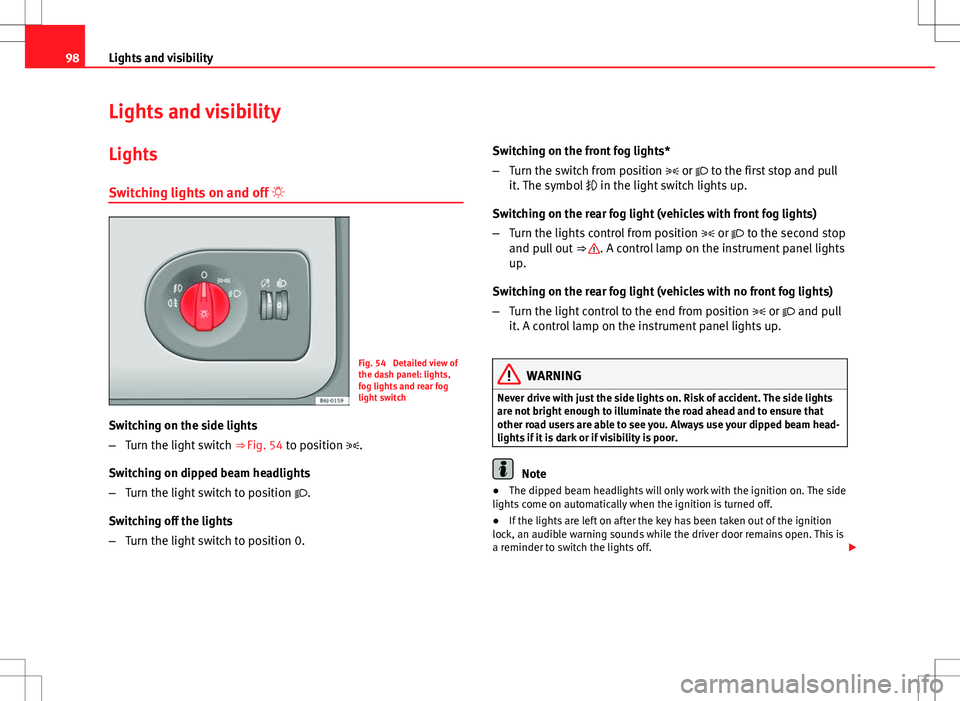
Fig. 54 Detailed view of
the dash panel: lights,
fog lights and rear fog
light switch
Switching on the side lights
– Turn the light switch ⇒ Fig. 54 to position .
Switching on dipped beam headlights
– Turn the light switch to position .
Switching off the lights
– Turn the light switch to position 0. Switching on the front fog lights*
–
Turn the switch from position or to the first stop and pull
it. The symbol in the light switch lights up.
Switching on the rear fog light (vehicles with front fog lights)
– Turn the lights control from position or to the second stop
and pull out ⇒
. A control lamp on the instrument panel lights
up.
Switching on the rear fog light (vehicles with no front fog lights)
– Turn the light control to the end from position or and pull
it. A control lamp on the instrument panel lights up.
WARNING
Never drive with just the side lights on. Risk of accident. The side lights
are not bright enough to illuminate the road ahead and to ensure that
other road users are able to see you. Always use your dipped beam head-
lights if it is dark or if visibility is poor.
Note
● The dipped beam headlights will only work with the ignition on. The side
lights come on automatically when the ignition is turned off.
● If the lights are left on after the key has been taken out of the ignition
lock, an audible warning sounds while the driver door remains open. This is
a reminder to switch the lights off.
Page 101 of 280
99
Lights and visibility
● The rear fog light is so bright that it can dazzle drivers behind you. You
should use the rear fog light only when visibility is very poor.
● The use of the lighting described here is subject to the relevant statutory
requirements.
Automatic lighting*
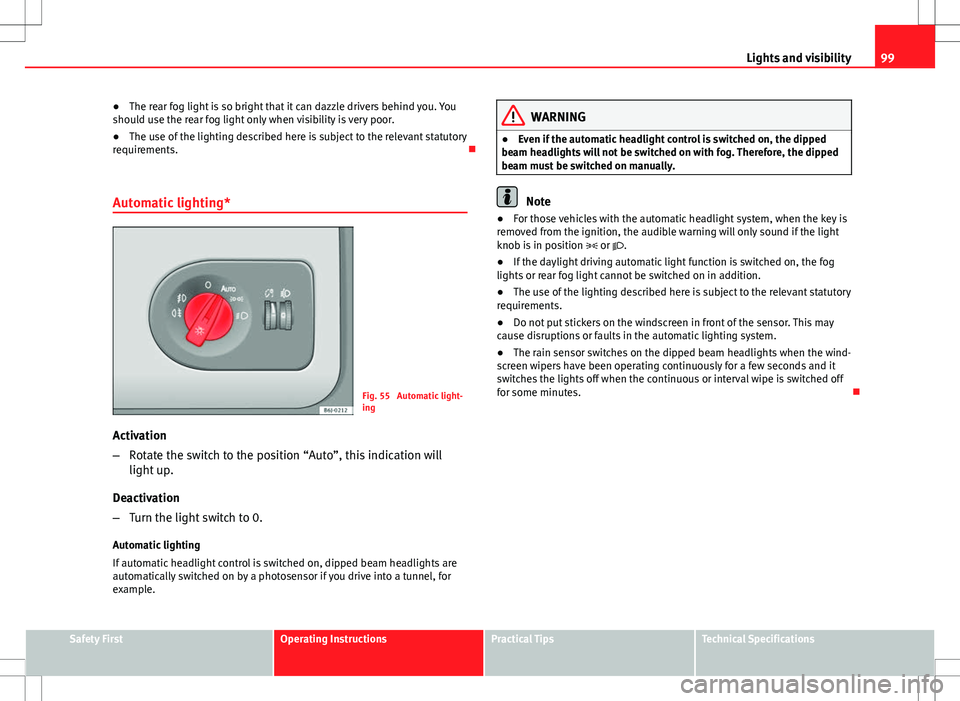
Fig. 55 Automatic light-
ing
Activation
– Rotate the switch to the position “Auto”, this indication will
light up.
Deactivation
– Turn the light switch to 0.
Automatic lighting
If automatic headlight control is switched on, dipped beam headlights are
automatically switched on by a photosensor if you drive into a tunnel, for
example.
WARNING
● Even if the automatic headlight control is switched on, the dipped
beam headlights will not be switched on with fog. Therefore, the dipped
beam must be switched on manually.
Note
● For those vehicles with the automatic headlight system, when the key is
removed from the ignition, the audible warning will only sound if the light
knob is in position or .
● If the daylight driving automatic light function is switched on, the fog
lights or rear fog light cannot be switched on in addition.
● The use of the lighting described here is subject to the relevant statutory
requirements.
● Do not put stickers on the windscreen in front of the sensor. This may
cause disruptions or faults in the automatic lighting system.
● The rain sensor switches on the dipped beam headlights when the wind-
screen wipers have been operating continuously for a few seconds and it
switches the lights off when the continuous or interval wipe is switched off
for some minutes.
Safety FirstOperating InstructionsPractical TipsTechnical Specifications
Page 102 of 280
100Lights and visibility
Instrument and switch lighting / Headlight range control
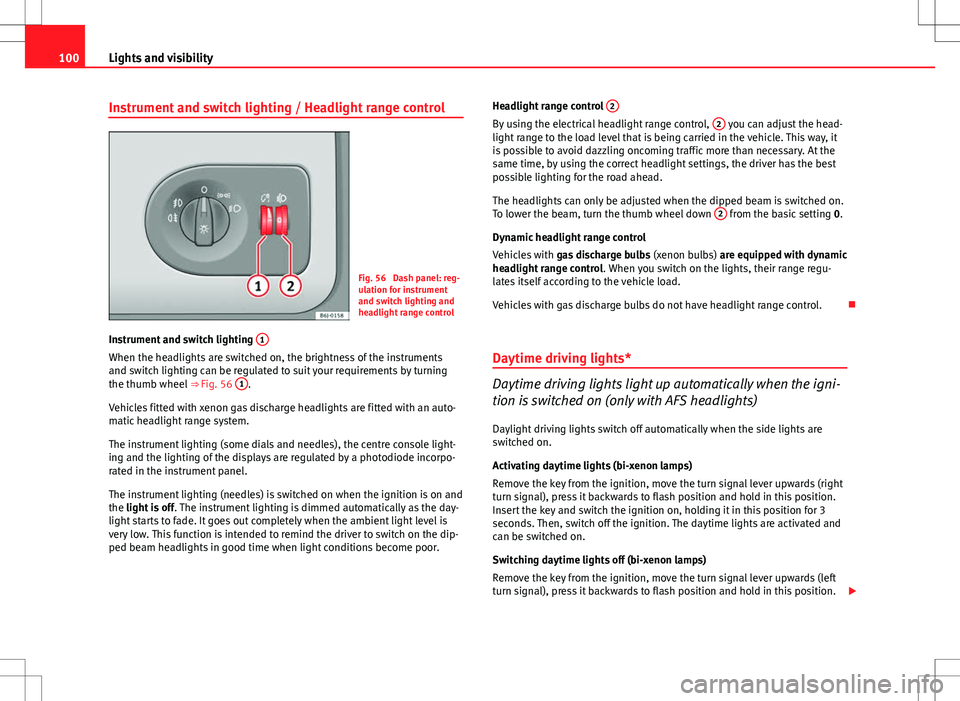
Fig. 56 Dash panel: reg-
ulation for instrument
and switch lighting and
headlight range control
Instrument and switch lighting 1
When the headlights are switched on, the brightness of the instruments
and switch lighting can be regulated to suit your requirements by turning
the thumb wheel
⇒ Fig. 56 1
.
Vehicles fitted with xenon gas discharge headlights are fitted with an auto-
matic headlight range system.
The instrument lighting (some dials and needles), the centre console light-
ing and the lighting of the displays are regulated by a photodiode incorpo-
rated in the instrument panel.
The instrument lighting (needles) is switched on when the ignition is on and
the light is off . The instrument lighting is dimmed automatically as the day-
light starts to fade. It goes out completely when the ambient light level is
very low. This function is intended to remind the driver to switch on the dip-
ped beam headlights in good time when light conditions become poor. Headlight range control
2
By using the electrical headlight range control, 2 you can adjust the head-
light range to the load level that is being carried in the vehicle. This way, it
is possible to avoid dazzling oncoming traffic more than necessary. At the
same time, by using the correct headlight settings, the driver has the best
possible lighting for the road ahead.
The headlights can only be adjusted when the dipped beam is switched on.
To lower the beam, turn the thumb wheel down 2
from the basic setting
0.
Dynamic headlight range control
Vehicles with gas discharge bulbs (xenon bulbs) are equipped with dynamic
headlight range control . When you switch on the lights, their range regu-
lates itself according to the vehicle load.
Vehicles with gas discharge bulbs do not have headlight range control.
Daytime driving lights*
Daytime driving lights light up automatically when the igni-
tion is switched on (only with AFS headlights)
Daylight driving lights switch off automatically when the side lights are
switched on.
Activating daytime lights (bi-xenon lamps)
Remove the key from the ignition, move the turn signal lever upwards (right
turn signal), press it backwards to flash position and hold in this position.
Insert the key and switch the ignition on, holding it in this position for 3
seconds. Then, switch off the ignition. The daytime lights are activated and
can be switched on.
Switching daytime lights off (bi-xenon lamps)
Remove the key from the ignition, move the turn signal lever upwards (left
turn signal), press it backwards to flash position and hold in this position.
Page 103 of 280
101
Lights and visibility
Insert the key and switch the ignition on, holding it in this position for 3
seconds. Then, switch off the ignition. The daytime lights are deactivated
and cannot be switched on.
Note
See legal requirements for each country.
Adaptive headlights* (for driving round bends)
When driving around bends, the headlights will light the
most important areas of the road.
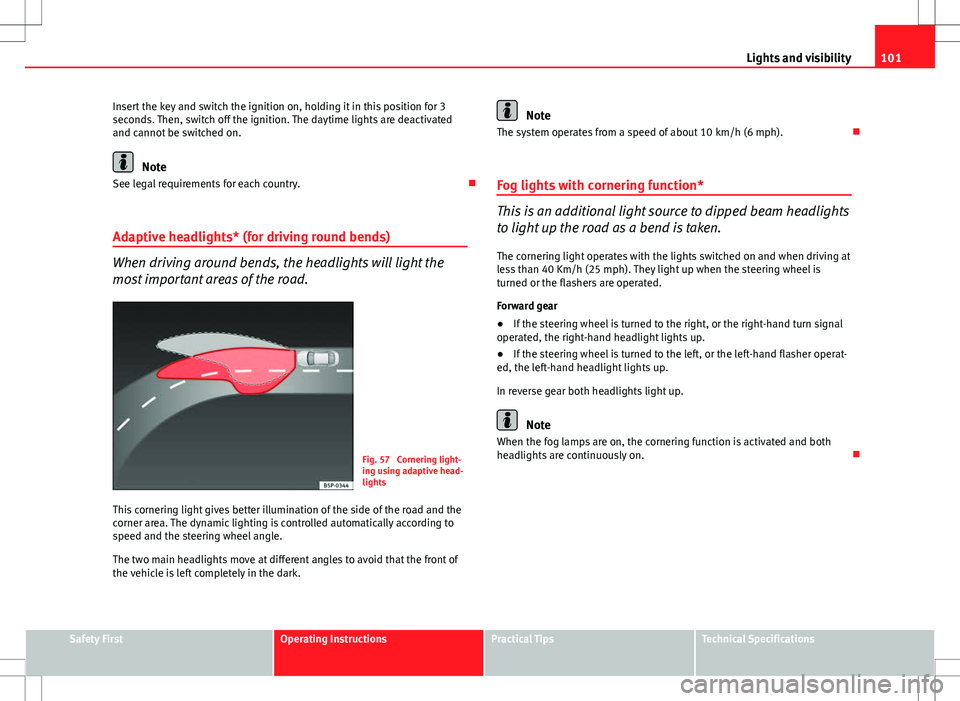
Fig. 57 Cornering light-
ing using adaptive head-
lights
This cornering light gives better illumination of the side of the road and the
corner area. The dynamic lighting is controlled automatically according to
speed and the steering wheel angle.
The two main headlights move at different angles to avoid that the front of
the vehicle is left completely in the dark.
Note
The system operates from a speed of about 10 km/h (6 mph).
Fog lights with cornering function*
This is an additional light source to dipped beam headlights
to light up the road as a bend is taken.
The cornering light operates with the lights switched on and when driving at
less than 40 Km/h (25 mph). They light up when the steering wheel is
turned or the flashers are operated.
Forward gear
● If the steering wheel is turned to the right, or the right-hand turn signal
operated, the right-hand headlight lights up.
● If the steering wheel is turned to the left, or the left-hand flasher operat-
ed, the left-hand headlight lights up.
In reverse gear both headlights light up.
Note
When the fog lamps are on, the cornering function is activated and both
headlights are continuously on.
Safety FirstOperating InstructionsPractical TipsTechnical Specifications
Page 104 of 280
102Lights and visibility
Coming/leaving Home function*
The Coming Home function is controlled manually. The Leav-
ing Home function is controlled with a photosensor.
If the Coming Home or Leaving Home function is connected, the front side
and dipped lights, the tail lights and the number plate light will light up to
provide assistance.
Coming home function
The Coming Home function is activated by switching off the ignition and
briefly flashing the lights. When the driver door is opened, the Coming
Home lighting comes on. If the driver door is already open when the lights
are flashed briefly, the Coming Home lighting comes on immediately.
When the last door of the vehicle or the rear lid is closed, the Coming Home
function starts and the switching off the headlights is delayed.
The Coming Home lighting switches off in the following cases:
● On completion of the time period established for the delay in switching
off the lights after all the vehicle doors and the rear lid have been closed.
● If, 30 seconds after being connected, any doors or the rear lid remain
open.
● If the light switch is turned to position .
● If the ignition is switched on.
Leaving home function
The Leaving Home function is activated when the vehicle is unlocked if:
● the light control is in position and
● the photosensor detects “darkness”.
The Leaving Home lighting switches off in the following cases:
● If the time period for the delay in switching off the headlights has ended
● If the vehicle is locked again. ●
If the light switch is turned to position .
● If the ignition is switched on.
Note
● To activate the coming/leaving home function, the rotary light switch
must be in position and the light sensor must detect darkness.
● If the ignition key is removed while the lights are on, and the lights are
flashed briefly and the driver door opened, no audible warning is heard, as
when the Coming Home function is on, the lights are automatically switched
off after a period of time (except when the light switch is in position or
.
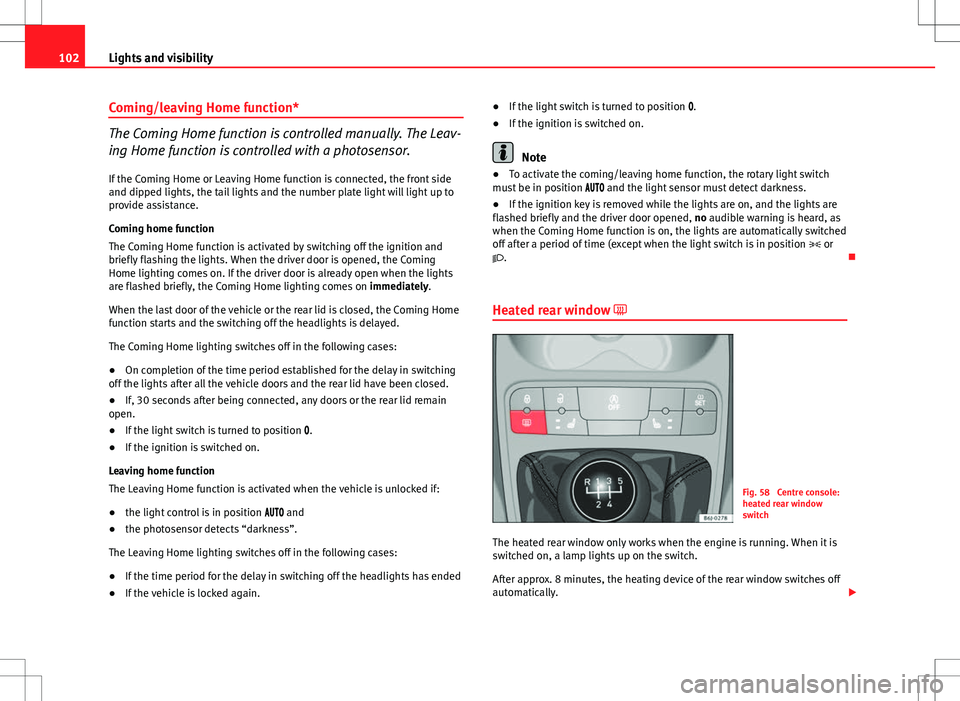
Heated rear window
Fig. 58 Centre console:
heated rear window
switch
The heated rear window only works when the engine is running. When it is
switched on, a lamp lights up on the switch.
After approx. 8 minutes, the heating device of the rear window switches off
automatically.
Page 105 of 280
103
Lights and visibility
For the sake of the environment
The heated rear window should be switched off as soon as the glass is dem-
isted. By saving electrical power you can also save fuel.
Note
To avoid possible damage to the battery, an automatic temporary discon-
nection of this function is possible, coming back on when normal operating
conditions are re-established.
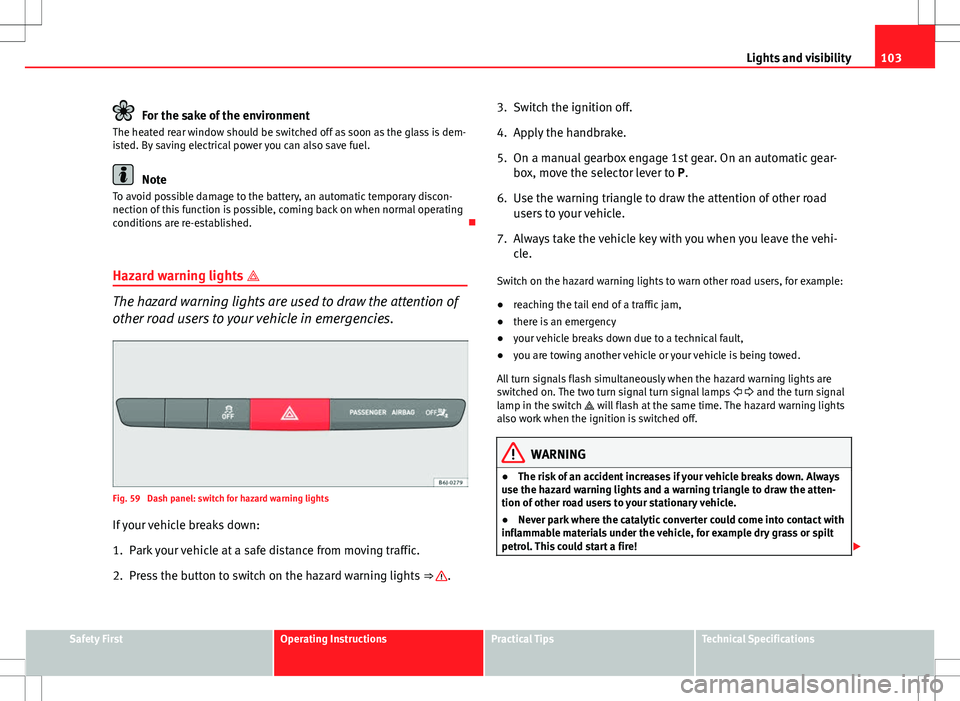
Hazard warning lights
The hazard warning lights are used to draw the attention of
other road users to your vehicle in emergencies.
Fig. 59 Dash panel: switch for hazard warning lights
If your vehicle breaks down:
1. Park your vehicle at a safe distance from moving traffic.
2. Press the button to switch on the hazard warning lights ⇒
.3. Switch the ignition off.
4. Apply the handbrake.
5. On a manual gearbox engage 1st gear. On an automatic gear-
box, move the selector lever to P.
6. Use the warning triangle to draw the attention of other road users to your vehicle.
7. Always take the vehicle key with you when you leave the vehi- cle.
Switch on the hazard warning lights to warn other road users, for example:
● reaching the tail end of a traffic jam,
● there is an emergency
● your vehicle breaks down due to a technical fault,
● you are towing another vehicle or your vehicle is being towed.
All turn signals flash simultaneously when the hazard warning lights are
switched on. The two turn signal turn signal lamps and the turn signal
lamp in the switch will flash at the same time. The hazard warning lights
also work when the ignition is switched off.
WARNING
● The risk of an accident increases if your vehicle breaks down. Always
use the hazard warning lights and a warning triangle to draw the atten-
tion of other road users to your stationary vehicle.
● Never park where the catalytic converter could come into contact with
inflammable materials under the vehicle, for example dry grass or spilt
petrol. This could start a fire!
Safety FirstOperating InstructionsPractical TipsTechnical Specifications