window Seat Ibiza 5D 2014 User Guide
[x] Cancel search | Manufacturer: SEAT, Model Year: 2014, Model line: Ibiza 5D, Model: Seat Ibiza 5D 2014Pages: 240, PDF Size: 4.89 MB
Page 76 of 240
Operation
choosing a mobile phone, SEAT offers the re-
sults of the compatibility tests on different
mobile phones. Visit the SEAT website or ask
at your dealer.
Depending on your mobile phone model, cer-
tain functions may not be available or it may
be necessary to change the configuration. Fa-
miliarise yourself with your phone and read
the instruction manual to learn the possibili-
ties it offers.
Even when the mobile phone appears as
compatible in our list, we have noticed that
occasionally it is possible that the phone
presents an abnormal behaviour with the
system due to software errors. In this case,
we recommend you update the telephone
software. Mobile phone manufacturers usual-
ly make updates available on Internet for
their customers in order to improve the work-
ing of the phone.
In the event that you have various applica-
tions to make calls, such as internet calling,
the mobile will ask you from which applica-
tion you wish to make the call. Until confir-
mation is given you will not be able to make
the call.
If you try to make a call and it is not pro-
cessed, check your mobile phone as it is pos-
sible that a pop-up window on your tele-
phone is requesting you to select the pro-
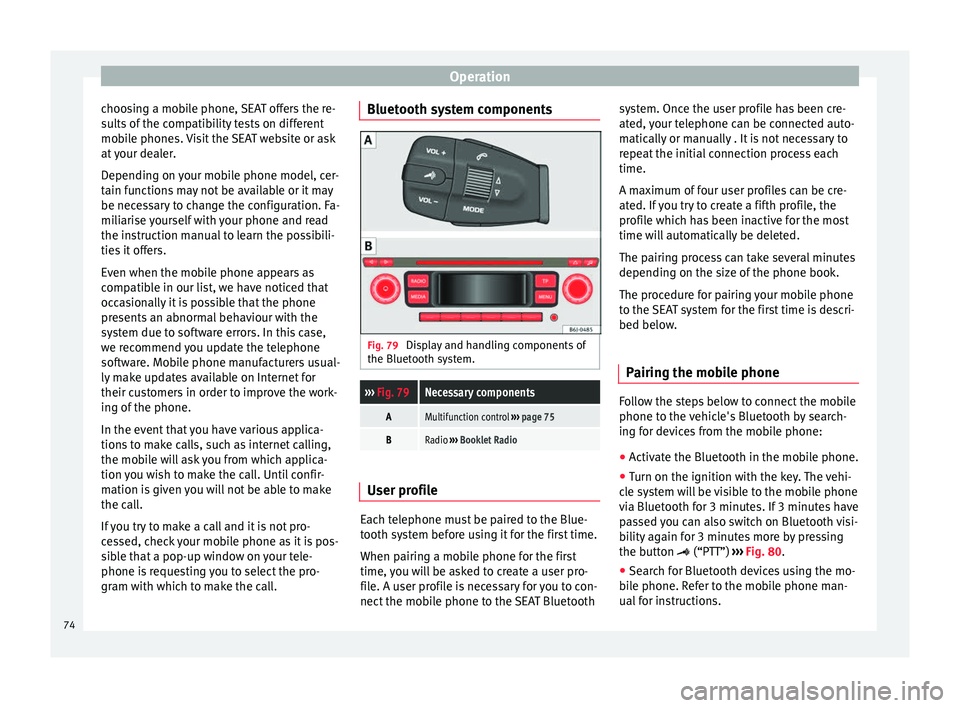
gram with which to make the call. Bluetooth system components
Fig. 79
Display and handling components of
the Bluetooth system.››› Fig. 79Necessary components
AMultifunction control ››› page 75
BRadio ››› Booklet Radio User profile
Each telephone must be paired to the Blue-
tooth system before using it for the first time.
When pairing a mobile phone for the first
time, you will be asked to create a user pro-
file. A user profile is necessary for you to con-
nect the mobile phone to the SEAT Bluetoothsystem. Once the user profile has been cre-
ated, your telephone can be connected auto-
matically or manually . It is not necessary to
repeat the initial connection process each
time.
A maximum of four user profiles can be cre-
ated. If you try to create a fifth profile, the
profile which has been inactive for the most
time will automatically be deleted.
The pairing process can take several minutes
depending on the size of the phone book.
The procedure for pairing your mobile phone
to the SEAT system for the first time is descri-
bed below.
Pairing the mobile phone Follow the steps below to connect the mobile
phone to the vehicle's Bluetooth by search-
ing for devices from the mobile phone:
●
Activate the Bluetooth in the mobile phone.
● Turn on the ignition with the key. The vehi-
cle system will be visible to the mobile phone
via Bluetooth for 3 minutes. If 3 minutes have
passed you can also switch on Bluetooth visi-
bility again for 3 minutes more by pressing
the button (“PTT”) ›››
Fig. 80 .
● Se ar
ch for Bluetooth devices using the mo-
bile phone. Refer to the mobile phone man-
ual for instructions.
74
Page 79 of 240
Communications and multimedia
Voice control orders (commands) Voice control can be used in the following
languages:
Spanish, Mexican Spanish, German, English,
US English, French, Canadian French, Italian,
Portuguese, Czech, Russian and Dutch.
The language is configured at the dealer and
can only be changed at a SEAT Official Serv-
ice.
The languages available in each vehicle de-
pend on the destination of the vehicle.
Note the following to ensure that you are
properly understood: ● Speak in a normal tone and without pauses
or exaggerated pronunciation. ●
Avoid poor articulation of words.
● Keep the doors, windows and sun roof
closed if possible to avoid background
noises that might affect the system.
● Keep the air vents directed away from the
microphone (located on the interior light).
● At high speeds, you might need to speak
louder to drown out background noises.
● Avoid other noises in the vehicle during a
dialogue (e.g. other passengers speaking in
the vehicle).
● Avoid speaking when the system is saying
a cue. ●
The hands-free microphone is directed to-
wards the driver, therefore, only the driver
should try to operate the system.
● To make a call when there is heavy back-
ground noise we recommend using the
speech controlled telephone book instead of
speaking individual digits. This will help
avoid mistakes when specifying telephone
numbers.
Basic commands, valid anywhere in the
menuHELPThe system repeats all the possible com-
mands.
CANCELCancels a running dialogue. Other commands for operating the Bluetooth system
CommandAction
CALL [NAME]
a)Dialling a contact from the address book.
PHONE BOOKThis allows the user to display all the contacts, select one to call or store/delete its name by voice command.
CALL LISTThe Received calls, Missed calls or Dialled numbers list is displayed.
DIAL NUMBERYou can enter a telephone number so that you can call the applicable number
››› page 78.
REDIALThe system dials the last number.» 77
Technical specifications
Advice
Operation
Safety
The essentials
Page 85 of 240
Opening and closing
WARNING
● An incorrect use of the keys can cause seri-
ous injuries.
● Never leave children or disabled persons in
the vehicle. In case of emergency, they may
not be able to leave the vehicle or manage on
their own.
● An uncontrolled use of the key could start
the engine or activate any electric equipment
(e.g. electric windows), causing risk of acci-
dent. The doors can be locked using the re-
mote control key. This could become an ob-
stacle for assistance in an emergency situa-
tion.
● Never forget the keys inside the vehicle. An
unauthorised use of your vehicle could result
in injury, damage or theft. Always take the
key with you when you leave the vehicle.
● Never remove the key from the ignition if
the vehicle is in motion. Otherwise, the steer-
ing could suddenly block and it would be im-
possible to steer the vehicle. CAUTION
There are electronic components in the re-
mote control key. Avoid wetting and hitting
the keys. Radio frequency remote
control*
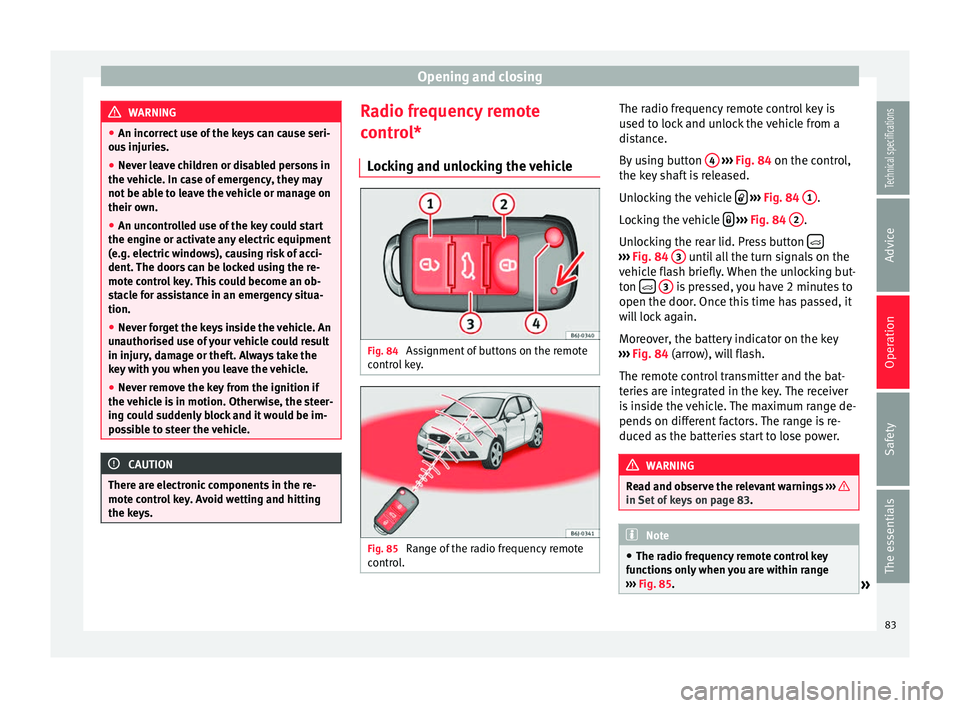
Locking and unlocking the vehicle Fig. 84
Assignment of buttons on the remote
control key. Fig. 85
Range of the radio frequency remote
control. The radio frequency remote control key is
used to lock and unlock the vehicle from a
distance.
By using button
4
››› Fig. 84 on the control,
the k ey
shaft is released.
Unlocking the vehicle
››› Fig. 84 1 .
Locking the vehicle
››› Fig. 84 2 .
Unlocking the rear lid. Press button ›››
Fig. 84 3 until all the turn signals on the
vehicle flash briefly. When the unlocking but-
ton
3 is pressed, you have 2 minutes to
open the door. Once this time has passed, it
will lock again.
Moreover, the battery indicator on the key
››› Fig. 84 (arrow), will flash.
The r emot
e control transmitter and the bat-
teries are integrated in the key. The receiver
is inside the vehicle. The maximum range de-
pends on different factors. The range is re-
duced as the batteries start to lose power. WARNING
Read and observe the relevant warnings ››› in Set of keys on page 83.
Note
● The radio frequency remote control key
functions only when you are within range
››› Fig. 85.
» 83
Technical specifications
Advice
Operation
Safety
The essentials
Page 88 of 240
Operation
The vehicle interior monitoring and the anti-
tow system are automatically switched on
again next time the vehicle is locked.
The vehicle interior monitoring and anti-tow
sensor (tilt sensor) are automatically switch-
ed on when the anti-theft alarm is switched
on. In order to activate it, all the doors and
the rear lid must be closed.
If you wish to switch off the vehicle interior
monitoring and the anti-tow system, it must
be done each time that the vehicle is locked;
if not, they will be automatically switched on.
The vehicle interior monitoring and the anti-
tow system should be switched off if animals
are left inside the locked vehicle (otherwise,
their movements will trigger the alarm) or
when, for example, the vehicle is transported
or has to be towed with only one axle on the
ground.
False alarms
Interior monitoring will only operate correctly
if the vehicle is completely closed. Please ob-
serve related legal requirements.
The following cases may cause a false alarm:
● Open windows (partially or fully),
● Panoramic/tilting sunroof open (partially or
completely), ●
Movement of objects inside the vehicle,
such as loose papers, items hanging from
the rear vision mirror (air fresheners), etc. Note
● If the vehicle is relocked and the alarm is
activated without the volumetric sensor func-
tion, relocking will activate the alarm with all
its functions, except the volumetric sensor.
This function is reactivated when the alarm is
switched on again, unless it is deliberately
switched off.
● If the alarm has been triggered by the volu-
metric sensor, this will be indicated by a
flashing of the warning lamp on the driver
door when the vehicle is opened. The flash is
different to the flash indicating the alarm is
activated.
● The vibration of a mobile phone left inside
the vehicle may cause the vehicle interior
monitoring alarm to trigger, as both sensors
react to movements and shakes inside the ve-
hicle.
● If on activating the alarm, any door or the
rear lid is open, only the alarm will be activa-
ted. The vehicle interior monitoring and the
anti-tow system will only be activated once
all the doors are closed (including the rear
lid). Boot hatch
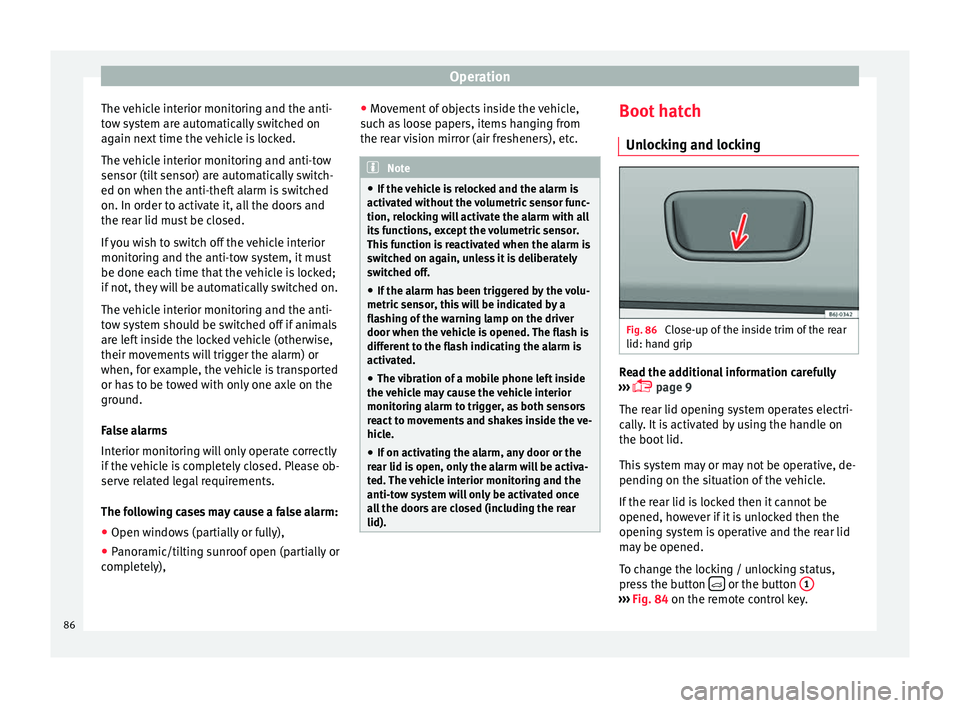
Unlocking and locking Fig. 86
Close-up of the inside trim of the rear
lid: hand grip Read the additional information carefully
››› page 9
The rear lid opening system operates electri-
cally. It is activated by using the handle on
the boot lid.
This system may or may not be operative, de-
pending on the situation of the vehicle.
If the rear lid is locked then it cannot be
opened, however if it is unlocked then the
opening system is operative and the rear lid
may be opened.
To change the locking / unlocking status,
press the button or the button
1 ›››
Fig. 84 on the remote control key.
86
Page 89 of 240
Opening and closing
A warning appears on the instrument panel
display if the rear lid is open or not properly
closed.* An audible warning is also given if
the boot lid is opened while the vehicle is
moving faster than 6 km/h (4 mph)*. WARNING
● Always close the rear lid properly. Risk of
accident or injury.
● The rear lid must not be opened when the
reverse or rear fog lights are lit. This may
damage the tail lights.
● Do not close the rear lid by pushing it down
with your hand on the rear window. The glass
could smash. Risk of injury!
● Ensure the rear lid is locked after closing it.
If not, it may open unexpectedly while driv-
ing.
● Never allow children to play in or around
the vehicle. A locked vehicle can be subjected
to extremely high and low temperatures, de-
pending on the time of year, thus causing se-
rious injuries/illness. It could even have fatal
consequences. Close and lock both the rear
lid and all the other doors when you are not
using the vehicle.
● Closing the rear lid without observing and
ensuring it is clear could cause serious injury
to you and to third parties. Make sure that no
one is in the path of the rear lid.
● Never drive with the rear lid open or half-
closed, exhaust gases may enter into the in-
terior of the vehicle. Danger of poisoning! ●
If you only open the rear lid, do not leave
the key inside. The vehicle cannot be opened
if the key is left inside. Electric windows
Opening or closing the windows
electrically* Fig. 87
Detail of the driver door: controls for
the front and rear windows (5-door vehicles
with front and rear electric windows). Read the additional information carefully
››› page 10
The front and rear electric windows can be
operated by using the controls on the driver
door. The other doors each have a switch for
their own window.
Always close the windows fully if you park
the vehicle or leave it unattended ››› .You can use the electric windows for approx.
10 minutes after switching off the ignition if
neither the driver door nor the front passen-
ger door has been opened and the key has
not been removed from the ignition.
Safety switch not pressed: buttons on rear
doors are activated.
Safety switch pressed: buttons on rear doors
are deactivated.
WARNING
Observe the safety warnings ››› in Set of
keys on page 83.
● Inc orr
ect use of the electric windows can
result in injury.
● Never close the rear lid without observing
and ensuring it is clear, to do otherwise could
cause serious injury to you and third parties.
Make sure that no one is in the path of a win-
dow.
● The engine may accidentally be started and
be out of control.
● If the ignition is switched on, the electric
equipment could be activated with risk of in-
jury, for example, in the electric windows.
● The doors can be locked using the remote
control key. This could become an obstacle
for assistance in an emergency situation.
● Always take the key with you when you
leave the vehicle. » 87
Technical specifications
Advice
Operation
Safety
The essentials
Page 90 of 240
Operation
●
The electric windows will work until the ig-
nition has been switched off and one of the
front doors has been opened.
● If necessary, use the safety switch to disa-
ble the rear electric windows. Make sure that
they have been disabled. Note
If the window is not able to close because it
is stiff or because of an obstruction, the win-
dow will automatically open again
››› page 88
. If this happens, check why the
w indo
w could not be closed before attempt-
ing to close it again. One-touch opening and closing*
One-touch opening and closing means you
do not have to hold down the button.
Buttons
››› Fig. 87 1 ,
2 ,
4 and
5 have
two positions for opening windows and two
for closing them. This makes it easier to open
and close windows to the desired position.
One-touch closing
– Pull up the window button briefly up to the
second position. The window closes fully. One-touch opening
– Push down the window button briefly up to
the second position. The window opens
fully.
Restoring one-touch opening and closing
– The automatic open and close function will
not work if the battery has been temporari-
ly disconnected. The function can be re-
stored as follows:
– Close the window as far as it will go by lift-
ing and holding the electric window switch.
– Release the switch and then lift it again for
1 second. This will re-enable the automatic
function.
If you push (or pull) a button to the first
stage, the window will open (or close) until
you release the button. If you push or lift the
button briefly to the second stage, the win-
dow will open (one-touch opening) or close
(one-touch closing) automatically. If you op-
erate the button while the window is opening
or closing, it stops at this position.
Roll-back function The roll-back function reduces the risk of in-
jury when the electric windows close.●
If a window is obstructed when closing au-
tomatically, the window stops at this point
and lowers immediately ››› .
● Next, check why the window does not close
before attempting it again.
● If you try within the following 10 seconds
and the window closes again with difficulty
or there is an obstruction, the automatic clos-
ing will stop working for 10 seconds.
● If the window is still obstructed, the win-
dow will stop at this point.
● If there is no obvious reason why the win-
dow cannot be closed, try to close it again by
pulling the tab within ten seconds. The win-
dow closes with maximum force. The roll-
back function is now deactivated.
If more than 10 seconds pass, the window
will open fully when you operate one of the
buttons. One-touch closing is reactivated. WARNING
● Incorrect use of the electric windows can
result in injury.
● Always take the ignition key with you when
leaving the vehicle, even if you only intend to
be gone for a short time. Please ensure that
children are never left alone inside the vehi-
cle.
● The electric windows will work until the ig-
nition has been switched off and one of the
front doors has been opened. 88
Page 91 of 240
Opening and closing
●
Closing the windows without observing and
ensuring it is clear could cause serious injury
to you and third parties. Make sure that no
one is in the path of a window.
● Never allow people to remain in the vehicle
when you close the vehicle from the outside.
The windows cannot be opened even in an
emergency.
● The roll-back function does not prevent fin-
gers or other parts of the body getting
pinched against the window frame. Risk of
accident. Convenience opening and closing*
Using the door lock*
– Hold the key in the door lock of the driver
door in either the locking or the unlocking
position until all windows are either
opened or closed.
– Release the key to interrupt this function.
Using the remote control
– Keep the locking/unlocking button pressed
for the electric window risers to
open/close; if you stop pressing the but-
ton, the window raising/lowering function
is stopped.
– If the automatic raising is stopped and im-
mediately after, the opening button is kept
pressed, the window risers will lower. –
Once the windows are completely closed,
the turn signals will flash.
Panoramic tilting sunroof* Opening or closing of the
panoramic/tilting sunroof Read the additional information carefully
››› page 10
The panoramic/tilting sunroof is opened and
closed by using the switch when the ignition
is switched on.
Always close the panoramic/tilting sunroof
fully if you park the vehicle or leave it unat-
tended ››› .
The tilting sunroof can be operated for up to
about ten minutes after the ignition has been
switched off, provided the driver door and
the front passenger door are not opened.
Sun visor
The sun visor is opened and closed manually
(independently of the panoramic/tilting sun-
roof). WARNING
● Incorrect use of the tilting sunroof can re-
sult in injury. ●
Never close the tilting sunroof without first
checking that there are no obstructions. Risk
of serious injury to you or others. Make sure
that no one is in the path of the tilting sun-
roof.
● Always take the vehicle key with you when
you leave the vehicle.
● Never leave children or disabled persons in
the vehicle, particularly if they have access to
the keys. Unsupervised use of a key could
mean that the engine is started or that elec-
trical equipment is used (e.g. electric tilting
sunroof) with a risk of accident. The doors
can be locked using the remote control key.
This could become an obstacle for assistance
in an emergency situation.
● The tilting sunroof continues to function
until one of the front doors is opened and the
key removed from the ignition.
● Ensure that no object and/or end is be-
tween the glass and the sunroof when the
one-touch opening/closing function is reset. Convenience closing*
Using the door lock
– Hold the key in the door lock of the driver
door in the locking position until the tilting
sunroof is closed.
– Release the key to interrupt this function.
»
89Technical specifications
Advice
Operation
Safety
The essentials
Page 98 of 240
Operation
Interior lights Front interior light Read the additional information carefully
››› page 15 Note
If not all the vehicle doors are closed, the in-
terior lights will be switched off after approx.
10 minutes, providing the ignition key has
been removed and the courtesy light position
selected. This prevents the battery from dis-
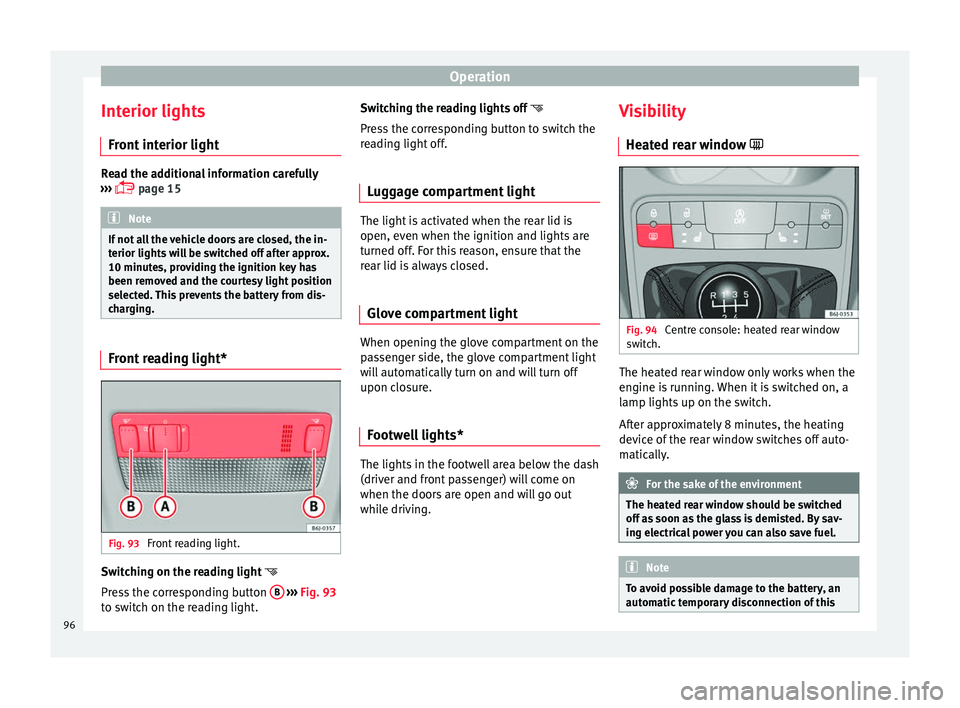
charging. Front reading light*
Fig. 93
Front reading light. Switching on the reading light
Press the corresponding button B
››› Fig. 93
to switch on the reading light. Switching the reading lights off
Press the corresponding button to switch the
reading light off.
Luggage compartment light The light is activated when the rear lid is
open, even when the ignition and lights are
turned off. For this reason, ensure that the
rear lid is always closed.
Glove compartment light When opening the glove compartment on the
passenger side, the glove compartment light
will automatically turn on and will turn off
upon closure.
Footwell lights* The lights in the footwell area below the dash
(driver and front passenger) will come on
when the doors are open and will go out
while driving.Visibility
Heated rear window Fig. 94
Centre console: heated rear window
switch. The heated rear window only works when the
engine is running. When it is switched on, a
lamp lights up on the switch.
After approximately 8 minutes, the heating
device of the rear window switches off auto-
matically.
For the sake of the environment
The heated rear window should be switched
off as soon as the glass is demisted. By sav-
ing electrical power you can also save fuel. Note
To avoid possible damage to the battery, an
automatic temporary disconnection of this 96
Page 99 of 240
Lights and visibility
function is possible, coming back on when
normal operating conditions are re-establish-
ed.
Sun visors
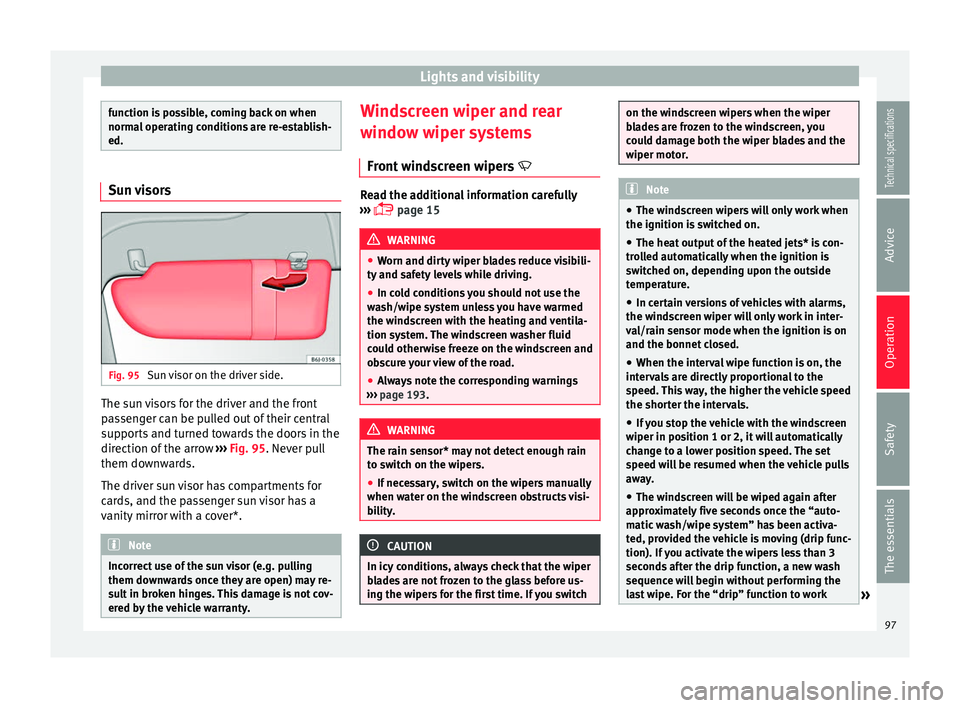
Fig. 95
Sun visor on the driver side. The sun visors for the driver and the front
passenger can be pulled out of their central
supports and turned towards the doors in the
direction of the arrow
››› Fig. 95 . Never pull
them do wn
wards.
The driver sun visor has compartments for
cards, and the passenger sun visor has a
vanity mirror with a cover*. Note
Incorrect use of the sun visor (e.g. pulling
them downwards once they are open) may re-
sult in broken hinges. This damage is not cov-
ered by the vehicle warranty. Windscreen wiper and rear
window wiper systems
Front windscreen wipers Read the additional information carefully
››› page 15 WARNING
● Worn and dirty wiper blades reduce visibili-
ty and safety levels while driving.
● In cold conditions you should not use the
wash/wipe system unless you have warmed
the windscreen with the heating and ventila-
tion system. The windscreen washer fluid
could otherwise freeze on the windscreen and
obscure your view of the road.
● Always note the corresponding warnings
››› page 193. WARNING
The rain sensor* may not detect enough rain
to switch on the wipers.
● If necessary, switch on the wipers manually
when water on the windscreen obstructs visi-
bility. CAUTION
In icy conditions, always check that the wiper
blades are not frozen to the glass before us-
ing the wipers for the first time. If you switch on the windscreen wipers when the wiper
blades are frozen to the windscreen, you
could damage both the wiper blades and the
wiper motor.
Note
● The windscreen wipers will only work when
the ignition is switched on.
● The heat output of the heated jets* is con-
trolled automatically when the ignition is
switched on, depending upon the outside
temperature.
● In certain versions of vehicles with alarms,
the windscreen wiper will only work in inter-
val/rain sensor mode when the ignition is on
and the bonnet closed.
● When the interval wipe function is on, the
intervals are directly proportional to the
speed. This way, the higher the vehicle speed
the shorter the intervals.
● If you stop the vehicle with the windscreen
wiper in position 1 or 2, it will automatically
change to a lower position speed. The set
speed will be resumed when the vehicle pulls
away.
● The windscreen will be wiped again after
approximately five seconds once the “auto-
matic wash/wipe system” has been activa-
ted, provided the vehicle is moving (drip func-
tion). If you activate the wipers less than 3
seconds after the drip function, a new wash
sequence will begin without performing the
last wipe. For the “drip” function to work » 97
Technical specifications
Advice
Operation
Safety
The essentials
Page 100 of 240
Operation
again, you have to turn the ignition off and
then on again.
● Do not put stickers on the windscreen in
front of the rain sensor*. This may cause sen-
sor disruption or faults. Rear window wiper
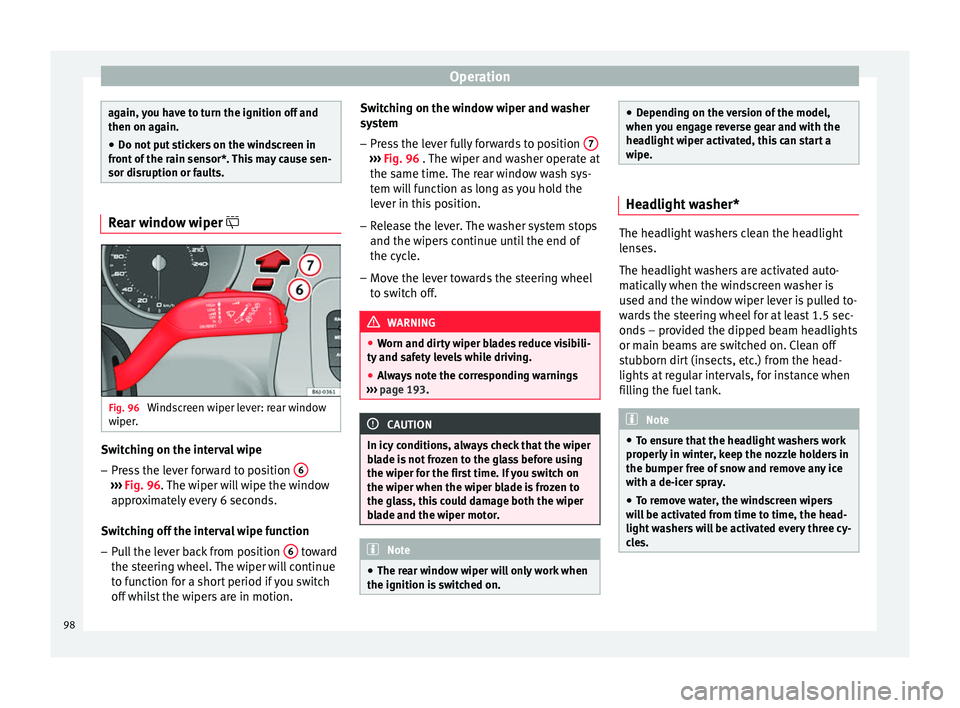
Fig. 96
Windscreen wiper lever: rear window
wiper. Switching on the interval wipe
– Press the lever forward to position 6›››
Fig. 96 . The wiper will wipe the window
ap pr
oximately every 6 seconds.
Switching off the interval wipe function
– Pull the lever back from position 6 toward
the steering wheel. The wiper will continue
to function for a short period if you switch
off whilst the wipers are in motion. Switching on the window wiper and washer
system
– Press the lever fully forwards to position 7 ›››
Fig. 96 . The wiper and washer operate at
the s ame time.
The rear window wash sys-
tem will function as long as you hold the
lever in this position.
– Release the lever. The washer system stops
and the wipers continue until the end of
the cycle.
– Move the lever towards the steering wheel
to switch off. WARNING
● Worn and dirty wiper blades reduce visibili-
ty and safety levels while driving.
● Always note the corresponding warnings
››› page 193. CAUTION
In icy conditions, always check that the wiper
blade is not frozen to the glass before using
the wiper for the first time. If you switch on
the wiper when the wiper blade is frozen to
the glass, this could damage both the wiper
blade and the wiper motor. Note
● The rear window wiper will only work when
the ignition is switched on. ●
Depending on the version of the model,
when you engage reverse gear and with the
headlight wiper activated, this can start a
wipe. Headlight washer*
The headlight washers clean the headlight
lenses.
The headlight washers are activated auto-
matically when the windscreen washer is
used and the window wiper lever is pulled to-
wards the steering wheel for at least 1.5 sec-
onds – provided the dipped beam headlights
or main beams are switched on. Clean off
stubborn dirt (insects, etc.) from the head-
lights at regular intervals, for instance when
filling the fuel tank.
Note
● To ensure that the headlight washers work
properly in winter, keep the nozzle holders in
the bumper free of snow and remove any ice
with a de-icer spray.
● To remove water, the windscreen wipers
will be activated from time to time, the head-
light washers will be activated every three cy-
cles. 98