lock Seat Ibiza 5D 2014 Owner's Guide
[x] Cancel search | Manufacturer: SEAT, Model Year: 2014, Model line: Ibiza 5D, Model: Seat Ibiza 5D 2014Pages: 240, PDF Size: 4.89 MB
Page 62 of 240
Operation
There is a fault in the ABS if:
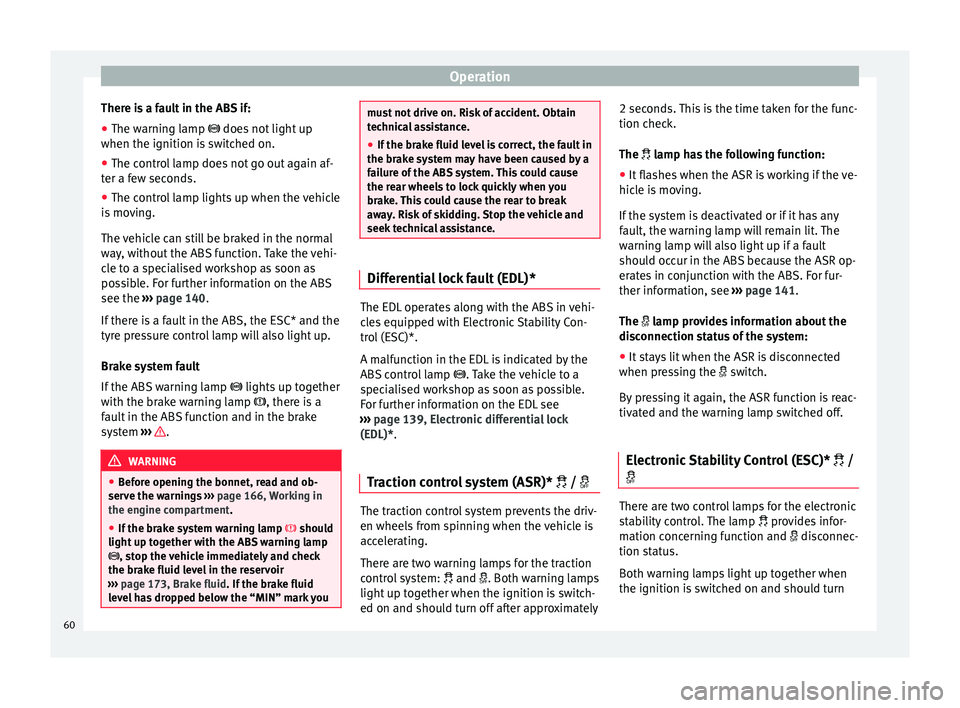
● The warning lamp
does not light up
when the ignition i
s switched on.
● The control lamp does not go out again af-
ter a few seconds.
● The control lamp lights up when the vehicle
is moving.
The vehicle can still be braked in the normal
way, without the ABS function. Take the vehi-
cle to a specialised workshop as soon as
possible. For further information on the ABS
see the ››› page 140
.
If there is a fault in the ABS, the ESC* and the
tyre pressure control lamp will also light up.
Brake system fault
If the ABS warning lamp lights up together
with the brake warning lamp , there is a
fault in the ABS function and in the brake
system ››› .
WARNING
● Before opening the bonnet, read and ob-
serve the warnings ››› page 166, Working in
the engine compartment.
● If the br
ake system warning lamp should
light up together with the ABS warning lamp
, stop the vehicle immediately and check
the brake fluid level in the reservoir
››› page 173, Brake fluid. If the brake fluid
lev
el has dropped below the “MIN” mark you must not drive on. Risk of accident. Obtain
technical assistance.
●
If the brake fluid level is correct, the fault in
the brake system may have been caused by a
failure of the ABS system. This could cause
the rear wheels to lock quickly when you
brake. This could cause the rear to break
away. Risk of skidding. Stop the vehicle and
seek technical assistance. Differential lock fault (EDL)*
The EDL operates along with the ABS in vehi-
cles equipped with Electronic Stability Con-
trol (ESC)*.
A malfunction in the EDL is indicated by the
ABS control lamp
. Take the vehicle to a
specialised workshop as soon as possible.
For further information on the EDL see
››› page 139, Electronic differential lock
(EDL)* .
T r
action control system (ASR)* / The traction control system prevents the driv-
en wheels from spinning when the vehicle is
accelerating.
There are two warning lamps for the traction
control system:
and . Both warning lamps
light up together when the ignition is switch-
ed on and should turn off after approximately 2 seconds. This is the time taken for the func-
tion check.
The
lamp has the following function:
● It
flashes when the ASR is working if the ve-
hicle is moving.
If the system is deactivated or if it has any
fault, the warning lamp will remain lit. The
warning lamp will also light up if a fault
should occur in the ABS because the ASR op-
erates in conjunction with the ABS. For fur-
ther information, see ››› page 141.
The lamp provides information about the
disconnection status of the system:
● It stays lit when the ASR is disconnected
when pressing the switch.
By pressing it again, the ASR function is reac-
tivated and the warning lamp switched off.
Electronic Stability Control (ESC)* /
There are two control lamps for the electronic
stability control. The lamp
provides infor-
mation concerning function and disconnec-
tion status.
Both warning lamps light up together when
the ignition is switched on and should turn
60
Page 63 of 240
Dash panel
off after approximately 2 seconds. This is the
time taken for the function check.
This programme includes the ABS, EDL and
ASR. It also includes emergency braking as-
sistance (BAS).
The warning lamp
has the following
f
unctions:
● It flashes whilst driving when the ASR/ESC
is activated.
● It will light up if there is a fault in the ESC.
● As the ESC operates in conjunction with the
ABS, the ESC light will also come on if a fault
should occur in the ABS.
If the ESC control lamp lights up and stays
on after the engine is started, this may mean
that the control system has temporarily
switched off the ESC. In this case the ESC can
be reactivated by switching the ignition off
and then on again. If the control lamp goes
out, this means the system is fully functional.
The lamp provides information about the
disconnection status of the system:
● It stays lit when the ASR is disconnected
when pressing the switch. Brake system* Situations in which the warning lamp lights
up
● the br ak
e fluid level is too low
››› page 173.
● there i
s a fault in the brake system.
This warning lamp can light up together with
the ABS system warning lamp. WARNING
● If the brake warning lamp does not go out
or if it lights up when driving, the brake fluid
level in the reservoir is too low so there is a
risk of an accident ››› page 173, Brake fluid.
Stop the vehicle and do not drive on. Obtain
technical assistance.
● If the brake warning lamp lights up to-
gether with the ABS lamp this could be
due to an ABS fault. This could cause the rear
wheels to lock quickly when you brake. This
could cause the rear to break away. Risk of
skidding. Stop the vehicle and seek technical
assistance. Cruise speed (cruise control)*
The warning lamp comes on when the
cruise control system is switched on. For fur-
ther information on the cruise control system
please see
›››
page 150 . T
y
re pressure
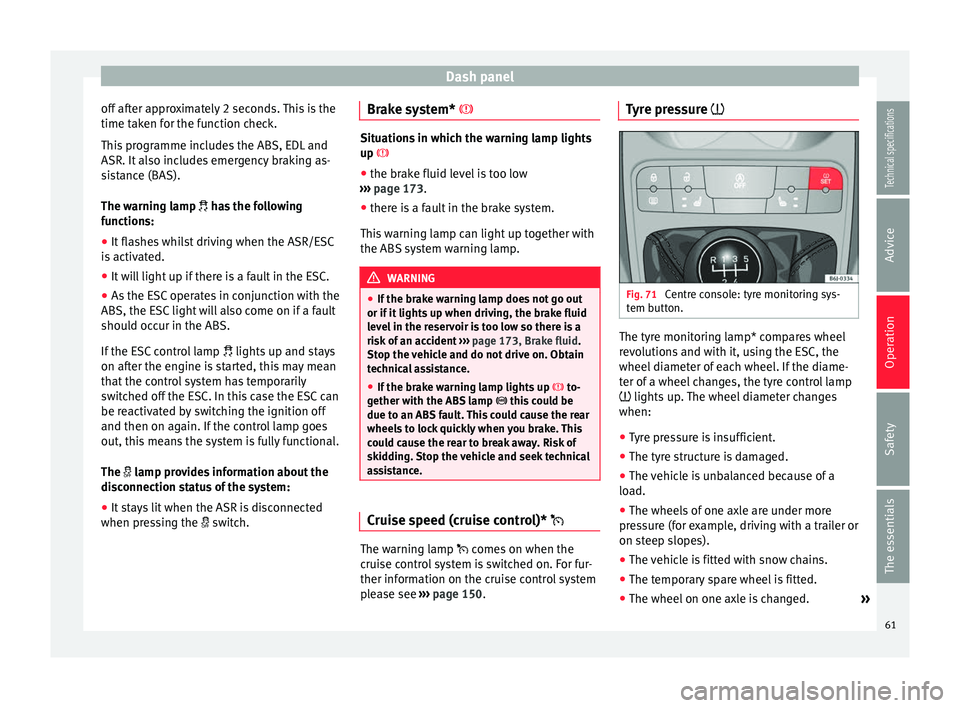
Fig. 71
Centre console: tyre monitoring sys-
tem button. The tyre monitoring lamp* compares wheel
revolutions and with it, using the ESC, the
wheel diameter of each wheel. If the diame-
ter of a wheel changes, the tyre control lamp
lights up. The wheel diameter changes
when:
● Tyre pressure is insufficient.
● The tyre structure is damaged.
● The vehicle is unbalanced because of a
load.
● The wheels of one axle are under more
pressure (for example, driving with a trailer or
on steep slopes).
● The vehicle is fitted with snow chains.
● The temporary spare wheel is fitted.
● The wheel on one axle is changed. »
61
Technical specifications
Advice
Operation
Safety
The essentials
Page 64 of 240
Operation
Tyre pressure adjustment
On adjusting tyre pressure or changing one
or more wheels, the ››› Fig. 71 button must be
k ept
pressed down, with the ignition on, until
an acoustic signal is heard.
If the wheels are under excessive load (for ex-
ample, driving with a trailer or heavy load),
the tyre pressure must be increased to the
recommended value for a full load (see the
sticker on the inside of the fuel flap). If the
tyre monitor system button is pressed down,
the new tyre pressures are confirmed.
The tyre pressure control lamp lights up
If the tyre pressure of a wheel is much lower
than the value set by the driver, then the tyre
pressure control lamp ››› will light up.
WARNING
● When the tyre pressure control lamp lights
up, reduce speed immediately and avoid any
sudden turning or braking manoeuvre. Stop
when possible, and check the tyre pressure
and status.
● The driver is responsible for maintaining
correct tyre pressures. For this reason, tyre
pressure must be regularly checked.
● Under certain circumstances (e.g. when
driving in a sporty manner, in winter condi-
tions or on a dirt track) the tyre control lamp
may light up belatedly or may function incor-
rectly. Note
If the battery is disconnected, the yellow
warning lamp lights up after turning the
ignition on.
This should turn off after a brief
journey. Speed selector lever lock*
The brake pedal must be depressed when
this warning lamp lights up. This is necessary
when the automatic gearbox* selector lever
is moved out of the positions
P
or N
.
Fuel level/reserve It lights up when only 7 litres of fuel remain
in the tank, and an
acoustic signal*
al
so
sou
nds. It reminds you to fuel up the fuel
tank as soon as possible ›››
page 163.
Door open display* This warning lamp lights up if one of the
doors is open.
The warning light
should go off when all
the doors are closed correctly. Rear lid open* The warning lamp
should switch off when
the r
ear lid is fully closed.
Main beam headlights The warning lamp lights up when the main
beams are on or when the headlight flasher
is operated.
For further information see
››› page 93.
Electro-hydraulic steering* The level of steering assistance depends on
the vehicle speed and on the steering wheel
turning speed.
The warning lamp should light up for a few
seconds when the ignition is switched on. It
should go out once the engine is started.
There is a fault in the electro-hydraulic steer-
ing system if the lamp does not go out or
lights up whilst the vehicle is in motion. Take
the vehicle to technical services as soon as
possible.
62
Page 66 of 240
Operation
If any of both turn signals fails, the warning
lamp will start flashing twice faster than nor-
mal.
For further information on the turn signals,
please see ››› page 93.
“SAFE” Electronic immobiliser* This warning lamp flashes if an unauthorised
key is used.
Inside the key there is a chip that deactivates
the electronic immobiliser automatically
when the key is inserted into the ignition.
The electronic immobiliser will be activated
again automatically as soon as you pull the
key out of the ignition lock.
If the following message* is shown on the in-
strument panel display:
SAFE
, the vehicle
c annot
be started.
The engine can, however, be started if the
appropriate coded SEAT genuine key is used. Note
The vehicle cannot operate properly if you do
not have a genuine SEAT key. Digital instrument panel
display
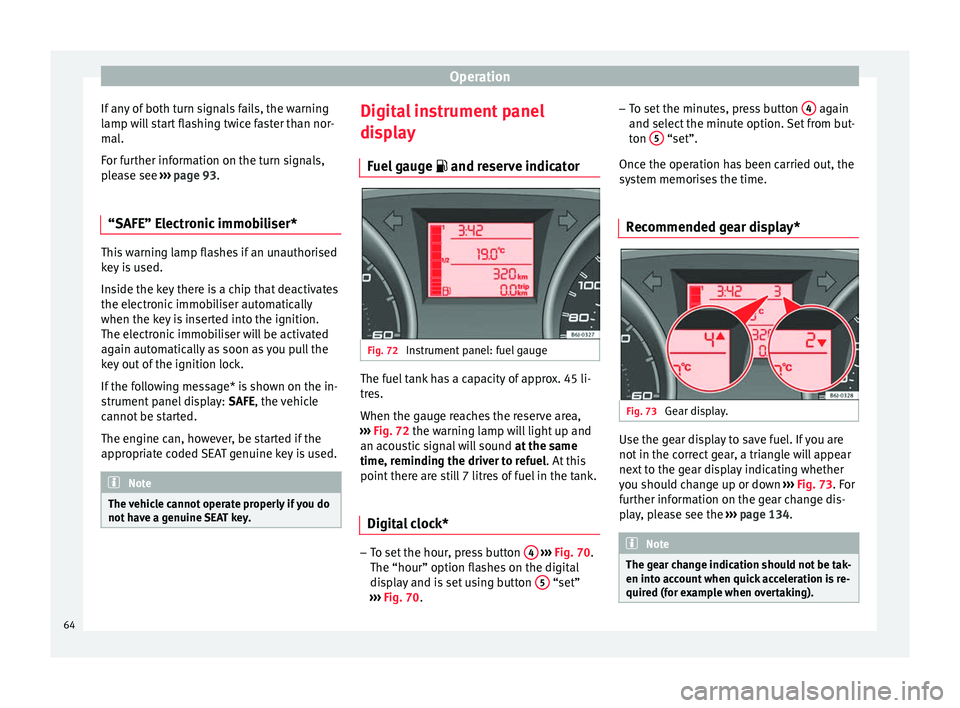
Fuel gauge and reserve indicator Fig. 72
Instrument panel: fuel gauge The fuel tank has a capacity of approx. 45 li-
tres.
When the gauge reaches the reserve area,
››› Fig. 72 the warning lamp will light up and
an ac ou
stic signal will sound at the same
time, reminding the driver to refuel. At this
point there are still 7 litres of fuel in the tank.
Digital clock* –
To set the hour, press button 4
››› Fig. 70.
The “hour” option flashes on the digital
display and is set using button 5 “set”
››› Fig. 70 . –
To set
the minutes, press button
4 again
and select the minute option. Set from but-
ton 5 “set”.
Once the operation has been carried out, the
system memorises the time.
Recommended gear display* Fig. 73
Gear display. Use the gear display to save fuel. If you are
not in the correct gear, a triangle will appear
next to the gear display indicating whether
you should change up or down
››› Fig. 73 . For
f ur
ther information on the gear change dis-
play, please see the ››› page 134. Note
The gear change indication should not be tak-
en into account when quick acceleration is re-
quired (for example when overtaking). 64
Page 69 of 240
Dash panel
The position of the automatic selector lever
will be shown on the display ››› page 129.
Odometer The upper counter in the display registers the
total mileage covered by the vehicle.
The lower counter registers the short jour-
neys. The last digit indicates 100-metre sec-
tions. The trip recorder counter may be reset
by pressing the reset button
››› Fig. 70 5 .
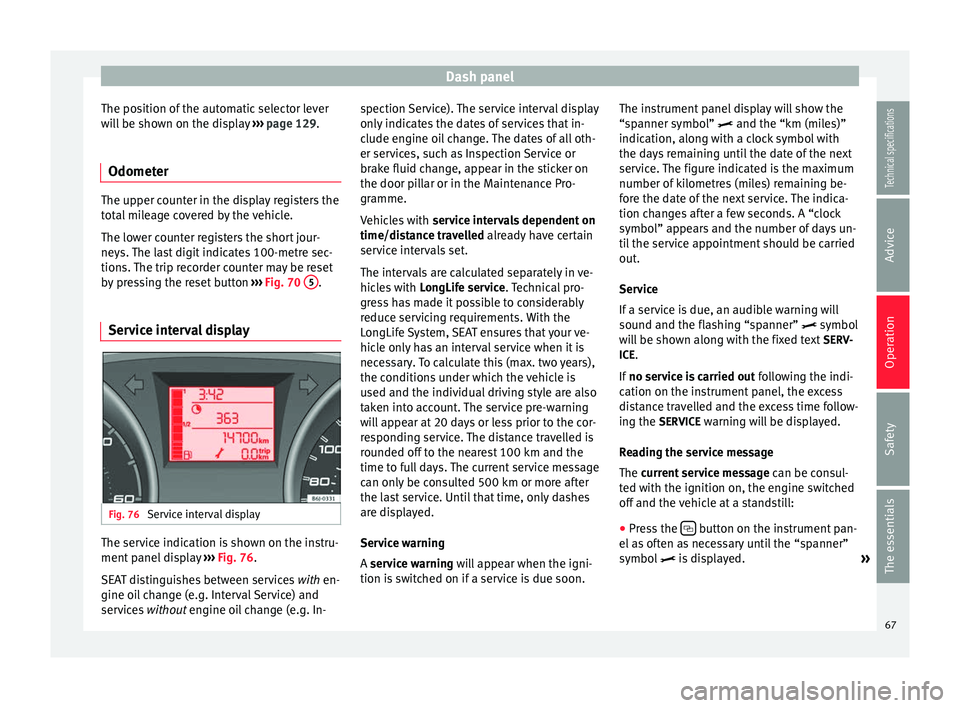
Service interval display Fig. 76
Service interval display The service indication is shown on the instru-
ment panel display
››› Fig. 76 .
S EA
T distinguishes between services with
en-
gine oil change (e.g. Interval Service) and
services without
engine oil change (e.g. In- spection Service). The service interval display
only indicates the dates of services that in-
clude engine oil change. The dates of all oth-
er services, such as Inspection Service or
brake fluid change, appear in the sticker on
the door pillar or in the Maintenance Pro-
gramme.
Vehicles with
service intervals dependent on
time/distance travelled already have certain
service intervals set.
The intervals are calculated separately in ve-
hicles with LongLife service. Technical pro-
gre
ss has made it possible to considerably
reduce servicing requirements. With the
LongLife System, SEAT ensures that your ve-
hicle only has an interval service when it is
necessary. To calculate this (max. two years),
the conditions under which the vehicle is
used and the individual driving style are also
taken into account. The service pre-warning
will appear at 20 days or less prior to the cor-
responding service. The distance travelled is
rounded off to the nearest 100 km and the
time to full days. The current service message
can only be consulted 500 km or more after
the last service. Until that time, only dashes
are displayed.
Service warning
A service warning will appear when the igni-
tion i
s switched on if a service is due soon. The instrument panel display will show the
“spanner symbol”
and the “km (miles)”
indication, along with a clock symbol with
the days remaining until the date of the next
service. The figure indicated is the maximum
number of kilometres (miles) remaining be-
fore the date of the next service. The indica-
tion changes after a few seconds. A “clock
symbol” appears and the number of days un-
til the service appointment should be carried
out.
Service
If a service is due, an audible warning will
sound and the flashing “spanner” symbol
will be shown along with the fixed text SERV-
ICE.
If no service is carried out following the indi-
cation on the instrument panel, the excess
distance travelled and the excess time follow-
ing the SERVICE warning will be displayed.
Reading the service message
The current service message can be c
onsul-
ted with the ignition on, the engine switched
off and the vehicle at a standstill:
● Press the button on the instrument pan-
el as often as necessary until the “spanner”
symbol is displayed.
»
67
Technical specifications
Advice
Operation
Safety
The essentials
Page 80 of 240
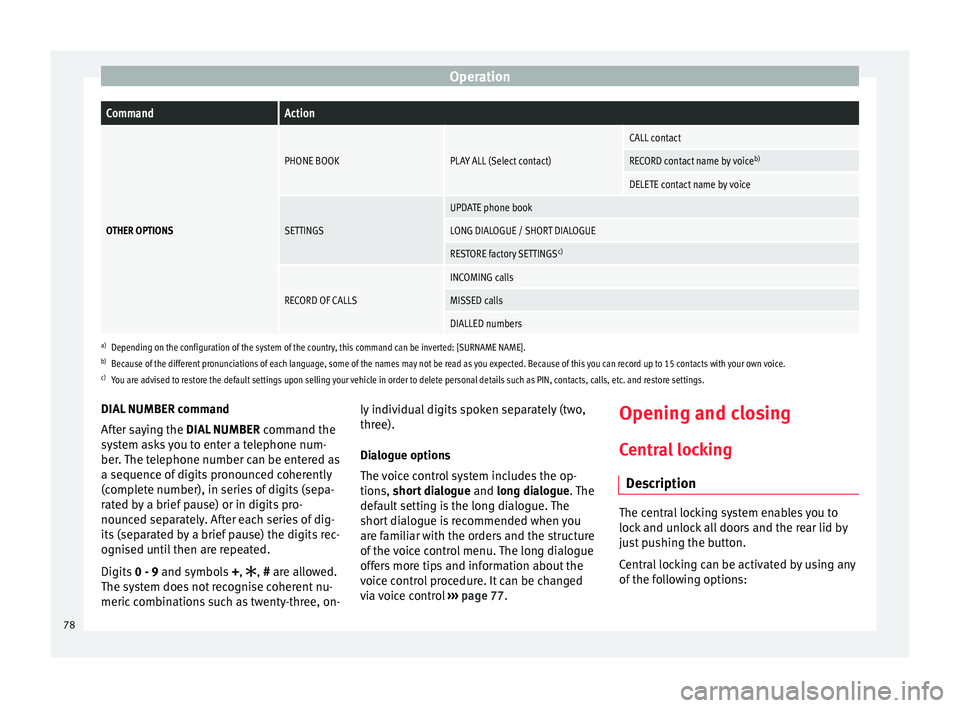
OperationCommandAction
OTHER OPTIONS
PHONE BOOKPLAY ALL (Select contact)
CALL contact
RECORD contact name by voice
b)
DELETE contact name by voice
SETTINGS
UPDATE phone book
LONG DIALOGUE / SHORT DIALOGUE
RESTORE factory SETTINGSc)
RECORD OF CALLS
INCOMING calls
MISSED calls
DIALLED numbers
a)
Depending on the configuration of the system of the country, this command can be inverted: [SURNAME NAME].
b) Because of the different pronunciations of each language, some of the names may not be read as you expected. Because of this you can record up to 15 contacts with your own voice.
c) You are advised to restore the default settings upon selling your vehicle in order to delete personal details such as PIN, contacts, calls, etc. and restore settings.
DIAL NUMBER command
After saying the
DIAL NUMBER command the
system asks you to enter a telephone num-
ber. The telephone number can be entered as
a sequence of digits pronounced coherently
(complete number), in series of digits (sepa-
rated by a brief pause) or in digits pro-
nounced separately. After each series of dig-
its (separated by a brief pause) the digits rec-
ognised until then are repeated.
Digits 0 - 9 and symbols +,
, # are allowed.
The system does not recognise coherent nu-
meric combinations such as twenty-three, on- ly individual digits spoken separately (two,
three).
Dialogue options
The voice control system includes the op-
tions, short dialogue
and long dialogue. The
def
ault setting is the long dialogue. The
short dialogue is recommended when you
are familiar with the orders and the structure
of the voice control menu. The long dialogue
offers more tips and information about the
voice control procedure. It can be changed
via voice control ››› page 77. Opening and closing
Central locking Description The central locking system enables you to
lock and unlock all doors and the rear lid by
just pushing the button.
Central locking can be activated by using any
of the following options:
78
Page 81 of 240
Opening and closing
● the key , by inserting it into the driver door
cylinder and r ot
ating it in the opening direc-
tion. Depending on the vehicle version, ei-
ther all doors will be unlocked or only the
driver door will be unlocked. All doors will be
locked on locking the vehicle using the key.
● the interior central lock button
››› page 81
.
● the radio frequency remote control , using
the buttons on the key ››› page 83.
Various functions are available to improve
the vehicle safety: Locking system “Safe*”
Selective* unlocking system
Self-locking system to prevent involunta-
ry unlocking
Automatic speed dependent locking and
unlocking system*
Emergency unlocking system
Unlocking the vehicle* Press button
››› Fig. 84 on remote
c ontr
ol to unlock all the doors and rear
lid.
Locking the vehicle* Press button
››› Fig. 84
on the remote
c ontr
ol to lock all doors and the rear lid
or turn the key in the door to lock all
doors and the rear lid.
–
–
–
–
–
–
– WARNING
● Locking from the outside carelessly or with-
out good visibility may lead to bruising, par-
ticularly in the case of children.
● When locking a vehicle, never leave chil-
dren unaccompanied inside, as from the out-
side it will be difficult to provide assistance if
required.
● Having the doors locked prevents intruders
from getting in, for example when stopped at
a traffic light. Note
For anti-theft security, only the driver door is
fitted with a lock cylinder. “Safe” security system**
This is an anti-theft device which consists of
a double lock for the door locks and a deacti-
vation function for the boot in order to pre-
vent forced entry.
Activation
The “safe” system is activated when the vehi-
cle is locked using the key or the remote con-
trol.
To activate it with the key, rotate once it is in-
serted in the door lock cylinder in the locking
direction.To activate the system using the remote con-
trol, press the lock button once
on the re-
mote.
Once this system is activated, opening doors
from the outside and the inside is not possi-
ble. The rear lid can not be opened. The cen-
tral lock button does not work.
When the ignition is switched off, the instru-
ment panel display indicates that the “Safe”
system is on.
Deactivation
Rotate the key inserted in the lock cylinder
twice towards the locking direction.
To activate the system using the remote con-
trol, press the lock button on the remote
twice in less than five seconds.
On deactivating the “Safe” system, the alarm
volumetric sensor is also deactivated.
With the “Safe” switched off, doors can be
opened from the interior but not from the ex-
terior.
See “Selective unlocking system*”
“Safe” status
On the driver door, there is warning lamp visi-
ble from outside the vehicle through the win-
dow which shows the “Safe” system status.
We will know that “Safe” system is activated
by the flashing warning lamp. The indicator »
79
Technical specifications
Advice
Operation
Safety
The essentials
Page 82 of 240
Operation
will flash on all vehicles, fitted and nor fitted
with an alarm, until they unlock.
Remember:
Safe activated with or without an alarm:
warning lamp flashes continuously.
Safe deactivated without an alarm: the warn-
ing lamp stays off.
Safe deactivated with an alarm: the warning
l amp s
tays off. WARNING
No one should remain inside the vehicle if the
“Safe” system is activated because opening
the doors will not be possible in the event of
an emergency neither from the inside nor the
outside and help from the outside is made
difficult. Danger of death. Passengers could
become trapped inside in case of emergency. Selective unlocking system**
This system allows to unlock either just the
driver door or all the vehicle.
Driver door unlock button
Unlock once. Use either the key or the remote
control.
Once the key
is inserted in the lock cylinder,
r ot
ate once in the unlock direction. The driver
door will remain without “Safe” and un- locked. In vehicles fitted with an alarm, see
the Anti-theft Alarm section
››› page 84.
Using the remote control, press the unlock
butt
on on the remote once. The “Safe”
system for all the vehicle is deactivated, only
the driver door is unlocked and both the
alarm and the warning lamp are also turned
off.
Unlocking all doors and the luggage
compartment
The unlock button on the remote control
must be pressed twice so that all doors
and the luggage compartment can be
opened.
Press twice within 5 seconds to deactivate
the “Safe” system for all vehicle, to unlock all
doors and to use the luggage compartment.
The warning lamp and the alarm (only vehi-
cles fitted with one) are turned off.
Unlocking the luggage compartment
See ››› page 86 .
A ctiv
ating the selective unlocking system*
With the door open, insert a key into the start
cylinder and start the ignition. Insert the oth-
er key into the driver door lock and turn in the
opening direction for at least 3 seconds. The
turn signals will flash twice. Deactivating the selective unlocking system*
With the door open, insert a key into the start
cylinder and start the ignition. Insert the oth-
er key into the driver door lock and turn in the
locking direction for at least 3 seconds. The
turn signals will flash once.
Self-locking system to prevent
involuntary unlocking It is an anti-theft system and prevents the un-
intentional unlocking of the vehicle.
If the vehicle is unlocked and none of the
doors (including the boot) are opened within
30 seconds, it re-locks automatically.
Automatic speed-dependent locking
and unlocking system* This is a safety system which prevents access
to the vehicle from the outside when it is run-
ning (e.g. when stopped at a traffic light).
Locking
The doors will lock automatically if the speed
of 15 km/h (9 mph) is exceeded. The rear lid
will lock automatically if the speed of 6 km/h
(4 mph) is exceeded.
80
Page 83 of 240
Opening and closing
If the vehicle is stopped and any of its doors
open, when starting again and exceeding the
mentioned speed, all doors will lock again.
Unlocking
On withdrawing the ignition key, the vehicle
will returns to its status prior to self-locking.
Each door can be unlocked and opened inde-
pendently from the inside (for example, when
a passenger gets out). To do it, simply oper-
ate the lever inside the door.
Activating the system*
With the ignition on, press the locking key on
the central locking system within 3 to 10 sec-
onds.
Deactivating the system*
With the ignition on, press the unlocking key
on the central locking system within 3 to 10
seconds.
In both cases, if the operation has been car-
ried out correctly, the locking lamp will flash
››› Fig. 81 . WARNING
The door handles must not be operated when
the vehicle is running: the door would open. Note
If the airbags are triggered during an acci-
dent, the vehicle is unlocked, except for the
luggage compartment. It is possible to lock
the vehicle from inside with the central lock-
ing, after turning the ignition off and back on
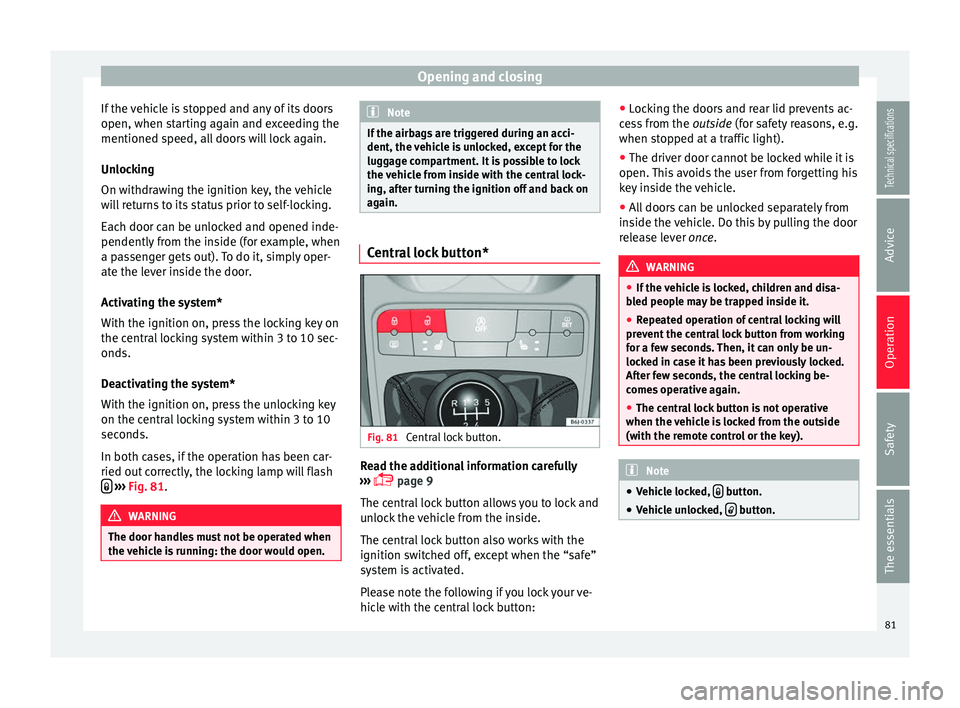
again. Central lock button*
Fig. 81
Central lock button. Read the additional information carefully
››› page 9
The central lock button allows you to lock and
unlock the vehicle from the inside.
The central lock button also works with the
ignition switched off, except when the “safe”
system is activated.
Please note the following if you lock your ve-
hicle with the central lock button: ●
Locking the doors and rear lid prevents ac-
cess from the outside (for safety reasons, e.g.
when s t
opped at a traffic light).
● The driver door cannot be locked while it is
open. This avoids the user from forgetting his
key inside the vehicle.
● All doors can be unlocked separately from
inside the vehicle. Do this by pulling the door
release lever once. WARNING
● If the vehicle is locked, children and disa-
bled people may be trapped inside it.
● Repeated operation of central locking will
prevent the central lock button from working
for a few seconds. Then, it can only be un-
locked in case it has been previously locked.
After few seconds, the central locking be-
comes operative again.
● The central lock button is not operative
when the vehicle is locked from the outside
(with the remote control or the key). Note
● Vehicle locked, button.
● Vehicle unlocked, button.
81
Technical specifications
Advice
Operation
Safety
The essentials
Page 84 of 240
Operation
Childproof lock 3 Valid for vehicles: 5-door versions
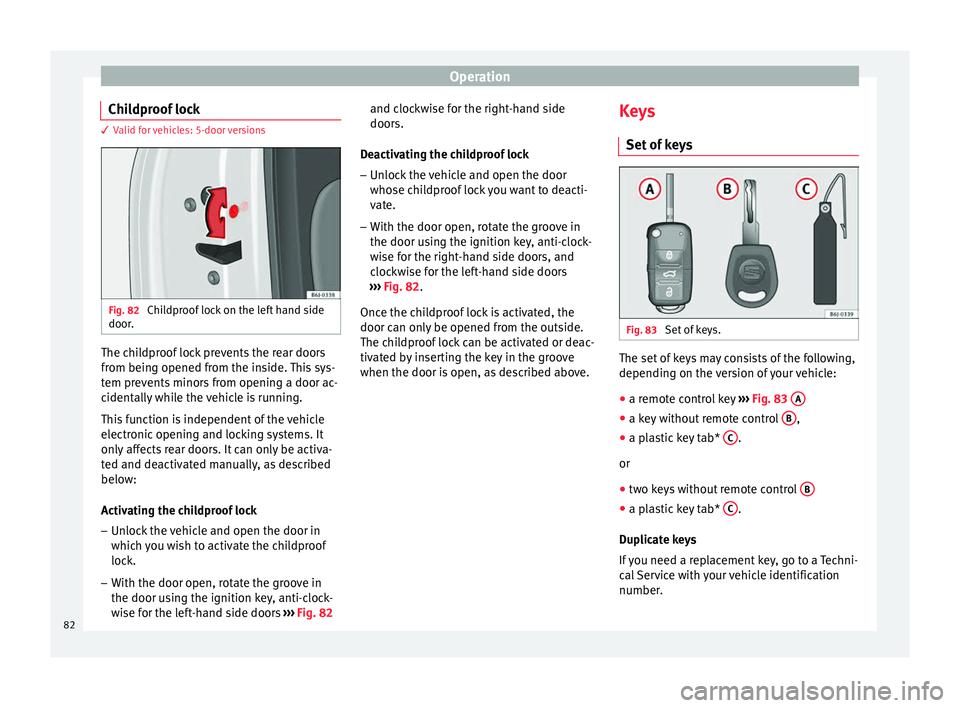
Fig. 82
Childproof lock on the left hand side
door. The childproof lock prevents the rear doors
from being opened from the inside. This sys-
tem prevents minors from opening a door ac-
cidentally while the vehicle is running.
This function is independent of the vehicle
electronic opening and locking systems. It
only affects rear doors. It can only be activa-
ted and deactivated manually, as described
below:
Activating the childproof lock
– Unlock the vehicle and open the door in
which you wish to activate the childproof
lock.
– With the door open, rotate the groove in
the door using the ignition key, anti-clock-
wise for the left-hand side doors ››› Fig. 82 and clockwise for the right-hand side
doors.
Deactivating the childproof lock – Unlock the vehicle and open the door
whose childproof lock you want to deacti-
vate.
– With the door open, rotate the groove in
the door using the ignition key, anti-clock-
wise for the right-hand side doors, and
clockwise for the left-hand side doors
››› Fig. 82 .
Onc e the c
hildproof lock is activated, the
door can only be opened from the outside.
The childproof lock can be activated or deac-
tivated by inserting the key in the groove
when the door is open, as described above. Keys
Set of keys Fig. 83
Set of keys. The set of keys may consists of the following,
depending on the version of your vehicle:
● a remote control key ››› Fig. 83 A ●
a key without remote control B ,
● a plastic key tab* C .
or
● two keys without remote control B ●
a plastic key tab* C .
Duplicate keys
If you need a replacement key, go to a Techni-
cal Service with your vehicle identification
number.
82