stop start SEAT IBIZA 5D 2017 Owner's Manual
[x] Cancel search | Manufacturer: SEAT, Model Year: 2017, Model line: IBIZA 5D, Model: SEAT IBIZA 5D 2017Pages: 248, PDF Size: 5.24 MB
Page 162 of 248
Operation
D - Drive (forward)
In thi s
po
sition the gearbox automatically
changes to a lower or higher gear, according
to the engine's requirements, the driving
style and speed. The braking effect of the en-
gine when driving downhill is very limited
when the selector is in this position. The in-
strument panel display shows the selected
gear as well as the selector lever in position
D.
When travelling at speeds lower than 5 km/h
(3 mph) or when the vehicle is stationary,
press the brake pedal to change the selector
lever from position N to position D.
S - Standard driving position (Sport pro-
gramme)
When the selector lever is in position S, it will
automatically change up into a higher gear
later, and change down into a low gear, if
compared with position D. This way, it is pos-
sible to take full advantage of the engine re-
serve power, depending on the engine de-
mand, driving style and speed. The braking
effect of the engine when driving downhill is
very limited. On the instrument panel display
the selected gear is shown as well as the se-
lector lever to position S.
To select gear range S, press the lock button
on the selector lever. WARNING
● As a driv er
, you should never leave your ve-
hicle if the engine is running and a gear range
is engaged. If you have to leave your vehicle
while the engine is running, you must apply
the parking brake and put the selector lever
in position P.
● If the engine is running and if D or R is en-
gaged,
you will need to hold the car on the
foot brake. The car will creep forward as the
power transmission is not fully interrupted
even when the engine is idling.
● Never accelerate when moving the selector
lever or
you may cause an accident.
● Never move the selector lever to R or P
when driving. Ri
sk of accident!
● Before driving down a long, steep slope, it
is a
dvisable to reduce speed and change into
a lower gear.
● If you stop the vehicle up hill, always hold
the foot br
ake strongly depressed down to
stop it from rolling back.
● Never allow the brake to rub and do not use
the brake ped
al too often or for long periods.
Constant braking will cause the brakes to
overheat and will considerably reduce the
brake effect. This increases the braking dis-
tance and could cause the brake system to
fail.
● Never allow the car to roll down a gradient
with the ge
ar in neutral N, or in selector lever
position D, even if the engine is not running. ●
If the v
ehicle moves with no control, an ac-
cident and serious injury may occur. WARNING
Never switch the engine off until the vehicle
i s s
tationary. You could lose control of your
vehicle. This could cause an accident and se-
rious injury.
● The airbags and belt tensioners do not
work when the ignition i
s switched off.
● The brake servo does not work with the en-
gine off. Y
ou need more force to stop the vehi-
cle.
● Power steering does not work when the en-
gine is not
running. That is why it is much
more difficult to turn the steering wheel.
● Never remove the key from the ignition if
the vehic
le is in motion. The steering lock
could suddenly engage, and you would not be
able to steer the vehicle. CAUTION
If you allow the vehicle to move when the en-
gine is sw
itched off or with the selector lever
in position “N”, take your foot off the acceler-
ator and wait until the engine starts idling
before returning to position “D”. 160
Page 164 of 248
Operation
Using the paddle levers on the steering
wheel, y
ou c
an access manual driving mode
regardless of the pre-selected driving mode.
General information about driving in tiptron-
ic mode
When accelerating, the automatic gearbox /
DSG automatic gearbox goes into a higher
gear a little before the engine reaches its
maximum permitted revolutions.
If a lower gear is selected, the automatic
gearbox / DSG automatic gearbox will only
change down when the engine cannot go
over its maximum permitted revolutions.
If “tiptronic” is selected whilst the vehicle is
in motion and the automatic gearbox / DSG
automatic gearbox is in third gear and selec-
tor lever position D, “tiptronic” mode will
then also be in third gear.
Changing gears in the normal or sport pro-
gramme using the steering wheel paddle lev-
ers
If the paddle levers ››› Fig. 160 are used in
the normal or sport programme, the system
switches temporarily to “tiptronic” mode. To
exit “Tiptronic” mode again, press the right
paddle lever + towards the steering wheel
f or ap
pr
oximately one second. You will also
leave “tiptronic” mode if the paddle levers
are not moved for a certain time. Note
● The ge ar p
addle levers on the steering
wheel can be operated with the selector lever
in any position and with the vehicle in mo-
tion. Driving tips
The gearbox changes gear ratios automatical-
ly a
s
the vehicle moves.
Starting
– Start the engine with the selector lever in
pos ition
P or N.
Driving
– Press and hold the brake pedal.
– Holding down the lock button (button on
the selector l
ever), select R or D.
– Release the lever and wait a little for the
gearbo
x to engage the gear (a slight move-
ment can be felt).
– Release the brake and press the accelerator
›››
in Selector lever positions on
p ag
e 160
.
Stopping briefly – If stopping for a short time, keep the vehi-
cle s
tationary by pressing the foot brake
hard to prevent the vehicle moving back- wards on a slope or “creeping” forwards,
e.g. at tr
affic lights. The selector lever does
not need to be put into the positions P or N
for this.
– Do not press the accelerator.
Parkin
g
– Press and hold the brake pedal until the ve-
hicle c
omes to a standstill ››› in Selector
l ev
er po
sitions on page 160.
– Apply the handbrake.
– By pressing the lock button down, move
the selector l
ever to P and release the lock
button.
Driving up and down hills
– Press the selector lever from position “D”
to the right int
o the tiptronic selector gate.
– Lightly press the selector lever back to
chan
ge down.
Holding the car on a hill
– The brake must be always pressed down to
prevent
the vehicle from “rolling back-
wards” ››› in Selector lever positions on
p ag
e 160
. Do not try to prevent the vehicle
from “rolling backwards” by increasing the
engine speed while a range of gears is se-
lected.
162
Page 165 of 248
Driving
Starting the vehicle up hills
– Apply the handbrake.
– With a selected gear, accelerate slowly and
at the s
ame time, r
elease the handbrake.
The steeper the slope, the lower the needed
gear. This increases the braking effect of the
engine. For example, when driving down a
very steep slope in third gear. If the engine
brake effect is not enough, the vehicle will
speed up. The automatic gearbox automati-
cally changes up to prevent the engine over-
revving. Use the foot brake to reduce speed
and change into 3rd gear using Tiptronic*
››› in Selector lever positions on page 160.
Y our
v
ehicle has an automatic interlock
which prevents the selector lever from being
put into a position for driving forwards or in
reverse from positions P or N if the brake
pedal is not depressed.
The ignition key cannot be removed unless
the selector lever is in position P.
Control lamp “Pressing brake pedal”
When the warning lamp next to the selector
lever lights up, press the brake pedal. This is
necessary when the automatic gearbox selec-
tor lever is moved out of positions P or N. A
text message or instructions to perform nec-
essary operations may appear on the instru-
ment panel. CAUTION
● If y
ou stop the vehicle up hills, do not at-
tempt to stop it from rolling back by depress-
ing the accelerator when a gear has been se-
lected. Otherwise, the automatic gearbox
may overheat causing damage. Pull the hand-
brake up or fully depress the brake pedal to
prevent the vehicle from rolling away.
● If you allow the vehicle to roll when the en-
gine is not
running, or with the selector lever
in position N, a lack of lubrication in the auto-
matic gearbox will damage it. Kick-down feature
This feature allows maximum acceleration.
If
y
ou press the accelerator down thoroughly,
the gearbox automatically changes down, de-
pending on speed and engine speed, into a
lower gear to take full advantage of give the
vehicle maximum acceleration.
The gearbox does not change gear until the
engine reaches the maximum determined en-
gine speed for the gear. WARNING
You could lose control of the vehicle if you ac-
cel er
ate on slippery road surfaces. Risk of se-
rious injury.
● Be particularly careful when using the kick-
down fe
atures on slippery road surfaces. With a fast acceleration, the vehicle could lose
traction and sk
id.
● Y
ou should use the kick-down feature only
when traffic and w
eather conditions allow it
to be used safely. Gearbox malfunctions
Gearbox: Fault! Stop the ve-
hicle and place the lever in the
position P.
There i s
a fault in the gearbox. Stop the vehi-
cle in a safe place and do not continue driv-
ing. Seek specialist assistance.
Gearbox: System fault! You
may continue driving.
Have the fault corrected by a specialised
workshop without delay. Gearbox: System fault! You
can continue driving with re-
strictions. Reverse gear disa‐
bled
Take the vehicle to a specialised workshop
and have the fault repaired without delay. Gearbox: System fault! You
can continue driving in D until
switching off the engine »
163
Technical data
Advice
Operation
Emergencies
Safety
Page 168 of 248
Operation
the engine. Avoid running the engine at high
s peed.
P eriodic
maintenance
Periodic maintenance work guarantees that,
before beginning a journey, you will not con-
sume more than the required amount of fuel.
A well-serviced engine gives you the benefit
of improved fuel efficiency as well as maxi-
mum reliability and an enhanced resale val-
ue.
A badly serviced engine can consume up to
10% more fuel than necessary.
Avoid short journeys
To reduce the consumption and emission of
polluting exhaust gases, the engine and the
exhaust gas filtration systems should reach
the optimum operating temperature.
With the engine cold, fuel consumption is
proportionally higher. The engine does not
warm up and fuel consumption does not nor-
malise until having driven approximately four
kilometres (2.5 miles). This is why we recom-
mend avoiding short trips whenever possi-
ble.
Maintain the correct tyre pressures
Bear in mind that keeping the tyres at an ad-
equate pressure saves fuel. If the tyre pres-
sure is just one bar (14.5 psi/100 kPa) too
low, fuel consumption can increase by as much as 5%. Due to the greater rolling resist-
ance, under
-inflation also increases tyre wear
wear and impairs handling.
The tyre pressures should always be checked
when the tyres are cold.
Do not use winter tyres all year round as they
increase fuel consumption by up to 10%.
Avoid unnecessary weight
Given that every kilo of extra weight will in-
crease the fuel consumption, it is advisable
to always check the luggage compartment to
make sure that no unnecessary loads are be-
ing transported.
A roof rack is often left in place for the sake
of convenience, even when it is no longer
needed. At a speed of 100 km/h (62 mph)
and 120 km/h (75 mph) your vehicle will use
about 12% more fuel as a result of the extra
wind resistance caused by the roof rack even
when it is not in use.
Save electricity
The engine activates the alternator, which
produces electricity. With the need for elec-
tricity, fuel consumption also increases. Be-
cause of this, always turn off electrical devi-
ces when you do not need them. Examples of
devices that use a lot of electricity are: the
blower at high speeds, the rear window heat-
ing or the seat heaters*. Note
● If y
our vehicle has Start-Stop, it is not rec-
ommended that you switch this function off.
● It is recommended that you close
the win-
dows when driving at more than 60 km/h
(37 mph).
● Do not drive with your foot resting on the
clutc
h pedal,, as the pressure can make the
plate spin, more fuel will be used and it can
burn the clutch plate lining, causing a serious
fault.
● Do not hold the car on a hill with the clutch,
use the foot
brake or hand brake, using the
latter to start. The fuel consumption will be
lower and you will prevent the clutch plate
from being damaged.
● On descents, use the engine brake, chang-
ing to the g
ear that is more suitable for the
slope. Fuel consumption will be “zero” and
the brakes will not suffer. Engine management and ex-
h
au
s
t gas purification system
Introduction WARNING
● Bec au
se of the high temperatures which
can occur in the exhaust purification system
(catalytic converter or diesel particulate fil-
ter), do not park the vehicle where the 166
Page 171 of 248
Driving
Driving tips Driv in
g abr
oadTo drive abroad, the following must be taken
into c
on
sideration:
● For vehicles fitted with a catalytic converter
ensur
e that unleaded petrol is available for
the journey. See the chapter “Refuelling”. Au-
tomobile organisations will have information
about service station networks selling unlea-
ded fuel.
● In some countries, it is possible that your
car model i
s not sold, and therefore some
spare parts are not available or the technical
services may only be able to carry out limited
repairs.
SEAT importers and distributors will gladly
provide information about the technical prep-
aration that your vehicle requires and also
about necessary maintenance and repair
possibilities.
Adhesive strips for headlights
In countries where vehicles drive on the other
side of the road to your home country, the
asymmetric dipped beam may dazzle drivers
of oncoming vehicles.
To prevent dazzling, you must apply stickers
to certain parts of the headlight lenses. Fur- ther information is available at any Technical
Servic
e.
In vehicles with adaptive headlights, the ro-
tation system must previously be disconnec-
ted. To do this, please go to a specialised
workshop.
Driving on flooded roads To prevent damage to the vehicle when driv-
ing thr
ough w
ater, for example, along a floo-
ded road, please observe the following:
● The water should never come above the
low er edg
e of the bodywork.
● Drive at pedestrian speed. WARNING
After driving through water, mud, sludge,
etc ., the br
aking effect can be delayed slight-
ly due to moisture build-up on the discs and
brake pads. Applying the brakes carefully
several times will remove the moisture and
restore the full braking effect. CAUTION
● Drivin g thr
ough flooded areas may severely
damage vehicle components such as the en-
gine, transmission, running gear or electrical
system. ●
Whenever driv in
g through water, the Start-
Stop system* must be switched off
››› page 170. Note
● Chec k the depth of
the water before enter-
ing the flooded zone.
● Do not stop in the water, drive in reverse, or
stop the en
gine in any situation.
● Note that vehicles travelling in the opposite
direction ma
y splash water that could exceed
the maximum permitted water height for your
vehicle.
● Avoid driving through salt water (corro-
sion). 169
Technical data
Advice
Operation
Emergencies
Safety
Page 172 of 248
Operation
Driver assistance systems
St ar
t
-Stop System*
Description and operation The Start-Stop function stops the engine
when the v
ehic
le is stopped and starts it au-
tomatically when required.
Vehicles with a manual gearbox
– When the vehicle is stopped, put it into
neutral and r
elease the clutch pedal. The
engine will switch off. The warning lamp
will appear on the instrument panel dis-
play.
– When the clutch pedal is pressed the en-
gine wil
l start up again. The warning lamp
will switch off.
Vehicles with an automatic gearbox
– Use the foot brake to bring the vehicle to a
stop and k
eep the brake pedal pressed
down with your foot. The engine will switch
off. The warning lamp will appear in the
display.
– When you take your foot off the brake pedal
the engine wi
ll start up again. The warning
lamp will switch off. Start-Stop function conditions
● The driver seat belt must be buckled.
● The bonnet must be closed.
● The engine must be at operating tempera-
ture.
● The s
teering wheel must be straight.
● The vehicle must be on flat ground.
● The vehicle must not be in reverse.
● A trailer must not be connected.
● The temperature of the interior must be
within the comf
ort limits (A/C button should
be sel ect
ed).
● The w
indscreen de-mist function must be
off.
● If in an inc
rease in airflow is not reques
ted.
● The temperature must not be set to HI or
LO .
● The driver door must be closed.
● The diesel particulate filter must not be in
reg
eneration mode, for diesel engines.
● The battery charge must not be low for the
next s
tart.
● Battery temperature must be between -1°C
(+30°F) and +55°C (+131°F).
Star
t-Stop function interruption
In the following situations, the Start-Stop
function will be interrupted and the engine
will automatically start: ●
The vehic
le starts moving.
● The brake pedal is pressed several times in
a row
.
● The battery has been discharged excessive-
ly.
● The St
art-Stop System is manually deacti-
vated.
● The w
indscreen de-mist function is turned
on.
● The temperature of the interior exceeds the
comfor
t limits ( A/C button).
● If the airflow is increased by more than 3
pr e
s
ses.
● Temperature setting HI or LO is sel
ected.
● The engine coolant temperature is insuffi-
cient.
● The alt
ernator is faulty, for example the V-
belt ha
s ruptured.
● If any of the conditions described in the
previou
s section are not fulfilled.
When the engine is turned off by the Start-
Stop function, this is displayed on the instru-
ment panel.
If the Start-Stop system is not switched on,
the warning lamp will appear on the instru-
ment panel.
170
Page 173 of 248
Driver assistance systems
WARNING
Never allow the vehicle to move with the en-
gine off f or an
y reason. You could lose control
of your vehicle. This could cause an accident
and serious injury.
● The brake servo does not work with the en-
gine off. Y
ou need more force to stop the vehi-
cle.
● Power steering does not work when the en-
gine is not
running. That is why it is much
more difficult to turn the steering wheel.
● Turn off the Start-Stop system when driving
through wat
er (fording streams, etc.). Note
● For v
ehicles with the Start-Stop function
and a manual gearbox, when the engine is
started, the clutch must be pressed.
● When the conditions for the Start-Stop
function ar
e not fulfilled, the instrument pan-
el displays the Start-Stop indicator dimmed.
● If the steering wheel is turned more than
270°, it wi
ll not be possible to start the vehi-
cle again. To start the vehicle, straighten the
steering wheel so that it is turned less than
270°.
● There are different versions of the dash
panel; the dis
play of indications on the
screen may differ. Activating and deactivating the Start-
St
op f
u
nction Fig. 162
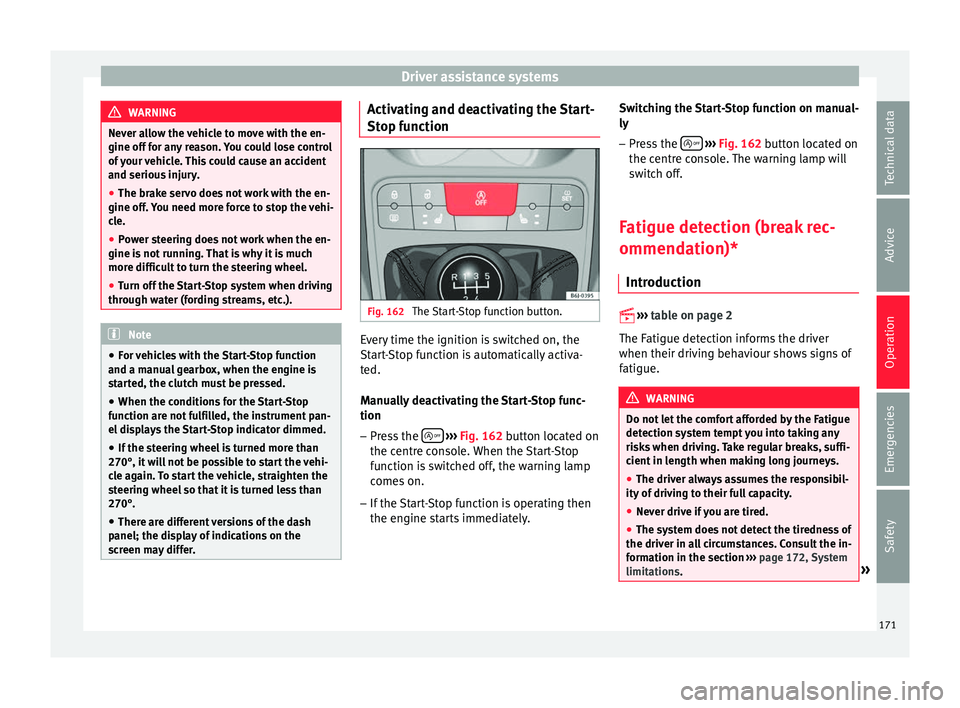
The Start-Stop function button. Every time the ignition is switched on, the
St
ar
t
-Stop function is automatically activa-
ted.
Manually deactivating the Start-Stop func-
tion
– Press the
› ›
› Fig. 162
button located on
the centre console. When the Start-Stop
function is switched off, the warning lamp
comes on.
– If the Start-Stop function is operating then
the engine st
arts immediately. Switching the Start-Stop function on manual-
ly
– Press the
› ››
Fig. 162
b
utton located on
the centre console. The warning lamp will
switch off.
Fatigue detection (break rec-
ommendation)* Introduction
›› ›
table on page 2
The Fatigue detection informs the driver
when their driving behaviour shows signs of
fatigue. WARNING
Do not let the comfort afforded by the Fatigue
detection sy s
tem tempt you into taking any
risks when driving. Take regular breaks, suffi-
cient in length when making long journeys.
● The driver always assumes the responsibil-
ity of driv
ing to their full capacity.
● Never drive if you are tired.
● The system does not detect the tiredness of
the driver in al
l circumstances. Consult the in-
formation in the section ››› page 172, System
limitations. » 171
Technical data
Advice
Operation
Emergencies
Safety
Page 174 of 248
Operation
●
In some sit uation
s, the system may incor-
rectly interpret an intended driving manoeu-
vre as driver tiredness.
● No warning is given in the event of the ef-
fect c
alled microsleep!
● Please observe the indications on the in-
strument p
anel and act as is necessary. Note
● Fatigue det ection h
as been developed for
driving on motorways and well paved roads
only.
● If there is a fault in the system, have it
check
ed by a specialised workshop. Function and operation
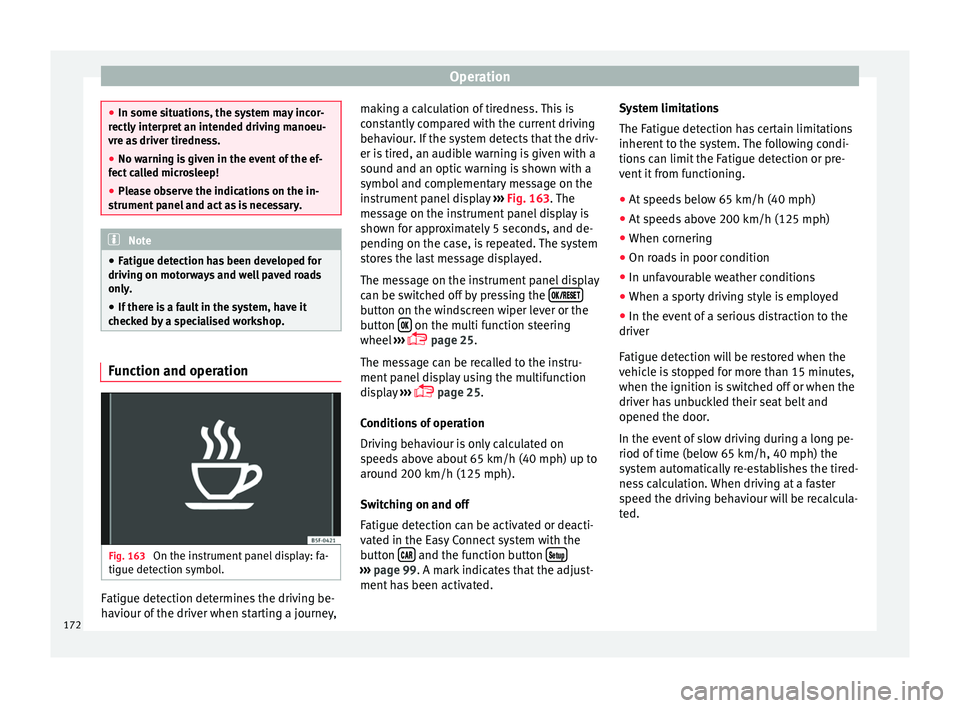
Fig. 163
On the instrument panel display: fa-
tigue det ection symbo
l
.Fatigue detection determines the driving be-
h
av
iour of
the driver when starting a journey, making a calculation of tiredness. This is
cons
tantly compared with the current driving
behaviour. If the system detects that the driv-
er is tired, an audible warning is given with a
sound and an optic warning is shown with a
symbol and complementary message on the
instrument panel display ››› Fig. 163. The
message on the instrument panel display is
shown for approximately 5 seconds, and de-
pending on the case, is repeated. The system
stores the last message displayed.
The message on the instrument panel display
can be switched off by pressing the button on the windscreen wiper lever or the
b
utt
on on the multi function steering
wheel
›
›
› page 25.
The message can be recalled to the instru-
ment panel display using the multifunction
display ›››
page 25.
Conditions of operation
Driving behaviour is only calculated on
speeds above about 65 km/h (40 mph) up to
around 200 km/h (125 mph).
Switching on and off
Fatigue detection can be activated or deacti-
vated in the Easy Connect system with the
button and the function button
›››
pag e 99. A mark indicates that the adjust-
ment
has been activated. System limitations
The Fatigue det
ection h
as certain limitations
inherent to the system. The following condi-
tions can limit the Fatigue detection or pre-
vent it from functioning.
● At speeds below 65 km/h (40 mph)
● At speeds above 200 km/h (125 mph)
● When cornering
● On roads in poor condition
● In unfavourable weather conditions
● When a sporty driving style is employed
● In the event of a serious distraction to the
driver
Fatigue det
ection will be restored when the
vehicle is stopped for more than 15 minutes,
when the ignition is switched off or when the
driver has unbuckled their seat belt and
opened the door.
In the event of slow driving during a long pe-
riod of time (below 65 km/h, 40 mph) the
system automatically re-establishes the tired-
ness calculation. When driving at a faster
speed the driving behaviour will be recalcula-
ted.
172
Page 184 of 248
Operation
To resume cruise control, release the brake or
c lut
c
h pedal or reduce the vehicle speed to
less than 180 km/h (112 mph) and press
once on the upper part of the rocker switch RES+ ››› Fig. 170 2 .
Complete system deactivation Vehicles with a manual gearbox
The sys
t
em is completely turned off by mov-
ing the control ››› Fig. 170 1 all the way to
the right h and s
ide (set into the OFF posi-
tion), or when the vehicle is stationary,
switching off the ignition.
Vehicles with an automatic gearbox
To completely disengage the system, the se-
lector lever must be placed in one of the fol-
lowing positions: P, N, R or 1 or with the vehi-
cle stopped and the ignition turned off. “SEAT Drive Profile” system
Fu nction and oper
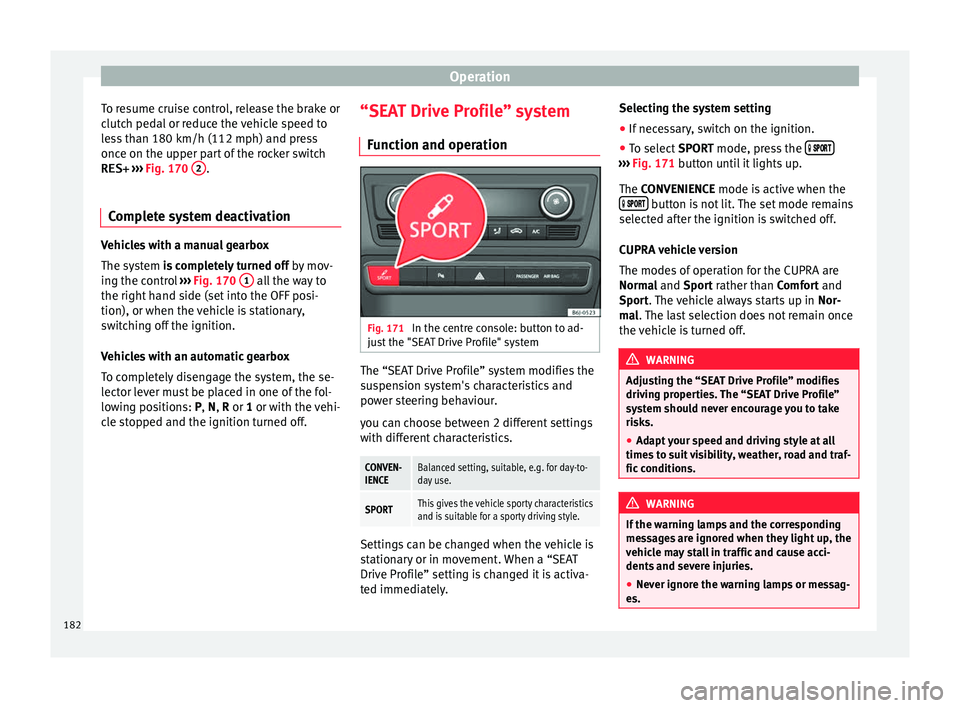
ation Fig. 171
In the centre console: button to ad-
ju s
t
the "SEAT Drive Profile" system The “SEAT Drive Profile” system modifies the
s
u
s
pension system's characteristics and
power steering behaviour.
you can choose between 2 different settings
with different characteristics.
CONVEN-
IENCEBalanced setting, suitable, e.g. for day-to-
day use.
SPORTThis gives the vehicle sporty characteristics
and is suitable for a sporty driving style. Settings can be changed when the vehicle is
s
t
ation
ary or in movement. When a “SEAT
Drive Profile” setting is changed it is activa-
ted immediately. Selecting the system setting
● If necessary, switch on the ignition.
● To select SPORT mode, press the
›››
Fig. 171 b utt
on u
ntil it lights up.
The CONVENIENCE mode is active when the button is not lit. The set mode remains
sel ect
ed af
ter the ignition is switched off.
CUPRA vehicle version
The modes of operation for the CUPRA are
Normal and Sport rather than Comfort and
Sport. The vehicle always starts up in Nor-
mal. The last selection does not remain once
the vehicle is turned off. WARNING
Adjusting the “SEAT Drive Profile” modifies
drivin g pr
operties. The “SEAT Drive Profile”
system should never encourage you to take
risks.
● Adapt your speed and driving style at all
times t
o suit visibility, weather, road and traf-
fic conditions. WARNING
If the warning lamps and the corresponding
mes s
ages are ignored when they light up, the
vehicle may stall in traffic and cause acci-
dents and severe injuries.
● Never ignore the warning lamps or messag-
es. 182
Page 185 of 248
Towing bracket device and trailer
●
Stop the v
ehicle at the next opportunity
and in a safe place. CAUTION
Failure to heed the control lamps and corre-
s pondin g t
ext messages when they light up
may result in damage to the vehicle. Note
If the “SEAT Drive Profile” system presents a
fau lt, the
symbol appears on the instrument
panel, with the message Fault: Damping
setting . Indication on the display and warning
l
amp
There is a fault in the “SEAT Drive Pro-
file” suspension.
See a specialised workshop immediately and have the
“SEAT Drive Profile” suspension checked.
If the yellow warning lamp does not light up again after
the engine is restarted and the vehicle has travelled a
short distance, you do not need to take it to a special-
ised workshop. Some warning and control lamps will light up
briefly
when the ignition i
s
switched on to
check certain functions. They will switch off
after a few seconds. WARNING
If the warning lamps and the corresponding
mes s
ages are ignored when they light up, the
vehicle may stall in traffic and cause acci-
dents and severe injuries.
● Never ignore the warning lamps or messag-
es. WARNING
Changing the “SEAT Drive Profile” settings
whil e the
vehicle is in motion can distract you
from the road and lead to accidents. CAUTION
Failure to heed the control lamps when they
light up and the c orr
esponding messages
may result in damage to the vehicle. Note
If the “SEAT Drive Profile” system does not
work a
s described in this chapter, have it
checked immediately by a specialised work-
shop. Towing bracket device and
tr
ai
l
er
Trailer mode What do you need to bear in mind
when towing a trailer? Your vehicle may be used to tow a trailer
when fitted w
ith the c
orrect equipment.
If the car is supplied with a factory-fitted tow-
ing bracket it will already have the necessary
technical modifications and meet the statuto-
ry requirements for towing a trailer. If you
wish to retrofit a towing bracket, consult
››› page 185.
Connectors
Your vehicle is fitted with a 12-pin connector
for the electrical connection between the
trailer and the vehicle.
If the trailer has a 7-pin plug you will need to
use an adapter cable. It is available at any
Technical Service.
Trailer weight/drawbar load
Never exceed the authorised trailer weight. If
you do not load the trailer up to the maxi-
mum permitted trailer weight, you can then
climb correspondingly steeper slopes. »
183
Technical data
Advice
Operation
Emergencies
Safety