warning light SEAT IBIZA 5D 2017 Repair Manual
[x] Cancel search | Manufacturer: SEAT, Model Year: 2017, Model line: IBIZA 5D, Model: SEAT IBIZA 5D 2017Pages: 248, PDF Size: 5.24 MB
Page 161 of 248
Driving
Selecting the normal programme
– Put the selector lever into position D.
Sel ectin
g the s
port programme
– Put the selector lever into position S.
If y
ou select the normal programme, D, you
will drive in the economy mode, i.e. the pro-
gramme is designed to reduce fuel consump-
tion. The gearbox changes up into a higher
gear as soon as possible and down into a
lower gear as late as possible.
If you select the sport programme, S, you will
drive in a sporty mode, i.e. a programme in
which shifts into high gears are postponed in
order to use the full power of the engine.
Selector lever positions Read the additional information carefully
› ›
›
page 38
Selector lever positions
The gear selected is displayed on the side of
the selector lever and on the display 1)
in the
combi-instrument. The currently selected gear for the automatic gearbox will also be
shown on the dis
play.
Tiptronic gear indicator
If the automatic gearbox is shifted manually,
the selected gears are shown on the screen
at all times 1)
.
P - parking lock
When the selector lever is in this position,
the driven wheels are locked mechanically.
Position P on the lever must only be selected
if the vehicle is stationary.
To move selector lever from position P, the
locking button on the selector lever handle
must be pressed and the brake pedal de-
pressed at the same time while the ignition is
switched on.
To put the selector lever in position P, simply
press the lock button down and, if necessary,
depress the brake pedal down.
R - Reverse gear
The reverse gear is engaged in this position.
Reverse gear must be engaged only when the
vehicle is stationary and the engine is idling. To move the selector lever to position R,
pres
s the lock button down and, at the same
time, press the brake pedal down, with the
ignition switched on.
With the selector lever in position R and the
ignition switched on the following occurs:
● Reverse lights light up.
● The air conditioner automatically changes
the air recir
culation mode.
● The wiper starts if the windscreen washer is
on.
● The parking distance warning system*
switc
hes on.
N - Neutral (idling)
If this position is selected, the gearbox is in
neutral. Power is not transmitted to the
wheels and the engine does not have a brak-
ing function.
Never use the N position to drive down a long
hill. There is no engine braking and the
brakes are subjected to excessive stain.
You could damage the automatic gearbox if
you drive down hills with the gearbox lever in
position N and the engine switched off. »1)
Vehicles with the basic level of equipment do not
show the po s
ition of the gear selector lever on the
screen. 159
Technical data
Advice
Operation
Emergencies
Safety
Page 163 of 248
Driving
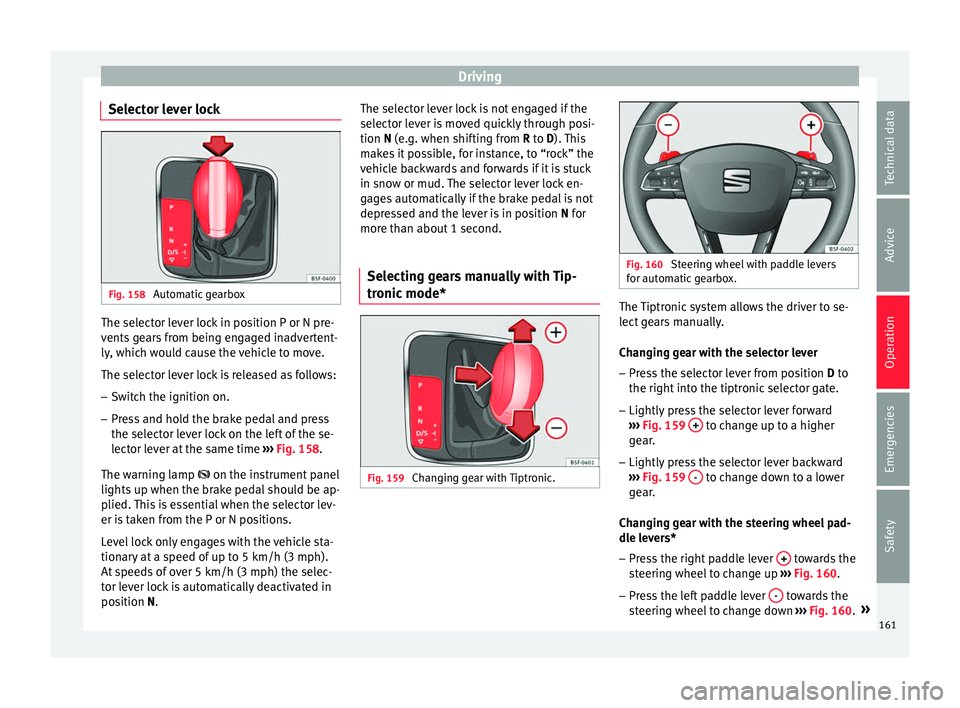
Selector lever lock Fig. 158
Automatic gearbox The selector lever lock in position P or N pre-
v
ents
g
ears from being engaged inadvertent-
ly, which would cause the vehicle to move.
The selector lever lock is released as follows:
– Switch the ignition on.
– Press and hold the brake pedal and press
the selector l
ever lock on the left of the se-
lector lever at the same time ››› Fig. 158.
The warning lamp on the instrument panel
lights up when the brake pedal should be ap-
plied. This is essential when the selector lev-
er is taken from the P or N positions.
Level lock only engages with the vehicle sta-
tionary at a speed of up to 5 km/h (3 mph).
At speeds of over 5 km/h (3 mph) the selec-
tor lever lock is automatically deactivated in
position N. The selector lever lock is not engaged if the
selector l
ever is moved quickly through posi-
tion N (e.g. when shifting from R to D). This
makes it possible, for instance, to “rock” the
vehicle backwards and forwards if it is stuck
in snow or mud. The selector lever lock en-
gages automatically if the brake pedal is not
depressed and the lever is in position N for
more than about 1 second.
Selecting gears manually with Tip-
tronic mode
* Fig. 159
Changing gear with Tiptronic. Fig. 160
Steering wheel with paddle levers
for aut om
atic gearbox. The Tiptronic system allows the driver to se-
l
ect
g
ears manually.
Changing gear with the selector lever – Press the selector lever from position D to
the right int
o the tiptronic selector gate.
– Lightly press the selector lever forward
›››
Fig. 159 + to change up to a higher
g e
ar
.
– Lightly press the selector lever backward
›››
Fig. 159 - to change down to a lower
g e
ar
.
Changing gear with the steering wheel pad-
dle levers*
– Press the right paddle lever + towards the
s t
eerin
g wheel to change up ››› Fig. 160.
– Press the left paddle lever - towards the
s t
eerin
g wheel to change down ››› Fig. 160. »
161
Technical data
Advice
Operation
Emergencies
Safety
Page 165 of 248
Driving
Starting the vehicle up hills
– Apply the handbrake.
– With a selected gear, accelerate slowly and
at the s
ame time, r
elease the handbrake.
The steeper the slope, the lower the needed
gear. This increases the braking effect of the
engine. For example, when driving down a
very steep slope in third gear. If the engine
brake effect is not enough, the vehicle will
speed up. The automatic gearbox automati-
cally changes up to prevent the engine over-
revving. Use the foot brake to reduce speed
and change into 3rd gear using Tiptronic*
››› in Selector lever positions on page 160.
Y our
v
ehicle has an automatic interlock
which prevents the selector lever from being
put into a position for driving forwards or in
reverse from positions P or N if the brake
pedal is not depressed.
The ignition key cannot be removed unless
the selector lever is in position P.
Control lamp “Pressing brake pedal”
When the warning lamp next to the selector
lever lights up, press the brake pedal. This is
necessary when the automatic gearbox selec-
tor lever is moved out of positions P or N. A
text message or instructions to perform nec-
essary operations may appear on the instru-
ment panel. CAUTION
● If y
ou stop the vehicle up hills, do not at-
tempt to stop it from rolling back by depress-
ing the accelerator when a gear has been se-
lected. Otherwise, the automatic gearbox
may overheat causing damage. Pull the hand-
brake up or fully depress the brake pedal to
prevent the vehicle from rolling away.
● If you allow the vehicle to roll when the en-
gine is not
running, or with the selector lever
in position N, a lack of lubrication in the auto-
matic gearbox will damage it. Kick-down feature
This feature allows maximum acceleration.
If
y
ou press the accelerator down thoroughly,
the gearbox automatically changes down, de-
pending on speed and engine speed, into a
lower gear to take full advantage of give the
vehicle maximum acceleration.
The gearbox does not change gear until the
engine reaches the maximum determined en-
gine speed for the gear. WARNING
You could lose control of the vehicle if you ac-
cel er
ate on slippery road surfaces. Risk of se-
rious injury.
● Be particularly careful when using the kick-
down fe
atures on slippery road surfaces. With a fast acceleration, the vehicle could lose
traction and sk
id.
● Y
ou should use the kick-down feature only
when traffic and w
eather conditions allow it
to be used safely. Gearbox malfunctions
Gearbox: Fault! Stop the ve-
hicle and place the lever in the
position P.
There i s
a fault in the gearbox. Stop the vehi-
cle in a safe place and do not continue driv-
ing. Seek specialist assistance.
Gearbox: System fault! You
may continue driving.
Have the fault corrected by a specialised
workshop without delay. Gearbox: System fault! You
can continue driving with re-
strictions. Reverse gear disa‐
bled
Take the vehicle to a specialised workshop
and have the fault repaired without delay. Gearbox: System fault! You
can continue driving in D until
switching off the engine »
163
Technical data
Advice
Operation
Emergencies
Safety
Page 169 of 248
Driving
exhaust can come into contact with flamma-
bl
e m
aterials under the car (e.g. on grass or
at the forest edge). Fire hazard!
● Do not apply wax underneath the vehicle
around the ar
ea of the exhaust system: Fire
hazard! Note
While the control lamps , , or r
e-
m ain lit, ther
e may be engine problems, fuel
consumption may increase and the engine
may lose power. Catalytic converter
To maintain the useful life of the catalytic
c
on
v
erter
– Use only unleaded petrol with petrol en-
gines, as
lead damages the catalytic con-
verter.
– Do not let the fuel get too low in the tank.
– For engine oil changes, do not replenish
with too muc
h engine oil ››› page 203, Top-
ping up engine oil.
– Never tow the vehicle to start it, use jump
lea
ds if necessary ›››
page 52.
If you notice misfiring, uneven running or
loss of power when the vehicle is moving, re-
duce speed immediately and have the vehi-
cle inspected at the nearest specialised workshop. In general, the exhaust warning
lamp wi
ll light up when any of the described
symptoms occur ››› page 98. If this happens,
unburnt fuel can enter the exhaust system
and escape into the environment. The cata-
lytic converter can also be damaged by over-
heating. CAUTION
Never run the fuel tank completely dry be-
cau se the irr
egularity of the fuel supply may
cause ignition problems. This allows unburnt
fuel to enter the exhaust system, which could
cause overheating and damage the catalytic
converter. For the sake of the environment
Even when the emission control system is
work in
g perfectly, there may be a smell of
sulphur from the exhaust gas under some
conditions. This depends on the sulphur con-
tent of the fuel used. Quite often the problem
can be solved by changing to another brand
of fuel. Diesel engine particulate filter*
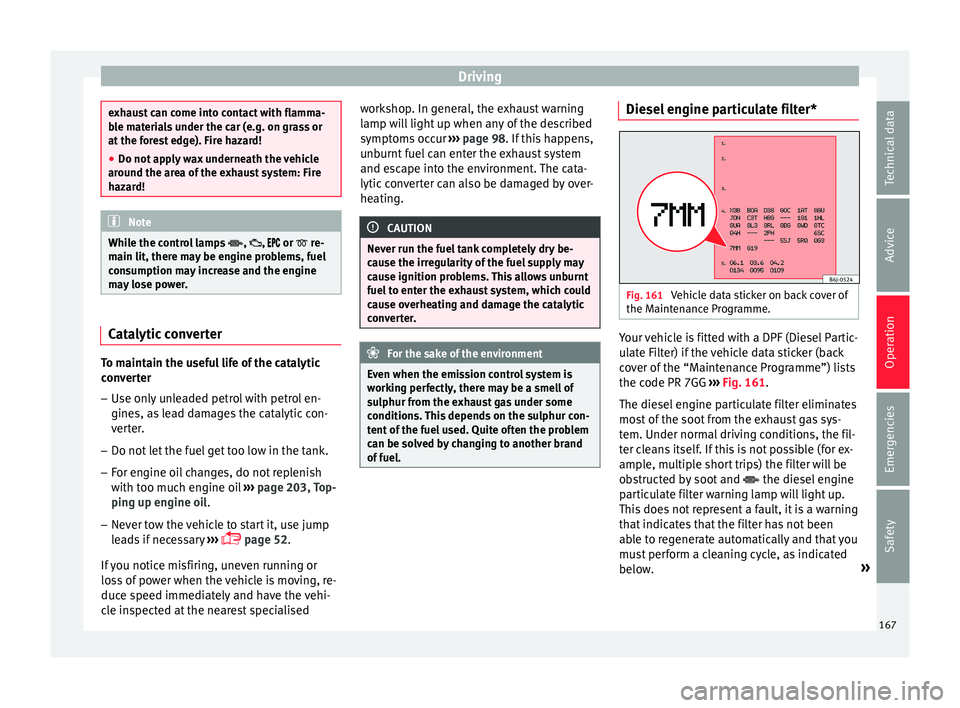
Fig. 161
Vehicle data sticker on back cover of
the M aint
en
ance Programme. Your vehicle is fitted with a DPF (Diesel Partic-
u
l
at
e Filter) if the vehicle data sticker (back
cover of the “Maintenance Programme”) lists
the code PR 7GG ››› Fig. 161.
The diesel engine particulate filter eliminates
most of the soot from the exhaust gas sys-
tem. Under normal driving conditions, the fil-
ter cleans itself. If this is not possible (for ex-
ample, multiple short trips) the filter will be
obstructed by soot and the diesel engine
particulate filter warning lamp will light up.
This does not represent a fault, it is a warning
that indicates that the filter has not been
able to regenerate automatically and that you
must perform a cleaning cycle, as indicated
below. »
167
Technical data
Advice
Operation
Emergencies
Safety
Page 170 of 248
Operation
Accumulation of soot in the diesel engine
p ar
tic
ulate filter*
If the control lamp lights up you should
help the filter clean itself by driving in the ap-
propriate manner.
To do this, drive about 15 minutes in fourth
or fifth gear (automatic gearbox: S gear
range) at a minimum speed of 60 km/h
(37 mph), with the engine running at approxi-
mately 2,000 rpm. In this way, the soot build
up in the filter is burned. When cleaning is
successful, the control lamp turns off.
If the lamp does not turn off, or the three
lamps turn on (particulate filter , fault in
the emission control system and glow
plugs ), drive the vehicle to a specialised
workshop and have the fault repaired at the
earliest opportunity. WARNING
Always drive according to the road weather
condition s, the t
errain and traffic. Driving rec-
ommendations should never lead to illegal
manoeuvres in surrounding traffic. CAUTION
● Your v
ehicle is not designed to use biodie-
sel fuel. Never, under any circumstances re-
fuel with biodiesel. The use of biodiesel fuel
could damage the engine and the fuel sys-
tem. The addition of biodiesel to diesel by
the diesel producer in accordance with stand- ard EN 590 is authorised and will not cause
dam
ag
e to the engine or the fuel system.
● Using diesel fuel with a high sulphur con-
tent m
ay significantly reduce the useful life of
the diesel particulate filter. Your Technical
Service will be able to tell you which coun-
tries have diesel with a high sulphur content. Engine management*
This warning lamp monitors the engine man-
agement
sy
stem for petrol engines.
The warning lamp (Electronic Power Con-
trol) lights up when the ignition is switched
on while system operation is being verified. It
should go out once the engine is started.
If there is a fault in the electronic engine
management system while you are driving,
this warning lamp will light up. Take the vehi-
cle to a specialised workshop as soon as
possible and have the engine checked.
Emission control system* Control lamp
fla
she
s:
When there is misfiring that can damage the
catalytic converter. Reduce speed and drive
carefully to the nearest specialised workshop
to have the engine checked. The control lamp
lights up:
If
a fault has developed during driving which
has reduced the quality of the exhaust gas
(e.g. lambda probe fault). Reduce speed and
drive carefully to the nearest specialised
workshop to have the engine checked.
Engine pre-heating/fault system* The warning lamp lights up to show that the
glow p
lug
s are preheating the diesel engine.
The control lamp lights up
If the control lamp lights up when the en-
gine is started it means that the glow plugs
are preheating. The engine can be started
straight away when the lamp switches off.
Control lamp flashes
If a fault develops in the engine management
system while you are driving, the glow plug
system lamp will flash . Take the vehicle to
a specialised workshop as soon as possible
and have the engine checked.
168
Page 171 of 248
Driving
Driving tips Driv in
g abr
oadTo drive abroad, the following must be taken
into c
on
sideration:
● For vehicles fitted with a catalytic converter
ensur
e that unleaded petrol is available for
the journey. See the chapter “Refuelling”. Au-
tomobile organisations will have information
about service station networks selling unlea-
ded fuel.
● In some countries, it is possible that your
car model i
s not sold, and therefore some
spare parts are not available or the technical
services may only be able to carry out limited
repairs.
SEAT importers and distributors will gladly
provide information about the technical prep-
aration that your vehicle requires and also
about necessary maintenance and repair
possibilities.
Adhesive strips for headlights
In countries where vehicles drive on the other
side of the road to your home country, the
asymmetric dipped beam may dazzle drivers
of oncoming vehicles.
To prevent dazzling, you must apply stickers
to certain parts of the headlight lenses. Fur- ther information is available at any Technical
Servic
e.
In vehicles with adaptive headlights, the ro-
tation system must previously be disconnec-
ted. To do this, please go to a specialised
workshop.
Driving on flooded roads To prevent damage to the vehicle when driv-
ing thr
ough w
ater, for example, along a floo-
ded road, please observe the following:
● The water should never come above the
low er edg
e of the bodywork.
● Drive at pedestrian speed. WARNING
After driving through water, mud, sludge,
etc ., the br
aking effect can be delayed slight-
ly due to moisture build-up on the discs and
brake pads. Applying the brakes carefully
several times will remove the moisture and
restore the full braking effect. CAUTION
● Drivin g thr
ough flooded areas may severely
damage vehicle components such as the en-
gine, transmission, running gear or electrical
system. ●
Whenever driv in
g through water, the Start-
Stop system* must be switched off
››› page 170. Note
● Chec k the depth of
the water before enter-
ing the flooded zone.
● Do not stop in the water, drive in reverse, or
stop the en
gine in any situation.
● Note that vehicles travelling in the opposite
direction ma
y splash water that could exceed
the maximum permitted water height for your
vehicle.
● Avoid driving through salt water (corro-
sion). 169
Technical data
Advice
Operation
Emergencies
Safety
Page 176 of 248
Operation
it directly only very briefly and always from a
dis
t
ance of more than 10 cm.
● Retrofitting of accessories to the vehicle,
such a
s a bicycle rack, may interfere with the
operation of the Parking Aid.
● In order to familiarise yourself with the sys-
tem, it i
s advised that you practice parking in
an area or car park that is free from traffic.
There must be good weather and light condi-
tions.
● The volume and tone of the warnings can
be modified, in addition t
o the indications
››› page 177.
● In vehicles without a driv
er information
system, these parameters can be modified in
a SEAT Official Service or in a specialised
workshop.
● Please observe information on towing a
trail
er ››› page 177.
● The display on the Easy Connect screen
shows
a slight time delay. Rear parking aid*
The rear Parking Aid assists the driver in
p
ark
in
g by means of audible warning
sounds.
Description
There are sensors integrated in the rear
bumper. When the sensors detect an obsta-
cle, you are alerted by audible warnings. Make particularly sure that the sensors are
not co
vered by adhesives, residues and the
like, as this could affect the system's opera-
tion. Cleaning instructions ››› page 191.
The approximate measurement range of the
rear sensors is:
side area0.60 m
central area1.60 m As you approach the obstacle, the time inter-
val
betw
een the audible warnings will be re-
duced. When you reach around 0.30 m the
warning will be constant: Do not continue to
move forward (or backward) ››› in General
inf orm
ation on p
age 173, ››› in General in-
f orm
ation on p
age 173 !
If you maintain separation from the obstacle,
the volume of the warning begins to reduce
after four seconds (does not affect the tone
of the constant warning).
Activating/Deactivating
When engaging reverse gear, the parking aid
is automatically switched on. This is con-
firmed with a short warning.
On disengaging reverse gear, the Parking Aid
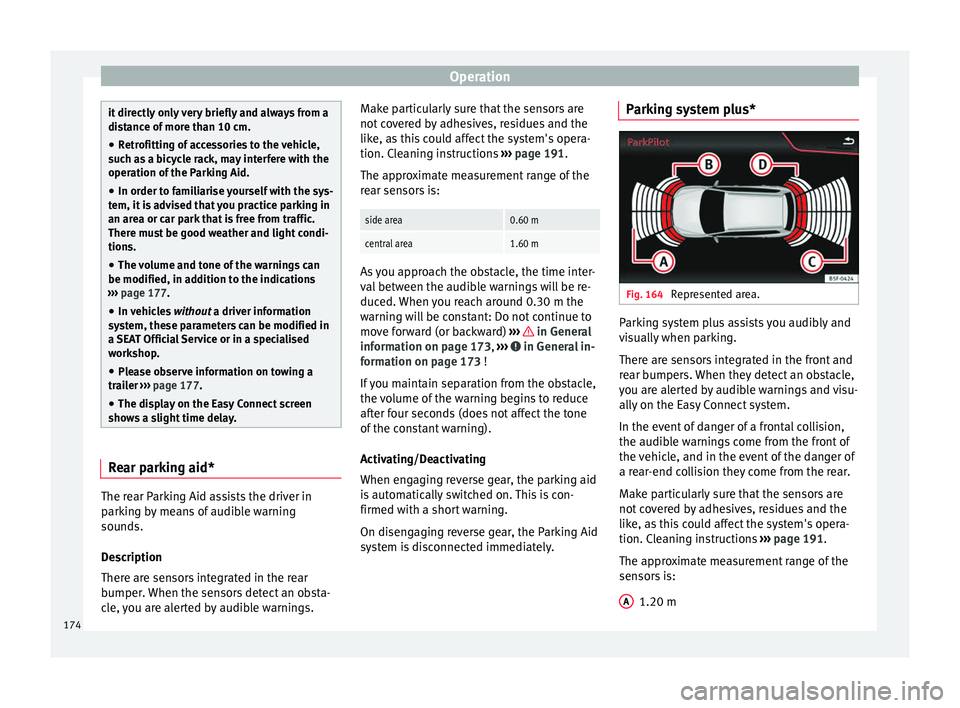
system is disconnected immediately. Parking system plus*
Fig. 164
Represented area. Parking system plus assists you audibly and
v
i
s
ually when parking.
There are sensors integrated in the front and
rear bumpers. When they detect an obstacle,
you are alerted by audible warnings and visu-
ally on the Easy Connect system.
In the event of danger of a frontal collision,
the audible warnings come from the front of
the vehicle, and in the event of the danger of
a rear-end collision they come from the rear.
Make particularly sure that the sensors are
not covered by adhesives, residues and the
like, as this could affect the system's opera-
tion. Cleaning instructions ››› page 191.
The approximate measurement range of the
sensors is:
1.20 m
A 174
Page 177 of 248
Driver assistance systems
0.60 m
1.60 m
0.60 m
As
y
ou approach the obstacle, the time inter-
val between the audible warnings will be re-
duced. When you reach around 0.30 m the
warning will be constant: do not continue to
move forward (or backward)!
If you maintain separation from the obstacle,
the volume of the warning begins to reduce
after four seconds (does not affect the tone
of the constant warning).
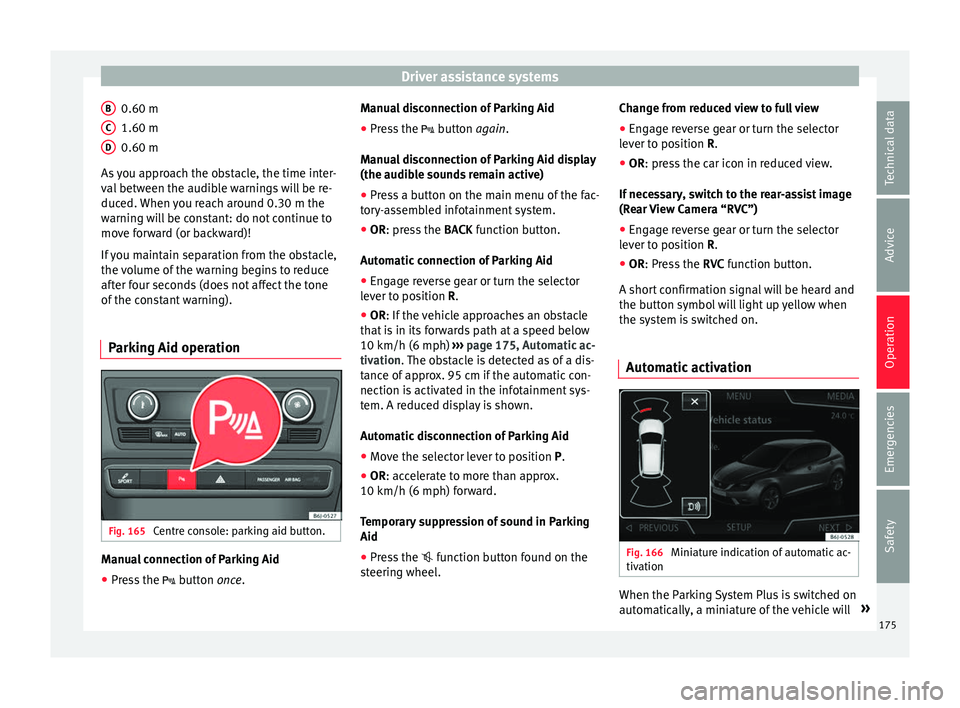
Parking Aid operation Fig. 165
Centre console: parking aid button. Manual connection of Parking Aid
● Press the butt
on
once.
B C
D Manual disconnection of Parking Aid
●
Press the butt
on
again.
Manual disconnection of Parking Aid display
(the audible sounds remain active)
● Press a button on the main menu of the fac-
tory
-assembled infotainment system.
● OR: press the BACK fu
nction button.
Automatic connection of Parking Aid ● Engage reverse gear or turn the selector
lever t
o position R.
● OR: If the vehicle approaches an obstacle
that
is in its forwards path at a speed below
10 km/h (6 mph) ››› page 175, Automatic ac-
tivation. The obstacle is detected as of a dis-
tance of approx. 95 cm if the automatic con-
nection is activated in the infotainment sys-
tem. A reduced display is shown.
Automatic disconnection of Parking Aid
● Move the selector lever to position P.
● OR: accelerate to more than approx.
10 km/h (6 mph) for
ward.
Temporary suppression of sound in Parking
Aid
● Press the function b
utton found on the
steering wheel. Change from reduced view to full view
●
Engage reverse gear or turn the selector
lever t
o position R.
● OR: press the car icon in reduced view.
If nec
essary, switch to the rear-assist image
(Rear View Camera “RVC”)
● Engage reverse gear or turn the selector
lever t
o position R.
● OR: Press the RVC fu
nction button.
A short confirmation signal will be heard and
the button symbol will light up yellow when
the system is switched on.
Automatic activation Fig. 166
Miniature indication of automatic ac-
tiv ation When the Parking System Plus is switched on
aut
om
atic
ally, a miniature of the vehicle will »
175
Technical data
Advice
Operation
Emergencies
Safety
Page 182 of 248
Operation
In combination with the Parking System Plus
› ›
›
page 173, the camera image will cease to
be transmitted immediately when reverse
gear is disengaged or when the selector lever
is moved from the R position, and the optical
information provided by the Parking Aid sys-
tem will be displayed.
Also in combination with the system, the rear
assist image can also be concealed:
● By pressing one of the Infotainment system
button
s on the display.
● OR: By pressing the miniature vehicle that
appe
ars on the left of the screen (which
switches to the full-screen mode of the Park-
ing System Plus's optical system).
If you wish to display the rear assist image
again:
● Disengage reverse, or change the selector
lever's
position, engage reverse again or
move the selector lever to position R.
● OR: Press the RVC fu
nction button1)
Meaning of the orientation lines
››› Fig. 169 Side lines: exten
sion of the vehicle (the
approximate width of the vehicle plus the
rear view mirrors) on the road surface.
End of the side lines: the area marked in
green ends approximately 2 m behind
the vehicle on the road surface.
Intermediate line: indicates a distance of
approximately 1 m behind the vehicle on
the road surface.
Red horizontal line: indicates a safe dis-
tance of approximately 40 cm at the rear
of the vehicle on the road surface.
Parking manoeuvre
● Place the vehicle in front of the parking
spac
e and engage reverse gear (manual
gearbox) or move the selector to the R posi-
tion (automatic gearbox).
● Reverse slowly, and turn the steering wheel
so that the s
ide orientation lines lead to-
wards the parking space.
● Guide the vehicle into the parking space so
that the s
ide orientation lines run parallel to
it. 1 2
3
4 Cruise speed* (cruise control -
GRA)
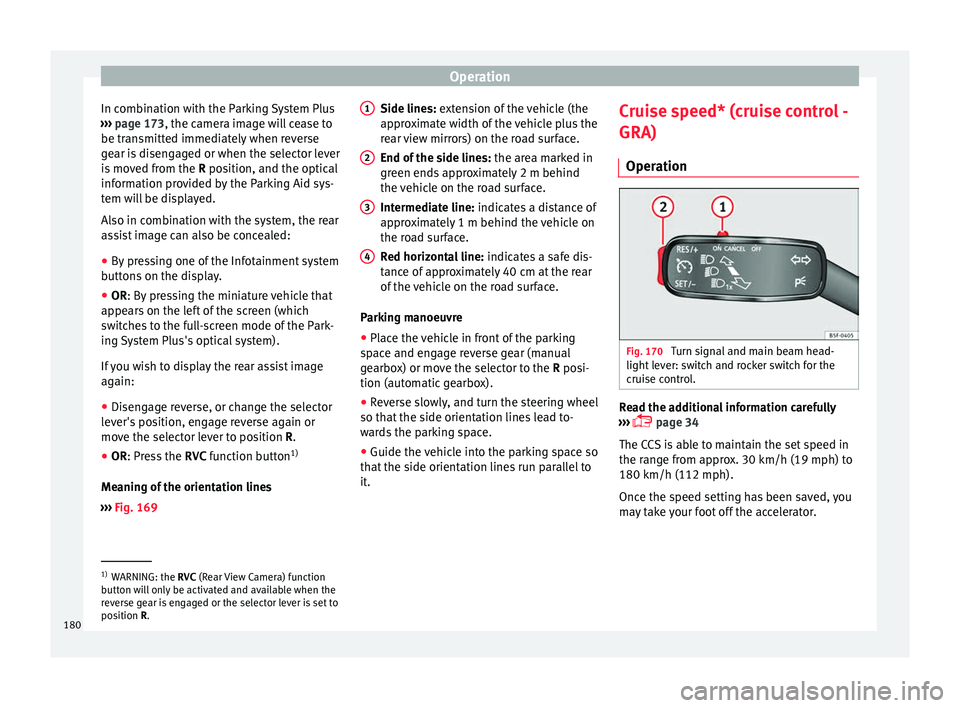
Oper ation Fig. 170
Turn signal and main beam head-
light l
ev
er: switch and rocker switch for the
cruise control. Read the additional information carefully
› ›
›
page 34
The CCS is able to maintain the set speed in
the range from approx. 30 km/h (19 mph) to
180 km/h (112 mph).
Once the speed setting has been saved, you
may take your foot off the accelerator. 1)
WARNING: the RVC (Rear
View Camera) function
button will only be activated and available when the
reverse gear is engaged or the selector lever is set to
position R.
180
Page 184 of 248
Operation
To resume cruise control, release the brake or
c lut
c
h pedal or reduce the vehicle speed to
less than 180 km/h (112 mph) and press
once on the upper part of the rocker switch RES+ ››› Fig. 170 2 .
Complete system deactivation Vehicles with a manual gearbox
The sys
t
em is completely turned off by mov-
ing the control ››› Fig. 170 1 all the way to
the right h and s
ide (set into the OFF posi-
tion), or when the vehicle is stationary,
switching off the ignition.
Vehicles with an automatic gearbox
To completely disengage the system, the se-
lector lever must be placed in one of the fol-
lowing positions: P, N, R or 1 or with the vehi-
cle stopped and the ignition turned off. “SEAT Drive Profile” system
Fu nction and oper
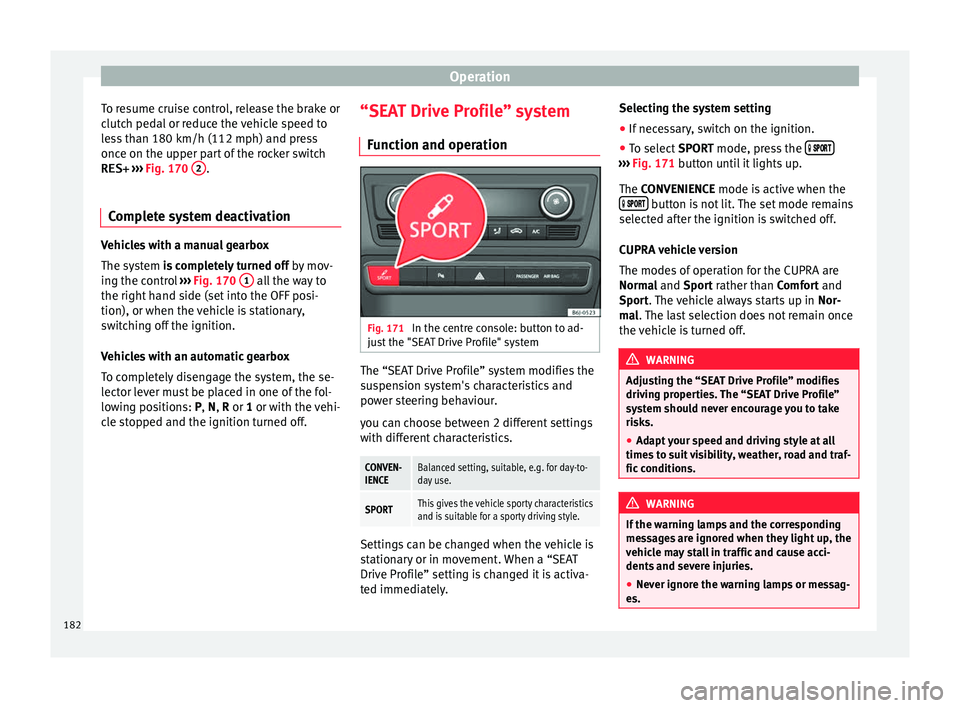
ation Fig. 171
In the centre console: button to ad-
ju s
t
the "SEAT Drive Profile" system The “SEAT Drive Profile” system modifies the
s
u
s
pension system's characteristics and
power steering behaviour.
you can choose between 2 different settings
with different characteristics.
CONVEN-
IENCEBalanced setting, suitable, e.g. for day-to-
day use.
SPORTThis gives the vehicle sporty characteristics
and is suitable for a sporty driving style. Settings can be changed when the vehicle is
s
t
ation
ary or in movement. When a “SEAT
Drive Profile” setting is changed it is activa-
ted immediately. Selecting the system setting
● If necessary, switch on the ignition.
● To select SPORT mode, press the
›››
Fig. 171 b utt
on u
ntil it lights up.
The CONVENIENCE mode is active when the button is not lit. The set mode remains
sel ect
ed af
ter the ignition is switched off.
CUPRA vehicle version
The modes of operation for the CUPRA are
Normal and Sport rather than Comfort and
Sport. The vehicle always starts up in Nor-
mal. The last selection does not remain once
the vehicle is turned off. WARNING
Adjusting the “SEAT Drive Profile” modifies
drivin g pr
operties. The “SEAT Drive Profile”
system should never encourage you to take
risks.
● Adapt your speed and driving style at all
times t
o suit visibility, weather, road and traf-
fic conditions. WARNING
If the warning lamps and the corresponding
mes s
ages are ignored when they light up, the
vehicle may stall in traffic and cause acci-
dents and severe injuries.
● Never ignore the warning lamps or messag-
es. 182