reset Seat Ibiza ST 2009 Owner's manual
[x] Cancel search | Manufacturer: SEAT, Model Year: 2009, Model line: Ibiza ST, Model: Seat Ibiza ST 2009Pages: 250, PDF Size: 6.4 MB
Page 53 of 250
Cockpit
52Display with multifunction display (MFD)*
The multifunction display (MFD) shows you information on
the journey and fuel consumption.The multifunction system uses two automatic memories: 1 - Actual
memory and 2 - Total memory . The selected memory will be shown
in the upper right-hand corner of the display.
Selecting a memory
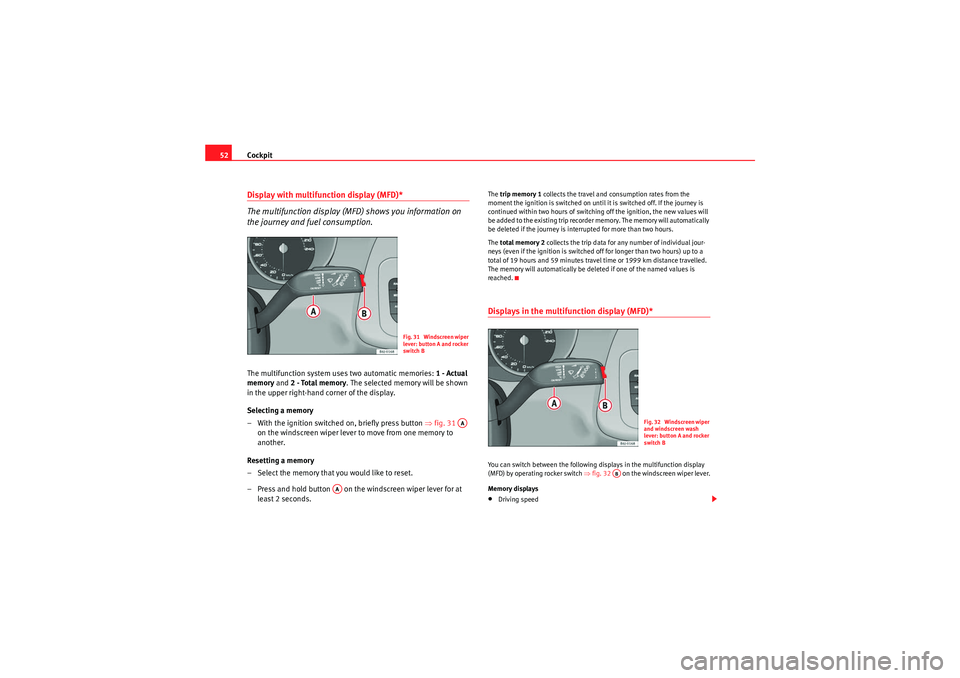
– With the ignition switched on, briefly press button ⇒fig. 31
on the windscreen wiper lever to move from one memory to
another.
Resetting a memory
– Select the memory that you would like to reset.
– Press and hold button on the windscreen wiper lever for at least 2 seconds.
The trip memory 1 collects the travel and consumption rates from the
moment the ignition is switched on until it is switched off. If the journey is
continued within two hours of switching off the ignition, the new values will
be added to the existing trip recorder memory. The memory will automatically
be deleted if the journey is interrupted for more than two hours.
The total memory 2 collects the trip data for any number of individual jour-
neys (even if the ignition is switched off for longer than two hours) up to a
total of 19 hours and 59 minutes travel time or 1999 km distance travelled.
The memory will automatically be deleted if one of the named values is
reached.Displays in the multifunction display (MFD)* You can switch between the following displays in the multifunction display
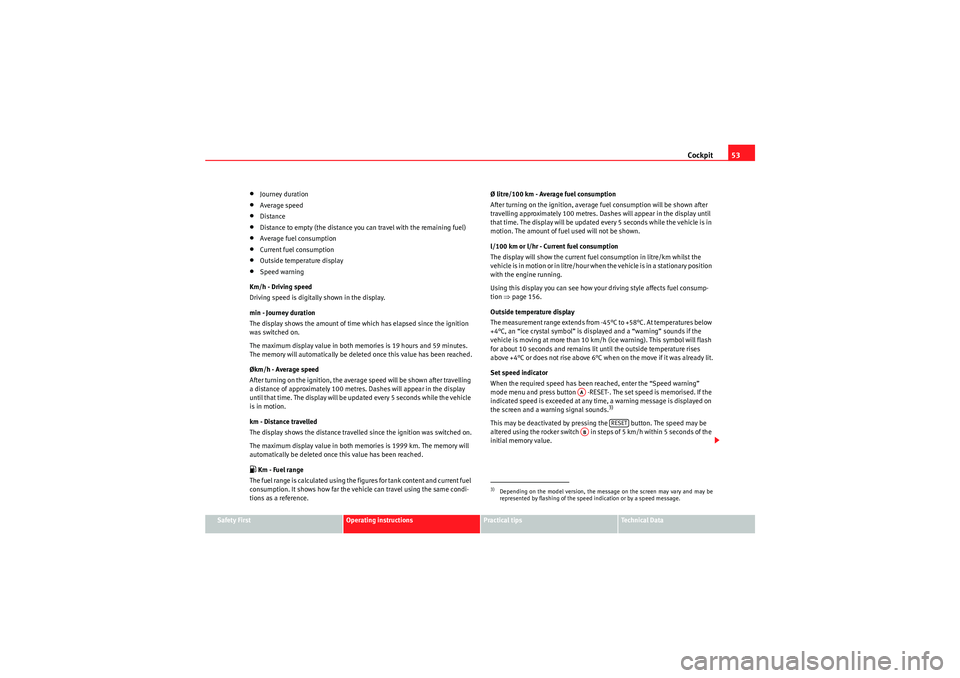
(MFD) by operating rocker switch ⇒fig. 32 on the windscreen wiper lever.
Memory displays•Driving speed
Fig. 31 Windscreen wiper
lever: button A and rocker
switch B
AA
AA
Fig. 32 Windscreen wiper
and windscreen wash
lever: button A and rocker
switch B
AB
Ibiza ST_EN.book Seite 52 Dienstag, 12. Januar 2010 4:03 16
Page 54 of 250
Cockpit53
Safety First
Operating instructions
Practical tips
Technical Data
•Journey duration•Average speed•Distance•Distance to empty (the distance you can travel with the remaining fuel)•Average fuel consumption•Current fuel consumption•Outside temperature display•Speed warning
Km/h - Driving speed
Driving speed is digitally shown in the display.
min - Journey duration
The display shows the amount of time which has elapsed since the ignition
was switched on.
The maximum display value in both memories is 19 hours and 59 minutes.
The memory will automatically be deleted once this value has been reached.
Økm/h - Average speed
After turning on the ignition, the average speed will be shown after travelling
a distance of approximately 100 metres. Dashes will appear in the display
until that time. The display will be updated every 5 seconds while the vehicle
is in motion.
km - Distance travelled
The display shows the distance travelled since the ignition was switched on.
The maximum display value in both memories is 1999 km. The memory will
automatically be deleted once this value has been reached. Km - Fuel range
The fuel range is calculated using the figures for tank content and current fuel
consumption. It shows how far the vehicle can travel using the same condi-
tions as a reference. Ø litre/100 km - Average fuel consumption
After turning on the ignition, average fuel consumption will be shown after
travelling approximately 100 metres. Dashes will appear in the display until
that time. The display will be updated every 5 seconds while the vehicle is in
motion. The amount of fuel used will not be shown.
l/100 km or l/hr - Current fuel consumption
The display will show the current fuel consumption in litre/km whilst the
vehicle is in motion or in litre/hour when the vehicle is in a stationary position
with the engine running.
Using this display you can see how your driving style affects fuel consump-
tion
⇒page 156.
Outside temperature display
The measurement range extends from -45°C to +58°C. At temperatures below
+4°C, an “ice crystal symbol” is displayed and a “warning” sounds if the
vehicle is moving at more than 10 km/h (ice warning). This symbol will flash
for about 10 seconds and remains lit until the outside temperature rises
above +4°C or does not rise above 6°C when on the move if it was already lit.
Set speed indicator
When the required speed has been reached, enter the “Speed warning”
mode menu and press button -RESET-. The set speed is memorised. If the
indicated speed is exceeded at any time, a warning message is displayed on
the screen and a warning signal sounds.
3)
This may be deactivated by pressing the button. The speed may be
altered using the rocker switch in steps of 5 km/h within 5 seconds of the
initial memory value.3)Depending on the model version, the message on the screen may vary and may be
represented by flashing of the speed indication or by a speed message.
AA
RESET
AB
Ibiza ST_EN.book Seite 53 Dienstag, 12. Januar 2010 4:03 16
Page 55 of 250
Cockpit
54
WARNING
There could be black ice on the road surface even if the “snowflake symbol”
is not shown. You should, for this reason, not rely exclusively on this
display - Risk of accident!
Note
When the vehicle is stationary or travelling at very low speeds, the tempera-
ture displayed may be slightly higher than the actual outside temperature as
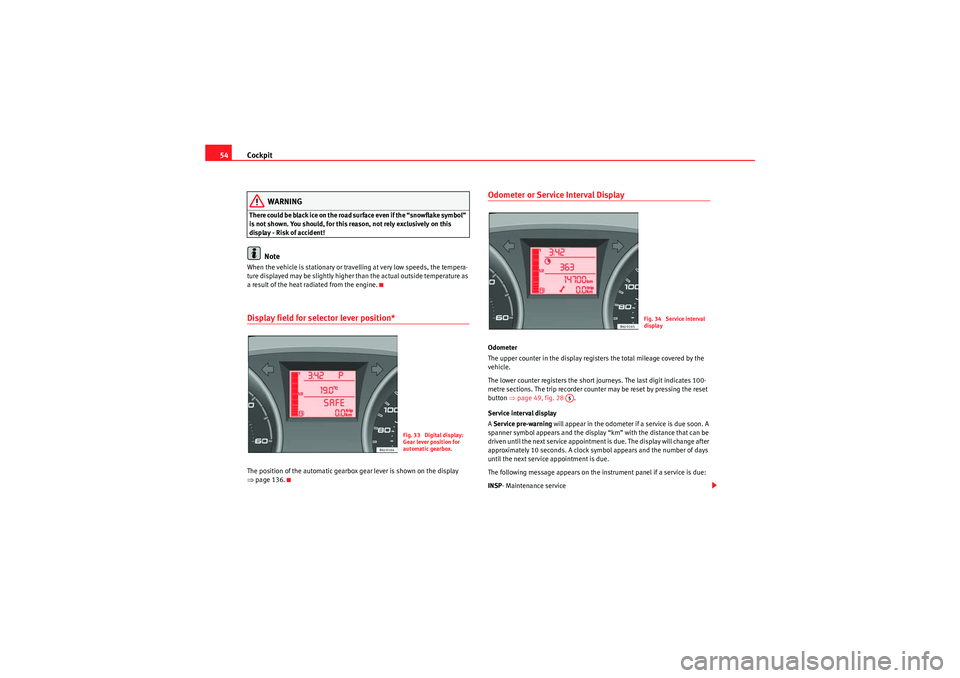
a result of the heat radiated from the engine.Display field for selector lever position*The position of the automatic gearbox gear lever is shown on the display
⇒ page 136.
Odometer or Service Interval DisplayOdometer
The upper counter in the display registers the total mileage covered by the
vehicle.
The lower counter registers the short journeys. The last digit indicates 100-
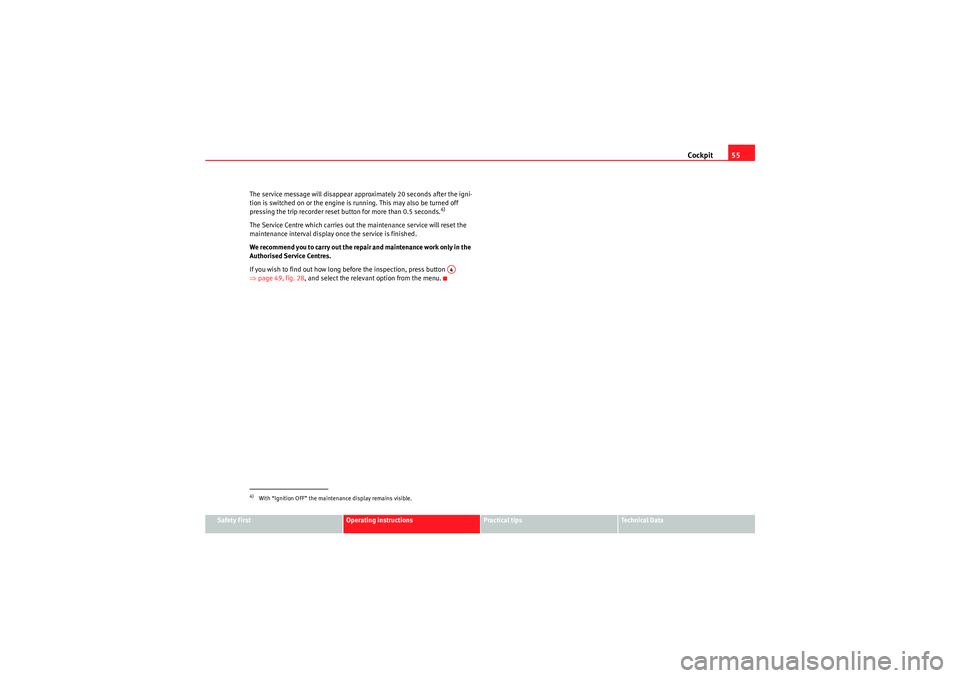
metre sections. The trip recorder counter may be reset by pressing the reset
button ⇒page 49, fig. 28 .
Service interval display
A Service pre-warning will appear in the odometer if a service is due soon. A
spanner symbol appears and the display “km” with the distance that can be
driven until the next service appointment is due. The display will change after
approximately 10 seconds. A clock symbol appears and the number of days
until the next service appointment is due.
The following message appears on the instrument panel if a service is due:
INSP - Maintenance service
Fig. 33 Digital display:
Gear lever position for
automatic gearbox.
Fig. 34 Service interval
display
A5
Ibiza ST_EN.book Seite 54 Dienstag, 12. Januar 2010 4:03 16
Page 56 of 250
Cockpit55
Safety First
Operating instructions
Practical tips
Technical Data
The service message will disappear approximately 20 seconds after the igni-
tion is switched on or the engine is running. This may also be turned off
pressing the trip recorder reset button for more than 0.5 seconds.
4)
The Service Centre which carries out the maintenance service will reset the
maintenance interval display once the service is finished.
We recommend you to carry out the repair and maintenance work only in the
Authorised Service Centres.
If you wish to find out how long before the inspection, press button
⇒
page 49, fig. 28, and select the relevant option from the menu.4)With “Ignition OFF” the maintenance display remains visible.
A4
Ibiza ST_EN.book Seite 55 Dienstag, 12. Januar 2010 4:03 16
Page 68 of 250
Steering column controls*67
Safety First
Operating instructions
Practical tips
Technical Data
Audio Control
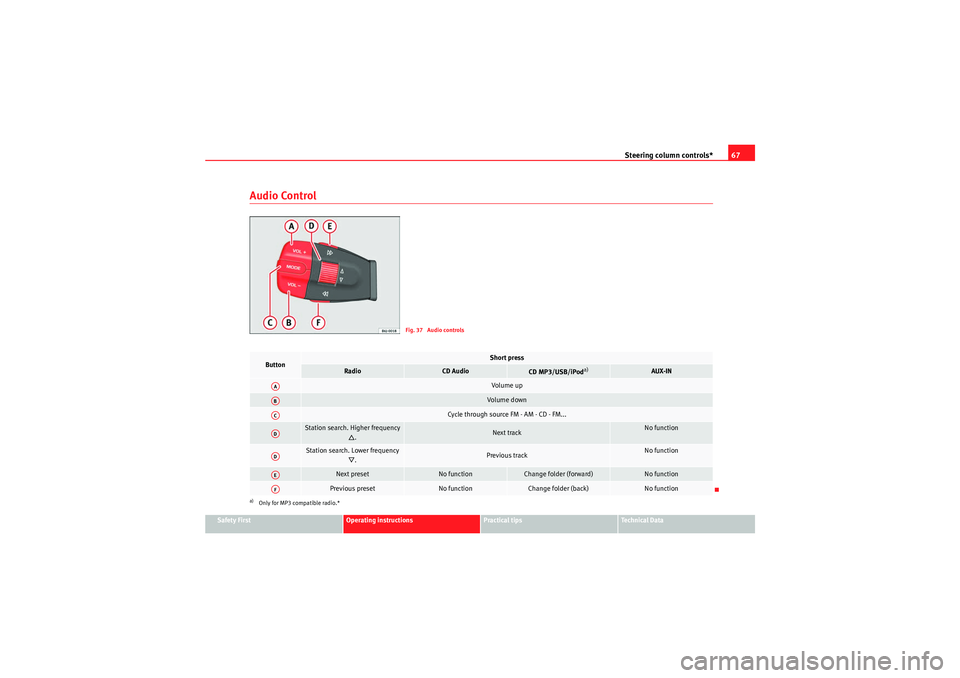
Fig. 37 Audio controls
Button
Short press
Radio
CD Audio
CD MP3/USB/iPod
a)
a)Only for MP3 compatible radio.*
AUX-IN
Vol u m e upVol um e d own
Cycle through source FM - AM - CD - FM...
Station search. Higher frequency
.
Next track
No function
Station search. Lower frequency
.
Previous track
No function
Next preset
No function
Change folder (forward)
No function
Previous preset
No function
Change folder (back)
No function
AAABACADADAEAF
Ibiza ST_EN.book Seite 67 Dienstag, 12. Januar 2010 4:03 16
Page 87 of 250
Unlocking and locking
86•Never leave children or disabled persons in the vehicle, particularly if
they have access to the keys. Unsupervised use of a key could mean that
the engine is started or that electrical equipment is used (e.g. electric
tilting sunroof) with a risk of accident. The doors can be locked using the
remote control key. This could make the aid difficult in an emergency situ-
ation.•The tilting sunroof continues to function until one of the front doors is
opened and the key removed from the ignition.•Ensure that no object and/or end is between the glass and the roof
when the one-touch opening/closing function is reset.
Convenience closing* Using the door lock
– Hold the key in the door lock of the driver door in the locking position until the tilting sunroof is closed.
– Release the key to interrupt this function.
Using the remote control
– Push the lock button on the remote control for about 3 seconds. The tilting roof closes.
– Press the unlock button to interrupt the function.
Roll-back function of the panorama/ tilting roof*The panorama/ tilting roof has a roll-back function which prevents larger
objects getting trapped when the roof is closed. The roll-back function does
not prevent fingers getting pinched against the roof opening. The tilting
sunroof stops and opens again immediately if it is obstructed when closing.Operation in case of breakdown
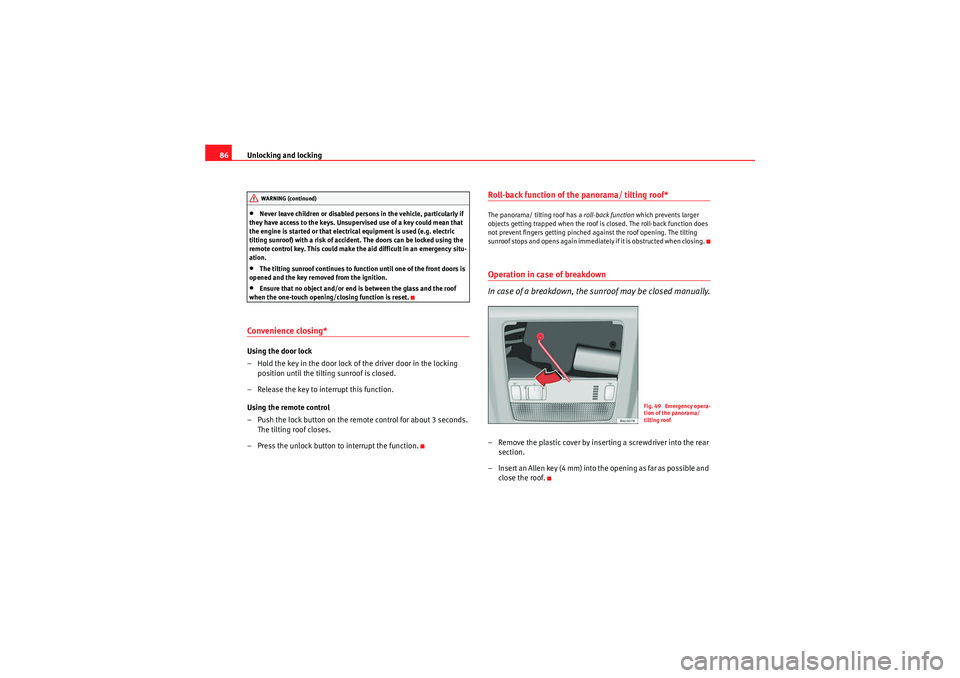
In case of a breakdown, the sunroof may be closed manually.– Remove the plastic cover by inserting a screwdriver into the rear section.
– Insert an Allen key (4 mm) into the opening as far as possible and close the roof.
WARNING (continued)
Fig. 49 Emergency opera-
tion of the panorama/
tilting roof
Ibiza ST_EN.book Seite 86 Dienstag, 12. Januar 2010 4:03 16
Page 211 of 250
If and when
210The individual electrical circuits are protected by fuses. The fuses are located
behind a cover at the left-hand end of the dash panel. When the steering
wheel is on the right, the fuses are on the right-hand side of the dash panel,
behind a cover.
The electric windows are protected by circuit breakers . These reset automat-
ically after a few seconds when the overload (caused for example by frozen
windows) has been corrected.
Fuses colour code
WARNING
Never “repair” damaged fuses and never replace them with fuses with a
higher rating. Failure to comply could result in fire. This could also cause
damage to other parts of the electrical system.
Note
•If a newly replaced fuse blows again after a short time, the electrical
system must be checked by a qualified workshop as soon as possible.•If you replace a fuse with higher-rating fuse, you could cause damage to
another location in the electrical system.
•Always keep some spare fuses in the vehicle. These are available from
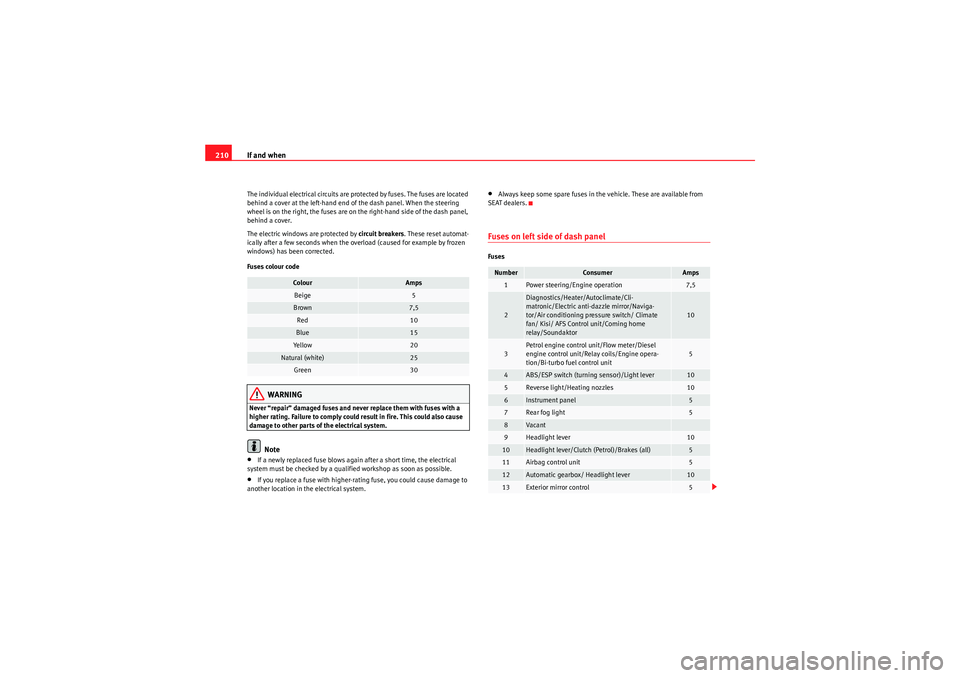
SEAT dealers.Fuses on left side of dash panelFuses
Colour
Amps
Beige
5
Brown
7,5
Red
10
Blue
15
Ye ll ow
20
Natural (white)
25
Green
30
Number
Consumer
Amps
1
Power steering/Engine operation
7,5
2
Diagnostics/Heater/Autoclimate/Cli-
matronic/Electric anti-dazzle mirror/Naviga-
tor/Air conditioning pressure switch/ Climate
fan/ Kisi/ AFS Control unit/Coming home
relay/Soundaktor
10
3
Petrol engine control unit/Flow meter/Diesel
engine control unit/Relay coils/Engine opera-
tion/Bi-turbo fuel control unit
5
4
ABS/ESP switch (turning sensor)/Light lever
10
5
Reverse light/Heating nozzles
10
6
Instrument panel
5
7
Rear fog light
5
8
Vaca n t
9
Headlight lever
10
10
Headlight lever/Clutch (Petrol)/Brakes (all)
5
11
Airbag control unit
5
12
Automatic gearbox/ Headlight lever
10
13
Exterior mirror control
5
Ibiza ST_EN.book Seite 210 Dienstag, 12. Januar 2010 4:03 16
Page 214 of 250
If and when213
Safety First
Operating instructions
Practical tips
Technical Data
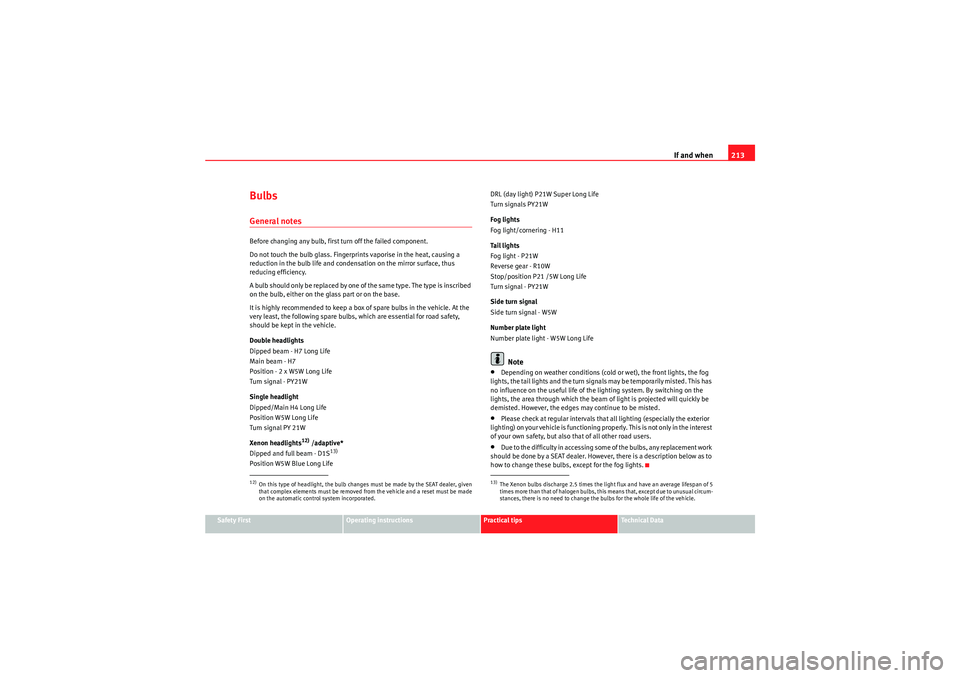
BulbsGeneral notesBefore changing any bulb, first turn off the failed component.
Do not touch the bulb glass. Fingerprints vaporise in the heat, causing a
reduction in the bulb life and condensation on the mirror surface, thus
reducing efficiency.
A bulb should only be replaced by one of the sam e type. The type is inscribed
on the bulb, either on the glass part or on the base.
It is highly recommended to keep a box of spare bulbs in the vehicle. At the
very least, the following spare bulbs, which are essential for road safety,
should be kept in the vehicle.
Double headlights
Dipped beam - H7 Long Life
Main beam - H7
Position - 2 x W5W Long Life
Turn signal - PY21W
Single headlight
Dipped/Main H4 Long Life
Position W5W Long Life
Turn signal PY 21W
Xenon headlights
12) /adaptive*
Dipped and full beam - D1S
13)
Position W5W Blue Long Life DRL (day light) P21W Super Long Life
Turn signals PY21W
Fog lights
Fog light/cornering - H11
Ta i l l i g h t s
Fog light - P21W
Reverse gear - R10W
Stop/position P21 /5W Long Life
Turn signal - PY21W
Side turn signal
Side turn signal - W5W
Number plate light
Number plate light - W5W Long Life
Note
•Depending on weather conditions (cold or wet), the front lights, the fog
lights, the tail lights and the turn signals may be temporarily misted. This has
no influence on the useful life of the lighting system. By switching on the
lights, the area through which the beam of light is projected will quickly be
demisted. However, the edges may continue to be misted.•Please check at regular intervals that all lighting (especially the exterior
lighting) on your vehicle is functioning pr operly. This is not only in the interest
of your own safety, but also that of all other road users.•D u e t o t h e d i f f i c u l t y i n a cc e s s i n g s o m e o f t h e b u l b s , a n y r e p l a c e m e n t w o r k
should be done by a SEAT dealer. However, there is a description below as to
how to change these bulbs, except for the fog lights.
12)On this type of headlight, the bulb changes must be made by the SEAT dealer, given
that complex elements must be removed from the vehicle and a reset must be made
on the automatic control system incorporated.
13)The Xenon bulbs discharge 2.5 times the light flux and have an average lifespan of 5
times more than that of halogen bulbs, this means that, except due to unusual circum-
stances, there is no need to change the bulbs for the whole life of the vehicle.
Ibiza ST_EN.book Seite 213 Dienstag, 12. Januar 2010 4:03 16