light Seat Ibiza ST 2011 Manual PDF
[x] Cancel search | Manufacturer: SEAT, Model Year: 2011, Model line: Ibiza ST, Model: Seat Ibiza ST 2011Pages: 280, PDF Size: 4.01 MB
Page 158 of 280
156Driving
Changing gear in tiptronic mode*
The tiptronic system allows the driver to select gears man-
ually
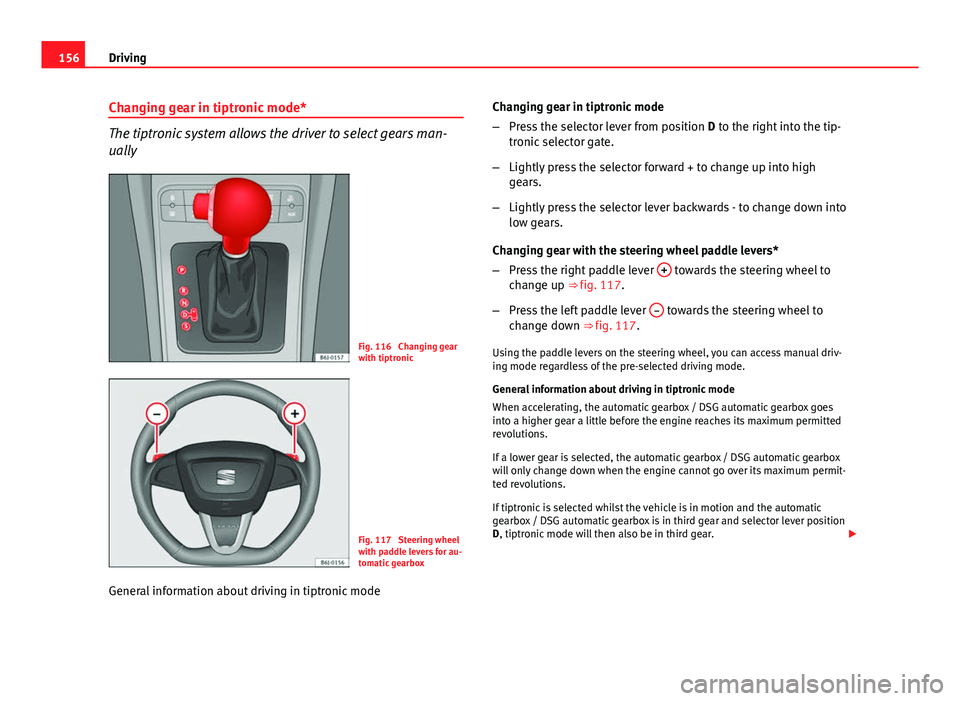
Fig. 116 Changing gear
with tiptronic
Fig. 117 Steering wheel
with paddle levers for au-
tomatic gearbox
General information about driving in tiptronic mode Changing gear in tiptronic mode
–
Press the selector lever from position D to the right into the tip-
tronic selector gate.
– Lightly press the selector forward + to change up into high
gears.
– Lightly press the selector lever backwards - to change down into
low gears.
Changing gear with the steering wheel paddle levers*
– Press the right paddle lever +
towards the steering wheel to
change up ⇒ fig. 117.
– Press the left paddle lever –
towards the steering wheel to
change down ⇒ fig. 117.
Using the paddle levers on the steering wheel, you can access manual driv-
ing mode regardless of the pre-selected driving mode.
General information about driving in tiptronic mode
When accelerating, the automatic gearbox / DSG automatic gearbox goes
into a higher gear a little before the engine reaches its maximum permitted
revolutions.
If a lower gear is selected, the automatic gearbox / DSG automatic gearbox
will only change down when the engine cannot go over its maximum permit-
ted revolutions.
If tiptronic is selected whilst the vehicle is in motion and the automatic
gearbox / DSG automatic gearbox is in third gear and selector lever position
D, tiptronic mode will then also be in third gear.
Page 159 of 280
157
Driving
Changing gears in the normal or sport programme using the steering wheel
paddle levers
If the paddle levers ⇒ fig. 117 are used in the normal or sport programme,
the system switches temporarily to tiptronic mode. To exit “tiptronic” mode
again, press the right paddle lever +
towards the steering wheel for approx-
imately one second. You will also leave tiptronic mode if the paddle levers
are not moved for a certain time.
Note
● The gear paddle levers on the steering wheel can be operated with the
selector lever in any position and with the vehicle in motion.
Selector lever positions
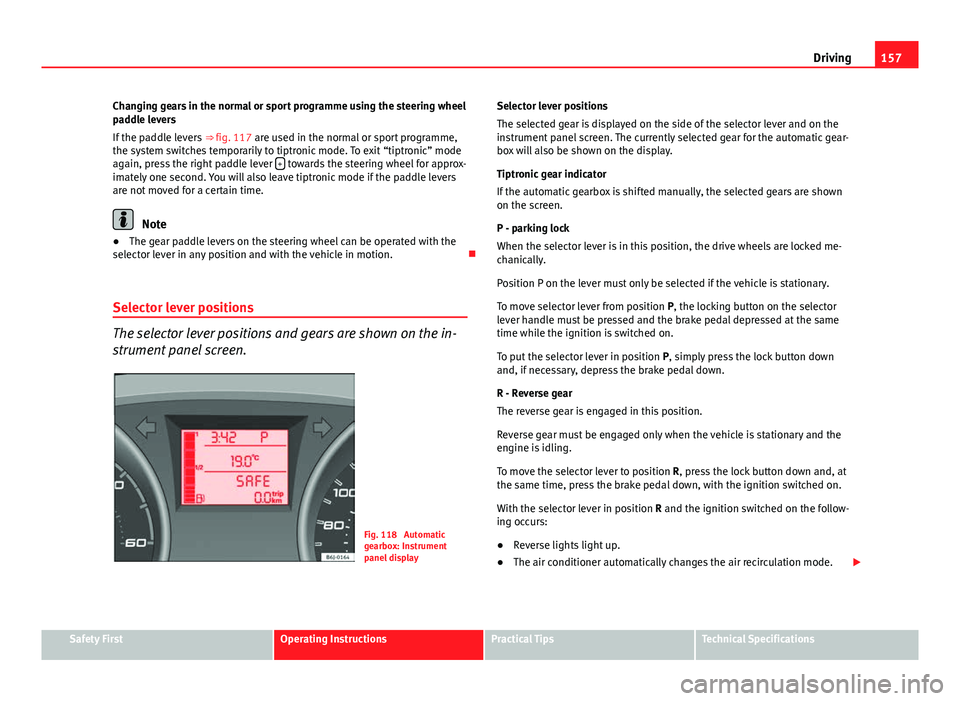
The selector lever positions and gears are shown on the in-
strument panel screen.
Fig. 118 Automatic
gearbox: Instrument
panel display Selector lever positions
The selected gear is displayed on the side of the selector lever and on the
instrument panel screen. The currently selected gear for the automatic gear-
box will also be shown on the display.
Tiptronic gear indicator
If the automatic gearbox is shifted manually, the selected gears are shown
on the screen.
P - parking lock
When the selector lever is in this position, the drive wheels are locked me-
chanically.
Position P on the lever must only be selected if the vehicle is stationary.
To move selector lever from position P, the locking button on the selector
lever handle must be pressed and the brake pedal depressed at the same
time while the ignition is switched on.
To put the selector lever in position
P, simply press the lock button down
and, if necessary, depress the brake pedal down.
R - Reverse gear
The reverse gear is engaged in this position.
Reverse gear must be engaged only when the vehicle is stationary and the
engine is idling.
To move the selector lever to position R, press the lock button down and, at
the same time, press the brake pedal down, with the ignition switched on.
With the selector lever in position R and the ignition switched on the follow-
ing occurs:
● Reverse lights light up.
● The air conditioner automatically changes the air recirculation mode.
Safety FirstOperating InstructionsPractical TipsTechnical Specifications
Page 162 of 280
160Driving
Always apply the handbrake when you leave your vehicle and when
you park.
Applying the handbrake
–Pull the handbrake lever up firmly ⇒ fig. 119.
Releasing the handbrake
– Pull the lever up slightly and press the release knob in the di-
rection of the arrow ⇒ fig. 119 and guide the handbrake lever
down fully ⇒
.
Always apply the handbrake as far as it will go in order to prevent you from
driving with the handbrake applied by mistake ⇒
.
The handbrake warning lamp lights up when the handbrake is applied
and the ignition switched on. The warning turns off when the handbrake is
released.
WARNING
● Never use the handbrake to stop the vehicle when it is in motion. The
braking distance is considerably longer, because braking is only applied
to the rear wheels. Risk of accident!
● If it is only partially released, this will cause rear brakes overheating,
which can impair the function of the brake system and could lead to an
accident. This also causes premature wear on the rear brake pads.
CAUTION
Always apply the handbrake before you leave the vehicle. The first gear
should also be selected. Parking
The handbrake should always be firmly applied when the
vehicle is parked.
Always note the following points when parking the vehicle:
–
Use the brake pedal to stop the vehicle.
– Apply the handbrake.
– Select first gear.
– Switch the engine off and remove the key from the ignition. Turn
the steering wheel slightly to engage the steering lock.
– Always take you car keys with you when you leave the vehicle
⇒
.
Additional notes on parking the vehicle on gradients:
Turn the steering wheel so that the vehicle rolls against the kerb if it started
to roll.
● If the vehicle is parked facing downhill, turn the front wheels so that
they point towards the kerb .
● If the vehicle is parked facing uphill, turn the front wheels so that they
point away from the kerb .
● Secure the vehicle as normal by applying the handbrake firmly and se-
lecting first gear.
Page 165 of 280
163
Driving
● External ultra-sonic sources (pneumatic drills, construction machinery,
other vehicles with PDC) may interfere with the operation of the system.
● Periodic cleaning of the sensors, take care not to damage or scratch
them. When cleaning with high pressure washers or steam cleaners, the
sensors should be sprayed for only a very short period and from a distance
of more than 10 cm.
Cruise speed* (Cruise control system)
Description
The cruise control system is able to maintain the set speed
in the range of 30 km/h to 180 km/h. Once the speed setting has been saved, you may take your foot off the ac-
celerator.
WARNING
It could be dangerous to use the cruise control system if it is not possible
to drive at constant speed.
● Do not use the cruise control system when driving in dense traffic, on
roads with lots of bends or on roads with poor conditions (with ice, slip-
pery surfaces, loose grit or gravel), as this could cause an accident.
● Always switch the cruise control system off after using it in order to
avoid an involuntary use.
● It is dangerous to use a set speed which is too high for the current
road, traffic or weather conditions. Risk of accident.
Note
The cruise control cannot maintain a constant speed when descending
downhill. The vehicle will accelerate due to its own weight. Use the foot
brake to slow the vehicle.
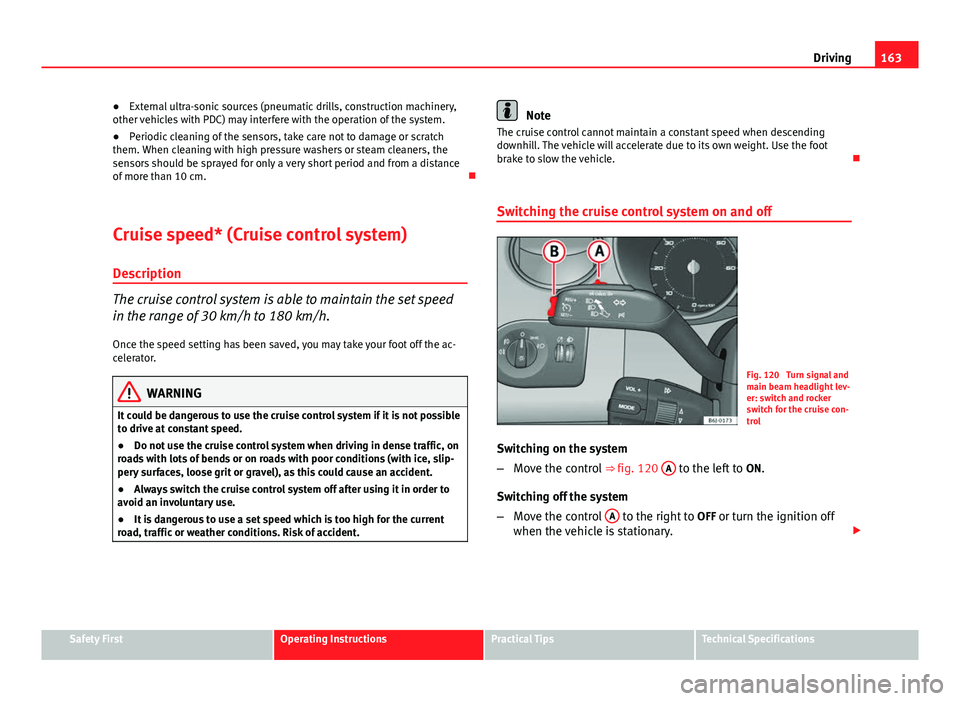
Switching the cruise control system on and off
Fig. 120 Turn signal and
main beam headlight lev-
er: switch and rocker
switch for the cruise con-
trol
Switching on the system
– Move the control ⇒ fig. 120 A
to the left to
ON.
Switching off the system
– Move the control A
to the right to
OFF or turn the ignition off
when the vehicle is stationary.
Safety FirstOperating InstructionsPractical TipsTechnical Specifications
Page 166 of 280
164Driving
When the cruise control is on and a speed is programmed, the indicator
on the instrument panel is lit. 1)
If the cruise control system is switched off, the symbol is switched off.
The system will also be deactivated completely when 1st gear is selected.*
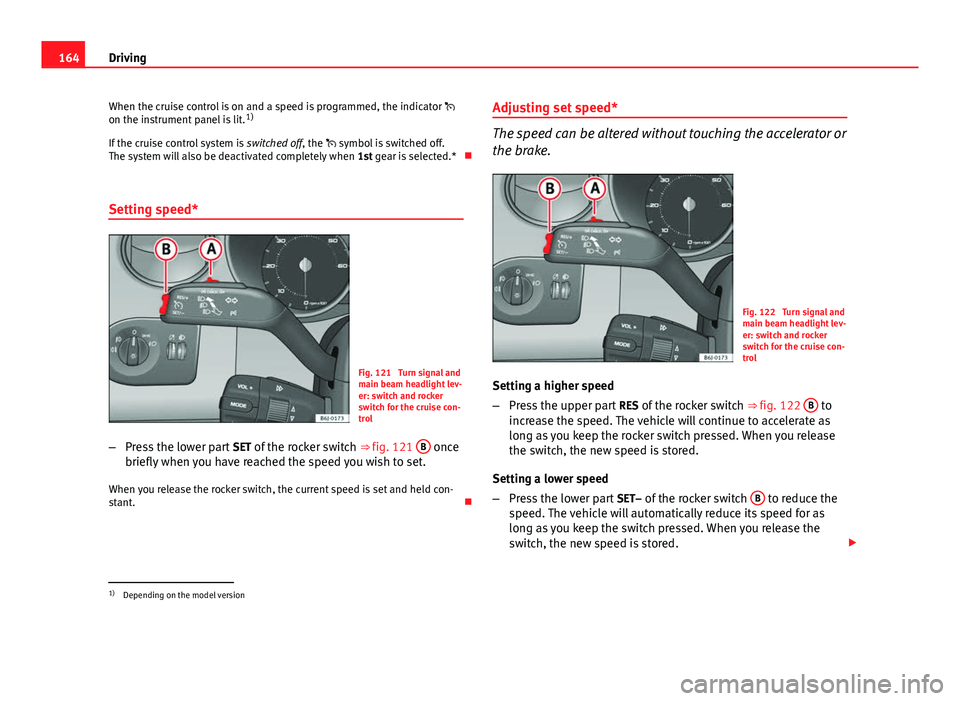
Setting speed*
Fig. 121 Turn signal and
main beam headlight lev-
er: switch and rocker
switch for the cruise con-
trol
– Press the lower part SET of the rocker switch ⇒ fig. 121 B
once
briefly when you have reached the speed you wish to set.
When you release the rocker switch, the current speed is set and held con-
stant. Adjusting set speed*
The speed can be altered without touching the accelerator or
the brake.
Fig. 122 Turn signal and
main beam headlight lev-
er: switch and rocker
switch for the cruise con-
trol
Setting a higher speed
– Press the upper part RES of the rocker switch ⇒ fig. 122 B
to
increase the speed. The vehicle will continue to accelerate as
long as you keep the rocker switch pressed. When you release
the switch, the new speed is stored.
Setting a lower speed
– Press the lower part SET– of the rocker switch B
to reduce the
speed. The vehicle will automatically reduce its speed for as
long as you keep the switch pressed. When you release the
switch, the new speed is stored.
1)
Depending on the model version
Page 167 of 280
165
Driving
When you increase speed with the accelerator and then release the pedal,
the system will automatically restore the set speed. This will not be the
case, however, if the vehicle speed is more than 10 km/h higher than the
stored speed for longer than 5 minutes. The speed will have to be stored
again.
Cruise control is switched off if you reduce speed by depressing the brake
pedal. Reactivate the control by pressing once on the upper part of the rock-
er switch RES+ ⇒ fig. 122 B
.
WARNING
It is dangerous to use a set speed which is too high for the current road,
traffic or weather conditions. Risk of accident.
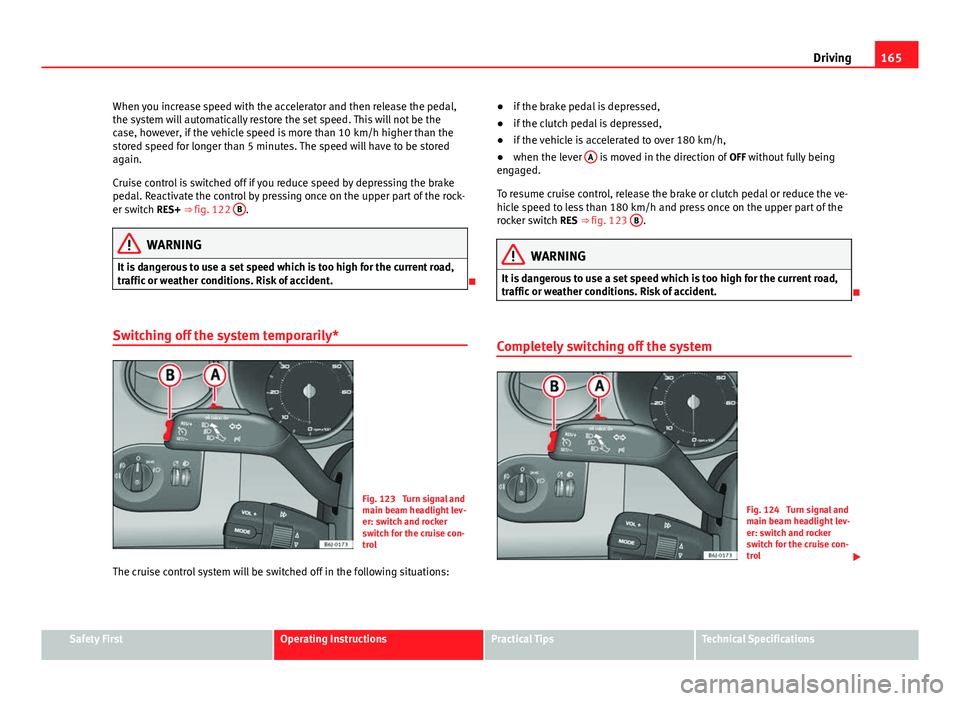
Switching off the system temporarily*
Fig. 123 Turn signal and
main beam headlight lev-
er: switch and rocker
switch for the cruise con-
trol
The cruise control system will be switched off in the following situations: ●
if the brake pedal is depressed,
● if the clutch pedal is depressed,
● if the vehicle is accelerated to over 180 km/h,
● when the lever A
is moved in the direction of
OFF without fully being
engaged.
To resume cruise control, release the brake or clutch pedal or reduce the ve-
hicle speed to less than 180 km/h and press once on the upper part of the
rocker switch RES ⇒ fig. 123 B
.
WARNING
It is dangerous to use a set speed which is too high for the current road,
traffic or weather conditions. Risk of accident.
Completely switching off the system
Fig. 124 Turn signal and
main beam headlight lev-
er: switch and rocker
switch for the cruise con-
trol
Safety FirstOperating InstructionsPractical TipsTechnical Specifications
Page 169 of 280
167
Intelligent technology
Practical Tips Intelligent technology
Brakes Brake servo
The brake servo increases the pressure you apply to the brake pedal. It
works only when the engine is running .
If the brake servo is not functioning due to a malfunction, or if the vehicle
has to be towed, you will have to press the brake pedal considerably harder
to make up for the lack of servo assistance.
WARNING
The braking distance can also be affected by external factors.
● Never let the vehicle coast with the engine switched off. Failure to do
so could result in an accident. The braking distance is increased consid-
erably when the brake servo is not active.
● If the brake servo is not working, for example when the vehicle is be-
ing towed, you will have to press the brake pedal considerably harder
than normal.
Hydraulic Brake Assist (HBA)*
The Hydraulic Brake Assist function (HBA) is only included in
vehicles with ESP.
In an emergency, most drivers brake in time, but not with maximum force.
This results in unnecessarily long braking distances.
This is when the brake assist system comes into action. When pressing the
brake pedal rapidly, the assistant interprets it as an emergency. It then very
quickly builds up the full brake pressure so that the ABS can be activated
more quickly and efficiently, thus reducing the braking distance.
Do not reduce the pressure on the brake pedal. The brake assist system
switches off automatically as soon as you release the brake.
Automatic hazard warning lights activation
The brake lights flash automatically to indicate that the vehicle is braking
suddenly or in an emergency situation. If the emergency braking continues
until the vehicle comes to a standstill, the hazard warning lights will then
come on and the brake lights will remain on permanently from that moment.
The warning lights will automatically switch off when the vehicle begins to
move again or when the "warning" light button is pressed.
Safety FirstOperating InstructionsPractical TipsTechnical Specifications
Page 172 of 280
170Intelligent technology
Electronic Stability Programme (ESP)*
ESP reduces the danger of skidding by braking the wheels individually.
The system uses the steering wheel angle and road speed to calculate the
changes of direction desired by the driver, and constantly compares them
with the actual behaviour of the vehicle. If the desired course is not being
maintained (for instance, if the vehicle is starting to skid), then the ESP
compensates automatically by braking the appropriate wheel.
The forces acting on the braked wheel bring the vehicle back to a stable
condition. If the vehicle tends to oversteer, the system will act on the front
wheel on the outside of the turn.
WARNING
● It must be remembered that ESP cannot defy the laws of physics. This
should be kept in mind, particularly on slippery and wet roads and when
towing a trailer.
● Always adapt your driving style to suit the condition of the roads and
the traffic situation. Do not let the extra safety afforded by ESP tempt you
into taking any risks when driving, as this can cause accidents.
CAUTION
● In order to ensure that ESP functions correctly, all four wheels must be
fitted with the same tyres. Any differences in the rolling radius of the tyres
can cause the system to reduce engine power when this is not desired.
● Modifications to the vehicle (e.g. to the engine, the brake system, run-
ning gear or any components affecting the wheels and tyres) could affect
the efficiency of the ABS, EDL, ESP and TCS. Anti-lock brake system (ABS)
The anti-lock brake system prevents the wheels locking during braking
⇒ page 168.
Electronic differential lock (EDL)*
The electronic differential lock helps prevent the loss of trac-
tion caused if one of the driven wheels starts spinning.
EDL helps the vehicle to start moving, accelerate and climb a gradient in
slippery conditions where this may otherwise be difficult or even impossi-
ble.
The system will control the revolutions of the drive wheels using the ABS
sensors (in case of an EDL fault the warning lamp for ABS lights up)
⇒ page 69.
At speeds of up to approximately 80 km/h, it is able to balance out differen-
ces in the speed of the driven wheels of approximately 100 rpm caused by a
slippery road surface on one side of the vehicle. It does this by braking the
wheel which has lost traction and distributing more driving force to the oth-
er driven wheel via the differential.
To prevent the disc brake of the braking wheel from overheating, the EDL
cuts out automatically if subjected to excessive loads. The vehicle will con-
tinue to function normally without EDL. For this reason, the driver is not in-
formed that the EDL has been switched off.
The EDL will switch on again automatically when the brake has cooled
down.
Page 175 of 280
173
Driving and the environment
checked by an Authorised Service Centre more frequently than recommen-
ded in the Service Plan.
If you drive with wet brakes, for example, after crossing areas of water, in
heavy rainfall or even after washing the vehicle, the effect of the brakes is
lessened as the brake discs are wet or even frozen (in winter). In this case
the brakes should be dried by pressing the brake pedal several times.
WARNING
Longer braking distances and faults in the brake system increase the risk
of accidents.
● New brake pads must be run in and do not have the correct friction
during the first 200 km. However, the reduced braking capacity may be
compensated by pressing on the brake pedal a little harder. This also ap-
plies when the brake pads have to be changed further on.
● If brakes are wet or frozen, or if you are driving on roads which have
been salted, braking power may be lower than normal.
● On steep slopes, if brakes are excessively used, they will overheat.
Before driving down a long steep slope, it is advisable to reduce speed
and change down into a lower gear or range (depending on the type of
transmission). This makes use of engine braking and relieves the brakes.
● Never let the brakes “drag” by applying light pressure. Continuous
braking will cause the brakes to overheat and the braking distance will
increase. Apply and then release the brakes alternately.
● Never let the vehicle run with the engine switched off. The braking
distance is increased considerably when the brake servo is not active.
● If the brake fluid loses its viscosity and is subjected to heavy use, va-
pour bubbles can form in the brake system. This reduces the efficiency of
the brakes.
WARNING (Continued)
● Non-standard or damaged front spoilers could restrict the airflow to
the brakes and cause them to overheat. Before purchasing accessories
please observe the relevant instructions ⇒ page 189, Technical modifi-
cations.
● If a brake circuit fails, the braking distance will be increased consider-
ably. Contact a specialised workshop immediately and avoid unnecessa-
ry journeys.
Exhaust gas purification system Catalytic converter*
To maintain the useful life of the catalytic converter
– Use only unleaded petrol with petrol engines, as lead damages
the catalytic converter.
– Do not let the fuel get too low in the tank.
– For engine oil changes, do not replenish with too much engine
oil ⇒ page 204, Topping up engine oil .
– Never tow the vehicle to start it, use jump leads if necessary
⇒ page 246.
If you notice misfiring, uneven running or loss of power when the vehicle is
moving, reduce speed immediately and have the vehicle inspected at the
nearest specialised workshop. In general, the exhaust gas warning lamp
will light up when any of the described symptoms occur ⇒ page 63. If this
happens, unburnt fuel can enter the exhaust system and escape into the en-
vironment. The catalytic converter can also be damaged by overheating.
Safety FirstOperating InstructionsPractical TipsTechnical Specifications
Page 176 of 280
174Driving and the environment
WARNING
The catalytic converter reaches very high temperatures! There is a risk of
fire.
● Never park where the catalytic converter could come into contact with
dry grass or flammable materials under the vehicle.
● Do not apply additional underseal or anti-corrosion coatings to the
exhaust pipes, catalytic converter or the heat shields on the exhaust sys-
tem. These materials could catch fire when the vehicle is being driven.
CAUTION
Never run the fuel tank completely dry because the irregularity of the fuel
supply may cause ignition problems. This allows unburnt fuel to enter the
exhaust system, which could cause overheating and damage the catalytic
converter.
For the sake of the environment
Even when the emission control system is working perfectly, there may be a
smell of sulphur from the exhaust gas under some conditions. This depends
on the sulphur content of the fuel used. Quite often the problem can be
solved by changing to another brand of fuel. Diesel engine particulate filter*
The diesel engine particulate filter eliminates soot produced
by burning diesel.
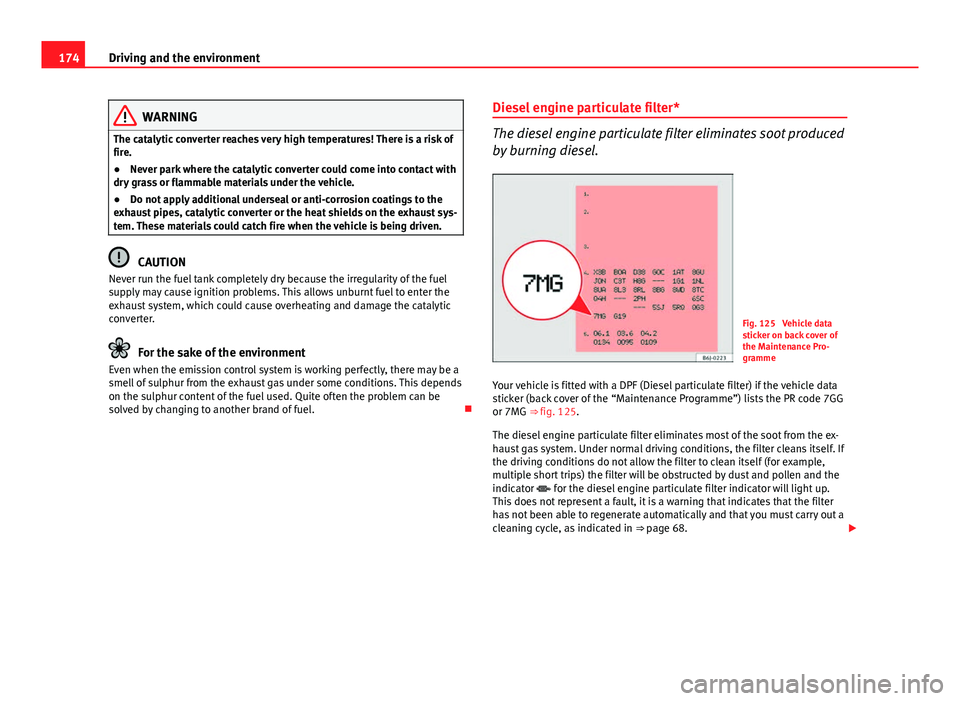
Fig. 125 Vehicle data
sticker on back cover of
the Maintenance Pro-
gramme
Your vehicle is fitted with a DPF (Diesel particulate filter) if the vehicle data
sticker (back cover of the “Maintenance Programme”) lists the PR code 7GG
or 7MG ⇒ fig. 125.
The diesel engine particulate filter eliminates most of the soot from the ex-
haust gas system. Under normal driving conditions, the filter cleans itself. If
the driving conditions do not allow the filter to clean itself (for example,
multiple short trips) the filter will be obstructed by dust and pollen and the
indicator for the diesel engine particulate filter indicator will light up.
This does not represent a fault, it is a warning that indicates that the filter
has not been able to regenerate automatically and that you must carry out a
cleaning cycle, as indicated in ⇒ page 68.