light Seat Ibiza ST 2013 User Guide
[x] Cancel search | Manufacturer: SEAT, Model Year: 2013, Model line: Ibiza ST, Model: Seat Ibiza ST 2013Pages: 294, PDF Size: 4.05 MB
Page 41 of 294
39
Airbag system
WARNING (Continued)
● Always check that the openings are closed or covered if loudspeakers
or other equipment are fitted in the interior door panels.
● Any work carried out to the doors should be made in an authorised
specialised workshop.
● The seat belts and airbags can only provide maximum protection if
the occupants are seated correctly ⇒ page 10, Proper sitting position for
occupants.
● If a fault has occurred in the airbag system, have the system checked
immediately by a specialised workshop. Otherwise, during a side colli-
sion, the system may fail to trigger, or not trigger correctly.
Operation of side airbags
Inflated airbags can reduce the risk of head or chest injury
in a side impact collision. In some side collisions the side airbag is triggered on the impact side of the
vehicle.
In certain types of accident the front and side airbags may be triggered to-
gether.
When the system is triggered, the airbag is filled with propellant gas.
The airbags deploy extremely rapidly, within thousandths of a second, to
provide additional protection in the event of an accident. A fine dust may
develop when the airbag deploys. This is normal and it is not an indication
of fire in the vehicle.
The fully deployed airbags cushion the movement of the occupants of the
front seats and help to reduce the risk of injury to the upper body. The special design of the airbag allows the controlled escape of the propel-
lant gas when an occupant puts pressure on the bag. Thus, the head and
chest are surrounded and protected by the airbag.
Safety notes on the operation of the side airbag system
If airbags are used correctly, they can considerably reduce
the risk of injury in side impact collisions.
WARNING
● If you do not wear a seat belt, if you lean forward, or are not seated
correctly while the vehicle is in motion, you are at a greater risk of injury
if the side airbag system is triggered in an accident.
● In order for the side airbags to provide their maximum protection, the
prescribed sitting position must always be maintained with seat belts
fastened while travelling.
● Occupants of the outer seats must never carry any objects or pets in
the deployment space between them and the airbags, or allow children
or other passengers to travel in this position. It is also important not to
attach any accessories (such as cup holders) to the doors. This would im-
pair the protection offered by the side airbags.
● The built-in coat hooks should be used only for lightweight clothing.
Do not leave any heavy or sharp-edged objects in the pockets.
● Great forces, such as hard blows or kicks, must not be exerted upon
the backrest bolster because the system may be damaged. In this case,
the side airbags would not be triggered.
Safety FirstOperating instructionsPractical TipsTechnical Specifications
Page 43 of 294
41
Airbag system
Deactivating airbags*
Front passenger front airbag deactivation
If you fit a rear-facing child seat to the front passenger seat,
the front passenger front airbag must be de-activated.
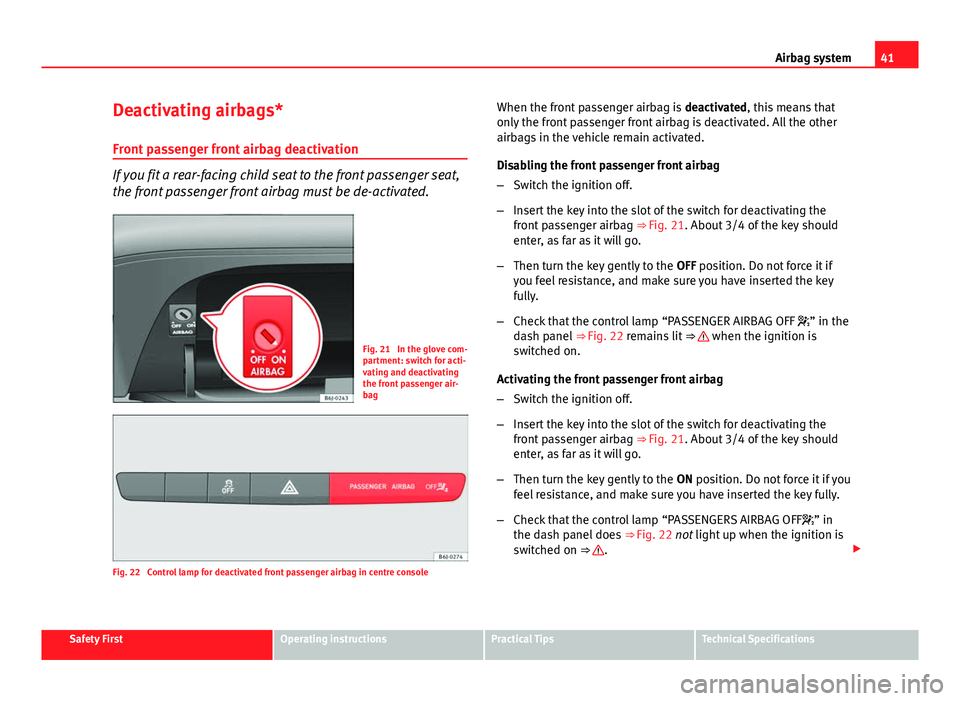
Fig. 21 In the glove com-
partment: switch for acti-
vating and deactivating
the front passenger air-
bag
Fig. 22 Control lamp for deactivated front passenger airbag in centre console When the front passenger airbag is
deactivated, this means that
only the front passenger front airbag is deactivated. All the other
airbags in the vehicle remain activated.
Disabling the front passenger front airbag
– Switch the ignition off.
– Insert the key into the slot of the switch for deactivating the
front passenger airbag ⇒ Fig. 21. About 3/4 of the key should
enter, as far as it will go.
– Then turn the key gently to the OFF position. Do not force it if
you feel resistance, and make sure you have inserted the key
fully.
– Check that the control lamp “PASSENGER AIRBAG OFF ” in the
dash panel ⇒ Fig. 22 remains lit ⇒
when the ignition is
switched on.
Activating the front passenger front airbag
– Switch the ignition off.
– Insert the key into the slot of the switch for deactivating the
front passenger airbag ⇒ Fig. 21. About 3/4 of the key should
enter, as far as it will go.
– Then turn the key gently to the ON position. Do not force it if you
feel resistance, and make sure you have inserted the key fully.
– Check that the control lamp “PASSENGERS AIRBAG OFF ” in
the dash panel does ⇒ Fig. 22 not light up when the ignition is
switched on ⇒
.
Safety FirstOperating instructionsPractical TipsTechnical Specifications
Page 57 of 294
55
Cockpit
Operating instructions Cockpit
Overview Overview of the dash panel
This overview will help you to familiarise yourself with the
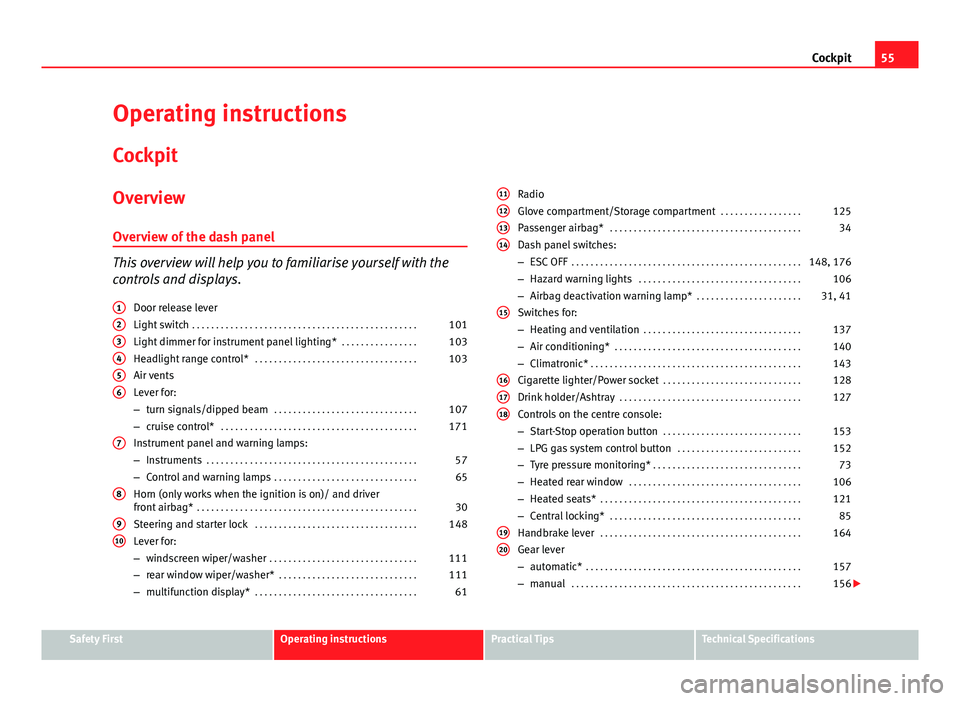
controls and displays. Door release lever
Light switch . . . . . . . . . . . . . . . . . . . . . . . . . . . . . . . . . . . . . . . . . . . . . . . 101
Light dimmer for instrument panel lighting* . . . . . . . . . . . . . . . .103
Headlight range control* . . . . . . . . . . . . . . . . . . . . . . . . . . . . . . . . . . 103
Air vents
Lever for:
– turn signals/dipped beam . . . . . . . . . . . . . . . . . . . . . . . . . . . . . . 107
– cruise control* . . . . . . . . . . . . . . . . . . . . . . . . . . . . . . . . . . . . . . . . . 171
Instrument panel and warning lamps:
– Instruments . . . . . . . . . . . . . . . . . . . . . . . . . . . . . . . . . . . . . . . . . . . . 57
– Control and warning lamps . . . . . . . . . . . . . . . . . . . . . . . . . . . . . . 65
Horn (only works when the ignition is on)/ and driver
front airbag* . . . . . . . . . . . . . . . . . . . . . . . . . . . . . . . . . . . . . . . . . . . . . . 30
Steering and starter lock . . . . . . . . . . . . . . . . . . . . . . . . . . . . . . . . . . 148
Lever for:
– windscreen wiper/washer . . . . . . . . . . . . . . . . . . . . . . . . . . . . . . . 111
– rear window wiper/washer* . . . . . . . . . . . . . . . . . . . . . . . . . . . . . 111
– multifunction display* . . . . . . . . . . . . . . . . . . . . . . . . . . . . . . . . . . 61
1
23456
7
8
910
Radio
Glove compartment/Storage compartment
. . . . . . . . . . . . . . . . .125
Passenger airbag* . . . . . . . . . . . . . . . . . . . . . . . . . . . . . . . . . . . . . . . . 34
Dash panel switches:
– ESC OFF . . . . . . . . . . . . . . . . . . . . . . . . . . . . . . . . . . . . . . . . . . . . . . . . 148, 176
– Hazard warning lights . . . . . . . . . . . . . . . . . . . . . . . . . . . . . . . . . . 106
– Airbag deactivation warning lamp* . . . . . . . . . . . . . . . . . . . . . .31, 41
Switches for:
– Heating and ventilation . . . . . . . . . . . . . . . . . . . . . . . . . . . . . . . . . 137
– Air conditioning* . . . . . . . . . . . . . . . . . . . . . . . . . . . . . . . . . . . . . . . 140
– Climatronic* . . . . . . . . . . . . . . . . . . . . . . . . . . . . . . . . . . . . . . . . . . . . 143
Cigarette lighter/Power socket . . . . . . . . . . . . . . . . . . . . . . . . . . . . . 128
Drink holder/Ashtray . . . . . . . . . . . . . . . . . . . . . . . . . . . . . . . . . . . . . . 127
Controls on the centre console:
– Start-Stop operation button . . . . . . . . . . . . . . . . . . . . . . . . . . . . . 153
– LPG gas system control button . . . . . . . . . . . . . . . . . . . . . . . . . . 152
– Tyre pressure monitoring* . . . . . . . . . . . . . . . . . . . . . . . . . . . . . . . 73
– Heated rear window . . . . . . . . . . . . . . . . . . . . . . . . . . . . . . . . . . . . 106
– Heated seats* . . . . . . . . . . . . . . . . . . . . . . . . . . . . . . . . . . . . . . . . . . 121
– Central locking* . . . . . . . . . . . . . . . . . . . . . . . . . . . . . . . . . . . . . . . . 85
Handbrake lever . . . . . . . . . . . . . . . . . . . . . . . . . . . . . . . . . . . . . . . . . . 164
Gear lever
– automatic* . . . . . . . . . . . . . . . . . . . . . . . . . . . . . . . . . . . . . . . . . . . . . 157
– manual . . . . . . . . . . . . . . . . . . . . . . . . . . . . . . . . . . . . . . . . . . . . . . . . 156
11121314
15
161718
1920
Safety FirstOperating instructionsPractical TipsTechnical Specifications
Page 60 of 294
58Cockpit
Rev counter
The rev counter displays the engine speed in revolutions per
minute.
The start of the red zone ⇒ Fig. 30 1
indicates the maximum engine speed
operating at service temperature. However, it is advisable to change up into
a higher gear, move the selector lever to D or lift your foot off the accelerator
before the needle reaches the red zone.
CAUTION
To prevent possible engine malfunctions, the rev counter needle should not
reach the red zone. The start of the red zone on the dial is different for some
engine versions.
For the sake of the environment
Changing up into higher gears sooner, following the recommended gear in-
dications ⇒ Fig. 33 will help you to reduce fuel consumption, emissions and
also engine noise.
Speedometer
The speedometer is equipped with a digital odometer and a trip recorder, in
addition to a service intervals display.
During the running-in period, the instructions shown on ⇒ page 179
should be followed. LPG system*
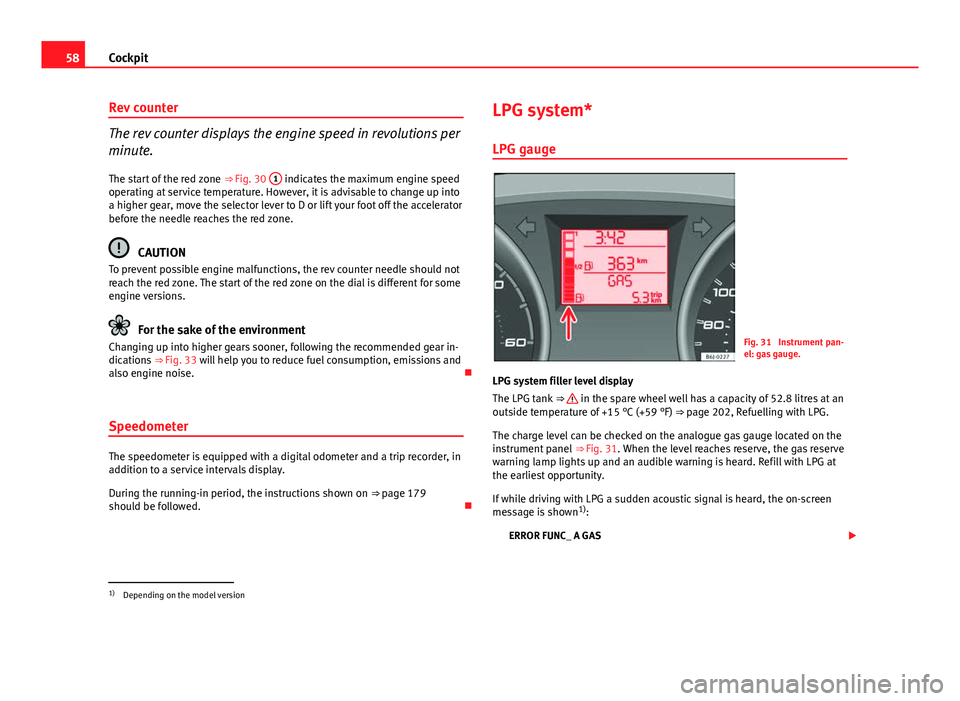
LPG gauge
Fig. 31 Instrument pan-
el: gas gauge.
LPG system filler level display
The LPG tank ⇒
in the spare wheel well has a capacity of 52.8 litres at an
outside temperature of +15 °C (+59 °F) ⇒ page 202, Refuelling with LPG.
The charge level can be checked on the analogue gas gauge located on the
instrument panel ⇒ Fig. 31. When the level reaches reserve, the gas reserve
warning lamp lights up and an audible warning is heard. Refill with LPG at
the earliest opportunity.
If while driving with LPG a sudden acoustic signal is heard, the on-screen
message is shown 1)
:
ERROR FUNC_ A GAS
1)
Depending on the model version
Page 61 of 294
59
Cockpit
It means there is a fault in the LPG system. Take the vehicle to a specialised
workshop to check the LPG system.
WARNING
LPG is a highly explosive and inflammable substance. It may cause se-
vere burns and other injury.
● Due care must be taken to avoid any risk of fire or explosion.
● When parking the vehicle in a closed area (for example in a garage),
make sure that there is adequate ventilation, either natural or mechani-
cal, to neutralise the LPG in the event of a leak.
Note
● The values shown in the average fuel consumption and distance to emp-
ty indications on the multifunction display (MFI) 1)
on the instrument panel
display 2)
are approximate values only.
● Two different consumption values are given on the MFI, depending on
whether the vehicle is running in GAS or Petrol mode.
● Please check the fuel level on the fuel level gauge on the instrument
panel ⇒ page 59.
● If frequent short journeys are made, especially when the outside tem-
perature is low, the vehicle will tend to run on petrol more often than on
LPG. Therefore, the petrol tank may empty before the LPG tank. Digital instrument panel display
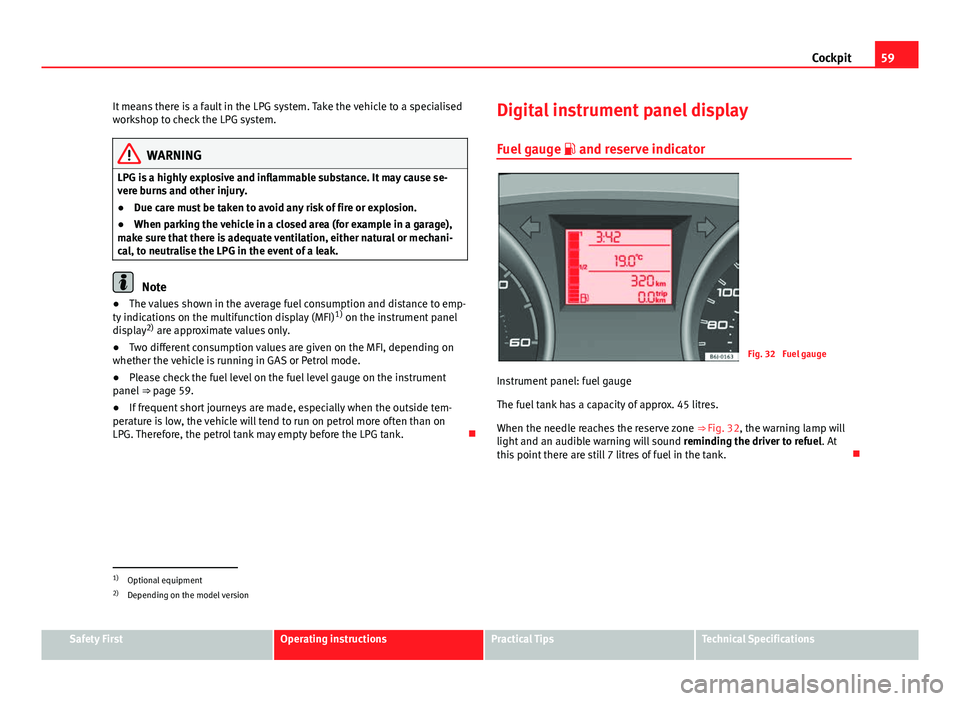
Fuel gauge and reserve indicator
Fig. 32 Fuel gauge
Instrument panel: fuel gauge
The fuel tank has a capacity of approx. 45 litres.
When the needle reaches the reserve zone ⇒ Fig. 32, the warning lamp will
light and an audible warning will sound reminding the driver to refuel. At
this point there are still 7 litres of fuel in the tank.
1)
Optional equipment
2) Depending on the model version
Safety FirstOperating instructionsPractical TipsTechnical Specifications
Page 62 of 294
60Cockpit
Digital clock*
–To set the hour, press button 4 ⇒ Fig. 30. The “hour” option
flashes on the digital display and is set using button 5 “set”
⇒ Fig. 30.
– To set the minutes, press button 4
again and select the mi-
nute option. Set from button 5 “set”.
Once the operation has been carried out, the system memorises the time.
Outside temperature display
The outside temperature is displayed when the ignition is
switched on. At descending temperatures between +4 °C (+39 °F) down to -7 °C (+19 °F)
and at ascending temperatures from -5 °C (+23 °F) up to +6 °C (+43 °F) , in
addition to the outside temperature display, an ice crystal is displayed, and
if vehicle speed is over 10 km/h (6 mph) an acoustic buzzer is heard.
The lighting of the crystal symbol aims to warn the driver of the risk of ice,
so that he/she proceeds with due care.
When the vehicle is stationary or travelling at very low speeds, the tempera-
ture displayed may be slightly higher than the actual outside temperature
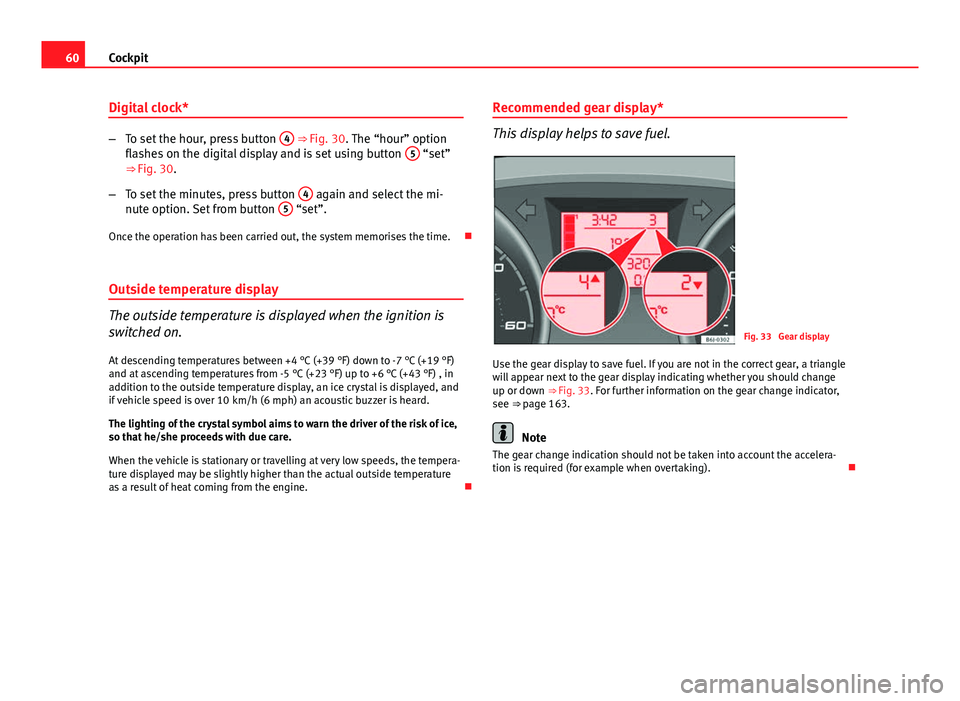
as a result of heat coming from the engine. Recommended gear display*
This display helps to save fuel.
Fig. 33 Gear display
Use the gear display to save fuel. If you are not in the correct gear, a triangle
will appear next to the gear display indicating whether you should change
up or down ⇒ Fig. 33. For further information on the gear change indicator,
see ⇒ page 163.
Note
The gear change indication should not be taken into account the accelera-
tion is required (for example when overtaking).
Page 65 of 294
63
Cockpit
This may be deactivated by pressing the RESET
button. The speed may be
altered using the rocker switch ⇒ Fig. 35 B in steps of 5 km/h (mph) within
5 seconds of the initial memory value.
WARNING
There could be black ice on the road surface even if the “snowflake sym-
bol” is not shown. For this reason you should not rely exclusively on this
display - Risk of accident!
Note
When the vehicle is stationary or travelling at very low speeds, the tempera-
ture displayed may be slightly higher than the actual outside temperature
as a result of the heat radiated from the engine.
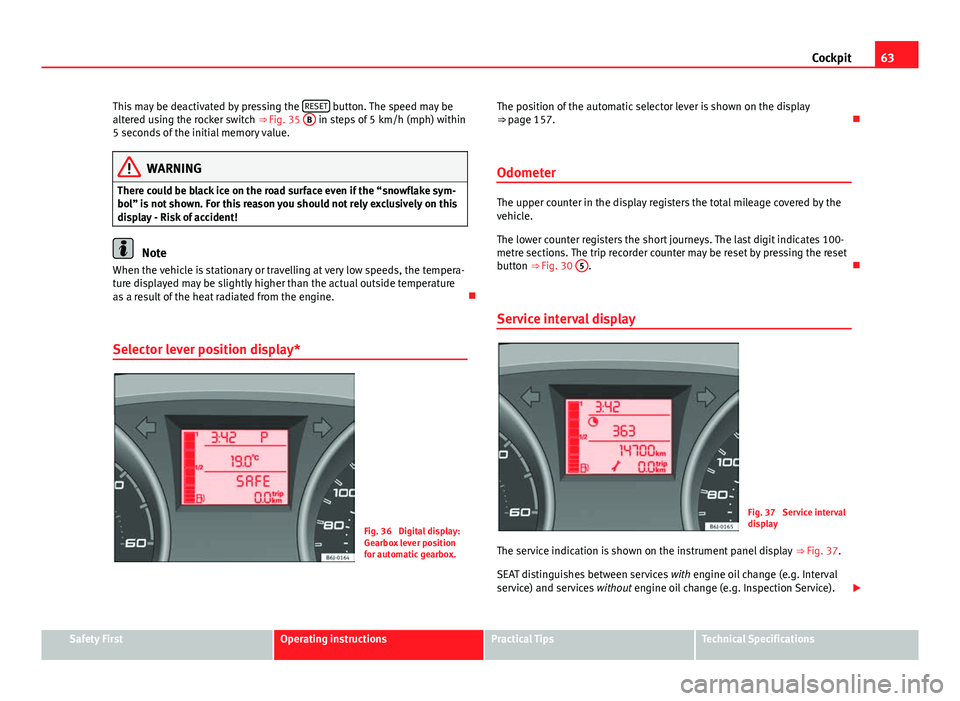
Selector lever position display*
Fig. 36 Digital display:
Gearbox lever position
for automatic gearbox. The position of the automatic selector lever is shown on the display
⇒ page 157.
Odometer
The upper counter in the display registers the total mileage covered by the
vehicle.
The lower counter registers the short journeys. The last digit indicates 100-
metre sections. The trip recorder counter may be reset by pressing the reset
button ⇒ Fig. 30 5
.
Service interval display
Fig. 37 Service interval
display
The service indication is shown on the instrument panel display ⇒ Fig. 37.
SEAT distinguishes between services with engine oil change (e.g. Interval
service) and services without engine oil change (e.g. Inspection Service).
Safety FirstOperating instructionsPractical TipsTechnical Specifications
Page 68 of 294
66Cockpit
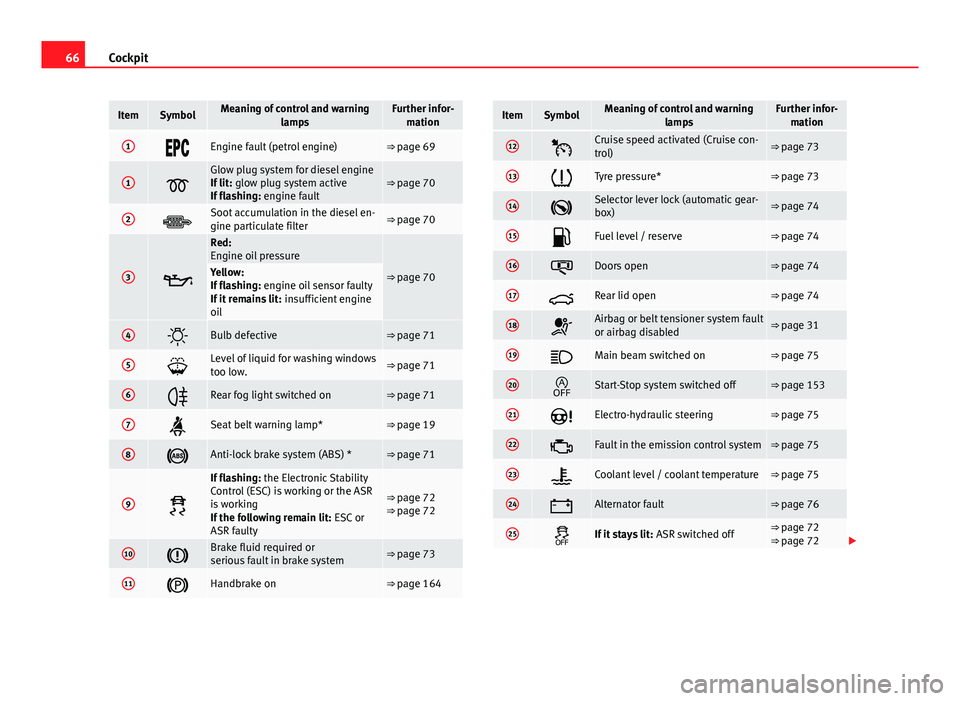
ItemSymbolMeaning of control and warning
lampsFurther infor-mation
1Engine fault (petrol engine)⇒ page 69
1
Glow plug system for diesel engine
If lit: glow plug system active
If flashing: engine fault⇒ page 70
2Soot accumulation in the diesel en-
gine particulate filter⇒ page 70
3
Red:
Engine oil pressure
⇒ page 70Yellow:
If flashing: engine oil sensor faulty
If it remains lit: insufficient engine
oil
4Bulb defective⇒ page 71
5Level of liquid for washing windows
too low.⇒ page 71
6Rear fog light switched on⇒ page 71
7Seat belt warning lamp*⇒ page 19
8Anti-lock brake system (ABS) *⇒ page 71
9
If flashing: the Electronic Stability
Control (ESC) is working or the ASR
is working
If the following remain lit: ESC or
ASR faulty
⇒ page 72
⇒ page 72
10Brake fluid required or
serious fault in brake system⇒ page 73
11Handbrake on⇒ page 164
ItemSymbolMeaning of control and warning lampsFurther infor-mation
12Cruise speed activated (Cruise con-
trol)⇒ page 73
13Tyre pressure*⇒ page 73
14Selector lever lock (automatic gear-
box)⇒ page 74
15Fuel level / reserve⇒ page 74
16Doors open⇒ page 74
17Rear lid open⇒ page 74
18Airbag or belt tensioner system fault
or airbag disabled⇒ page 31
19Main beam switched on⇒ page 75
20Start-Stop system switched off⇒ page 153
21Electro-hydraulic steering⇒ page 75
22Fault in the emission control system⇒ page 75
23Coolant level / coolant temperature⇒ page 75
24Alternator fault⇒ page 76
25If it stays lit: ASR switched off⇒ page 72
⇒ page 72
Page 69 of 294
67
Cockpit
ItemSymbolMeaning of control and warning
lampsFurther infor-mation
Turn signals in operation⇒ page 76
SAFEElectronic immobiliser⇒ page 76
⇒ page 82
WARNING
● Failure to observe control lamps and warning messages can result in
serious personal injuries or damage to your vehicle.
● The risk of an accident increases if your vehicle breaks down. Use a
warning triangle to draw the attention of other road users in order to pre-
vent danger to third parties.
● The engine compartment is a dangerous area. Before you open the
bonnet to work on the engine or in the engine compartment, you must
switch the engine off and allow it to cool to reduce the risk of scalding or
other injuries. Read and observe the relevant warnings ⇒ page 206.
Note
● The appropriate control lamp for a fault will light up in vehicles without
warning or information messages in the display.
● In vehicles with warning or information messages on the screen, the ap-
propriate control lamp for a fault will light up and a warning or information
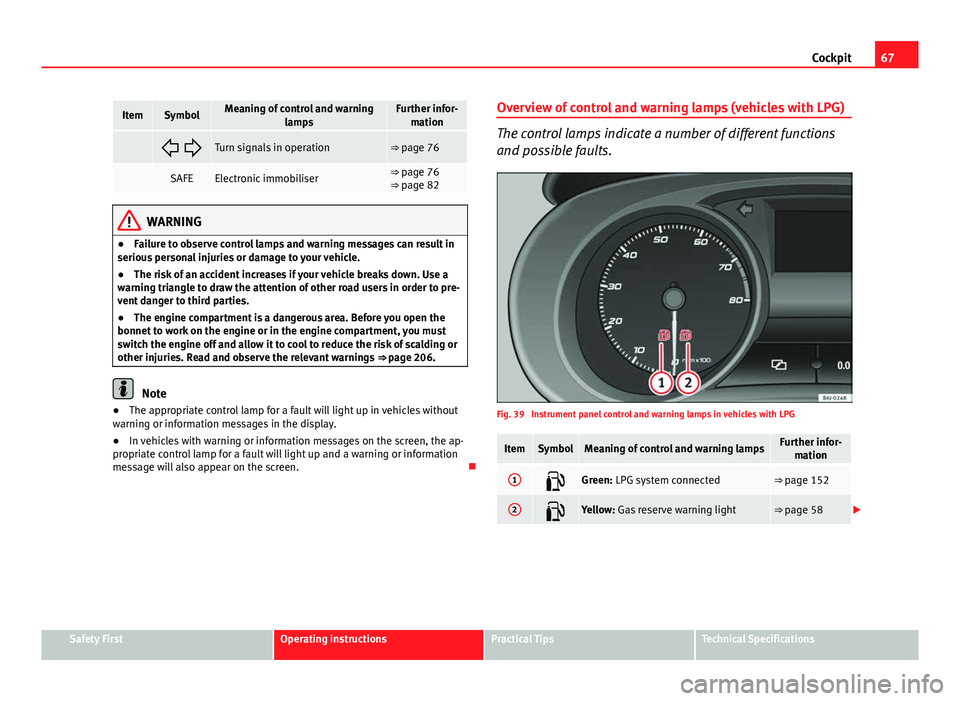
message will also appear on the screen. Overview of control and warning lamps (vehicles with LPG)
The control lamps indicate a number of different functions
and possible faults.
Fig. 39 Instrument panel control and warning lamps in vehicles with LPG
ItemSymbolMeaning of control and warning lampsFurther infor-
mation
1Green: LPG system connected⇒ page 152
2Yellow: Gas reserve warning light⇒ page 58
Safety FirstOperating instructionsPractical TipsTechnical Specifications
Page 70 of 294
68Cockpit
WARNING
● Failure to observe control lamps and warning messages can result in
serious personal injury or damage to your vehicle.
● The risk of an accident increases if your vehicle breaks down. Use a
warning triangle to draw the attention of other road users in order to pre-
vent danger to third parties.
● The engine compartment is a dangerous area. Before you open the
bonnet to work on the engine or in the engine compartment, you must
switch the engine off and allow it to cool to reduce the risk of scalding or
other injuries. Read and observe the relevant warnings ⇒ page 206.
Note
● The appropriate control lamp for a fault will light up in vehicles without
warning or information messages in the display.
● In vehicles with warning or information messages on the screen, the ap-
propriate control lamp for a fault will light up and a warning or information
message will also appear on the screen.
Warning symbols
There are red warning symbols (priority 1) and yellow warning sym-
bols (priority 2).
Warning messages, Priority 1 (red)
If one of these faults occurs, the warning lamp will flash or light up and will
be accompanied by three audible warnings. This is a danger warning. Stop
the vehicle and switch off the engine. Check the fault and correct it. Obtain
professional assistance if necessary. If several priority 1 faults are detected at the same time, the symbols will be
displayed one after the other for about 2 seconds at a time and will contin-
ue until the fault is corrected.
No menus will be shown in the display for the duration of a priority 1 warn-
ing message.
Examples of priority 1 warning messages (red)
●
Brake system symbol with the warning message STOP BRAKE FLUID
INSTRUCTION MANUAL or STOP BRAKE FAULT INSTRUCTION MANUAL .
● Coolant symbol with the warning message STOP SEE COOLANT IN-
STRUCTION MANUAL.
● Engine oil pressure symbol with the warning message STOP ENGINE
OIL PRESSURE LOW! INSTRUCTION MANUAL .
Warning messages, Priority 2 (yellow)
If one of these faults occurs, the warning lamp lights up, and is accompa-
nied by one audible warning. Check the corresponding function as soon as
possible although the vehicle may be used without risk.
If several priority 2 warning messages are detected at the same time, the
symbols are displayed one after the other for about 2 seconds at a time. Af-
ter a set time, the information text will disappear and the symbol will be
shown as a reminder at the side of the display.
Priority 2 warning messages will not be shown until all Priority 1 warning
messages have been dealt with!
Examples of priority 2 warning messages (yellow): 1)
● Fuel warning light with the information text PLEASE REFUEL.
1)
Depending on the version of the model.