stop start Seat Ibiza ST 2013 User Guide
[x] Cancel search | Manufacturer: SEAT, Model Year: 2013, Model line: Ibiza ST, Model: Seat Ibiza ST 2013Pages: 294, PDF Size: 4.05 MB
Page 89 of 294
87
Opening and closing
Keys
Set of keys
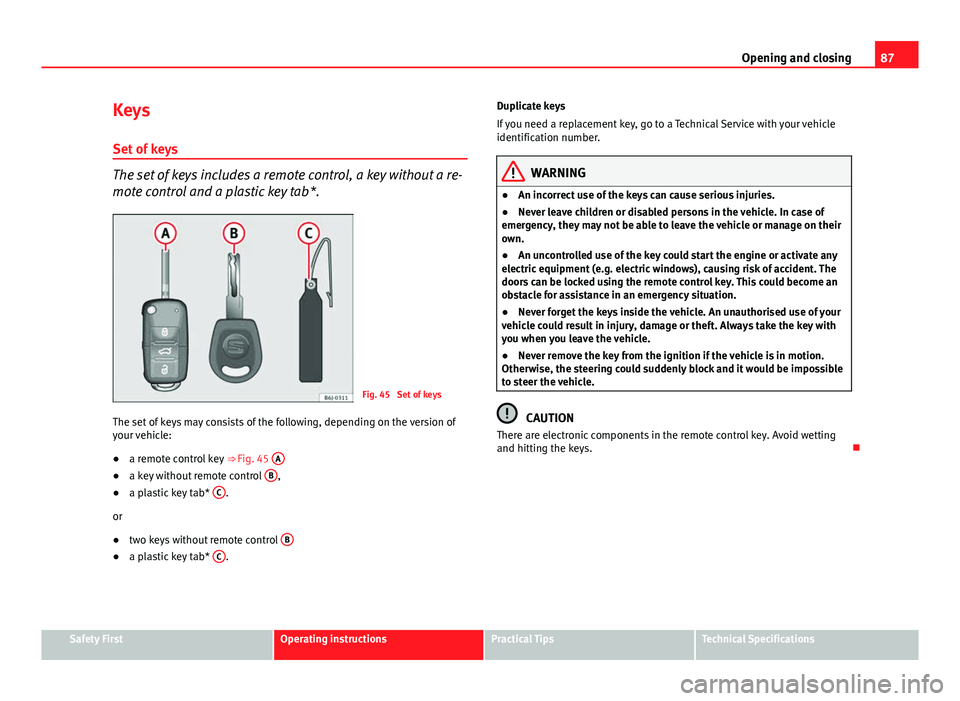
The set of keys includes a remote control, a key without a re-
mote control and a plastic key tab*.
Fig. 45 Set of keys
The set of keys may consists of the following, depending on the version of
your vehicle:
● a remote control key
⇒ Fig. 45 A
●
a key without remote control B,
● a plastic key tab* C.
or
● two keys without remote control B
●
a plastic key tab* C. Duplicate keys
If you need a replacement key, go to a Technical Service with your vehicle
identification number.
WARNING
● An incorrect use of the keys can cause serious injuries.
● Never leave children or disabled persons in the vehicle. In case of
emergency, they may not be able to leave the vehicle or manage on their
own.
● An uncontrolled use of the key could start the engine or activate any
electric equipment (e.g. electric windows), causing risk of accident. The
doors can be locked using the remote control key. This could become an
obstacle for assistance in an emergency situation.
● Never forget the keys inside the vehicle. An unauthorised use of your
vehicle could result in injury, damage or theft. Always take the key with
you when you leave the vehicle.
● Never remove the key from the ignition if the vehicle is in motion.
Otherwise, the steering could suddenly block and it would be impossible
to steer the vehicle.
CAUTION
There are electronic components in the remote control key. Avoid wetting
and hitting the keys.
Safety FirstOperating instructionsPractical TipsTechnical Specifications
Page 91 of 294
89
Opening and closing
WARNING
● An improper use of the key can cause serious injuries.
● Never leave children or disabled persons in the vehicle. In case of
emergency, they may not be able to leave the vehicle or manage on their
own.
● Never forget the keys inside the vehicle. Otherwise, this could result
in serious injuries, accidents or even the theft of your vehicle. Always
take the key with you when you leave the vehicle.
● An uncontrolled use of the key could start the engine or activate any
electric equipment (e.g. electric windows), causing risk of accident. The
vehicle can be locked when using the remote control key. This could com-
plicate the aid in case of emergency.
Note
● The radio frequency remote control key functions only when you are
within range ⇒ Fig. 47.
● If the vehicle cannot be unlocked or locked by using the radio frequency
remote control, the remote control key will have to be re-synchronised. For
this, go to your Technical Service.
Changing the battery
If the battery indicator does not flash when the buttons are pushed, the bat-
tery must be replaced.
CAUTION
The use of inappropriate batteries may damage the radio frequency remote
control. For this reason, always replace the dead battery with another of the
same size and power.
For the sake of the environment
Used batteries must be disposed of at an appropriate waste facility or
through an authorised service, given that their components can affect the
environment.
Synchronising the remote control key
If it is not possible to unlock or lock the door with the remote
control, it should be re-synchronised.
While the vehicle is open:
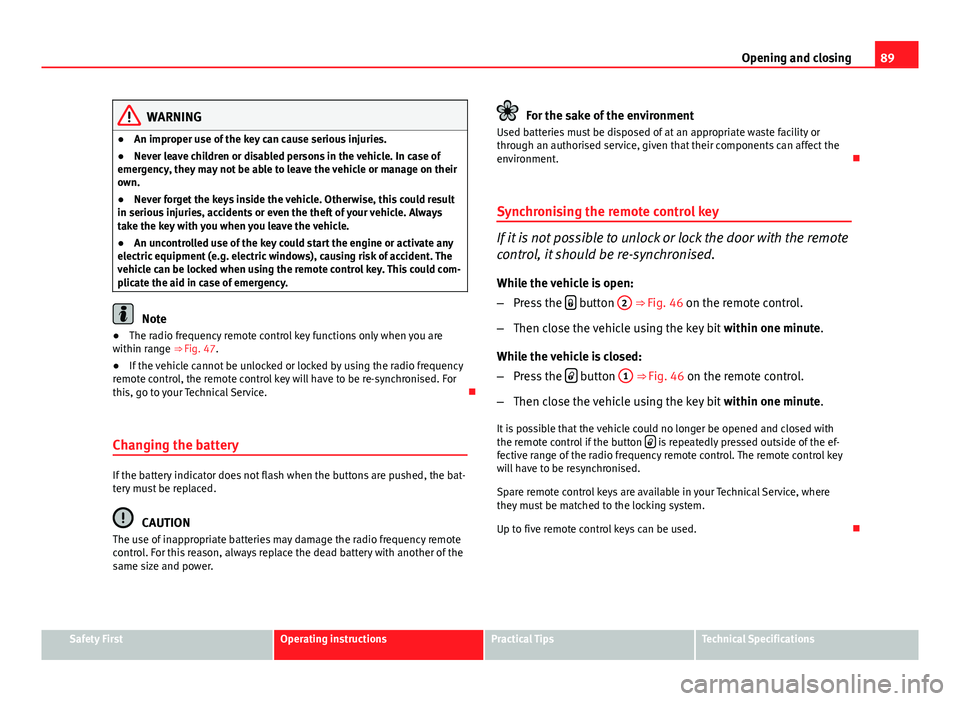
– Press the
button
2 ⇒
Fig. 46 on the remote control.
– Then close the vehicle using the key bit within one minute.
While the vehicle is closed:
– Press the
button
1 ⇒ Fig. 46 on the remote control.
– Then close the vehicle using the key bit within one minute.
It is possible that the vehicle could no longer be opened and closed with
the remote control if the button
is repeatedly pressed outside of the ef-
fective range of the radio frequency remote control. The remote control key
will have to be resynchronised.
Spare remote control keys are available in your Technical Service, where
they must be matched to the locking system.
Up to five remote control keys can be used.
Safety FirstOperating instructionsPractical TipsTechnical Specifications
Page 99 of 294
97
Opening and closing
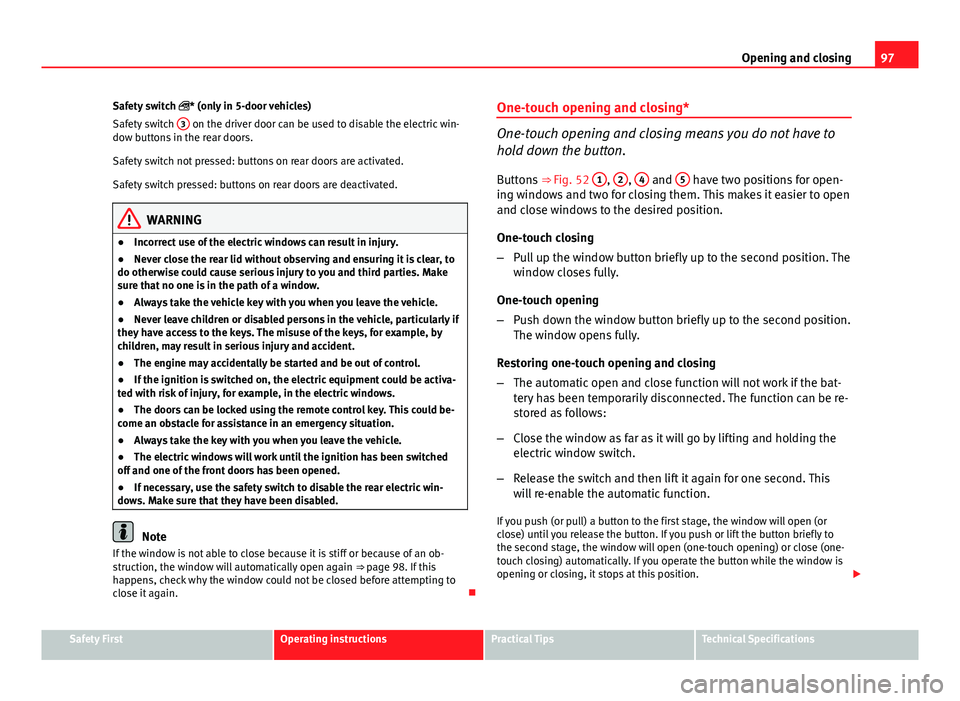
Safety switch * (only in 5-door vehicles)
Safety switch 3
on the driver door can be used to disable the electric win-
dow buttons in the rear doors.
Safety switch not pressed: buttons on rear doors are activated.
Safety switch pressed: buttons on rear doors are deactivated.
WARNING
● Incorrect use of the electric windows can result in injury.
● Never close the rear lid without observing and ensuring it is clear, to
do otherwise could cause serious injury to you and third parties. Make
sure that no one is in the path of a window.
● Always take the vehicle key with you when you leave the vehicle.
● Never leave children or disabled persons in the vehicle, particularly if
they have access to the keys. The misuse of the keys, for example, by
children, may result in serious injury and accident.
● The engine may accidentally be started and be out of control.
● If the ignition is switched on, the electric equipment could be activa-
ted with risk of injury, for example, in the electric windows.
● The doors can be locked using the remote control key. This could be-
come an obstacle for assistance in an emergency situation.
● Always take the key with you when you leave the vehicle.
● The electric windows will work until the ignition has been switched
off and one of the front doors has been opened.
● If necessary, use the safety switch to disable the rear electric win-
dows. Make sure that they have been disabled.
Note
If the window is not able to close because it is stiff or because of an ob-
struction, the window will automatically open again ⇒ page 98. If this
happens, check why the window could not be closed before attempting to
close it again. One-touch opening and closing*
One-touch opening and closing means you do not have to
hold down the button.
Buttons ⇒ Fig. 52 1
, 2, 4 and 5 have two positions for open-
ing windows and two for closing them. This makes it easier to open
and close windows to the desired position.
One-touch closing
– Pull up the window button briefly up to the second position. The
window closes fully.
One-touch opening
– Push down the window button briefly up to the second position.
The window opens fully.
Restoring one-touch opening and closing
– The automatic open and close function will not work if the bat-
tery has been temporarily disconnected. The function can be re-
stored as follows:
– Close the window as far as it will go by lifting and holding the
electric window switch.
– Release the switch and then lift it again for one second. This
will re-enable the automatic function.
If you push (or pull) a button to the first stage, the window will open (or
close) until you release the button. If you push or lift the button briefly to
the second stage, the window will open (one-touch opening) or close (one-
touch closing) automatically. If you operate the button while the window is
opening or closing, it stops at this position.
Safety FirstOperating instructionsPractical TipsTechnical Specifications
Page 101 of 294
99
Opening and closing
– If the automatic raising is stopped and immediately after, the
opening button is kept pressed, the window risers will lower.
– Once the windows are completely closed, the turn signals will
flash.
Panoramic tilting sunroof* Opening and closing the panoramic/tilting sunroof
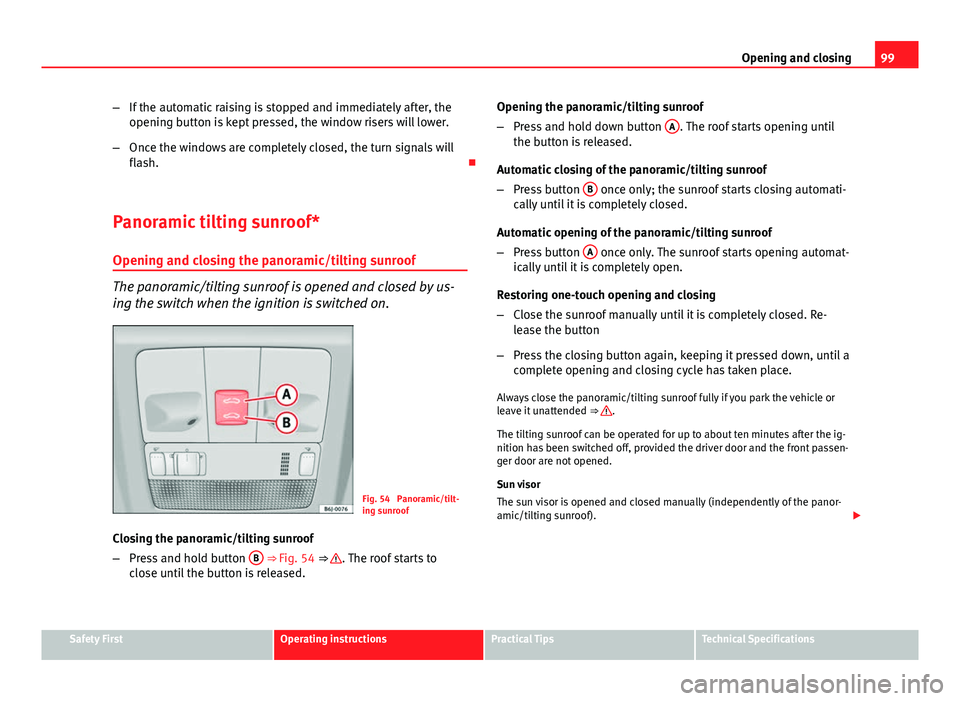
The panoramic/tilting sunroof is opened and closed by us-
ing the switch when the ignition is switched on.
Fig. 54 Panoramic/tilt-
ing sunroof
Closing the panoramic/tilting sunroof
– Press and hold button B
⇒ Fig. 54 ⇒ . The roof starts to
close until the button is released. Opening the panoramic/tilting sunroof
–
Press and hold down button A
. The roof starts opening until
the button is released.
Automatic closing of the panoramic/tilting sunroof
– Press button B
once only; the sunroof starts closing automati-
cally until it is completely closed.
Automatic opening of the panoramic/tilting sunroof
– Press button A
once only. The sunroof starts opening automat-
ically until it is completely open.
Restoring one-touch opening and closing
– Close the sunroof manually until it is completely closed. Re-
lease the button
– Press the closing button again, keeping it pressed down, until a
complete opening and closing cycle has taken place.
Always close the panoramic/tilting sunroof fully if you park the vehicle or
leave it unattended ⇒
.
The tilting sunroof can be operated for up to about ten minutes after the ig-
nition has been switched off, provided the driver door and the front passen-
ger door are not opened.
Sun visor
The sun visor is opened and closed manually (independently of the panor-
amic/tilting sunroof).
Safety FirstOperating instructionsPractical TipsTechnical Specifications
Page 102 of 294
100Opening and closing
WARNING
● Incorrect use of the tilting sunroof can result in injury.
● Never close the tilting sunroof without first checking that there are no
obstructions. Risk of serious injury to you or others. Make sure that no
one is in the path of the tilting sunroof.
● Always take the vehicle key with you when you leave the vehicle.
● Never leave children or disabled persons in the vehicle, particularly if
they have access to the keys. Unsupervised use of a key could mean that
the engine is started or that electrical equipment is used (e.g. electric
tilting sunroof) with a risk of accident. The doors can be locked using the
remote control key. This could become an obstacle for assistance in an
emergency situation.
● The tilting sunroof continues to function until one of the front doors is
opened and the key removed from the ignition.
● Ensure that no object and/or end is between the glass and the sun-
roof when the one-touch opening/closing function is reset.
Convenience closing*
Using the door lock
– Hold the key in the door lock of the driver door in the locking
position until the tilting sunroof is closed.
– Release the key to interrupt this function.
Using the remote control
– Push the lock button on the remote control for about 3 seconds.
The tilting sunroof closes.
– Press the unlock button to interrupt the function. Roll-back function of the panoramic/tilting sunroof*
The panoramic/tilting sunroof has a
roll-back function which prevents larger
objects getting trapped when the roof is closed. The roll-back function does
not prevent fingers getting pinched against the roof opening. The tilting
sunroof stops and opens again immediately if it is obstructed when closing.
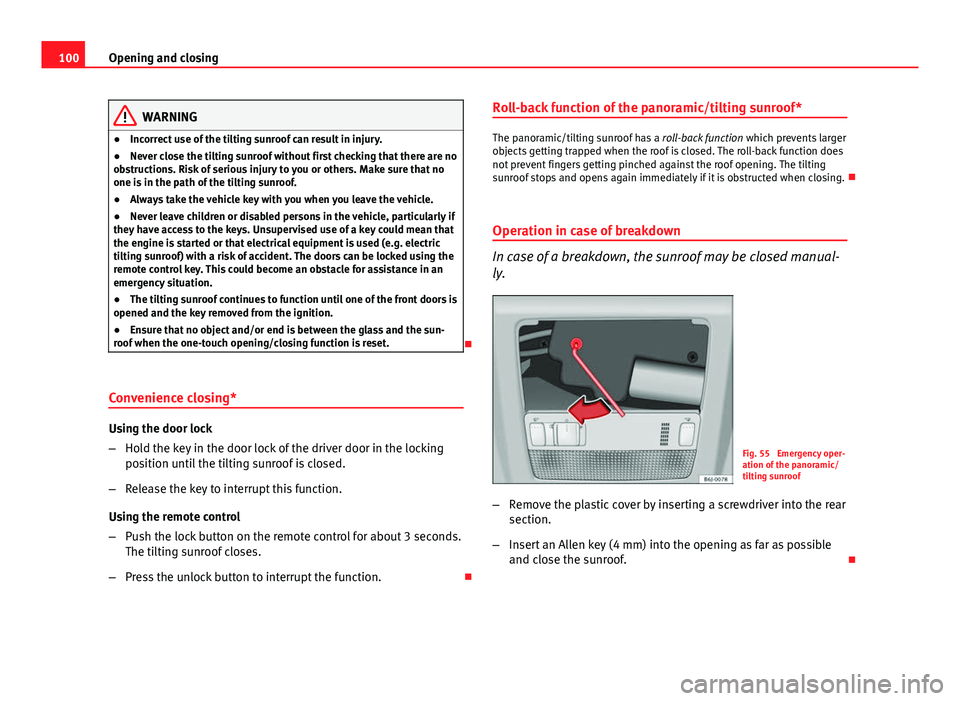
Operation in case of breakdown
In case of a breakdown, the sunroof may be closed manual-
ly.
Fig. 55 Emergency oper-
ation of the panoramic/
tilting sunroof
– Remove the plastic cover by inserting a screwdriver into the rear
section.
– Insert an Allen key (4 mm) into the opening as far as possible
and close the sunroof.
Page 105 of 294
103
Lights and visibility
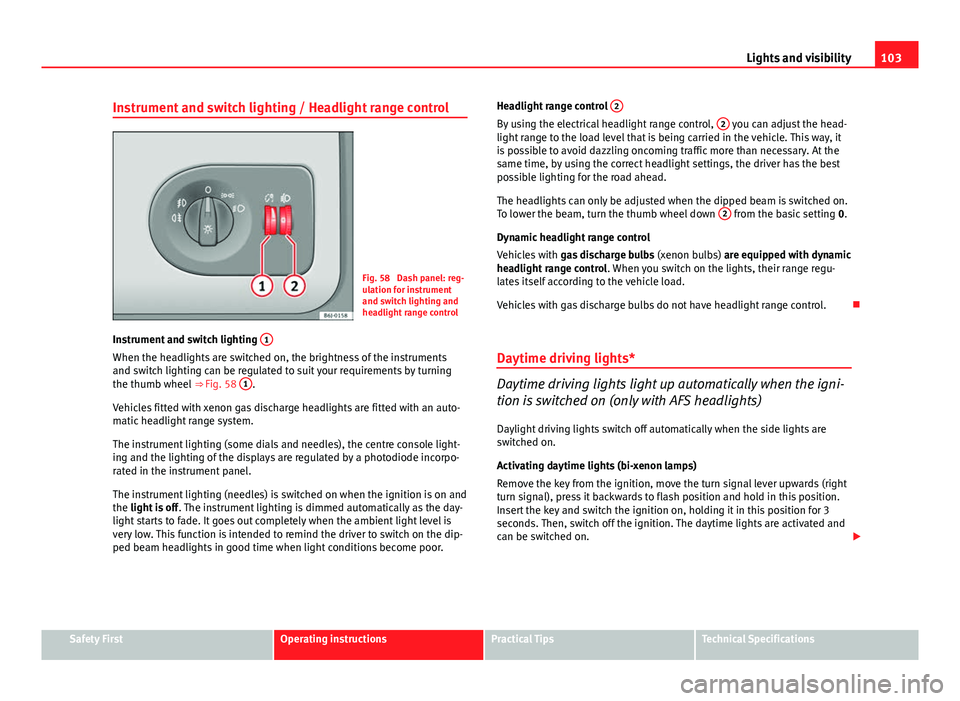
Instrument and switch lighting / Headlight range control
Fig. 58 Dash panel: reg-
ulation for instrument
and switch lighting and
headlight range control
Instrument and switch lighting 1
When the headlights are switched on, the brightness of the instruments
and switch lighting can be regulated to suit your requirements by turning
the thumb wheel
⇒ Fig. 58 1
.
Vehicles fitted with xenon gas discharge headlights are fitted with an auto-
matic headlight range system.
The instrument lighting (some dials and needles), the centre console light-
ing and the lighting of the displays are regulated by a photodiode incorpo-
rated in the instrument panel.
The instrument lighting (needles) is switched on when the ignition is on and
the light is off . The instrument lighting is dimmed automatically as the day-
light starts to fade. It goes out completely when the ambient light level is
very low. This function is intended to remind the driver to switch on the dip-
ped beam headlights in good time when light conditions become poor. Headlight range control
2
By using the electrical headlight range control, 2 you can adjust the head-
light range to the load level that is being carried in the vehicle. This way, it
is possible to avoid dazzling oncoming traffic more than necessary. At the
same time, by using the correct headlight settings, the driver has the best
possible lighting for the road ahead.
The headlights can only be adjusted when the dipped beam is switched on.
To lower the beam, turn the thumb wheel down 2
from the basic setting
0.
Dynamic headlight range control
Vehicles with gas discharge bulbs (xenon bulbs) are equipped with dynamic
headlight range control . When you switch on the lights, their range regu-
lates itself according to the vehicle load.
Vehicles with gas discharge bulbs do not have headlight range control.
Daytime driving lights*
Daytime driving lights light up automatically when the igni-
tion is switched on (only with AFS headlights)
Daylight driving lights switch off automatically when the side lights are
switched on.
Activating daytime lights (bi-xenon lamps)
Remove the key from the ignition, move the turn signal lever upwards (right
turn signal), press it backwards to flash position and hold in this position.
Insert the key and switch the ignition on, holding it in this position for 3
seconds. Then, switch off the ignition. The daytime lights are activated and
can be switched on.
Safety FirstOperating instructionsPractical TipsTechnical Specifications
Page 107 of 294
105
Lights and visibility
The two main headlights move at different angles to avoid that the front of
the vehicle is left completely in the dark.
Note
The system operates from a speed of about 10 km/h (6 mph).
Fog lights with cornering function*
This is an additional light source to dipped beam headlights
to light up the road as a bend is taken.
The cornering light operates with the lights switched on and when driving at
less than 40 Km/h (25 mph). Ignition is produced by turning the steering or
connecting the turn signal.
Forward gear
● If the steering wheel is turned to the right, or the right-hand turn signal
operated, the right-hand headlight lights up.
● If the steering wheel is turned to the left, or the left-hand flasher operat-
ed, the left-hand headlight lights up.
In reverse gear both headlights light up.
Note
When the fog lamps are on, the cornering function is activated and both
headlights are continuously on. Coming/leaving Home function*
The Coming Home function is controlled manually. The Leav-
ing Home function is controlled with a photosensor.
If the Coming Home or Leaving Home function is connected, the front side
and dipped lights, the tail lights and the number plate light will light up to
provide assistance.
Coming home function
The Coming Home function is activated by switching off the ignition and
briefly flashing the lights. When the driver door is opened, the Coming
Home lighting comes on. If the driver door is already open when the lights
are flashed briefly, the Coming Home lighting comes on immediately.
When the last door of the vehicle or the rear lid is closed, the Coming Home
function starts and the switching off the headlights is delayed.
The Coming Home lighting switches off in the following cases:
● On completion of the time period established for the delay in switching
off the lights after all the vehicle doors and the rear lid have been closed.
● If, 30 seconds after being connected, any doors or the rear lid remain
open.
● If the light switch is turned to position .
● If the ignition is switched on.
Leaving home function
The Leaving Home function is activated when the vehicle is unlocked if:
● the light control is in position and
● the photosensor detects “darkness”.
The Leaving Home lighting switches off in the following cases:
● If the time period for the delay in switching off the headlights has ended
● If the vehicle is locked again.
Safety FirstOperating instructionsPractical TipsTechnical Specifications
Page 109 of 294
107
Lights and visibility
3. Switch the ignition off.
4. Apply the handbrake.
5. On a manual gearbox engage 1st gear. On an automatic gear- box, move the selector lever to P.
6. Use the warning triangle to draw the attention of other road users to your vehicle.
7. Always take the vehicle key with you when you leave the vehi- cle.
Switch on the hazard warning lights to warn other road users, for example:
● reaching the tail end of a traffic jam,
● there is an emergency
● your vehicle breaks down due to a technical fault,
● you are towing another vehicle or your vehicle is being towed.
All turn signals flash simultaneously when the hazard warning lights are
switched on. The two turn signal turn signal lamps and the turn signal
lamp in the switch will flash at the same time. The hazard warning lights
also work when the ignition is switched off.
WARNING
● The risk of an accident increases if your vehicle breaks down. Always
use the hazard warning lights and a warning triangle to draw the atten-
tion of other road users to your stationary vehicle.
● Never park where the catalytic converter could come into contact with
inflammable materials under the vehicle, for example dry grass or spilt
petrol. This could start a fire!
Note
● The battery will run down if the hazard warning lights are left on for a
long time, even if the ignition is switched off.
● The use of the hazard warning lights described here is subject to the rel-
evant statutory requirements.
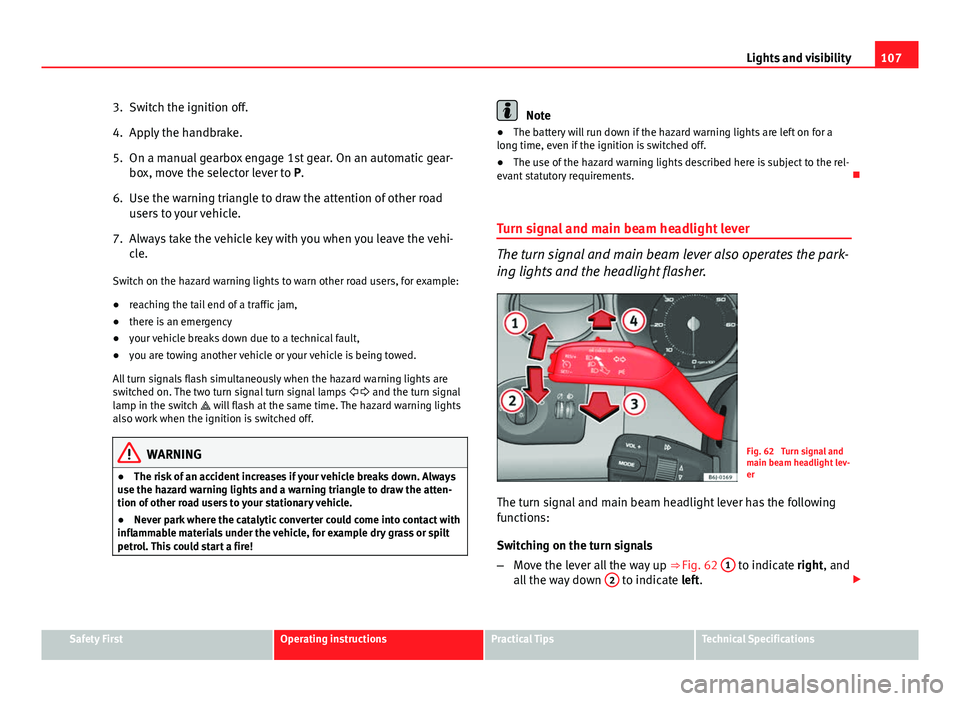
Turn signal and main beam headlight lever
The turn signal and main beam lever also operates the park-
ing lights and the headlight flasher.
Fig. 62 Turn signal and
main beam headlight lev-
er
The turn signal and main beam headlight lever has the following
functions:
Switching on the turn signals
– Move the lever all the way up ⇒
Fig. 62 1
to indicate right, and
all the way down 2 to indicate left.
Safety FirstOperating instructionsPractical TipsTechnical Specifications
Page 131 of 294
129
Seats and storage
Cigarette lighter*
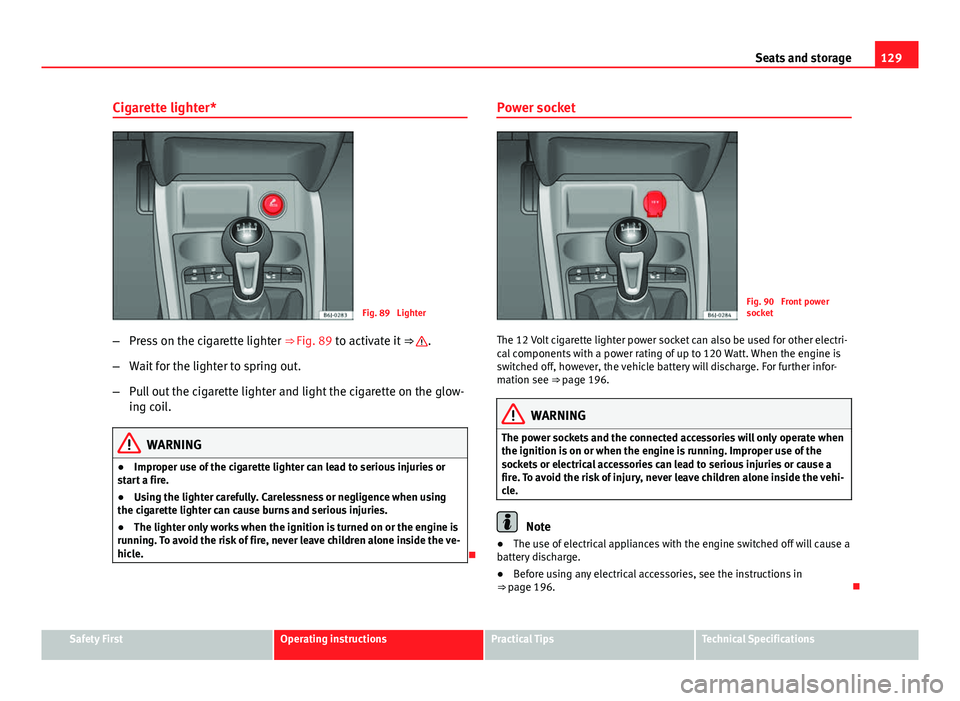
Fig. 89 Lighter
– Press on the cigarette lighter ⇒ Fig. 89 to activate it ⇒
.
– Wait for the lighter to spring out.
– Pull out the cigarette lighter and light the cigarette on the glow-
ing coil.
WARNING
● Improper use of the cigarette lighter can lead to serious injuries or
start a fire.
● Using the lighter carefully. Carelessness or negligence when using
the cigarette lighter can cause burns and serious injuries.
● The lighter only works when the ignition is turned on or the engine is
running. To avoid the risk of fire, never leave children alone inside the ve-
hicle.
Power socket
Fig. 90 Front power
socket
The 12 Volt cigarette lighter power socket can also be used for other electri-
cal components with a power rating of up to 120 Watt. When the engine is
switched off, however, the vehicle battery will discharge. For further infor-
mation see ⇒ page 196.
WARNING
The power sockets and the connected accessories will only operate when
the ignition is on or when the engine is running. Improper use of the
sockets or electrical accessories can lead to serious injuries or cause a
fire. To avoid the risk of injury, never leave children alone inside the vehi-
cle.
Note
● The use of electrical appliances with the engine switched off will cause a
battery discharge.
● Before using any electrical accessories, see the instructions in
⇒ page 196.
Safety FirstOperating instructionsPractical TipsTechnical Specifications
Page 151 of 294
149
Driving
Ignition switched off, steering lock 1
In this position
⇒ Fig. 110 the ignition and the engine are OFF and the steer-
ing may get locked.
For the Steering lock to operate without the ignition key, turn the steering
wheel until it locks with an audible sound. You should always lock the steer-
ing wheel when you leave your vehicle. This will help prevent vehicle theft
⇒
.
Switching the ignition or the glow plug system on 2
Turn the ignition key to this position and release it. If the key cannot be
turned or it is difficult to turn from position 1 to position 2, move the
steering wheel from one side to the other until it is released.
Starting 3
The engine is started when the key is in this position. Electrical components
with a high power consumption are switched off temporarily.
Every time the vehicle is started again, the ignition key must be turned to
position 1
. The
repetitive start prevention lock of the ignition prevents
possible damage to the starter motor if the engine is already running.
WARNING
● The ignition key must NOT be removed from the lock until the vehicle
comes to a standstill. Otherwise, the steering could be immediately
blocked- Risk of accident!
● Always remove the key from the ignition when leaving the vehicle,
even for a short period. This is especially important if children or disa-
bled people are left alone in the vehicle. They could accidentally start the
engine or work electrical equipment such as the electric windows, conse-
quently resulting in an accident.
● Unsupervised use of the keys could start the engine or any electrical
system, such as the electric window. This could result in serious injury.
CAUTION
The starter motor will only work when the engine is stopped (ignition key
position 3
).
Electronic immobiliser
The electronic immobiliser prevents unauthorised persons
from driving the vehicle.
Inside the key there is a chip that deactivates the electronic immobiliser au-
tomatically when the key is inserted into the ignition.
The electronic immobiliser will be activated again automatically as soon as
you pull the key out of the ignition lock.
The engine can only be started using a genuine SEAT key with its correct
code.
Note
A perfect operation of the vehicle is ensured if genuine SEAT keys are used.
Safety FirstOperating instructionsPractical TipsTechnical Specifications