wheel Seat Ibiza ST 2014 User Guide
[x] Cancel search | Manufacturer: SEAT, Model Year: 2014, Model line: Ibiza ST, Model: Seat Ibiza ST 2014Pages: 240, PDF Size: 4.89 MB
Page 45 of 240
Airbag system
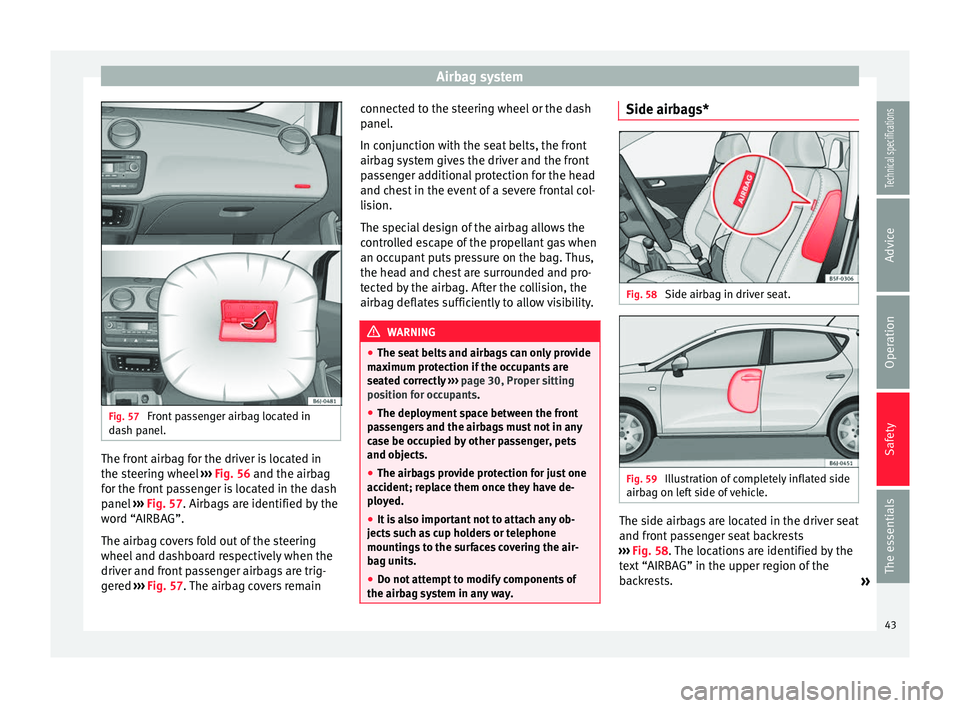
Fig. 57
Front passenger airbag located in
dash panel. The front airbag for the driver is located in
the steering wheel
››› Fig. 56 and the airbag
f or the fr
ont passenger is located in the dash
panel ››› Fig. 57. Airbags are identified by the
wor
d “AIRBAG”.
The airbag covers fold out of the steering
wheel and dashboard respectively when the
driver and front passenger airbags are trig-
gered ››› Fig. 57
. The airbag covers remain connected to the steering wheel or the dash
panel.
In conjunction with the seat belts, the front
airbag system gives the driver and the front
passenger additional protection for the head
and chest in the event of a severe frontal col-
lision.
The special design of the airbag allows the
controlled escape of the propellant gas when
an occupant puts pressure on the bag. Thus,
the head and chest are surrounded and pro-
tected by the airbag. After the collision, the
airbag deflates sufficiently to allow visibility.
WARNING
● The seat belts and airbags can only provide
maximum protection if the occupants are
seated correctly ››› page 30, Proper sitting
position for occupants.
● The deployment space between the front
passengers and the airbags must not in any
case be occupied by other passenger, pets
and objects.
● The airbags provide protection for just one
accident; replace them once they have de-
ployed.
● It is also important not to attach any ob-
jects such as cup holders or telephone
mountings to the surfaces covering the air-
bag units.
● Do not attempt to modify components of
the airbag system in any way. Side airbags*
Fig. 58
Side airbag in driver seat. Fig. 59
Illustration of completely inflated side
airbag on left side of vehicle. The side airbags are located in the driver seat
and front passenger seat backrests
››› Fig. 58 . The locations are identified by the
t e
xt “AIRBAG” in the upper region of the
backrests. »
43
Technical specifications
Advice
Operation
Safety
The essentials
Page 62 of 240
Operation
There is a fault in the ABS if:
● The warning lamp
does not light up
when the ignition i
s switched on.
● The control lamp does not go out again af-
ter a few seconds.
● The control lamp lights up when the vehicle
is moving.
The vehicle can still be braked in the normal
way, without the ABS function. Take the vehi-
cle to a specialised workshop as soon as
possible. For further information on the ABS
see the ››› page 140
.
If there is a fault in the ABS, the ESC* and the
tyre pressure control lamp will also light up.
Brake system fault
If the ABS warning lamp lights up together
with the brake warning lamp , there is a
fault in the ABS function and in the brake
system ››› .
WARNING
● Before opening the bonnet, read and ob-
serve the warnings ››› page 166, Working in
the engine compartment.
● If the br
ake system warning lamp should
light up together with the ABS warning lamp
, stop the vehicle immediately and check
the brake fluid level in the reservoir
››› page 173, Brake fluid. If the brake fluid
lev
el has dropped below the “MIN” mark you must not drive on. Risk of accident. Obtain
technical assistance.
●
If the brake fluid level is correct, the fault in
the brake system may have been caused by a
failure of the ABS system. This could cause
the rear wheels to lock quickly when you
brake. This could cause the rear to break
away. Risk of skidding. Stop the vehicle and
seek technical assistance. Differential lock fault (EDL)*
The EDL operates along with the ABS in vehi-
cles equipped with Electronic Stability Con-
trol (ESC)*.
A malfunction in the EDL is indicated by the
ABS control lamp
. Take the vehicle to a
specialised workshop as soon as possible.
For further information on the EDL see
››› page 139, Electronic differential lock
(EDL)* .
T r
action control system (ASR)* / The traction control system prevents the driv-
en wheels from spinning when the vehicle is
accelerating.
There are two warning lamps for the traction
control system:
and . Both warning lamps
light up together when the ignition is switch-
ed on and should turn off after approximately 2 seconds. This is the time taken for the func-
tion check.
The
lamp has the following function:
● It
flashes when the ASR is working if the ve-
hicle is moving.
If the system is deactivated or if it has any
fault, the warning lamp will remain lit. The
warning lamp will also light up if a fault
should occur in the ABS because the ASR op-
erates in conjunction with the ABS. For fur-
ther information, see ››› page 141.
The lamp provides information about the
disconnection status of the system:
● It stays lit when the ASR is disconnected
when pressing the switch.
By pressing it again, the ASR function is reac-
tivated and the warning lamp switched off.
Electronic Stability Control (ESC)* /
There are two control lamps for the electronic
stability control. The lamp
provides infor-
mation concerning function and disconnec-
tion status.
Both warning lamps light up together when
the ignition is switched on and should turn
60
Page 63 of 240
Dash panel
off after approximately 2 seconds. This is the
time taken for the function check.
This programme includes the ABS, EDL and
ASR. It also includes emergency braking as-
sistance (BAS).
The warning lamp
has the following
f
unctions:
● It flashes whilst driving when the ASR/ESC
is activated.
● It will light up if there is a fault in the ESC.
● As the ESC operates in conjunction with the
ABS, the ESC light will also come on if a fault
should occur in the ABS.
If the ESC control lamp lights up and stays
on after the engine is started, this may mean
that the control system has temporarily
switched off the ESC. In this case the ESC can
be reactivated by switching the ignition off
and then on again. If the control lamp goes
out, this means the system is fully functional.
The lamp provides information about the
disconnection status of the system:
● It stays lit when the ASR is disconnected
when pressing the switch. Brake system* Situations in which the warning lamp lights
up
● the br ak
e fluid level is too low
››› page 173.
● there i
s a fault in the brake system.
This warning lamp can light up together with
the ABS system warning lamp. WARNING
● If the brake warning lamp does not go out
or if it lights up when driving, the brake fluid
level in the reservoir is too low so there is a
risk of an accident ››› page 173, Brake fluid.
Stop the vehicle and do not drive on. Obtain
technical assistance.
● If the brake warning lamp lights up to-
gether with the ABS lamp this could be
due to an ABS fault. This could cause the rear
wheels to lock quickly when you brake. This
could cause the rear to break away. Risk of
skidding. Stop the vehicle and seek technical
assistance. Cruise speed (cruise control)*
The warning lamp comes on when the
cruise control system is switched on. For fur-
ther information on the cruise control system
please see
›››
page 150 . T
y
re pressure
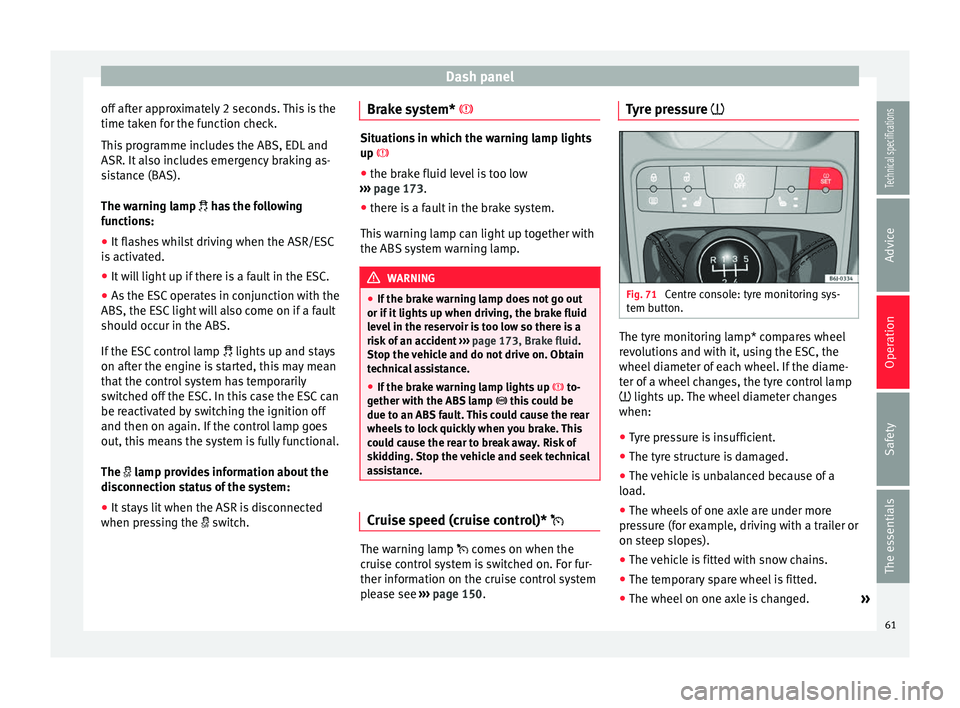
Fig. 71
Centre console: tyre monitoring sys-
tem button. The tyre monitoring lamp* compares wheel
revolutions and with it, using the ESC, the
wheel diameter of each wheel. If the diame-
ter of a wheel changes, the tyre control lamp
lights up. The wheel diameter changes
when:
● Tyre pressure is insufficient.
● The tyre structure is damaged.
● The vehicle is unbalanced because of a
load.
● The wheels of one axle are under more
pressure (for example, driving with a trailer or
on steep slopes).
● The vehicle is fitted with snow chains.
● The temporary spare wheel is fitted.
● The wheel on one axle is changed. »
61
Technical specifications
Advice
Operation
Safety
The essentials
Page 64 of 240
Operation
Tyre pressure adjustment
On adjusting tyre pressure or changing one
or more wheels, the ››› Fig. 71 button must be
k ept
pressed down, with the ignition on, until
an acoustic signal is heard.
If the wheels are under excessive load (for ex-
ample, driving with a trailer or heavy load),
the tyre pressure must be increased to the
recommended value for a full load (see the
sticker on the inside of the fuel flap). If the
tyre monitor system button is pressed down,
the new tyre pressures are confirmed.
The tyre pressure control lamp lights up
If the tyre pressure of a wheel is much lower
than the value set by the driver, then the tyre
pressure control lamp ››› will light up.
WARNING
● When the tyre pressure control lamp lights
up, reduce speed immediately and avoid any
sudden turning or braking manoeuvre. Stop
when possible, and check the tyre pressure
and status.
● The driver is responsible for maintaining
correct tyre pressures. For this reason, tyre
pressure must be regularly checked.
● Under certain circumstances (e.g. when
driving in a sporty manner, in winter condi-
tions or on a dirt track) the tyre control lamp
may light up belatedly or may function incor-
rectly. Note
If the battery is disconnected, the yellow
warning lamp lights up after turning the
ignition on.
This should turn off after a brief
journey. Speed selector lever lock*
The brake pedal must be depressed when
this warning lamp lights up. This is necessary
when the automatic gearbox* selector lever
is moved out of the positions
P
or N
.
Fuel level/reserve It lights up when only 7 litres of fuel remain
in the tank, and an
acoustic signal*
al
so
sou
nds. It reminds you to fuel up the fuel
tank as soon as possible ›››
page 163.
Door open display* This warning lamp lights up if one of the
doors is open.
The warning light
should go off when all
the doors are closed correctly. Rear lid open* The warning lamp
should switch off when
the r
ear lid is fully closed.
Main beam headlights The warning lamp lights up when the main
beams are on or when the headlight flasher
is operated.
For further information see
››› page 93.
Electro-hydraulic steering* The level of steering assistance depends on
the vehicle speed and on the steering wheel
turning speed.
The warning lamp should light up for a few
seconds when the ignition is switched on. It
should go out once the engine is started.
There is a fault in the electro-hydraulic steer-
ing system if the lamp does not go out or
lights up whilst the vehicle is in motion. Take
the vehicle to technical services as soon as
possible.
62
Page 65 of 240
Dash panel
Note
When towing the vehicle with the engine
stopped or due to a fault in the power steer-
ing, this will not operate. The vehicle can still
be steered, but it will require greater force to
turn the steering wheel. Emission control system*
Control lamp
flashes:
When ther e i
s misfiring that can damage the
catalytic converter. Reduce speed and drive
carefully to the nearest specialised workshop
to have the engine checked.
The control lamp lights up:
If a fault has developed during driving which
has reduced the quality of the exhaust gas
(e.g. lambda probe fault). Reduce speed and
drive carefully to the nearest specialised
workshop to have the engine checked.
Level*/Temperature of the coolant There is a fault if:
● The warning symbol does not go out again
after a few seconds.
● The warning lamp lights up or flashes while
the vehicle is moving, and three acoustic
warning signals ›
›
› are emitted.This means that either the coolant level is too
low or the coolant temperature is too high.
Coolant temperature too high
If the warning lamp comes on,
stop the vehi-
cle, turn off the engine and wait for it to cool
down. Check the coolant level.
If the c
oolant level is correct, the overheating
may be caused by a malfunction of the radia-
tor fan. Check the radiator fan fuse and have
it replaced if necessary ››› page 195.
If the control lamp lights up again after driv-
ing on for a short distance, stop the vehicle
and switch the engine off
. Contact a Techni-
cal Service or a specialised workshop.
Coolant level too low
If the warning lamp comes on , stop the vehi-
cle, turn off the engine and wait for it to cool
down
. First check the coolant level. If the lev-
el of the coolant is below the “MIN” mark,
top up with coolant liquid ››› .
WARNING
● If your vehicle is immobilised for technical
reasons, move it to a safe distance from traf-
fic. Turn the engine off, turn the hazard lights
on and place the warning triangle.
● Never open the bonnet if you can see or
hear steam or coolant escaping from the en-
gine compartment. Risk of scalding. Wait un- til you can no longer see or hear escaping
steam or coolant.
●
The engine compartment is a dangerous
area. Before carrying out any work in the en-
gine compartment, switch off the engine and
allow it to cool down. Always note the corre-
sponding warnings ››› page 166. Alternator
This warning lamp signals a fault in the alter-
nator.
The warning lamp lights up when the igni-
tion is switched on. It should go out when the
engine has started running.
If the warning lamp
lights up while driv-
ing, the alternator is no longer charging the
battery. You should immediately drive to the
nearest specialised workshop.
You should avoid using electrical equipment
that is not absolutely necessary because this
will drain the battery.
Turn signals Depending on which turn signal is operating,
either the left
or right turn signal lamp
flashes. Both control lamps will flash at the
same time when the hazard warning lights
are switched on. »
63
Technical specifications
Advice
Operation
Safety
The essentials
Page 71 of 240
Communications and multimedia
Communications and
multimedia
Steering column controls* General information The steering column incorporates multifunc-
tional modules from which the audio and tel-
ephone functions of the vehicle can be con-
trolled.
There are two versions of the multifunction
module:
●
Audio version , to control the available au-
dio functions from the steering wheel.
● Audio + Telephone version , to control the
available audio functions and the telephone
system from the steering wheel.
Both versions can be used to control the au-
dio system (Radio, Audio CD, MP3 CD,
iPod 1)
/PND 1)
).
The PND (portable navigation device) repro-
duces audio files through a micro SD card
and Bluetooth audio-streaming, and tracks
may be changed using the controls on the
steering column. 1)
If fitted in the vehicle.
69Technical specifications
Advice
Operation
Safety
The essentials
Page 74 of 240
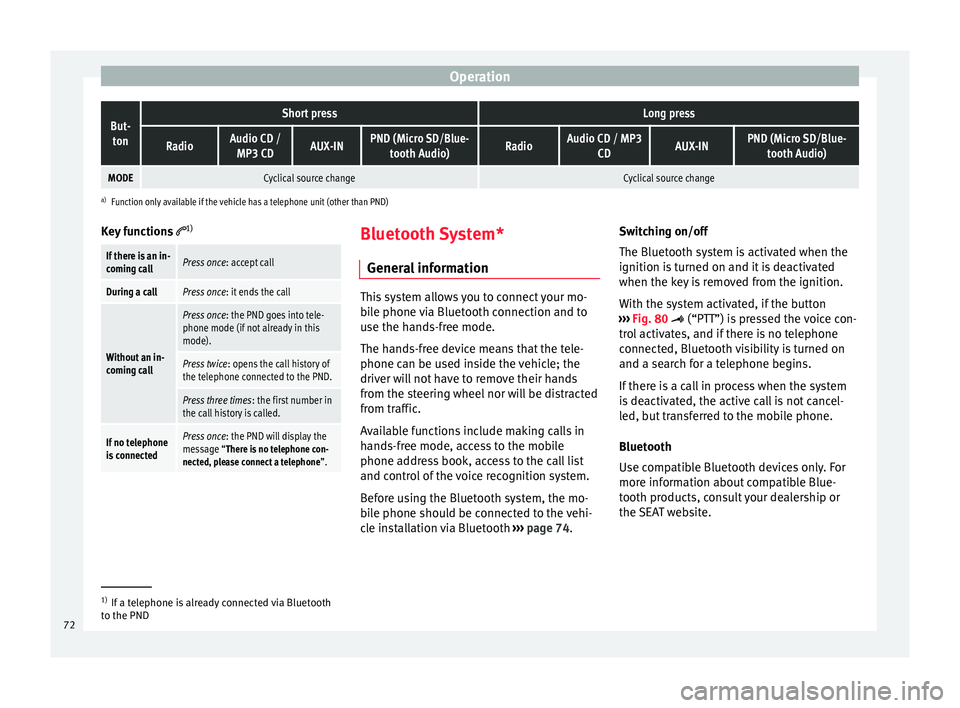
OperationBut-
tonShort pressLong press
RadioAudio CD / MP3 CDAUX-INPND (Micro SD/Blue- tooth Audio)RadioAudio CD / MP3 CDAUX-INPND (Micro SD/Blue-tooth Audio)
MODECyclical source changeCyclical source change
a)Function only available if the vehicle has a telephone unit (other than PND)
Key functions 1)
If there is an in-
coming callPress once
: accept call
During a callPress once: it ends the call
Without an in-
coming call
Press once: the PND goes into tele-
phone mode (if not already in this
mode).
Press twice : opens the call history of
the telephone connected to the PND.
Press three times : the first number in
the call history is called.
If no telephone
is connectedPress once : the PND will display the
message “There is no telephone con-
nected, please connect a telephone ”. Bluetooth System*
General information This system allows you to connect your mo-
bile phone via Bluetooth connection and to
use the hands-free mode.
The hands-free device means that the tele-
phone can be used inside the vehicle; the
driver will not have to remove their hands
from the steering wheel nor will be distracted
from traffic.
Available functions include making calls in
hands-free mode, access to the mobile
phone address book, access to the call list
and control of the voice recognition system.
Before using the Bluetooth system, the mo-
bile phone should be connected to the vehi-
cle installation via Bluetooth
›››
page 74. Switching on/off
The Bluetooth system is activated when the
ignition is turned on and it is deactivated
when the key is removed from the ignition.
With the system activated, if the button
››› Fig. 80
(“PTT”) is pressed the voice con-
trol activates, and if there is no telephone
connected, Bluetooth visibility is turned on
and a search for a telephone begins.
If there is a call in process when the system
is deactivated, the active call is not cancel-
led, but transferred to the mobile phone.
Bluetooth
Use compatible Bluetooth devices only. For
more information about compatible Blue-
tooth products, consult your dealership or
the SEAT website. 1)
If a telephone is already connected via Bluetooth
to the PND
72
Page 78 of 240
OperationBut-
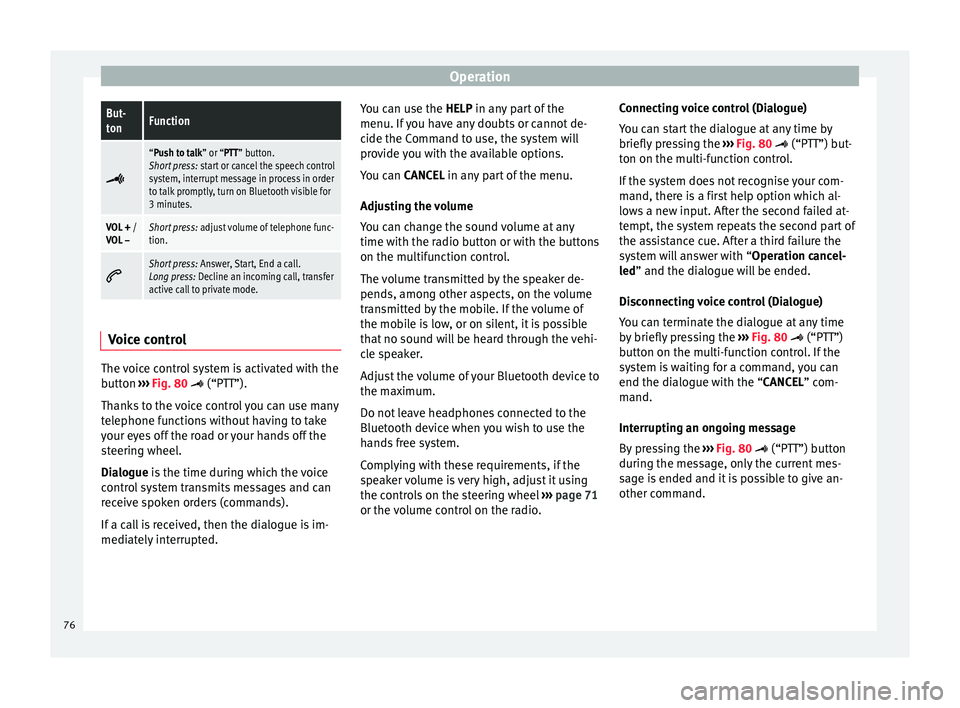
tonFunction
“Push to talk” or “PTT” button.
Short press:
start or cancel the speech control
system, interrupt message in process in order
to talk promptly, turn on Bluetooth visible for
3 minutes.
VOL + /
VOL –Short press: adjust volume of telephone func-
tion.
Short press:
Answer, Start, End a call.
Long press: Decline an incoming call, transfer
active call to private mode. Voice control
The voice control system is activated with the
button
›››
Fig. 80
(“P
TT”).
Th
anks to the voice control you can use many
telephone functions without having to take
your eyes off the road or your hands off the
steering wheel.
Dialogue
is the time during which the voice
control system transmits messages and can
receive spoken orders (commands).
If a call is received, then the dialogue is im-
mediately interrupted. You can use the
HELP in any part of the
menu. If you have any doubts or cannot de-
cide the Command to use, the system will
provide you with the available options.
You can CANCEL in any part of the menu.
Adju
sting the volume
You can change the sound volume at any
time with the radio button or with the buttons
on the multifunction control.
The volume transmitted by the speaker de-
pends, among other aspects, on the volume
transmitted by the mobile. If the volume of
the mobile is low, or on silent, it is possible
that no sound will be heard through the vehi-
cle speaker.
Adjust the volume of your Bluetooth device to
the maximum.
Do not leave headphones connected to the
Bluetooth device when you wish to use the
hands free system.
Complying with these requirements, if the
speaker volume is very high, adjust it using
the controls on the steering wheel ››› page 71
or the volume control on the radio. Connecting voice control (Dialogue)
You can start the dialogue at any time by
briefly pressing the
››› Fig. 80
(“PTT”) but-
ton on the multi-function control.
If the system does not recognise your com-
mand, there is a first help option which al-
lows a new input. After the second failed at-
tempt, the system repeats the second part of
the assistance cue. After a third failure the
system will answer with “Operation cancel-
led
” and the dialogue will be ended.
Disconnecting voice control (Dialogue)
You can terminate the dialogue at any time
by briefly pressing the ››› Fig. 80 (“PTT”)
b
utton on the multi-function control. If the
system is waiting for a command, you can
end the dialogue with the “
CANCEL” com-
mand.
Interrupting an ongoing message
By pressing the ››› Fig. 80 (“PTT”) button
durin
g the message, only the current mes-
sage is ended and it is possible to give an-
other command.
76
Page 94 of 240
Operation
in position 0
or . It is automatically
switched off when the side lights are turned
on. WARNING
The side lights or daytime driving lights are
not bright enough to illuminate the road
ahead and to ensure that other road users are
able to see you.
● Always use your dipped beam head lights if
it is raining or if visibility is poor.
● The rear lights do not come on with the
daytime driving light. A vehicle which does
not have the rear lights on may not be visible
to other drivers in the darkness, if it is rain-
ing or in conditions of poor visibility. Note
See legal requirements for each country. Nordic country solution
3 Only available in certain countries or as an
optional extra
The so-called “Nordic country solution” is an
alternative solution to daytime running lights
in vehicles without this function. It consists
of simultaneously connecting the dimmed
dipped beams, the sidelights and the licence
plate lights.
The aforementioned lights are switched on
each time the ignition is turned on if the light switch is in position
0 or . Depending
upon the model, the control lamp
on the
light c
ontrol switch or the instrument panel
lighting will indicate that the lights are on.
Activation of the Nordic country solution
● Remove the key from the ignition, move the
turn signal lever upward (right turn signal),
press it back to flash position and hold it
there.
● Insert the key and switch the ignition on,
holding it in this position for 3 seconds.
Then, switch off the ignition. The Nordic
country solution is now activated and the cor-
responding lights can come on.
Deactivation of the Nordic country solution
● Remove the key from the ignition, press the
turn signal lever down (left turn signal), press
it back to flash position and hold it here.
● Insert the key and switch the ignition on,
holding it in this position for 3 seconds.
Then, switch off the ignition. The Nordic
country solution is now deactivated and the
corresponding lights will not come on. Instrument and switch lighting,
headlight range control
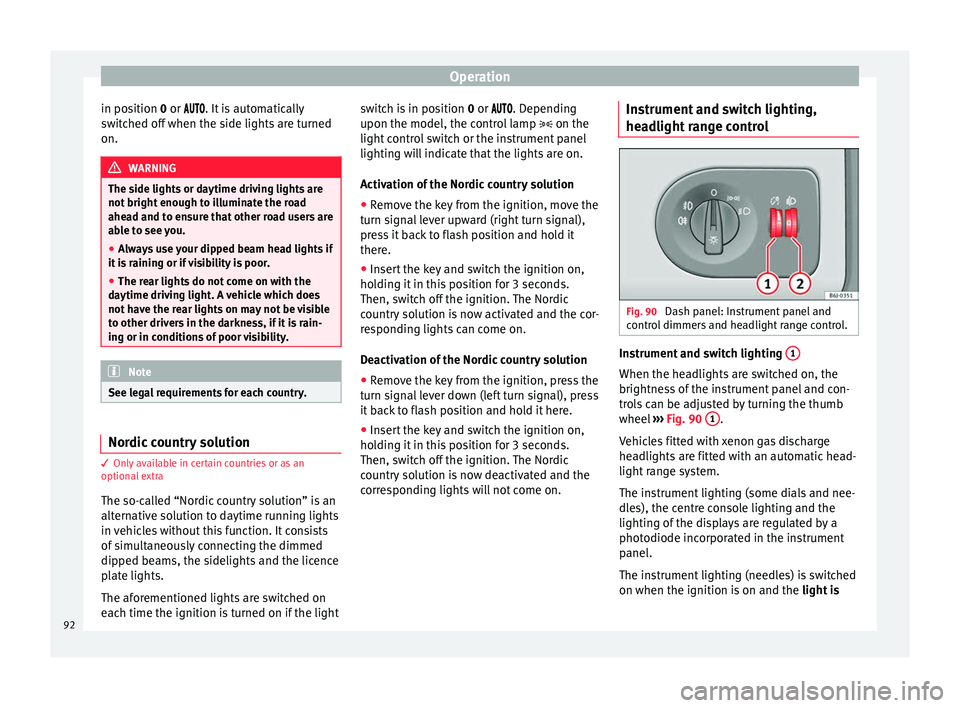
Fig. 90
Dash panel: Instrument panel and
control dimmers and headlight range control. Instrument and switch lighting
1 When the headlights are switched on, the
brightness of the instrument panel and con-
trols can be adjusted by turning the thumb
wheel
››› Fig. 90 1 .
Vehicles fitted with xenon gas discharge
headlights are fitted with an automatic head-
light range system.
The instrument lighting (some dials and nee-
dles), the centre console lighting and the
lighting of the displays are regulated by a
photodiode incorporated in the instrument
panel.
The instrument lighting (needles) is switched
on when the ignition is on and the light is
92
Page 95 of 240
Lights and visibility
off . The instrument lighting is dimmed auto-
m atic
ally as the daylight starts to fade. It
goes out completely when ambient light is
very low. This function is intended to remind
the driver to switch on the dipped beam
headlights in good time when light condi-
tions become poor.
Headlight range control 2By using the electrical headlight range con-
trol,
2 you can adjust the headlight range to
the load level that is being carried in the ve-
hicle. This way, it is possible to avoid daz-
zling oncoming traffic more than necessary.
At the same time, by using the correct head-
light settings, the driver has the best possi-
ble lighting for the road ahead.
The headlights can only be adjusted when
the dipped beam is switched on. To lower the
beam, turn the thumb wheel down 2 from
the basic setting 0.
D y
namic headlight range control
Vehicles with gas discharge bulbs (xenon
bulbs)
are equipped with dynamic headlight
range control. When you switch on the lights,
their range regulates itself according to the
vehicle load.
Vehicles with gas discharge bulbs do not
have headlight range control. Turn signal and main beam headlight
lever
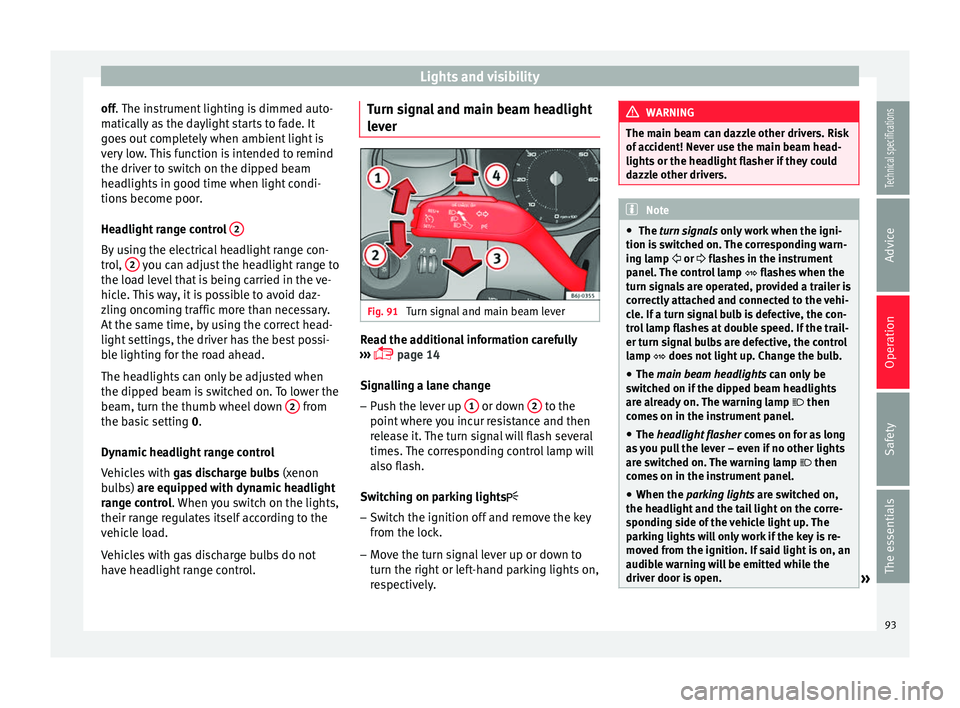
Fig. 91
Turn signal and main beam lever Read the additional information carefully
››› page 14
Signalling a lane change
– Push the lever up 1 or down
2 to the
point where you incur resistance and then
release it. The turn signal will flash several
times. The corresponding control lamp will
also flash.
Switching on parking lights – Switch the ignition off and remove the key
from the lock.
– Move the turn signal lever up or down to
turn the right or left-hand parking lights on,
respectively. WARNING
The main beam can dazzle other drivers. Risk
of accident! Never use the main beam head-
lights or the headlight flasher if they could
dazzle other drivers. Note
● The turn signals only
work when the igni-
tion is switched on. The corresponding warn-
ing lamp or flashes in the instrument
panel
. The control lamp flashes when the
turn signals are operated, provided a trailer is
correctly attached and connected to the vehi-
cle. If a turn signal bulb is defective, the con-
trol lamp flashes at double speed. If the trail-
er turn signal bulbs are defective, the control
lamp does not light up. Change the bulb.
● The main beam headlights
can only be
switched on if the dipped beam headlights
are already on. The warning lamp then
comes on in the instrument panel.
● The headlight flasher come
s on for as long
as you pull the lever – even if no other lights
are switched on. The warning lamp then
comes on in the instrument panel.
● When the parking lights are switched on,
the he
adlight and the tail light on the corre-
sponding side of the vehicle light up. The
parking lights will only work if the key is re-
moved from the ignition. If said light is on, an
audible warning will be emitted while the
driver door is open. » 93
Technical specifications
Advice
Operation
Safety
The essentials