buttons Seat Ibiza ST 2016 User Guide
[x] Cancel search | Manufacturer: SEAT, Model Year: 2016, Model line: Ibiza ST, Model: Seat Ibiza ST 2016Pages: 252, PDF Size: 5.56 MB
Page 159 of 252
Driving
●
Any modific ation
s made to the vehicle (for
example, to the engine, brake system, run-
ning gear or to the combination of wheels
and tyres) may affect the operation of the
ABS and ASR. Connecting/disconnecting ESC and
ASR
The ESC is switched on automatically when
the engine is
s
tarted, and only works when
the engine is running and includes the ABS,
EDS and ASR systems.
The ASR and ESC function should only be
switched off in situations in which traction is
insufficient, among others:
● When driving in deep snow or on surfaces
that ar e not
very firm.
● To “free” the vehicle if it gets stuck.
Then switch the ASR and E
SC function back
on.
Depending on finishes and versions, it is
possible either to disconnect only the ASR or
else activate ESC Sport mode.
ESC in “Sport” mode
Sport mode can be connected via the Easy
Connect ››› page 101 system menu. The abili-
ty of the ESC to stabilise the vehicle is limi- ted; the traction control system (ASR) be-
comes di
sabled ››› .
The c ontr
ol
lamp lights up. For vehicles
with a driver information system*, the driver
will be shown the electronic stability
control (ESC) option: sport.
Warning! Limited stability.
Disable ESC “Sport” mode
Through the Easy Connect system menu
››› page 101. The warning lamp will switch
off. For vehicles with a driver information sys-
tem*, the driver will be shown the elec-
tronic stability control (ESC)
option: on.
Disable ASR
The Easy Connect system menu is used to
switch off the ASR ››› page 101. The traction
control system will be disabled.
The control lamp lights up. For vehicles
with a driver information system* the driver
will be informed that ASR is disabled.
Activate ASR
The Easy Connect system menu ››› page 101
is used to switch on the ASR. The traction
control system will be enabled.
The control lamp switches off. For vehicles
with a driver information system* the driver
will be informed that ASR is enabled.●
Activate or de activate the ASR or ESC func-
tion in the Easy Connect system by means of
the button and the function buttons
Set up and
E
SC
S
ystem .
WARNING
You should switch on the ESC Sport mode on-
ly if the tr affic
conditions and your driving
ability allow you to do so safely: risk of skid-
ding!
● With ESC in Sport mode, the stabilising
function wi
ll be limited to allow for a sportier
drive. The driving wheels could spin and the
vehicle could skid. Note
If the ASR is disconnected or the ESC’s Sport
mode is sel ect
ed, cruise control* will be
switched off. Electronic differential lock (EDS)*
The EDL operates along with the ABS in vehi-
c
l
e s
equipped with Electronic Stability Con-
trol (ESC)*.
EDL helps the vehicle to start moving, accel-
erate and climb a gradient in slippery condi-
tions where this may otherwise be difficult or
even impossible.
It uses the ABS sensors to monitor the speed
of the driven wheels. »
157
Technical data
Advice
Operation
Emergencies
Safety
Page 183 of 252
Driver assistance systems
vehicle of the luggage compartment is carry-
ing a heavy
lo
ad.
● In the following situations, the objects or
other vehicl
es shown in the navigation sys-
tem display appear to be further away or
closer than they really are: Pay special atten-
tion:
– On moving from a horizontal plane to a
slope.
– On moving from a slope to a horizontal
plane.
– If the vehicle is heavily loaded at the
rear.
– When the vehicle approaches objects
that are not on the ground surface or are
jutting out from it. These objects may al-
so be outside the camera's angle of vi-
sion when reversing. Note
● It is impor
tant to take great care and pay
special attention if you are not yet familiar
with the system.
● Rear assist will not be available if the vehi-
cle's r
ear lid is open. Instructions for use
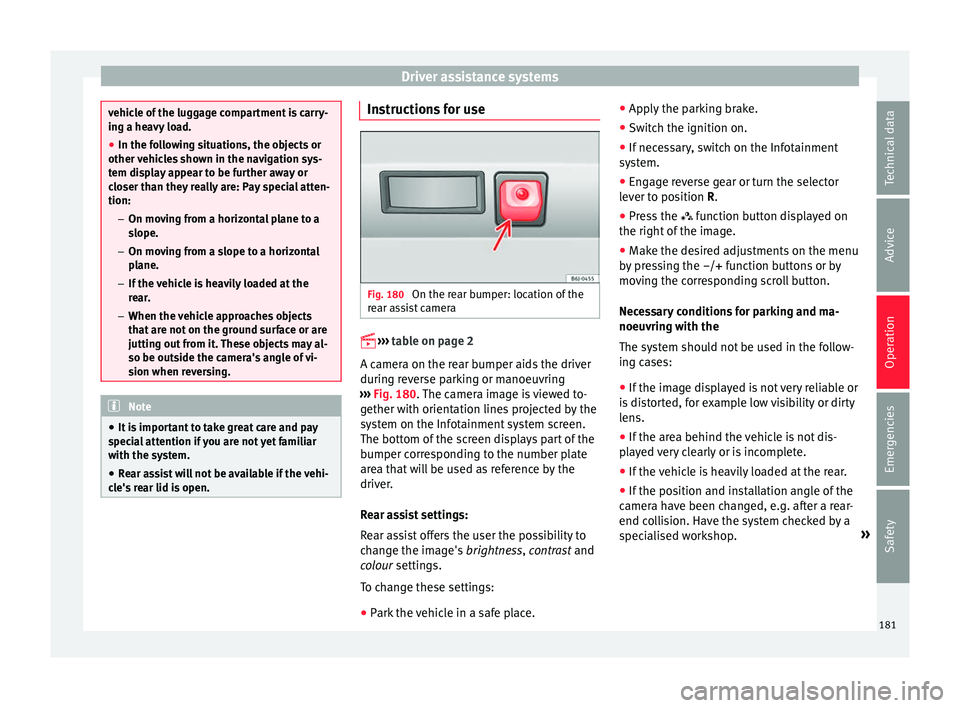
Fig. 180
On the rear bumper: location of the
r e
ar a s
sist camera
››› t
able on page 2
A camera on the rear bumper aids the driver
during reverse parking or manoeuvring
››› Fig. 180. The camera image is viewed to-
gether with orientation lines projected by the
system on the Infotainment system screen.
The bottom of the screen displays part of the
bumper corresponding to the number plate
area that will be used as reference by the
driver.
Rear assist settings:
Rear assist offers the user the possibility to
change the image's brightness, contrast and
colour settings.
To change these settings:
● Park the vehicle in a safe place. ●
Apply the p
arking brake.
● Switch the ignition on.
● If necessary, switch on the Infotainment
system.
● En
gage reverse gear or turn the selector
lever to po
sition R.
● Press the function butt
on displayed on
the right of the image.
● Make the desired adjustments on the menu
by pre
ssing the –/+ function buttons or by
moving the corresponding scroll button.
Necessary conditions for parking and ma-
noeuvring with the
The system should not be used in the follow-
ing cases:
● If the image displayed is not very reliable or
is dis
torted, for example low visibility or dirty
lens.
● If the area behind the vehicle is not dis-
play
ed very clearly or is incomplete.
● If the vehicle is heavily loaded at the rear.
● If the position and installation angle of the
camera hav
e been changed, e.g. after a rear-
end collision. Have the system checked by a
specialised workshop. »
181
Technical data
Advice
Operation
Emergencies
Safety
Page 184 of 252
Operation
Familiarising yourself with the system
T o f
ami li
arise yourself with the system, the
orientation lines and their function, SEAT rec-
ommends practising parking and manoeu-
vring with the rear assist in a place without
too much traffic or in a car park when there
are good weather and visibility conditions.
Cleaning the camera lens
Keep the camera lens clean and clear of snow
and ice:
● Moisten the lens using a normal alcohol-
based gla
ss cleaning product and clean the
lens with a dry cloth.
● Remove snow using a small brush.
● Use de-icing spray to remove any ice. CAUTION
● Never use abr a
sive cleaning products to
clean the camera lens.
● Do not use hot or warm water to remove ice
or snow from the c
amera lens. Doing so could
damage the camera. Parking and manoeuvring with the
r
e
ar a s
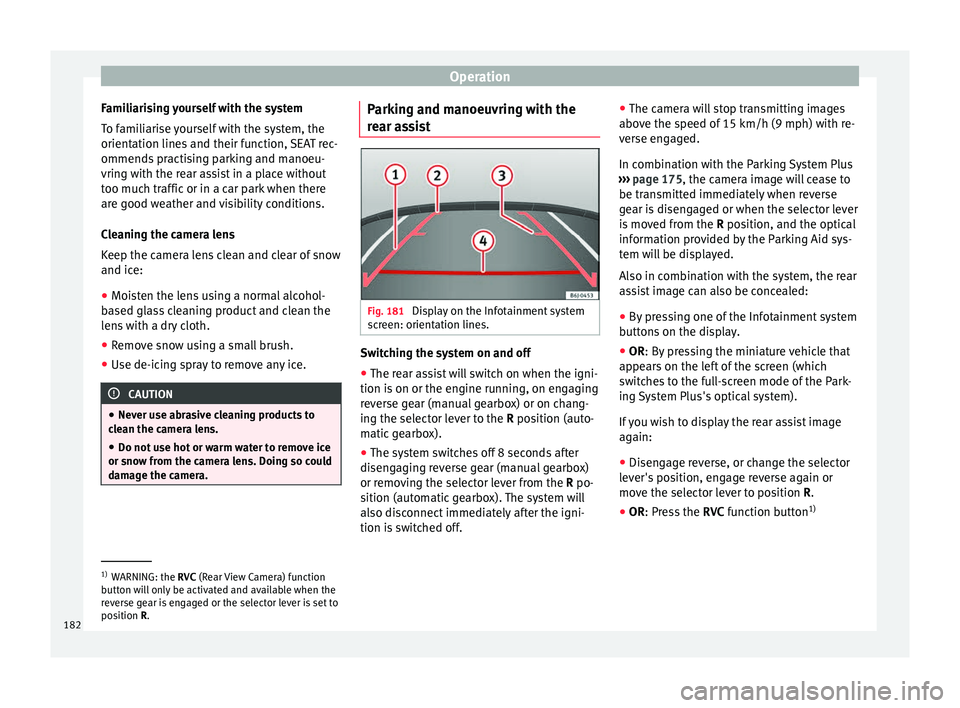
sist Fig. 181
Display on the Infotainment system
s c
reen: orient
ation lines. Switching the system on and off
●
The rear assist will switch on when the igni-
tion i s
on or the en gine ru
nning, on engaging
reverse gear (manual gearbox) or on chang-
ing the selector lever to the R position (auto-
matic gearbox).
● The system switches off 8 seconds after
disengagin
g reverse gear (manual gearbox)
or removing the selector lever from the R po-
sition (automatic gearbox). The system will
also disconnect immediately after the igni-
tion is switched off. ●
The camera wi
ll stop transmitting images
above the speed of 15 km/h (9 mph) with re-
verse engaged.
In combination with the Parking System Plus
››› page 175, the camera image will cease to
be transmitted immediately when reverse
gear is disengaged or when the selector lever
is moved from the R position, and the optical
information provided by the Parking Aid sys-
tem will be displayed.
Also in combination with the system, the rear
assist image can also be concealed:
● By pressing one of the Infotainment system
buttons
on the display.
● OR: By pressing the miniature vehicle that
appear
s on the left of the screen (which
switches to the full-screen mode of the Park-
ing System Plus's optical system).
If you wish to display the rear assist image
again:
● Disengage reverse, or change the selector
lever's po
sition, engage reverse again or
move the selector lever to position R.
● OR: Press the RVC function b
utton1) 1)
WARNING: the RVC (Rear V
iew Camera) function
button will only be activated and available when the
reverse gear is engaged or the selector lever is set to
position R.
182