engine oil Seat Ibiza ST 2016 Owner's manual
[x] Cancel search | Manufacturer: SEAT, Model Year: 2016, Model line: Ibiza ST, Model: Seat Ibiza ST 2016Pages: 252, PDF Size: 5.56 MB
Page 6 of 252
Table of Contents
Engine management and exhaust gas purifica-
tion sy s
tem
. . . . . . . . . . . . . . . . . . . . . . . . . . . . . 169
Driving tips . . . . . . . . . . . . . . . . . . . . . . . . . . . . . 171
Driver assistance systems . . . . . . . . . . . . . . . . . 172
Start-Stop System* . . . . . . . . . . . . . . . . . . . . . . . 172
Fatigue detection (break recommendation)* . . 174
Parking aid . . . . . . . . . . . . . . . . . . . . . . . . . . . . . 175
Rear Assist “Rear View Camera”* . . . . . . . . . . . 180
Cruise speed* (cruise control - GRA) . . . . . . . . . 183
“SEAT Drive Profile” system . . . . . . . . . . . . . . . . 184
Towing bracket device and trailer . . . . . . . . . . . 186
Trailer mode . . . . . . . . . . . . . . . . . . . . . . . . . . . . 186
Retrofitting a towing bracket* . . . . . . . . . . . . . . 188
Advice . . . . . . . . . . . . . . . . . . . . . . . . . . . . . . . . 190
Care and maintenance . . . . . . . . . . . . . . . . . . . . 190
Accessories and modifications to the vehi-
cle . . . . . . . . . . . . . . . . . . . . . . . . . . . . . . . . . . . . 190
C
are and cleaning . . . . . . . . . . . . . . . . . . . . . . . 191
Care of the vehicle exterior . . . . . . . . . . . . . . . . 192
Caring for the vehicle interior . . . . . . . . . . . . . . 197
Checking and refilling levels . . . . . . . . . . . . . . . 199
Refuelling . . . . . . . . . . . . . . . . . . . . . . . . . . . . . . 199
Fuel . . . . . . . . . . . . . . . . . . . . . . . . . . . . . . . . . . . 200
Working in the engine compartment . . . . . . . . 201
Engine oil . . . . . . . . . . . . . . . . . . . . . . . . . . . . . . 204
Cooling system . . . . . . . . . . . . . . . . . . . . . . . . . . 207
Brake fluid . . . . . . . . . . . . . . . . . . . . . . . . . . . . . 209
Windscreen washer reservoir . . . . . . . . . . . . . . 210
Vehicle battery . . . . . . . . . . . . . . . . . . . . . . . . . . 210
Wheels . . . . . . . . . . . . . . . . . . . . . . . . . . . . . . . . 213
Wheels and tyres . . . . . . . . . . . . . . . . . . . . . . . . 213
Winter service . . . . . . . . . . . . . . . . . . . . . . . . . . . 217
Technical data . . . . . . . . . . . . . . . . . . . . . . . . 219
Technical specifications . . . . . . . . . . . . . . . . . . 219
Important information . . . . . . . . . . . . . . . . . . . . 219
Information on fuel consumption . . . . . . . . . . . 220 Trailer mode . . . . . . . . . . . . . . . . . . . . . . . . . . . . 220
Wheels . . . . . . . . . . . . . . . . . . . . . . . . . . . . . . . . 221
Engine data . . . . . . . . . . . . . . . . . . . . . . . . . . . . . 222
Dimensions . . . . . . . . . . . . . . . . . . . . . . . . . . . . . 234
Index . . . . . . . . . . . . . . . . . . . . . . . . . . . . . . . . . 235
4
Page 32 of 252
The essentialsMenuFunction
MFD from
departure
Display and storage of the values for
the journey and the consumption from
when the ignition is switched on to
when it is switched off.
If the journey is continued in less than
2 hours after the ignition is switched
off, the new data is added to the data
already stored in the memory. The
memory will automatically be deleted if
the journey is interrupted for more than
2 hours.
MFD from refuellingDisplay and storage of the values for
the journey and the consumption. By
refuelling, the memory will be erased
automatically.
MFD total
calcula-
tion
The memory records the values for a
specific number of partial trips, up to a
total of 19 hours and 59 minutes or 99
hours and 59 minutes, or 1999.9 km or
9999 km, depending on the model of
instrument panel. On reaching either of
these limits a)
, the memory is automati-
cally erased and starts to count from 0
again.
a) It varies according to the instrument panel version.
Erasing a memory manually
● Select the memory that you wish to erase.
● Hold the button of the multifunction
s t
eerin g wheel
or the button of the multi-
f u nction wheel
pr
essed down for about 2 sec-
onds. Personalising the displays
In the Easy C
onnect system you can adjust
which of the possible displays of the MFD can
be shown on the instrument panel display
with the button and the function button
Set up
› ››
p
age 101.
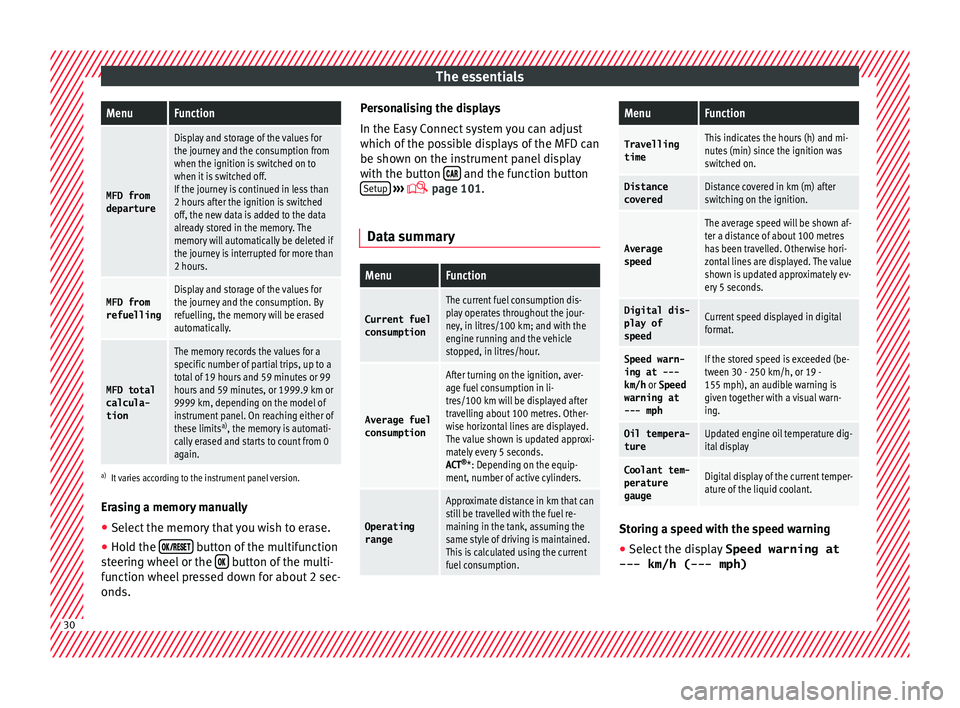
Dat a s
ummary
MenuFunction
Current fuel
consumption
The current fuel consumption dis-
play operates throughout the jour-
ney, in litres/100 km; and with the
engine running and the vehicle
stopped, in litres/hour.
Average fuelconsumption
After turning on the ignition, aver-
age fuel consumption in li-
tres/100 km will be displayed after
travelling about 100 metres. Other-
wise horizontal lines are displayed.
The value shown is updated approxi-
mately every 5 seconds.
ACT ®
*: Depending on the equip-
ment, number of active cylinders.
Operating range
Approximate distance in km that can
still be travelled with the fuel re-
maining in the tank, assuming the
same style of driving is maintained.
This is calculated using the current
fuel consumption.
MenuFunction
TravellingtimeThis indicates the hours (h) and mi-
nutes (min) since the ignition was
switched on.
Distance
coveredDistance covered in km (m) after
switching on the ignition.
Average
speed
The average speed will be shown af-
ter a distance of about 100 metres
has been travelled. Otherwise hori-
zontal lines are displayed. The value
shown is updated approximately ev-
ery 5 seconds.
Digital dis- play of
speedCurrent speed displayed in digital
format.
Speed warn-
ing at ---
km/h or Speed
warning at
--- mphIf the stored speed is exceeded (be-
tween 30 - 250 km/h, or 19 -
155 mph), an audible warning is
given together with a visual warn-
ing.
Oil tempera-
tureUpdated engine oil temperature dig-
ital display
Coolant tem-
perature
gaugeDigital display of the current temper-
ature of the liquid coolant. Storing a speed with the speed warning
● Select the display Speed warning at
--- km/h (---
mph) 30
Page 33 of 252
The essentials
● Pr e
ss
the button on the windscreen
w iper l
ever or the b
utton on the multifunc-
tion s t
eerin g wheel
to store the current speed
and activate the warning.
● To switch system on: adjust to the desired
speed within 5 second
s using the rocker
switch on the windscreen wiper lever or
b y
t urnin
g the thumbwheel on the multifunc-
tion steering wheel. Next, press the button or
again or wait several seconds.
The s peed i
s s
tored and the warning activa-
ted.
● To switch system off: press the but-
ton or
. The stored speed is de-
l et
ed.
En gine oi
l temperature display The engine reaches its operating temperature
when in norm
al
driv in
g conditions, the oil
temperature is between 80 °C (180 °F)
and 120 °C (250 °F) . If the engine is re-
quired to work hard and the outside tempera-
ture is high, the engine oil temperature can
increase. This does not present any problem
as long as the warning lamps ›››
table on
page 36 or ›››
table on page 36 do not
appear on the display. Vehicles without multifunction steering
wheel
●
Press the rocker switch ››› Fig. 37
2 until
the m ain menu ap
pear
s. Enter into Driving
data . With the button 2 move to the oil
t emper
atur
e gauge.
Vehicles with multifunction steering wheel
● Enter the submenu Driving data and
turn the thumbwheel u
ntil the oil tempera-
ture display appears.
Additional electrical appliances ●
Operation with the windscreen wiper lever*:
Pr e
ss
the rocker switch ››› Fig. 37 2 until the
m ain menu ap
pear
s. Enter into the section
Driving data . With the rocker switch,
move to the display Convenience con-
sumers .
● Operation with the multi-function steering
wheel*: Mo
ve with the buttons 1 or
2 to
Driving data and enter w
ith OK
.
Turn the
thumbwheel to the right until the Conven-
ience consumers display appears.
In addition, a scale will inform you of the cur-
rent sum of all the additional appliances. Saving tips Tips on how to save fuel will be displayed in
conditions
th
at increase fuel consumption.
Follow them to reduce consumption. The indi-
cations appear automatically only with the ef-
ficiency programme. After a time, the tips will
disappear automatically.
If you wish to hide a saving tip immediately
after it appears, press any button on the
windscreen wiper lever*/multifunction steer-
ing wheel*. Note
● If y ou hide a s
aving tip, it will reappear af-
ter you switch the ignition on again.
● The saving tips do not appear in all situa-
tions, but r
ather with a large separation of
time. Timer*
You can access the timer via the selection
menu
››
›
p
age 27.
It allows you to manually time lap times on a
racing circuit, memorise them and compare
them to the vehicle's previous best times.
The following menus can be displayed:
● Stop
● Lap » 31
Page 35 of 252
The essentials
on the instrument panel, as well as a mes-
s ag
e for the driv
er: speed warning ex-
ceeded! The warning lamp switches off
when reducing speed below the stored maxi-
mum limit.
Speed warning programming is recommen-
ded if you wish to be reminded of a maxi-
mum speed, such as when travelling in a
country with different speed limits or for a
maximum speed for winter tyres.
Setting speed limit warning
You can use the radio or the Easy Connect* to
set, alter or cancel the speed limit warning.
● Vehicles with radio : press
the button SETUP> control button Driver Assistant
>
Speed warning .
● Vehicles with Easy Connect : pre
ss
the but-
ton Systems or else Vehicle systems >
Driver assistant > Speed warning.
The warning limit can be set from 30 to
240 km/h (20 to 150 mph). The adjustment
is done in 10 km/h intervals. Note
● Plea se be
ar in mind that, even with the
speed warning function, it is still important
to keep an eye on the vehicle speed with the
speedometer and to observe the legal speed
limits. ●
The speed limit w arnin
g function in the ver-
sion for several countries warns you at a
speed of 120 km/h (80 mph). This is a facto-
ry-set speed limit. Service intervals
The service interval indication appears on the
instrument
p
anel display ›››
Fig. 121
3 .
SEAT di s
tinguishes between services with en-
gine oil change (e.g. Oil change service) and
services without engine oil change (e.g. In-
spection).
In vehicles with Services established by time
or mileage, the service intervals are already
pre-defined.
In vehicles with LongLife Service , the inter-
vals are determined individually. Thanks to
technological progress, maintenance work
has been greatly reduced. Because of the
technology used by SEAT, with this service
you only need to change the oil when the ve-
hicle so requires. To calculate this change
(max. 2 years), the vehicle's conditions of
use and individual driving styles are consid-
ered. The advance warning first appears 20
days before the date established for the cor-
responding service. The kilometres (miles)
remaining until the next service are always
rounded up to the nearest 100 km (miles)
and the time is given in complete days. The
current service message cannot be viewed until 500 km after the last service. Prior to
this, only
line
s are visible on the display.
Inspection reminder
When the Service date is approaching, when
the ignition is switched on a Service remind-
er is displayed.
Vehicles without text messages : a span-
ner will be displayed on the instrument
panel plus an indication in km.
The kilometres indicated are the maximum
number of kilometres that can be travelled
until the next service. After a few seconds,
the display mode changes. A clock symbol
appears and the number of days until the
next service is due.
Vehicles with text messages : Service in
--- km or --- days will be shown on the
instrument panel display.
Service due
When the service date is due , an audible
warning is given when the ignition is switch-
ed on and the spanner displayed on the
screen flashes for a few seconds .
Vehicles with text messages : Service now
will be shown on the instrument panel dis-
play. » 33
Page 38 of 252
The essentials
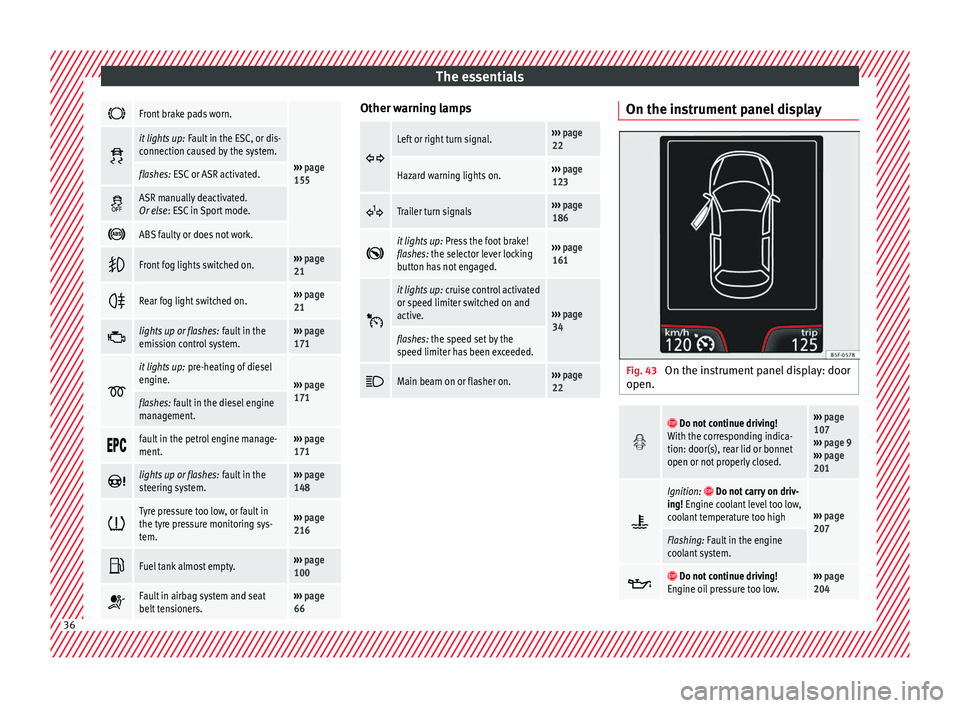
Front brake pads worn.
›››
page
155
it lights up:
Fault in the ESC, or dis-
connection caused by the system.
flashes: ESC or ASR activated.
ASR manually deactivated.
Or else
: ESC in Sport mode.
ABS faulty or does not work.
Front fog lights switched on.›››
page
21
Rear fog light switched on.›››
page
21
lights up or flashes:
fault in the
emission control system.››› page
171
it lights up:
pre-heating of diesel
engine.
››› page
171
flashes: fault in the diesel engine
management.
fault in the petrol engine manage-
ment.›››
page
171
lights up or flashes:
fault in the
steering system.››› page
148
Tyre pressure too low, or fault in
the tyre pressure monitoring sys-
tem.›››
page
216
Fuel tank almost empty.›››
page
100
Fault in airbag system and seat
belt tensioners.›››
page
66 Other warning lamps
Left or right turn signal.›››
page
22
Hazard warning lights on.››› page
123
Trailer turn signals›››
page
186
it lights up:
Press the foot brake!
flashes: the selector lever locking
button has not engaged.››› page
161
it lights up:
cruise control activated
or speed limiter switched on and
active.
››› page
34
flashes: the speed set by the
speed limiter has been exceeded.
Main beam on or flasher on.›››
page
22 On the instrument panel display
Fig. 43
On the instrument panel display: door
open.
Do not continue driving!
With the corresponding indica-
tion: door(s), rear lid or bonnet
open or not properly closed.››› page
107
››› page 9
››› page
201
Ignition: Do not carry on driv-
ing! Engine coolant level too low,
coolant temperature too high
››› page
207
Flashing: Fault in the engine
coolant system.
Do not continue driving!
Engine oil pressure too low.››› page
204 36
Page 39 of 252
The essentials
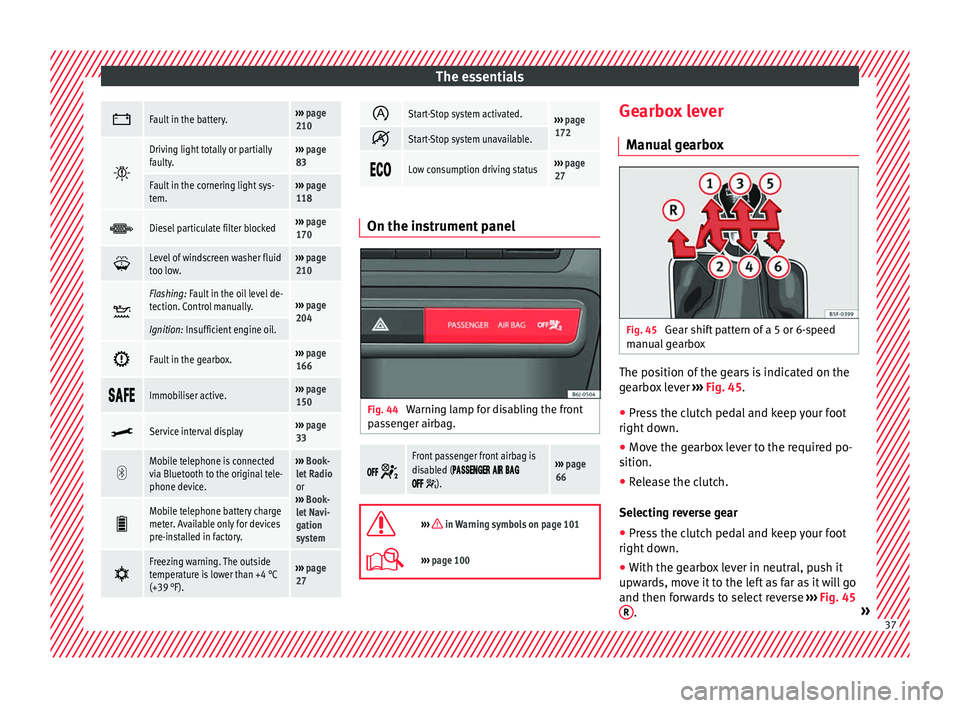
Fault in the battery.›››
page
210
Driving light totally or partially
faulty.›››
page
83
Fault in the cornering light sys-
tem.››› page
118
Diesel particulate filter blocked›››
page
170
Level of windscreen washer fluid
too low.›››
page
210
Flashing: Fault in the oil level de-
tection. Control manually.›››
page
204
Ignition: Insufficient engine oil.
Fault in the gearbox.›››
page
166
Immobiliser active.›››
page
150
Service interval display›››
page
33
Mobile telephone is connected
via Bluetooth to the original tele-
phone device.›››
Book-
let Radio
or
››› Book-
let Navi-
gation
system
Mobile telephone battery charge
meter. Available only for devices
pre-installed in factory.
Freezing warning. The outside
temperature is lower than +4 °C
(+39 °F).›››
page
27
Start-Stop system activated.›››
page
172
Start-Stop system unavailable.
Low consumption driving status›››
page
27 On the instrument panel
Fig. 44
Warning lamp for disabling the front
p a
ssen
ger airbag.
Front passenger front airbag is
disabled (
).
››› page
66
››› in Warning symbols on page 101
›››
page 100 Gearbox lever
M anua
l g
earbox Fig. 45
Gear shift pattern of a 5 or 6-speed
m anual
ge
arbox The position of the gears is indicated on the
g
e
arbo x
lever ››› Fig. 45.
● Press the clutch pedal and keep your foot
right down.
● Mov
e the gearbox lever to the required po-
sition.
● Rele
ase the clutch.
Selecting rev
erse gear
● Press the clutch pedal and keep your foot
right down.
● With the g
earbox lever in neutral, push it
upward
s, move it to the left as far as it will go
and then forwards to select reverse ››› Fig. 45
R .
» 37
Page 43 of 252
The essentials
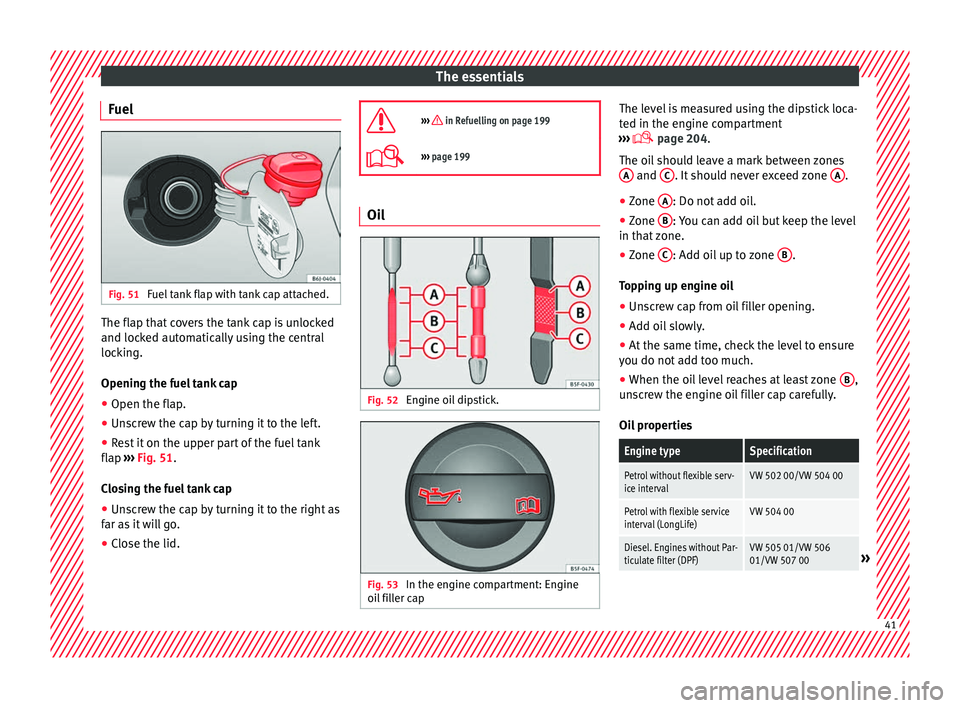
Fuel Fig. 51
Fuel tank flap with tank cap attached. The flap that covers the tank cap is unlocked
and loc
k
ed aut om
atically using the central
locking.
Opening the fuel tank cap
● Open the flap.
● Unscrew the cap by turning it to the left.
● Rest it on the upper part of the fuel tank
flap ›››
Fig. 51.
Closing the fuel tank cap
● Unscrew the cap by turning it to the right as
far as it
will go.
● Close the lid.
››› in Refuelling on page 199
›››
page 199 Oil
Fig. 52
Engine oil dipstick. Fig. 53
In the engine compartment: Engine
oi l
fi l
ler cap The level is measured using the dipstick loca-
t
ed in the en
gine comp
artment
››› page 204.
The oil should leave a mark between zones A and
C . It should never exceed zone
A .
● Zone A : Do not add oil.
● Zone B : You can add oil but keep the level
in th at
z
one.
● Zone C : Add oil up to zone
B .
T op
pin g up en
gine oil
● Unscrew cap from oil filler opening.
● Add oil slowly.
● At the same time, check the level to ensure
you do not ad
d too much.
● When the oil level reaches at least zone B ,
u n
sc
rew the engine oil filler cap carefully.
Oil properties
Engine typeSpecification
Petrol without flexible serv-
ice intervalVW 502 00/VW 504 00
Petrol with flexible service
interval (LongLife)VW 504 00
Diesel. Engines without Par-
ticulate filter (DPF)VW 505 01/VW 506
01/VW 507 00» 41
Page 44 of 252
The essentialsEngine typeSpecification
Diesel. Particulate Filter En-
gines (DPF).
With or without flexible
service interval (with and
without LongLife)
a)VW 507 00
a)
Only use recommended oils, otherwise you may damage the
engine.
Engine oil additives
No type of additive should be mixed with the
engine oil. The deterioration caused by these
additives is not covered by the warranty.
››› in Changing engine oil on page 207
››› page 204 Coolant
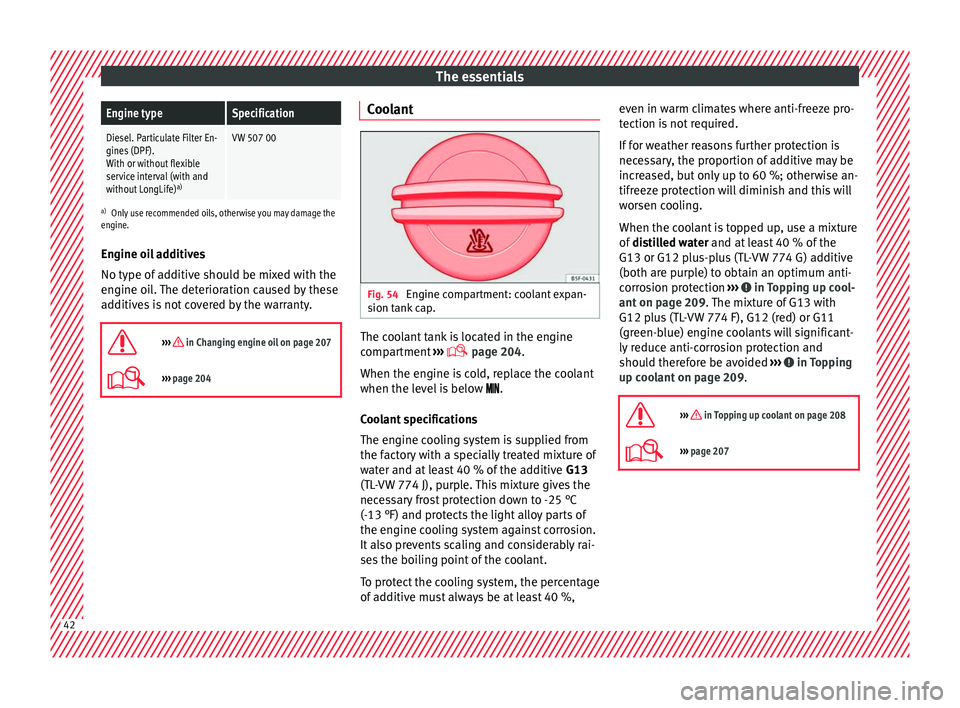
Fig. 54
Engine compartment: coolant expan-
s ion t
ank c
ap. The coolant tank is located in the engine
c
omp
artment
›››
page 204.
When the engine is cold, replace the coolant
when the level is below .
Coolant specifications
The engine cooling system is supplied from
the factory with a specially treated mixture of
water and at least 40 % of the additive G13
(TL-VW 774 J), purple. This mixture gives the
necessary frost protection down to -25 °C
(-13 °F) and protects the light alloy parts of
the engine cooling system against corrosion.
It also prevents scaling and considerably rai-
ses the boiling point of the coolant.
To protect the cooling system, the percentage
of additive must always be at least 40 %, even in warm climates where anti-freeze pro-
tection is not
required.
If for weather reasons further protection is
necessary, the proportion of additive may be
increased, but only up to 60 %; otherwise an-
tifreeze protection will diminish and this will
worsen cooling.
When the coolant is topped up, use a mixture
of distilled water and at least 40 % of the
G13 or G12 plus-plus (TL-VW 774 G) additive
(both are purple) to obtain an optimum anti-
corrosion protection ››› in Topping up cool-
ant on p ag
e 209 .
The mixture of G13 with
G12 plus (TL-VW 774 F), G12 (red) or G11
(green-blue) engine coolants will significant-
ly reduce anti-corrosion protection and
should therefore be avoided ››› in Topping
up c oo
lant on p
age 209.
››› in Topping up coolant on page 208
››› page 207 42
Page 85 of 252
Fuses and bulbs
Fuse arrangement in engine compart-
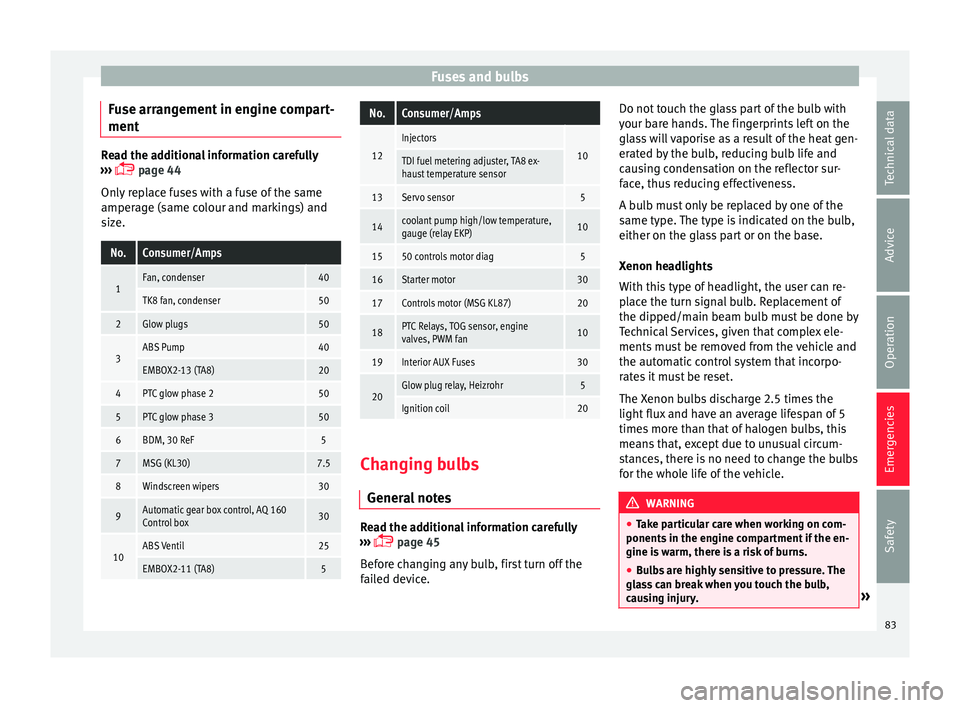
ment Read the additional information carefully
›››
p
age 44
Only replace fuses with a fuse of the same
amperage (same colour and markings) and
size.
No.Consumer/Amps
1Fan, condenser40
TK8 fan, condenser50
2Glow plugs50
3ABS Pump40
EMBOX2-13 (TA8)20
4PTC glow phase 250
5PTC glow phase 350
6BDM, 30 ReF5
7MSG (KL30)7.5
8Windscreen wipers30
9Automatic gear box control, AQ 160
Control box30
10ABS Ventil25
EMBOX2-11 (TA8)5
No.Consumer/Amps
12
Injectors
10TDI fuel metering adjuster, TA8 ex-
haust temperature sensor
13Servo sensor5
14coolant pump high/low temperature,
gauge (relay EKP)10
1550 controls motor diag5
16Starter motor30
17Controls motor (MSG KL87)20
18PTC Relays, TOG sensor, engine
valves, PWM fan10
19Interior AUX Fuses30
20Glow plug relay, Heizrohr5
Ignition coil20 Changing bulbs
Gener al
not
es Read the additional information carefully
› ›
›
p
age 45
Before changing any bulb, first turn off the
failed device. Do not touch the glass part of the bulb with
your bare h
ands. The fingerprints left on the
glass will vaporise as a result of the heat gen-
erated by the bulb, reducing bulb life and
causing condensation on the reflector sur-
face, thus reducing effectiveness.
A bulb must only be replaced by one of the
same type. The type is indicated on the bulb,
either on the glass part or on the base.
Xenon headlights
With this type of headlight, the user can re-
place the turn signal bulb. Replacement of
the dipped/main beam bulb must be done by
Technical Services, given that complex ele-
ments must be removed from the vehicle and
the automatic control system that incorpo-
rates it must be reset.
The Xenon bulbs discharge 2.5 times the
light flux and have an average lifespan of 5
times more than that of halogen bulbs, this
means that, except due to unusual circum-
stances, there is no need to change the bulbs
for the whole life of the vehicle. WARNING
● Take p ar
ticular care when working on com-
ponents in the engine compartment if the en-
gine is warm, there is a risk of burns.
● Bulbs are highly sensitive to pressure. The
glass
can break when you touch the bulb,
causing injury. » 83
Technical data
Advice
Operation
Emergencies
Safety
Page 101 of 252
Instruments and warning/control lamps
●
Depending on the equipment, some set -
tin
gs and instructions can also be carried out
in the Easy Connect system.
● When several warnings are active at the
same time, the symbols
are shown succes-
sively for a few seconds and will stay on until
the fault is rectified. Odometer
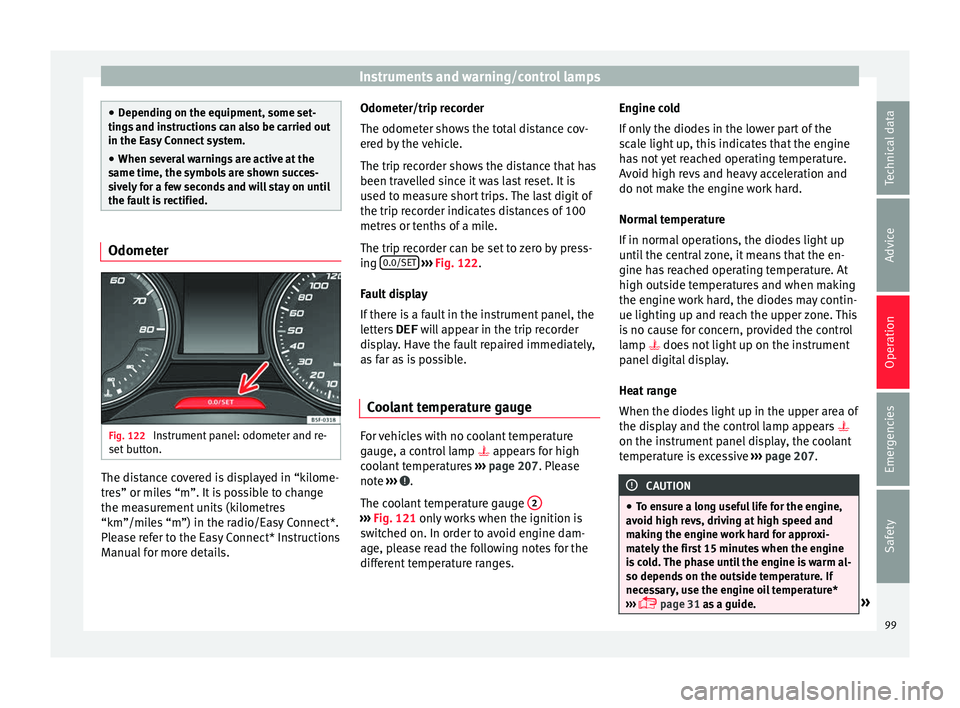
Fig. 122
Instrument panel: odometer and re-
set b
utt on. The distance covered is displayed in “kilome-
tr
e
s” or mi l
es “m”. It is possible to change
the measurement units (kilometres
“km”/miles “m”) in the radio/Easy Connect*.
Please refer to the Easy Connect* Instructions
Manual for more details. Odometer/trip recorder
The odometer shows
the total distance cov-
ered by the vehicle.
The trip recorder shows the distance that has
been travelled since it was last reset. It is
used to measure short trips. The last digit of
the trip recorder indicates distances of 100
metres or tenths of a mile.
The trip recorder can be set to zero by press-
ing 0.0/SET
› ››
Fig. 122
.
F au
lt display
If there is a fault in the instrument panel, the
letters DEF will appear in the trip recorder
display. Have the fault repaired immediately,
as far as is possible.
Coolant temperature gauge For vehicles with no coolant temperature
g
aug
e, a c ontr
ol lamp appears for high
coolant temperatures ›››
page 207. Please
note ››› .
The c oo
lant
temperature gauge 2 ›››
Fig. 121 only w ork
s when the ignition is
switched on. In order to avoid engine dam-
age, please read the following notes for the
different temperature ranges. Engine cold
If only
the diode
s in the lower part of the
scale light up, this indicates that the engine
has not yet reached operating temperature.
Avoid high revs and heavy acceleration and
do not make the engine work hard.
Normal temperature
If in normal operations, the diodes light up
until the central zone, it means that the en-
gine has reached operating temperature. At
high outside temperatures and when making
the engine work hard, the diodes may contin-
ue lighting up and reach the upper zone. This
is no cause for concern, provided the control
lamp does not light up on the instrument
panel digital display.
Heat range
When the diodes light up in the upper area of
the display and the control lamp appears
on the instrument panel display, the coolant
temperature is excessive ››› page 207. CAUTION
● To ens ur
e a long useful life for the engine,
avoid high revs, driving at high speed and
making the engine work hard for approxi-
mately the first 15 minutes when the engine
is cold. The phase until the engine is warm al-
so depends on the outside temperature. If
necessary, use the engine oil temperature*
››› page 31 as a guide. » 99
Technical data
Advice
Operation
Emergencies
Safety