buttons Seat Leon 5D 2013 User Guide
[x] Cancel search | Manufacturer: SEAT, Model Year: 2013, Model line: Leon 5D, Model: Seat Leon 5D 2013Pages: 339, PDF Size: 4.8 MB
Page 157 of 339
155
Air conditioning
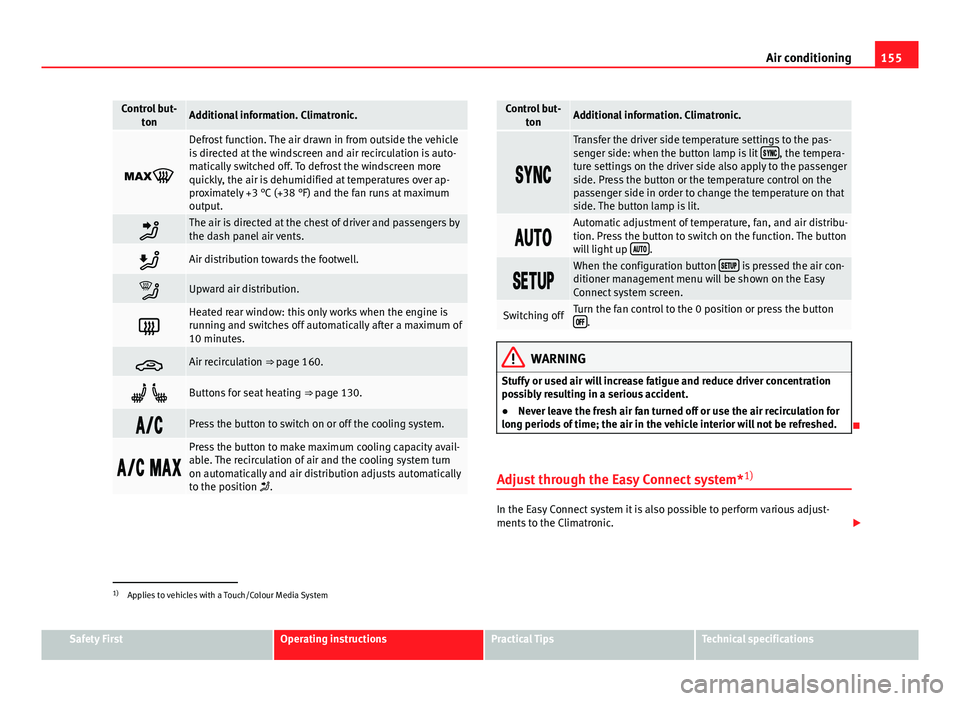
Control but-
tonAdditional information. Climatronic.
Defrost function. The air drawn in from outside the vehicle
is directed at the windscreen and air recirculation is auto-
matically switched off. To defrost the windscreen more
quickly, the air is dehumidified at temperatures over ap-
proximately +3 °C (+38 °F) and the fan runs at maximum
output.
The air is directed at the chest of driver and passengers by
the dash panel air vents.
Air distribution towards the footwell.
Upward air distribution.
Heated rear window: this only works when the engine is
running and switches off automatically after a maximum of
10 minutes.
Air recirculation ⇒ page 160.
Buttons for seat heating ⇒ page 130.
Press the button to switch on or off the cooling system.
Press the button to make maximum cooling capacity avail-
able. The recirculation of air and the cooling system turn
on automatically and air distribution adjusts automatically
to the position .
Control but-
tonAdditional information. Climatronic.
Transfer the driver side temperature settings to the pas-
senger side: when the button lamp is lit , the tempera-
ture settings on the driver side also apply to the passenger
side. Press the button or the temperature control on the
passenger side in order to change the temperature on that
side. The button lamp is lit.
Automatic adjustment of temperature, fan, and air distribu-
tion. Press the button to switch on the function. The button
will light up
.
When the configuration button is pressed the air con-
ditioner management menu will be shown on the Easy
Connect system screen.
Switching offTurn the fan control to the 0 position or press the button .
WARNING
Stuffy or used air will increase fatigue and reduce driver concentration
possibly resulting in a serious accident.
● Never leave the fresh air fan turned off or use the air recirculation for
long periods of time; the air in the vehicle interior will not be refreshed.
Adjust through the Easy Connect system* 1)
In the Easy Connect system it is also possible to perform various adjust-
ments to the Climatronic.
1)
Applies to vehicles with a Touch/Colour Media System
Safety FirstOperating instructionsPractical TipsTechnical specifications
Page 159 of 339
157
Air conditioning
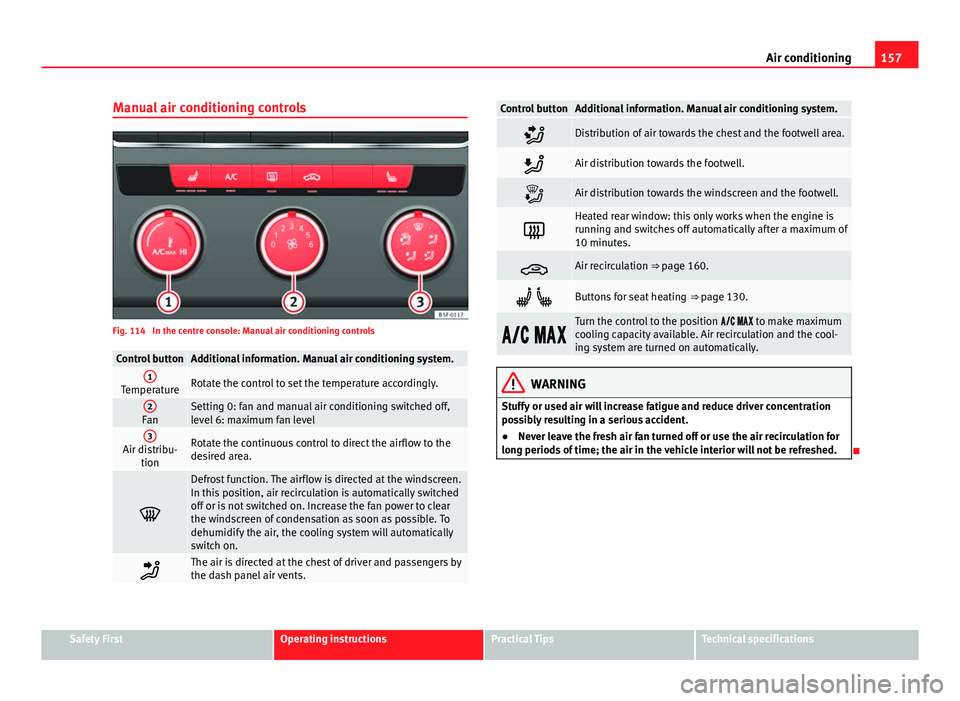
Manual air conditioning controls
Fig. 114 In the centre console: Manual air conditioning controls
Control buttonAdditional information. Manual air conditioning system.1TemperatureRotate the control to set the temperature accordingly.
2FanSetting 0: fan and manual air conditioning switched off,
level 6: maximum fan level
3Air distribu- tionRotate the continuous control to direct the airflow to the
desired area.
Defrost function. The airflow is directed at the windscreen.
In this position, air recirculation is automatically switched
off or is not switched on. Increase the fan power to clear
the windscreen of condensation as soon as possible. To
dehumidify the air, the cooling system will automatically
switch on.
The air is directed at the chest of driver and passengers by
the dash panel air vents.
Control buttonAdditional information. Manual air conditioning system.
Distribution of air towards the chest and the footwell area.
Air distribution towards the footwell.
Air distribution towards the windscreen and the footwell.
Heated rear window: this only works when the engine is
running and switches off automatically after a maximum of
10 minutes.
Air recirculation ⇒ page 160.
Buttons for seat heating ⇒ page 130.
Turn the control to the position to make maximum
cooling capacity available. Air recirculation and the cool-
ing system are turned on automatically.
WARNING
Stuffy or used air will increase fatigue and reduce driver concentration
possibly resulting in a serious accident.
● Never leave the fresh air fan turned off or use the air recirculation for
long periods of time; the air in the vehicle interior will not be refreshed.
Safety FirstOperating instructionsPractical TipsTechnical specifications
Page 196 of 339
194Driver assistance systems
Programming speed and switching on control
● To store the current speed press the button SET
⇒ Fig. 133.
● Automatic gearbox: to switch on stationary vehicle control, step on the
brake pedal.
Switching off the adaptive cruise control
● Move the lever to position 0
until it engages. The text
ACC: off will be
displayed.
Altering speed
● To increase or decrease speed, gradually briefly press the lever up/down
⇒ Fig. 133.
Any change in the stored speed is shown on the bottom left of the instru-
ment panel display.
Adjusting the distance level
The distance according to the speed of the vehicle in front can be adjusted
to 5 levels on the Easy Connect system ⇒ page 80.
When the road is wet a greater distance from the vehicle in front should be
selected than when the road is dry.
The following distances can be preselected:
● Very short
● Short
● Media
● Long
● Very long
The Easy Connect system can be used to adjust the level of distance appli-
cable when the ACC is switched on by means of the button
and the func-
tion buttons and Driver Assistance ⇒ page 80. Setting the driving programme
In vehicles with driving mode selection (SEAT Drive Mode), the profile selec-
ted may influence acceleration behaviour
⇒ page 211.
The following driving programmes can be selected:
● Normal
● Sport
● Eco
In vehicles without SEAT Drive Mode, acceleration behaviour can be influ-
enced by selecting a driving programme on the Easy Connect system using
button
and the function buttons and Driver Assistance ⇒ page 80.
The following conditions may cause the ACC not to react:
● If the accelerator is pressed down.
● If there is no gear selected
● If the ESC is controlling.
● If the driver unbuckles his/her seat belt.
● If several brake lights on the vehicle or trailer have electrical faults.
● If the vehicle is reversing.
● If you are driving at a speed above approx. 160 km/h (100 mph).
WARNING
There is danger of a rear-end collision if the minimum distance from the
vehicle ahead is exceeded and the speed difference between both vehi-
cles is so great that speed reduction by the ACC is insufficient. In this
case, brake immediately with the brake pedal.
● The ACC might not detect all situations correctly.
Page 207 of 339
205
Driver assistance systems
● A radar sensor repair requires specialist knowledge and special tools.
SEAT recommends visiting a SEAT dealership for this.
● Snow should be removed with a brush, while ice should be removed
with a solvent-free anti-ice aerosol.
Handling the Front Assist Monitoring system
The Front Assist Monitoring system is activated whenever the ignition is
switched on.
When the Front Assist is switched off, so are the pre-warning function and
distance warning.
SEAT recommends that the Front Assist always be activated. Exceptions
⇒ page 205, Temporarily switching off the Front Assist Monitoring System
in the following situations.
Switching the Front Assist warning system on and off
With the ignition on, the Front Assist can be switched on and off as follows:
● Select the corresponding menu option using the button for the driver as-
sist systems ⇒ page 75.
● OR: switch the Easy Connect system on or off using the button
and
the function buttons and Driver Assist ⇒ page 80
Switching the pre-warning function on or off
The pre-warning function can be switched on or off on the Easy Connect sys-
tem using the button
and the function buttons and Driver Assist⇒
page 80.
The system maintains the setting the next time the ignition is switched on.
SEAT recommends that the pre-warning function always be switched on. Switching distance warning on or off
If the safety distance with the vehicle ahead is exceeded, the instrument
panel display shows the relevant warning. In such an eventuality, increase
the safety distance
⇒ table on page 203.
The distance warning can be switched on or off on the Easy Connect system
using the button
and the function buttons and Driver Assist⇒ page 80.
The system maintains the setting the next time the ignition is switched on.
SEAT recommends that the distance warning always be switched on.
Temporarily switching off the Front Assist Monitoring
System in the following situations
The Front Assist Monitoring System should be switched off in the following
situations due to the system's limitations ⇒ :
● When the vehicle is being towed.
● When the vehicle is on a roller test bed.
● When the radar sensor is damaged.
● If the radar sensor takes a big knock, for example, in a rear-end colli-
sion.
● If it intervenes several times unnecessarily.
● If the radar sensor is covered temporarily by an accessory such as an ad-
ditional headlight or the like.
● When the vehicle is to be loaded on a lorry, a ferry or train.
Safety FirstOperating instructionsPractical TipsTechnical specifications
Page 208 of 339
206Driver assistance systems
WARNING
If the Front Assist is not switched off in the aforementioned situations,
accidents and serious injuries may be caused.
● Switch off the Front Assist in critical situations.
System limitations
The Front Assist Monitoring System has certain physical limitations inherent
in the system. Thus, for example, in certain circumstances some system re-
actions may be inappropriate or occur with delays as far as the driver is con-
cerned. Therefore, be on the lookout in case you have to intervene.
The following conditions may lead the Front Assist Monitoring System not
to react or react too late:
● When taking tight bends.
● If you step on the accelerator too hard
● If the Front Assist is switched off or damaged.
● If the ASR has been manually disconnected.
● If the ESC is controlling.
● If several brake lights on the vehicle or trailer have electrical faults.
● If the radar sensor is dirty or covered.
● If there are metal objects, e.g., rails on the road or the panels used on
work sites.
● If the vehicle is reversing.
● If the vehicle over-accelerates.
● In snow or heavy rain.
● In the case of narrow vehicles such as motorbikes.
● In the case of vehicles not driving straight.
● In the case of vehicles changing lanes. ●
In the case of vehicles approaching each other in the opposite direction.
● Loads and special accessories in other vehicles jutting out over the
sides, front or rear.
City emergency braking function
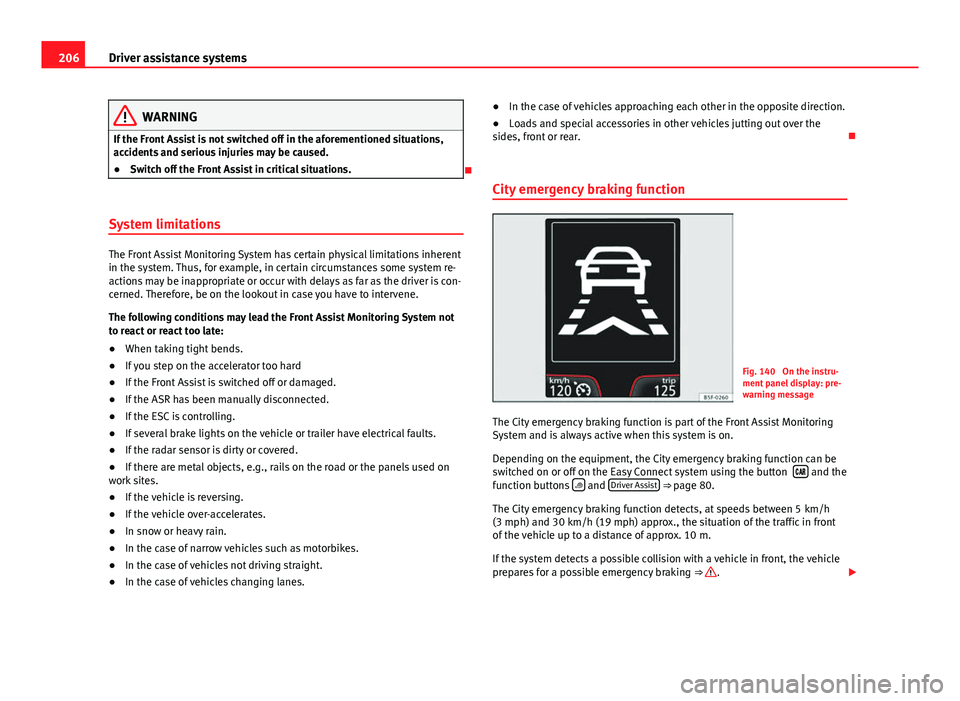
Fig. 140 On the instru-
ment panel display: pre-
warning message
The City emergency braking function is part of the Front Assist Monitoring
System and is always active when this system is on.
Depending on the equipment, the City emergency braking function can be
switched on or off on the Easy Connect system using the button
and the
function buttons and Driver Assist ⇒ page 80.
The City emergency braking function detects, at speeds between 5 km/h
(3 mph) and 30 km/h (19 mph) approx., the situation of the traffic in front
of the vehicle up to a distance of approx. 10 m.
If the system detects a possible collision with a vehicle in front, the vehicle
prepares for a possible emergency braking ⇒
.