change wheel Seat Leon 5D 2013 User Guide
[x] Cancel search | Manufacturer: SEAT, Model Year: 2013, Model line: Leon 5D, Model: Seat Leon 5D 2013Pages: 339, PDF Size: 4.8 MB
Page 181 of 339
179
Driving
– To switch to tiptronic mode, move the selector lever from posi-
tion D/S to the right. As soon as the change is made, the selec-
tor lever will be shown in the position G (i.e. G4 means that 4th
gear is engaged) on the instrument panel display.
– Move the selector lever forwards +
to select a higher gear
⇒ Fig. 123.
– Move the selector lever backwards -
to select a lower gear.
Changing gear manually with the gearshift paddles*
The gearshift paddles can be used when the selector lever is in the
position D/S or G.
– Press the gearshift paddle +
to select a higher gear
⇒ Fig. 124.
– Press the gearshift paddle -
to select a lower gear.
– With the selector lever in position D/S, if no paddle is operated
during a short period of time, the gearbox control system
switches back to automatic mode. To switch to permanent man-
ual gear change using the gearshift paddles, move the selector
lever from position D/S to the right.
When accelerating, the gearbox automatically shifts up into the next gear
shortly before the maximum engine speed is reached.
If you select a lower gear, the automatic gearbox will not shift down until
there is no risk of overrevving the engine.
When the kick-down feature is used, the gearbox shifts down to a lower
gear, depending on road speed and engine speed. Kick-down feature
The kick-down feature allows maximum acceleration to be
reached.
When the accelerator pedal is pressed right down past the point of resist-
ance at full throttle, the gearbox will shift down to a lower gear, depending
on road speed and engine speed. The upshift to the next higher gear is de-
layed until the engine reaches maximum rpm.
WARNING
Please note that if the road surface is slippery or wet, the kick-down fea-
ture could cause the driving wheels to spin, which could result in skid-
ding.
Launch Control Programme 1)
The Launch control programme enables maximum accelera-
tion.
Important: the engine must have reached operating temperature
and the steering wheel must not be turned.
The engine speed for “launch control” is different in petrol and die-
sel engines. To use the launch-control you must disconnect the an-
ti-slip regulation (ASR) through the Easy Connect system in the
menu ⇒ page 79. The warning lamp will stay switched on or will
1)
Valid for vehicles: with Launch Control/6-Speed DSG with diesel engines superior to 125
kW and petrol engines superior to 140 kW.
Safety FirstOperating instructionsPractical TipsTechnical specifications
Page 205 of 339
203
Driver assistance systems
WARNING (Continued)
● In complex driving conditions, the Front Assist may unnecessarily
warn and act unintentionally on the brakes, such as, for example, in the
case of traffic islands.
● If the operation of the Front Assist is impaired, for example, because
of dirt or because the radar sensor has lost its setting, the system may
issue unnecessary warnings and act inappropriately on the brakes.
● The ACC does not react during driving to people or animals or vehi-
cles changing lane or approaching in the opposite direction in the same
lane.
● The driver must always be ready to take control of the vehicle again.
Note
● When the Front Assist causes a braking, the brake pedal is “harder”.
● Automatic interventions in the Front Assist braking may be interrupted
by pressing the clutch pedal, accelerator or moving the steering wheel.
● If the Front Assist does not work as described in this chapter (e.g. if it
intervenes several times unnecessarily), switch it off. Have the system
checked by a specialised workshop. SEAT recommends visiting a SEAT deal-
ership. Warning lamps and messages on the display
Fig. 138 On the instrument panel display: Warning messages
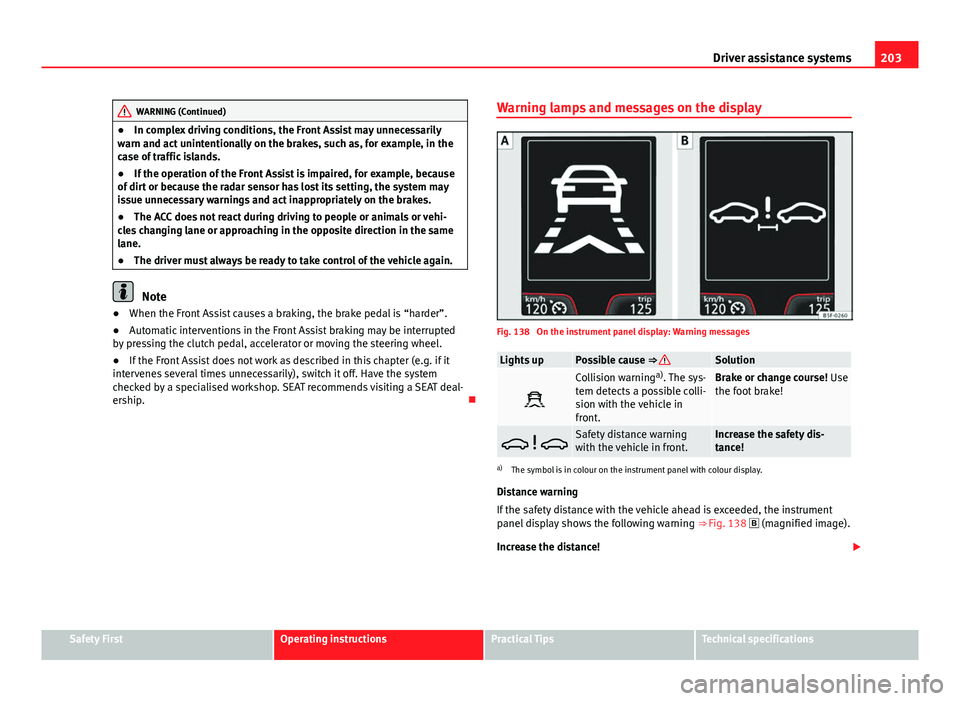
Lights upPossible cause ⇒ Solution
Collision warning
a)
. The sys-
tem detects a possible colli-
sion with the vehicle in
front.Brake or change course! Use
the foot brake!
Safety distance warning
with the vehicle in front.Increase the safety dis-
tance!
a) The symbol is in colour on the instrument panel with colour display.
Distance warning
If the safety distance with the vehicle ahead is exceeded, the instrument
panel display shows the following warning ⇒ Fig. 138
(magnified image).
Increase the distance!
Safety FirstOperating instructionsPractical TipsTechnical specifications
Page 210 of 339
208Driver assistance systems
WARNING
The intelligent technology in the Lane Assist system cannot change the
limits imposed by the laws of physics and by the very nature of the sys-
tem. Careless or uncontrolled use of the Lane Assist system may cause
accidents and injury. The system is not a replacement for driver aware-
ness.
● Always adapt your speed and the distance to the vehicles ahead in
line with visibility, weather conditions, the condition of the road and the
traffic situation.
● Always keep your hands on the steering wheel so it can be turned at
any time.
● The Lane Assist system does not detect all road markings. The road
surfaces, road structures or objects in poor condition can be incorrectly
detected as road markings under certain circumstances by the Lane As-
sist system. In such situations, switch the Lane Assist system off imme-
diately.
● Please observe the indications on the instrument panel and act as is
necessary.
● Always pay attention to the vehicle's surroundings.
● When the area of vision of the camera becomes dirty, covered or is
damaged, the Lane Assist system function can be affected.
CAUTION
In order to avoid influencing the operation of the system, the following
points must be taken into account:
● Regularly clean the area of vision of the camera and keep it in a clean
state, without snow or ice.
● Do not cover the area of vision of the camera.
● Check that the area of vision of the windscreen camera is not damaged.
Note
● The Lane Assist system has been exclusively developed for driving on
paved roads only.
● If the Lane Assist system does not work as described in this chapter, do
not use it and contact a specialised workshop.
● If there is a fault in the system, have it checked by a specialised work-
shop.
Page 212 of 339
210Driver assistance systems
Note
Failure to heed the control lamps and text messages when they appear may
result in faults in the vehicle.
Operating mode
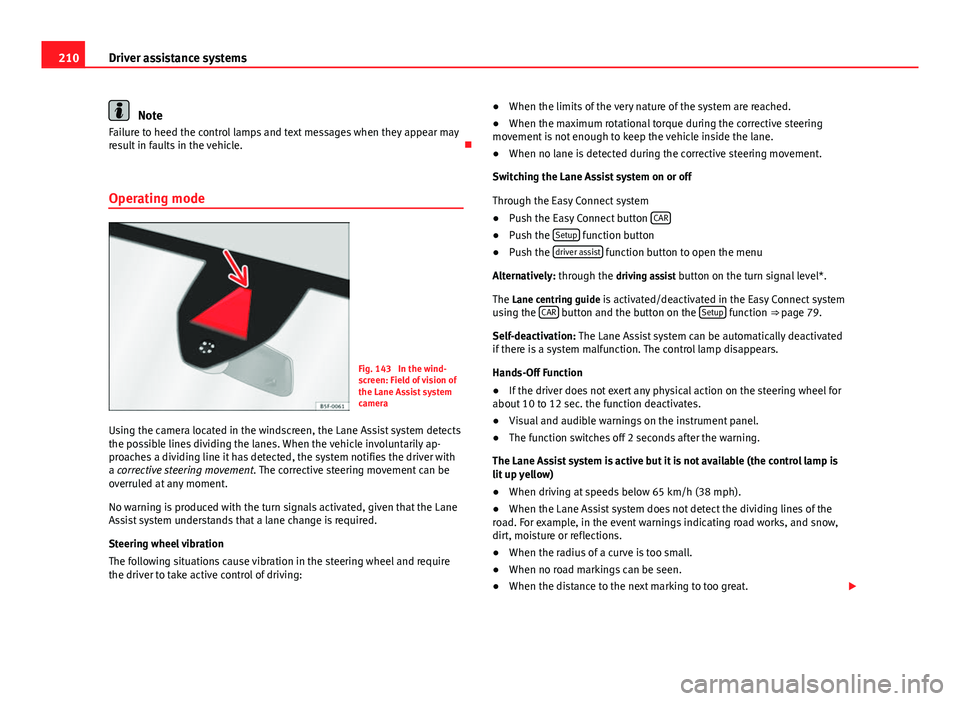
Fig. 143 In the wind-
screen: Field of vision of
the Lane Assist system
camera
Using the camera located in the windscreen, the Lane Assist system detects
the possible lines dividing the lanes. When the vehicle involuntarily ap-
proaches a dividing line it has detected, the system notifies the driver with
a corrective steering movement . The corrective steering movement can be
overruled at any moment.
No warning is produced with the turn signals activated, given that the Lane
Assist system understands that a lane change is required.
Steering wheel vibration
The following situations cause vibration in the steering wheel and require
the driver to take active control of driving: ●
When the limits of the very nature of the system are reached.
● When the maximum rotational torque during the corrective steering
movement is not enough to keep the vehicle inside the lane.
● When no lane is detected during the corrective steering movement.
Switching the Lane Assist system on or off
Through the Easy Connect system
● Push the Easy Connect button CAR
●
Push the Setup function button
● Push the driver assist function button to open the menu
Alternatively: through the driving assist button on the turn signal level*. The Lane centring guide is activated/deactivated in the Easy Connect system
using the CAR
button and the button on the Setup function ⇒ page 79.
Self-deactivation: The Lane Assist system can be automatically deactivated
if there is a system malfunction. The control lamp disappears.
Hands-Off Function
● If the driver does not exert any physical action on the steering wheel for
about 10 to 12 sec. the function deactivates.
● Visual and audible warnings on the instrument panel.
● The function switches off 2 seconds after the warning.
The Lane Assist system is active but it is not available (the control lamp is
lit up yellow)
● When driving at speeds below 65 km/h (38 mph).
● When the Lane Assist system does not detect the dividing lines of the
road. For example, in the event warnings indicating road works, and snow,
dirt, moisture or reflections.
● When the radius of a curve is too small.
● When no road markings can be seen.
● When the distance to the next marking to too great.
Page 216 of 339
214Driver assistance systems
display ⇒ Fig. 145. The message on the instrument panel display is shown
for about 5 seconds, and depending on the case, is repeated. The system
stores the last message displayed.
The message on the instrument panel display can be switched off by press-
ing the
button on the windscreen wiper lever or the button on the
multi function steering wheel ⇒ page 73.
The message can be recalled to the instrument panel display using the mul-
tifunction display ⇒ page 73.
Conditions of operation
Driving behaviour is only calculated on speeds above about 65 km/h (40
mph) up to around 200 km/h (125 mph).
Switching on and off
Tiredness detection can be activated or deactivated in the Easy Connect
system with the button
and the function button
⇒ page 79. A mark
indicates that the adjustment has been activated.
System limitations
The Tiredness detection has certain limitations inherent to the system. The
following conditions can limit the Tiredness detection or prevent it from
functioning.
● At speeds below 65 km/h (40 mph)
● At speeds above 200 km/h (125 mph)
● When cornering
● On roads in poor condition
● In unfavourable weather conditions
● When a sporty driving style is employed
● In the event of a serious distraction to the driver
Tiredness detection will be restored when the vehicle is stopped for more
than 15 minutes, when the ignition is switched off or when the driver has
unbuckled their seat belt and opened the door. In the event of slow driving during a long period of time (below 65 km/h (40
mph) the system automatically re-establishes the tiredness calculation.
When driving at a faster speed the driving behaviour will be recalculated.
Tyre monitoring systems Introduction
Additional information and warnings:
● SEAT information system ⇒ page 73
● Caring for and cleaning the vehicle exterior ⇒ page 238
● Wheels and tyres ⇒ page 265
● Accessories, parts replacement, repairs and modifications ⇒ page 272
WARNING
Unsuitable handling of the wheels and tyres may lead to sudden tyre
pressure losses, to tread separation or even to a blow-out.
● Check tyre pressures regularly and ensure they are maintained at the
pressures indicated. Tyre pressure that is too low could cause overheat-
ing, resulting in tread detachment or even burst tyres.
● Tyre pressure should be that indicated on the label when the tyres are
cold at all times ⇒ page 307.
● Regularly check the cold inflation pressure of the tyres. If necessary,
change the tyre pressure of the vehicle tyres while they are cold.
● Regularly check your tyres for damage and wear.
● Never exceed the maximum permitted speed or loads specified for the
type of tyre fitted on your vehicle.
Page 218 of 339
216Driver assistance systems
WARNING (Continued)
● Driving with tyres at the wrong pressure can cause them damage and
result in an accident. Ensure that the tyre pressures of all the tyres corre-
spond to the vehicle load.
● Before starting a journey, always inflate tyres to the correct pressure.
● Tyres with insufficient pressure are subjected to more flexing. Due to
this, the tyre could become excessively hot, causing tread separation
and also tyre blow-out.
● With an overloaded vehicle at high speed, the tyres can overheat and
burst resulting in a loss of vehicle control.
● Tyre pressures which are too high or too low reduce the useful life of
the tyre, affecting vehicle performance.
● If a tyre has not been punctured then it does not have to be changed
immediately; drive to the nearest specialised workshop at a moderate
speed and have the tyre checked and inflated to the correct pressure.
WARNING
If the warning lamps and messages are ignored, the vehicle may stall in
traffic, or may cause accidents and severe injuries.
● Never ignore the warning lamps or text messages.
● Stop the vehicle safely as soon as possible.
CAUTION
Failure to heed the control lamps and text messages when they appear may
result in faults in the vehicle.
Note
● If excessively low tyre pressure is detected with the ignition on, an audi-
ble warning will sound. In the event that there is a fault in the system, an
audible warning will sound.
● Driving on dirt tracks for a long period of time or driving in a sporty style
can temporarily deactivate the TPMS. The control lamp shows a fault, but
disappears when road conditions or the driving style change.
Tyre monitoring indicator
Fig. 146 Instrument
panel: warning of loss of
tyre pressure
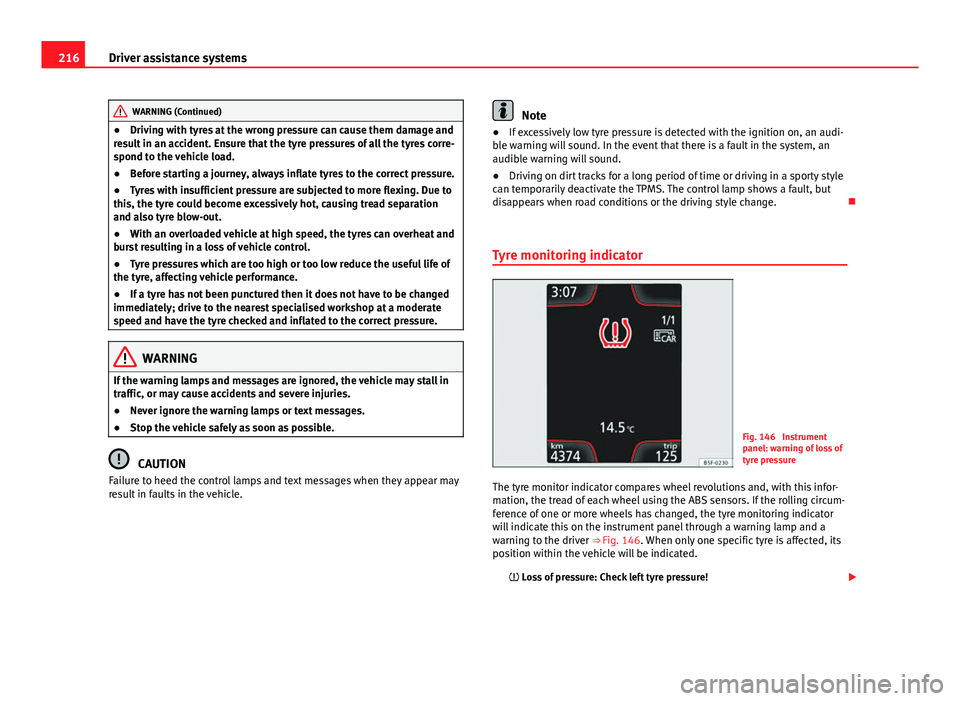
The tyre monitor indicator compares wheel revolutions and, with this infor-
mation, the tread of each wheel using the ABS sensors. If the rolling circum-
ference of one or more wheels has changed, the tyre monitoring indicator
will indicate this on the instrument panel through a warning lamp and a
warning to the driver ⇒ Fig. 146. When only one specific tyre is affected, its
position within the vehicle will be indicated. Loss of pressure: Check left tyre pressure!
Page 219 of 339
217
Driver assistance systems
Wheel tread change
The wheel tread changes when:
● Tyre pressure is manually changed
● Tyre pressure is insufficient
● Tyre structure is damaged
● The vehicle is unbalanced because of a load
● The wheels on an axle are subject to a heavier load (e.g. when towing a
heavy load)
● The vehicle is fitted with snow chains
● The temporary spare wheel is fitted
● The wheel on one axle is changed
There may be a delay in the reaction of the tyre monitoring indicator or it
may not indicate anything under certain circumstances (e.g. sporty driving,
snow-covered or unpaved roads, or when driving with snow chains).
Calibrating the tyre monitoring indicator
Fig. 147 Glove compart-
ment: tyre control switch After changing the tyre pressure or replacing one or more wheels, the tyre
monitoring indicator must be recalibrated. Do the same, for example, when
the front and rear wheels are swapped.
●
Switch the ignition on.
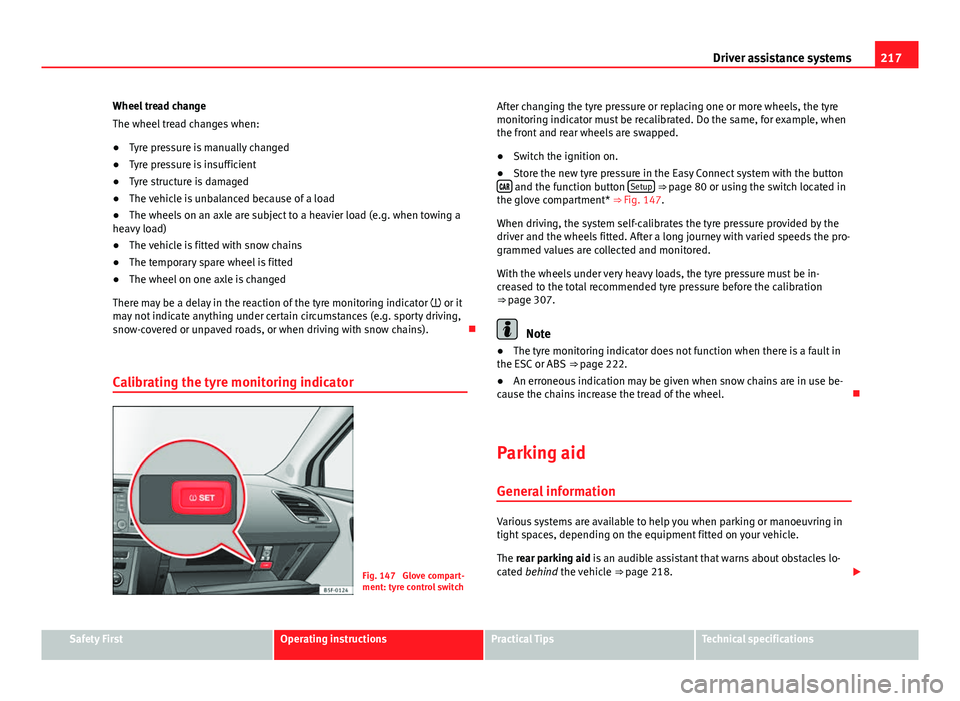
● Store the new tyre pressure in the Easy Connect system with the button
and the function button Setup ⇒ page 80 or using the switch located in
the glove compartment* ⇒ Fig. 147.
When driving, the system self-calibrates the tyre pressure provided by the
driver and the wheels fitted. After a long journey with varied speeds the pro-
grammed values are collected and monitored.
With the wheels under very heavy loads, the tyre pressure must be in-
creased to the total recommended tyre pressure before the calibration
⇒ page 307.
Note
● The tyre monitoring indicator does not function when there is a fault in
the ESC or ABS ⇒ page 222.
● An erroneous indication may be given when snow chains are in use be-
cause the chains increase the tread of the wheel.
Parking aid General information
Various systems are available to help you when parking or manoeuvring in
tight spaces, depending on the equipment fitted on your vehicle.
The rear parking aid is an audible assistant that warns about obstacles lo-
cated behind the vehicle ⇒ page 218.
Safety FirstOperating instructionsPractical TipsTechnical specifications
Page 267 of 339
265
Wheels and tyres
Wheels and tyres
Wheels
General notes
– When driving with new tyres, be especially careful during the
first 500 km (300 miles).
– If you have to drive over a kerb or similar obstacle, drive very
slowly and as near as possible at a right angle to the obstacle.
– Check from time to time if the tyres are damaged (punctures,
cuts, cracks or dents). Remove any foreign objects embedded in
the treads.
– Damaged wheels and tyres must be replaced immediately.
– Keep grease, oil and fuel off the tyres.
– Replace any missing valve caps as soon as possible.
– Mark the wheels before taking them off so that they rotate in
the same direction when put back.
– When removed, the wheels or tyres should be stored in a cool,
dry and preferably dark place.
New tyres
New tyres do not give maximum grip straight away and should therefore be
“run in” by driving carefully and at moderate speeds for about the first 500
km (300 miles). This will also increase the useful life of the tyres. The tread depth of new tyres may
vary, according to the type and make of
tyre and the tread pattern.
Concealed damage
Damage to tyres and rims is often not readily visible. If you notice unusual
vibration or the car pulling to one side, this may indicate that one of the
tyres is damaged. Reduce speed immediately if there is any reason to sus-
pect that damage may have occurred. Inspect the tyres for damage. If no ex-
ternal damage is visible, drive slowly and carefully to the nearest special-
ised workshop and have the car inspected.
Tyres with directional tread pattern
An arrow on the tyre sidewall indicates the direction of rotation on single
drive tyres. Always note the direction of rotation indicated when mounting
the wheel. This guarantees optimum grip and helps to avoid aquaplaning,
excessive noise and wear.
Retrofitting Accessories
If you wish to change or fit wheels, rims or wheel trims, we recommend that
you consult with a SEAT Official Service centre for advice regarding current
techniques.
Useful life of tyres
Correct inflation pressures and sensible driving habits will
increase the useful life of your tyres.
– Check tyre pressure at least once a month, and also prior to any
long trip.
Safety FirstOperating instructionsPractical TipsTechnical specifications
Page 268 of 339
266Wheels and tyres
–The tyre pressure should only be checked when the tyres are
cold. The slightly raised pressures of warm tyres must not be re-
duced.
– Adjust tyre pressure to the load being carried by the vehicle.
– In vehicles with a tyre pressure indicator, save the pressure of
modified tyres ⇒ page 214, ⇒ page 265.
– Avoid fast cornering and hard acceleration.
– Inspect the tyres for irregular wear from time to time.
The useful life of your tyres depends on the following factors:
Tyre pressure
Tyre pressure values are indicated on the inside of the fuel tank flap.
Insufficient or excessive pressure greatly reduces the useful life of the tyres
and adversely affects vehicle performance and ride. Correct inflation pres-
sures are very important, especially at high speeds.
If you want a more comfortable ride, you can inflate tyres to the pressure
corresponding to the normal vehicle load (up to 3 people) if the vehicle is
carrying a normal load. If the vehicle is going to carry the maximum load,
the tyre pressure should be increased to maximum value indicated.
The tyre pressure must be adjusted according to the load the vehicle is car-
rying. We recommend adhering to the tyre pressure specifications for a max-
imum load.
Do not forget the spare wheel when checking the tyre pressures: Keep the
spare wheel inflated to the highest pressure required for the road wheels.
In the case of a minimised temporary spare wheel (125/70 R16 or 125/70
R18) inflate to a pressure of 4.2 bar as indicated on the tyre pressure label
on the fuel tank flap. Driving style
Fast cornering, heavy acceleration and hard braking (squealing tyres) all in-
crease tyre wear.
Wheel balance
The wheels on new vehicles are balanced. However, certain circumstances
may lead to imbalance (run-out), which is detected as vibrations in the
steering wheel.
Unbalanced wheels should be rebalanced, as they otherwise cause exces-
sive wear on steering, suspension and tyres. A wheel must also be reba-
lanced when a new tyre is fitted or if a tyre is repaired.
Incorrect wheel alignment
Incorrect wheel alignment causes excessive tyre wear, impairing the safety
of the vehicle. If you notice excessive tyre wear, you should check wheel
alignment at a SEAT Official Service.
WARNING
● Always adapt the tyre pressure accordingly when the vehicle load
changes.
● A tyre with low air pressure has to flex a lot more when the vehicle is
heavily loaded or at high speeds, therefore causing overheating to occur.
Under these conditions, the tyre bead may be released or the tyre may
burst. Risk of accident!
For the sake of the environment
Under-inflated tyres will increase fuel consumption.
Page 270 of 339

268Wheels and tyres
To ensure that the wear is equal on all tyres the wheels should be changed
round from time to time according to the system ⇒ Fig. 162. The useful life
of all the tyres will then be about the same time.
Replacing wheels and tyres
It is important to use the correct wheels and tyres when re-
placement is necessary.
– All four wheels must be fitted with tyres of the same type, size
(rolling circumference) and preferably the same tread pattern.
– Tyres should be replaced at least in pairs and not individually
(i.e. both front tyres or both rear tyres together).
– Do not use tyres whose effective size exceeds the dimensions
of the factory-approved makes of tyre.
– If you wish to fit the vehicle with rims or tyres that are different
to those installed in manufacture, it is advisable to consult a
SEAT Official Service before purchasing them.
The tyres and wheel rims are an essential part of the vehicle's design. The
tyres and rims approved by SEAT are specially matched to the characteris-
tics of the vehicle and make a major contribution to good roadholding and
safe handling ⇒
.
The sizes of the rims and tyres approved for your vehicle are listed in the
vehicle documentation (e.g. EC Certificate of Conformity or COC docu-
ment 1)
). The vehicle documentation varies depending on the country of resi-
dence. A knowledge of tyre designations makes it easier to choose the correct
tyres. The following wording can be read on the sides of the tyre:
205/55 R16 91V
This contains the following information:
205Tyre width in mm55Height/width ratio in %RTyre construction: Radial16Rim diameter in inches91Load rating codeVSpeed index
The manufacturing date is also indicated on the tyre sidewall (possibly only
on the inner side of the wheel): DOT... 2212...
means that the tyre was produced in the 22nd week of 2012.
Please note that with some types of tyre, the actual tyre size can differ from
the nominal size marked on the tyre (for instance 205/55 R 16 91 W), and
there may be significant differences in the contours of the tyres, even
though the tyres are marked with the same nominal size designation.
When replacing the tyres, it is therefore important to make sure that the
actual size of the new tyres does not exceed the dimensions of the factory-
approved makes of tyre.
Failure to observe this requirement can affect the clearance needed for the
tyres. This could result in contact between the tyres and suspension com-
ponents or bodywork causing damage. The brake lines could also be dam-
aged and vehicle safety could be severely impaired ⇒
.
1)
COC = certificate of conformity