engine Seat Leon 5D 2013 User Guide
[x] Cancel search | Manufacturer: SEAT, Model Year: 2013, Model line: Leon 5D, Model: Seat Leon 5D 2013Pages: 339, PDF Size: 4.8 MB
Page 73 of 339
71
Instruments and warning/control lamps
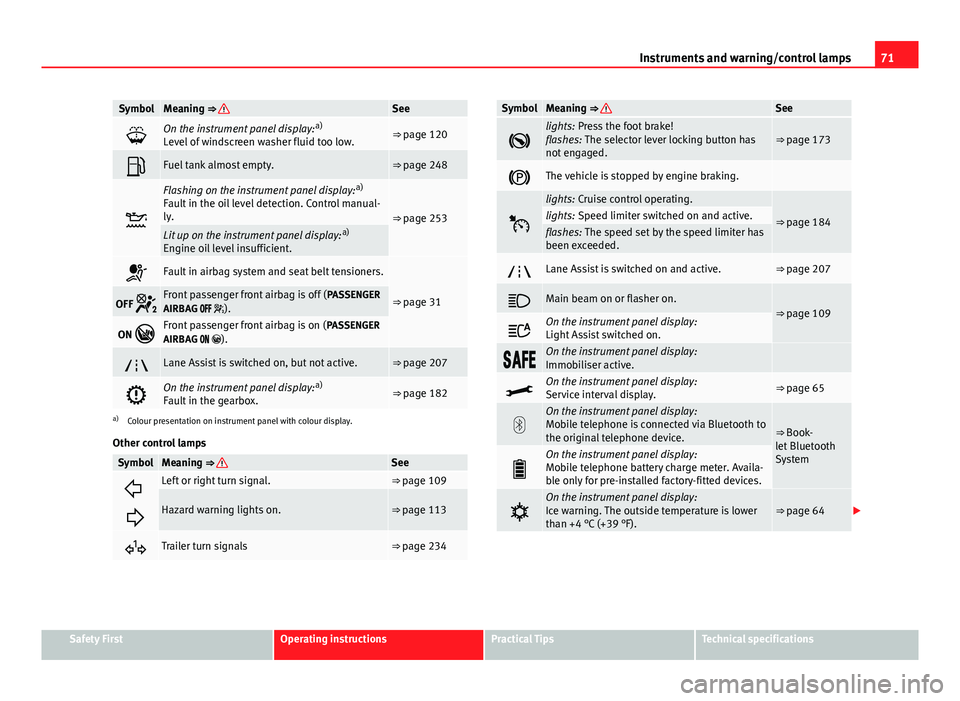
SymbolMeaning ⇒ See
On the instrument panel display: a)
Level of windscreen washer fluid too low.⇒ page 120
Fuel tank almost empty.⇒ page 248
Flashing on the instrument panel display: a)
Fault in the oil level detection. Control manual-
ly.
⇒ page 253Lit up on the instrument panel display: a)
Engine oil level insufficient.
Fault in airbag system and seat belt tensioners.
⇒ page 31OFF Front passenger front airbag is off ( PASSENGER
AIRBAG ).
ON Front passenger front airbag is on ( PASSENGER
AIRBAG ).
Lane Assist is switched on, but not active.⇒ page 207
On the instrument panel display: a)
Fault in the gearbox.⇒ page 182
a) Colour presentation on instrument panel with colour display.
Other control lamps
SymbolMeaning ⇒ See
Left or right turn signal.⇒ page 109
Hazard warning lights on.⇒ page 113
Trailer turn signals⇒ page 234
SymbolMeaning ⇒ See
lights: Press the foot brake!
flashes: The selector lever locking button has
not engaged.⇒ page 173
The vehicle is stopped by engine braking.
lights: Cruise control operating.
⇒ page 184lights: Speed limiter switched on and active.flashes: The speed set by the speed limiter has
been exceeded.
Lane Assist is switched on and active.⇒ page 207
Main beam on or flasher on.⇒ page 109
On the instrument panel display:
Light Assist switched on.
On the instrument panel display:
Immobiliser active.
On the instrument panel display:
Service interval display.⇒ page 65
On the instrument panel display:
Mobile telephone is connected via Bluetooth to
the original telephone device.
⇒ Book-
let Bluetooth
System
On the instrument panel display:
Mobile telephone battery charge meter. Availa-
ble only for pre-installed factory-fitted devices.
On the instrument panel display:
Ice warning. The outside temperature is lower
than +4 °C (+39 °F).⇒ page 64
Safety FirstOperating instructionsPractical TipsTechnical specifications
Page 74 of 339

72Instruments and warning/control lamps
SymbolMeaning ⇒ See
On the instrument panel display:
Start-Stop system active.
⇒ page 169On the instrument panel display:
Start-Stop system not available.
On the instrument panel display:
Engine running.
WARNING
If the warning lamps and messages are ignored, the vehicle may stall in
traffic, or may cause accidents and severe injuries.
● Never ignore the warning lamps or text messages.
● Stop the vehicle safely as soon as possible.
● Park the vehicle away from the traffic, ensuring that there are no easi-
ly inflammable materials under the vehicle which could come into contact
with the exhaust system (e.g. dry grass, fuel).
● A faulty vehicle represents a risk of accident for the driver and for oth-
er road users. If necessary, switch on the hazard warning lamps and put
out the warning triangle to advise other drivers.
● Before opening the bonnet, switch off the engine and allow it to cool.
● In any vehicle, the engine compartment is a hazardous area and could
cause severe injuries ⇒ page 251.
CAUTION
Failure to heed the control lamps and text messages when they appear may
result in faults in the vehicle.
Page 78 of 339

76Driver information system
Multifunction display memory
The multifunction display is equipped with three memories that work auto-
matically: MFD from departure, MFD from refuelling, MFD total calculation.
On the screen display, you can read which memory is currently displayed.
To change between memories with the ignition on and the memory shown,
press the button
on the windscreen wiper lever or you can also
change between memories using the button on the multifunction steer-
ing wheel.
Menueffect
MFD from de-
parture
Display and storage of the values for the journey and the
consumption from when the ignition is switched on to
when it is switched off.
If the journey is continued in less than 2 hours after the ig-
nition is switched off, the new data is added to the data al-
ready stored in the memory. The memory will automatically
be deleted if the journey is interrupted for more than two
hours.
MFD from re-
fuellingDisplay and storage of the values for the journey and the
consumption. By refuelling, the memory will be erased au-
tomatically.
MFD total cal-
culation
The memory records the values for a specific number of
partial trips, up to a total of 19 hours and 59 minutes or 99
hours and 59 minutes, or 1999.9 km (or miles) or 9999 km
(or miles), depending on the model of instrument panel.
On reaching either of these limits a)
, the memory is auto-
matically erased and starts to count from 0 again.
a) It varies according to the type of instrument panel fitted.
Erasing a memory manually
● Select the memory that you wish to erase.
● Press and hold the button
on the windscreen wiper lever or the
button on the multifunction steering wheel for about 2 seconds. Personalising the displays
In the Easy Connect system you can adjust which of the possible displays of
the MFD can be shown on the instrument panel display with the button
and the function button Setup ⇒ page 79.
DisplaysMenueffect
Current fuel con-
sumptionThe current fuel consumption display operates through-
out the journey, in litres/100 km; and with the engine
running and the vehicle stopped, in litres/hour.
Average fuel con-
sumption
After turning on the ignition, average fuel consumption
in litres/100 km will be shown after travelling approxi-
mately 100 metres. Otherwise horizontal lines are dis-
played. The value shown is updated approximately ev-
ery 5 seconds.
Operating range
Approximate distance in km that can still be travelled
with the fuel remaining in the tank, assuming the same
style of driving is maintained. This is calculated using
the current fuel consumption.
Journey durationThis indicates the hours (h) and minutes (min) since
the ignition was switched on.
Distance coveredDistance covered in km (m) after switching on the igni-
tion.
CNG quality
Whenever you refuel, an automatic check is run on the
quality of the natural gas and is displayed after the ig-
nition is switched on. The indication is given as a per-
centage of between 70 % and 100 %. The greater the
percentage, the lower the consumption.
Average speed
The average speed will be shown after a distance of ap-
proximately 100 metres has been travelled. Otherwise
horizontal lines are displayed. The value shown is up-
dated approximately every 5 seconds.
Digital display of
speedCurrent speed displayed in digital format.
Page 79 of 339
77
Driver information system
DisplaysMenueffectSpeed warning at
--- km/h or Speed
warning at --- mphIf the stored speed is exceeded (between 30 - 250 km/
h, or 19 - 155 mph), an audible warning is given to-
gether with a visual warning.
Oil temperatureUpdated engine oil temperature digital displayCoolant tempera-
ture gaugeDigital display of the current temperature of the liquid
coolant.
Storing a speed for the speed warning
● Select the display Speed warning at --- km/h (--- mph)
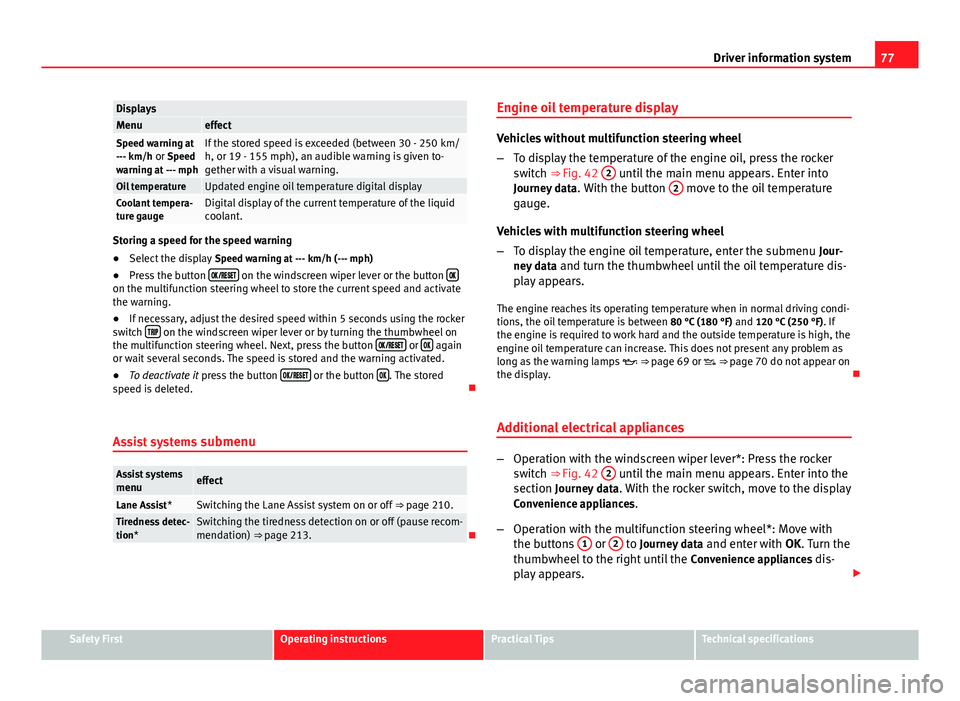
● Press the button
on the windscreen wiper lever or the button on the multifunction steering wheel to store the current speed and activate
the warning.
●
If necessary, adjust the desired speed within 5 seconds using the rocker
switch
on the windscreen wiper lever or by turning the thumbwheel on
the multifunction steering wheel. Next, press the button or again
or wait several seconds. The speed is stored and the warning activated.
● To deactivate it press the button
or the button . The stored
speed is deleted.
Assist systems submenu
Assist systems
menueffect
Lane Assist*Switching the Lane Assist system on or off ⇒ page 210.Tiredness detec-
tion*Switching the tiredness detection on or off (pause recom-
mendation) ⇒ page 213.Engine oil temperature display
Vehicles without multifunction steering wheel
–
To display the temperature of the engine oil, press the rocker
switch ⇒ Fig. 42 2
until the main menu appears. Enter into
Journey data . With the button 2 move to the oil temperature
gauge.
Vehicles with multifunction steering wheel
– To display the engine oil temperature, enter the submenu Jour-
ney data and turn the thumbwheel until the oil temperature dis-
play appears.
The engine reaches its operating temperature when in normal driving condi-
tions, the oil temperature is between 80 °C (180 °F) and 120 °C (250 °F). If
the engine is required to work hard and the outside temperature is high, the
engine oil temperature can increase. This does not present any problem as
long as the warning lamps ⇒ page 69 or ⇒ page 70 do not appear on
the display.
Additional electrical appliances
– Operation with the windscreen wiper lever*: Press the rocker
switch ⇒ Fig. 42 2 until the main menu appears. Enter into the
section Journey data . With the rocker switch, move to the display
Convenience appliances.
– Operation with the multifunction steering wheel*: Move with
the buttons 1
or 2 to Journey data
and enter with OK. Turn the
thumbwheel to the right until the Convenience appliances dis-
play appears.
Safety FirstOperating instructionsPractical TipsTechnical specifications
Page 105 of 339

103
Opening and closing
WARNING (Continued)
● Always take the vehicle key with you when you leave the vehicle.
● Never leave children or disabled persons in the vehicle, particularly if
they have access to the keys. The misuse of the keys, for example, by
children, may result in serious injury and accident.
● The engine may accidentally be started and be out of control.
● If the ignition is switched on, the electric equipment could be activa-
ted with risk of injury, for example, in the electric windows.
● The doors can be locked using the remote control key. This could be-
come an obstacle for assistance in an emergency situation.
● Always take the key with you when you leave the vehicle.
● The electric windows will work until the ignition has been switched
off and one of the front doors has been opened.
● If necessary, use the safety switch to disable the rear electric win-
dows. Make sure that they have been disabled.
Note
If the window is not able to close because it is stiff or because of an ob-
struction, the window will automatically open again ⇒ page 104. If this
happens, check why the window could not be closed before attempting to
close it again.
Convenience opening/closing
Use the convenience opening/closing function to easily open/
close all the windows and the sliding/tilting sunroof* from the out-
side. Convenience open function
–
Press and hold button
on the remote control key until all the
windows and the sliding/tilting sunroof* have reached the de-
sired position, or
– First unlock the vehicle using button
on the remote control
key and then keep the key in the driver door lock until all the
windows and the sliding/tilting sunroof* have reached the re-
quired position.
Convenience close function
– Press and hold button
on the remote control key until all the
windows and the sliding/tilting sunroof* are closed ⇒ , or
– Keep the key in the driver door in the "lock" position until all the
windows and the sliding/tilting sunroof* are closed.
Programming convenience opening in the Easy Connect*
– Select: function button CAR
> control button
Vehicle systems* >
Vehicle settings > Central locking > Open the window by holding
button down or > Front window on/off or Sunroof on/off*
WARNING
● Take care when closing the sliding/tilting sunroof* and windows.
There is a risk of suffering injury.
● For safety reasons, you should only use the remote control open and
close functions within about 2 metres of the vehicle. To avoid injuries, al-
ways keep an eye on the windows and the sliding/tilting sunroof* when
pressing the button to close them. The windows stop moving as soon as
the button is released.
Safety FirstOperating instructionsPractical TipsTechnical specifications
Page 108 of 339
106Opening and closing
Panoramic sliding sunroof*
Introduction
Additional information and warnings:
● SEAT information system ⇒ page 73
● Central locking and locking system ⇒ page 87
WARNING
Careless or uncontrolled use of the panoramic sliding sunroof can cause
serious injuries.
● Only open or close the panoramic sliding sunroof when nobody is in
the way of its travel.
● Always take all the keys with you whenever you leave the vehicle.
● Never leave children or disabled persons in the vehicle, particularly if
they have access to the keys. Uncontrolled use of the key could lock the
vehicle, start the engine, turn on the ignition and operate the panoramic
sliding sunroof.
● The panoramic sliding sunroof can be operated for up to about ten mi-
nutes after the ignition has been switched off, provided the driver door
and the front passenger door are not opened.
Note
In case of a fault in the operation of the panoramic sliding sunroof, the anti-
trap function will not operate correctly. Visit a specialised workshop. Opening or closing the panoramic sliding sunroof
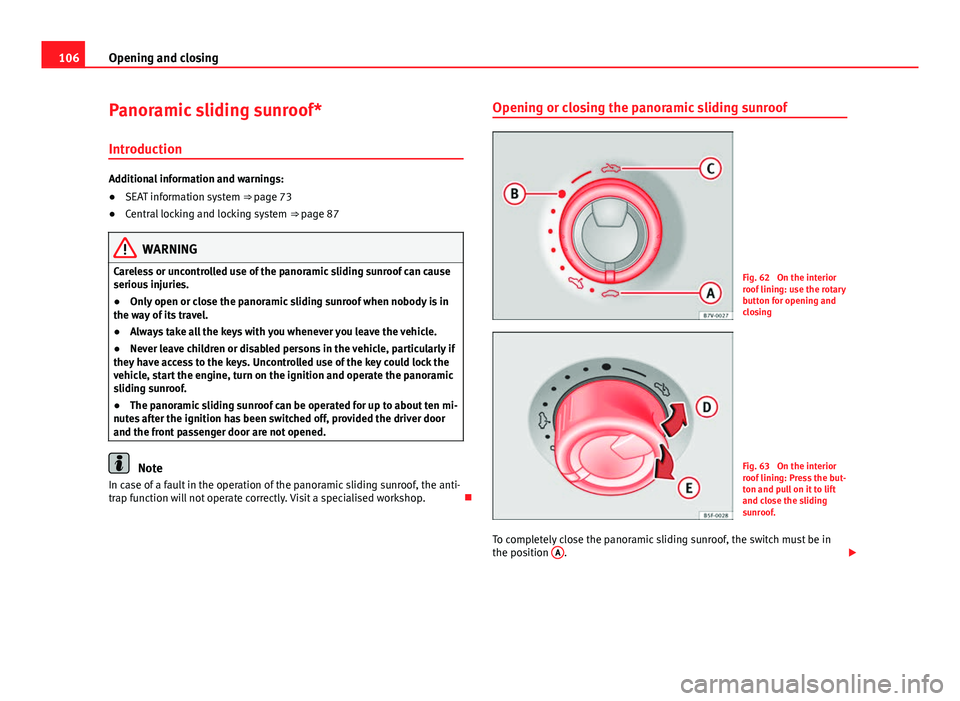
Fig. 62 On the interior
roof lining: use the rotary
button for opening and
closing
Fig. 63 On the interior
roof lining: Press the but-
ton and pull on it to lift
and close the sliding
sunroof.
To completely close the panoramic sliding sunroof, the switch must be in
the position A
.
Page 118 of 339
116Lights and visibility
When a car that is manufactured in a country that drives on the right travels
to a country that drives on the left (or vice versa), it is normally necessary to
cover part of the headlight bulbs with stickers or to change the adjustment
of the headlights to avoid dazzling other drivers.
In such cases, the regulations specify certain light values that must be com-
plied with for designated points of the light distribution. This is known as
“Tourist light”.
The light distribution that the halogen and full-LED headlights of the SEAT
Leon range have, allows the specific “tourist light” values to be met without
the need for stickers or changes in the settings.
Note
“Tourist light” is only allowed temporarily. If you are planning a long stay in
a country that drives on the other side, you should take the vehicle to an
Authorised Technical Service to change the headlights.
Coming home “function”
This function may be connected/disconnected through the radio menu. The
“Coming Home” and/or “Leaving Home” delay functions may also be set
(default: 30 sec.).
Vehicle with halo-
gen headlightsIn the “Coming Home” function, the daytime running
lights (DRL), the rear side lights and the licence plate
lights are turned on.
Vehicle with full-
LED headlightsIn the “Coming Home” function, the dipped beams
and the daytime running lights (DRL), the rear side
lights and the licence plate lights are switched on.
Automatic “Coming Home” activation*
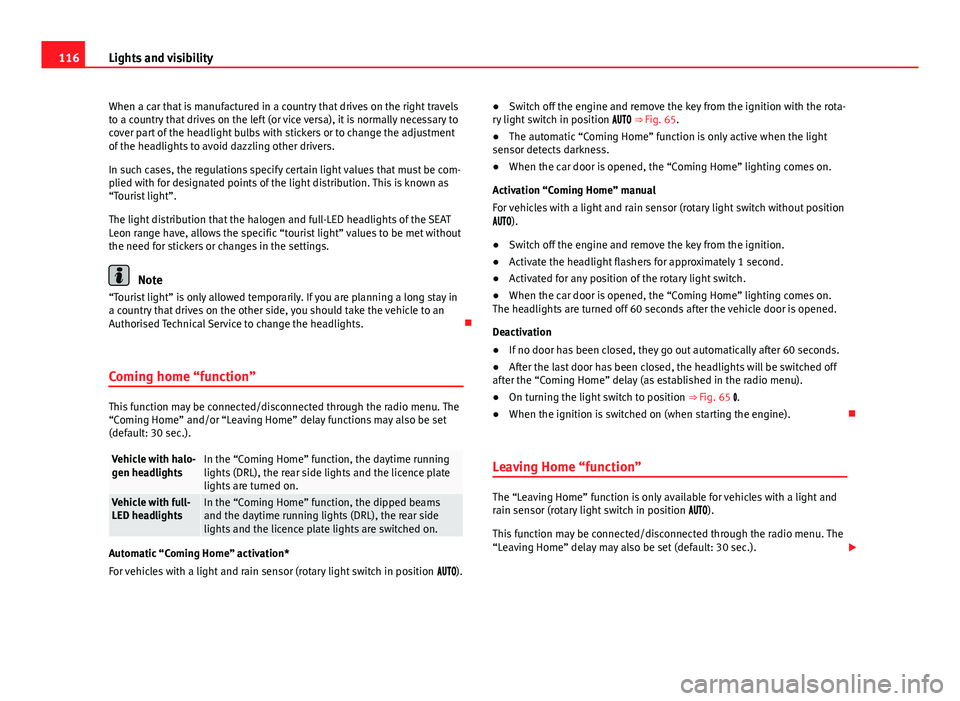
For vehicles with a light and rain sensor (rotary light switch in position ). ●
Switch off the engine and remove the key from the ignition with the rota-
ry light switch in position ⇒ Fig. 65.
● The automatic “Coming Home” function is only active when the light
sensor detects darkness.
● When the car door is opened, the “Coming Home” lighting comes on.
Activation “Coming Home” manual
For vehicles with a light and rain sensor (rotary light switch without position
).
● Switch off the engine and remove the key from the ignition.
● Activate the headlight flashers for approximately 1 second.
● Activated for any position of the rotary light switch.
● When the car door is opened, the “Coming Home” lighting comes on.
The headlights are turned off 60 seconds after the vehicle door is opened.
Deactivation
● If no door has been closed, they go out automatically after 60 seconds.
● After the last door has been closed, the headlights will be switched off
after the “Coming Home” delay (as established in the radio menu).
● On turning the light switch to position ⇒ Fig. 65 .
● When the ignition is switched on (when starting the engine).
Leaving Home “function”
The “Leaving Home” function is only available for vehicles with a light and
rain sensor (rotary light switch in position ).
This function may be connected/disconnected through the radio menu. The
“Leaving Home” delay may also be set (default: 30 sec.).
Page 126 of 339

124Lights and visibility
● Damaged blades: A film of water on the damaged blades may lengthen
the activation time, reduce the washing intervals or result in a fast and con-
tinuous wipe.
● Insects: insects on the sensor may trigger the windscreen washer.
● Salt on roads: in winter, salt spread in the roads may cause an extra
long wipe when the windscreen is almost dry.
● Dirt: dry dust, wax, coating on glass (Lotus effect) or traces of detergent
(car wash) may reduce the effectiveness of the rain sensor or make it react
more slowly, later or not at all.
● Cracked windscreen: the impact of a stone will trigger a single wipe cy-
cle with the rain sensor on. Next the rain sensor detects the reduction in the
sensitive surface area and adapts accordingly. The behaviour of the sensor
will vary with the size of the damage caused by the stone.
WARNING
The rain sensor may not detect enough rain to switch on the wipers.
● If necessary, switch on the wipers manually when water on the wind-
screen obstructs visibility.
Note
● Clean the sensitive surface of the rain sensor regularly and check the
blades for damage ⇒ Fig. 73 (arrow).
● To remove wax and coatings, we recommend a window cleaner contain-
ing alcohol. Checking and topping up the windscreen washer reservoir
with water
Fig. 74 In the engine
compartment: wind-
screen washer reservoir
top
Check the water level in the windscreen washer reservoir regularly and top
up as required.
● Open the bonnet
⇒ page 251.
● The washer reservoir is marked with the symbol on the lid
⇒ Fig. 74.
● Check there is enough water in the reservoir.
● To top up, mix water with a window cleaner recommended by SEAT
⇒
.
Please follow the instructions for use found on the packaging.
● In cold weather, a special antifreeze should also be added to prevent
the water from freezing ⇒
.
Page 127 of 339
125
Lights and visibility
Recommended windscreen wipers
● For the hottest seasons we recommend summer G 052 184 A1 for clear
glass. Proportions of the mixture in the washer fluid tank: 1:100 (1 part con-
centrate per 100 parts water).
● All year round, G 052 164 A2 for clear glass. Approximate proportion of
the winter mixture, up to -18 °C (0 °F): 1:2 (1 part concentrate per 2 parts
water); otherwise, a 1:4 proportion of mixture in the washer fluid tank.
Reservoir capacity
The reservoir holds approximately 3 - 4 litres; in vehicles with headlight
washer, it is approximately 3 -6 litres.
WARNING
Never mix an unsuitable antifreeze or other similar additives with the
windscreen washer water. A greasy layer may be formed on the wind-
screen which will impair visibility.
● Use clean water with a window cleaner recommended by SEAT.
● If necessary, add a suitable antifreeze to the water in the reservoir.
CAUTION
● Do not mix cleaning products recommended by SEAT with other prod-
ucts. This could lead to flocculation and may block the windscreen washer
jets.
● When topping up service fluids, make absolutely certain that you fill the
fluids into the correct reservoirs. Using the wrong fluids could cause serious
malfunctions and engine damage! Rear vision mirror
Adjusting the exterior mirrors
Fig. 75 Driver door: con-
trol for the exterior mirror
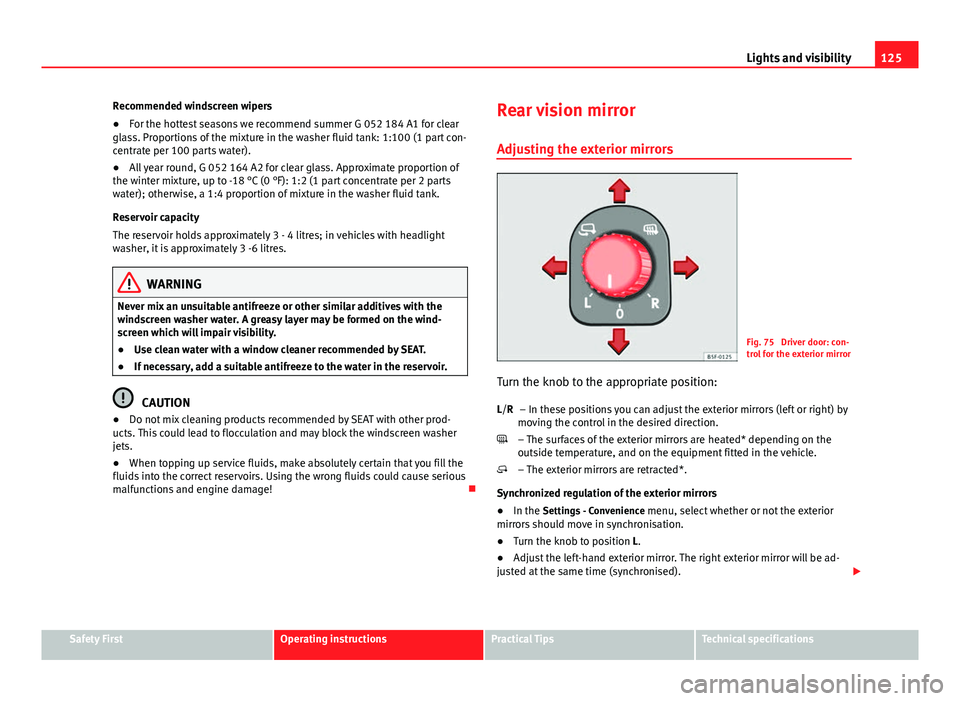
Turn the knob to the appropriate position: – In these positions you can adjust the exterior mirrors (left or right) by
moving the control in the desired direction.
– The surfaces of the exterior mirrors are heated* depending on the
outside temperature, and on the equipment fitted in the vehicle.
– The exterior mirrors are retracted*.
Synchronized regulation of the exterior mirrors
● In the Settings - Convenience menu, select whether or not the exterior
mirrors should move in synchronisation.
● Turn the knob to position L.
● Adjust the left-hand exterior mirror. The right exterior mirror will be ad-
justed at the same time (synchronised).
L/R
Safety FirstOperating instructionsPractical TipsTechnical specifications
Page 138 of 339
136Seats and storage
In the centre console
–Remove the connector located in the centre console of the pow-
er socket ⇒ Fig. 87.
– Insert the plug of the electrical appliance into the power socket.
In the luggage compartment (valid only for the Leon ST model)
– Lift the power socket cover ⇒ Fig. 88.
– Insert the plug of the electrical appliance into the power socket.
Electrical equipment can be connected to the 12 volt power socket. The ap-
pliances connected to each power socket must not exceed a power rating of
120 Watt.
WARNING
The power socket works only when the ignition is on. Improper use may
cause serious injury or even fire. Children should therefore not be left in
the vehicle, unattended, if the button is also left behind. Otherwise there
is a possibility that they may be injured.
CAUTION
Always use the correct type of plugs to avoid damaging the sockets.
Note
The use of electrical appliances with the engine switched off will cause a
battery discharge. Luggage compartment
General notes
WARNING
The Safe driving chapter contains important information, tips, sugges-
tions and warnings that you should read and observe for your own safety
and the safety of your passengers ⇒ page 7.