cooling Seat Leon 5D 2016 Owner's manual
[x] Cancel search | Manufacturer: SEAT, Model Year: 2016, Model line: Leon 5D, Model: Seat Leon 5D 2016Pages: 324, PDF Size: 6.93 MB
Page 7 of 324
Table of Contents
Table of Contents
The e s
senti
als . . . . . . . . . . . . . . . . . . . . . . . . 7
Exterior view . . . . . . . . . . . . . . . . . . . . . . . . . . . . 7
Exterior view . . . . . . . . . . . . . . . . . . . . . . . . . . . . 8
Interior view (left-hand drive) . . . . . . . . . . . . . . 9
How it works . . . . . . . . . . . . . . . . . . . . . . . . . . . . 10
Unlocking and locking . . . . . . . . . . . . . . . . . . . . 10
Before driving . . . . . . . . . . . . . . . . . . . . . . . . . . . 14
Airbags . . . . . . . . . . . . . . . . . . . . . . . . . . . . . . . . 16
Child seats . . . . . . . . . . . . . . . . . . . . . . . . . . . . . 19
Starting the vehicle . . . . . . . . . . . . . . . . . . . . . . 24
Lights and visibility . . . . . . . . . . . . . . . . . . . . . . 24
Easy Connect . . . . . . . . . . . . . . . . . . . . . . . . . . . 27
Driver information system . . . . . . . . . . . . . . . . . 30
Driving data . . . . . . . . . . . . . . . . . . . . . . . . . . . . 34
Cruise control . . . . . . . . . . . . . . . . . . . . . . . . . . . 39
Warning lamps . . . . . . . . . . . . . . . . . . . . . . . . . . 40
Gearbox lever . . . . . . . . . . . . . . . . . . . . . . . . . . . 42
Air conditioning . . . . . . . . . . . . . . . . . . . . . . . . . 45
Fluid Level control . . . . . . . . . . . . . . . . . . . . . . . 50
Emergencies . . . . . . . . . . . . . . . . . . . . . . . . . . . . 54
Fuses . . . . . . . . . . . . . . . . . . . . . . . . . . . . . . . . . . 54
Bulbs . . . . . . . . . . . . . . . . . . . . . . . . . . . . . . . . . . 55
Action in the event of a puncture . . . . . . . . . . . 55
Changing a wheel . . . . . . . . . . . . . . . . . . . . . . . 57
Snow chains . . . . . . . . . . . . . . . . . . . . . . . . . . . . 60
Emergency towing of the vehicle . . . . . . . . . . . 60
How to jump start . . . . . . . . . . . . . . . . . . . . . . . . 61
Changing the wiper blades . . . . . . . . . . . . . . . . 63
Safety . . . . . . . . . . . . . . . . . . . . . . . . . . . . . . . . 65
Safe driving . . . . . . . . . . . . . . . . . . . . . . . . . . . . 65
Safety first! . . . . . . . . . . . . . . . . . . . . . . . . . . . . . 65
Advice about driving . . . . . . . . . . . . . . . . . . . . . 65
Correct position for passengers . . . . . . . . . . . . 66
Pedal area . . . . . . . . . . . . . . . . . . . . . . . . . . . . . . 70 Seat belts
. . . . . . . . . . . . . . . . . . . . . . . . . . . . . . 71
Why wear a seat belt? . . . . . . . . . . . . . . . . . . . . 71
How to properly adjust your seatbelt . . . . . . . . 74
Seat belt tensioners . . . . . . . . . . . . . . . . . . . . . . 75
Airbag system . . . . . . . . . . . . . . . . . . . . . . . . . . 76
Brief introduction . . . . . . . . . . . . . . . . . . . . . . . . 76
Airbag safety instructions . . . . . . . . . . . . . . . . . 78
Deactivating airbags . . . . . . . . . . . . . . . . . . . . . 80
Transporting children safely . . . . . . . . . . . . . . . 82
Safety for children . . . . . . . . . . . . . . . . . . . . . . . 82
Child seats . . . . . . . . . . . . . . . . . . . . . . . . . . . . . 84
Emergencies . . . . . . . . . . . . . . . . . . . . . . . . . . 85
Self-help . . . . . . . . . . . . . . . . . . . . . . . . . . . . . . . 85
Vehicle tool kit anti-puncture kit* . . . . . . . . . . . 85
Tyre repair . . . . . . . . . . . . . . . . . . . . . . . . . . . . . . 85
Manual unlocking/locking . . . . . . . . . . . . . . . . . 87
Changing the windscreen wiper blades . . . . . . 87
Towing and tow-starting the vehicle . . . . . . . . . 88
Fuses and bulbs . . . . . . . . . . . . . . . . . . . . . . . . . 91
Fuses . . . . . . . . . . . . . . . . . . . . . . . . . . . . . . . . . . 91
Changing bulbs . . . . . . . . . . . . . . . . . . . . . . . . . 93
Change the front bulbs . . . . . . . . . . . . . . . . . . . 95
Changing incandescent rear light bulbs . . . . . . 97
Operation . . . . . . . . . . . . . . . . . . . . . . . . . . . . . 103
Controls and displays . . . . . . . . . . . . . . . . . . . . 103
General instrument panel . . . . . . . . . . . . . . . . . 102
Instruments and warning/control lamps . . . . . 104
Instruments . . . . . . . . . . . . . . . . . . . . . . . . . . . . 104
Control lamps . . . . . . . . . . . . . . . . . . . . . . . . . . . 109
Introduction to the Easy Connect system* . . . . 110
System settings (CAR)* . . . . . . . . . . . . . . . . . . . 110
Communications and multimedia . . . . . . . . . . . 111
Steering wheel controls* . . . . . . . . . . . . . . . . . . 111
Multimedia . . . . . . . . . . . . . . . . . . . . . . . . . . . . . 115 Opening and closing
. . . . . . . . . . . . . . . . . . . . . 116
Central locking system . . . . . . . . . . . . . . . . . . . . 116
Anti-theft alarm system* . . . . . . . . . . . . . . . . . . 124
Rear lid (luggage compartment) . . . . . . . . . . . . 126
Electric windows . . . . . . . . . . . . . . . . . . . . . . . . . 127
Panoramic sliding sunroof* . . . . . . . . . . . . . . . . 129
Lights and visibility . . . . . . . . . . . . . . . . . . . . . . 131
Lights . . . . . . . . . . . . . . . . . . . . . . . . . . . . . . . . . 131
Visibility . . . . . . . . . . . . . . . . . . . . . . . . . . . . . . . 138
Windscreen wiper and window wiper sys-
tems . . . . . . . . . . . . . . . . . . . . . . . . . . . . . . . . . . 139
Mirr
or . . . . . . . . . . . . . . . . . . . . . . . . . . . . . . . . . 141
Seats and head restraints . . . . . . . . . . . . . . . . . 143
Adjusting the seats and headrests . . . . . . . . . . 143
Seat functions . . . . . . . . . . . . . . . . . . . . . . . . . . 144
Transport and practical equipment . . . . . . . . . 148
Storage compartments . . . . . . . . . . . . . . . . . . . 148
Storing objects . . . . . . . . . . . . . . . . . . . . . . . . . . 151
Roof carrier . . . . . . . . . . . . . . . . . . . . . . . . . . . . . 160
Air conditioning . . . . . . . . . . . . . . . . . . . . . . . . . 163
Heating, ventilation and cooling . . . . . . . . . . . . 163
Driving . . . . . . . . . . . . . . . . . . . . . . . . . . . . . . . . 167
Ignition lock . . . . . . . . . . . . . . . . . . . . . . . . . . . . 167
Braking and parking . . . . . . . . . . . . . . . . . . . . . 172
Braking and stability systems . . . . . . . . . . . . . . 176
Manual gearbox . . . . . . . . . . . . . . . . . . . . . . . . . 179
Automatic gearbox/DSG automatic gear-
box* . . . . . . . . . . . . . . . . . . . . . . . . . . . . . . . . . . . 180
R
un-in and economical driving . . . . . . . . . . . . . 187
Engine management and exhaust gas purifica-
tion syst
em . . . . . . . . . . . . . . . . . . . . . . . . . . . . . 189
Driving tips . . . . . . . . . . . . . . . . . . . . . . . . . . . . . 191
Driver assistance systems . . . . . . . . . . . . . . . . . 191
Start-Stop system* . . . . . . . . . . . . . . . . . . . . . . . 191
Auto Hold Function* . . . . . . . . . . . . . . . . . . . . . . 194
Cruise control system (CCS)* . . . . . . . . . . . . . . . 195
Adaptive Cruise Control ACC* . . . . . . . . . . . . . . 196
5
Page 8 of 324
Table of Contents
Front Assist system including City emergency
br ak
in
g and pedestrian monitoring* . . . . . . . . 207
Lane Assist system* . . . . . . . . . . . . . . . . . . . . . . 213
Traffic Jam Assist . . . . . . . . . . . . . . . . . . . . . . . . 216
Emergency Assist . . . . . . . . . . . . . . . . . . . . . . . . 217
SEAT Drive Profile* . . . . . . . . . . . . . . . . . . . . . . . 219
Traffic sign detection system . . . . . . . . . . . . . . . 222
Fatigue detection (break recommendation)* . . 224
Parking aid . . . . . . . . . . . . . . . . . . . . . . . . . . . . . 225
Rear Assist “Rear View Camera”* . . . . . . . . . . . 231
Towing bracket device . . . . . . . . . . . . . . . . . . . . 234
Towing bracket device* . . . . . . . . . . . . . . . . . . . 234
Trailer towing . . . . . . . . . . . . . . . . . . . . . . . . . . . 239
Advice . . . . . . . . . . . . . . . . . . . . . . . . . . . . . . . . 245
Care and maintenance . . . . . . . . . . . . . . . . . . . . 245
Accessories and modifications to the vehi-
cle
. . . . . . . . . . . . . . . . . . . . . . . . . . . . . . . . . . . . 245
Care and cleaning . . . . . . . . . . . . . . . . . . . . . . . 246
Vehicle exterior care . . . . . . . . . . . . . . . . . . . . . . 246
Caring for the vehicle interior . . . . . . . . . . . . . . 250
Intelligent technology . . . . . . . . . . . . . . . . . . . . 253
Electromechanical steering . . . . . . . . . . . . . . . . 253
Progressive steering . . . . . . . . . . . . . . . . . . . . . 254
Four-wheel drive . . . . . . . . . . . . . . . . . . . . . . . . . 254
Power Management . . . . . . . . . . . . . . . . . . . . . . 255
Checking and refilling levels . . . . . . . . . . . . . . . 256
Filling the tank . . . . . . . . . . . . . . . . . . . . . . . . . . 256
Fuel . . . . . . . . . . . . . . . . . . . . . . . . . . . . . . . . . . . 258
Engine compartment . . . . . . . . . . . . . . . . . . . . . 262
Engine oil . . . . . . . . . . . . . . . . . . . . . . . . . . . . . . 264
Cooling system . . . . . . . . . . . . . . . . . . . . . . . . . . 266
Brake fluid . . . . . . . . . . . . . . . . . . . . . . . . . . . . . 267
Windscreen washer reservoir . . . . . . . . . . . . . . 268
Battery . . . . . . . . . . . . . . . . . . . . . . . . . . . . . . . . . 269
Wheels . . . . . . . . . . . . . . . . . . . . . . . . . . . . . . . . 271
Wheels and tyres . . . . . . . . . . . . . . . . . . . . . . . . 271
Tyre monitoring systems . . . . . . . . . . . . . . . . . . 275 Temporary spare wheel . . . . . . . . . . . . . . . . . . . 278
Winter service . . . . . . . . . . . . . . . . . . . . . . . . . . . 279
Technical data . . . . . . . . . . . . . . . . . . . . . . . . 281
Technical specifications . . . . . . . . . . . . . . . . . . 281
Important . . . . . . . . . . . . . . . . . . . . . . . . . . . . . . 281
Vehicle identification data . . . . . . . . . . . . . . . . . 281
Information on fuel consumption . . . . . . . . . . . 282
Trailer mode . . . . . . . . . . . . . . . . . . . . . . . . . . . . 282
Wheels . . . . . . . . . . . . . . . . . . . . . . . . . . . . . . . . 283
Engine data . . . . . . . . . . . . . . . . . . . . . . . . . . . . . 284
Dimensions . . . . . . . . . . . . . . . . . . . . . . . . . . . . . 305
Index . . . . . . . . . . . . . . . . . . . . . . . . . . . . . . . . . 307
6
Page 48 of 324
The essentials
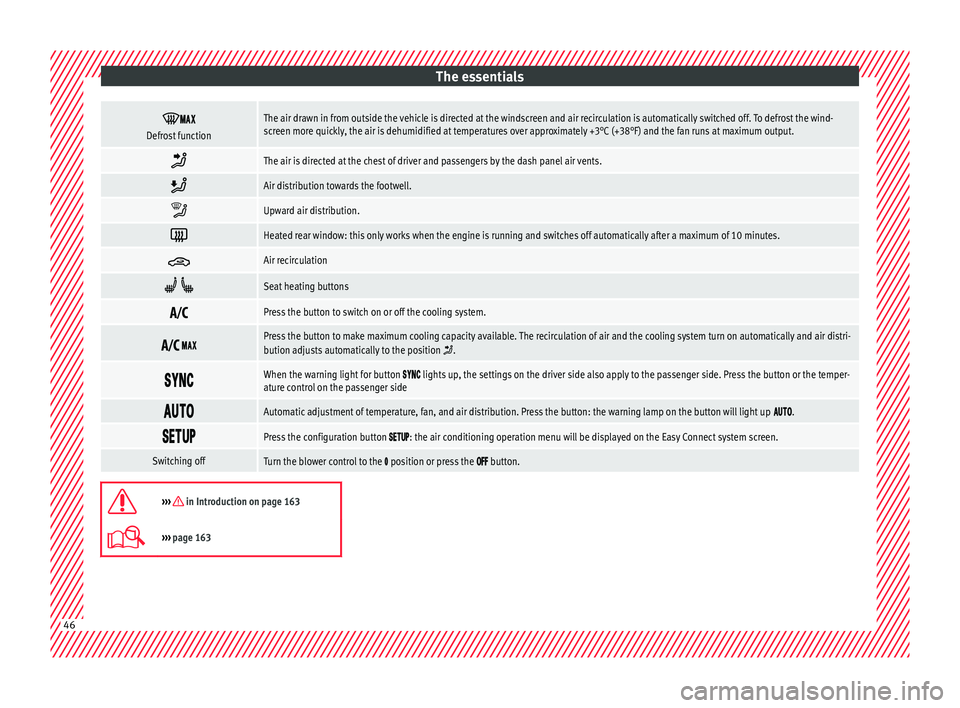
Defrost functionThe air drawn in from outside the vehicle is directed at the windscreen and air recirculation is automatically switched off. To defrost the wind-
screen more quickly, the air is dehumidified at temperatures over approximately +3°C (+38°F) and the fan runs at maximum output.
The air is directed at the chest of driver and passengers by the dash panel air vents.
Air distribution towards the footwell.
Upward air distribution.
Heated rear window: this only works when the engine is running and switches off automatically after a maximum of 10 minutes.
Air recirculation
Seat heating buttons
Press the button to switch on or off the cooling system.
Press the button to make maximum cooling capacity available. The recirculation of air and the cooling system turn on automatically and air distri-
bution adjusts automatically to the position .
When the warning light for button lights up, the settings on the driver side also apply to the passenger side. Press the button or the temper-
ature control on the passenger side
Automatic adjustment of temperature, fan, and air distribution. Press the button: the warning lamp on the button will light up .
Press the configuration button : the air conditioning operation menu will be displayed on the Easy Connect system screen.
Switching offTurn the blower control to the position or press the button.
››› in Introduction on page 163
›››
page 163 46
Page 49 of 324
The essentials
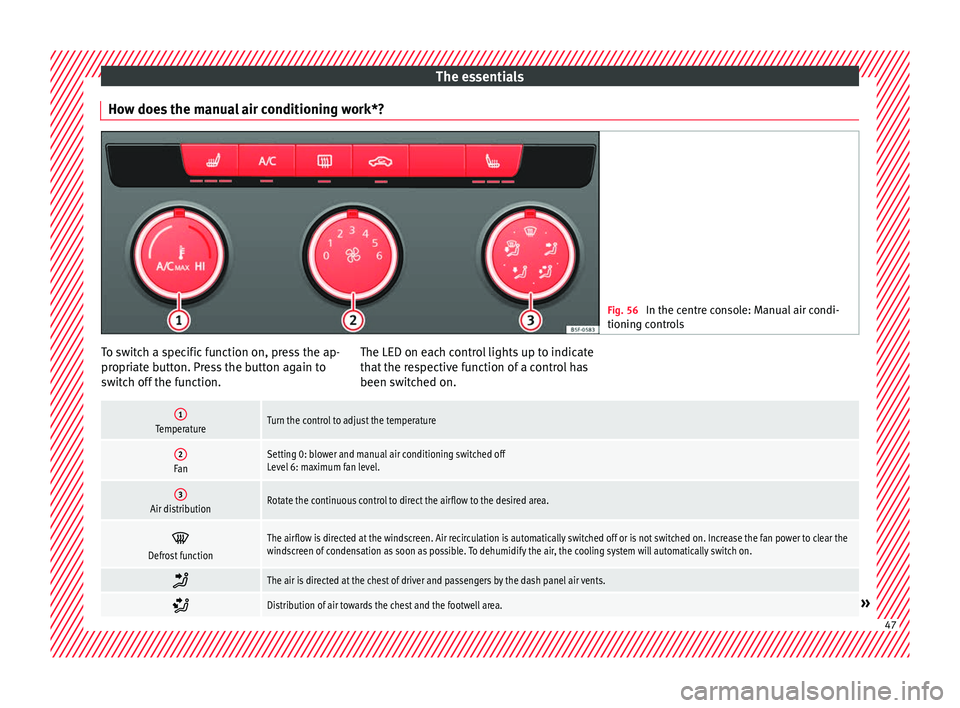
How does the manual air conditioning work*? Fig. 56
In the centre console: Manual air condi-
tioning c ontr
ols To switch a specific function on, press the ap-
pr
opri
at
e button. Press the button again to
switch off the function. The LED on each control lights up to indicate
that the r
espective function of a control has
been switched on.
1TemperatureTurn the control to adjust the temperature
2FanSetting 0: blower and manual air conditioning switched off
Level 6: maximum fan level.
3Air distributionRotate the continuous control to direct the airflow to the desired area.
Defrost functionThe airflow is directed at the windscreen. Air recirculation is automatically switched off or is not switched on. Increase the fan power to clear the
windscreen of condensation as soon as possible. To dehumidify the air, the cooling system will automatically switch on.
The air is directed at the chest of driver and passengers by the dash panel air vents.
Distribution of air towards the chest and the footwell area.»
47
Page 50 of 324
The essentials
Air distribution towards the footwell.
Air distribution towards the windscreen and the footwell.
Heated rear window: this only works when the engine is running and switches off automatically after a maximum of 10 minutes.
Air recirculation
Seat heating buttons
Maximum cooling power. The recirculation of air and the cooling system turn on automatically and air distribution adjusts automatically to the
position
››› in Introduction on page 163
›››
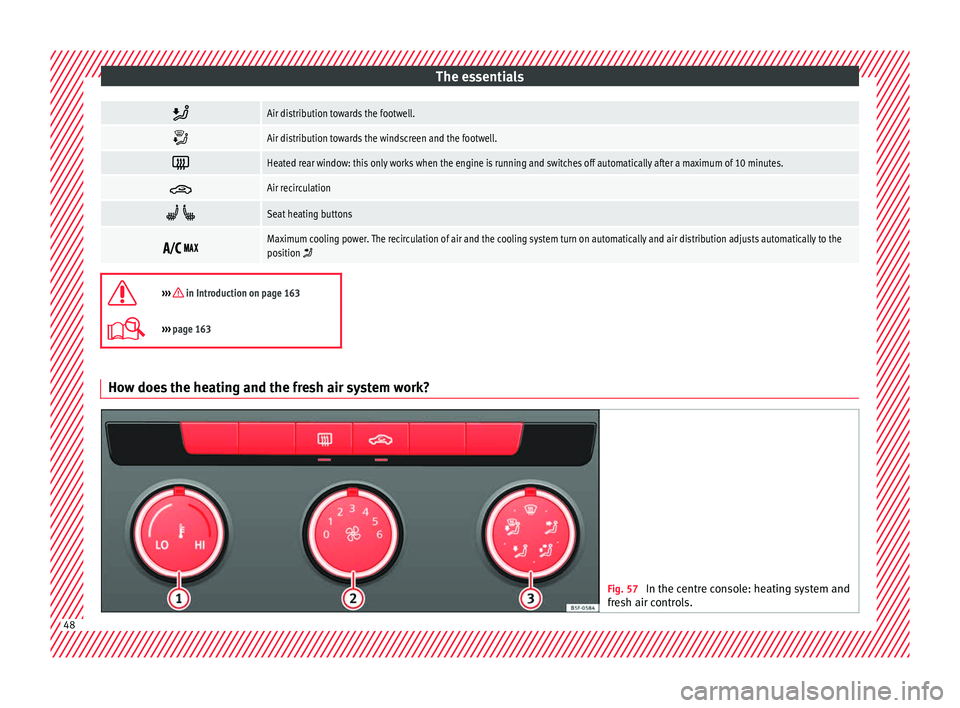
page 163 How does the heating and the fresh air system work?
Fig. 57
In the centre console: heating system and
fre sh air c
ontrols. 48
Page 53 of 324
The essentials
The level is measured using the dipstick loca-
t ed in the en
gine c
ompartment
››› page 262.
The oil should leave a mark between zones A and
C . It should never exceed zone
A .
● Zone A : Do not add oil.
● Zone B : You can add oil but keep the level
in th at
zone.
● Zone C : Add oil up to zone
B .
T op
pin
g up engine oil
● Unscrew cap from oil filler opening.
● Add oil slowly.
● At the same time, check the level to ensure
you do not a
dd too much.
● When the oil level reaches at least zone B ,
u n
s
crew the engine oil filler cap carefully.
Oil properties
Engine typeSpecification
Petrol without flexible
service intervalVW 502 00/VW 504 00
Petrol with flexible serv-
ice interval (LongLife)VW 504 00
Diesel. Engines without
Particulate filter (DPF)VW 505 01/VW 506 01/VW
507 00
Engine typeSpecification
Diesel. Particulate Filter
Engines (DPF).
With or without flexible
service interval (with
and without LongLife) a)VW 507 00
Natural gas enginesVW 502 00
a)
Only use recommended oils, otherwise you may damage the
engine.
Engine oil additives
No type of additive should be mixed with the
engine oil. The deterioration caused by these
additives is not covered by the warranty.
››› in Changing engine oil on page 266
››› page 264 Coolant
Fig. 61
Engine compartment: coolant expan-
s ion t
ank
cap. The coolant tank is located in the engine
c
omp
ar
tment ›››
page 262.
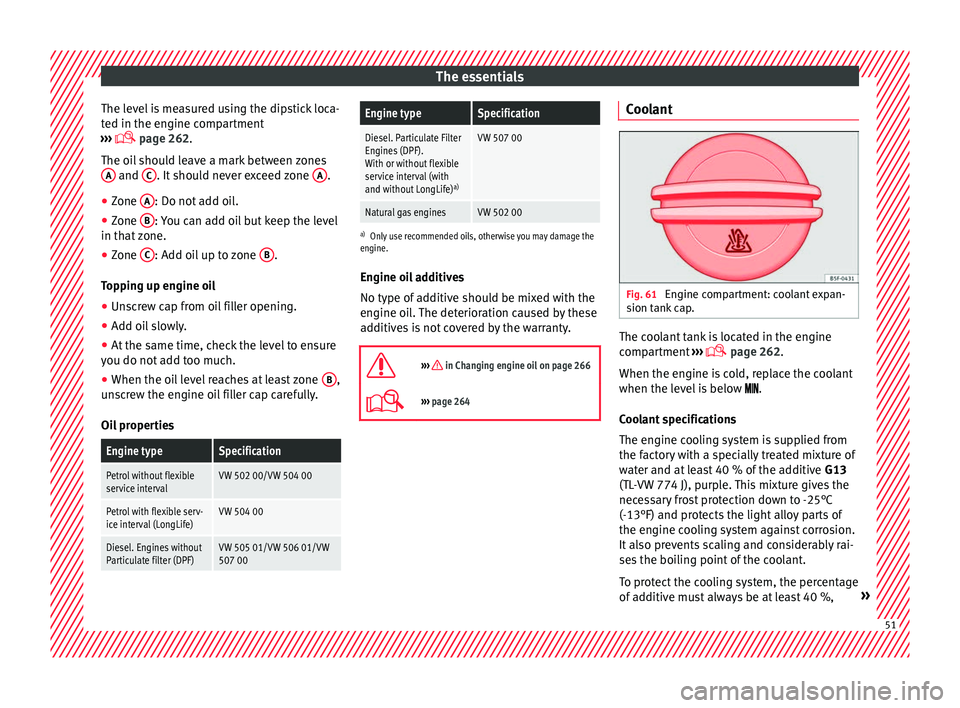
When the engine is cold, replace the coolant
when the level is below .
Coolant specifications
The engine cooling system is supplied from
the factory with a specially treated mixture of
water and at least 40 % of the additive G13
(TL-VW 774 J), purple. This mixture gives the
necessary frost protection down to -25°C
(-13°F) and protects the light alloy parts of
the engine cooling system against corrosion.
It also prevents scaling and considerably rai-
ses the boiling point of the coolant.
To protect the cooling system, the percentage
of additive must always be at least 40 %, » 51
Page 54 of 324
The essentials
even in warm climates where anti-freeze pro-
t ection i
s
not required.
If for weather reasons further protection is
necessary, the proportion of additive may be
increased, but only up to 60 %; otherwise an-
tifreeze protection will diminish and this will
worsen cooling.
When the coolant is topped up, use a mixture
of distilled water and at least 40 % of the
G13 or G12 plus-plus (TL-VW 774 G) additive
(both are purple) to obtain an optimum anti-
corrosion protection ››› in Topping up cool-
ant on p ag
e 267
. The mixture of G13 with
G12 plus (TL-VW 774 F), G12 (red) or G11
(green-blue) engine coolants will significant-
ly reduce anti-corrosion protection and
should therefore be avoided ››› in Topping
up c oo
l
ant on page 267.
››› in Topping up coolant on page 267
››› page 266 Brake fluid
Fig. 62
Engine compartment: brake fluid res-
er v
oir c
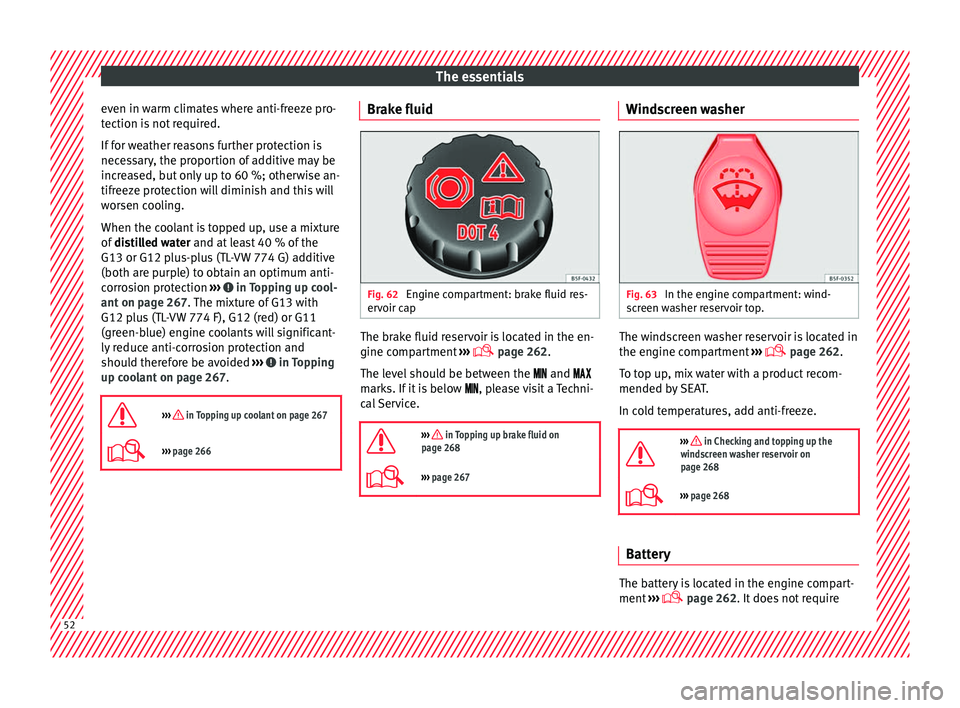
ap The brake fluid reservoir is located in the en-
gine c
omp
ar
tment ›››
page 262.
The level should be between the and
marks. If it is below , please visit a Techni-
cal Service.
››› in Topping up brake fluid on
page 268
››› page 267 Windscreen washer
Fig. 63
In the engine compartment: wind-
s c
r
een washer reservoir top. The windscreen washer reservoir is located in
the en
gine c
omp
artment ›››
page 262.
To top up, mix water with a product recom-
mended by SEAT.
In cold temperatures, add anti-freeze.
››› in Checking and topping up the
windscreen washer reservoir on
page 268
››› page 268 Battery
The battery is located in the engine compart-
ment
›
›
› page 262. It does not require52
Page 110 of 324

Operation
Normal temperature
If in norm
al
operations, the diodes light up
until the central zone, it means that the en-
gine has reached operating temperature. At
high outside temperatures and when making
the engine work hard, the diodes may contin-
ue lighting up and reach the upper zone. This
is no cause for concern, provided the control
lamp does not light up on the instrument
panel digital display.
Heat range
When the diodes light up in the upper area of
the display and the control lamp appears
on the instrument panel display, the coolant
temperature is excessive ››› page 266. CAUTION
● To en s
ure a long useful life for the engine,
avoid high revs, driving at high speed and
making the engine work hard for approxi-
mately the first 15 minutes when the engine
is cold. The phase until the engine is warm al-
so depends on the outside temperature. If
necessary, use the engine oil temperature*
››› page 35 as a guide.
● Additional lights and other accessories in
front of
the air inlet reduce the cooling effect
of the coolant. At high outside temperatures
and high engine loads, there is a risk of the
engine overheating.
● The front spoiler also ensures proper distri-
bution of the c
ooling air when the vehicle is moving. If the spoiler is damaged this can re-
duce the c
oo
ling effect, which could cause
the engine to overheat. Seek specialist assis-
tance. Fuel - Gas level
Fig. 122
Fuel gauge. Displays
2 and
6
› ›
› Fig. 120
only work
when the ignition is switched on. When the
display reaches the reserve mark, the lower
diode lights up in red and the control lamp
appears ››› page 104. When the fuel level is
very low, the lower diode flashes in red.
The yellow control lamp lights up when the
reserve level has been reached.
The green warning lamp lights up when the
vehicle is running in natural gas operating
mode. The green warning lamp switc
hes off when
the natural gas is exhausted. The engine
changes to operate with petrol.
Problem: If the vehicle is left parked for a
long time immediately after refuelling, the
natural gas level indicator may not accurately
indicate the same level shown after refuelling
when the vehicle is started up again. This is
not due to a leak in the system, but to a drop
in pressure in the gas tank for technical rea-
sons after a cooling phase just after refuel-
ling.
Fuel level - Petrol/Diesel Fig. 123
Fuel gauge. The display
6
› ›
› Fig. 120
only works when
the ignition is switched on. When the display
reaches the reserve mark, the lower diode
108
Page 165 of 324

Air conditioning
Distributing a load
Di s
trib
ute loads uniformly and secure them
correctly ››› .
Chec k
att
achments
Once the cross bars and roof carrier system
have been installed, check the bolted con-
nections and attachments after a short jour-
ney and subsequently with a certain frequen-
cy. WARNING
Exceeding the maximum authorised roof load
can r e
sult in accidents and considerable vehi-
cle damage.
● Never exceed the maximum authorised
load on the r
oof and on the axles or the vehi-
cle's maximum authorised weight.
● Never exceed the load capacity of the cross
bars
and the roof carrier system, even if the
maximum authorised roof load has not been
reached.
● Secure heavy items as far forward as possi-
ble and di
stribute the vehicle load uniformly. WARNING
If the load is loose or not secured, it could fall
from the r oof
carrier system or cause acci-
dents and injuries.
● Always use belts or retaining straps that
are suit
able and in a good condition.
● Secure the load properly. Air conditioning
He atin
g,
ventilation and cool-
ing
Introduction Read the additional information carefully
›› ›
page 45
Viewing Climatronic information
On the screen of Climatronic control unit and
on the screen of the factory-fitted Easy Con-
nect system, the theoretical values of the
temperature zones are shown.
The unit of temperature measurement can be
changed in the Easy Connect system.
Dust and pollen filter
The dust and pollen filter with its activated
charcoal cartridge serves as a barrier against
impurities in the air taken into the vehicle in-
terior.
The dust and pollen filter must be changed
regularly so that air conditioner performance
is not adversely affected.
If the filter loses efficiency prematurely due
to use in areas with very high levels of air
pollution, the filter must be changed more
frequently than stated in the Service Sched-
ule. WARNING
Reduced visibility through the windows in-
cr e
ases the risk of serious accidents.
● Always ensure that all windows are free of
ice and sno
w, and that they are not fogged,
so as to maintain good visibility of everything
outside.
● The maximum heat output required to de-
fros
t windows as quickly as possible is only
available when the engine has reached its
normal running temperature. Only drive when
you have good visibility.
● Always ensure that you use the heating
syst
em, fresh air system, air conditioner and
the heated rear window to maintain good visi-
bility to the outside.
● Never leave the air recirculation on for a
long period of time. If
the cooling system is
switched off and air recirculation mode
switched on, the windows can mist over very
quickly, considerably limiting visibility.
● Switch air recirculation mode off when it is
not requir
ed. WARNING
Stuffy or used air will increase fatigue and re-
duce driv er c
oncentration possibly resulting
in a serious accident.
● Never leave the fresh air fan turned off or
use the air rec
irculation for long periods of
time; the air in the vehicle interior will not be
refreshed. » 163
Technical data
Advice
Operation
Emergencies
Safety
Page 166 of 324

Operation
CAUTION
● Swit c
h the air conditioner off if you think it
may be broken. This will avoid additional
damage. Have the air conditioner checked by
a specialised workshop.
● Repairs to the air conditioner require spe-
cia
list knowledge and special tools. SEAT rec-
ommends visiting a SEAT Official Service. Note
● When the coo lin
g system is turned off, air
coming from the outside will not be dried. To
prevent fogging of the windows, SEAT recom-
mends leaving the cooling system (compres-
sor) turned on. To do this, press the button . The button lamp should light up.
● The maximum heat output required to de-
fro s
t windows as quickly as possible is only
available when the engine has reached its
normal running temperature.
● Keep the air intake slots in front of the
winds
creen free of snow, ice and leaves to en-
sure heating and cooling are not impaired,
and to prevent the windows from misting
over. Adjust using the Easy Connect sys-
t
em* 3 Applies to vehicles with a Media System
T ouc
h/Colour.
In the Easy Connect system it is also possible
to perform various adjustments to the Clima-
tronic.
Open the air conditioner menu
● Press the button of the Climatronic
contr o
ls.
● OR: press the MENU button in Easy Con-
nect .
W
ith the rotating switch select the air
conditioner menu and open it.
On the touch screen you can see and change
the current settings, for example, the temper-
ature set for the driver and passenger sides,
the air distribution and the fan speed. With
button the driver and passenger side
t emper
at
ures are synchronised ›››
Book-
let Media System Touch/Colour, chapter Air
conditioning.
To switch a function on or off, or to select a
submenu, you must press the corresponding
function button.
For more information about functions
››› page 110.
Func-
tion
buttonFunction
OFFSwitch off and switch on the Climatronic.
SETUP
The air conditioning settings submenu is
opened. It is possible to make the following
adjustments:
Function button Air conditioning profile
: to ad-
just the level of the fan in AUTO mode. You
can choose between low, medium and
high.
Function button Automatic air recirculation
to
switch on and off automatic air recircula-
tion ››› page 166.
BACK
function button to close the sub-
menu. Adjust using the Easy Connect sys-
t
em* 3 App
lies to vehicles with a Media System Plus/Navi
S
ystem.
In the Easy Connect system it is also possible
to perform various adjustments to the Clima-
tronic.
Open the air conditioner menu
● Press the button of the Climatronic
c ontr
o
ls.
On the top of the screen you can see and
change the current settings, such as, for ex-
ample, the temperature set for the driver side
164