light Seat Leon SC 2013 Owner's Guide
[x] Cancel search | Manufacturer: SEAT, Model Year: 2013, Model line: Leon SC, Model: Seat Leon SC 2013Pages: 339, PDF Size: 4.8 MB
Page 73 of 339
71
Instruments and warning/control lamps
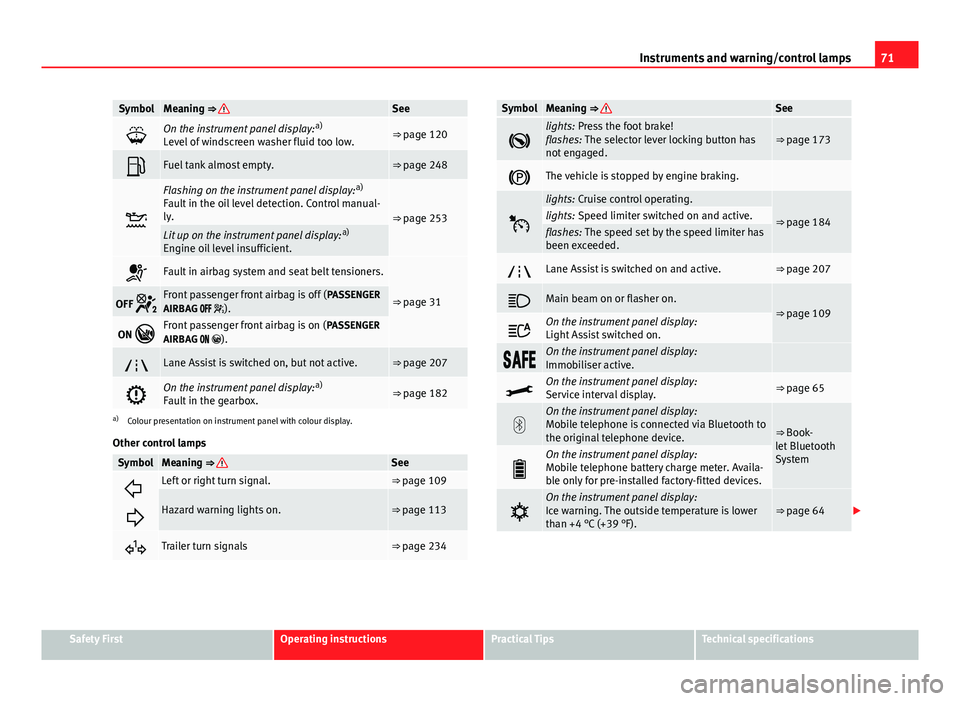
SymbolMeaning ⇒ See
On the instrument panel display: a)
Level of windscreen washer fluid too low.⇒ page 120
Fuel tank almost empty.⇒ page 248
Flashing on the instrument panel display: a)
Fault in the oil level detection. Control manual-
ly.
⇒ page 253Lit up on the instrument panel display: a)
Engine oil level insufficient.
Fault in airbag system and seat belt tensioners.
⇒ page 31OFF Front passenger front airbag is off ( PASSENGER
AIRBAG ).
ON Front passenger front airbag is on ( PASSENGER
AIRBAG ).
Lane Assist is switched on, but not active.⇒ page 207
On the instrument panel display: a)
Fault in the gearbox.⇒ page 182
a) Colour presentation on instrument panel with colour display.
Other control lamps
SymbolMeaning ⇒ See
Left or right turn signal.⇒ page 109
Hazard warning lights on.⇒ page 113
Trailer turn signals⇒ page 234
SymbolMeaning ⇒ See
lights: Press the foot brake!
flashes: The selector lever locking button has
not engaged.⇒ page 173
The vehicle is stopped by engine braking.
lights: Cruise control operating.
⇒ page 184lights: Speed limiter switched on and active.flashes: The speed set by the speed limiter has
been exceeded.
Lane Assist is switched on and active.⇒ page 207
Main beam on or flasher on.⇒ page 109
On the instrument panel display:
Light Assist switched on.
On the instrument panel display:
Immobiliser active.
On the instrument panel display:
Service interval display.⇒ page 65
On the instrument panel display:
Mobile telephone is connected via Bluetooth to
the original telephone device.
⇒ Book-
let Bluetooth
System
On the instrument panel display:
Mobile telephone battery charge meter. Availa-
ble only for pre-installed factory-fitted devices.
On the instrument panel display:
Ice warning. The outside temperature is lower
than +4 °C (+39 °F).⇒ page 64
Safety FirstOperating instructionsPractical TipsTechnical specifications
Page 77 of 339
75
Driver information system
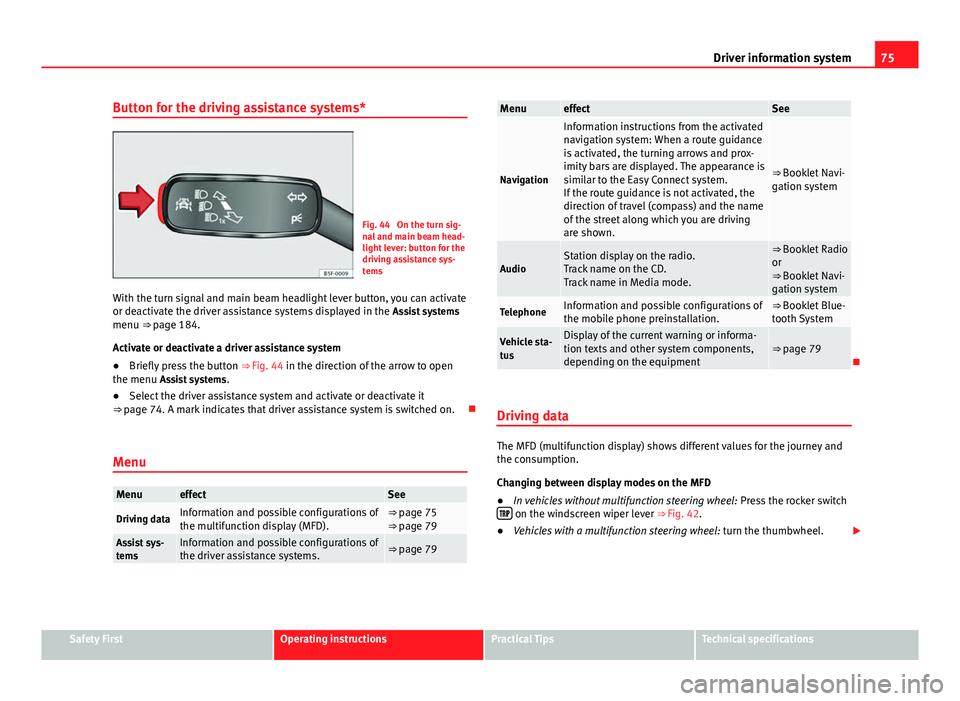
Button for the driving assistance systems*
Fig. 44 On the turn sig-
nal and main beam head-
light lever: button for the
driving assistance sys-
tems
With the turn signal and main beam headlight lever button, you can activate
or deactivate the driver assistance systems displayed in the Assist systems
menu ⇒ page 184.
Activate or deactivate a driver assistance system
● Briefly press the button ⇒ Fig. 44 in the direction of the arrow to open
the menu Assist systems .
● Select the driver assistance system and activate or deactivate it
⇒ page 74. A mark indicates that driver assistance system is switched on.
Menu
MenueffectSee
Driving dataInformation and possible configurations of
the multifunction display (MFD).⇒ page 75
⇒ page 79
Assist sys-
temsInformation and possible configurations of
the driver assistance systems.⇒ page 79
MenueffectSee
Navigation
Information instructions from the activated
navigation system: When a route guidance
is activated, the turning arrows and prox-
imity bars are displayed. The appearance is
similar to the Easy Connect system.
If the route guidance is not activated, the
direction of travel (compass) and the name
of the street along which you are driving
are shown.
⇒ Booklet Navi-
gation system
AudioStation display on the radio.
Track name on the CD.
Track name in Media mode.⇒ Booklet Radio
or
⇒ Booklet Navi-
gation system
TelephoneInformation and possible configurations of
the mobile phone preinstallation.⇒ Booklet Blue-
tooth System
Vehicle sta-
tusDisplay of the current warning or informa-
tion texts and other system components,
depending on the equipment⇒ page 79
Driving data
The MFD (multifunction display) shows different values for the journey and
the consumption.
Changing between display modes on the MFD
● In vehicles without multifunction steering wheel: Press the rocker switch
on the windscreen wiper lever ⇒ Fig. 42.
● Vehicles with a multifunction steering wheel: turn the thumbwheel.
Safety FirstOperating instructionsPractical TipsTechnical specifications
Page 81 of 339
79
Introduction to the Easy Connect system*
Introduction to the Easy Connect system* System settings (CAR)*Introduction
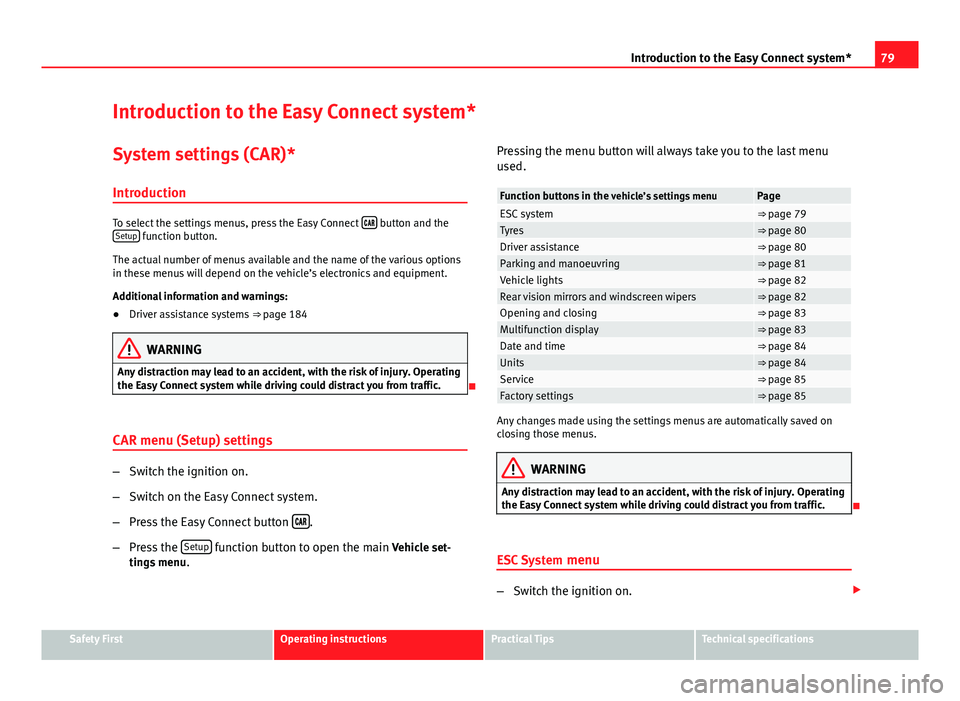
To select the settings menus, press the Easy Connect button and the
Setup function button.
The actual number of menus available and the name of the various options
in these menus will depend on the vehicle’s electronics and equipment.
Additional information and warnings:
● Driver assistance systems ⇒ page 184
WARNING
Any distraction may lead to an accident, with the risk of injury. Operating
the Easy Connect system while driving could distract you from traffic.
CAR menu (Setup) settings
– Switch the ignition on.
– Switch on the Easy Connect system.
– Press the Easy Connect button
.
– Press the Setup
function button to open the main Vehicle set-
tings menu . Pressing the menu button will always take you to the last menu
used.
Function buttons in the
vehicle’s settings menuPageESC system⇒ page 79Tyres⇒ page 80Driver assistance⇒ page 80Parking and manoeuvring⇒ page 81Vehicle lights⇒ page 82Rear vision mirrors and windscreen wipers⇒ page 82Opening and closing⇒ page 83Multifunction display⇒ page 83Date and time⇒ page 84Units⇒ page 84Service⇒ page 85Factory settings⇒ page 85
Any changes made using the settings menus are automatically saved on
closing those menus.
WARNING
Any distraction may lead to an accident, with the risk of injury. Operating
the Easy Connect system while driving could distract you from traffic.
ESC System menu
–Switch the ignition on.
Safety FirstOperating instructionsPractical TipsTechnical specifications
Page 84 of 339
82Introduction to the Easy Connect system*
WARNING
Any distraction may lead to an accident, with the risk of injury. Operating
the Easy Connect system while driving could distract you from traffic.
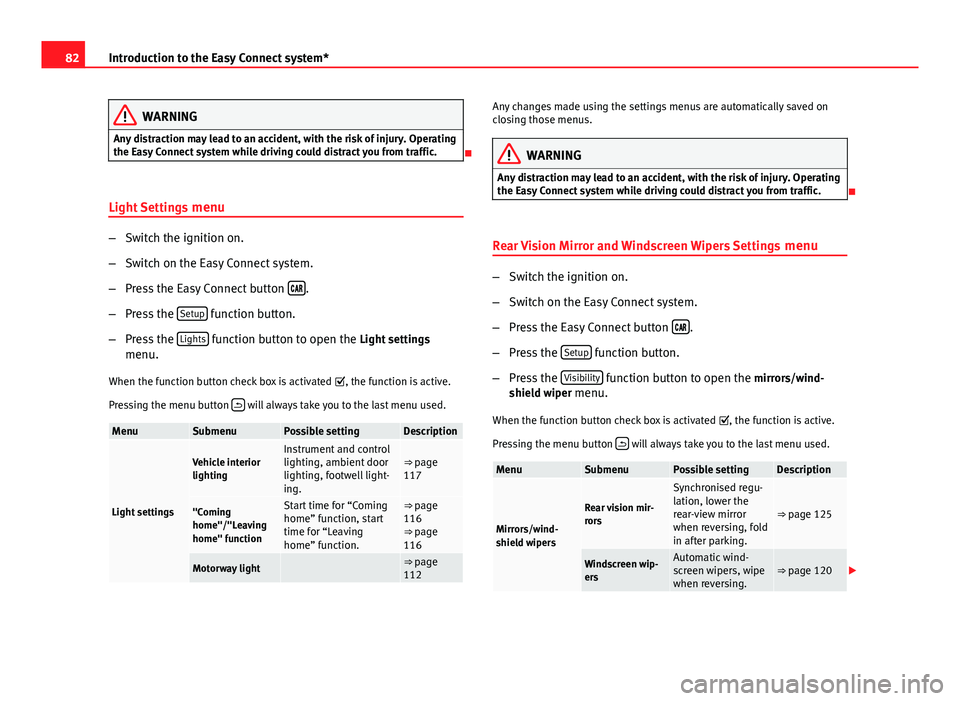
Light Settings menu
–Switch the ignition on.
– Switch on the Easy Connect system.
– Press the Easy Connect button
.
– Press the Setup
function button.
– Press the Lights
function button to open the Light settings
menu.
When the function button check box is activated , the function is active.
Pressing the menu button
will always take you to the last menu used.
MenuSubmenuPossible settingDescription
Light settings
Vehicle interior
lightingInstrument and control
lighting, ambient door
lighting, footwell light-
ing.⇒ page
117
"Coming
home"/"Leaving
home" functionStart time for “Coming
home” function, start
time for “Leaving
home” function.⇒ page
116
⇒ page
116
Motorway light ⇒ page
112
Any changes made using the settings menus are automatically saved on
closing those menus.
WARNING
Any distraction may lead to an accident, with the risk of injury. Operating
the Easy Connect system while driving could distract you from traffic.
Rear Vision Mirror and Windscreen Wipers Settings menu
–Switch the ignition on.
– Switch on the Easy Connect system.
– Press the Easy Connect button
.
– Press the Setup
function button.
– Press the Visibility
function button to open the mirrors/wind-
shield wiper menu.
When the function button check box is activated , the function is active.
Pressing the menu button
will always take you to the last menu used.
MenuSubmenuPossible settingDescription
Mirrors/wind-
shield wipers
Rear vision mir-
rors
Synchronised regu-
lation, lower the
rear-view mirror
when reversing, fold
in after parking.
⇒ page 125
Windscreen wip-
ersAutomatic wind-
screen wipers, wipe
when reversing.⇒ page 120
Page 88 of 339
86Introduction to the Easy Connect system*
MenuSubmenuPossible settingDescription
Factory settings–
All settings, driver
assistance, parking
and manoeuvring,
lights, rear vision
mirrors and wind-
screen wipers, open-
ing and closing,
multifunction dis-
play.
–
Any changes made using the settings menus are automatically saved on
closing those menus.
WARNING
Any distraction may lead to an accident, with the risk of injury. Operating
the Easy Connect system while driving could distract you from traffic.
Page 90 of 339
88Opening and closing
To deactivate the alarm, press the button
on the remote control key, or
switch on the ignition. After a certain time, the alarm will automatically
switch off.
Switch off the vehicle interior monitoring and tow-away protection if you
wish to prevent the alarm from being triggered accidentally ⇒ page 97.
Turn signals
The turn signals will flash twice when the vehicle is unlocked and once
when the vehicle is locked.
If the signals do not flash, this indicates that one of the doors, the rear lid or
the bonnet is not closed correctly.
Accidental lock-out
The central locking system prevents you from being locked out of the vehi-
cle in the following situations:
● If the driver door is open, the vehicle cannot be locked with the central
locking switch ⇒ page 94.
Lock the vehicle with the remote control key, when all the doors and the rear
lid have been closed. This prevents the accidental locking of the vehicle.
WARNING
Do not leave anyone (especially children) in the vehicle if it is locked from
the outside and the anti-theft security system* is enabled, as the doors
and windows cannot then be opened from the inside. Locked doors could
delay assistance in an emergency, potentially putting lives at risk.
Note
● Never leave any valuable items in the vehicle unattended. Even a locked
vehicle is not a safe.
● If the diode on the driver door sill lights up for about 30 seconds when
the vehicle is locked, the central locking system or anti-theft alarm* is not
working properly. You should have the fault repaired at a SEAT Official Serv-
ice or specialised workshop.
● The vehicle interior monitoring of the anti-theft alarm* system will only
function as intended if the windows and the sunroof* are closed.
Page 92 of 339
90Opening and closing
CAUTION
All of the vehicle keys contain electronic components. Protect the vehicle
keys from damage, impacts and humidity.
Note
● Only use the key button when you require the corresponding function.
Pushing the button unnecessarily could accidentally unlock the vehicle or
trigger the alarm. It is also possible even when you are outside the radius of
action.
● Key operation can be greatly influenced by overlapping radio signals
close the vehicle working in the same range of frequencies, for example, ra-
dio transmitters, mobile telephones.
● Obstacles between the remote control and the vehicle, bad weather con-
ditions and discharged batteries can considerably reduce the range of the
remote control.
● If buttons ⇒ Fig. 50 or ⇒ Fig. 51 on the vehicle key, or one of the central
locking buttons ⇒ page 94 are pressed repeatedly in short succession,
the central locking is briefly switched off to protect against overloading. The
vehicle is then unlocked. Lock the vehicle if necessary. Control lamp on the vehicle key
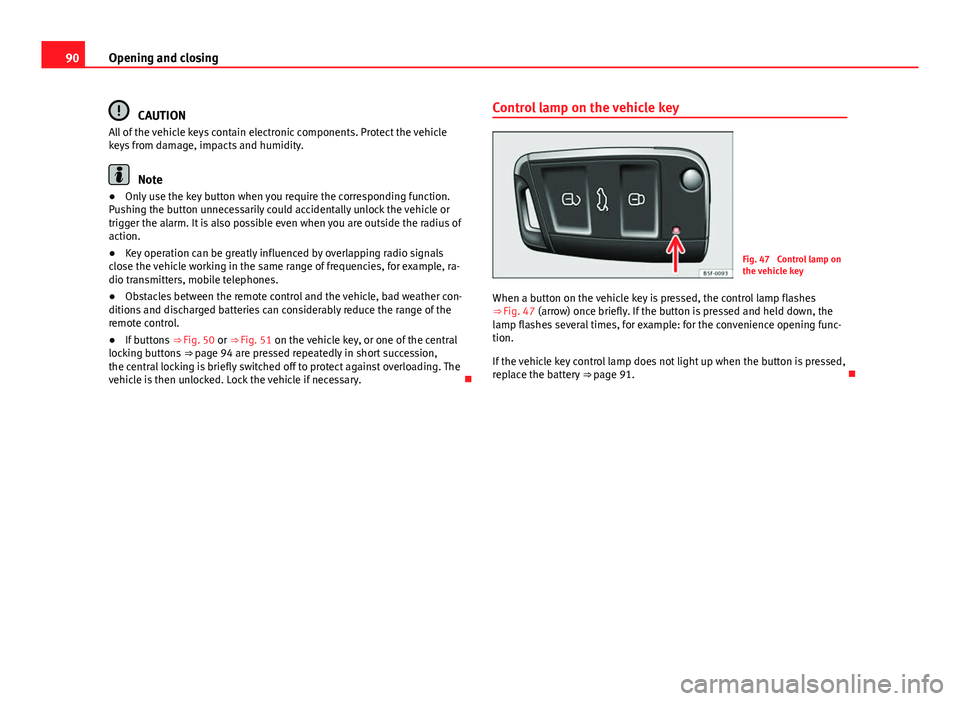
Fig. 47 Control lamp on
the vehicle key
When a button on the vehicle key is pressed, the control lamp flashes
⇒ Fig. 47 (arrow) once briefly. If the button is pressed and held down, the
lamp flashes several times, for example: for the convenience opening func-
tion.
If the vehicle key control lamp does not light up when the button is pressed,
replace the battery ⇒ page 91.
Page 96 of 339
94Opening and closing
Central locking switch
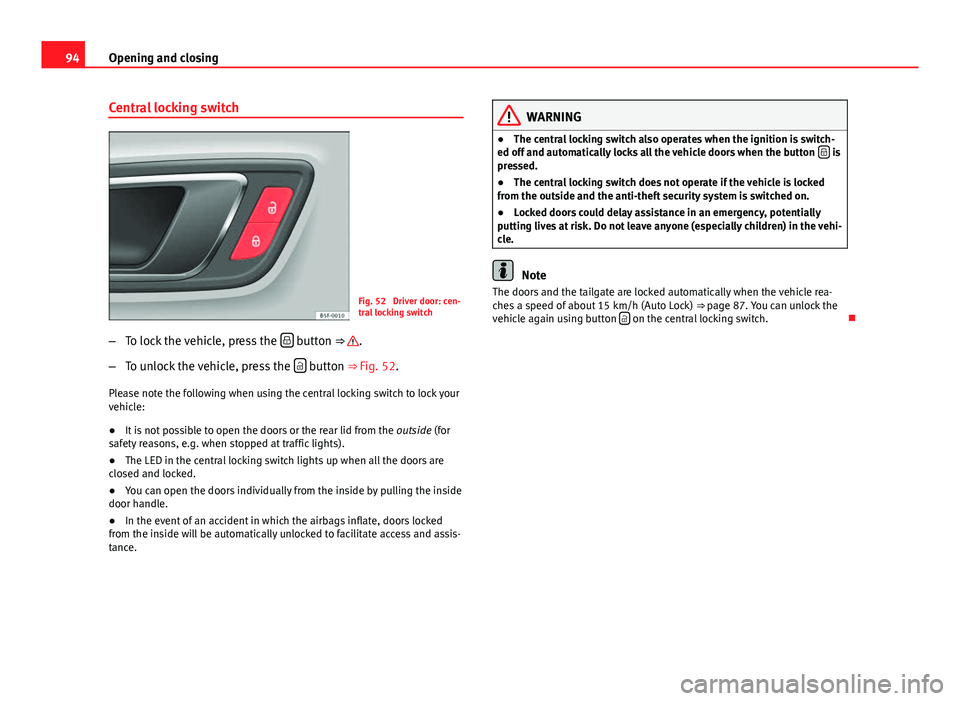
Fig. 52 Driver door: cen-
tral locking switch
– To lock the vehicle, press the
button ⇒ .
– To unlock the vehicle, press the
button ⇒ Fig. 52.
Please note the following when using the central locking switch to lock your
vehicle:
● It is not possible to open the doors or the rear lid from the outside (for
safety reasons, e.g. when stopped at traffic lights).
● The LED in the central locking switch lights up when all the doors are
closed and locked.
● You can open the doors individually from the inside by pulling the inside
door handle.
● In the event of an accident in which the airbags inflate, doors locked
from the inside will be automatically unlocked to facilitate access and assis-
tance.
WARNING
● The central locking switch also operates when the ignition is switch-
ed off and automatically locks all the vehicle doors when the button
is
pressed.
● The central locking switch does not operate if the vehicle is locked
from the outside and the anti-theft security system is switched on.
● Locked doors could delay assistance in an emergency, potentially
putting lives at risk. Do not leave anyone (especially children) in the vehi-
cle.
Note
The doors and the tailgate are locked automatically when the vehicle rea-
ches a speed of about 15 km/h (Auto Lock) ⇒ page 87. You can unlock the
vehicle again using button
on the central locking switch.
Page 99 of 339
97
Opening and closing
will trigger the alarm) or when, for example, the vehicle is transported or
has to be towed with only one axle on the ground.
False alarms
The interior monitoring only operates correctly if the vehicle is completely
closed. Please observe legal requirements when doing so.
The following cases may cause a false alarm:
● opened windows (partially or fully)
● panoramic/tilting sunroof open (partially or completely).
● movement of objects inside the vehicle, such as loose papers, items
hanging from the rear vision mirror (air fresheners), etc.
Note
● If the vehicle is relocked and the alarm is activated without the volumet-
ric sensor function, relocking will activate the alarm with all its functions,
except the volumetric sensor. This function is reactivated when the alarm is
switched on again, unless it is deliberately switched off.
● If the alarm has been triggered by the volumetric sensor, this will be in-
dicated by a flashing of the warning lamp on the driver door when the vehi-
cle is opened. The flash is different to the flash indicating the alarm is acti-
vated.
● The vibration of a mobile phone left inside the vehicle may cause the ve-
hicle interior monitoring alarm to trigger, as both sensors react to move-
ments and shakes inside the vehicle.
● If on activating the alarm, any door or the rear lid is open, only the alarm
will be activated. The vehicle interior monitoring and the anti-tow system
will only be activated once all the doors are closed (including the rear lid). Deactivating the vehicle interior monitoring and tow-away
protection
1)
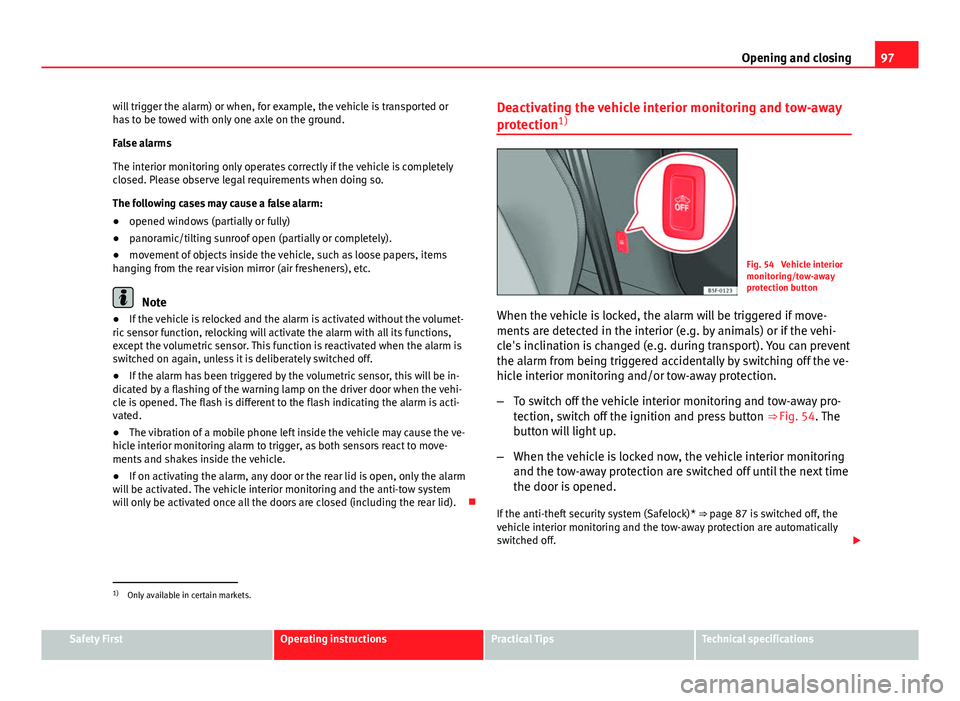
Fig. 54 Vehicle interior
monitoring/tow-away
protection button
When the vehicle is locked, the alarm will be triggered if move-
ments are detected in the interior (e.g. by animals) or if the vehi-
cle's inclination is changed (e.g. during transport). You can prevent
the alarm from being triggered accidentally by switching off the ve-
hicle interior monitoring and/or tow-away protection.
– To switch off the vehicle interior monitoring and tow-away pro-
tection, switch off the ignition and press button ⇒ Fig. 54. The
button will light up.
– When the vehicle is locked now, the vehicle interior monitoring
and the tow-away protection are switched off until the next time
the door is opened.
If the anti-theft security system (Safelock)* ⇒ page 87 is switched off, the
vehicle interior monitoring and the tow-away protection are automatically
switched off.
1)
Only available in certain markets.
Safety FirstOperating instructionsPractical TipsTechnical specifications
Page 102 of 339
100Opening and closing
Rear lid (luggage compartment)
Rear lid
The rear lid opening system operates electrically. It is activa-
ted by using the handle on the rear lid.
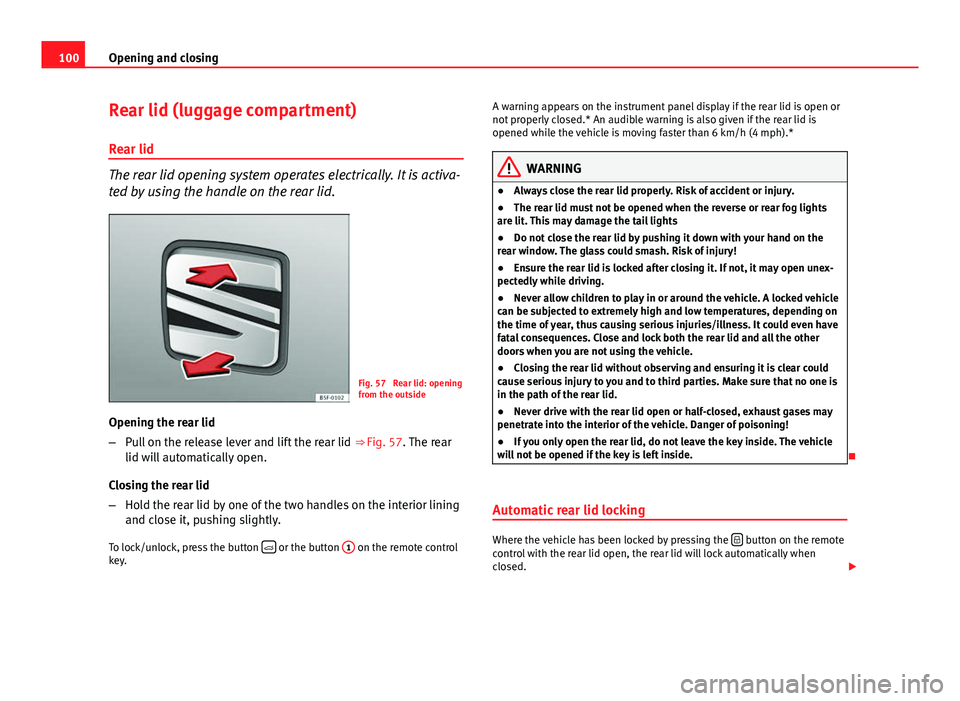
Fig. 57 Rear lid: opening
from the outside
Opening the rear lid
– Pull on the release lever and lift the rear lid ⇒ Fig. 57. The rear
lid will automatically open.
Closing the rear lid
– Hold the rear lid by one of the two handles on the interior lining
and close it, pushing slightly.
To lock/unlock, press the button
or the button
1 on the remote control
key. A warning appears on the instrument panel display if the rear lid is open or
not properly closed.* An audible warning is also given if the rear lid is
opened while the vehicle is moving faster than 6 km/h (4 mph).*
WARNING
● Always close the rear lid properly. Risk of accident or injury.
● The rear lid must not be opened when the reverse or rear fog lights
are lit. This may damage the tail lights
● Do not close the rear lid by pushing it down with your hand on the
rear window. The glass could smash. Risk of injury!
● Ensure the rear lid is locked after closing it. If not, it may open unex-
pectedly while driving.
● Never allow children to play in or around the vehicle. A locked vehicle
can be subjected to extremely high and low temperatures, depending on
the time of year, thus causing serious injuries/illness. It could even have
fatal consequences. Close and lock both the rear lid and all the other
doors when you are not using the vehicle.
● Closing the rear lid without observing and ensuring it is clear could
cause serious injury to you and to third parties. Make sure that no one is
in the path of the rear lid.
● Never drive with the rear lid open or half-closed, exhaust gases may
penetrate into the interior of the vehicle. Danger of poisoning!
● If you only open the rear lid, do not leave the key inside. The vehicle
will not be opened if the key is left inside.
Automatic rear lid locking
Where the vehicle has been locked by pressing the button on the remote
control with the rear lid open, the rear lid will lock automatically when
closed.