steering Seat Leon SC 2013 Owner's Guide
[x] Cancel search | Manufacturer: SEAT, Model Year: 2013, Model line: Leon SC, Model: Seat Leon SC 2013Pages: 339, PDF Size: 4.8 MB
Page 80 of 339
78Driver information system
In addition, a scale will inform you of the current sum of all the additional
appliances.
Saving tips
Tips on how to save fuel will be displayed in certain conditions that
contribute to increased consumption. Following these tips could
reduce the fuel consumption of your vehicle. The displays appear
automatically and will only be shown with the efficiency pro-
gramme. After a time, the saving tips will disappear automatically.
– If you wish to hide a saving tip immediately after it appears,
press any button on the windscreen wiper lever*/multifunction
steering wheel*.
Note
● If you hide a saving tip, it will reappear after you switch the ignition on
again.
● The saving tips do not appear in all situations, but rather with a large
separation of time.
Page 119 of 339
117
Lights and visibility
Vehicle with halo-
gen headlightsIn the “Leaving Home” function, the daytime running
lights (DRL), the rear side lights and the licence plate
lights are switched on.
Vehicle with full-
LED headlightsIn the “Leaving Home” function, the dipped beams,
the daytime running lights (DRL), the rear side lights
and the licence plate lights are switched on.
Activation
● When the vehicle is unlocked using the remote control.
● The “Leaving Home” function is only activated when the rotary light
switch is in position and the light sensor detects darkness.
Deactivation
● When the “Leaving Home” lights go out after the delay period (default:
30 sec.).
● When the vehicle is locked using the remote control.
● When the light control is switched into a position other than .
● With the ignition is switched on.
Headlight range control, lighting of the instrument panel
and controls
Fig. 67 Next to the
steering wheel: Head-
light range control Lighting of the instrument panel and controls*
Depending on the model, lighting of the instrument panel and controls can
be adjusted in the Easy Connect system, using the button
and the func-
tion button SETUP ⇒ page 82.
Headlight range control
The headlight range control ⇒ Fig. 67 is modified according to the value of
the headlight beam and the vehicle load status. This offers the driver opti-
mum visibility and the headlights do not dazzle oncoming drivers ⇒
.
The headlights can only be adjusted when the dipped beam is switched on.
To reset, turn switch ⇒ Fig. 67:
ValueVehicle load status a)–Two front occupants, luggage compartment empty1All seats occupied, luggage compartment empty
2All seats occupied, luggage compartment full With trailer
and minimum drawbar load
3Driver only, luggage compartment full With trailer and
maximum drawbar load
a)
If the vehicle load does not correspond to those shown in the table, it is possible to select
intermediary positions.
Dynamic headlight range control
The control is not mounted in vehicles with dynamic headlight range con-
trol. The headlight range is automatically adjusted according to the vehicle
load status when the headlights are switched on.
Instrument panel lighting
In vehicles with the daytime driving light, the instrument panel lighting
switches on in dark conditions (for example, when passing through a tun-
nel). This reminds the driver to manually switch on the dipped beam, so
that the vehicle rear lights also switch on ⇒ page 112.
Safety FirstOperating instructionsPractical TipsTechnical specifications
Page 124 of 339
122Lights and visibility
Windscreen wiper functions
Windscreen wiper performance in different situations:If the vehicle is at a stand-
still:The activated position provisionally changes
to the previous position.
During the automatic wipe:
The air conditioner comes on for approxi-
mately 30 seconds in air recirculation mode
to prevent the smell of the windscreen wash-
er fluid entering the inside the vehicle.
For the interval wipe:The intervals between wipes vary according
to the speed of the vehicle. The higher the
vehicle speed the shorter the intervals.
Heated windscreen washer jets
The heating only thaws the frozen jets, it does not thaw the water in the
washer hoses. The heated windscreen washer jets automatically adjust the
heat depending on the ambient temperature, when the ignition is switched
on.
Headlight wash/wipe system
The headlight washers/wipers clean the headlight lenses.
After the ignition is switched on, the first and every fifth time the wind-
screen washer is switched on, the headlights are also washed. Therefore,
the windscreen wiper lever should be pulled towards the steering wheel
when the dipped beam or main beam are on. Any incrusted dirt (such as in-
sects) should be cleaned regularly (e.g. when refuelling).
To ensure the headlight washers work correctly in winter, any snow which
has got into the bumper jet supports should be cleaned away. If necessary,
remove snow with an anti-icing spray.
Note
The wiper will try to wipe away any obstacles that are on the windscreen.
The wiper will stop moving if the obstacle blocks its path. Remove the ob-
stacle and switch the wiper back on again.
Windscreen wipers service position
Fig. 71 Wipers in service
position
The wiper arms can be raised when the wipers are in service position
⇒ Fig. 71. To place the windscreen wipers in the service position, proceed
as follows:
● The bonnet must be closed ⇒ page 251.
● Switch the ignition on and off.
● Press the windscreen wiper lever downwards briefly ⇒ Fig. 70 4
.
Before driving, always lower the wiper arms. Using the windscreen wiper
lever, the windscreen wiper arms return to their initial position.
Page 164 of 339
162Driving
Driving
SteeringAdjusting the steering wheel position
The height and reach of the steering wheel can be freely ad-
justed to suit the driver.
Fig. 117 Lever in the
lower left side of the
steering column
– Press the lever 1
⇒ Fig. 117 down ⇒
–
Move the steering wheel to the desired position.
– Move the lever up, applying pressure until the close position is
reached.
WARNING
● Never adjust the position of the steering wheel when the vehicle is
moving, as this could cause an accident.
● Move the lever up firmly so the steering wheel position does not acci-
dentally change during driving. risk of accident!
● Make sure you are capable of reaching and firmly holding the upper
part of the steering wheel while your back remains well supported by the
backrest: risk of accident!
Ignition lock Warning and control lamps
Lights upPossible causeSolution
Preheating of the diesel en-
gine before starting the en-
gine⇒ page 164
Foot not on the brake pedal.Press the brake model to start the
engine.
Some warning and control lamps will light up briefly when the ignition is
switched on to check certain functions. They will switch off after a few sec-
onds.
Page 165 of 339
163
Driving
WARNING
Failure to heed the warning lamps when they light up and the corre-
sponding messages may cause the vehicle to stall in traffic and cause ac-
cidents and severe injuries.
● Never ignore the warning lamps or messages.
● Stop the vehicle at the next safe opportunity.
● If the vehicle breaks down or has to be parked for repair, always park
it a safe distance away from the road, switch on the hazard warning
lights, switch off the engine and take other relevant safety measures to
warn vehicles approaching from the rear.
CAUTION
Failure to heed the control lamps when they light up and the corresponding
messages may result in damage to the vehicle. Starting the engine with the ignition key
Switch on the ignition with the key in the ignition and start
the engine.
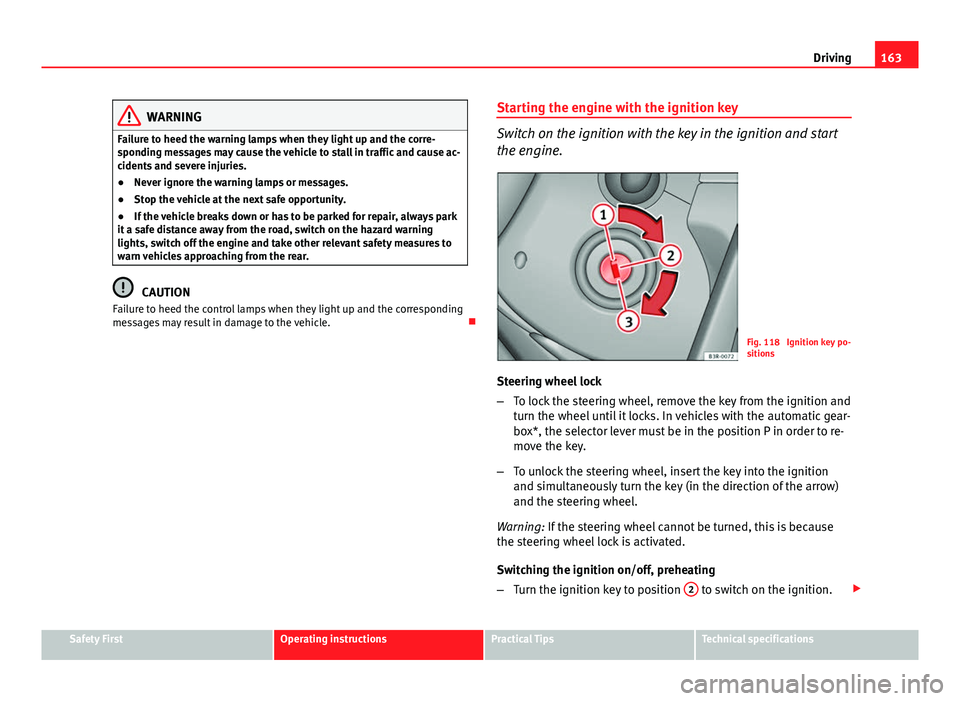
Fig. 118 Ignition key po-
sitions
Steering wheel lock
– To lock the steering wheel, remove the key from the ignition and
turn the wheel until it locks. In vehicles with the automatic gear-
box*, the selector lever must be in the position P in order to re-
move the key.
– To unlock the steering wheel, insert the key into the ignition
and simultaneously turn the key (in the direction of the arrow)
and the steering wheel.
Warning: If the steering wheel cannot be turned, this is because
the steering wheel lock is activated.
Switching the ignition on/off, preheating
– Turn the ignition key to position 2
to switch on the ignition.
Safety FirstOperating instructionsPractical TipsTechnical specifications
Page 167 of 339
165
Driving
WARNING
● Never run the engine in confined spaces, as the exhaust gases are
poisonous.
● Never remove the key from the ignition if the vehicle is in motion.
Otherwise, the steering could suddenly lock, making it impossible to
steer the vehicle: risk of accident!
● Always take the key with you when you leave the vehicle. This is par-
ticularly important if there are children in the vehicle, as they might oth-
erwise be able to start the engine or use power-operated equipment (e.g.
the electric windows), which could cause injuries.
CAUTION
Avoid high engine speeds, full throttle and extreme load conditions until
the engine has reached its normal operating temperature, otherwise this
can damage the engine.
For the sake of the environment
Do not warm up the engine by running it with the car stationary. You should
drive off as soon as you start the engine. This will help avoid unnecessary
exhaust emissions.
Note
● If it is difficult to turn the ignition key to the position 1, turn the steer-
ing wheel to both sides to release the steering lock.
● When starting from cold, the engine may be a little noisy for the first few
seconds until oil pressure has built up in the hydraulic valve lifters. This is
quite normal, and no cause for concern.
● If the vehicle battery is disconnected and reconnected, the key must re-
main in the position 1
for around 5 seconds before starting up.
● Vehicles with automatic gearbox: After switching off the ignition, you
can only remove the ignition key if the selector lever is in position “P” (park-
ing lock). Next, the selector lever is locked. Switching off the engine with the key
Switching off the engine
–
Stop the vehicle.
– Turn the ignition key to position 1
⇒ Fig. 118.
Engaging the steering wheel lock
Important: selector lever (automatic gearbox*) must be in position
P.
– Remove the key from the ignition in position 1
⇒ Fig. 118
⇒ .
– Turn the steering wheel until you hear it engage.
Possible vehicle theft is prevented with the steering lock engaged.
WARNING
● Never switch the engine off until the vehicle is stationary. The brake
servo and power steering functions will not be completely covered under
warranty. More force may also be needed to turn the steering wheel or to
brake. As you cannot steer and brake in the normal manner, there is a
greater risk of accidents and serious injury.
● Never remove the key from the ignition if the vehicle is in motion.
Otherwise, the steering could lock making it impossible to steer the vehi-
cle.
● Always take the ignition key with you whenever you leave the vehicle,
even temporarily. This is particularly important if there are children in
the vehicle, as they might otherwise be able to start the engine or use
power-operated equipment (e.g. the electric windows), which could
cause injuries.
Safety FirstOperating instructionsPractical TipsTechnical specifications
Page 169 of 339
167
Driving
Always apply the handbrake as far as it will go in order to prevent yourself
from driving with the handbrake applied by mistake ⇒
.
The handbrake warning lamp lights up when the handbrake is applied
and the ignition switched on. The warning lamp turns off when the hand-
brake is released.
If you drive faster than 6 km/h (4 mph) with the handbrake on, the following
message* will appear on the instrument panel display: HANDBRAKE ON. You
will also hear an audible warning.
WARNING
● Never use the handbrake to stop the vehicle when it is in motion. The
braking distance is considerably longer, because braking is only applied
to the rear wheels. Risk of accident!
● If the handbrake is only partially released, this will cause the rear
brakes to overheat, which can impair the function of the brake system
and could lead to an accident. This also causes premature wear on the
rear brake pads.
CAUTION
Always apply the handbrake before you leave the vehicle. The first gear
should also be selected.
Parking
The handbrake should always be firmly applied when the
vehicle is parked.
Always note the following points when parking the vehicle:
– Use the brake pedal to stop the vehicle. –
Apply the handbrake.
– Select first gear.
– Switch the engine off and remove the key from the ignition. Turn
the steering wheel slightly to engage the steering lock.
– Always take you keys with you when you leave the vehicle ⇒
.
Additional notes on parking the vehicle on gradients:
Turn the steering wheel so that the vehicle rolls against the kerb if it started
to roll.
● If the vehicle is parked facing downhill, turn the front wheels so that
they point towards the kerb .
● If the vehicle is parked facing uphill, turn the front wheels so that they
point away from the kerb .
● Secure the vehicle as normal by applying the handbrake firmly and se-
lecting first gear.
WARNING
● Take measures to reduce the risk of injury when you leave your vehi-
cle unattended.
● Never park where the hot exhaust system could ignite inflammable
materials, such as dry grass, low bushes, spilt fuel etc.
● Never allow vehicle occupants to remain in the vehicle when it is
locked. They would be unable to open the vehicle from the inside, and
could become trapped in the vehicle in an emergency. In the event of an
emergency, locked doors will delay assistance to vehicle occupants.
● Never leave children alone in the vehicle. They could set the vehicle
in motion, for example, by releasing the handbrake or the gearbox lever.
● Depending on weather conditions, it may become extremely hot or
cold inside the vehicle. This can be fatal.
Safety FirstOperating instructionsPractical TipsTechnical specifications
Page 171 of 339
169
Driving
countries with general speed limits, or if a particular speed should not be
exceeded when winter tyres are fitted etc.
Note
● Please bear in mind that, even with the speed warning function, it is still
important to keep an eye on the vehicle speed with the speedometer and to
observe the legal speed limits.
● The speed limit warning function in the version for several countries
warns you at a speed of 120 km/h (80 mph). This is a factory-set speed lim-
it.
Setting speed limit warning
You can use the radio or the Easy Connect* to set, alter or
cancel the speed limit warning.
Vehicles with radio
– Select: SETUP
button > control button
Driver assistant > Speed
warning.
Vehicles with Easy Connect
– Select: Systems control button or Vehicle systems > Driver assis-
tant > Speed warning.
The warning limit can be set from 30 to 240 km/h (20 to 150 mph). The ad-
justment is done in 10 km/h (mph) intervals. Start-Stop system*
Description and operation
The Start-Stop system helps save fuel and reduce CO 2 emissions.
In Start-Stop mode, the engine will automatically switch off when the vehi-
cle stops, when stopping at traffic lights for example. The ignition remains
switched on during the stopping phase. The engine automatically switches
back on when required.
As soon as the ignition is switched on, the Start-Stop function is automati-
cally activated.
Basic requirements for the Start-Stop mode
● The driver door must be closed.
● The driver must have their seat belt fastened.
● The bonnet must be closed.
● The vehicle must have travelled at more than 4 km/h since the last stop.
● The vehicle cannot be towing a trailer.
WARNING
● Never switch the engine off until the vehicle is stationary. The brake
servo and power steering functions will not be completely covered under
warranty. More force may also be needed to turn the steering wheel or to
brake. As you cannot steer and brake in the normal manner, there is a
greater risk of accidents and serious injury.
● Never remove the key from the ignition if the vehicle is in motion.
Otherwise, the steering could lock making it impossible to steer the vehi-
cle.
Safety FirstOperating instructionsPractical TipsTechnical specifications
Page 173 of 339
171
Driving
● The engine has not yet reached the minimum required temperature for
the Start-Stop mode.
● The interior temperature selected for the air conditioner has not yet
been reached.
● The interior temperature is very high/low.
● Defrost function button activated ⇒ page 154.
● The parking aid* is switched on.
● The battery is very low.
● The steering wheel is overly turned or is being turned.
● If there is a danger of misting.
● After engaging reverse gear.
● In case of a very steep gradient.
The indication is shown on the instrument panel display, and in addition,
the driver information system* shows, .
The engine starts by itself
During a stopping phase the normal Start-Stop mode can be interrupted in
the following situations: The engine restarts by itself without involvement
from the driver.
● The interior temperature differs from the value selected on the air condi-
tioner.
● Defrost function button activated ⇒ page 154.
● The brake has been pressed several times consecutively.
● The battery is too low.
● High power consumption.
Note
In vehicles with an automatic gearbox, if the selector lever is placed in posi-
tion D, N or S after engaging reverse gear, the vehicle must be driven at a
speed faster than 10 km/h (5 mph) for the system to return to conditions in
which the engine can be stopped. Manually switching on/off the Start-Stop system
If you do not wish to use the system, you can switch it off
manually.
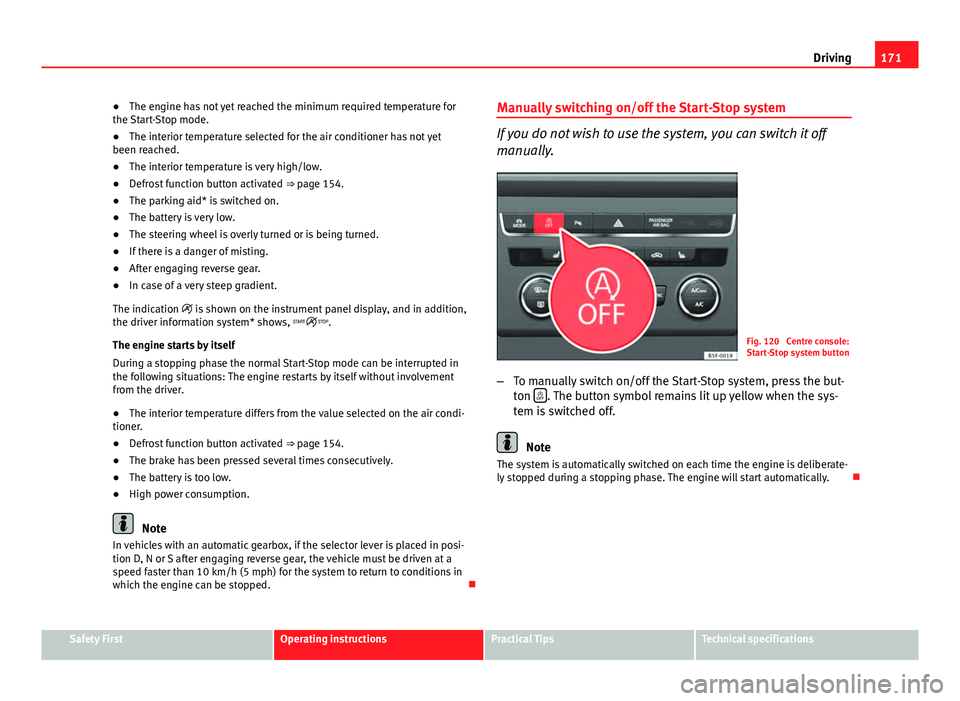
Fig. 120 Centre console:
Start-Stop system button
– To manually switch on/off the Start-Stop system, press the but-
ton
. The button symbol remains lit up yellow when the sys-
tem is switched off.
Note
The system is automatically switched on each time the engine is deliberate-
ly stopped during a stopping phase. The engine will start automatically.
Safety FirstOperating instructionsPractical TipsTechnical specifications
Page 180 of 339
178Driving
Downhill speed control*
The downhill speed control function helps the driver when
driving down steep gradients.
Downhill speed control is activated when the selector lever is in D/S and
the driver applies the foot brake. The automatic gearbox automatically en-
gages a lower gear that is suitable for the slope. The downhill speed control
function attempts to maintain the speed at which the vehicle was travelling
when the foot brake was applied (subject to the laws of physics and techni-
cal drive limitations). It may be necessary to adjust the speed again using
the foot brake in certain situations. Given that the downhill speed control
can only change down to 3rd gear, on very steep descents the tiptronic
mode may be required. In this case, manually reduce the tiptronic to 2nd or
1st gear to use the engine brake and reduce the charge on the brakes.
Downhill speed control is deactivated as soon as the road levels out again
or you press the accelerator pedal.
On vehicles with cruise control system* ⇒ page 184, downhill speed con-
trol is activated when you set a cruising speed.
WARNING
The downhill speed control cannot defy the laws of physics. Therefore,
speed cannot be maintained constant in all situations. Always be pre-
pared to use the brakes!
Changing gears in tiptronic mode*
The tiptronic gives the driver the option to change gears
manually.
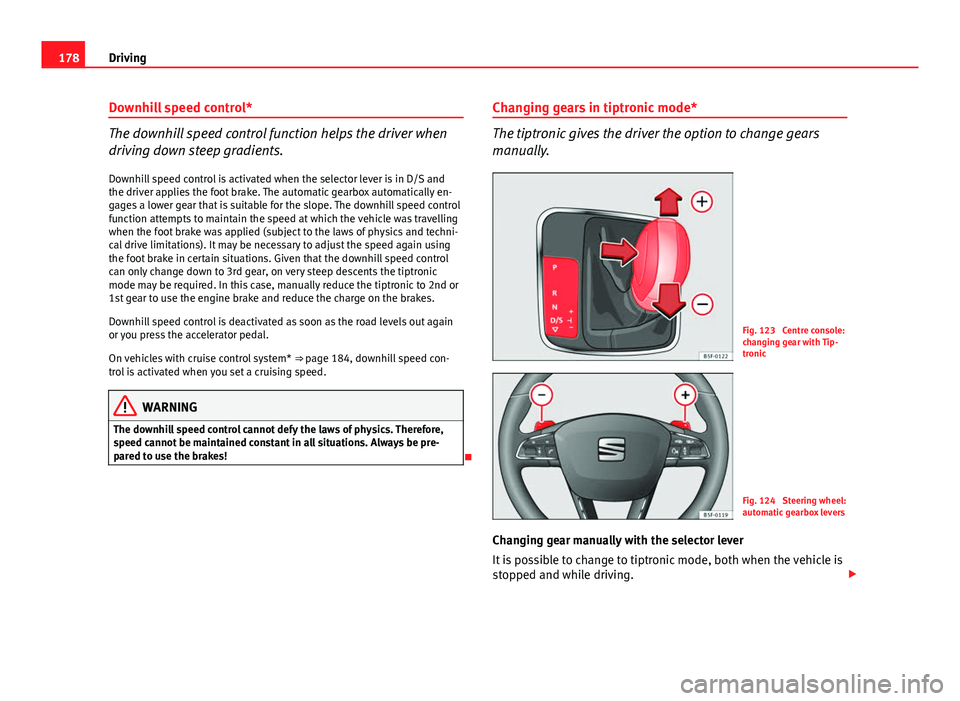
Fig. 123 Centre console:
changing gear with Tip-
tronic
Fig. 124 Steering wheel:
automatic gearbox levers
Changing gear manually with the selector lever
It is possible to change to tiptronic mode, both when the vehicle is
stopped and while driving.