steering wheel Seat Leon SC 2014 Owner's Guide
[x] Cancel search | Manufacturer: SEAT, Model Year: 2014, Model line: Leon SC, Model: Seat Leon SC 2014Pages: 284, PDF Size: 5.85 MB
Page 132 of 284
Operation
WARNING
● Never run the engine in confined spaces, as
the exhaust gases are poisonous. CAUTION
Avoid high engine speeds, full throttle and
extreme load conditions until the engine has
reached its normal operating temperature,
otherwise this can damage the engine. For the sake of the environment
Do not warm up the engine by idling it. You
should drive off as soon as you start the en-
gine. This will help avoid unnecessary ex-
haust emissions. Note
● If it is difficult to turn the ignition key to
the position 1 , turn the steering wheel to
both sides to release the steering lock.
● When starting from cold, the engine may be
a little noisy for the first few seconds until oil
pressure has built up in the hydraulic valve
lifters. This is quite normal, and no cause for
concern.
● If the vehicle battery is disconnected and
reconnected, the key must remain in the posi-
tion 1 for around 5 seconds before starting
up.
● Vehicles with automatic gearbox: after
switching off the ignition, you can only re-
move the ignition key if the selector lever is in position “P” (parking lock). Next, the se-
lector lever is locked.
Switching off the engine with the key
Switching off the engine
– Stop the vehicle.
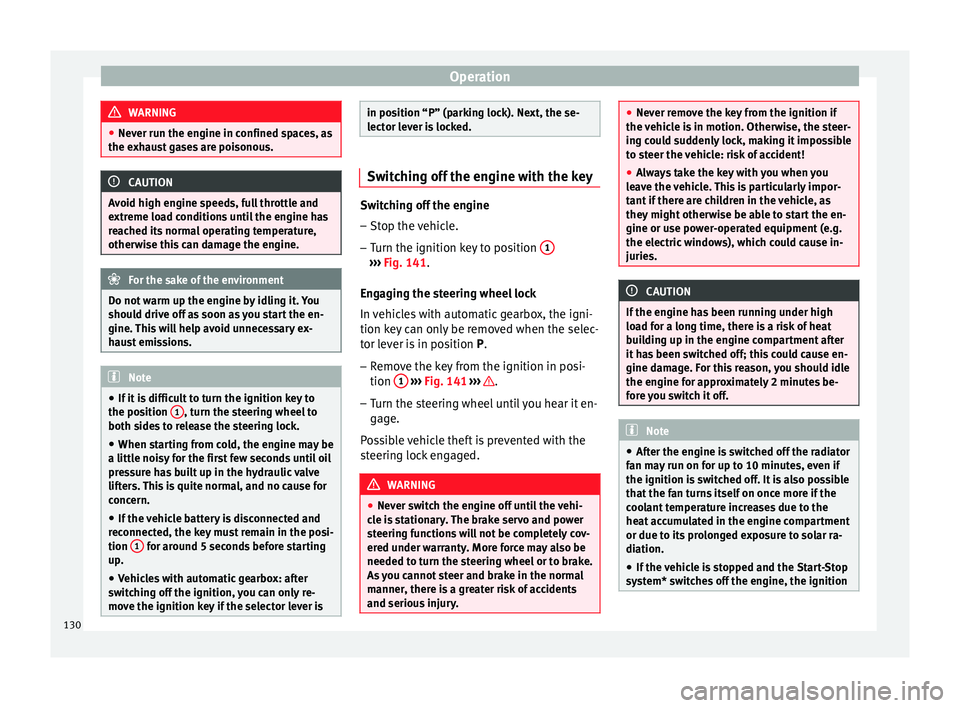
– Turn the ignition key to position 1 ›››
Fig. 141.
En g
aging the steering wheel lock
In vehicles with automatic gearbox, the igni-
tion key can only be removed when the selec-
tor lever is in position P.
– Remo
ve the key from the ignition in posi-
tion 1
››› Fig. 141
›
›› .
– Turn the steering wheel until you hear it en-
gage.
Possible vehicle theft is prevented with the
steering lock engaged. WARNING
● Never switch the engine off until the vehi-
cle is stationary. The brake servo and power
steering functions will not be completely cov-
ered under warranty. More force may also be
needed to turn the steering wheel or to brake.
As you cannot steer and brake in the normal
manner, there is a greater risk of accidents
and serious injury. ●
Never remove the key from the ignition if
the vehicle is in motion. Otherwise, the steer-
ing could suddenly lock, making it impossible
to steer the vehicle: risk of accident!
● Always take the key with you when you
leave the vehicle. This is particularly impor-
tant if there are children in the vehicle, as
they might otherwise be able to start the en-
gine or use power-operated equipment (e.g.
the electric windows), which could cause in-
juries. CAUTION
If the engine has been running under high
load for a long time, there is a risk of heat
building up in the engine compartment after
it has been switched off; this could cause en-
gine damage. For this reason, you should idle
the engine for approximately 2 minutes be-
fore you switch it off. Note
● After the engine is switched off the radiator
fan may run on for up to 10 minutes, even if
the ignition is switched off. It is also possible
that the fan turns itself on once more if the
coolant temperature increases due to the
heat accumulated in the engine compartment
or due to its prolonged exposure to solar ra-
diation.
● If the vehicle is stopped and the Start-Stop
system* switches off the engine, the ignition 130
Page 133 of 284
Driving
remains switched on. Make sure that the igni-
tion is switched off before leaving the
vehicle, otherwise the battery could dis-
charge.
Braking and parking
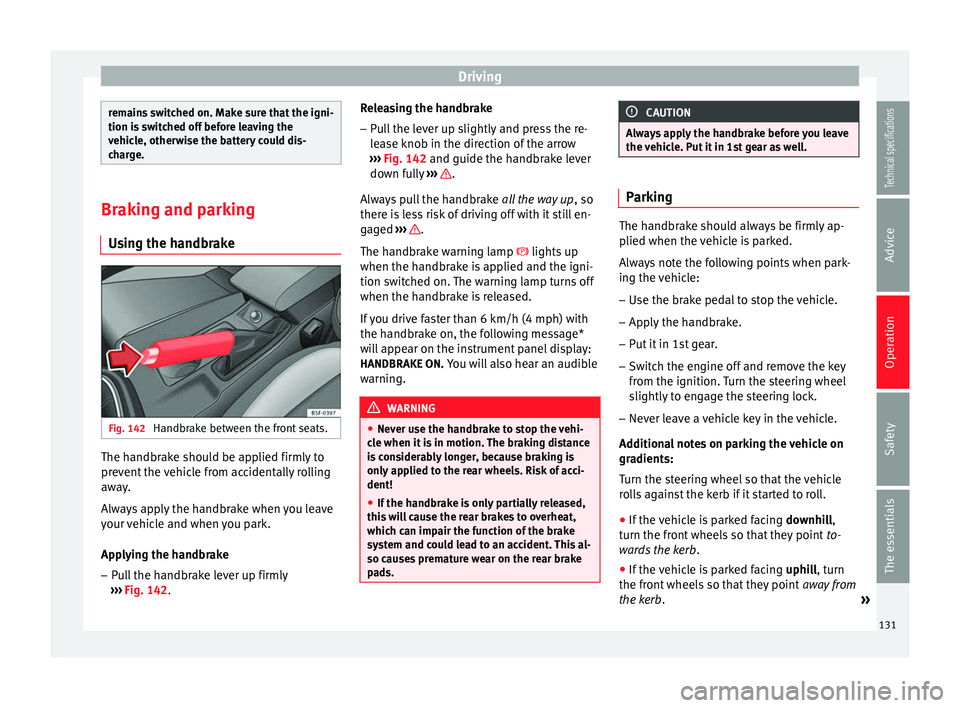
Using the handbrake Fig. 142
Handbrake between the front seats. The handbrake should be applied firmly to
prevent the vehicle from accidentally rolling
away.
Always apply the handbrake when you leave
your vehicle and when you park.
Applying the handbrake
– Pull the handbrake lever up firmly
››› Fig. 142 . R
el easing the handbrake
– Pull the lever up slightly and press the re-
lease knob in the direction of the arrow
››› Fig. 142 and guide the handbrake lever
down f
ully ››› .
Always pull the handbrake all the way up, so
there is less risk of driving off with it still en-
gaged ››› .
The handbrake warning lamp lights up
when the handbrake is applied and the igni-
tion switched on. The warning lamp turns off
when the handbrake is released.
If you drive faster than 6 km/h (4 mph) with
the handbrake on, the following message*
will appear on the instrument panel display: HANDBRAKE ON. You will also hear an audible
warning. WARNING
● Never use the handbrake to stop the vehi-
cle when it is in motion. The braking distance
is considerably longer, because braking is
only applied to the rear wheels. Risk of acci-
dent!
● If the handbrake is only partially released,
this will cause the rear brakes to overheat,
which can impair the function of the brake
system and could lead to an accident. This al-
so causes premature wear on the rear brake
pads. CAUTION
Always apply the handbrake before you leave
the vehicle. Put it in 1st gear as well. Parking
The handbrake should always be firmly ap-
plied when the vehicle is parked.
Always note the following points when park-
ing the vehicle:
– Use the brake pedal to stop the vehicle.
– Apply the handbrake.
– Put it in 1st gear.
– Switch the engine off and remove the key
from the ignition. Turn the steering wheel
slightly to engage the steering lock.
– Never leave a vehicle key in the vehicle.
Additional notes on parking the vehicle on
gradients:
Turn the steering wheel so that the vehicle
rolls against the kerb if it started to roll. ● If the vehicle is parked facing downhill,
turn the front wheels so that they point to-
wards the kerb .
● If the vehicle is parked facing uphill
, turn
the fr ont
wheels so that they point away from
the kerb
. »
131
Technical specifications
Advice
Operation
Safety
The essentials
Page 137 of 284
Driving
Note
● If the selector lever lock does not engage,
there is a fault. The transmission is interrup-
ted to prevent the vehicle from accidentally
moving. Follow the procedure below in order
for the selector lever lock to engage again:
–With a 6-speed gearbox: press the brake
pedal and release it again.
– With a 7-speed gearbox: press the brake
pedal. Move the selector lever to posi-
tion P or N and subsequently engage a
gear.
● Despite a gear being engaged, the vehicle
does not move forwards or back. Proceed to
the next mode:
– When the vehicle does not move in the
required direction, the system may not
have the gear range correctly engaged.
Press the brake pedal and engage the
gear range again.
– If the vehicle still does not move in the
required direction, there is a system mal-
function. Seek specialist assistance and
have the system checked. Changing gears in tiptronic mode*
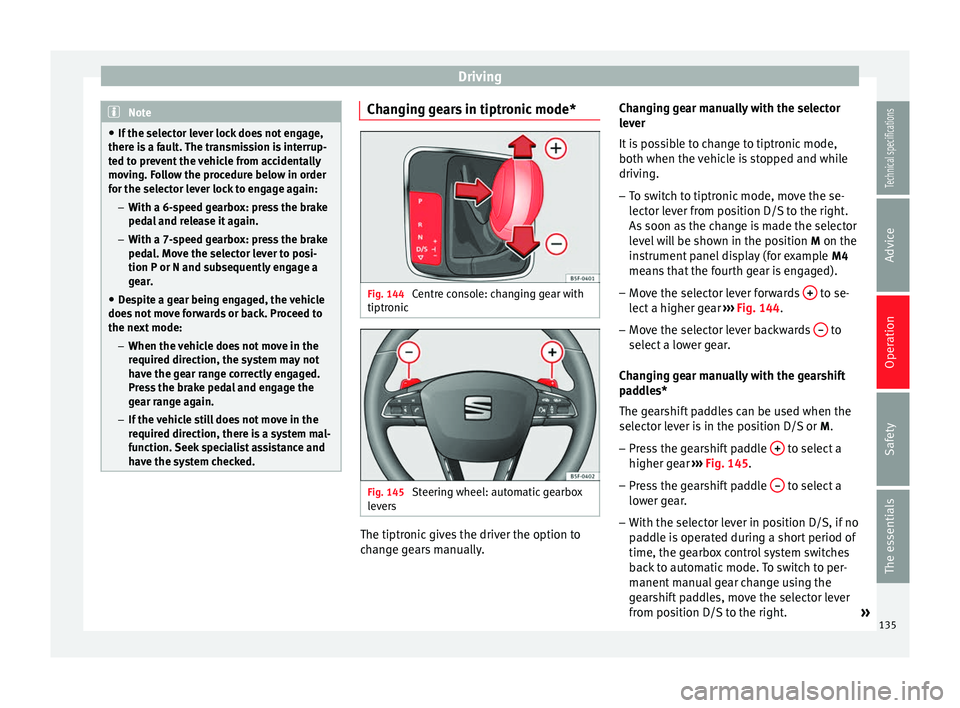
Fig. 144
Centre console: changing gear with
tiptronic Fig. 145
Steering wheel: automatic gearbox
levers The tiptronic gives the driver the option to
change gears manually.Changing gear manually with the selector
lever
It is possible to change to tiptronic mode,
both when the vehicle is stopped and while
driving.
– To switch to tiptronic mode, move the se-
lector lever from position D/S to the right.
As soon as the change is made the selector
level will be shown in the position M on the
instrument panel display (for example M4
means that the fourth gear is engaged).
– Move the selector lever forwards + to se-
lect a higher gear ››› Fig. 144 .
– Mo v
e the selector lever backwards – to
select a lower gear.
Changing gear manually with the gearshift
paddles*
The gearshift paddles can be used when the
selector lever is in the position D/S or M.
– Press the gearshift paddle + to select a
higher gear ››› Fig. 145 .
– Pr e
ss the gearshift paddle – to select a
lower gear.
– With the selector lever in position D/S, if no
paddle is operated during a short period of
time, the gearbox control system switches
back to automatic mode. To switch to per-
manent manual gear change using the
gearshift paddles, move the selector lever
from position D/S to the right.
»
135
Technical specifications
Advice
Operation
Safety
The essentials
Page 139 of 284
Driving
brakes. This could significantly reduce brak-
ing power, increase braking distance or even
result in the total failure of the brake system.
●
To avoid rolling back on gradients always
hold the vehicle with the footbrake or hand-
brake if you have to stop. CAUTION
● If you stop the vehicle on a gradient, do not
attempt to stop it from rolling by depressing
the accelerator when a gear has been selec-
ted. This could cause overheating and dam-
age the automatic gearbox. Apply the hand-
brake firmly or press the brake pedal in order
to prevent the vehicle from rolling back.
● If you allow the car to roll with the selector
lever in position N with the engine switched
off, the automatic gearbox will be damaged
as it will not be lubricated.
● In certain driving situations or traffic condi-
tions, such as frequently starting, prolonged
“creeping” of the vehicle or traffic jams with
continuous stoppages, the gearbox could
overheat causing damage! If the warning
lamp lights up, stop the vehicle as soon as
possible and wait for the gearbox to cool
››› page 139
. Kick-down feature
The kick-down feature allows maximum ac-
celeration to be reached.
When the accelerator pedal is pressed right
down past the point of resistance at full throt-
tle, the gearbox will shift down to a lower
gear, depending on road speed and engine
speed. The upshift to the next higher gear is
delayed until the engine reaches maximum
rpm.
WARNING
Please note that if the road surface is slip-
pery or wet, the kick-down feature could
cause the driving wheels to spin, which could
result in skidding. Launch Control Programme
3 Valid for vehicles: with Launch-Control/6-Speed
DSG with diesel engines superior to 125 kW and
petrol engines superior to 140 kW.
The Launch control programme enables maxi-
mum acceleration.
Important: the engine must have reached op-
erating temperature and the steering wheel
must not be turned. The engine speed for launch-control is differ-
ent on petrol and diesel engines. To use the
launch-control you must disconnect the anti-
slip regulation (ASR) through the Easy Con-
nect system menu
››› page 81. The warning
lamp will stay switched on or will flash
s
lowly depending on whether or not the vehi-
cle has a driver information system*.
On vehicles with the driver information sys-
tem, the ESC lamp lights up permanently and
the corresponding text message Stability con-
trol deactivated (temporary) appears on the
instrument panel to indicate the deactivation
status.
– When the engine is running, switch off the
traction control (ASR) 1)
.
– Turn the selector lever to the position “S”
or tiptronic, or else select the sport driving
mode from the SEAT Drive Profile*
››› page 169.
– Pre
ss the brake pedal firmly with your left
foot and hold it down for at least one sec-
ond.
– With your right foot, press the accelerator
down to the full throttle or kick-down posi-
tion. The engine speed will stabilise at
about 3,200 rpm (petrol engine) or about
2,000 rpm (diesel engine). »1)
Vehicles without driver information system: the
warning lamp flashes slowly/Vehicles with driver in-
formation system: the warning lamp stays on. 137
Technical specifications
Advice
Operation
Safety
The essentials
Page 150 of 284
Operation
Note
The Official Service or a specialist workshop
can tell you if your vehicle is equipped with
this system. Start-Stop system*
Description and operation The Start-Stop system helps save fuel and re-
duce CO
2 emissions.
In Start-Stop mode, the engine will automati-
cally switch off when the vehicle stops, when
stopping at traffic lights for example. The ig-
nition remains switched on during the stop-
ping phase. The engine automatically
switches back on when required.
As soon as the ignition is switched on, the
Start-Stop function is automatically activa-
ted.
Basic requirements for the Start-Stop mode ● The driver door must be closed.
● The driver must have their seat belt fas-
tened.
● The bonnet must be closed.
● The vehicle must have travelled at more
than 4 km/h (2 mph) since the last stop.
● The vehicle cannot be towing a trailer. WARNING
● Never switch the engine off until the vehi-
cle is stationary. The brake servo and power
steering functions will not be completely cov-
ered under warranty. More force may also be
needed to turn the steering wheel or to brake.
As you cannot steer and brake in the normal
manner, there is a greater risk of accidents
and serious injury.
● Never remove the key from the ignition if
the vehicle is in motion. Otherwise, the steer-
ing could lock making it impossible to steer
the vehicle.
● To avoid injury, make sure that the Start-
Stop system is switched off when working in
the engine compartment ››› page 149. CAUTION
The Start-Stop system must always be
switched off when driving through flooded
areas ››› page 149. Stop/Start the engine
Vehicles with a manual gearbox
– When the vehicle is stopped, put it into
neutral and release the clutch pedal. The
engine will switch off. The warning lamp
will appear on the instrument panel dis-
play. –
When the clutch pedal is pressed the en-
gine will start up again. The warning lamp
will switch off.
Vehicles with an automatic gearbox
– Use the foot brake to bring the vehicle to a
stop and keep the brake pedal pressed
down with your foot. The engine will switch
off. The warning lamp will appear in the
di s
play.
– When you take your foot off the brake pedal
the engine will start up again. The warning
lamp will switch off.
Additional information related to the
automatic gearbox
The engine stops when the selector lever is in
the positions P, D, N and S, in addition to
when in manual mode. With the selector lev-
er in position P, the engine will also remain
switched off when you take your foot off the
brake pedal. In order to start the engine up
again the accelerator must be pressed, or an-
other gear engaged or the brake released.
If the selector lever is placed in position R
during the stopping phase, the engine will
start up again.
Change from position D to P to prevent the
engine from accidentally starting when
changing and passing by position R.
148
Page 151 of 284
Driver assistance systems
Note
● You can control whether the engine should
switch off or not by reducing or increasing the
brake force applied. While the vehicle re-
mains stopped, the engine will not stop if the
brake pedal is slightly pressed, in traffic jams
with frequent stopping and starting for exam-
ple. As soon as strong pressure is applied to
the brake pedal, the engine will stop.
● In vehicles with manual gearbox, during
the stopping phases the brake pedal must re-
main depressed to prevent the vehicle from
moving.
● If the engine “stalls” in vehicles with man-
ual gearbox, it can be directly started up
again by immediately pressing the clutch
pedal. General notes
The system can interrupt the Start-Stop mode
frequently for different reasons.
The engine does not switch off
Before the stopping phase, the system veri-
fies whether certain conditions are met. The
engine
does not
sw
it ch off, in the following
situations for example:
● The engine has not yet reached the mini-
mum required temperature for the Start-Stop
mode. ●
The interior temperature selected for the air
conditioner has not yet been reached.
● The interior temperature is very high/low.
● Defrost function button activated
››› page 26.
● The park
ing aid* is switched on.
● The battery is very low.
● The steering wheel is overly turned or is be-
ing turned.
● If there is a danger of misting.
● After engaging reverse gear.
● In case of a very steep gradient.
The indication is shown on the instrument
panel display, and in addition, the driver in-
formation system* shows, .
The engine starts by itself
During a stopping phase the normal Start-
Stop mode can be interrupted in the follow-
ing situations: The engine restarts by itself
without involvement from the driver.
● The interior temperature differs from the
value selected on the air conditioner.
● Defrost function button activated
››› page 26.
● The brak
e has been pressed several times
consecutively.
● The battery is too low.
● High power consumption. Note
In vehicles with an automatic gearbox, if the
selector lever is placed in position D, N or S
after engaging reverse gear, the vehicle must
be driven at a speed faster than 10 km/h (5
mph) for the system to return to conditions in
which the engine can be stopped. Manually switching on/off the Start-
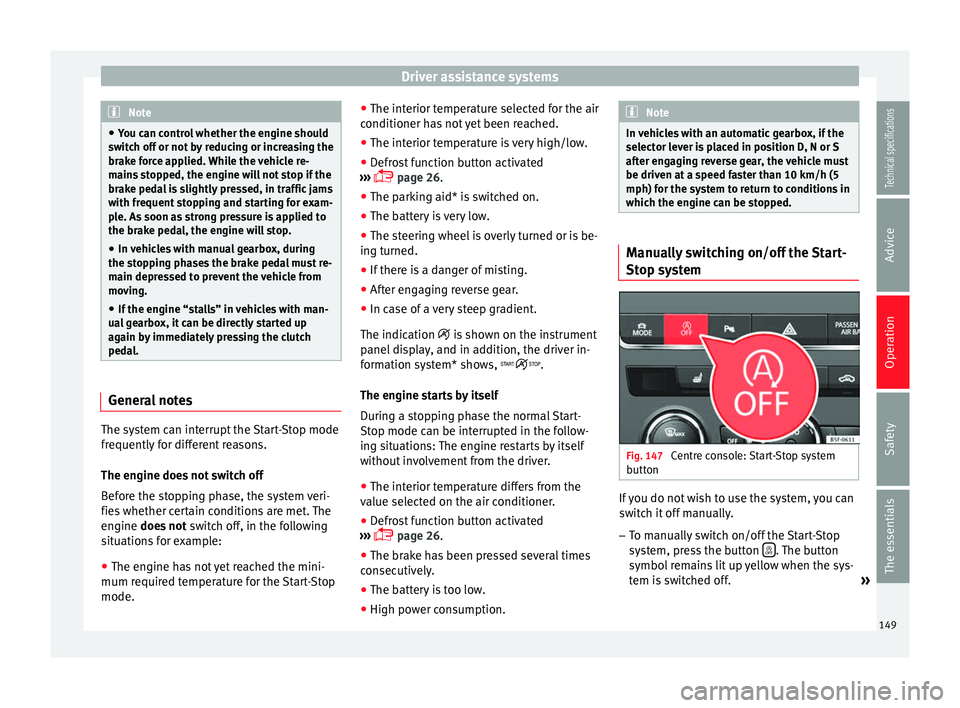
Stop system
Fig. 147
Centre console: Start-Stop system
button If you do not wish to use the system, you can
switch it off manually.
– To manually switch on/off the Start-Stop
system, press the button . The button
symbol remains lit up yellow when the sys-
tem is switched off. »
149
Technical specifications
Advice
Operation
Safety
The essentials
Page 168 of 284
Operation
in braking, such as in work areas or if there
are metal rails.
●
If the operation of the City Emergency brak-
ing function is impaired, for example, by dirt
or because the radar sensor has lost its set-
tings, the system may issue unnecessary
warnings and intervene inopportunely in the
braking.
● During driving, the City Emergency braking
function does not react to people or animals
or vehicles crossing your path or which ap-
proach you head-on in the same lane. Note
● When the City Emergency braking function
causes a braking, the brake pedal is “hard-
er”.
● Automatic interventions on the brakes by
the City Emergency braking function may be
interrupted by pressing the clutch, accelera-
tor or moving the wheel.
● The City Emergency braking function can
brake the vehicle until it stops completely.
However, the brake system does not halt the
vehicle permanently. Use the foot brake!
● If several inopportune intervenes occur,
switch off the Front Assist and with it the City
Emergency braking function. Take it to a spe-
cialised workshop, SEAT recommends visiting
a SEAT dealership.
● If numerous unnecessary interventions oc-
cur, the City Emergency braking function may
switch off automatically. Lane Assist system*
Introduction WARNING
The intelligent technology in the Lane Assist
system cannot change the limits imposed by
the laws of physics and by the very nature of
the system. Careless or uncontrolled use of
the Lane Assist system may cause accidents
and injury. The system is not a replacement
for driver awareness.
● Always adapt your speed and the distance
to the vehicles ahead in line with visibility,
weather conditions, the condition of the road
and the traffic situation.
● Always keep your hands on the steering
wheel so it can be turned at any time.
● The Lane Assist system does not detect all
road markings. The road surfaces, road struc-
tures or objects in poor condition can be in-
correctly detected as road markings under
certain circumstances by the Lane Assist sys-
tem. In such situations, switch the Lane As-
sist system off immediately.
● Please observe the indications on the in-
strument panel and act as is necessary.
● Always pay attention to the vehicle's sur-
roundings.
● When the area of vision of the camera be-
comes dirty, covered or is damaged, the Lane
Assist system function can be affected. CAUTION
In order to avoid influencing the operation of
the system, the following points must be tak-
en into account:
● Regularly clean the area of vision of the
camera and keep it in a clean state, without
snow or ice.
● Do not cover the area of vision of the cam-
era.
● Check that the area of vision of the wind-
screen camera is not damaged. Note
● The Lane Assist system has been exclusive-
ly developed for driving on paved roads only.
● If the Lane Assist system does not work as
described in this chapter, do not use it and
contact a specialised workshop.
● If there is a fault in the system, have it
checked by a specialised workshop. 166
Page 170 of 284
Operation
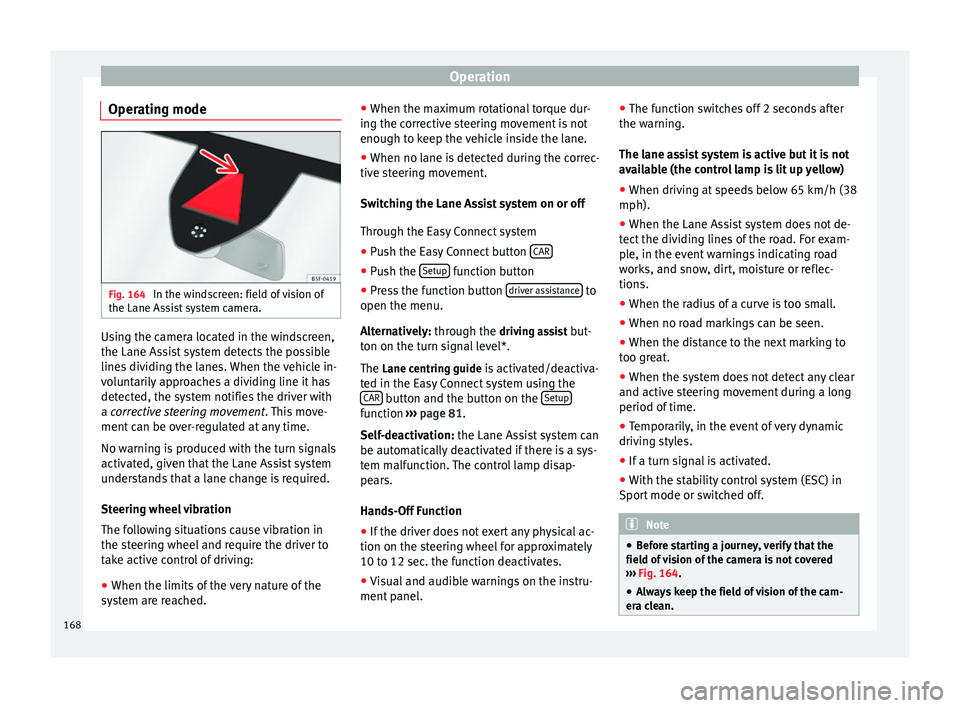
Operating mode Fig. 164
In the windscreen: field of vision of
the Lane Assist system camera. Using the camera located in the windscreen,
the Lane Assist system detects the possible
lines dividing the lanes. When the vehicle in-
voluntarily approaches a dividing line it has
detected, the system notifies the driver with
a
corrective steering movement
.
Thi s move-
ment can be over-regulated at any time.
No warning is produced with the turn signals
activated, given that the Lane Assist system
understands that a lane change is required.
Steering wheel vibration
The following situations cause vibration in
the steering wheel and require the driver to
take active control of driving:
● When the limits of the very nature of the
system are reached. ●
When the maximum rotational torque dur-
ing the corrective steering movement is not
enough to keep the vehicle inside the lane.
● When no lane is detected during the correc-
tive steering movement.
Switching the Lane Assist system on or off
Through the Easy Connect system
● Push the Easy Connect button CAR ●
Push the Setup function button
● Press the function button driver assistance to
open the menu.
Alternatively: through the driv
in
g assist but-
ton on the turn signal level*.
The Lane centring guide is activated/deactiva- ted in the Easy Connect system using the CAR button and the button on the
Setup function
››› page 81 .
Self -de
activation:
the Lane Assist system can
be automatically deactivated if there is a sys-
tem malfunction. The control lamp disap-
pears.
Hands-Off Function
● If the driver does not exert any physical ac-
tion on the steering wheel for approximately
10 to 12 sec. the function deactivates.
● Visual and audible warnings on the instru-
ment panel. ●
The function switches off 2 seconds after
the warning.
The lane assist system is active but it is not
available (the control lamp is lit up yellow)
● When driving at speeds below 65 km/h (38
mph).
● When the Lane Assist system does not de-
tect the dividing lines of the road. For exam-
ple, in the event warnings indicating road
works, and snow, dirt, moisture or reflec-
tions.
● When the radius of a curve is too small.
● When no road markings can be seen.
● When the distance to the next marking to
too great.
● When the system does not detect any clear
and active steering movement during a long
period of time.
● Temporarily, in the event of very dynamic
driving styles.
● If a turn signal is activated.
● With the stability control system (ESC) in
Sport mode or switched off. Note
● Before starting a journey, verify that the
field of vision of the camera is not covered
››› Fig. 164.
● Alw
ays keep the field of vision of the cam-
era clean. 168
Page 174 of 284
Operation
WARNING
Please note that if the road surface is slip-
pery or wet, the kick-down feature could
cause the driving wheels to spin, which could
result in skidding. Tiredness detection (break
recommendation)*
Introduction The Tiredness detection informs the driver
when their driving behaviour shows signs of
fatigue.
WARNING
Do not let the comfort afforded by the Tired-
ness detection system tempt you into taking
any risks when driving. Take regular breaks,
sufficient in length when making long jour-
neys.
● The driver always assumes the responsibil-
ity of driving to their full capacity.
● Never drive if you are tired.
● The system does not detect the tiredness of
the driver in all circumstances. Consult the in-
formation in the section ››› page 172, System
limitations.
● In some s it
uations, the system may incor-
rectly interpret an intended driving manoeu-
vre as driver tiredness. ●
No warning is given in the event of the ef-
fect called microsleep!
● Please observe the indications on the in-
strument panel and act as is necessary. Note
● Tiredness detection has been developed for
driving on motorways and well paved roads
only.
● If there is a fault in the system, have it
checked by a specialised workshop. Function and operation
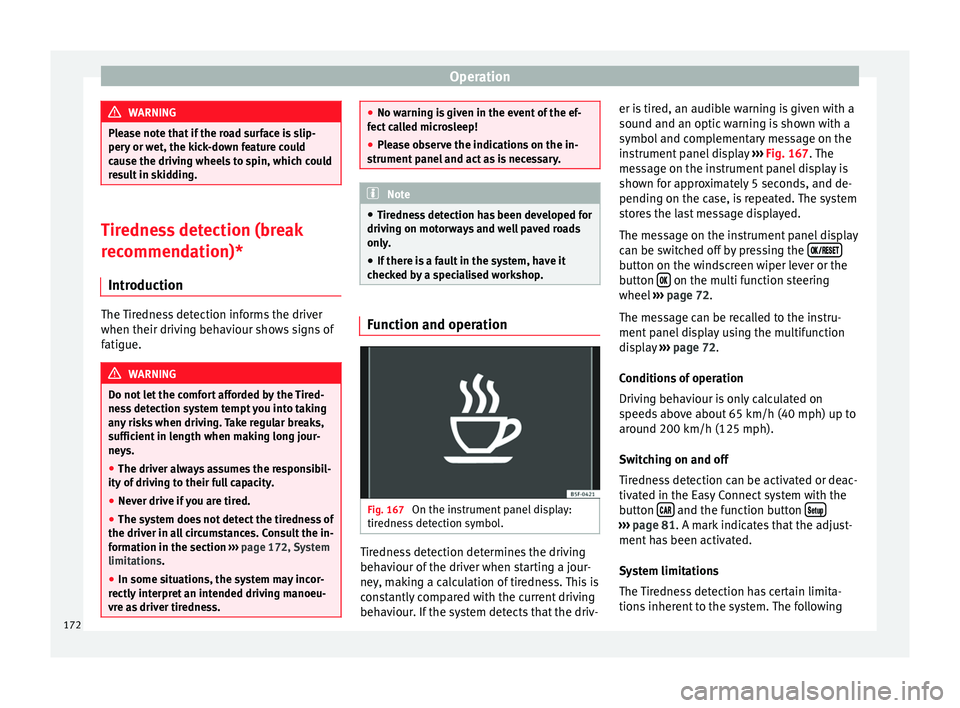
Fig. 167
On the instrument panel display:
tiredness detection symbol. Tiredness detection determines the driving
behaviour of the driver when starting a jour-
ney, making a calculation of tiredness. This is
constantly compared with the current driving
behaviour. If the system detects that the driv-er is tired, an audible warning is given with a
sound and an optic warning is shown with a
symbol and complementary message on the
instrument panel display
››› Fig. 167 . The
me s
sage on the instrument panel display is
shown for approximately 5 seconds, and de-
pending on the case, is repeated. The system
stores the last message displayed.
The message on the instrument panel display
can be switched off by pressing the button on the windscreen wiper lever or the
button
on the multi function steering
wheel ››› page 72 .
The me s
sage can be recalled to the instru-
ment panel display using the multifunction
display ››› page 72.
Condition
s of operation
Driving behaviour is only calculated on
speeds above about 65 km/h (40 mph) up to
around 200 km/h (125 mph).
Switching on and off
Tiredness detection can be activated or deac-
tivated in the Easy Connect system with the
button and the function button
›››
page 81 . A mark indicates that the adjust-
ment h
as been activated.
System limitations
The Tiredness detection has certain limita-
tions inherent to the system. The following
172
Page 177 of 284
Driver assistance systems
As you approach the obstacle, the time inter-
val between the audible warnings will be re-
duced.
If you maintain separation from the obstacle,
the volume of the warning begins to reduce
after four seconds (does not affect the tone
of the constant warning).
Activating/Deactivating Fig. 169
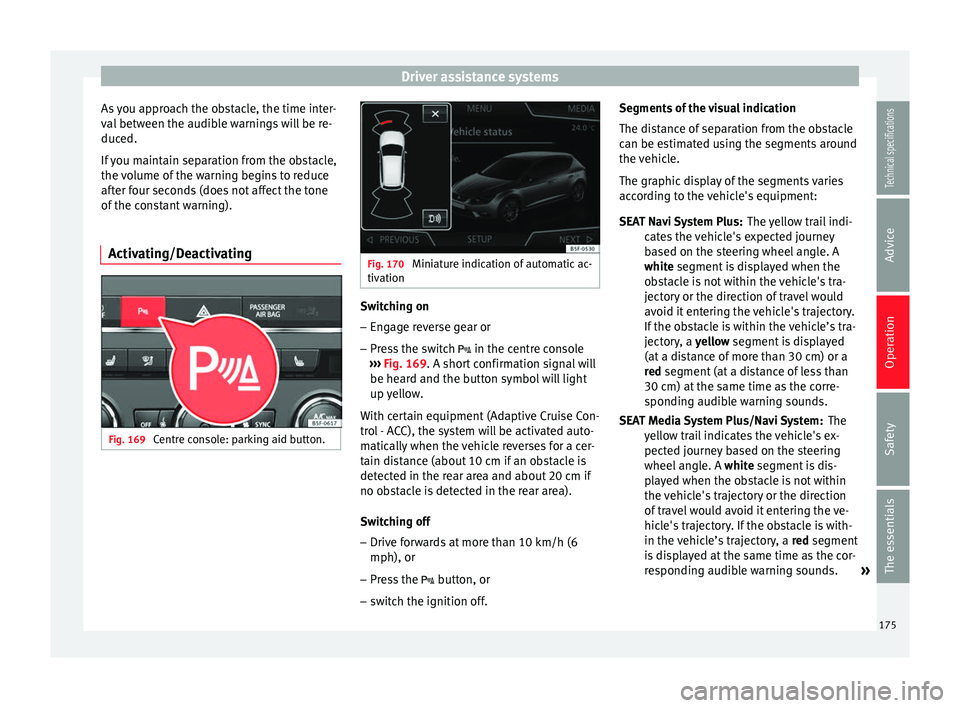
Centre console: parking aid button. Fig. 170
Miniature indication of automatic ac-
tivation Switching on
– Engage reverse gear or
– Press the switch in the centre console
››› Fig. 169 . A short confirmation signal will
be he ar
d and the button symbol will light
up yellow.
With certain equipment (Adaptive Cruise Con-
trol - ACC), the system will be activated auto-
matically when the vehicle reverses for a cer-
tain distance (about 10 cm if an obstacle is
detected in the rear area and about 20 cm if
no obstacle is detected in the rear area).
Switching off
– Drive forwards at more than 10 km/h (6
mph), or
– Press the button, or
– switch the ignition off. Segments of the visual indication
The distance of separation from the obstacle
can be estimated using the segments around
the vehicle.
The graphic display of the segments varies
according to the vehicle's equipment:
The yellow trail indi-
cates the vehicle's expected journey
based on the steering wheel angle. A
white
segment is displayed when the
obstacle is not within the vehicle's tra-
jectory or the direction of travel would
avoid it entering the vehicle's trajectory.
If the obstacle is within the vehicle’s tra-
jectory, a yellow segment is displayed
(at
a distance of more than 30 cm) or a
red
segment (at a distance of less than
30 cm) at the same time as the corre-
sponding audible warning sounds.
The
yellow trail indicates the vehicle's ex-
pected journey based on the steering
wheel angle. A white segment is dis-
pl
ayed when the obstacle is not within
the vehicle's trajectory or the direction
of travel would avoid it entering the ve-
hicle's trajectory. If the obstacle is with-
in the vehicle’s trajectory, a red
segment
is displayed at the same time as the cor-
responding audible warning sounds. »
SEAT Navi System Plus:
SEAT Media System Plus/Navi System:
175
Technical specifications
Advice
Operation
Safety
The essentials