parking brake Seat Leon SC 2017 Owner's Guide
[x] Cancel search | Manufacturer: SEAT, Model Year: 2017, Model line: Leon SC, Model: Seat Leon SC 2017Pages: 332, PDF Size: 7.25 MB
Page 210 of 332
Operation
Auto Hold Function* D e
s
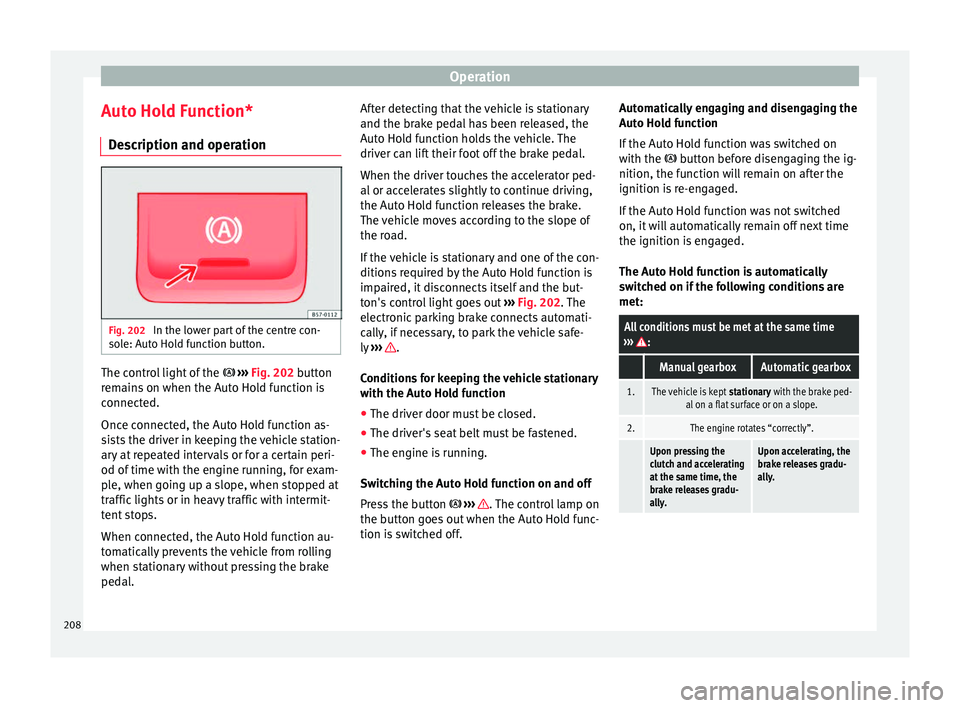
cription and operation Fig. 202
In the lower part of the centre con-
so l
e: Aut
o Hold function button. The control light of the
› ›
›
Fig. 202 button
remains on when the Auto Hold function is
connected.
Once connected, the Auto Hold function as-
sists the driver in keeping the vehicle station-
ary at repeated intervals or for a certain peri-
od of time with the engine running, for exam-
ple, when going up a slope, when stopped at
traffic lights or in heavy traffic with intermit-
tent stops.
When connected, the Auto Hold function au-
tomatically prevents the vehicle from rolling
when stationary without pressing the brake
pedal. After detecting that the vehicle is stationary
and the brake ped
al has been released, the
Auto Hold function holds the vehicle. The
driver can lift their foot off the brake pedal.
When the driver touches the accelerator ped-
al or accelerates slightly to continue driving,
the Auto Hold function releases the brake.
The vehicle moves according to the slope of
the road.
If the vehicle is stationary and one of the con-
ditions required by the Auto Hold function is
impaired, it disconnects itself and the but-
ton's control light goes out ››› Fig. 202. The
electronic parking brake connects automati-
cally, if necessary, to park the vehicle safe-
ly ››› .
C ondition
s
for keeping the vehicle stationary
with the Auto Hold function
● The driver door must be closed.
● The driver's seat belt must be fastened.
● The engine is running.
Switc
hing the Auto Hold function on and off
Press the button ››› . The control lamp on
the b utt
on g
oes out when the Auto Hold func-
tion is switched off. Automatically engaging and disengaging the
Auto Hol
d function
If the Auto Hold function was switched on
with the button before disengaging the ig-
nition, the function will remain on after the
ignition is re-engaged.
If the Auto Hold function was not switched
on, it will automatically remain off next time
the ignition is engaged.
The Auto Hold function is automatically
switched on if the following conditions are
met:
All conditions must be met at the same time
››› :
Manual gearboxAutomatic gearbox
1.The vehicle is kept stationary with the brake ped-
al on a flat surface or on a slope.
2.The engine rotates “correctly”.
Upon pressing the
clutch and accelerating
at the same time, the
brake releases gradu-
ally.Upon accelerating, the
brake releases gradu-
ally. 208
Page 211 of 332

Driver assistance systems
The Auto Hold function is automatically
t urned off
if
the following conditions are
met:
Manual gearboxAutomatic gearbox
1.
If any of the conditions mentioned on
››› page 208, Conditions for keeping the vehicle
stationary with the Auto Hold function are no lon- ger met.
2.If the engine is running irregularly or an anomalyis detected.
3.If the engine is turnedoff or stalls.If the engine is switch- ed off.
4.The clutch and the ac-
celerator are pressed at the same time.If the accelerator is pressed.
5.
If any of the tyres hasonly minimal contact
with the ground, e.g. in the case of axle articu- lation. WARNING
The smart technology incorporated into the
Auto Ho l
d function cannot defy the laws of
physics; it only works within the limits of the
system. The greater convenience provided by
the Auto Hold function should never tempt
you to take any risk that may compromise
safety.
● Never leave the vehicle running and with
the Auto Hol
d function switched on. ●
The Auto Ho l
d function cannot always keep
the vehicle stationary uphill or downhill or
stop it sufficiently, for example, on slippery
or frozen surfaces. Note
Before entering a car wash, always switch off
the Aut o Hol
d function, because if the elec-
tronic parking brake is automatically connec-
ted, it may cause damage. Cruise control system (CCS)*
Oper ation Fig. 203
Instrument panel display: CCS status
indic ation s. Read the additional information carefully
› ›
›
page 45
The cruise control system (CCS) is able to
maintain the set speed from 20 km/h (15
mph).
The CSS only reduces vehicle speed by ceas-
ing to accelerate, not by actively braking the
vehicle ››› .
C ontr
o
l lamp
When the warning lamp is lit, cruise con-
trol is active.
Several warning and control lamps light up
for a few seconds when the ignition is switch-
ed on, signalling that the function is being
verified. They will switch off after a few sec-
onds.
Displayed on the CCS screen
Status Fig. 203:
CCS temporarily switched off. The set
speed is displayed in small figures.
System error. Contact a specialised work-
shop.
CCS switched on. The speed memory is
empty.
The CCS is switched on. The set speed is
displayed in large figures. »
A B
C
D
209
Technical data
Advice
Operation
Emergencies
Safety
Page 214 of 332

Operation
●
The Front As
sist does not react to animals
or vehicles crossing your path or approaching
head-on down the same lane.
● The Front Assist does not react to pedes-
trians
walking in the same direction or ap-
proaching head-on down the same lane.
● The driver must always be ready to take
over the c
ontrol of the vehicle.
● When the Front Assist causes a braking,
the brake ped
al is “harder”.
● Automatic interventions by the Front Assist
on the brake
s may be interrupted by pressing
the clutch, accelerator or moving the wheel. Note
● When the Front As
sist is connected, the in-
dications on the instrument panel screen may
be concealed by warnings from other func-
tions, such as an incoming call.
● When the Front Assist causes a braking,
the brake ped
al is “harder”.
● Automatic interventions by the Front Assist
on the brake
s may be interrupted by pressing
the clutch, accelerator or moving the wheel.
● The Front Assist may brake the vehicle until
it st
ops completely. However, the brake sys-
tem does not halt the vehicle permanently.
Use the foot brake!
● If the Front Assist does not work as descri-
bed in this c
hapter (e.g. in intervenes several
times unnecessarily), switch it off. Have the
system checked by a specialised workshop.
SEAT recommends visiting a SEAT dealership. Radar sensor
Fig. 205
On the front bumper: radar sensor. A radar sensor is installed on the front bump-
er t
o det
ermine the tr
affic situation
››› Fig. 205 1 .
The r a
d
ar sensor's visibility may be impaired
by dirt, mud or snow, or by environmental in-
fluences such as rain or mist. In this case, the
Front Assist does not work. The instrument
panel displays the following message:
Front Assist: No sensor vision! If
necessary clean the radar sensor ››› .
When the r a
d
ar sensor begins to operate
properly again, the Front Assist will automati-
cally be available again. The message will
disappear from the instrument panel display.
Front Assist operation may be affected by a
strong radar reverse reflection. This may oc-
cur, for example, in a closed car park or due to the presence of metallic objects (e.g. rails
on the roa
d or sheets used in road works).
The area in front of and around the radar sen-
sor should not be covered with adhesives,
additional or similar headlights, as this may
negatively affect Front Assist operation.
If the front of the vehicle is not properly re-
paired or structural modifications are made
to it, for example if the suspension is low-
ered, Front Assist operation may be affected.
SEAT recommends visiting a SEAT dealership
for this purpose. CAUTION
If you have the sensation that the radar sen-
sor is d
amaged or has lost its settings, dis-
connect the Front Assist. This will avoid pos-
sible dangerous situations caused by a sys-
tem malfunction. If this occurs have it adjus-
ted.
● The sensor may become damaged or lose
its settin
gs when knocked, for example, dur-
ing a parking manoeuvre. This may compro-
mise the system's efficacy or disconnect it.
● Repairs to the radar sensor require special-
ist
knowledge and special tools. SEAT recom-
mends visiting a SEAT dealership for this pur-
pose.
● A registration plate or plate holder on the
front th
at is larger than the space for the reg-
istration plate, or a registration plate that is
curved or warped can cause the radar to mal-
function. 212
Page 222 of 332
Operation
ACC: parking brake applied
The A C
C is deactivated if the parking brake is
applied. The ACC is available once again after
the parking brake is released.
ACC: currently not available.
Intervention of stability con-
trol
The message for the driver is displayed when
the electronic stability control (ESC) inter-
venes. In this case, the ACC is automatically
switched off. ACC: Take action!
The message for the driver is displayed if,
when the vehicle starts up on a hill with a
mild slope, the vehicle rolls back even al-
though the ACC is activated. Apply the brake
to stop the vehicle from moving/colliding
with another vehicle. ACC: speed limit
The message for the driver is displayed if, in
vehicles with manual gearbox, the current
speed is too low for the ACC mode.
The speed to be stored must be at least
30 km/h (18 mph). The speed limiter
switches off if the speed falls below 20 km/h
(12 mph). ACC: available as of the 2nd
gear The ACC is operational as of the 2nd gear
(manual g
earbox).
ACC: engine speed
The message for the driver is displayed if,
when the ACC accelerates or brakes, the driv-
er does not shift up or down a gear in time,
which means exceeding or not reaching the
permissible engine speed. The ACC switches
itself off. A buzzer warning is heard. ACC: clutch pressed
Vehicles with a manual gearbox: pressing the
clutch pedal for longer abandons control
mode. Door open
Vehicles with automatic gearbox: the ACC
cannot be activated with the vehicle station-
ary and the door open. WARNING
There is a danger of rear collision when the
minimum dis t
ance to the vehicle in front is
exceeded and the speed difference between
both vehicles is so great that a speed reduc-
tion by the ACC will not suffice. In this case
the brake pedal should be applied immedi-
ately.
● The ACC may not be able to detect all situa-
tions pr
operly.
● “Stepping” on the accelerator may cause
the ACC
not to intervene in braking. Driver braking will have priority over intervention by
the speed c
ontr
ol or adaptive cruise control.
● Always be ready to use the brakes!
● Observe country-specific provisions gov-
erning ob
ligatory minimum distances be-
tween vehicles. Note
● The pr ogrammed s
peed is erased once the
ignition or the ACC are switched off.
● When the traction control system (ASR) is
deactivat
ed during acceleration or else the
ESC is activated in Sport* Mode
( ››› page 120), the ACC switches off automati-
cally.
● In vehicles with the Start-Stop system, the
engine swit
ches off automatically during the
ACC stopping phase and restarts automatical-
ly to begin driving. 220
Page 231 of 332

Driver assistance systems
If the remaining braking distance is suffi-
c ient, if
nec
essary the system slows down the
vehicle until it stops completely and auto-
matically switches on the electronic parking
brake ››› page 183.
Switching the Emergency Assist on and off
The Emergency Assist is switched on auto-
matically when the Lane Assist is switched on
››› page 224.
Technical requirements for using the Emer-
gency Assist
● The adaptive cruise control (ACC) must be
switc
hed on ››› page 214.
● The Lane Assist must be switched on
›››
page 224.
● The selector lever must be in the D/S posi-
tion or in the
Tiptronic selector gate.
● The system must have detected a lane sep-
aration line on both side
s of the vehicle
››› Fig. 218.
The following conditions may cause the
Emergency Assist not to react or to switch off
automatically:
● If the driver accelerates, brakes or moves
the steerin
g wheel.
● If any of the conditions mentioned in
›››
page 229, Technical requirements for us-
ing the Emergency Assist are not fulfilled.●
If any
of the conditions required for opera-
tion of the Lane Assist are not met
››› page 224.
● If any of the conditions necessary for the
adaptiv
e cruise control (ACC) to work are no
longer fulfilled ››› page 214. WARNING
The smart technology incorporated into the
Emerg ency
Assist cannot overcome the limits
imposed by the laws of physics; it only works
within the limits of the system. The driver is
responsible for driving the vehicle.
● Adapt your speed and safe distance to the
vehicl
e in front of you at all times to suit the
visibility, weather, road and traffic condi-
tions.
● Keep your hands on the wheel at all times
to be re
ady to intervene in the steering at any
time.
● The Emergency Assist alone cannot always
avoid acc
idents or serious injuries.
● If the operation of the Emergency Assist is
impaired, f
or example if the radar sensor of
the adaptive cruise control (ACC) or the Lane
Assist camera are covered or have lost their
settings, the system may intervene inoppor-
tunely in braking or in steering.
● The Emergency Assist does not react to
people or anim
al or vehicles crossing your
path or which approach you head-on in the
same lane. WARNING
If the Emergency Assist Intervenes inoppor-
tu nely
, serious accidents and injuries may oc-
cur.
● If the Emergency Assist does not operate
properly, sw
itch off the Lane Assist
››› page 224. Doing so will also switch off the
Emergency Assist.
● Have the system checked by a specialised
workshop
. SEAT recommends visiting a SEAT
dealership for this. Note
● Autom atic
interventions by the Emergency
Assist on the brakes may be interrupted by
pressing the accelerator or brake or by mov-
ing the wheel.
● Hazard warning lights that come on auto-
matica
lly can be switched off by pressing the
accelerator or the break, moving the steering
wheel or pressing the hazard warning light
switch.
● If this occurs, the Emergency Assist may
deceler
ate the vehicle until it comes to a com-
plete stop.
● When the Emergency Assist is activated, it
is on
ly available again after the ignition has
been switched off and back on again. 229
Technical data
Advice
Operation
Emergencies
Safety
Page 244 of 332
Operation
Automatic activation
on
– activ
at
es the Automatic activa-
tion option ››› page 240.
off – deactivates the Automatic ac-
tivation option ››› page 240.
Front volume*
Volume in the front and rear area.
Front sound settings/sharpness*
Frequency (tone) of the sound in the front
area.
Rear volume*
Volume in the rear area.
Rear sound settings/sharpness*
Frequency (tone) of the sound in the rear
area.
Adjust volume
With the parking aid switched on, the active
audio/video source volume will be reduced
to the intensity of the selected setting.
Error messages When the Parking Aid is activated or when it
i
s
sw
itched on, if a message reporting a Park- ing aid error is displayed on the instrument
panel, there i
s a fault in the system.
If the fault doesn't disappear before discon-
necting the ignition, next time that parking
aid is engaged in reverse, it will not be indi-
cated.
Parking System Plus*
If there is a fault in the parking aid system a
message will appear on the instrument panel
indicating the error. In addition the key
LED will blink.
If there is a fault in a sensor, the symbol is
displayed on the Easy Connect display in
front of/behind the vehicle. If a rear sensor is
faulty, only the obstacles in the areas A and
B are displayed
››
›
Fig. 225. If a front sensor
is faulty, only the obstacles in the areas C and
D are displayed.
Hav e the f
au
lt corrected by a specialised
workshop without delay.
Towing bracket In vehicles equipped with a towing bracket
dev
ic
e fr
om the factory, when the trailer is
connected electrically, the Parking Aid rear
sensors will not be activated when reverse
gear is engaged, when the selector lever is
turned to position R or when the button is
pressed. Parking System Plus
The dist
ance to possible obstacles at the rear
of the vehicle will not be displayed on the
screen and nor will it be indicated by means
of audible sound signals.
The Easy Connect system screen will only dis-
play objects detected at the front, and the ve-
hicle's trajectory will be hidden.
Braking while manoeuvring function* 3 Only
valid with Parking System Plus
As
soon as an obstacle is detected while re-
versing, the braking while manoeuvring func-
tion activates the emergency braking. De-
pending on the equipment, the braking while
manoeuvring function can also activate
emergency braking while moving forwards.
The emergency braking function is used to
minimise collisions. Vehicle speed must not
be higher than 10 km/h.
The braked manoeuvre function is active or
inactive when the parking light is lit or off, re-
spectively. If an emergency braking is activa-
ted, the function will remain inactive until the
gear is changed.
The Parking System’s limitations apply.
The braking while manoeuvring function is
controlled in the Easy Connect system with
242
Page 246 of 332
Operation
Note
● It i s
important to take great care and pay
special attention if you are not yet familiar
with the system.
● Rear assist will not be available if the vehi-
cle's
rear lid is open. Instructions for use
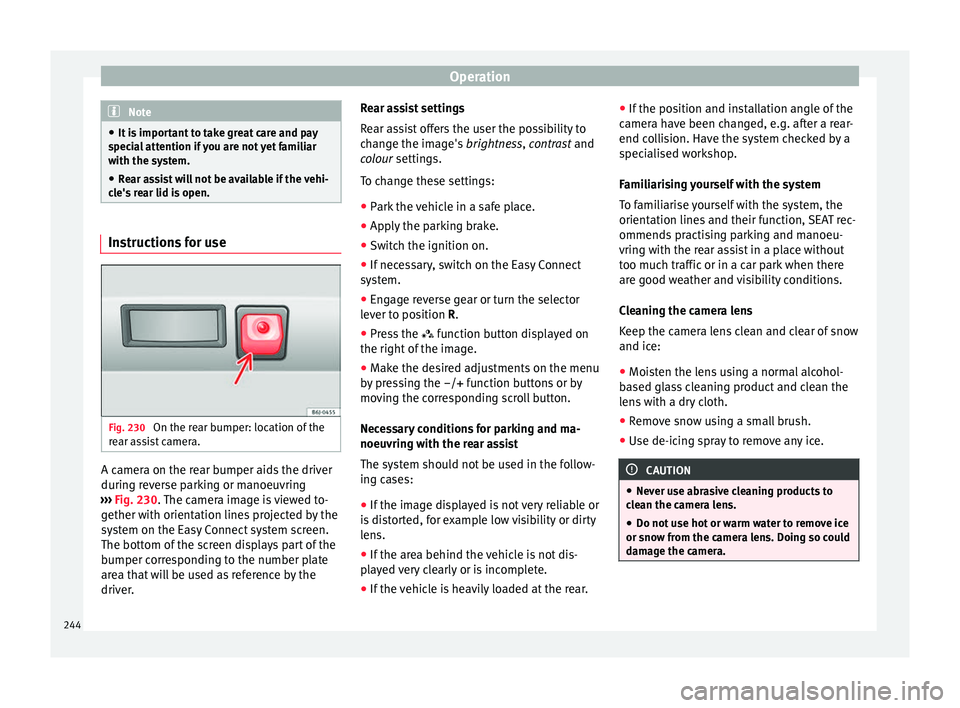
Fig. 230
On the rear bumper: location of the
r e
ar a
ssist camera. A camera on the rear bumper aids the driver
durin
g r
ev
erse parking or manoeuvring
››› Fig. 230. The camera image is viewed to-
gether with orientation lines projected by the
system on the Easy Connect system screen.
The bottom of the screen displays part of the
bumper corresponding to the number plate
area that will be used as reference by the
driver. Rear assist settings
Rear a
ssist offers the user the possibility to
change the image's brightness, contrast and
colour settings.
To change these settings:
● Park the vehicle in a safe place.
● Apply the parking brake.
● Switch the ignition on.
● If necessary, switch on the Easy Connect
syst
em.
● Engage reverse gear or turn the selector
lever t
o position R.
● Press the function b
utton displayed on
the right of the image.
● Make the desired adjustments on the menu
by pr
essing the –/+ function buttons or by
moving the corresponding scroll button.
Necessary conditions for parking and ma-
noeuvring with the rear assist
The system should not be used in the follow-
ing cases:
● If the image displayed is not very reliable or
is di
storted, for example low visibility or dirty
lens.
● If the area behind the vehicle is not dis-
pla
yed very clearly or is incomplete.
● If the vehicle is heavily loaded at the rear. ●
If the pos
ition and installation angle of the
camera have been changed, e.g. after a rear-
end collision. Have the system checked by a
specialised workshop.
Familiarising yourself with the system
To familiarise yourself with the system, the
orientation lines and their function, SEAT rec-
ommends practising parking and manoeu-
vring with the rear assist in a place without
too much traffic or in a car park when there
are good weather and visibility conditions.
Cleaning the camera lens
Keep the camera lens clean and clear of snow
and ice:
● Moisten the lens using a normal alcohol-
based gl
ass cleaning product and clean the
lens with a dry cloth.
● Remove snow using a small brush.
● Use de-icing spray to remove any ice. CAUTION
● Never u se abr
asive cleaning products to
clean the camera lens.
● Do not use hot or warm water to remove ice
or snow fr
om the camera lens. Doing so could
damage the camera. 244
Page 260 of 332
Advice
Automatic car washes
B ef
or
e going through a car wash, be sure to
take the usual precautions (closing the win-
dows, roof and rear-view mirrors). If the vehi-
cle has special accessories such as spoilers
or a roof rack or two-way radio aerial, etc., it
is advisable to consult the car wash tunnel
operator.
It is best to use a car wash without revolving
bristles if possible.
Washing the vehicle with a high pressure
cleaner
When washing the vehicle with a high-pres-
sure cleaner, always follow the operating in-
structions for the equipment. This applies
particularly to the operating pressure and the
spraying distance. Do not hold the nozzle too
close to soft materials such as rubber hoses
or seals. The same applies to the parking aid
sensors*, which are located in the rear bump-
er.
Do not use a nozzle that sprays the water out
in a direct stream or one that has a rotating
jet for forcing off dirt.
Factory-fitted adhesive sheets
The following indications should be taken in-
to account to avoid damaging adhesive
sheets:
● Do not use high pressure cleaners. ●
Do not use s crapers to remove ice or snow
from the sheets.
● Do not polish the adhesive sheets.
● Do not use dirty cloths or sponges.
● It is preferable to wash them with a soft
spong
e and gentle neutral soap.
Washing the car by hand
When washing the car by hand, use plenty of
water to soften the dirt first, and rinse off as
well as possible.
Then clean the vehicle with a soft sponge,
glove or brush using only slight pressure.
You should start on the roof and work down.
Special car soap should only be used for very
persistent dirt.
Rinse the sponge or glove thoroughly and of-
ten.
Wheels, sills and similar should be cleaned
last. Use a second sponge for this. WARNING
● The v ehic
le should only be washed with the
ignition switched off. Failure to follow this in-
struction could result in an accident.
● Do not clean the underside of chassis, the
inside of
wheel arches or wheel trims without
protecting your hands and arms. You may cut
yourself on sharp-edged metal parts. Other-
wise, there is a risk of sustaining cuts. ●
When wa shin
g the car during the winter
season: water and ice in the brake system
can reduce braking effectiveness: risk of acci-
dent! CAUTION
● Do not wa
sh the vehicle in direct sunlight –
otherwise the paint can be damaged.
● Do not use sponges, abrasive household
spong
es or similar to clean insect remains.
This could damage the surface.
● Clean off stubborn dirt (insects, etc.) from
the headlight
s at regular intervals, for in-
stance when filling the fuel tank. The head-
lights should only be washed with water, do
not wipe them with a dry cloth or sponge. It
is best to use soapy water.
● Never wash tyres with a jet that sprays the
water out
in a direct stream. This could dam-
age the tyres even if the spray is kept at a
distance and only used for a very short time.
● Before washing the vehicle in an automatic
car wa
sh, please make sure to retract the ex-
terior mirrors to prevent them from being
damaged. Electrically retractable exterior
mirrors must not be folded in or out by hand,
always use the electrical power control. CAUTION
● Bef or
e washing the vehicle in an automatic
car wash, please proceed as follows to lock
the wiper arms so that they are not moved to-
wards the top of the windscreen: 258
Page 317 of 332
Index
Index
A
A C
C
. . . . . . . . . . . . . . . . . . . . . . . . . . . . . . . . . . . . 214
radar sensor . . . . . . . . . . . . . . . . . . . . . . . . . . . 217
Accessories . . . . . . . . . . . . . . . . . . . . . . . . . 159, 256
Adaptive cruise control . . . . . . . . . . . . . . . . . . . . 214 function for preventing overtaking in an insidelane . . . . . . . . . . . . . . . . . . . . . . . . . . . . . . . . 221
indications on the display . . . . . . . . . . . . . . . . 216
malfunction . . . . . . . . . . . . . . . . . . . . . . . . . . . . 215
radar sensor . . . . . . . . . . . . . . . . . . . . . . . . . . . 217
special driving situations . . . . . . . . . . . . . . . . . 222
warning and control lamp . . . . . . . . . . . . . . . . 216
Adaptive Cruise Control deactivating temporarily . . . . . . . . . . . . . . . . . 221
operating . . . . . . . . . . . . . . . . . . . . . . . . . . . . . . 218
Additional consumers (efficiency program) . . . . . 43
Adjusting front head restraints . . . . . . . . . . . . . . . . . . . . . . 78
front seats . . . . . . . . . . . . . . . . . . . . . . . . . . . . . 152
lights . . . . . . . . . . . . . . . . . . . . . . . . . . . . . . . . . 146
rear head restraints . . . . . . . . . . . . . . . . . . . . . 153
seats . . . . . . . . . . . . . . . . . . . . . . . . . . . . . . . . . . 75
Adjusting the head restraints front head restraints . . . . . . . . . . . . . . . . . . . . . 153
Adjustment CAR menu . . . . . . . . . . . . . . . . . . . . . . . . . . . . . 120
front head restraints . . . . . . . . . . . . . . . . . . . . . 153
rear head restraints . . . . . . . . . . . . . . . . . . . . . . 78
Airbag covers . . . . . . . . . . . . . . . . . . . . . . . . . . . . . 22
Airbags . . . . . . . . . . . . . . . . . . . . . . . . . . . . . . . . . . 85 description . . . . . . . . . . . . . . . . . . . . . . . . . . . . . 86
Airbag system . . . . . . . . . . . . . . . . . . . . . . . . . . 22, 85 activation . . . . . . . . . . . . . . . . . . . . . . . . . . . . . . 86
control lamp . . . . . . . . . . . . . . . . . . . . . . . . . . . . 90 deactivation of front airbag . . . . . . . . . . . . . . . . 89
desc
ription . . . . . . . . . . . . . . . . . . . . . . . . . . . . . 86
front airbags . . . . . . . . . . . . . . . . . . . . . . . . . 22, 87
functioning . . . . . . . . . . . . . . . . . . . . . . . . . . . . . 86
head-protection airbags . . . . . . . . . . . . . . . 24, 88
knee airbags . . . . . . . . . . . . . . . . . . . . . . . . . 23, 87
side airbags . . . . . . . . . . . . . . . . . . . . . . . . . 24, 87
Air conditioning Climatronic . . . . . . . . . . . . . . . . . . . . . . . . 52, 173
heating and fresh air . . . . . . . . . . . . . . . . . . . . . 56
manual air conditioning . . . . . . . . . . . . . . . . . . . 54
user instructions . . . . . . . . . . . . . . . . . . . . . . . . 175
Air outlets . . . . . . . . . . . . . . . . . . . . . . . . . . . . . . . 176
Air recirculation . . . . . . . . . . . . . . . . . . . . . . . . . . 176
Alcantara: cleaning . . . . . . . . . . . . . . . . . . . . . . . 263
Anchoring the front tow line. . . . . . . . . . . . . . . . . . . . . . . . . 99
Anti-freeze . . . . . . . . . . . . . . . . . . . . . . . . . . . . . . . 60
Anti-locking system . . . . . . . . . . . . . . . . . . . . . . . 187
Anti-puncture . . . . . . . . . . . . . . . . . . . . . . . . . . 65, 95
Anti-puncture kit . . . . . . . . . . . . . . . . . . . . . . . . 65, 95 check after 10 minutes . . . . . . . . . . . . . . . . . . . . 97
Anti-puncture set . . . . . . . . . . . . . . . . . . . . . . . . . . 95
Anti-theft alarm . . . . . . . . . . . . . . . . . . . . . 125, 133 trailer . . . . . . . . . . . . . . . . . . . . . . . . . . . . . . . . . 254
vehicle interior monitoring and anti-tow pro-tection . . . . . . . . . . . . . . . . . . . . . . . . . . . . . . 135
Anti-theft security system . . . . . . . . . . 15, 125, 131
Anti-tow protection . . . . . . . . . . . . . . . . . . . . . . . 135
Aspects to note before setting off . . . . . . . . . . . . . 74
ASR see Traction control system . . . . . . . . . . . . . . . 187
Assistance systems ACC . . . . . . . . . . . . . . . . . . . . . . . . . . . . . . . . . . 214
adaptive cruise control . . . . . . . . . . . . . . . . . . . 214
Auto Hold function . . . . . . . . . . . . . . . . . . . . . . 208
cruise control system . . . . . . . . . . . . . . . . . . . . 209
Emergency Assist . . . . . . . . . . . . . . . . . . . . . . . 228 emergency brake assist (Front Assist) . . . . . . . 210
fatigue detection
. . . . . . . . . . . . . . . . . . . . . . . 236
parking aid . . . . . . . . . . . . . . . . . . . . . . . 237, 238
traffic jam assist . . . . . . . . . . . . . . . . . . . . . . . . 227
traffic sign detection system . . . . . . . . . . . . . . 233
tyre monitoring . . . . . . . . . . . . . . . . . . . . . . . . . 284
tyre monitoring indicator . . . . . . . . . . . . . . . . . 285
tyre monitoring systems . . . . . . . . . . . . . . . . . 283
Assisted starting . . . . . . . . . . . . . . . . . . . . . . . . . . 70
Audible warning signal control and warning lamps . . . . . . . . . . . . . . . 119
lights . . . . . . . . . . . . . . . . . . . . . . . . . . . . . . . . . 140
unfastened safety belt . . . . . . . . . . . . . . . . . . . . 80
Auto Hold . . . . . . . . . . . . . . . . . . . . . . . . . . . . . . . 208
Auto Hold function . . . . . . . . . . . . . . . . . . . . . . . . 208
Auto Lock (central locking) . . . . . . . . . . . . . . . . . 125
Automatic car washes switching the Auto Hold function off . . . . . . . . 209
Automatic dipped beam control . . . . . . . . . . . . . 141
Automatic gearbox . . . . . . . . . . . . . . . . . . . . . . . . 191 downhill speed control . . . . . . . . . . . . . . . . . . 196
driving tips . . . . . . . . . . . . . . . . . . . . . . . . . . . . 194
emergency program . . . . . . . . . . . . . . . . . . . . . 197
kick-down feature . . . . . . . . . . . . . . . . . . . . . . . 195
launch control program . . . . . . . . . . . . . . . . . . 195
manual release of the selector lever . . . . . . . . . 50
safety interlock for ignition key . . . . . . . . . . . . 178
selector lever lock . . . . . . . . . . . . . . . . . . . . . . . 192
selector lever positions . . . . . . . . . . . . . . . . . . 191
steering wheel with gear shift paddles . . . . . . 193
tiptronic . . . . . . . . . . . . . . . . . . . . . . . . . . 191, 193
AUX-IN . . . . . . . . . . . . . . . . . . . . . . . . . . . . . . . . . . 123
B Battery . . . . . . . . . . . . . . . . . . . . . . . . . . . . . . . . . . 132
Before setting off . . . . . . . . . . . . . . . . . . . . . . . . . . 74
315
Page 318 of 332

Index
Belt tensioners contr
o
l lamp . . . . . . . . . . . . . . . . . . . . . . . . . . . . 90
Belt tightening . . . . . . . . . . . . . . . . . . . . . . . . . . . . 84
Bench seat . . . . . . . . . . . . . . . . . . . . . . . . . . . . . . 156
Biodiesel . . . . . . . . . . . . . . . . . . . . . . . . . . . . . . . . 267
Bonnet . . . . . . . . . . . . . . . . . . . . . . . . . . . . . 17, 270 opening the bonnet . . . . . . . . . . . . . . . . . . . . . 271
Brake emergency braking function . . . . . . . . . . . . . . 184
Brake assist . . . . . . . . . . . . . . . . . . . . . . . . . . . . . 187
Brake fluid . . . . . . . . . . . . . . . . . . . . . . . . . . . . . . . 61
Brakes . . . . . . . . . . . . . . . . . . . . . . . . . . . . . . . . . . 186 brake assist . . . . . . . . . . . . . . . . . . . . . . . . . . . . 187
brake fluid . . . . . . . . . . . . . . . . . . . . . . . . . . . . . 275
brake servo . . . . . . . . . . . . . . . . . . . . . . . . . . . . 186
electronic parking brake . . . . . . . . . . . . . . . . . 183
moving off . . . . . . . . . . . . . . . . . . . . . . . . . . . . . 190
new brake pads . . . . . . . . . . . . . . . . . . . . . . . . 186
C Camera cleaning . . . . . . . . . . . . . . . . . . . . . . . . . . . . . . 259
cleanliness . . . . . . . . . . . . . . . . . . . . . . . . . . . . 233
Lane Assist . . . . . . . . . . . . . . . . . . . . . . . . . . . . 224
Capacities . . . . . . . . . . . . . . . . . . . . . . . . . . . . . . . . 58 fuel tank . . . . . . . . . . . . . . . . . . . . . . . . . . . . . . 118
natural gas tank . . . . . . . . . . . . . . . . . . . . . . . . 265
windscreen washer water . . . . . . . . . . . . . . . . 276
Car-care products . . . . . . . . . . . . . . . . . . . . . . . . . 257
Catalytic converter . . . . . . . . . . . . . . . . . . . . . . . . 203 malfunction . . . . . . . . . . . . . . . . . . . . . . . . . . . . 203
CCS . . . . . . . . . . . . . . . . . . . . . . . . . . . . . . . . . . . . . 45
CD-ROM player (navigation) . . . . . . . . . . . . . . . . 158
Central locking adjusting . . . . . . . . . . . . . . . . . . . . . . . . . . . . . . 128
anti-theft alarm . . . . . . . . . . . . . . . . . . . . . . . . . 133
central locking switch . . . . . . . . . . . . . . . . . . . . 128 electric windows . . . . . . . . . . . . . . . . . . . . . . . . 137
emergency
locking . . . . . . . . . . . . . . . . . . . . . . . 16
Keyless Access . . . . . . . . . . . . . . . . . . . . . . . . . 129
Panoramic sliding/tilting sunroof . . . . . . . . . . 137
remote control key . . . . . . . . . . . . . . . . . . . . . . 127
selective unlocking system . . . . . . . . . . . . . . . 127
Central locking system . . . . . . . . . . . . . . . . . . . . . 125
Centre console . . . . . . . . . . . . . . . . . . . . . . . . . . . . 11
Cetane number (diesel fuel) . . . . . . . . . . . . . . . . 267
Changing a bulb . . . . . . . . . . . . . . . . . . . . . . . . . . 103 fog light . . . . . . . . . . . . . . . . . . . . . . . . . . . . . . . 106
number plate light . . . . . . . . . . . . . . . . . . . . . . 110
rear bulb in the side panel . . . . . . . . . . . . . . . . 108
rear bulbs . . . . . . . . . . . . . . . . . . . . . . . . . . . . . 107
Changing a wheel . . . . . . . . . . . . . . . . . . . . . . . . . 66 subsequent work . . . . . . . . . . . . . . . . . . . . . . . . 68
Changing gear engaging gears (manual gearbox) . . . . . . . . . 190
Changing main headlight turn signal . . . . . . . . . . . . . . . . . . . . . . . . . . . . . 105
Changing settings CAR menu . . . . . . . . . . . . . . . . . . . . . . . . . . . . . . 33
Changing the blades . . . . . . . . . . . . . . . . . . . . . . . 97
Changing the main beam headlight bulb main beam headlight . . . . . . . . . . . . . . . . . . . . 106
Changing the main headlight bulb day light . . . . . . . . . . . . . . . . . . . . . . . . . . . . . . 105
dipped headlight . . . . . . . . . . . . . . . . . . . . . . . 105
Changing the wiper blades . . . . . . . . . . . . . . . . . . 72
Charging the battery . . . . . . . . . . . . . . . . . . . . . . 278
Checking levels engine compartment . . . . . . . . . . . . . . . . . . . . 270
Childproof locks electric windows . . . . . . . . . . . . . . . . . . . . . . . . 136 Child seats . . . . . . . . . . . . . . . . . . . . . . . . . . . . 25, 92
cate gorisation into groups . . . . . . . . . . . . . . . . . 92
ISOFIX system . . . . . . . . . . . . . . . . . . . . . . . . . . . 27
safety instructions . . . . . . . . . . . . . . . . . . . . 25, 91
securing with seat belt . . . . . . . . . . . . . . . . . . . . 26
Top Tether system . . . . . . . . . . . . . . . . . . . . . 27, 29
Top Tether System . . . . . . . . . . . . . . . . . . . . . . . 29
Cleaning . . . . . . . . . . . . . . . . . . . . . . . . . . . . . . . . 257 alcantara . . . . . . . . . . . . . . . . . . . . . . . . . . . . . . 263
carbon parts . . . . . . . . . . . . . . . . . . . . . . . . . . . 260
Easy Connect control panel . . . . . . . . . . . . . . . 261
exhaust pipe . . . . . . . . . . . . . . . . . . . . . . . . . . . 261
fabrics . . . . . . . . . . . . . . . . . . . . . . . . . . . . . . . . 261
leather . . . . . . . . . . . . . . . . . . . . . . . . . . . . . . . . 262
natural leather . . . . . . . . . . . . . . . . . . . . . . . . . 263
plastic parts . . . . . . . . . . . . . . . . . . . . . . 260, 261
radio screen . . . . . . . . . . . . . . . . . . . . . . . . . . . 261
rims . . . . . . . . . . . . . . . . . . . . . . . . . . . . . . . . . . 260
seat belts . . . . . . . . . . . . . . . . . . . . . . . . . . . . . 264
trims . . . . . . . . . . . . . . . . . . . . . . . . . . . . . . . . . 259
washing the vehicle . . . . . . . . . . . . . . . . . . . . . 257
windows . . . . . . . . . . . . . . . . . . . . . . . . . . . . . . 260
Climatronic . . . . . . . . . . . . . . . . . . . . . . . . . . . . . . . 52
Close . . . . . . . . . . . . . . . . . . . . . . . . . . . . . . . . . . . 125
Closing . . . . . . . . . . . . . . . . . . . . . . . . . . . . . . . . . 125 bonnet . . . . . . . . . . . . . . . . . . . . . . . . . . . . . . . . 271
panoramic sliding sunroof . . . . . . . . . . . . . . . . 138windows . . . . . . . . . . . . . . . . . . . . . . . . . . . . . . 136
Clutch (warning lamp) . . . . . . . . . . . . . . . . . . . . . 197
Coming Home . . . . . . . . . . . . . . . . . . . . . . . . . . . . 143
Connectivity Box . . . . . . . . . . . . . . . . . . . . . . . . . . 123
Control and warning lamps . . . . . . . . . . . . . 47, 119 adaptive cruise control . . . . . . . . . . . . . . . . . . . 216
airbags . . . . . . . . . . . . . . . . . . . . . . . . . . . . . . . . 89airbag system . . . . . . . . . . . . . . . . . . . . . . . . . . . 90
applying the brake . . . . . . . . . . . . . . . . . . . . . . 216
ASR . . . . . . . . . . . . . . . . . . . . . . . . . . . . . . . . . . 188
316