lane assist Seat Leon SC 2017 Owner's manual
[x] Cancel search | Manufacturer: SEAT, Model Year: 2017, Model line: Leon SC, Model: Seat Leon SC 2017Pages: 332, PDF Size: 7.25 MB
Page 5 of 332
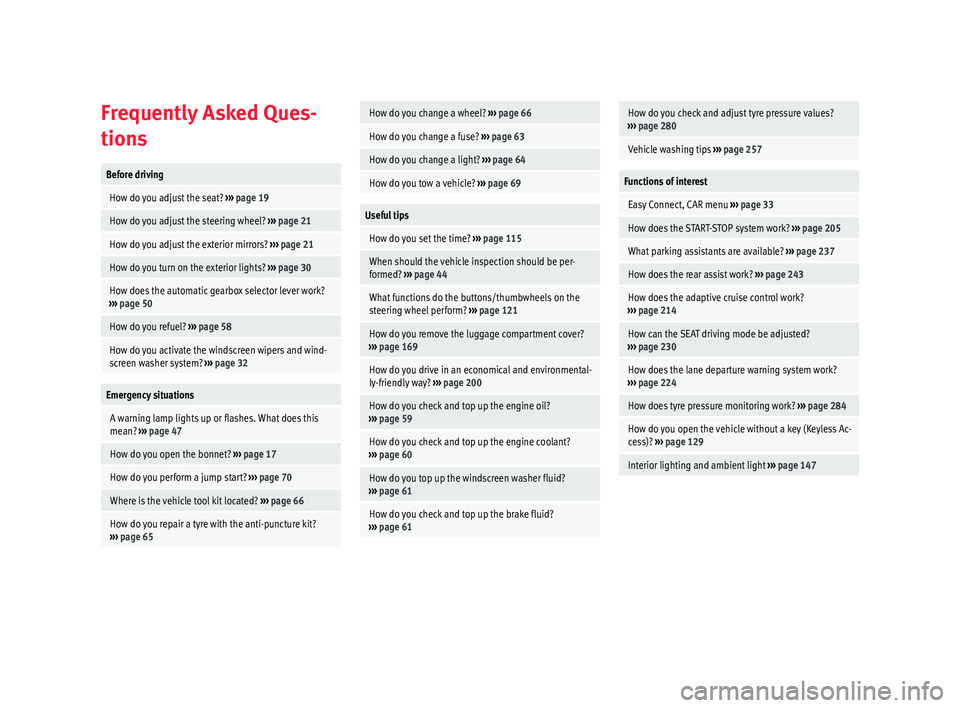
Frequently Asked Ques-
tion
sBefore driving
How do you adjust the seat?
››› page 19
How do you adjust the steering wheel? ››› page 21
How do you adjust the exterior mirrors? ››› page 21
How do you turn on the exterior lights? ››› page 30
How does the automatic gearbox selector lever work?
››› page 50
How do you refuel? ››› page 58
How do you activate the windscreen wipers and wind-
screen washer system? ››› page 32
Emergency situations
A warning lamp lights up or flashes. What does this
mean? ››› page 47
How do you open the bonnet? ››› page 17
How do you perform a jump start? ››› page 70
Where is the vehicle tool kit located? ››› page 66
How do you repair a tyre with the anti-puncture kit?
››› page 65
How do you change a wheel? ››› page 66
How do you change a fuse? ››› page 63
How do you change a light? ››› page 64
How do you tow a vehicle? ››› page 69
Useful tips
How do you set the time? ››› page 115
When should the vehicle inspection should be per-
formed? ››› page 44
What functions do the buttons/thumbwheels on the
steering wheel perform? ››› page 121
How do you remove the luggage compartment cover?
››› page 169
How do you drive in an economical and environmental-
ly-friendly way? ››› page 200
How do you check and top up the engine oil?
››› page 59
How do you check and top up the engine coolant?
››› page 60
How do you top up the windscreen washer fluid?
››› page 61
How do you check and top up the brake fluid?
››› page 61
How do you check and adjust tyre pressure values?
››› page 280
Vehicle washing tips ››› page 257
Functions of interest
Easy Connect, CAR menu ››› page 33
How does the START-STOP system work? ››› page 205
What parking assistants are available? ››› page 237
How does the rear assist work? ››› page 243
How does the adaptive cruise control work?
››› page 214
How can the SEAT driving mode be adjusted?
››› page 230
How does the lane departure warning system work?
››› page 224
How does tyre pressure monitoring work? ››› page 284
How do you open the vehicle without a key (Keyless Ac-
cess)? ››› page 129
Interior lighting and ambient light ››› page 147
Page 8 of 332
Table of Contents
Automatic gearbox/DSG automatic gear-
bo x*
. . . . . . . . . . . . . . . . . . . . . . . . . . . . . . . . . . . 191
Ad
dress . . . . . . . . . . . . . . . . . . . . . . . . . . . . . . . . 198
Run-in and economical driving . . . . . . . . . . . . . 199
Power management . . . . . . . . . . . . . . . . . . . . . . 201
Engine management and emission control sys-
tem . . . . . . . . . . . . . . . . . . . . . . . . . . . . . . . . . . . 202
Driv
ing tips . . . . . . . . . . . . . . . . . . . . . . . . . . . . . 204
Driver assistance systems . . . . . . . . . . . . . . . . . 205
Start-Stop System* . . . . . . . . . . . . . . . . . . . . . . . 205
Auto Hold Function* . . . . . . . . . . . . . . . . . . . . . . 208
Cruise control system (CCS)* . . . . . . . . . . . . . . . 209
Emergency brake assist system (Front As-
sis
t)* . . . . . . . . . . . . . . . . . . . . . . . . . . . . . . . . . . 210
Adaptive Cruise Control ACC* . . . . . . . . . . . . . . 214
Lane Assist system* . . . . . . . . . . . . . . . . . . . . . . 224
Traffic Jam Assist . . . . . . . . . . . . . . . . . . . . . . . . 227
Emergency Assist . . . . . . . . . . . . . . . . . . . . . . . . 228
SEAT Drive Profile* . . . . . . . . . . . . . . . . . . . . . . . 230
Traffic sign detection system* . . . . . . . . . . . . . . 233
Fatigue detection (break recommendation)* . . 236
Parking aid . . . . . . . . . . . . . . . . . . . . . . . . . . . . . 237
Rear Assist “Rear View Camera”* . . . . . . . . . . . 243
Towing bracket device . . . . . . . . . . . . . . . . . . . . 246
Towing bracket device* . . . . . . . . . . . . . . . . . . . 246
Trailer towing . . . . . . . . . . . . . . . . . . . . . . . . . . . 251
Advice . . . . . . . . . . . . . . . . . . . . . . . . . . . . . . . . 256
Care and maintenance . . . . . . . . . . . . . . . . . . . . 256
Accessories and modifications to the vehi-
cle
. . . . . . . . . . . . . . . . . . . . . . . . . . . . . . . . . . . . 256
Care and cleaning . . . . . . . . . . . . . . . . . . . . . . . 257
Vehicle exterior care . . . . . . . . . . . . . . . . . . . . . . 257
Caring for the vehicle interior . . . . . . . . . . . . . . 261
Checking and refilling levels . . . . . . . . . . . . . . . 264
Filling the tank . . . . . . . . . . . . . . . . . . . . . . . . . . 264
Fuel . . . . . . . . . . . . . . . . . . . . . . . . . . . . . . . . . . . 266
Engine compartment . . . . . . . . . . . . . . . . . . . . . 270 Engine oil . . . . . . . . . . . . . . . . . . . . . . . . . . . . . . 272
Cooling system . . . . . . . . . . . . . . . . . . . . . . . . . . 274
Brake fluid . . . . . . . . . . . . . . . . . . . . . . . . . . . . . 275
Windscreen washer reservoir . . . . . . . . . . . . . . 276
Battery . . . . . . . . . . . . . . . . . . . . . . . . . . . . . . . . . 277
Wheels
. . . . . . . . . . . . . . . . . . . . . . . . . . . . . . . . 279
Wheels and tyres . . . . . . . . . . . . . . . . . . . . . . . . 279
Tyre monitoring systems . . . . . . . . . . . . . . . . . . 283
Temporary spare wheel . . . . . . . . . . . . . . . . . . . 286
Winter service . . . . . . . . . . . . . . . . . . . . . . . . . . . 287
Technical data . . . . . . . . . . . . . . . . . . . . . . . . 289
Technical specifications . . . . . . . . . . . . . . . . . . 289
Important . . . . . . . . . . . . . . . . . . . . . . . . . . . . . . 289
Vehicle identification data . . . . . . . . . . . . . . . . . 289
Fuel consumption data . . . . . . . . . . . . . . . . . . . 290
Trailer mode . . . . . . . . . . . . . . . . . . . . . . . . . . . . 290
Wheels . . . . . . . . . . . . . . . . . . . . . . . . . . . . . . . . 291
Engine data . . . . . . . . . . . . . . . . . . . . . . . . . . . . . 292
Dimensions . . . . . . . . . . . . . . . . . . . . . . . . . . . . . 313
Index . . . . . . . . . . . . . . . . . . . . . . . . . . . . . . . . . 315
6
Page 36 of 332
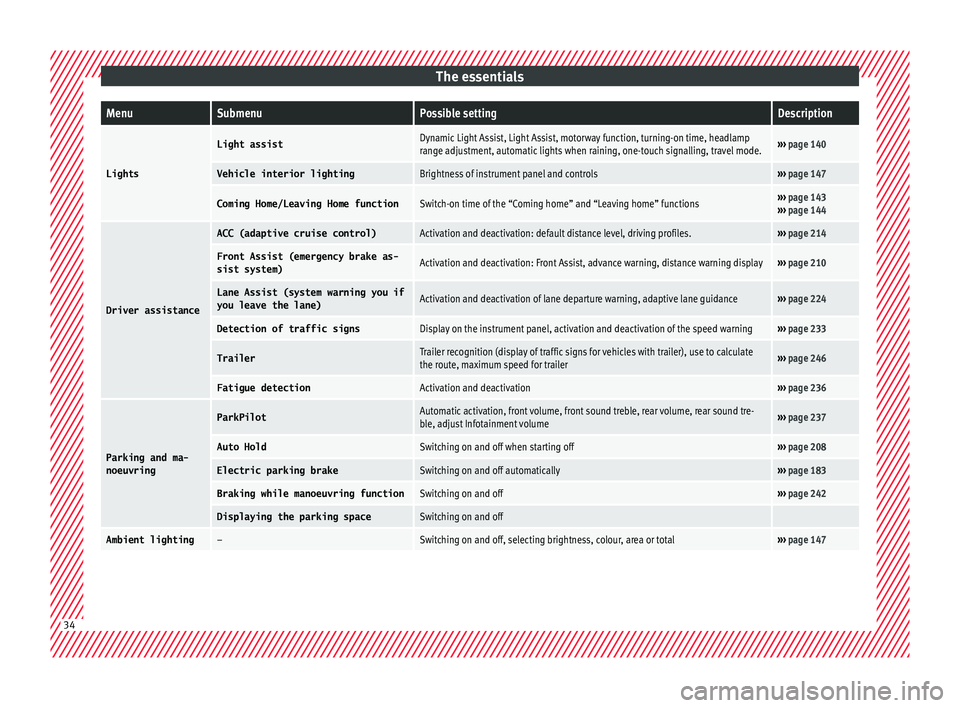
The essentialsMenuSubmenuPossible settingDescription
Lights
Light assistDynamic Light Assist, Light Assist, motorway function, turning-on time, headlamp
range adjustment, automatic lights when raining, one-touch signalling, travel mode.›››
page 140
Vehicle interior lightingBrightness of instrument panel and controls››› page 147
Coming Home/Leaving Home functionSwitch-on time of the “Coming home” and “Leaving home” functions››› page 143
››› page 144
Driver assistance
ACC (adaptive cruise control)Activation and deactivation: default distance level, driving profiles.››› page 214
Front Assist (emergency brake as-
sist system)Activation and deactivation: Front Assist, advance warning, distance warning display››› page 210
Lane Assist (system warning you if
you leave the lane)Activation and deactivation of lane departure warning, adaptive lane guidance››› page 224
Detection of traffic signsDisplay on the instrument panel, activation and deactivation of the speed warning››› page 233
TrailerTrailer recognition (display of traffic signs for vehicles with trailer), use to calculate
the route, maximum speed for trailer››› page 246
Fatigue detectionActivation and deactivation››› page 236
Parking and ma-
noeuvring
ParkPilotAutomatic activation, front volume, front sound treble, rear volume, rear sound tre-
ble, adjust Infotainment volume››› page 237
Auto HoldSwitching on and off when starting off››› page 208
Electric parking brakeSwitching on and off automatically››› page 183
Braking while manoeuvring functionSwitching on and off››› page 242
Displaying the parking spaceSwitching on and off
Ambient lighting–Switching on and off, selecting brightness, colour, area or total››› page 147 34
Page 42 of 332

The essentials
● To sw
it
ch system off: press the but-
ton or
. The stored speed is de-
l et
ed.
Assist systems menu
MenuFunction
ACCDisplay of Adaptive Cruise Control
(ACC) ››› page 214.
Front AssistSwitching the monitoring system
on and off ››› page 210.
Lane Assist *Switching the Lane Assist system
on or off ››› page 225.
Detection of
traffic signsDisplay of traffic signs
››› page 233:
Fatigue detec-
tion *Switching the fatigue detection
on or off (pause recommenda-
tion) ››› page 236. Timer*
You can access the timer via the selection
menu
››
›
page 37.
It allows you to manually time lap times on a
racing circuit, memorise them and compare
them to the vehicle's previous best times.
The following menus can be displayed:
● Stop ●
Lap
● Pause
● Partial time
● Statistics
Chang
e from one menu to another
● Vehicles without multifunction steering
wheel:
press the rocker switch in the
w ind
s
creen wiper lever.
● Vehicles with multifunction steering wheel:
turn the wheel ›
›› Fig. 44.
Menu “Stop”
Start
The timer starts.
If there are existing laps and they are
included in the statistics, it will begin
with the number of laps in question.
It is only possible to begin with a new
first lap if the statistics have been re-
set first in the Statistics menu.
Since start
The timer begins when the vehicle
sets off.
If the vehicle is already moving, the
timer begins once the vehicle has
stopped.
StatisticsThe Statistics menu is displayed
on the screen.
Menu “Lap”
New lap
The timer of the current lap stops and
a new lap starts immediately. The time
for the lap you have just completed is
included in the statistics.
Partial timeFor about 5 seconds a partial time is
displayed. The timer continues in par-
allel.
StopThe current lap timer will be interrup-
ted. The lap does not end. The Pause
menu is displayed.
Menu “Pause”
ContinueThe interrupted timer continues.
New lapA new timer starts. The halted lap
ends and is included in the statistics.
Interr. lapThe timer of the current lap ends and
is cancelled. It is not included in the
statistics.
EndThe current timer ends. The lap is in-
cluded in the statistics.
Menu “Partial time”
Partial
timeFor about 5 seconds a partial time is
displayed. The timer continues in par-
allel.
New lap
The timer of the current lap stops and
a new lap starts immediately. The time
for the lap you have just completed is
included in the statistics. 40
Page 50 of 332
The essentials
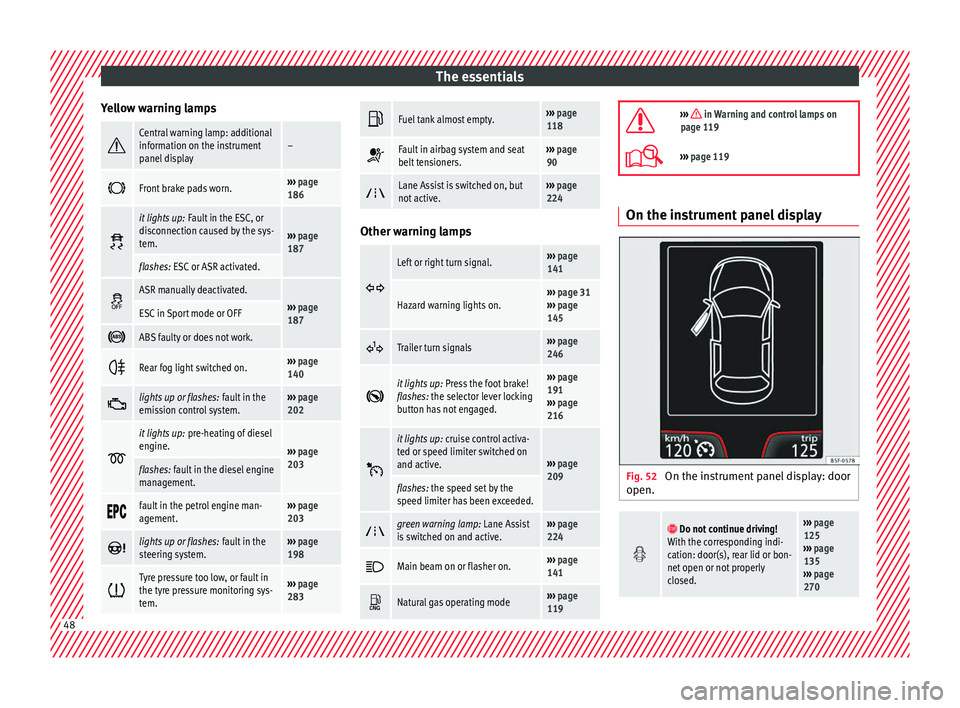
Yellow warning lamps Central warning lamp: additional
information on the instrument
panel display–
Front brake pads worn.›››
page
186
it lights up:
Fault in the ESC, or
disconnection caused by the sys-
tem.
››› page
187
flashes: ESC or ASR activated.
ASR manually deactivated.›››
page
187ESC in Sport mode or OFF
ABS faulty or does not work.
Rear fog light switched on.›››
page
140
lights up or flashes:
fault in the
emission control system.››› page
202
it lights up:
pre-heating of diesel
engine.
››› page
203
flashes: fault in the diesel engine
management.
fault in the petrol engine man-
agement.›››
page
203
lights up or flashes:
fault in the
steering system.››› page
198
Tyre pressure too low, or fault in
the tyre pressure monitoring sys-
tem.›››
page
283
Fuel tank almost empty.›››
page
118
Fault in airbag system and seat
belt tensioners.›››
page
90
Lane Assist is switched on, but
not active.›››
page
224 Other warning lamps
Left or right turn signal.›››
page
141
Hazard warning lights on.››› page 31
››› page
145
Trailer turn signals›››
page
246
it lights up:
Press the foot brake!
flashes: the selector lever locking
button has not engaged.››› page
191
››› page
216
it lights up:
cruise control activa-
ted or speed limiter switched on
and active.
››› page
209
flashes: the speed set by the
speed limiter has been exceeded.
green warning lamp: Lane Assist
is switched on and active.›››
page
224
Main beam on or flasher on.›››
page
141
Natural gas operating mode›››
page
119
››› in Warning and control lamps on
page 119
››› page 119 On the instrument panel display
Fig. 52
On the instrument panel display: door
open.
Do not continue driving!
With the corresponding indi-
cation: door(s), rear lid or bon-
net open or not properly
closed.››› page
125
››› page
135
››› page
270 48
Page 96 of 332
Safety
Event Data Recorder D e
s
cription and operation Your vehicle has an event data recorder
(EDR).
The EDR’s f
u
nction is to record data in the
event of a mild or serious accident. These da-
ta are used to support the analysis of how
different vehicle systems behaved.
The EDR records, over a reduced time range
(normally 10 seconds or less), dynamic driv-
ing data and data from the restraint systems,
such as:
● How different vehicle systems worked.
● Whether the driver and the occupants were
we arin
g their seatbelts.
● How hard the acceleration or brake pedal
was
pressed.
● Vehicle speed.
These dat
a will provide a better understand-
ing of the circumstances of the accident.
Data from the driving assist systems are also
recorded. This includes data such as whether
the systems were inactive or active and if
such action had an impact on the vehicle’s
dynamic behaviour, changing its path in the
aforementioned situations, accelerating or
decelerating the vehicle. Depending on vehicle equipment, this in-
cludes
data from systems such as:
● Adaptive Cruise Control (ACC)
● Emergency brake assist system (Front As-
sis
t).
● Park Pilot system
● Lane Assist
The EDR data ar
e only recorded in specific ac-
cident situations. No data are recorded in
normal driving conditions.
No audio or video data inside or around the
vehicle are recorded. Under no circumstances
are personal data such as name, age, or gen-
der recorded. Nevertheless, third parties
(such as criminal proceedings authorities)
may relate the contents of the EDR data to
other data sources and create a personal ref-
erence in the context of an accident investi-
gation.
In order to read the EDR data it is necessary
to access (if legally permitted to do so) the
vehicle's ODB (“On-Board-Diagnose”) inter-
face while the vehicle is switched on.
SEAT will not have access to EDR data unless
the owner (or, in “Leasing” cases, the lessee
or hirer) gives their consent. There may be ex-
ceptions to this, depending on legal or con-
tractual provisions.
Due to legal requirements in safety-related
products, SEAT may use the EDR data for field research and in order to improve vehicle sys-
tem quality. An
y data used for the purposes
of research will be treated anonymously (in
other words, no reference will be made to the
vehicle, their owner or the lessee/hirer).
94
Page 207 of 332

Driver assistance systems
rough tracks and uneven terrain as much as
po s
s
ible. WARNING
● Ev en w
ith four-wheel drive, you should al-
ways adjust your speed to suit the condi-
tions. Do not let the extra safety features
tempt you into taking any risks when driving.
Risk of accident!
● The braking capability of your vehicle is
limited by
the tyres' grip. It is therefore no
different from a car without four-wheel drive.
So do not be tempted to drive too fast on firm
or slippery roads just because the vehicle
still has good acceleration in these condi-
tions. Risk of accident!
● On wet roads bear in mind that the front
wheels m
ay start to “aquaplane” and lose
contact with the road if the car is driven too
fast. If this should happen, there will be no
sudden increase in engine speed to warn the
driver, as occurs with a front-wheel drive car.
For this reason you should always choose a
driving speed suitable for the road condi-
tions. Risk of accident! Driver assistance systems
St ar
t
-Stop System*
Description and operation The Start-Stop system helps save fuel and re-
duce C
O
2 emi
ssions.
In Start-Stop mode, the engine will automati-
cally switch off when the vehicle stops or is
stopping; for example when stopping at traf-
fic lights. The ignition remains switched on
during the stopping phase. The engine auto-
matically switches back on when required. In
this situation, the light of the START ENGINE STOP button stays on
1)
.
As soon a
s
the ignition is switched on, the
Start-Stop function is automatically activa-
ted.
Further information about the Start-Stop sys-
tem can be found in the Easy Connect sys-
tem: by pressing the button in the Vehi-
cle status menu.
B a
s
ic requirements for the Start-Stop mode
● The driver door must be closed.
● The driver must have their seat belt fas-
tened. ●
The bonnet mus
t be closed.
● The engine must have reached a minimum
servic
e temperature.
● The reverse gear must not be engaged.
● The vehicle must not be on a very steep
slope. WARNING
● Never sw it
ch the engine off until the vehi-
cle is stationary. The brake servo and power
steering functions will not be completely cov-
ered under warranty. More force may also be
needed to turn the steering wheel or to brake.
As you cannot steer and brake in the normal
manner, there is a greater risk of accidents
and serious injury.
● Never remove the key from the ignition if
the vehic
le is in motion. Otherwise, the steer-
ing could lock making it impossible to steer
the vehicle.
● To avoid injury, make sure that the Start-
Stop sys
tem is switched off when working in
the engine compartment ››› page 207. CAUTION
The Start-Stop system must always be
swit c
hed off when driving through flooded
areas ››› page 207. 1)
Only in vehicles with Keyless Access.
205
Technical data
Advice
Operation
Emergencies
Safety
Page 213 of 332

Driver assistance systems
The function is intended to prevent collisions
w ith p
ark
ed vehicles or vehicles in the same
lane travelling in the same direction, or with
pedestrians crossing the vehicle’s path. It
may fail to activate in other danger situa-
tions.
The Front Assist function is active within a
range of speeds between 4 km/h (2.5 mph)
and 250 km/h (156 mph). Depending on
speed, traffic conditions and driver behav-
iour, some of the sub-functions described be-
low are omitted in order to optimise the sys-
tem’s general behaviour.
The Front Assist is a driving assistance func-
tion that can never replace the driver’s atten-
tion.
Safety distance warning
If the system detects a situation of danger
because the vehicle is too close to the vehi-
cle ahead, it will warn the driver by means of
an indication on the instrument panel display
.
The timing of the warning varies depending
on driver behaviour and the traffic situation.
Advance warning
If the system detects a possible collision with
the vehicle in front, it may alert the driver by
means of an audible warning and an indica-
tion on the instrument panel display
››› Fig. 204. The warning moment varies depending on
the traffic s
ituation and driver behaviour. At
the same time, the vehicle will prepare for a
possible emergency braking ››› .
C ritic
a
l warning
If the driver fails to react to the pre-warning
(advance warning), the system may actively
intervene in the brakes and generate a brief
jolt to warn the driver of the imminent danger
of a collision.
Automatic braking
If the driver also fails to react to the critical
warning, the system may initiate independ-
ent emergency braking by progressively in-
creasing the braking effect in accordance
with how critical the situation is.
Driver emergency brake assist system
Faced with an imminent collision, the system
may detect that the driver is not braking hard
enough to avoid the collision. In this case, it
will automatically increase the braking effect.
Due to certain driving circumstances and the
limitations of its operation, there are some
cases in which the system cannot prevent a
collision, although it can significantly mini-
mise the consequences by reducing the
speed and the force of the impact. WARNING
Observe the safety warnings ›››
in Warning
and contr o
l lamps on page 119. WARNING
The Front Assist system cannot change the
la w
s of physics or replace the driver in terms
of keeping control of the vehicle and reacting
to a possible emergency situation. WARNING
Following a Front Assist emergency warning,
pa y
immediate attention to the situation and
try to avoid the collision by braking or by
dodging the obstacle, as applicable.
● If the Front Assist does not work as descri-
bed in this c
hapter (e.g. it repeatedly inter-
venes unnecessarily), switch it off.
● Adapt your speed and safe distance to the
vehicl
e in front of you at all times to suit visi-
bility, weather, road and traffic conditions.
● The Front Assist alone cannot avoid acci-
dents and seriou
s injuries.
● In complex driving situations, occasionally
the Front As
sist may issue warnings and in-
tervene in braking unnecessarily, for example
at traffic islands.
● If the operation of the Front Assist is im-
paired, f
or example, by dirt or because the ra-
dar sensor has lost its settings, the system
may issue unnecessary warnings and inter-
vene inopportunely in the braking. » 211
Technical data
Advice
Operation
Emergencies
Safety
Page 214 of 332

Operation
●
The Front As
sist does not react to animals
or vehicles crossing your path or approaching
head-on down the same lane.
● The Front Assist does not react to pedes-
trians
walking in the same direction or ap-
proaching head-on down the same lane.
● The driver must always be ready to take
over the c
ontrol of the vehicle.
● When the Front Assist causes a braking,
the brake ped
al is “harder”.
● Automatic interventions by the Front Assist
on the brake
s may be interrupted by pressing
the clutch, accelerator or moving the wheel. Note
● When the Front As
sist is connected, the in-
dications on the instrument panel screen may
be concealed by warnings from other func-
tions, such as an incoming call.
● When the Front Assist causes a braking,
the brake ped
al is “harder”.
● Automatic interventions by the Front Assist
on the brake
s may be interrupted by pressing
the clutch, accelerator or moving the wheel.
● The Front Assist may brake the vehicle until
it st
ops completely. However, the brake sys-
tem does not halt the vehicle permanently.
Use the foot brake!
● If the Front Assist does not work as descri-
bed in this c
hapter (e.g. in intervenes several
times unnecessarily), switch it off. Have the
system checked by a specialised workshop.
SEAT recommends visiting a SEAT dealership. Radar sensor
Fig. 205
On the front bumper: radar sensor. A radar sensor is installed on the front bump-
er t
o det
ermine the tr
affic situation
››› Fig. 205 1 .
The r a
d
ar sensor's visibility may be impaired
by dirt, mud or snow, or by environmental in-
fluences such as rain or mist. In this case, the
Front Assist does not work. The instrument
panel displays the following message:
Front Assist: No sensor vision! If
necessary clean the radar sensor ››› .
When the r a
d
ar sensor begins to operate
properly again, the Front Assist will automati-
cally be available again. The message will
disappear from the instrument panel display.
Front Assist operation may be affected by a
strong radar reverse reflection. This may oc-
cur, for example, in a closed car park or due to the presence of metallic objects (e.g. rails
on the roa
d or sheets used in road works).
The area in front of and around the radar sen-
sor should not be covered with adhesives,
additional or similar headlights, as this may
negatively affect Front Assist operation.
If the front of the vehicle is not properly re-
paired or structural modifications are made
to it, for example if the suspension is low-
ered, Front Assist operation may be affected.
SEAT recommends visiting a SEAT dealership
for this purpose. CAUTION
If you have the sensation that the radar sen-
sor is d
amaged or has lost its settings, dis-
connect the Front Assist. This will avoid pos-
sible dangerous situations caused by a sys-
tem malfunction. If this occurs have it adjus-
ted.
● The sensor may become damaged or lose
its settin
gs when knocked, for example, dur-
ing a parking manoeuvre. This may compro-
mise the system's efficacy or disconnect it.
● Repairs to the radar sensor require special-
ist
knowledge and special tools. SEAT recom-
mends visiting a SEAT dealership for this pur-
pose.
● A registration plate or plate holder on the
front th
at is larger than the space for the reg-
istration plate, or a registration plate that is
curved or warped can cause the radar to mal-
function. 212
Page 217 of 332

Driver assistance systems
(18 and 150 mph) and to select the distance
r equir
ed w
ith regard to the vehicle in front.
The ACC will adapt the vehicle's cruise speed
at all times, maintaining a safe distance with
the vehicle in front based on its speed.
When driving behind another vehicle, the
ACC function reduces speed until it is the
same as that of the vehicle ahead and main-
tains the set distance between the vehicles.
If the vehicle ahead accelerates, the adaptive
cruise control also accelerates, going no
higher than the target speed programmed.
If the vehicle is equipped with automatic
gearbox, the ACC can brake the vehicle until
it stops completely if a vehicle in front of it
stops.
The distance programmed should be in-
creased when the road surface is wet.
Driver intervention prompt
During driving, the ACC is subject to certain
limitations inherent in the system. In other
words, in certain circumstances the driver will
have to adjust speed him or herself, as well
as the distance from other vehicles.
In this case, the instrument panel screen will
warn you to intervene by applying the brake
and a warning tone will be heard
››› page 216. WARNING
The intelligent technology in the ACC cannot
ov er
come the system's inherent limitations
or change the laws of physics. If used negli-
gently or involuntarily, it may cause serious
accidents and injuries. The system is not a re-
placement for driver awareness.
● Adapt your speed and safe distance to the
vehicl
e in front of you at all times to suit visi-
bility, weather, road and traffic conditions.
● Do not use the ACC when visibility is bad,
on steep r
oads, with several bends or in slip-
pery circumstances such as snow, ice, rain or
loose gravel, or on flooded roads.
● Never use the ACC when driving off-road or
on unpav
ed roads. The ACC has been de-
signed for use on paved roads only.
● The ACC does not react on approaching a
fixed o
bstacle, such as the tail of a traffic
jam, a damaged vehicle or a vehicle stopped
at the traffic lights.
● The ACC only reacts to people if a pedes-
trian monitorin
g system is available. In addi-
tion, the system does not react to animals or
vehicles crossing your path or approaching
head-on down the same lane.
● If the ACC does not reduce speed sufficient-
ly, brak
e the vehicle immediately by applying
the pedal.
● If you are driving using the spare wheel,
the ACC
system could automatically switch
off during the journey. Switch off the system
when starting off. ●
If the v
ehicle continues to move involuntar-
ily after a driver intervention prompt, brake
the vehicle by applying the pedal.
● If the dash panel displays a driv
er interven-
tion prompt, adjust the distance yourself.
● The driver should be ready to accelerate or
brake b
y him/herself at all times. CAUTION
If you have the sensation that the radar sen-
sor i s d
amaged, disconnect the ACC. This will
avoid possible damage. If this occurs have it
adjusted.
● Repairs to the radar sensor require special-
ist
knowledge and special tools. SEAT recom-
mends visiting a SEAT dealership for this pur-
pose. Note
● If the A C
C system does not work as descri-
bed in this chapter, do not use it until it has
been checked by a specialised workshop.
SEAT recommends visiting a SEAT dealership
for this purpose.
● Maximum speed with the ACC activated is
limited to 210 km/h (150 mph).
● When the A
CC is switched on, strange
noises
may be heard during automatic brak-
ing cause by the braking system. 215
Technical data
Advice
Operation
Emergencies
Safety