turn signal Seat Leon SC 2017 Owner's manual
[x] Cancel search | Manufacturer: SEAT, Model Year: 2017, Model line: Leon SC, Model: Seat Leon SC 2017Pages: 332, PDF Size: 7.25 MB
Page 7 of 332
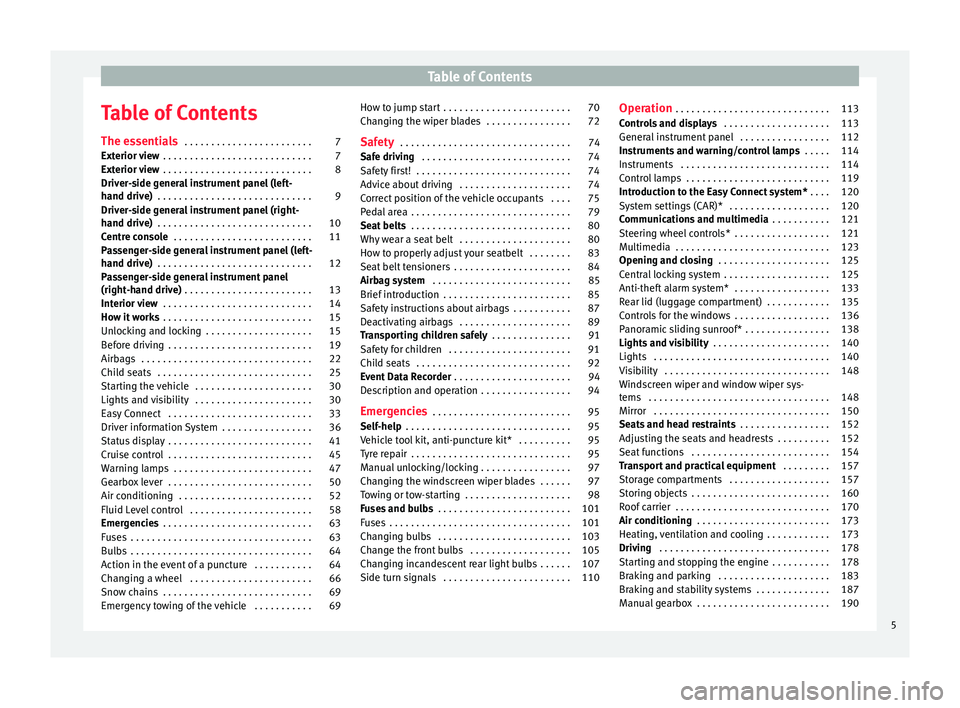
Table of Contents
Table of Contents
The e s
senti
als . . . . . . . . . . . . . . . . . . . . . . . . 7
Exterior view . . . . . . . . . . . . . . . . . . . . . . . . . . . . 7
Exterior view . . . . . . . . . . . . . . . . . . . . . . . . . . . . 8
Driver-side general instrument panel (left-
hand drive) . . . . . . . . . . . . . . . . . . . . . . . . . . . . .
9
Driver-side general instrument panel (right-
hand drive) . . . . . . . . . . . . . . . . . . . . . . . . . . . . .
10
Centre console . . . . . . . . . . . . . . . . . . . . . . . . . . 11
Passenger-side general instrument panel (left-
hand drive) . . . . . . . . . . . . . . . . . . . . . . . . . . . . .
12
Passenger-side general instrument panel
(right-hand driv
e) . . . . . . . . . . . . . . . . . . . . . . . . 13
Interior view . . . . . . . . . . . . . . . . . . . . . . . . . . . . 14
How it works . . . . . . . . . . . . . . . . . . . . . . . . . . . . 15
Unlocking and locking . . . . . . . . . . . . . . . . . . . . 15
Before driving . . . . . . . . . . . . . . . . . . . . . . . . . . . 19
Airbags . . . . . . . . . . . . . . . . . . . . . . . . . . . . . . . . 22
Child seats . . . . . . . . . . . . . . . . . . . . . . . . . . . . . 25
Starting the vehicle . . . . . . . . . . . . . . . . . . . . . . 30
Lights and visibility . . . . . . . . . . . . . . . . . . . . . . 30
Easy Connect . . . . . . . . . . . . . . . . . . . . . . . . . . . 33
Driver information System . . . . . . . . . . . . . . . . . 36
Status display . . . . . . . . . . . . . . . . . . . . . . . . . . . 41
Cruise control . . . . . . . . . . . . . . . . . . . . . . . . . . . 45
Warning lamps . . . . . . . . . . . . . . . . . . . . . . . . . . 47
Gearbox lever . . . . . . . . . . . . . . . . . . . . . . . . . . . 50
Air conditioning . . . . . . . . . . . . . . . . . . . . . . . . . 52
Fluid Level control . . . . . . . . . . . . . . . . . . . . . . . 58
Emergencies . . . . . . . . . . . . . . . . . . . . . . . . . . . . 63
Fuses . . . . . . . . . . . . . . . . . . . . . . . . . . . . . . . . . . 63
Bulbs . . . . . . . . . . . . . . . . . . . . . . . . . . . . . . . . . . 64
Action in the event of a puncture . . . . . . . . . . . 64
Changing a wheel . . . . . . . . . . . . . . . . . . . . . . . 66
Snow chains . . . . . . . . . . . . . . . . . . . . . . . . . . . . 69
Emergency towing of the vehicle . . . . . . . . . . . 69 How to jump start . . . . . . . . . . . . . . . . . . . . . . . . 70
Changing the wiper blades . . . . . . . . . . . . . . . . 72
Safety . . . . . . . . . . . . . . . . . . . . . . . . . . . . . . . . 74
Safe driving . . . . . . . . . . . . . . . . . . . . . . . . . . . . 74
Safety first! . . . . . . . . . . . . . . . . . . . . . . . . . . . . . 74
Advice about driving . . . . . . . . . . . . . . . . . . . . . 74
Correct position of the vehicle occupants . . . . 75
Pedal area . . . . . . . . . . . . . . . . . . . . . . . . . . . . . . 79
Seat belts . . . . . . . . . . . . . . . . . . . . . . . . . . . . . . 80
Why wear a seat belt . . . . . . . . . . . . . . . . . . . . . 80
How to properly adjust your seatbelt . . . . . . . . 83
Seat belt tensioners . . . . . . . . . . . . . . . . . . . . . . 84
Airbag system . . . . . . . . . . . . . . . . . . . . . . . . . . 85
Brief introduction . . . . . . . . . . . . . . . . . . . . . . . . 85
Safety instructions about airbags . . . . . . . . . . . 87
Deactivating airbags . . . . . . . . . . . . . . . . . . . . . 89
Transporting children safely . . . . . . . . . . . . . . . 91
Safety for children . . . . . . . . . . . . . . . . . . . . . . . 91
Child seats . . . . . . . . . . . . . . . . . . . . . . . . . . . . . 92
Event Data Recorder . . . . . . . . . . . . . . . . . . . . . . 94
Description and operation . . . . . . . . . . . . . . . . . 94
Emergencies . . . . . . . . . . . . . . . . . . . . . . . . . . 95
Self-help . . . . . . . . . . . . . . . . . . . . . . . . . . . . . . . 95
Vehicle tool kit, anti-puncture kit* . . . . . . . . . . 95
Tyre repair . . . . . . . . . . . . . . . . . . . . . . . . . . . . . . 95
Manual unlocking/locking . . . . . . . . . . . . . . . . . 97
Changing the windscreen wiper blades . . . . . . 97
Towing or tow-starting . . . . . . . . . . . . . . . . . . . . 98
Fuses and bulbs . . . . . . . . . . . . . . . . . . . . . . . . . 101
Fuses . . . . . . . . . . . . . . . . . . . . . . . . . . . . . . . . . . 101
Changing bulbs . . . . . . . . . . . . . . . . . . . . . . . . . 103
Change the front bulbs . . . . . . . . . . . . . . . . . . . 105
Changing incandescent rear light bulbs . . . . . . 107
Side turn signals . . . . . . . . . . . . . . . . . . . . . . . . 110 Operation
. . . . . . . . . . . . . . . . . . . . . . . . . . . . . 113
Controls and displays . . . . . . . . . . . . . . . . . . . . 113
General instrument panel . . . . . . . . . . . . . . . . . 112
Instruments and warning/control lamps . . . . . 114
Instruments . . . . . . . . . . . . . . . . . . . . . . . . . . . . 114
Control lamps . . . . . . . . . . . . . . . . . . . . . . . . . . . 119
Introduction to the Easy Connect system* . . . . 120
System settings (CAR)* . . . . . . . . . . . . . . . . . . . 120
Communications and multimedia . . . . . . . . . . . 121
Steering wheel controls* . . . . . . . . . . . . . . . . . . 121
Multimedia . . . . . . . . . . . . . . . . . . . . . . . . . . . . . 123
Opening and closing . . . . . . . . . . . . . . . . . . . . . 125
Central locking system . . . . . . . . . . . . . . . . . . . . 125
Anti-theft alarm system* . . . . . . . . . . . . . . . . . . 133
Rear lid (luggage compartment) . . . . . . . . . . . . 135
Controls for the windows . . . . . . . . . . . . . . . . . . 136
Panoramic sliding sunroof* . . . . . . . . . . . . . . . . 138
Lights and visibility . . . . . . . . . . . . . . . . . . . . . . 140
Lights . . . . . . . . . . . . . . . . . . . . . . . . . . . . . . . . . 140
Visibility . . . . . . . . . . . . . . . . . . . . . . . . . . . . . . . 148
Windscreen wiper and window wiper sys-
tems . . . . . . . . . . . . . . . . . . . . . . . . . . . . . . . . . . 148 Mirr
or . . . . . . . . . . . . . . . . . . . . . . . . . . . . . . . . . 150
Seats and head restraints . . . . . . . . . . . . . . . . . 152
Adjusting the seats and headrests . . . . . . . . . . 152
Seat functions . . . . . . . . . . . . . . . . . . . . . . . . . . 154
Transport and practical equipment . . . . . . . . . 157
Storage compartments . . . . . . . . . . . . . . . . . . . 157
Storing objects . . . . . . . . . . . . . . . . . . . . . . . . . . 160
Roof carrier . . . . . . . . . . . . . . . . . . . . . . . . . . . . . 170
Air conditioning . . . . . . . . . . . . . . . . . . . . . . . . . 173
Heating, ventilation and cooling . . . . . . . . . . . . 173
Driving . . . . . . . . . . . . . . . . . . . . . . . . . . . . . . . . 178
Starting and stopping the engine . . . . . . . . . . . 178
Braking and parking . . . . . . . . . . . . . . . . . . . . . 183
Braking and stability systems . . . . . . . . . . . . . . 187
Manual gearbox . . . . . . . . . . . . . . . . . . . . . . . . . 190
5
Page 33 of 332
The essentialsSym-
bolIgnition switched
offIgnition is
switched on
Fog lights, dipped
beam and side lights
off.Light off or daytime
driving light on.
The “Coming home”
and “Leaving home”
guide lights may be
switched on.Automatic control of
dipped beam and
daytime running
light.
Side light on.
Dipped beam head-
light offDipped beam
switched on.
Front fog lights: mo
ve the switch to the
first position, from positions , or .
Rear fog light: move the switch completely
from positions , or .
● Switching off fog lights: Push the switch or
turn it t
o the position.
››› in Side light and dipped beam head-
light on page 140
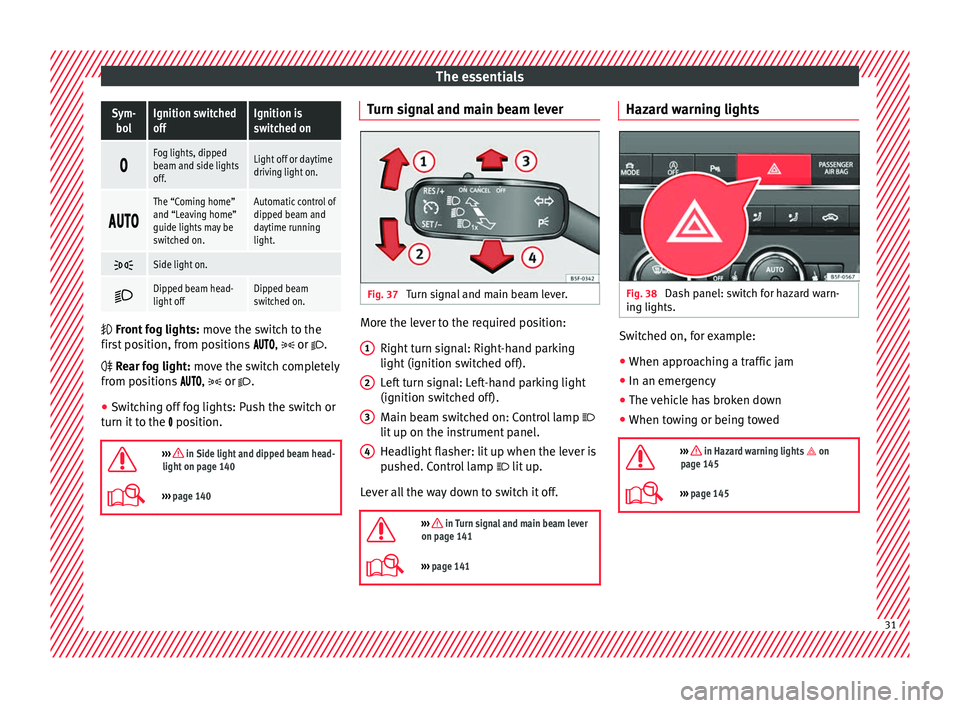
››› page 140 Turn signal and main beam lever
Fig. 37
Turn signal and main beam lever. More the lever to the required position:
Right t
urn s
ignal: Right-hand parking
light (ignition switched off).
Left turn signal: Left-hand parking light
(ignition switched off).
Main beam switched on: Control lamp
lit up on the instrument panel.
Headlight flasher: lit up when the lever is
pushed. Control lamp lit up.
Lever all the way down to switch it off.
››› in Turn signal and main beam lever
on page 141
››› page 141 1
2
3
4 Hazard warning lights
Fig. 38
Dash panel: switch for hazard warn-
in g lights. Switched on, for example:
●
When approaching a traffic jam
● In an emergency
● The vehicle has broken down
● When towing or being towed
››› in Hazard warning lights on
page 145
››› page 145 31
Page 36 of 332
The essentialsMenuSubmenuPossible settingDescription
Lights
Light assistDynamic Light Assist, Light Assist, motorway function, turning-on time, headlamp
range adjustment, automatic lights when raining, one-touch signalling, travel mode.›››
page 140
Vehicle interior lightingBrightness of instrument panel and controls››› page 147
Coming Home/Leaving Home functionSwitch-on time of the “Coming home” and “Leaving home” functions››› page 143
››› page 144
Driver assistance
ACC (adaptive cruise control)Activation and deactivation: default distance level, driving profiles.››› page 214
Front Assist (emergency brake as-
sist system)Activation and deactivation: Front Assist, advance warning, distance warning display››› page 210
Lane Assist (system warning you if
you leave the lane)Activation and deactivation of lane departure warning, adaptive lane guidance››› page 224
Detection of traffic signsDisplay on the instrument panel, activation and deactivation of the speed warning››› page 233
TrailerTrailer recognition (display of traffic signs for vehicles with trailer), use to calculate
the route, maximum speed for trailer››› page 246
Fatigue detectionActivation and deactivation››› page 236
Parking and ma-
noeuvring
ParkPilotAutomatic activation, front volume, front sound treble, rear volume, rear sound tre-
ble, adjust Infotainment volume››› page 237
Auto HoldSwitching on and off when starting off››› page 208
Electric parking brakeSwitching on and off automatically››› page 183
Braking while manoeuvring functionSwitching on and off››› page 242
Displaying the parking spaceSwitching on and off
Ambient lighting–Switching on and off, selecting brightness, colour, area or total››› page 147 34
Page 39 of 332
The essentials
Enabling the main menu
● Switch the ignition on.
● If a message or vehicle pictogram appears,
pr e
s
s button ››› Fig. 43 1 on the windscreen
w iper l
ev
er or button on the multifunction
s t
eerin
g wheel ››› Fig. 44.
● If managed from the windscreen wiper lev-
er: to dis
play the main screen or to return to
the main menu from another menu, hold
down the rocker button ››› Fig. 43 2 .
● If managed from the multifunction steering
whe e
l:
the main menu list is not displayed.
To go from point to point in the main menu,
press button
or
several times
› ›
›
Fig. 44.
Select a submenu ● Press the rocker switch ›››
Fig. 43 2 on the
w ind
s
creen wiper lever up or down or turn
the thumbwheel of the multifunction steering
wheel ››› Fig. 44 until the desired option ap-
pears marked on the menu.
● The selected option is displayed between
two horizont
al lines. In addition, a triangle is
displayed on the right:
● To consult the submenu option, press but-
ton ››
› Fig. 43 1 on the windscreen wiper
l ev
er or b
utton on the multifunction steer-
in g wheel
›
›› Fig. 44. Making changes according to the menu
● With the rocker switch on the windscreen
wiper lev
er or the thumbwheel of the multi-
function steering wheel, make the desired
changes. To increase or decrease the values
more quickly, turn the thumbwheel faster.
● Mark or confirm the selection with button
›››
Fig. 43 1 on the windscreen wiper lever
or b utt
on on the multifunction steering
wheel
›
›
› Fig. 44.
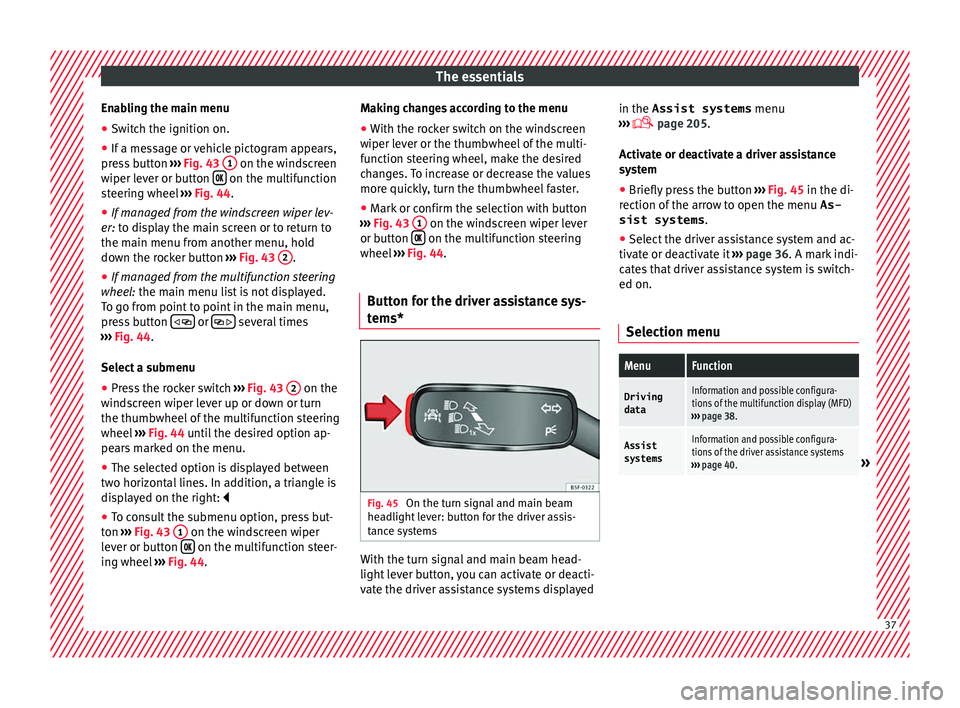
Button for the driver assistance sys-
tems* Fig. 45
On the turn signal and main beam
he a
dlight
lever: button for the driver assis-
tance systems With the turn signal and main beam head-
light
l
ev
er button, you can activate or deacti-
vate the driver assistance systems displayed in the Assist systems
menu
›››
page 205.
Activate or deactivate a driver assistance
system ● Briefly press the button ›››
Fig. 45 in the di-
rection of the arrow to open the menu As-
sist systems .
● Select the driver assistance system and ac-
tivate or de
activate it ››› page 36. A mark indi-
cates that driver assistance system is switch-
ed on.
Selection menu
MenuFunction
Driving
dataInformation and possible configura-
tions of the multifunction display (MFD)
››› page 38.
Assist
systemsInformation and possible configura-
tions of the driver assistance systems
››› page 40.
» 37
Page 45 of 332
The essentials
When the vehicle is at a standstill or when
tr av
el
ling at very low speeds, the tempera-
ture displayed may be higher than the true
outside temperature as a result of the heat
produced by the engine.
The temperatures measured range from
-40°C to +50°C (-40°F to +122°F).
Engine oil temperature display Vehicles without multifunction steering
wheel
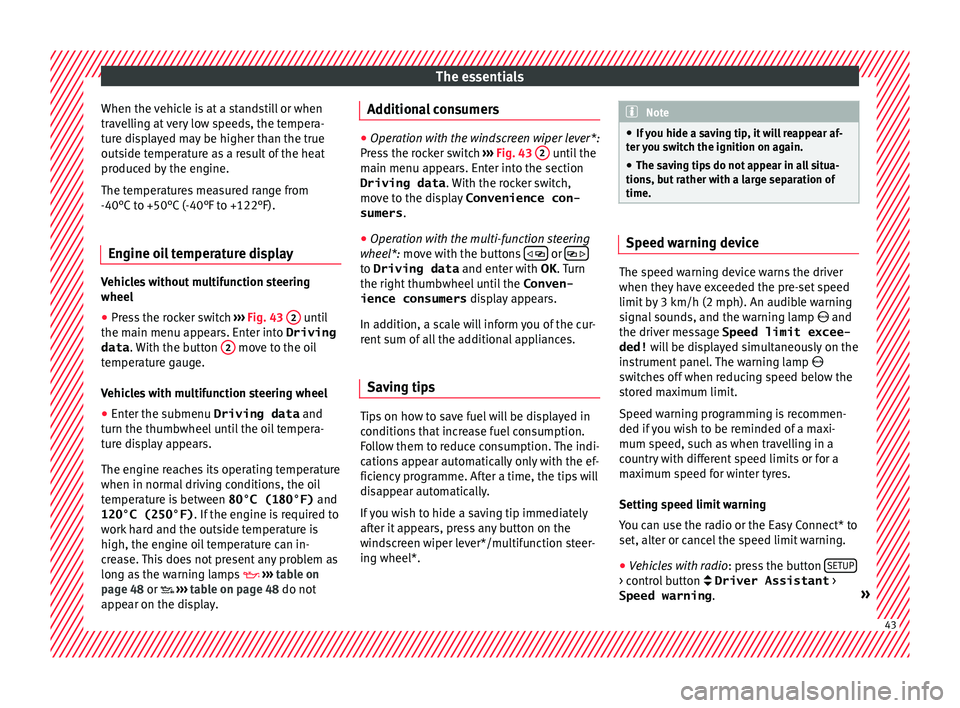
● Press the rocker switch ›
››
Fig. 43 2 until
the m ain menu ap
pe
ars. Enter into Driving
data . With the button 2 move to the oil
t emper
at
ure gauge.
Vehicles with multifunction steering wheel
● Enter the submenu Driving data and
turn the thumbwheel
until the oil tempera-
ture display appears.
The engine reaches its operating temperature
when in normal driving conditions, the oil
temperature is between 80°C (180°F) and
120°C (250°F) . If the engine is required to
work hard and the outside temperature is
high, the engine oil temperature can in-
crease. This does not present any problem as
long as the warning lamps ›››
table on
page 48 or ››› table on page 48 do not
appear on the display. Additional consumers ●
Operation with the windscreen wiper lever*:
Pre s
s the rocker switch ››› Fig. 43 2 until the
main menu ap pe
ars. Enter into the section
Driving data . With the rocker switch,
move to the display Convenience con-
sumers .
● Operation with the multi-function steering
wheel*:
move with the buttons
or
to Driving data
and enter with
OK. Turn
the right thumbwheel until the Conven-
ience consumers display appears.
In addition, a scale will inform you of the cur-
rent sum of all the additional appliances.
Saving tips Tips on how to save fuel will be displayed in
c
ondition
s
that increase fuel consumption.
Follow them to reduce consumption. The indi-
cations appear automatically only with the ef-
ficiency programme. After a time, the tips will
disappear automatically.
If you wish to hide a saving tip immediately
after it appears, press any button on the
windscreen wiper lever*/multifunction steer-
ing wheel*. Note
● If y
ou hide a saving tip, it will reappear af-
ter you switch the ignition on again.
● The saving tips do not appear in all situa-
tions, but
rather with a large separation of
time. Speed warning device
The speed warning device warns the driver
when they h
av
e exceeded the pre-set speed
limit by 3 km/h (2 mph). An audible warning
signal sounds, and the warning lamp and
the driver message Speed limit excee-
ded! will be displayed simultaneously on the
instrument panel. The warning lamp
switches off when reducing speed below the
stored maximum limit.
Speed warning programming is recommen-
ded if you wish to be reminded of a maxi-
mum speed, such as when travelling in a
country with different speed limits or for a
maximum speed for winter tyres.
Setting speed limit warning
You can use the radio or the Easy Connect* to
set, alter or cancel the speed limit warning.
● Vehicles with radio : pres
s the button SETUP > control button Driver Assistant
>
Speed warning . » 43
Page 48 of 332
The essentials
Operation of the turn signal lever
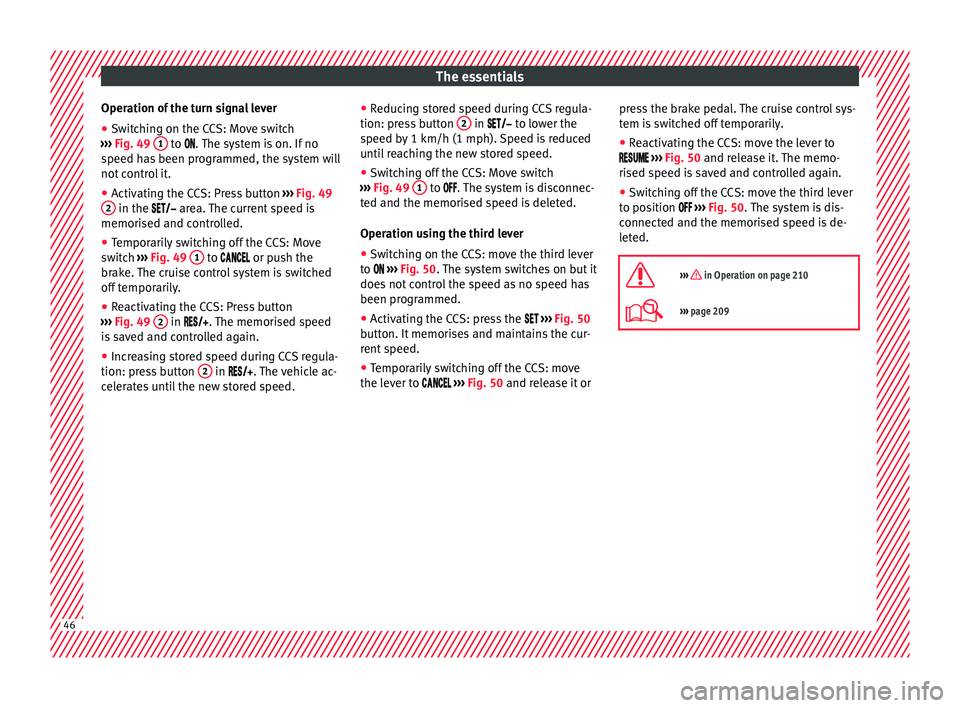
● Switching on the CCS: Move switch
› ›
›
Fig. 49 1 to .
The system is on. If no
s peed h
as been programmed, the system will
not control it.
● Activating the CCS: Press button ›››
Fig. 49
2 in the ar
e
a. The current speed is
memorised and controlled.
● Temporarily switching off the CCS: Move
switc
h ››› Fig. 49 1 to
or push the
br ak
e. The cruise control system is switched
off temporarily.
● Reactivating the CCS: Press button
›››
Fig. 49 2 in
. The memorised speed
i
s saved and controlled again.
● Increasing stored speed during CCS regula-
tion: pres
s button 2 in
. The vehicle ac-
c
elerates until the new stored speed. ●
Reducin
g stored speed during CCS regula-
tion: press button 2 in t
o lower the
s peed b
y 1 km/h (1 mph). Speed is reduced
until reaching the new stored speed.
● Switching off the CCS: Move switch
›››
Fig. 49 1 to .
The system is disconnec-
t ed and the memori
sed speed is deleted.
Operation using the third lever
● Switching on the CCS: move the third lever
to
››› Fig. 50. The system switches on but it
does not control the speed as no speed has
been programmed.
● Activating the CCS: press the ›››
Fig. 50
button. It memorises and maintains the cur-
rent speed.
● Temporarily switching off the CCS: move
the lever t
o ››› Fig. 50 and release it or press the brake pedal. The cruise control sys-
tem is
switched off temporarily.
● Reactivating the CCS: move the lever to
›
›› Fig. 50 and release it. The memo-
rised speed is saved and controlled again.
● Switching off the CCS: move the third lever
to pos
ition ››› Fig. 50. The system is dis-
connected and the memorised speed is de-
leted.
››› in Operation on page 210
››› page 209 46
Page 50 of 332
The essentials
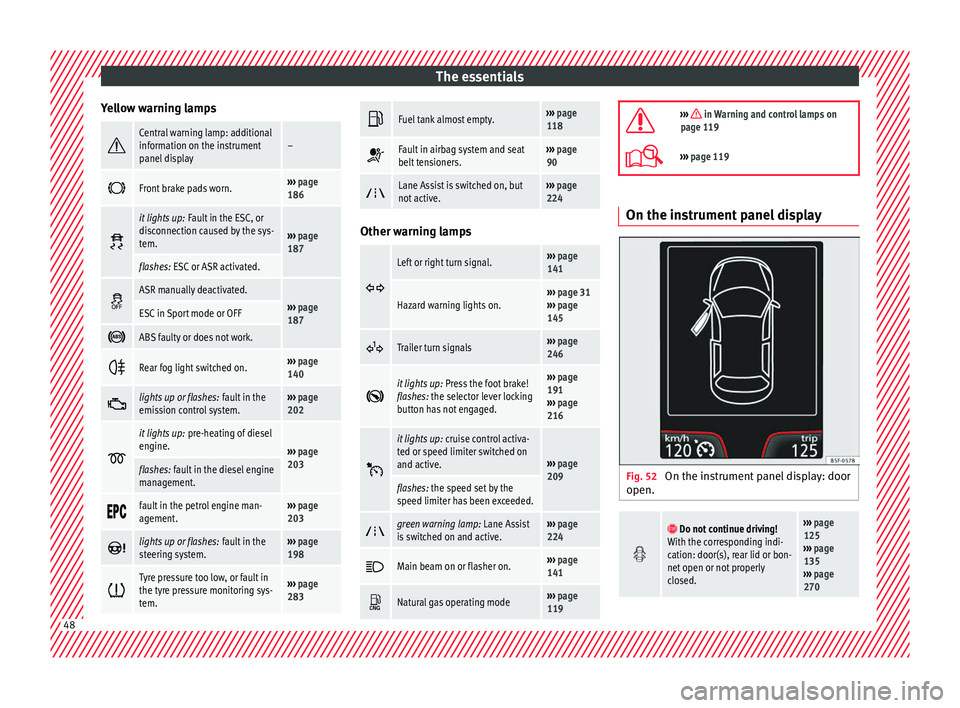
Yellow warning lamps Central warning lamp: additional
information on the instrument
panel display–
Front brake pads worn.›››
page
186
it lights up:
Fault in the ESC, or
disconnection caused by the sys-
tem.
››› page
187
flashes: ESC or ASR activated.
ASR manually deactivated.›››
page
187ESC in Sport mode or OFF
ABS faulty or does not work.
Rear fog light switched on.›››
page
140
lights up or flashes:
fault in the
emission control system.››› page
202
it lights up:
pre-heating of diesel
engine.
››› page
203
flashes: fault in the diesel engine
management.
fault in the petrol engine man-
agement.›››
page
203
lights up or flashes:
fault in the
steering system.››› page
198
Tyre pressure too low, or fault in
the tyre pressure monitoring sys-
tem.›››
page
283
Fuel tank almost empty.›››
page
118
Fault in airbag system and seat
belt tensioners.›››
page
90
Lane Assist is switched on, but
not active.›››
page
224 Other warning lamps
Left or right turn signal.›››
page
141
Hazard warning lights on.››› page 31
››› page
145
Trailer turn signals›››
page
246
it lights up:
Press the foot brake!
flashes: the selector lever locking
button has not engaged.››› page
191
››› page
216
it lights up:
cruise control activa-
ted or speed limiter switched on
and active.
››› page
209
flashes: the speed set by the
speed limiter has been exceeded.
green warning lamp: Lane Assist
is switched on and active.›››
page
224
Main beam on or flasher on.›››
page
141
Natural gas operating mode›››
page
119
››› in Warning and control lamps on
page 119
››› page 119 On the instrument panel display
Fig. 52
On the instrument panel display: door
open.
Do not continue driving!
With the corresponding indi-
cation: door(s), rear lid or bon-
net open or not properly
closed.››› page
125
››› page
135
››› page
270 48
Page 66 of 332
The essentials
● Rep
l
ace the cover again or close the fuse
box lid.
Bulbs Bul
bs (12 V) Note: Depending on the level of equipment
fitt
ed in the
vehicle, LEDs may be used for
part or all of the interior and/or exterior light-
ing. LEDs have an estimated life that exceeds
that of the vehicle. If an LED light fails, go to
an authorised workshop for its replacement.
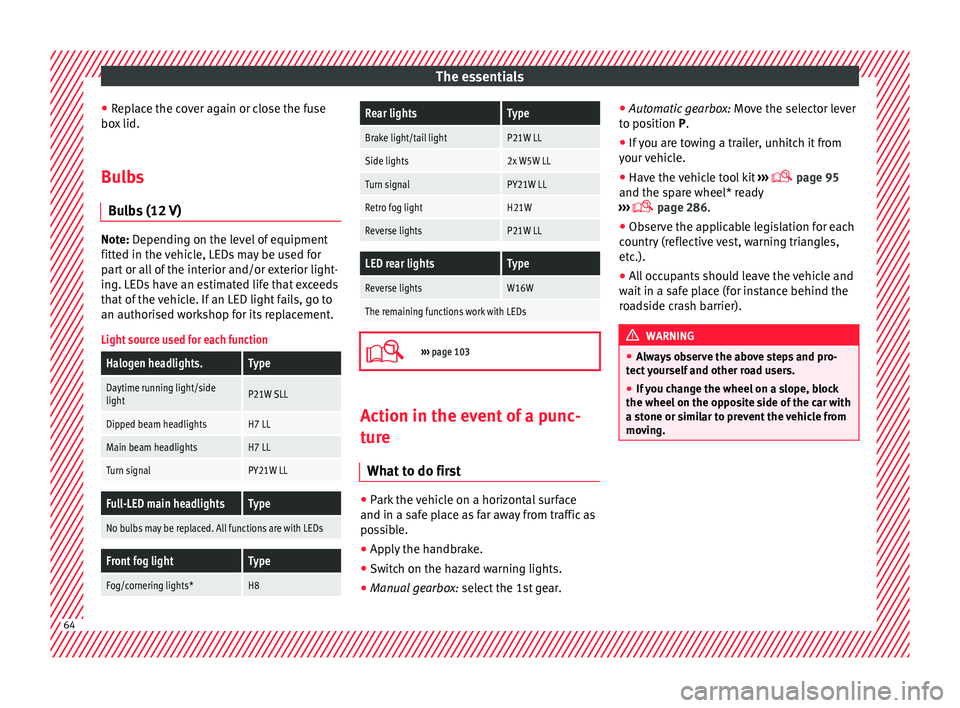
Light source used for each function
Halogen headlights.Type
Daytime running light/side
lightP21W SLL
Dipped beam headlightsH7 LL
Main beam headlightsH7 LL
Turn signalPY21W LL
Full-LED main headlightsType
No bulbs may be replaced. All functions are with LEDs
Front fog lightType
Fog/cornering lights*H8
Rear lightsType
Brake light/tail lightP21W LL
Side lights2x W5W LL
Turn signalPY21W LL
Retro fog lightH21W
Reverse lightsP21W LL
LED rear lightsType
Reverse lightsW16W
The remaining functions work with LEDs
›››
page 103 Action in the event of a punc-
t
ur
e
Wh
at to do first ●
Park the vehicle on a horizontal surface
and in a s af
e p
lace as far away from traffic as
possible.
● Apply the handbrake.
● Switch on the hazard warning lights.
● Manual gearbox: select the 1s
t gear.●
Automatic ge
arbox: Move the selector lever
to position P.
● If you are towing a trailer, unhitch it from
your v
ehicle.
● Have the vehicle tool kit ›››
page 95
and the spare wheel* ready
››› page 286.
● Observe the applicable legislation for each
countr
y (reflective vest, warning triangles,
etc.).
● All occupants should leave the vehicle and
wait in a s
afe place (for instance behind the
roadside crash barrier). WARNING
● Alw a
ys observe the above steps and pro-
tect yourself and other road users.
● If you change the wheel on a slope, block
the wheel on the oppo
site side of the car with
a stone or similar to prevent the vehicle from
moving. 64
Page 76 of 332
Safety
Safety
Saf e driv
in
g
Safety first! WARNING
● This m
anual contains important informa-
tion about the operation of the vehicle, both
for the driver and the passengers. The other
sections of the on-board documentation also
contain further information that you should
be aware of for your own safety and for the
safety of your passengers.
● Ensure that the on-board documentation is
kept in the
vehicle at all times. This is espe-
cially important when lending or selling the
vehicle to another person. Advice about driving
B ef
or
e setting off For your own safety and the safety of your
p
a
s
sengers, always note the following points
before every trip:
– Make sure that the vehicle's lights and turn
signal
s are working properly.
– Check tyre pressure. –
Ensur
e that all windows provide a clear and
good view of the surroundings.
– Make sure all luggage is secured
›››
page 160.
– Make sure that no objects can interfere
with the pedal
s.
– Adjust front seat, head restraint and mir-
rors
properly according to your size.
– Ensure that the passengers in the rear
seats alw
ays have the head restraints in
the in-use position ››› page 78.
– Instruct passengers to adjust the head re-
straints
according to their height.
– Protect children with appropriate child
seats and pr
operly applied seat belts
››› page 91.
– Assume the correct sitting position. Instruct
your pa
ssengers also to assume a proper
sitting position ››› page 75.
– Fasten your seat belt securely. Instruct your
pas
sengers also to fasten their seat belts
properly ››› page 80.
What affects driving safety? As a driver, you are responsible for yourself
and
y
our p
assengers. When your concentra-
tion or driving safety is affected by any cir- cumstance, you endanger yourself as well as
others on the r
oad ››› , for this reason:
– Always pay attention to traffic and do not
g et
di
stracted by passengers or telephone
calls.
– Never drive when your driving ability is im-
paired (e.
g. by medication, alcohol, drugs).
– Observe traffic laws and speed limits.
– Always reduce your speed as appropriate
for ro
ad, traffic and weather conditions.
– When travelling long distances, take
break
s regularly - at least every two hours.
– If possible, avoid driving when you are tired
or stre
ssed. WARNING
When driving safety is impaired during a trip,
the risk of
injury and accidents increases. Safety equipment
Never put your safety or the safety of your
p
a
s
sengers in danger. In the event of an acci-
dent, the safety equipment may reduce the
risk of injury. The following points cover part
of the safety equipment in your SEAT:
● three-point seat belts,
● belt tension limiters for the front and rear
side seats,
74
Page 100 of 332
Emergencies
they should be changed if they are damaged,
or c l
e
aned if they are dirty ››› .
Dam ag
ed w
iper blades should be replaced
immediately. These are available from quali-
fied workshops. WARNING
Worn or dirty windscreen wiper blades reduce
vi s
ibility and increase the risk of accident
and serious injury.
● Always replace damaged or worn wind-
scr
een wiper blades or blades that no longer
clean the windscreen properly. CAUTION
● Damag ed or dir
ty windscreen wipers could
scratch the glass.
● If products containing solvents, rough
spong
es or sharp objects are used to clean
the blades, the graphite layer will be dam-
aged.
● Never use fuel, nail varnish remover, paint
thinner or simil
ar products to clean the win-
dows.
● In icy conditions, always check that the
wiper bl
ades are not frozen to the glass be-
fore using the wipers. In cold weather, it may
help to leave the vehicle parked with the wip-
ers in service position ›››
page 72. CAUTION
● To pr ev
ent damage to the bonnet and the
wiper arms, only leave them in the service
position.
● Before driving, always lower the wiper
arms. Towing or tow-starting
Genera l
information Read the additional information carefully
› ›
›
page 69.
Tow-starting means starting the engine of
the vehicle while another pulls it.
Towing means one vehicle pulling another
that is not roadworthy.
If the vehicle comes with the Keyless Access
system, towing is only allowed with the igni-
tion on!
The vehicle battery drains if the vehicle is
towed with the engine switched off and the
ignition connected. Depending on the battery
charge status, the drop in voltage may be so
large, even after just a few minutes, that no
electrical device in the vehicle may work e.g.
the hazard warning lights. In vehicles with
the Keyless Access system, the steering
wheel could lock up. WARNING
If the vehicle has no electrical power, the
brak e light
s, turn signals and all other lights
will no longer function. Do not have the vehi-
cle towed away. Failure to follow this instruc-
tion could result in an accident. WARNING
The risk of accidents is high when tow-start-
ing, f or e
xample, the towed vehicle can easily
be driven into the towing vehicle. CAUTION
If there is no oil in the gearbox or no lubricant
in the autom atic
transmission the car may
only be towed with the driven wheels lifted
clear of the road, or transported on a special
car transporter or trailer. CAUTION
Do not tow a vehicle for more than 50 m in at-
tempt t
o start it. There is risk of damage to
the catalytic converter. Note
● Ple a
se observe related legal requirements.
● Switch on the hazard warning lights of both
vehicl
es. However, observe any regulations
to the contrary. 98