instrument panel Seat Mii 2013 User Guide
[x] Cancel search | Manufacturer: SEAT, Model Year: 2013, Model line: Mii, Model: Seat Mii 2013Pages: 306, PDF Size: 4.3 MB
Page 25 of 306
23
Instrument panel
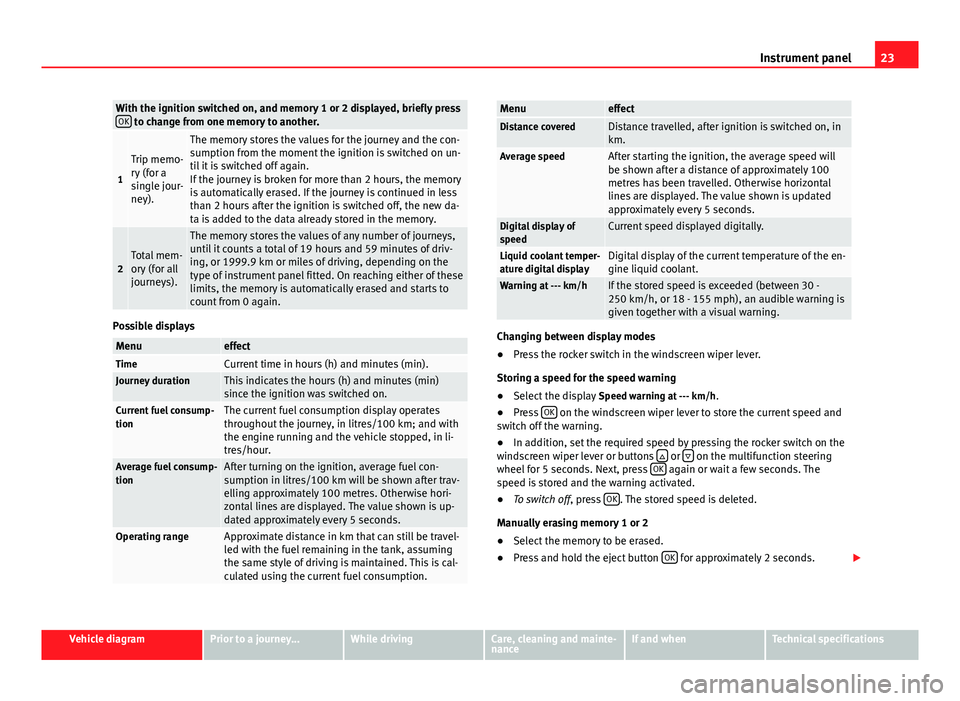
With the ignition switched on, and memory 1 or 2 displayed, briefly press
OK to change from one memory to another.
1
Trip memo-
ry (for a
single jour-
ney).
The memory stores the values for the journey and the con-
sumption from the moment the ignition is switched on un-
til it is switched off again.
If the journey is broken for more than 2 hours, the memory
is automatically erased. If the journey is continued in less
than 2 hours after the ignition is switched off, the new da-
ta is added to the data already stored in the memory.
2Total mem-
ory (for all
journeys).
The memory stores the values of any number of journeys,
until it counts a total of 19 hours and 59 minutes of driv-
ing, or 1999.9 km or miles of driving, depending on the
type of instrument panel fitted. On reaching either of these
limits, the memory is automatically erased and starts to
count from 0 again.
Possible displays
MenueffectTimeCurrent time in hours (h) and minutes (min).Journey durationThis indicates the hours (h) and minutes (min)
since the ignition was switched on.
Current fuel consump-
tionThe current fuel consumption display operates
throughout the journey, in litres/100 km; and with
the engine running and the vehicle stopped, in li-
tres/hour.
Average fuel consump-
tionAfter turning on the ignition, average fuel con-
sumption in litres/100 km will be shown after trav-
elling approximately 100 metres. Otherwise hori-
zontal lines are displayed. The value shown is up-
dated approximately every 5 seconds.
Operating rangeApproximate distance in km that can still be travel-
led with the fuel remaining in the tank, assuming
the same style of driving is maintained. This is cal-
culated using the current fuel consumption.
MenueffectDistance coveredDistance travelled, after ignition is switched on, in
km.
Average speedAfter starting the ignition, the average speed will
be shown after a distance of approximately 100
metres has been travelled. Otherwise horizontal
lines are displayed. The value shown is updated
approximately every 5 seconds.
Digital display of
speedCurrent speed displayed digitally.
Liquid coolant temper-
ature digital displayDigital display of the current temperature of the en-
gine liquid coolant.
Warning at --- km/hIf the stored speed is exceeded (between 30 -
250 km/h, or 18 - 155 mph), an audible warning is
given together with a visual warning.
Changing between display modes
● Press the rocker switch in the windscreen wiper lever.
Storing a speed for the speed warning
● Select the display Speed warning at --- km/h.
● Press OK
on the windscreen wiper lever to store the current speed and
switch off the warning.
● In addition, set the required speed by pressing the rocker switch on the
windscreen wiper lever or buttons
or on the multifunction steering
wheel for 5 seconds. Next, press OK again or wait a few seconds. The
speed is stored and the warning activated.
● To switch off , press OK
. The stored speed is deleted.
Manually erasing memory 1 or 2
● Select the memory to be erased.
● Press and hold the eject button OK
for approximately 2 seconds.
Vehicle diagramPrior to a journey...While drivingCare, cleaning and mainte-
nanceIf and whenTechnical specifications
Page 26 of 306
24Instrument panel
Note
On the screen of the SEAT Portable System (supplied by SEAT) ⇒ page 222
other functions of the multifunction display can be seen.
Page 37 of 306
35
Opening and closing
Central locking
Push the button ⇒ Fig. 19:
Unlocking the vehicle.
Lock the vehicle.
The central locking button is still operative when the ignition is switched off.
If the vehicle has been locked with the vehicle key, the central locking but-
ton does not operate.
Please note the following when you use the central locking button to lock
your vehicle:
● The deadlock will not activate ⇒ page 35.
● It will not be possible to open the doors or the rear lid from the outside
this may offer extra safety, when stopped at traffic lights for example.
● The doors can be opened and unlocked individually from the inside by
pulling the inside door handle. If necessary, pull the door release lever
twice.
● The driver door cannot be locked when it is still open. This avoids lock-
ing the vehicle key inside the vehicle when there is nobody inside.
Mechanical locking
The doors are locked by pressing the door lever, so that the red mark be-
comes visible ⇒ Fig. 20 1
.
To unlock a door, pull its corresponding door lever.
If the vehicle becomes locked, take note of the following:
● The deadlock will not activate ⇒ page 35.
● It will not be possible to open the doors from the outside, when stopped
at traffic lights for example. ●
The doors can be opened and unlocked individually from the inside by
pulling the inside door handle.
● The driver door cannot be locked using the central locking system when
it is still open. This avoids locking the vehicle key inside the vehicle when
there is nobody inside.
Deadlock system “Safe”*
effectNecessary operationsLocks the vehicle with the dead-
lock.Press the button once on the vehicle
key.
Locks the vehicle without the
deadlock.Press the button twice on the vehicle
key.
Press the central locking button on
the driver door once.
When the vehicle is locked, the deadlock deactivates the door handles,
making the vehicle difficult to open. The doors cannot be opened from in-
side ⇒
.
Upon switching off the ignition, the deadlock switched on warning will ap-
pear on the instrument panel display ( deadlock or SAFELOCK).
When the deadlock is switched off:
● The vehicle can be opened and unlocked from the inside using an inside
door handle.
Vehicle diagramPrior to a journey...While drivingCare, cleaning and mainte-
nanceIf and whenTechnical specifications
Page 59 of 306
57
Ensuring you are correctly and safely seated
Warning lamp
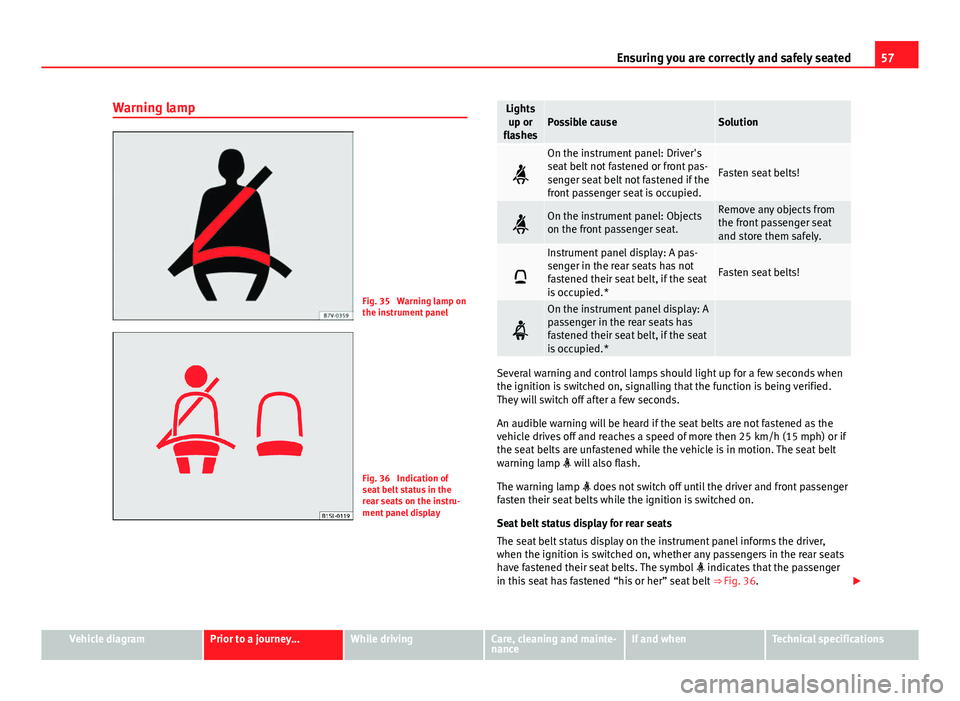
Fig. 35 Warning lamp on
the instrument panel
Fig. 36 Indication of
seat belt status in the
rear seats on the instru-
ment panel display
Lights up or
flashesPossible causeSolution
On the instrument panel: Driver's
seat belt not fastened or front pas-
senger seat belt not fastened if the
front passenger seat is occupied.
Fasten seat belts!
On the instrument panel: Objects
on the front passenger seat.Remove any objects from
the front passenger seat
and store them safely.
Instrument panel display: A pas-
senger in the rear seats has not
fastened their seat belt, if the seat
is occupied.*
Fasten seat belts!
On the instrument panel display: A
passenger in the rear seats has
fastened their seat belt, if the seat
is occupied.*
Several warning and control lamps should light up for a few seconds when
the ignition is switched on, signalling that the function is being verified.
They will switch off after a few seconds.
An audible warning will be heard if the seat belts are not fastened as the
vehicle drives off and reaches a speed of more then 25 km/h (15 mph) or if
the seat belts are unfastened while the vehicle is in motion. The seat belt
warning lamp will also flash.
The warning lamp does not switch off until the driver and front passenger
fasten their seat belts while the ignition is switched on.
Seat belt status display for rear seats
The seat belt status display on the instrument panel informs the driver,
when the ignition is switched on, whether any passengers in the rear seats
have fastened their seat belts. The symbol indicates that the passenger
in this seat has fastened “his or her” seat belt ⇒ Fig. 36.
Vehicle diagramPrior to a journey...While drivingCare, cleaning and mainte-
nanceIf and whenTechnical specifications
Page 69 of 306
67
Ensuring you are correctly and safely seated
Types of front passenger front airbag systems
There are 2 different SEAT front passenger airbag systems:ABCharacteristics of the passenger
front airbag without disabling.Characteristics of the front passen-
ger front airbag that can be disabled
manually ⇒ page 71.
- * Control lamp on the instru-
ment panel.– Control lamp on the instrument
panel.
- Front passenger airbag located in
dash panel.- PASSENGER AIR BAG control
lamp on the dash panel.
- Key switch in the glove compart-
ment on the front passenger side of
the dash panel.
- Front passenger airbag located in
dash panel.
- Description: airbag system- Description: airbag system with
front passenger front airbag disa-
bling.
- Description: airbag system without
disabling.* Control lamps
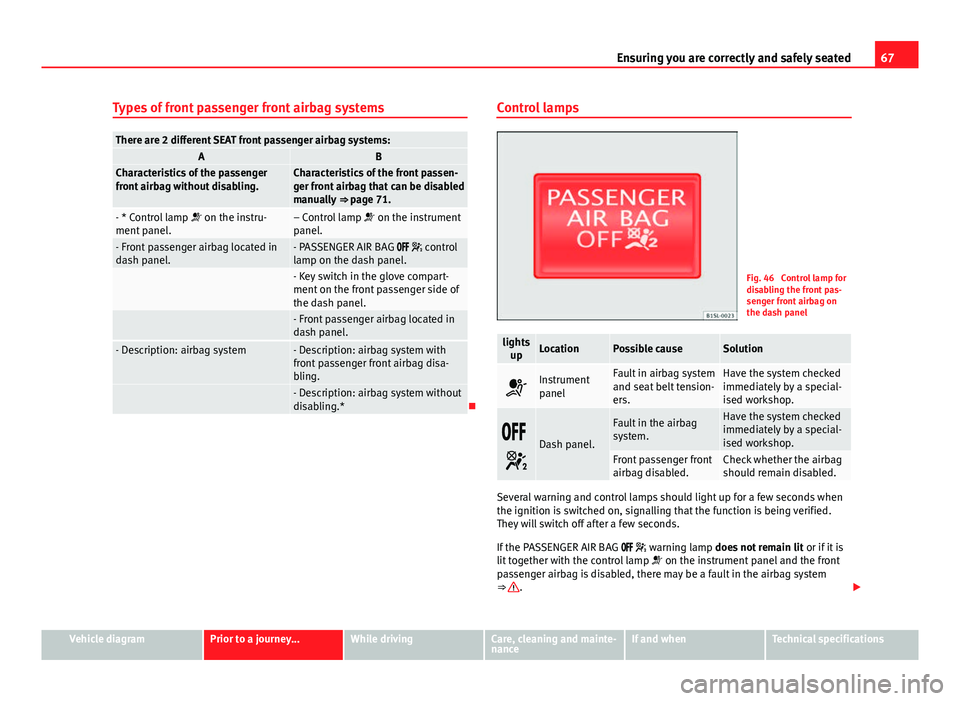
Fig. 46 Control lamp for
disabling the front pas-
senger front airbag on
the dash panel
lights
upLocationPossible causeSolution
Instrument
panelFault in airbag system
and seat belt tension-
ers.Have the system checked
immediately by a special-
ised workshop.
Dash panel.
Fault in the airbag
system.Have the system checked
immediately by a special-
ised workshop.
Front passenger front
airbag disabled.Check whether the airbag
should remain disabled.
Several warning and control lamps should light up for a few seconds when
the ignition is switched on, signalling that the function is being verified.
They will switch off after a few seconds.
If the PASSENGER AIR BAG warning lamp does not remain lit or if it is
lit together with the control lamp on the instrument panel and the front
passenger airbag is disabled, there may be a fault in the airbag system
⇒
.
Vehicle diagramPrior to a journey...While drivingCare, cleaning and mainte-
nanceIf and whenTechnical specifications
Page 74 of 306
72Ensuring you are correctly and safely seated
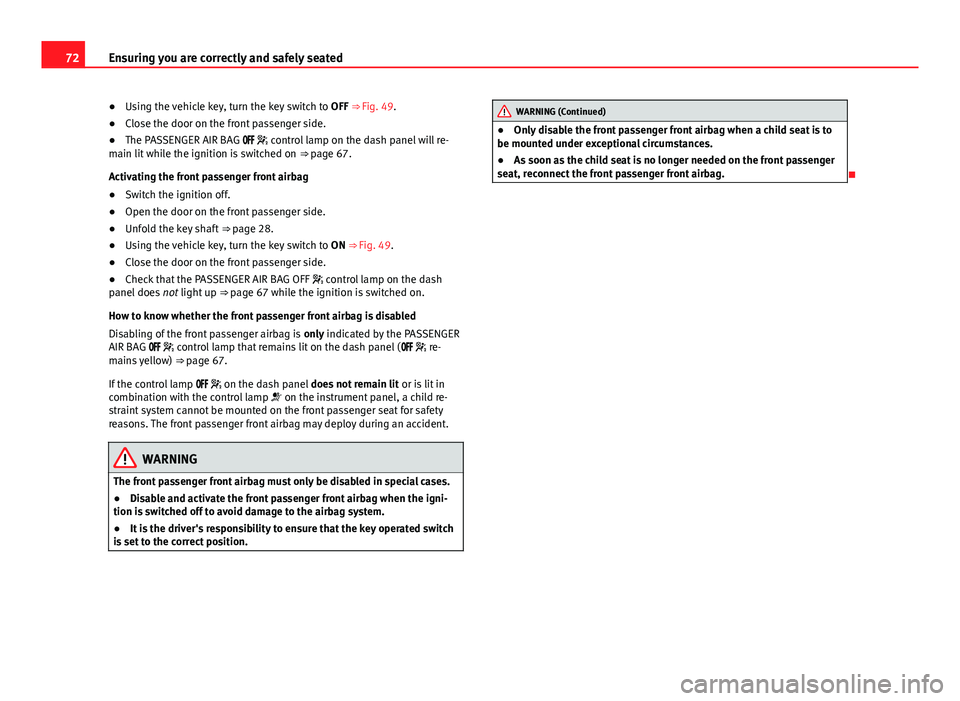
● Using the vehicle key, turn the key switch to OFF ⇒ Fig. 49.
● Close the door on the front passenger side.
● The PASSENGER AIR BAG control lamp on the dash panel will re-
main lit while the ignition is switched on ⇒ page 67.
Activating the front passenger front airbag
● Switch the ignition off.
● Open the door on the front passenger side.
● Unfold the key shaft ⇒ page 28.
● Using the vehicle key, turn the key switch to ON ⇒ Fig. 49.
● Close the door on the front passenger side.
● Check that the PASSENGER AIR BAG OFF control lamp on the dash
panel does not light up ⇒ page 67 while the ignition is switched on.
How to know whether the front passenger front airbag is disabled
Disabling of the front passenger airbag is only indicated by the PASSENGER
AIR BAG control lamp that remains lit on the dash panel ( re-
mains yellow) ⇒ page 67.
If the control lamp on the dash panel does not remain lit or is lit in
combination with the control lamp on the instrument panel, a child re-
straint system cannot be mounted on the front passenger seat for safety
reasons. The front passenger front airbag may deploy during an accident.
WARNING
The front passenger front airbag must only be disabled in special cases.
● Disable and activate the front passenger front airbag when the igni-
tion is switched off to avoid damage to the airbag system.
● It is the driver's responsibility to ensure that the key operated switch
is set to the correct position.
WARNING (Continued)
● Only disable the front passenger front airbag when a child seat is to
be mounted under exceptional circumstances.
● As soon as the child seat is no longer needed on the front passenger
seat, reconnect the front passenger front airbag.
Page 85 of 306
83
Lights and visibility
CAUTION
Failure to heed the warning lamps when they appear may result in faults in
the vehicle.
Turn signal and headlight lever
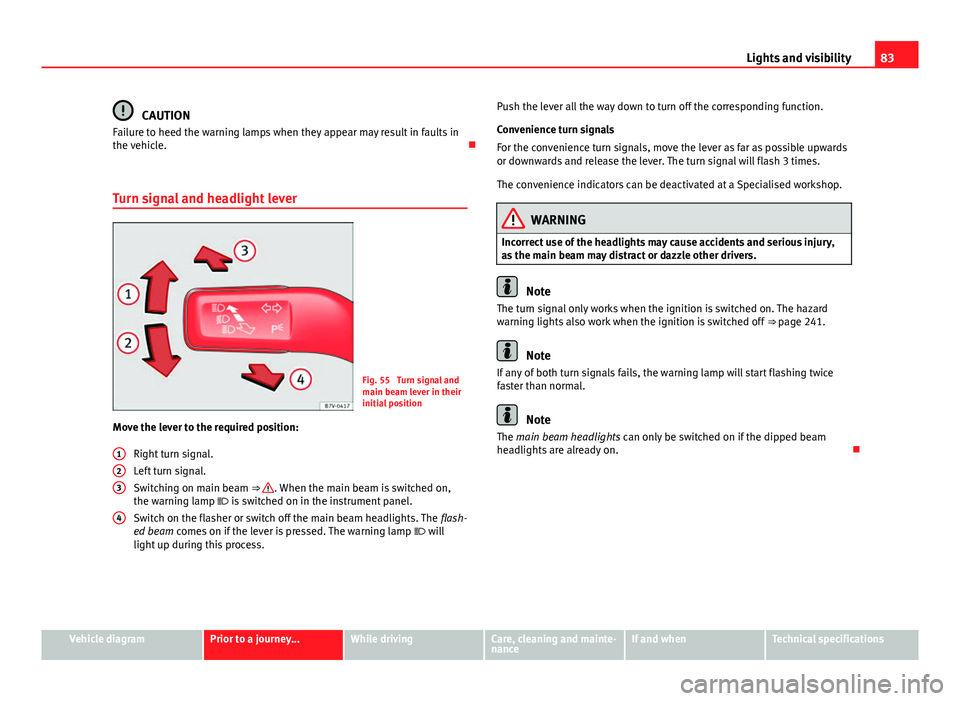
Fig. 55 Turn signal and
main beam lever in their
initial position
Move the lever to the required position:
Right turn signal.
Left turn signal.
Switching on main beam ⇒
. When the main beam is switched on,
the warning lamp is switched on in the instrument panel.
Switch on the flasher or switch off the main beam headlights. The flash-
ed beam comes on if the lever is pressed. The warning lamp will
light up during this process.
123
4
Push the lever all the way down to turn off the corresponding function.
Convenience turn signals
For the convenience turn signals, move the lever as far as possible upwards
or downwards and release the lever. The turn signal will flash 3 times.
The convenience indicators can be deactivated at a Specialised workshop.
WARNING
Incorrect use of the headlights may cause accidents and serious injury,
as the main beam may distract or dazzle other drivers.
Note
The turn signal only works when the ignition is switched on. The hazard
warning lights also work when the ignition is switched off ⇒ page 241.
Note
If any of both turn signals fails, the warning lamp will start flashing twice
faster than normal.
Note
The main beam headlights can only be switched on if the dipped beam
headlights are already on.
Vehicle diagramPrior to a journey...While drivingCare, cleaning and mainte-
nanceIf and whenTechnical specifications
Page 98 of 306
96Transporting
Transporting a load
Secure all objects in the vehicle
●Distribute the load throughout the vehicle and on the roof as uniformly
as possible.
● Transport heavy objects as far forward as possible in the luggage com-
partment and lock the seat backs in the vertical position.
● Check the headlight adjustment ⇒ page 82.
● Use the suitable tyre pressure according to the load being transported.
Read the tire inflation information label ⇒ page 210.
CAUTION
Objects on the shelf could chafe against the wires of the heating element in
the heated rear window and cause damage.
Note
Please refer to the notes on loading the roof carrier ⇒ page 104.
Driving with the rear lid open
Driving with the rear lid open creates an additional risk. Secure all objects
and secure the rear lid correctly and take all measures possible to reduce
toxic gases from entering the vehicle.
WARNING
Driving with the rear lid unlocked or open could cause serious injuries.
● Always drive with the rear lid closed.
WARNING (Continued)
● Secure all objects in the vehicle. Loose items could fall out of the ve-
hicle and injure other road users or damage other vehicles.
● Drive particularly carefully and think ahead.
● Avoid sudden manoeuvres and braking given that this could cause an
uncontrolled movement of the open rear lid.
● When transporting objects that protrude out of the luggage compart-
ment, indicate them suitably. Observe legal requirements.
● If objects must project out of the luggage compartment, the rear lid
must never be used to “secure” or “attach” objects.
● If a baggage rack is fitted on the rear lid, it should be removed before
travelling with the rear lid open.
WARNING
Toxic gases may enter the vehicle interior when the rear lid is open. This
could cause loss of consciousness, carbon monoxide poisoning, serious
injury and accidents.
● To avoid toxic gases entering the vehicle always drive with the rear lid
closed.
● In exceptional circumstances, if you must drive with the rear lid open,
observe the following to reduce the entry of toxic gases inside the vehi-
cle:
–Close all windows.
– Disable air recirculation mode.
– Open all of the air outlets on the instrument panel.
– Switch on the blower to maximum.
CAUTION
An open rear lid changes the length and height of the vehicle.
Page 121 of 306
119
Starting, changing gears, parking
While driving
Starting, changing gears, parking
Stopping and starting the engine Introduction
Immobiliser display
When an invalid key is used or in the event of a system fault, is dis-
played on the instrument panel. The engine cannot be started.
Pushing or towing
For technical reasons, the vehicle must not be push- or tow-started. Jump
starting is preferable.
Additional information and warnings:
● Vehicle key set ⇒ page 28
● Changing gear ⇒ page 124
● Braking, stopping and parking ⇒ page 134
● Steering ⇒ page 147
● Refuelling ⇒ page 171
● Fuel ⇒ page 177
● Emergency locking and unlocking ⇒ page 244
● Jump starting ⇒ page 275
● Tow starting and towing away ⇒ page 278
WARNING
Switching off the engine while driving makes stopping the vehicle diffi-
cult. As a consequence you may lose control of the vehicle and there is a
risk of serious accident.
● The assisted braking and steering systems, the airbag system, seat
belts and certain safety equipment are only active while the engine is
running.
● The engine should only be switched off when the vehicle is at a
standstill.
WARNING
While the engine is running or starting it could help reduce the risk of se-
rious injury.
● Never start or leave the engine running in poorly ventilated or closed
spaces. Exhaust gas contains carbon monoxide, a toxic, colourless and
odourless gas. Carbon monoxide can cause people to lose conscious-
ness. It can also cause death.
● Never leave the vehicle unattended if the engine is running. The vehi-
cle could move off suddenly or something unexpected could happen re-
sulting in damage and serious injury.
● Never use start boosters. Cold start sprays could explode or increase
the engine speed unexpectedly.
Vehicle diagramPrior to a journey...While drivingCare, cleaning and mainte-
nanceIf and whenTechnical specifications
Page 125 of 306
123
Starting, changing gears, parking
The electronic immobilizer will be activated again automatically as soon as
you remove the key from the ignition lock.
For this reason, the vehicle can only be used with a genuine SEAT key with
the correct code. Coded keys can be obtained from SEAT dealerships
⇒ page 28.
If an unauthorised key is used, the signal appears on the instrument
panel display. The vehicle cannot be started in this case
Note
The correct operation of the vehicle is only guaranteed when original SEAT
keys are used.
Vehicle diagramPrior to a journey...While drivingCare, cleaning and mainte-
nanceIf and whenTechnical specifications