engine Seat Mii 2016 Workshop Manual
[x] Cancel search | Manufacturer: SEAT, Model Year: 2016, Model line: Mii, Model: Seat Mii 2016Pages: 232, PDF Size: 4.9 MB
Page 150 of 232
Operation
Automatic gearbox overheating
The aut om
atic
gearbox can overheat with a
prolonged start up, or when stopping and
starting continuously. This overheating is dis-
played with a warning lamp in the instru-
ment panel. Additionally, an audible warning
can be heard. Stop and let the gearbox cool
››› .
The v
ehic
le moves forward or back despite
having selected a gear range
When the vehicle does not move in the re-
quired direction, the system may not have
the gear range correctly engaged. Press the
brake pedal and engage the gear range
again. If the vehicle still does not move in the
required direction, there is a system malfunc-
tion. Seek specialist assistance and have the
system checked. CAUTION
● When the ge arbo
x is displayed as overheat-
ing for the first time, the vehicle must be
parked safely or must be driven at a speed of
more than 20 km/h (12 mph).
● When the warning lamp lights up and the
audible w
arning is heard, the vehicle must be
parked safely and the engine switched off.
Let the gearbox cool down.
● To prevent damage to the gearbox, driving
must
only be continued when the warning
lamps are no longer lit up. While the gearbox is overheated, starting up and driving, even
at a s
lo
w speed should be avoided. Recommended gear display
In some vehicles, the recommended gear for
reduc
in
g fuel consumption is displayed on
the instrument panel:
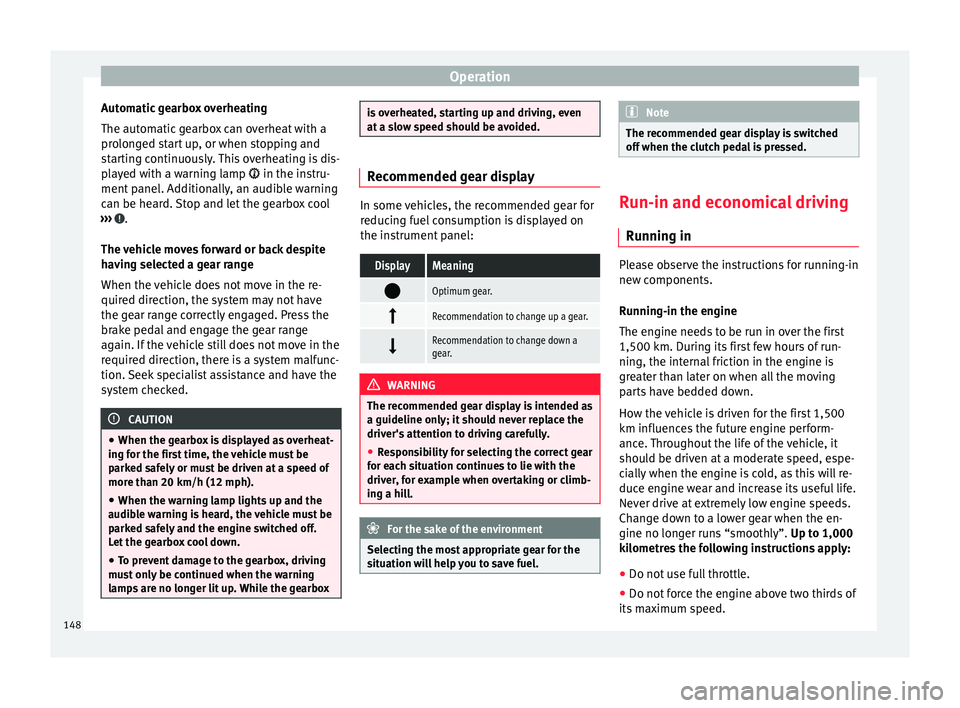
DisplayMeaning
Optimum gear.
Recommendation to change up a gear.
Recommendation to change down a
gear.
WARNING
The recommended gear display is intended as
a guideline only; it shou
ld never replace the
driver's attention to driving carefully.
● Responsibility for selecting the correct gear
for eac
h situation continues to lie with the
driver, for example when overtaking or climb-
ing a hill. For the sake of the environment
Selecting the most appropriate gear for the
sit uation w
ill help you to save fuel. Note
The recommended gear display is switched
off when the c lut
ch pedal is pressed. Run-in and economical driving
Ru nnin
g in Please observe the instructions for running-in
new components.
R u
nning-in the engine
The engine needs to be run in over the first
1,500 km. During its first few hours of run-
ning, the internal friction in the engine is
greater than later on when all the moving
parts have bedded down.
How the vehicle is driven for the first 1,500
km influences the future engine perform-
ance. Throughout the life of the vehicle, it
should be driven at a moderate speed, espe-
cially when the engine is cold, as this will re-
duce engine wear and increase its useful life.
Never drive at extremely low engine speeds.
Change down to a lower gear when the en-
gine no longer runs “smoothly”. Up to 1,000
kilometres the following instructions apply:
● Do not use full throttle.
● Do not force the engine above two thirds of
its m ax
imum speed.
148
Page 151 of 232
Driving
Between 1,000 and 1,500 kilometres, gr adu-
a l
ly increase power until reaching the maxi-
mum speed and high engine speeds.
Running in new tyres and brake pads
● Replacement of wheel rims and new tyres
›››
page 199
● Notes on the brakes ›››
page 137 For the sake of the environment
If the engine is run in gently, the life of the
engine w i
ll be increased and the engine oil
consumption reduced. Environmental compatibility
Environmental protection is a top priority in
the de
s
ign, c
hoice of materials and manufac-
ture of your new SEAT.
Constructive measures to encourage recy-
cling
● Joints and connections designed for easy
dismantlin
g
● Modular construction to facilitate disman-
tling
● Incr
eased use of single-grade materials.
● Plastic parts and elastomers are marked in
accor
dance with ISO 1043, ISO 11469 and
ISO 1629. Choice of materials
●
Use of recycled materials.
● Use of compatible plastics in the same part
if its c
omponents are not easily separated.
● Use of recycled materials and/or materials
originating fr
om renewable sources.
● Reduction of volatile components, includ-
ing odour, in p
lastic materials.
● Use of CFC-free coolants.
Ban on heavy
metals, with the exceptions
dictated by law (Annex II of ELV Directive
2000/53/EC): cadmium, lead, mercury, hexa-
valent chromium.
Manufacturing methods
● Reduction of the quantity of thinner in the
protectiv
e wax for cavities.
● Use of plastic film as protection during ve-
hicle tr
ansport.
● Use of solvent-free adhesives.
● Use of CFC-free coolants in cooling sys-
tems.
● Recy
cling and energy recovery from resi-
dues (RDF).
● Impr
ovement in the quality of waste water.
● Use of systems for the recovery of residual
heat (therm
al recovery, enthalpy wheels,
etc.).
● The use of water-soluble paints. Economical and environmentally
friendly drivin
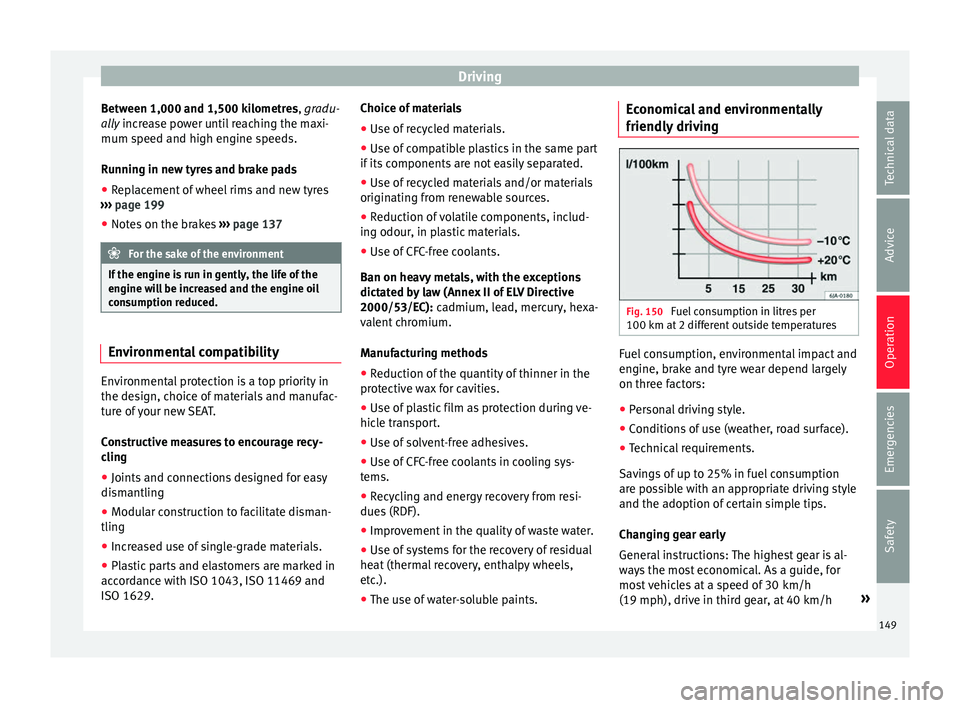
g Fig. 150
Fuel consumption in litres per
100 km at 2 diff
er
ent outside temperatures Fuel consumption, environmental impact and
en
gine, br
ak
e and tyre wear depend largely
on three factors:
● Personal driving style.
● Conditions of use (weather, road surface).
● Technical requirements.
Saving
s of up to 25% in fuel consumption
are possible with an appropriate driving style
and the adoption of certain simple tips.
Changing gear early
General instructions: The highest gear is al-
ways the most economical. As a guide, for
most vehicles at a speed of 30 km/h
(19 mph), drive in third gear, at 40 km/h »
149
Technical data
Advice
Operation
Emergencies
Safety
Page 152 of 232
Operation
(25 mph) in fourth gear and at 50 km/h
(31 mph) in fif th g
e
ar.
In addition, “skipping” gears when shifting
up helps to save fuel, weather and traffic
conditions permitting.
Do not wait until the last moment before
changing gear. Only use first gear when you
move off and change to second gear quickly.
Avoid the kick-down function in vehicles with
automatic gearbox.
Vehicles with a gear display help to achieve
an economical driving style as the display in-
dicates the best moment to change gear.
Let the vehicle roll
If you take your foot off the accelerator, the
fuel supply is stopped and consumption is
reduced.
Allow the vehicle to roll without accelerating,
for example when approaching a red traffic
light. However, if the vehicle is rolling too
slowly or the distance is too long, the clutch
pedal should be pressed to declutch. The en-
gine will then operate at idle speed.
If the vehicle is going to be at a standstill for
a period of time, switch off the engine; for ex-
ample, while waiting at a level crossing.
Think ahead and “flow” with the traffic
Frequent acceleration and braking considera-
bly increase fuel consumption. If you think ahead as you drive and keep a safe distance
from the v
ehicle in front, it is possible to slow
down by simply lifting your foot off the accel-
erator. This eliminates the need for constant
braking and acceleration.
Calm and steady driving
Constancy is more important than speed: The
more you drive at a constant speed, the lower
the fuel consumption.
When driving on the motorway, it is more effi-
cient to drive at a constant and more moder-
ate speed than to be continuously accelerat-
ing and braking. As a general rule, you will
reach your destination just as quickly when
you drive at a constant speed.
The cruise control function helps you to ach-
ieve a constant style of driving.
Moderate use of additional devices
It is important to travel in comfort, but con-
venience systems should be used ecological-
ly.
Some equipment, when connected, increase
fuel consumption considerably, for example:
● Air conditioning cooling system: If the air
conditioning sy
stem is required to cool to
significantly lower temperatures than the true
outside temperature, it will require a large
amount of energy from the engine. Therefore,
we recommend that the selected temperature for the vehicle is not too different to the out-
side temper
ature. It is a good idea to air the
vehicle before starting your journey and to
drive a short distance with the windows
open. Then you can close the windows and
switch on the air conditioning. Keep windows
closed when travelling at high speeds. Driv-
ing with the windows open increases fuel
consumption.
● Switch off the seat heating when the seats
have w
armed up.
● Switch off the heated rear window when it
is not
moist or covered in ice.
Avoid short journeys
Fuel consumption is much higher when the
engine is cold, immediately after it has been
started. It takes a few kilometres of driving
for the engine to warm up and to normalise
consumption.
The engine and catalytic converter need to
reach their proper working temperature in or-
der to minimise fuel consumption and emis-
sions. The ambient temperature has a deci-
sive influence.
Fig. 150 shows the difference in consump-
tion for the same journey at +20 °C (+68 °F)
and at -10 °C (+14 °F).
Therefore, unnecessary short journeys
should be avoided. Try to combine trips.
150
Page 153 of 232
Driving
The vehicle uses more fuel in winter than in
s ummer
, ev
en when other conditions are the
same.
The engine takes a long time to warm up
when it is idling. In addition, mechanical
wear and pollutant emissions are also espe-
cially high during this initial warm-up phase.
It is therefore best to drive off immediately af-
ter starting the engine. Doing this avoids run-
ning the engine at a high speed.
Adjusting type pressures.
Having the correct pressure in your tyres
helps to reduce rolling resistance and, as a
result reduces fuel consumption. Increasing
the tyre pressure slightly (+0.2
bar/+3 psi/+200 kPa) can help to save fuel.
When you buy new tyres, make sure they are
optimised for minimum rolling resistance.
Use low friction engine oil
The use of low viscosity totally synthetic oils,
known as low friction engine oil, helps to re-
duce fuel consumption. These oils reduce the
resistance caused by friction in the engine,
they flow around the engine more quickly
and efficiently, particularly in cold starts. The
effect is particularly noticeable in vehicles
frequently used for short journeys.
Always check the engine oil level and ob-
serve service intervals (engine oil change in-
tervals). When purchasing engine oil, always observe
leg
al requirements and ensure that the oil is
approved by SEAT.
Avoid carrying unnecessary loads
The lighter the vehicle, the more economical
and ecological the driving style. For example,
an additional weight of 100 kg will increase
fuel consumption up to 0.3 l/100 km.
Remove any unnecessary objects or loads
from the vehicle.
Remove optional equipment and unnecessa-
ry accessories
The more aerodynamic the vehicle, the lower
the fuel consumption. Optional equipment
and accessories (such as roof racks or bike
carriers) reduce the aerodynamic benefits of
the vehicle.
Therefore, we recommend you remove all op-
tional and unnecessary equipment and racks,
especially if you intend to drive at high
speeds.
Other factors which increase fuel consump-
tion (examples):
● Fault in engine management.
● Driving on hills. WARNING
Always adapt your speed and the distance to
the v ehic
les ahead in line with visibility,
weather conditions, the condition of the road
and the traffic situation. Engine management and ex-
hau
s
t gas purification system
Introduction WARNING
The components of the exhaust system reach
ver y
high temperatures. This could cause a
fire.
● Always park your vehicle so that no part of
the exhau
st system can come in contact with
flammable materials (such as dried grass).
● Never apply additional underseal or anti-
corro
sion coatings to the exhaust pipes, cata-
lytic converter or the heat shields on the ex-
haust system. Control and warning lamps
It lights up
fault in the pet-
rol engine man-
agement.Take the vehicle to a specialised
workshop as soon as possible and
have the engine checked.
»
151
Technical data
Advice
Operation
Emergencies
Safety
Page 154 of 232
Operation
It lights up
Fault in the
emission control
system.Reduce speed and drive carefully to
the nearest specialised workshop to
have the engine checked.
Flashes
Combustion
fault which could
damage the cat-
alytic converter.Reduce speed and drive carefully to
the nearest specialised workshop to
have the engine checked.
Several warning and control lamps light up
f
or a f
ew sec
onds when the ignition is switch-
ed on, signalling that the function is being
verified. They will switch off after a few sec-
onds. CAUTION
Always pay attention to any lit control lamps
and to the c orr
esponding descriptions and in-
structions to avoid damage to the vehicle. Note
Whereas the control lamps may remain lit
or , ther
e may be engine problems, fuel
consumption may increase and the engine
may lose power Catalytic converter
The catalytic converter permits the subse-
quent tr
e
atment of the exhaust gases thus
reducing contaminating gas emissions. To
ensure a longer working life for the exhaust
system and catalytic converter in a petrol en-
gine:
● Always use unleaded petrol.
● Never run the fuel tank completely dry.
● Do not top up with too much engine oil
›››
page 188.
● Do not tow-start the vehicle; use the starter
cab l
es ›››
page 43.
If you should notice misfiring, uneven run-
ning or loss of power when the car is moving,
reduce speed immediately. Have the car in-
spected by a specialised workshop. If this
happens, unburnt fuel can enter the exhaust
system and escape into the atmosphere. The
catalytic converter can also be damaged by
overheating. For the sake of the environment
Even when the emission control system is
work in
g perfectly, there may be a smell of
sulphur under certain conditions. This de-
pends on the sulphur content of the fuel
used. Driving tips
Driv in
g abr
oad In some countries, certain safety regulations
and requir
ements
are in force relating to ex-
haust gas emissions, which differ from the
technical characteristics of the vehicle. Be-
fore travelling abroad, SEAT recommends you
consult a technical service about the legal re-
quirements and the following points:
● Does the vehicle need technical modifica-
tions f
or driving abroad, for example, adjust-
ment of the headlamps?
● Does the vehicle have all the tools, diag-
nostic
s equipment and spare parts required
for inspections and repairs?
● Are there any SEAT dealers in the destina-
tion countr
y?
● For petrol vehicles: Is unleaded petrol avail-
able at
the right octane rating?
● For diesel engines: is diesel fuel available
with a low s
ulphur content?
● Are a suitable engine oil ( ›››
page 188) and
other engine fluids complying with SEAT
specifications available in the destination
country?
● Are special tyres required in the destination
countr
y?
152
Page 155 of 232
Driver assistance systems
CAUTION
SEAT does not accept liability for any damage
to the v
ehicle due to the use of a lower quali-
ty fuel, an inadequate service or the non-
availability of genuine spare parts. Driving along flooded roadways
To prevent damage to the vehicle when driv-
ing thr
ough w
ater, for example, along a floo-
ded road, please observe the following:
● Check the depth of the water before enter-
ing the flooded z
one. The water should never
come above the lower edge of the bodywork
››› .
● Do not drive faster than a pedestrian.
● Do not stop in the water, use reverse gear
or sw it
c
h off the engine.
● Oncoming traffic will cause waves which
raise the l
evel of the water, making it difficult
to cross the water.
● Disconnect the Start-Stop system whenever
cro
ssing water. WARNING
When driving through water, mud, melted
sno w
, etc., please remember that due to
damp or frozen brake discs and shoes in win-
ter, the braking effect may be delayed, there-
fore the required braking distance is greater. ●
“Dry the br
akes and remove ice” by braking
carefully. Ensure that you are not endanger-
ing other road-users or breaking traffic regu-
lations in the process.
● After driving through water, avoid sudden
sharp manoeu
vres. CAUTION
● Driv ing thr
ough flooded areas may severely
damage vehicle components such as the en-
gine, transmission, drive train or electrical
system.
● Never drive through salt water as salt cau-
ses c
orrosion. Always rinse any parts of the
vehicle which have been in contact with salt
water. Driver assistance systems
P ark
in
g distance warning sys-
tem*
Introduction The parking distance warning system assists
the driver when p
ark
ing. If the rear of the ve-
hicle is approaching an obstacle, an intermit-
tent audible warning is emitted. The shorter
the distance, the shorter the intervals be-
tween tones. If the vehicle is too close to the
obstacle, the audible warning becomes con-
stant.
If you continue to approach an obstacle when
the sound is continuous, this means the sys-
tem can no longer measure the distance.
Sensors situated on the rear bumper transmit
and receive ultrasound. Using the ultrasound
signal (transmission, reflection from the ob-
stacles and reception), this system continu-
ously calculates the distance between the
bumper and the obstacle. WARNING
The parking distance warning system cannot
rep l
ace the driver's assessment of the situa-
tion.
● The sensors have blind spots in which ob-
stac
les and people are not registered. » 153
Technical data
Advice
Operation
Emergencies
Safety
Page 159 of 232
Driver assistance systems
assumes the responsibility of braking in
time.
●
The City Safety Assist function cannot pre-
vent ac
cidents or serious injury by itself.
● The City Safety Assist system may carry out
unw
anted brake interventions in complex
driving situations e.g. when a vehicle crosses
at a short distance. WARNING
Relying on the City Safety Assist system in
c ity driv
ing as part of one's driving behaviour
may cause accidents and serious injury. The
system is not a replacement for driver aware-
ness.
● Always adapt your speed and the distance
to the v
ehicles ahead in line with visibility,
weather conditions, the condition of the road
and the traffic situation.
● The City Safety Assist function does not re-
act to peop
le, animals or vehicles that cross
or move in the opposite direction in the same
lane.
● If after switching on the City Safety Assist
function the
vehicle begins to move, slow the
vehicle with the foot brake. CAUTION
If you suspect that the City Safety Assist la-
ser fe at
ure is damaged, disconnect it. This
will avoid additional damage. ●
Any r
epair of the laser sensor requires spe-
cialised skills. SEAT recommends taking your
car in for technical service. Note
● If the C ity
Safety Assist function activates a
brake, the brake pedal range is reduced. This
makes the brake pedal seem “harder”.
● Automatic brake intervention by the City
Safety As
sist function can be cancelled by
pressing the clutch pedal, the accelerator
pedal or by a corrective intervention.
● During automatic braking by the City Safety
Assi
st function you may hear unusual noises.
This is normal and is produced in the brake
system. Warning and control lamp
The City Safety Assist function is switched on
ev
er
y
time the ignition is switched on. No
special indication is produced.
If the City Safety Assist function is switched
off or on, or if there is an error in the system,
it will be shown by a control lamp on the in-
strument panel display.
It lights up
The City Safety Assist
function has been
switched on manual-
ly using the button
››› Fig. 155.
The control lamp turns off after
about 5 seconds.
Flashes
Fast: The City Safety
Assist system func-
tion brakes automat-
ically or has braked
automatically.
Control lamp turns off automati-
cally.
Slow: City Safety As-
sist function is not
currently available.
If the vehicle is stopped, switch
off the engine and switch it on
again. If necessary, inspect the
laser sensor (dirt, frost) . If it
still does not function, refer to a
Specialised workshop to have
the system inspected.
Flashes
Within the operating
area of 5-30 km/h
(3-19 mph): The City
Safety Assist func-
tion has been
switched off manual-
ly using the button
››› Fig. 155.
Switch on the City Safety Assist
function manually using the
button
››› Fig. 155. Several warning and control lamps should
light
up f
or a f
ew seconds when the ignition
is switched on, signalling that the function is »
157
Technical data
Advice
Operation
Emergencies
Safety
Page 162 of 232
Operation
The City Safety Assist function is limited by
the l a
w
s of physics and by the nature of the
system itself. For this reason, this may pro-
duce reactions from the City Safety Assist
system in certain circumstances that are late
or unexpected by the driver. For this reason,
always pay due attention and if necessary, in-
tervene.
For example, the following driving situations
require special attention:
Driving through a bend
When entering or leaving a “long” bend, the
vehicle may decelerate when the laser sensor
detects a vehicle travelling in the adjoining
lane ››› Fig. 156 A. To interrupt deceleration
you can accelerate, turn the steering wheel or
press the clutch.
Narrow vehicles in front
The laser sensor will only detect narrow vehi-
cles in front if they are in the sensor detec-
tion zone ››› Fig. 156 B. This applies especial-
ly to narrow vehicles such as motorbikes.
Other vehicles changing lanes
Vehicles moving into your lane in close prox-
imity can cause unexpected braking from the
City Safety Assist system ›››
Fig. 157. To inter-
rupt deceleration you can accelerate, turn the
steering wheel or press the clutch. Possible malfunction to the laser sensor
If the la
ser sensor operation function is im-
paired, for example due to heavy rain, mist,
snow or dirt, the City Safety Assist system
function is temporarily disconnected. On the
instrument panel display the control lamp
flashes.
When the malfunction in the laser sensor has
been rectified, the availability of the City
Safety Assist system function is automatically
restored. The control lamp switches off.
The following conditions could prevent the
City Safety Assist system from functioning:
● Tight bends.
● Accelerator pressed all the way down to the
floor.
● If the C
ity Safety Assist system is switched
off or there i
s a fault ››› page 157.
● If the laser sensor is dirty, covered or over-
heated ›
›› page 158.
● In the event of snow, heavy rain or dense
fog.
● If ther
e are vehicles in front.
● Vehicles changing lanes.
● Vehicles moving in the opposite direction
in the same lane.
● V
ery dirty vehicles with a low degree of re-
flection.
● Pr e
sence of thick dust. Hill driving assistant*
Operation This function is only included in vehicles with
ESC.
The hi l
l driving assistant helps the driver to
move off and upward on a hill when the vehi-
cle is stationary.
The system maintains brake pressure for ap-
proximately two seconds after the driver
takes his foot off the brake pedal to prevent
the vehicle from lurching backward when it is
started. During these 2 seconds, the driver
has enough time to release the clutch pedal
and accelerate without the vehicle moving
and without having to use the handbrake,
making start-up easier, more comfortable
and safer.
These are the basic operation conditions:
● being on a ramp or hill/slope,
● doors closed,
● vehicle completely stationary,
● engine running and foot on the brake,
● besides having a gear engaged or being in
neutral f
or manual gear change and with the
selector lever at positions S, D or R in vehi-
cles with an automatic gearbox.
This system is also active when reversing up-
hill.
160
Page 163 of 232
Driver assistance systems
WARNING
● If y
ou do not start the vehicle immediately
after taking your foot off the brake pedal, the
vehicle may start to roll back under certain
conditions. Depress the brake pedal or use
the hand brake immediately.
● If the engine stalls, depress the brake ped-
al or u
se the hand brake immediately.
● When following a line of traffic uphill, if you
want t
o prevent the vehicle from rolling back
accidentally when starting off, hold the brake
pedal down for a few seconds before starting
off. Note
The Official Service or a specialist workshop
can t el
l you if your vehicle is equipped with
this system. Start-Stop System
C ontr
o
l lamps
It lights up
The Start-Stop system is enabled.
It lights up
The Start-Stop sys-
tem is enabled but
the engine cannot
be automatically
stopped.
Contact a specialised workshop.
It lights up
The Start-Stop sys-
tem cannot start the
engine.Start the engine by hand using
the vehicle's key
››› page 135.
There is a fault in the
alternator.››› page 196
Flashes
The Start-Stop sys-
tem is not available.Contact a specialised workshop.
Some warning and control lamps will light up
briefly
when the ignition i
s
switched on to
check certain functions. They will switch off
after a few seconds. WARNING
Observe the safety warnings ›››
in On the
ins trument
panel on page 26. Start-Stop system
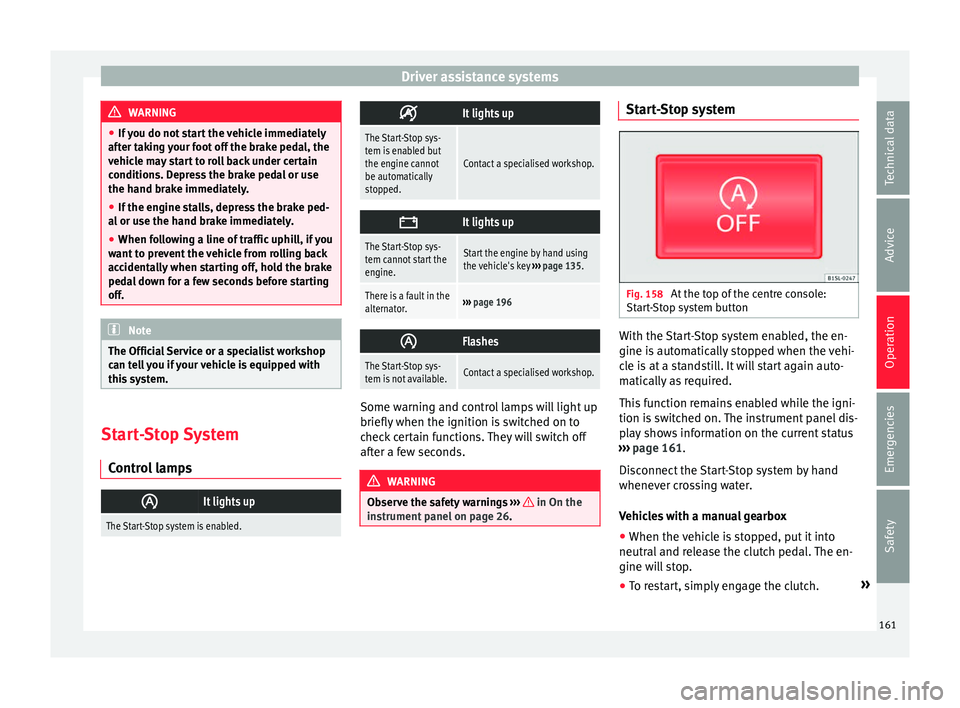
Fig. 158
At the top of the centre console:
St ar
t
-Stop system button With the Start-Stop system enabled, the en-
gine i
s
aut
omatically stopped when the vehi-
cle is at a standstill. It will start again auto-
matically as required.
This function remains enabled while the igni-
tion is switched on. The instrument panel dis-
play shows information on the current status
››› page 161.
Disconnect the Start-Stop system by hand
whenever crossing water.
Vehicles with a manual gearbox
● When the vehicle is stopped, put it into
neutral and r
elease the clutch pedal. The en-
gine will stop.
● To restart, simply engage the clutch. »
161
Technical data
Advice
Operation
Emergencies
Safety
Page 164 of 232
Operation
Vehicles with an automatic gearbox
● When the vehicle is at a standstill, depress
the br ak
e or k
eep it pressed down. The en-
gine switches off.
● The engine will start again as soon as you
rele
ase the brake pedal.
● With the selector lever set to position N,
the engine wi
ll not start until a range of gears
is selected or the accelerator pedal is de-
pressed.
Important conditions for the engine to stop
automatically
● The driver's seat belt must be fastened.
● The driver door must be closed.
● The bonnet must be closed.
● The engine must have reached a minimum
temperat
ure.
● The vehicle must have moved since the last
time the engine wa
s stopped.
● The vehicle's battery must be sufficiently
char
ged.
● The battery temperature must not be too
low or too high.
● The
vehicle must not be on a very steep
slope. Condition
s for the engine to restart automat-
ical
ly
The engine can be automatically restarted in
the following cases:
● If the vehicle starts to moves.
● If the battery voltage drops.
Conditions
requiring engine start-up using
the key
The engine has to be manually started in the
following cases:
● If the driver unbuckles his/her seat belt.
● If the driver door is opened.
● If the bonnet is opened.
Switc
hing the Start-Stop system on and off
● Press the button situat
ed in the centre
console ››› Fig. 158.
● The button will light up when the Start-Stop
syst
em is switched off.
The engine will start immediately if the vehi-
cle is in Stop mode when the system is
switched off by hand. WARNING
The smart technology included in the hill
hol d c
annot change the laws of physics. Do
not let the extra convenience afforded by the hill hold tempt you into taking any risks
when drivin
g.
● An
y accidental movement of the vehicle
coul
d result in serious injury.
● The hill hold is not a replacement for driver
awar
eness.
● Adjust your speed and driving style to visi-
bility
, weather, road and traffic conditions.
● The hill hold cannot always keep the vehi-
cle at
a standstill on a slope or brake suffi-
ciently when travelling downhill (e.g. on slip-
pery or frozen surfaces). WARNING
The brake servo and the electromechanical
st eerin
g do not work when the engine is
switched off.
● The vehicle must never be allowed to move
with the engine sw
itched off.
● Disconnect the Start-Stop system before
workin
g in the engine compartment. CAUTION
The vehicle's battery could be damaged if the
vehic l
e is used for long periods at very high
outside temperatures. Note
In some cases, it may be necessary to start
the engine b y
hand using the key. Refer to162