Seat Tarraco 2019 User Guide
Tarraco 2019
Seat
Seat
https://www.carmanualsonline.info/img/39/30723/w960_30723-0.png
Seat Tarraco 2019 User Guide
Page 177 of 424
Introduction
Function button: function
Switch off screen (in 10 seconds) : If this function is
active and the infotainment system is not used,
the screen will aut omatically s
witch off after ap-
prox. 10 seconds. Pressing the screen or pressing
one of the infotainment buttons will turn the
screen on again.
Brightness : To select the brightness level of the
screen.
Day / Night : To select the type of display (Day
,
Night or Automatic ).
Touchscreen tone : The confirmation tone when a
function button is pressed is active.
Proximit
y sensor : The proximity sensors are active.
Also see
Page 194 of 424
Infotainment System
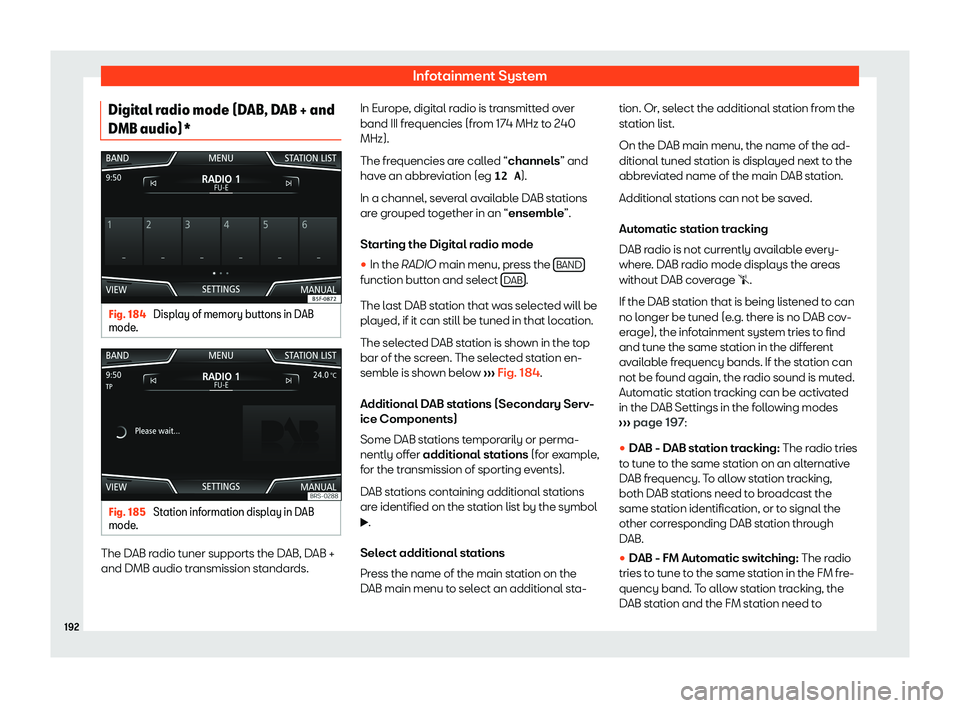
Digital radio mode (DAB, DAB + and
DMB audio)* Fig. 184
Display of memory buttons in DAB
mode . Fig. 185
Station information display in DAB
mode . The DAB radio tuner supports the DAB, DAB +
and DMB audio tr
ansmission st
andards. In Eur
ope, digit
al r adio is transmitted over
band III frequencies (from 174 MHz to 240
MHz).
The fr
equencies are called “channels” and
have an abbreviation (eg 12 A ).
In a channel, several available DAB stations
are grouped together in an “ensemble”.
Starting the Digital radio mode
�
Page 195 of 424
Operating modes
broadcast the same station identification, or
t o signal the other corr
esponding FM station
thr ough D AB. When the corr
esponding FM
st
ation has been found, “FM” is displayed be-
hind the name of the station. If the corre-
sponding DAB station becomes available
again, it returns to DAB mode after a while
and the “FM” identification is concealed.
�
Page 198 of 424
Infotainment System
Incoming traffic announcement
In Audio mode , tr
affic announcements ar e
pl ayed aut omatically when they ar
e
r
eceived.
While the traffic announcement is playing, a
pop-up window is displayed and the radio
switches, if necessary, to the traffic informa-
tion station.
Media mode is interrupted and the volume is
set as adjusted
Page 203 of 424
Operating modes
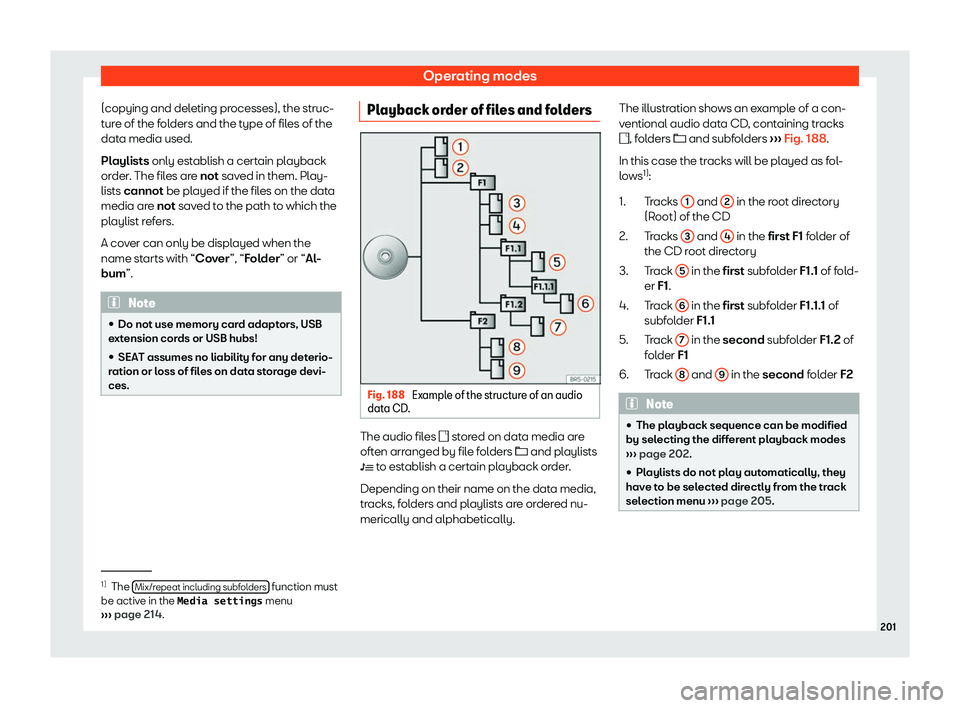
(copying and deleting processes), the struc-
t ur
e of the f ol
ders and the t ype of fil
es of the
dat
a media used.
Playlists only establish a certain playback
order. The files are not saved in them. Play-
lists cannot be played if the files on the data
media are not saved to the path to which the
playlist refers.
A cover can only be displayed when the
name starts with “Cover”, “Folder” or “Al-
bum”. Note
�
Page 205 of 424
Operating modes
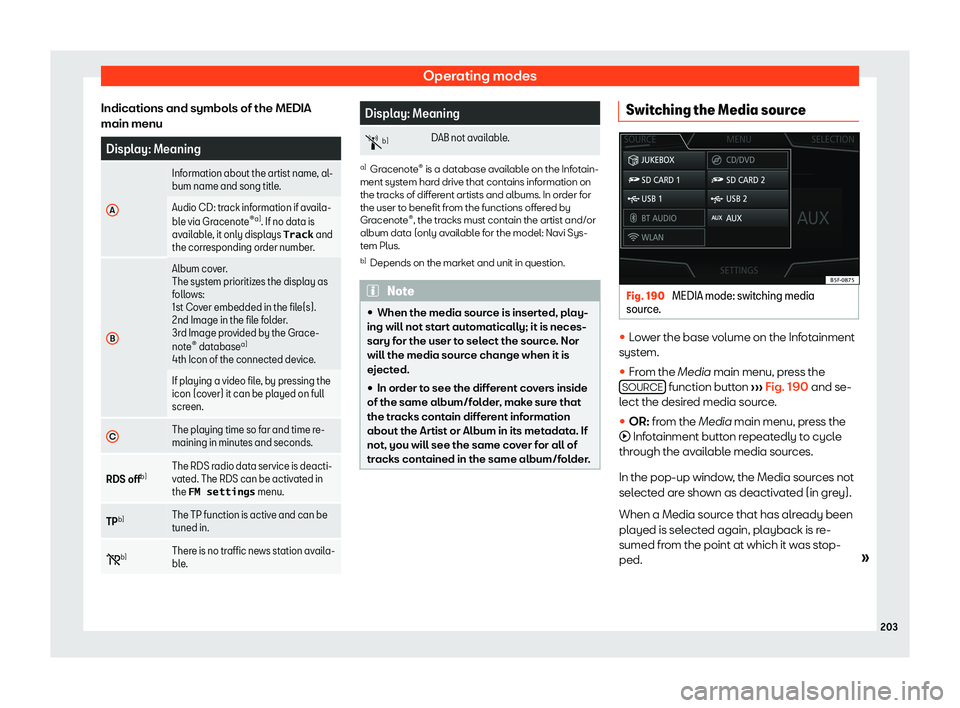
Indications and symbols of the MEDIA
main menu Display: Meaning
A Information about the artist name, al-
bum name and song title.
Audio CD: track information if avail
a-
bl
e via Gracenote
Page 225 of 424
Operating modes
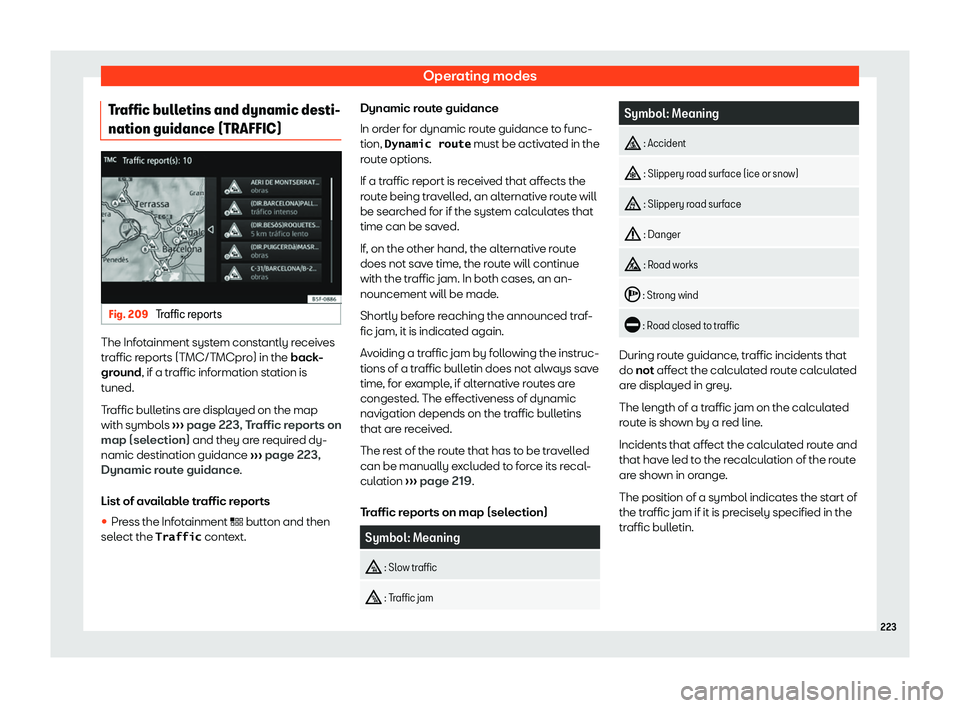
Traffic bulletins and dynamic desti-
nation guidance (TRAFFIC) Fig. 209
Traffic reports The Infotainment system constantly receives
tr
affic r
eports (T MC/T
MCpro) in the
back
-
ground, if a traffic information station is
tuned.
Traffic bulletins are displayed on the map
with symbols
Page 227 of 424
Operating modes
system can display them on the map (e.g. a
speed limit).
T ak
e int o account the age of the navigation
dat a and the limit ations of the navigation sys-
t em
Page 228 of 424
Infotainment System
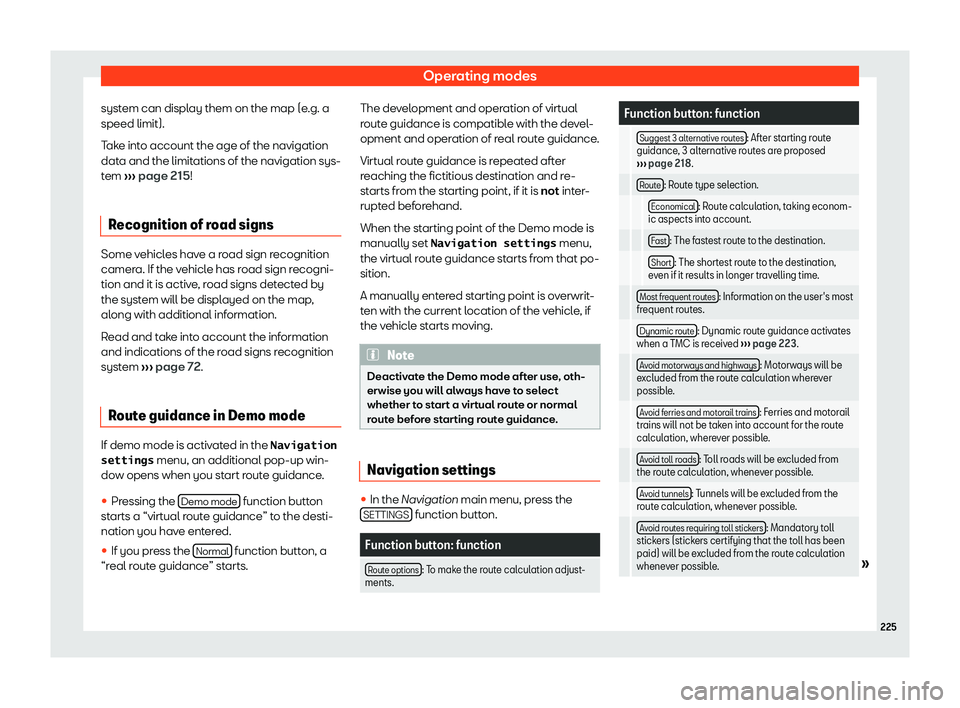
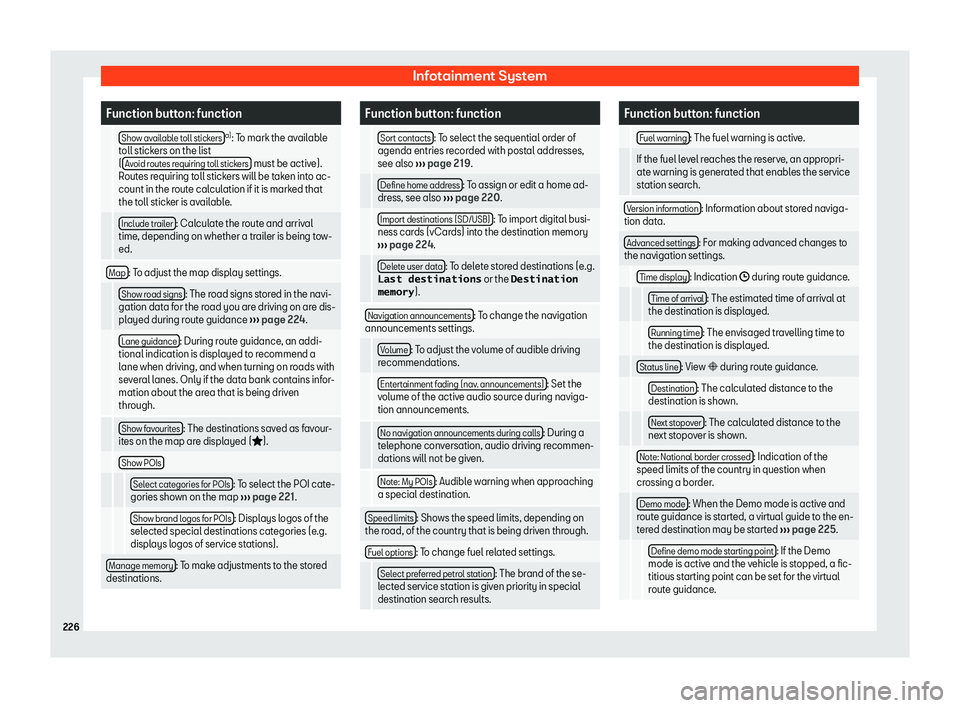
Function button: function
Show available toll stickers a)
: To mark the available
toll stick ers on the list
( Av
oid routes requiring toll stickers must be active).
Routes requiring toll stickers will be tak
en into ac-
count in the route calculation if it is marked that
the toll sticker is available.
Include trailer : Calculate the route and arrival
time, depending on whether a trailer is being tow-
ed.
Map : To adjust the map display settings.
Show road signs : The road signs stored in the navi-
gation data for the road you are driving on are dis-
pl ayed during r
oute guidance
Page 241 of 424
Operating modes
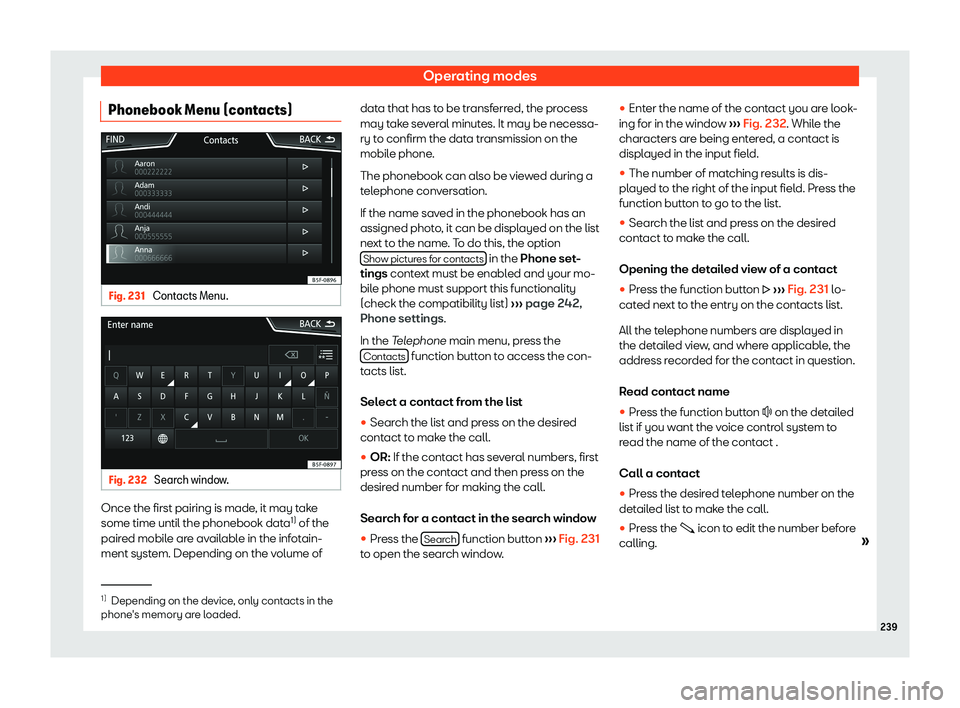
Phonebook Menu (contacts) Fig. 231
Contacts Menu. Fig. 232
Search window. Once the first pairing is made, it may take
some time until the phonebook dat
a1)
of the
pair ed mobil
e are av
ailabl
e in the infotain-
ment system. Depending on the volume of data that has to be transferred, the process
may take several minutes. It may be necessa-
ry t
o confirm the data transmission on the
mobile phone.
The phonebook can also be viewed during a
telephone conversation.
If the name saved in the phonebook has an
assigned photo, it can be displayed on the list
next to the name. To do this, the option Show pictures for contacts in the Phone set
-
tings conte
xt must be enabl ed and your mo-
bil e phone must support this functionalit
y
(check the compatibility list)