Seat Tarraco 2019 Owner's Guide
Tarraco 2019
Seat
Seat
https://www.carmanualsonline.info/img/39/30723/w960_30723-0.png
Seat Tarraco 2019 Owner's Guide
Page 212 of 424
Page 214 of 424
Infotainment System
Function button: function
Network key : Network key automatically gener-
ated. Press the function button to manually
change the network k ey. The netw
ork key must
have a minimum of 8 characters and a maximum
of 63.
SSID : Name of the WLAN network of the infotain-
ment system.
Do not send network name (SSID) : Activate the
checkbox to deactivate the visibility of the WLAN
netw ork
. To save the changes made to the configura-
tion of the mobil
e access point, pr
ess the
SAVE button.
Video DVD mode �
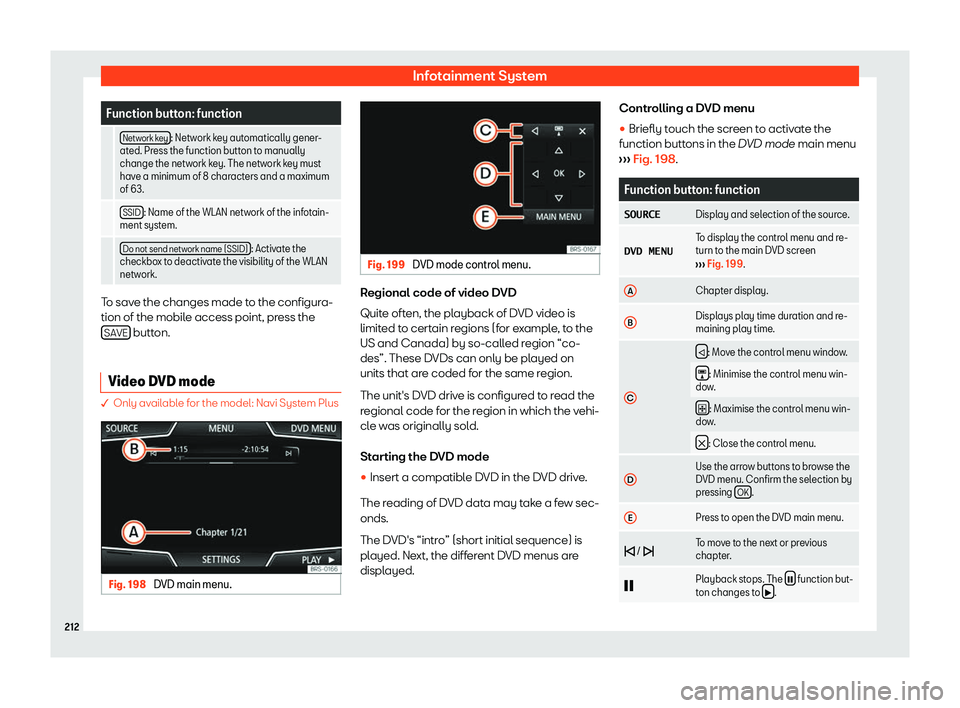
Only available for the model: Navi System Plus Fig. 198
DVD main menu. Fig. 199
DVD mode control menu. Regional code of video DVD
Quit
e oft
en, the pl ayback of D
VD video is
limit ed t
o cert
ain regions (for example, to the
US and Canada) by so-called region “co-
des”. These DVDs can only be played on
units that are coded for the same region.
The unit
Page 216 of 424
Infotainment System
Function button: function
$ The image viewed was obtained via
GPS localisation and upon pressing
this function button, the navigator
menu opens to st art a r
oute to this
destination.
/ Rotate the image view 90
Page 218 of 424
Infotainment System
Using navigation data
�
Page 219 of 424
Operating modes
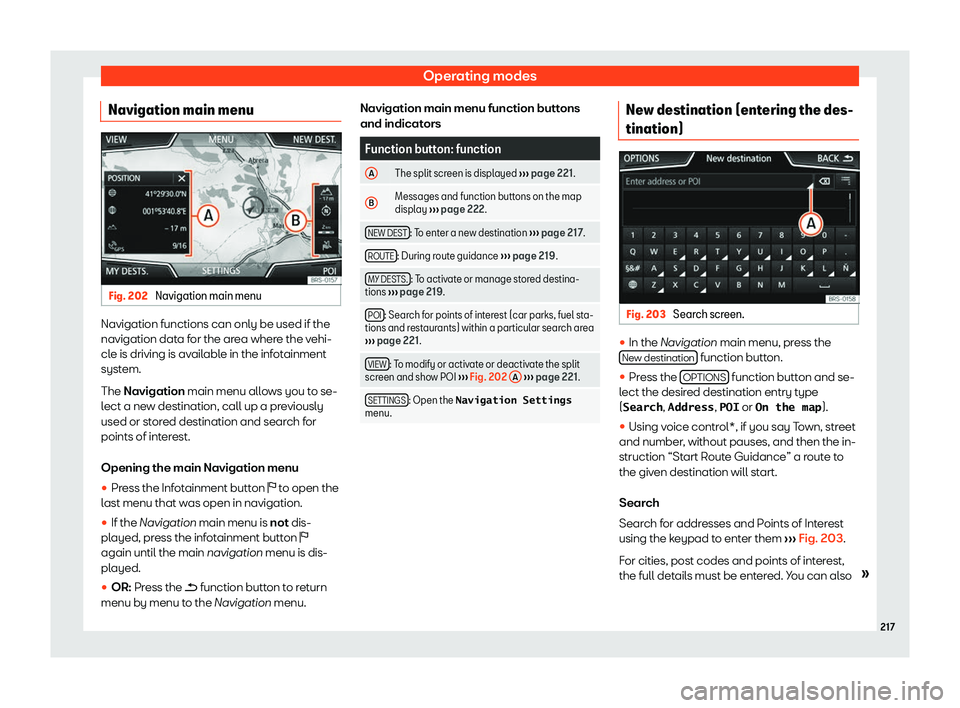
Navigation main menu Fig. 202
Navigation main menu Navigation functions can only be used if the
navigation dat
a f
or the ar ea wher
e the vehi-
cl e is driving is av
ailable in the infotainment
system.
The Navigation main menu allows you to se-
lect a new destination, call up a previously
used or stored destination and search for
points of interest.
Opening the main Navigation menu
�
Page 220 of 424
Infotainment System
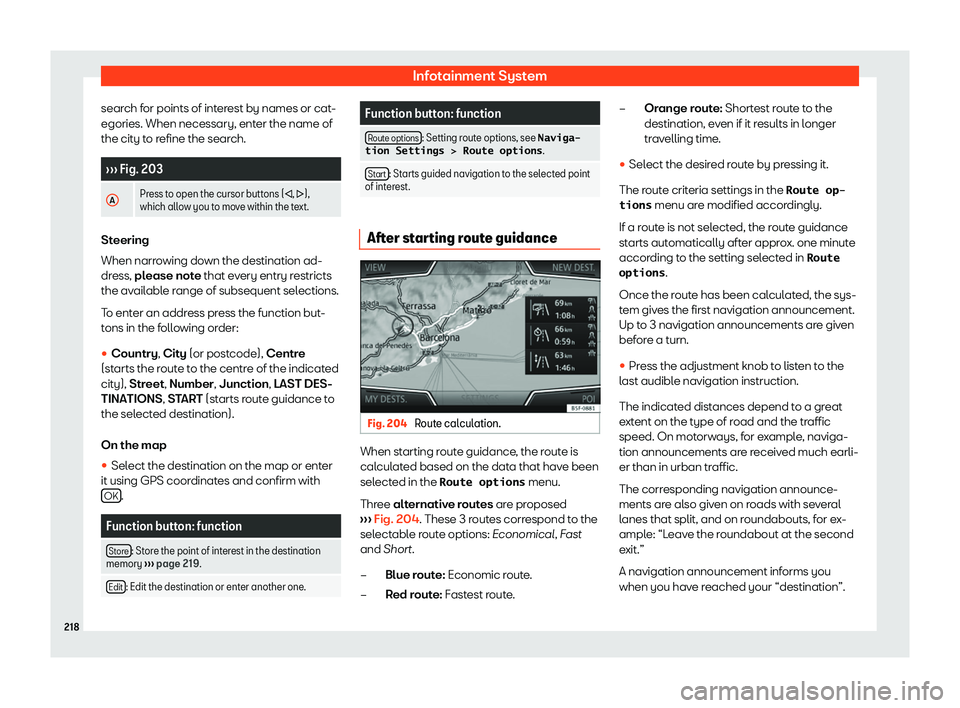
search for points of interest by names or cat-
egories. When necessary, ent er the name of
the cit y to r
efine the sear ch.
Page 222 of 424
Infotainment System
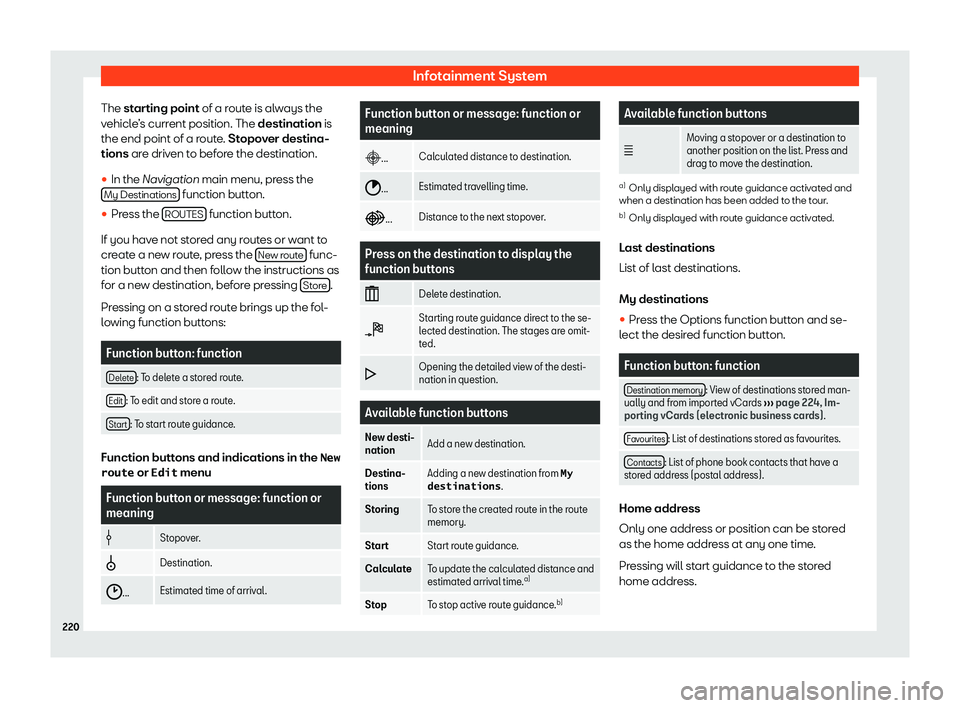
The st arting point of a route is always the
v ehicl e
Page 224 of 424
Infotainment System
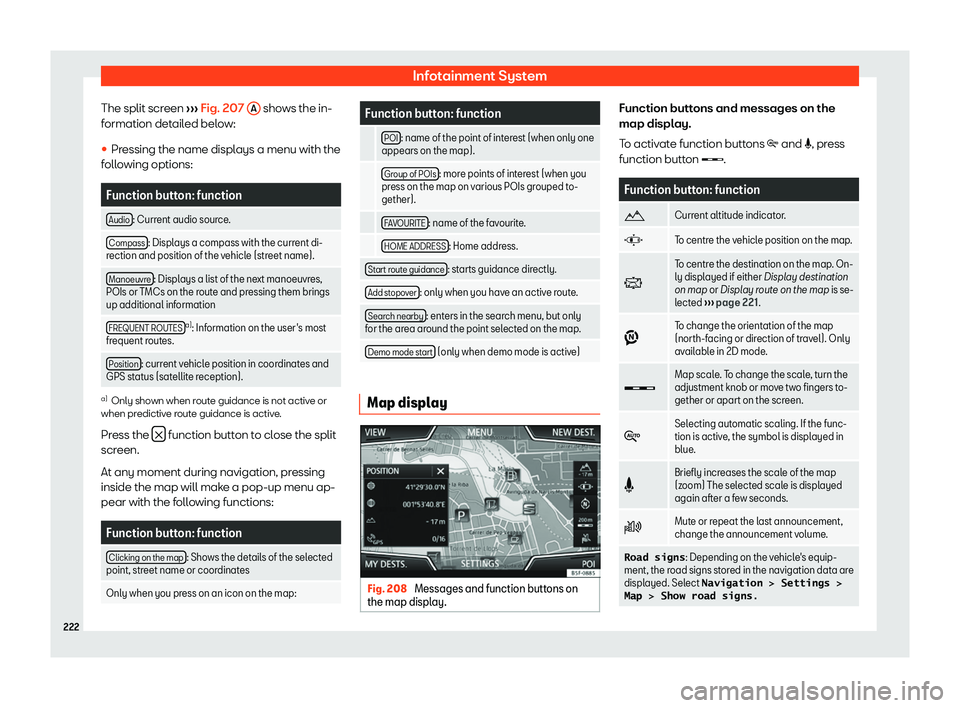
The split screen
Page 225 of 424
Operating modes
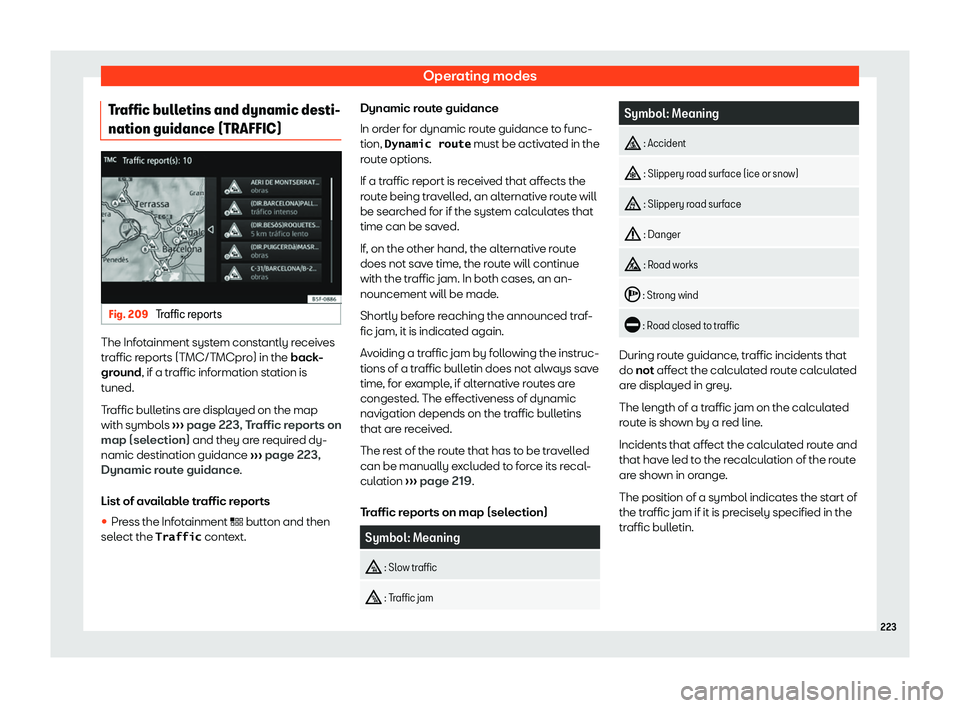
Traffic bulletins and dynamic desti-
nation guidance (TRAFFIC) Fig. 209
Traffic reports The Infotainment system constantly receives
tr
affic r
eports (T MC/T
MCpro) in the
back
-
ground, if a traffic information station is
tuned.
Traffic bulletins are displayed on the map
with symbols
Page 226 of 424
Infotainment System
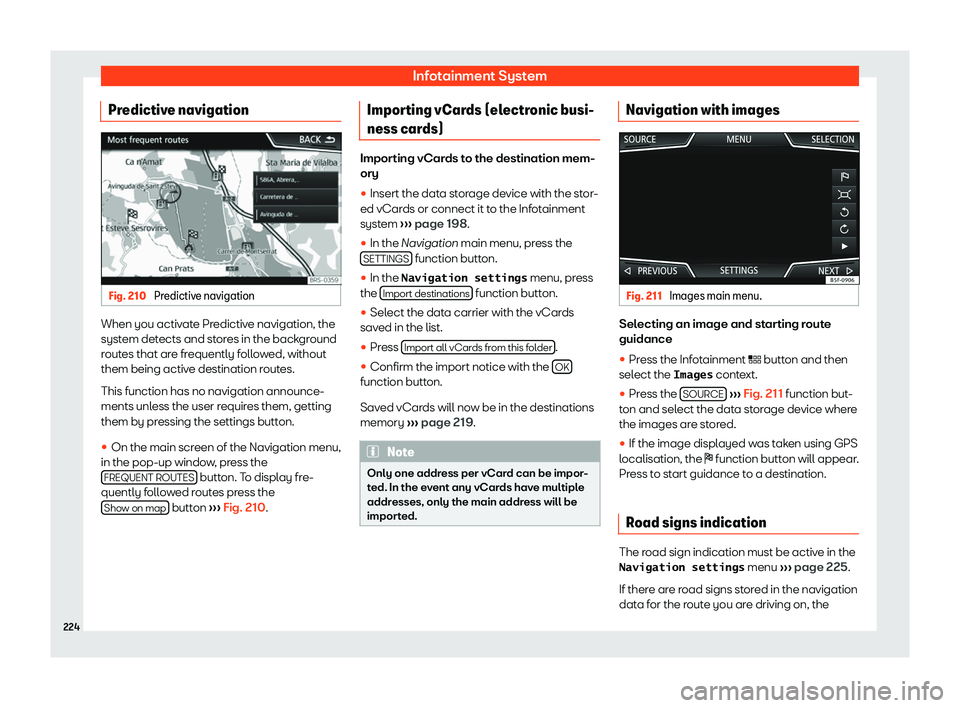
Predictive navigation Fig. 210
Predictive navigation When you activate Predictive navigation, the
syst
em det
ects and st or
es in the back gr
ound
r
outes that are frequently followed, without
them being active destination routes.
This function has no navigation announce-
ments unless the user requires them, getting
them by pressing the settings button.
�