warning Seat Toledo 2013 Repair Manual
[x] Cancel search | Manufacturer: SEAT, Model Year: 2013, Model line: Toledo, Model: Seat Toledo 2013Pages: 258, PDF Size: 3.94 MB
Page 77 of 258
75
Controls and displays
Diesel particulate filter. Instruction Manual!
The engine control unit allows driving to continue in an emergency program.
When switching the ignition off and on again, the warning lamp also
lights up.
Seek professional help.
WARNING
● The particulate filter attains very high temperatures. Therefore, do
not park the vehicle in places where the exhaust pipe could come into
contact with dry grass or with highly-flammable materials. Risk of fire!
● Always adjust your speed to suit the weather, road, terrain and traffic
conditions. Never be encouraged, by the recommendations shown in the
warning lamps, to fail to respect traffic legislation.
CAUTION
While the warning lamp is lit up, the fuel consumption is high, and in
certain conditions, the engine power is reduced.
Note
● In order for the particulate filter to burn off soot in a correct manner,
avoid carrying out frequent short journeys.
● Using diesel fuel with a high sulphur count can considerably reduce the
useful life of the particulate filter. The specialised service provides informa-
tion about the countries where fuel with a high sulphur content is used.
Fuel reserve
The warning lamp lights up when approximately only 7 litres of fuel re-
main in the tank. The informative display indicates:
Refuel! Fuel range…km...(miles)
Note
The message on the display switches off only after refuelling and carrying
out a short journey.
Airbag system
If the warning lamp is lit up, there is a fault in the airbag system.
The informative display indicates: Airbag fault!
The airbag system availability is controlled electronically, regardless of
whether an airbag is disabled.
If the front airbag, side airbag, head protection airbag or the belt tensioner
are disabled using the diagnostics system:
● After switching on the ignition, the warning lamp lights up for around
4 seconds and flashes for another 12 seconds.
The informative display indicates:
Airbag/belt tensioner disabled!
Safety FirstOperating instructionsPractical TipsTechnical specifications
Page 78 of 258
76Controls and displays
If the front passenger airbag has been disabled with the airbag switch loca-
ted in the storage compartment side:
● When the ignition is turned on, the warning light switches on for
around 4 seconds.
● The airbag is disabled, signalled with the warning lamp which
lights up with the word placed in the centre part of the
dash panel ⇒ Fig. 24 ⇒ page 44.
WARNING
When there is a fault in the airbag system, have an inspection carried out
by an Authorised Service. Otherwise the airbags may fail to trigger in an
accident.
Tyre pressure monitoring*
If the warning lamp lights up, the pressure of a tyre has decreased signif-
icantly. Check and adjust the pressure of all the tyres ⇒ page 196.
If the warning lamp flashes, there is a fault in the system.
Seek professional help.
Further information ⇒ page 201, Tyre pressure *.
Note
If the battery is disconnected the warning lamp lights up when the igni-
tion is switched on. This warning lamp must switch off after covering a short
distance. Windscreen washer fluid level
If the warning lamp lights up, the level of windscreen washer fluid in the
tank is very low. Fill the windscreen washer fluid ⇒ page 190, Windscreen
washer.
The informative display indicates:
Refill windscreen washer fluid!
Turn signals
Depending on the position of the turn signal lever the left warning lamp on
the left or right flashes.
If there is a turn signal fault the warning lamp flashes at approximately dou-
ble speed.
All the turn signals flash in addition to both warning lamps when the hazard
warning lights are switched on.
Further information ⇒ page 100, Turn signal and main beam lever.
Fog lights
The control lamp lights up when the fog lights are switched on
⇒ page 98.
Page 79 of 258
77
Controls and displays
Cruise speed
The warning lamp lights up when the cruise control is switched on
(cruise speed) ⇒ page 152.
Selector lever lock
If the control lamp lights up, press the brake pedal. This is necessary
when you require the automatic gearbox selector lever to move out of the
positions P or N ⇒ page 149.
Mean beams
The warning lamp lights up with the main beam headlights or when the
headlights are flashed ⇒ page 100.
Safety FirstOperating instructionsPractical TipsTechnical specifications
Page 84 of 258
82Communication
The MDI input is composed of the USB and AUX-IN inputs.
The purpose of the MDI input is to connect external devices (i.e. iPod ®
, mp3
players or USB memories) in order to play music using the audio system or
the navigation system.
In order to connect Apple multimedia devices (such as an iPod ®
/iPhone ®
…)
the corresponding adaptor from the SEAT Original Accessories catalogue is
required.
Voice control
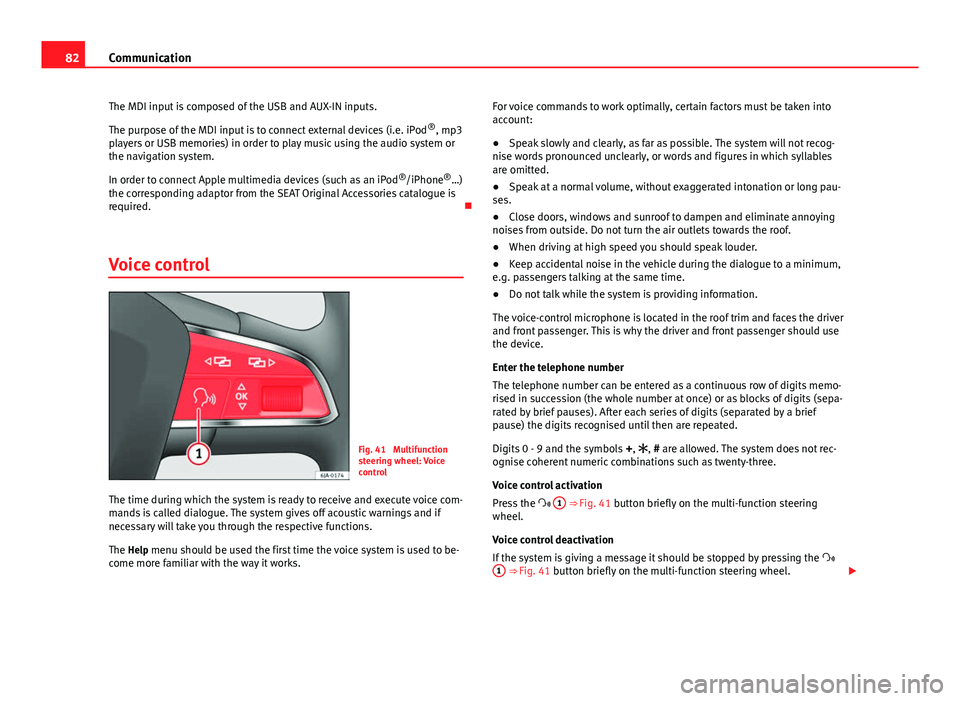
Fig. 41 Multifunction
steering wheel: Voice
control
The time during which the system is ready to receive and execute voice com-
mands is called dialogue. The system gives off acoustic warnings and if
necessary will take you through the respective functions.
The Help menu should be used the first time the voice system is used to be-
come more familiar with the way it works. For voice commands to work optimally, certain factors must be taken into
account:
●
Speak slowly and clearly, as far as possible. The system will not recog-
nise words pronounced unclearly, or words and figures in which syllables
are omitted.
● Speak at a normal volume, without exaggerated intonation or long pau-
ses.
● Close doors, windows and sunroof to dampen and eliminate annoying
noises from outside. Do not turn the air outlets towards the roof.
● When driving at high speed you should speak louder.
● Keep accidental noise in the vehicle during the dialogue to a minimum,
e.g. passengers talking at the same time.
● Do not talk while the system is providing information.
The voice-control microphone is located in the roof trim and faces the driver
and front passenger. This is why the driver and front passenger should use
the device.
Enter the telephone number
The telephone number can be entered as a continuous row of digits memo-
rised in succession (the whole number at once) or as blocks of digits (sepa-
rated by brief pauses). After each series of digits (separated by a brief
pause) the digits recognised until then are repeated.
Digits 0 - 9 and the symbols +, , # are allowed. The system does not rec-
ognise coherent numeric combinations such as twenty-three.
Voice control activation
Press the 1
⇒ Fig. 41 button briefly on the multi-function steering
wheel.
Voice control deactivation
If the system is giving a message it should be stopped by pressing the
1
⇒ Fig. 41 button briefly on the multi-function steering wheel.
Page 86 of 258
84Opening and closing
Opening and closing
Keys
General notes
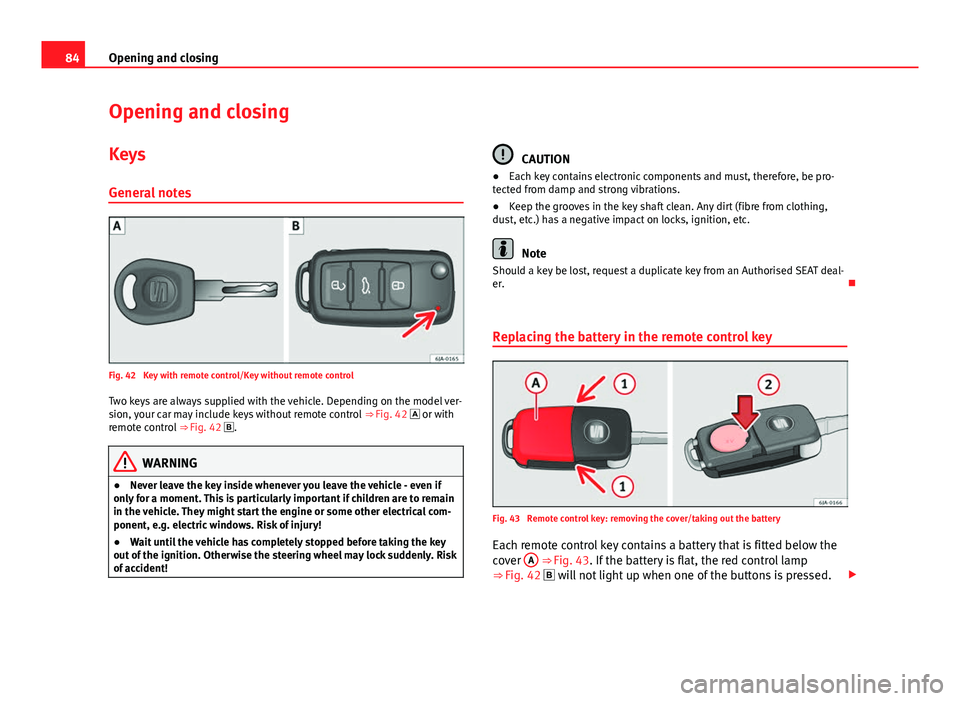
Fig. 42 Key with remote control/Key without remote control Two keys are always supplied with the vehicle. Depending on the model ver-
sion, your car may include keys without remote control ⇒ Fig. 42 or with
remote control ⇒ Fig. 42 .
WARNING
● Never leave the key inside whenever you leave the vehicle - even if
only for a moment. This is particularly important if children are to remain
in the vehicle. They might start the engine or some other electrical com-
ponent, e.g. electric windows. Risk of injury!
● Wait until the vehicle has completely stopped before taking the key
out of the ignition. Otherwise the steering wheel may lock suddenly. Risk
of accident!
CAUTION
● Each key contains electronic components and must, therefore, be pro-
tected from damp and strong vibrations.
● Keep the grooves in the key shaft clean. Any dirt (fibre from clothing,
dust, etc.) has a negative impact on locks, ignition, etc.
Note
Should a key be lost, request a duplicate key from an Authorised SEAT deal-
er.
Replacing the battery in the remote control key
Fig. 43 Remote control key: removing the cover/taking out the battery
Each remote control key contains a battery that is fitted below the
cover A
⇒ Fig. 43. If the battery is flat, the red control lamp
⇒ Fig. 42 will not light up when one of the buttons is pressed.
Page 88 of 258
86Opening and closing
Central locking system
General notes
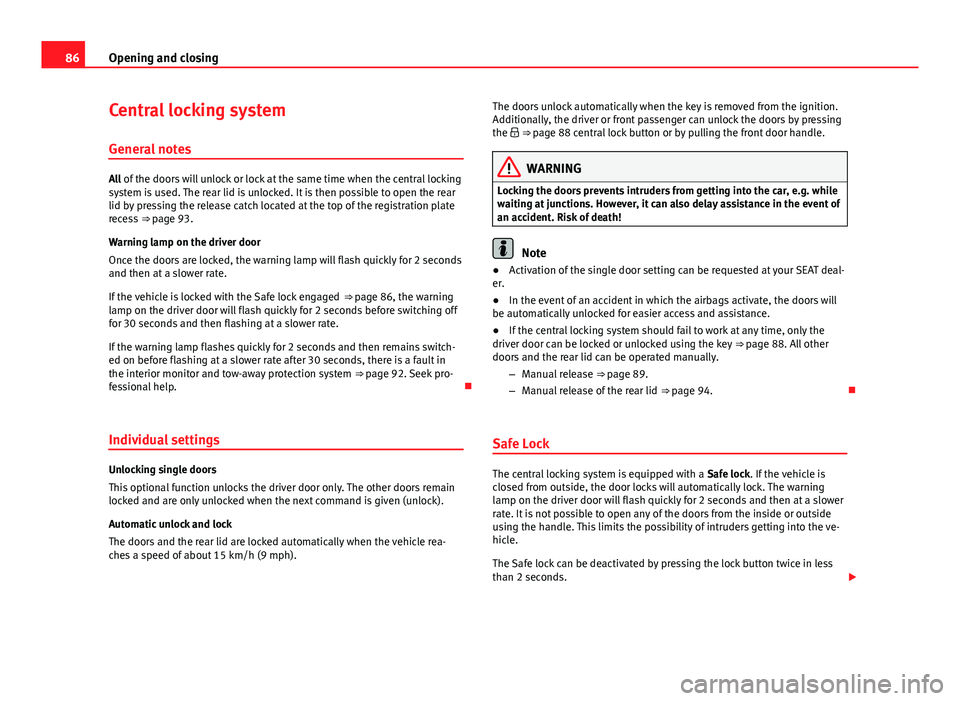
All of the doors will unlock or lock at the same time when the central locking
system is used. The rear lid is unlocked. It is then possible to open the rear
lid by pressing the release catch located at the top of the registration plate
recess ⇒ page 93.
Warning lamp on the driver door
Once the doors are locked, the warning lamp will flash quickly for 2 seconds
and then at a slower rate.
If the vehicle is locked with the Safe lock engaged ⇒ page 86, the warning
lamp on the driver door will flash quickly for 2 seconds before switching off
for 30 seconds and then flashing at a slower rate.
If the warning lamp flashes quickly for 2 seconds and then remains switch-
ed on before flashing at a slower rate after 30 seconds, there is a fault in
the interior monitor and tow-away protection system ⇒ page 92. Seek pro-
fessional help.
Individual settings
Unlocking single doors
This optional function unlocks the driver door only. The other doors remain
locked and are only unlocked when the next command is given (unlock).
Automatic unlock and lock
The doors and the rear lid are locked automatically when the vehicle rea-
ches a speed of about 15 km/h (9 mph). The doors unlock automatically when the key is removed from the ignition.
Additionally, the driver or front passenger can unlock the doors by pressing
the ⇒
page 88 central lock button or by pulling the front door handle.
WARNING
Locking the doors prevents intruders from getting into the car, e.g. while
waiting at junctions. However, it can also delay assistance in the event of
an accident. Risk of death!
Note
● Activation of the single door setting can be requested at your SEAT deal-
er.
● In the event of an accident in which the airbags activate, the doors will
be automatically unlocked for easier access and assistance.
● If the central locking system should fail to work at any time, only the
driver door can be locked or unlocked using the key ⇒ page 88. All other
doors and the rear lid can be operated manually.
–Manual release ⇒ page 89.
– Manual release of the rear lid ⇒ page 94.
Safe Lock
The central locking system is equipped with a Safe lock. If the vehicle is
closed from outside, the door locks will automatically lock. The warning
lamp on the driver door will flash quickly for 2 seconds and then at a slower
rate. It is not possible to open any of the doors from the inside or outside
using the handle. This limits the possibility of intruders getting into the ve-
hicle.
The Safe lock can be deactivated by pressing the lock button twice in less
than 2 seconds.
Page 89 of 258
87
Opening and closing
If the Safe lock is out of service, the control lamp on the driver door will
flash quickly for 2 seconds before switching off for 30 seconds and then
flashing at a slower rate.
The Safe lock is re-activated on unlocking and locking the vehicle again.
If the vehicle is locked and the Safe lock is deactivated, the vehicle can be
opened from inside by pulling on the door handle.
WARNING
Do not leave people or animals in locked vehicles with the Safe lock acti-
vated: the doors and windows cannot then be opened from the inside.
Doors locked in this manner could delay assistance in an emergency.
Risk of death!
Note
● The anti-theft alarm switches on automatically when the vehicle is
locked, even if the Safe lock is deactivated. The Vehicle interior monitoring,
however, is not activated.
● Given that the Safe function will be activated on locking the vehicle,
CHECK DEADLOCK will be shown on the general instrument panel display. On
vehicles equipped with an informative display, Caution SAFE! On-board docu-
mentation! will be indicated. Unlocking the vehicle with the key
Fig. 45 Key positions
during vehicle locking
and unlocking
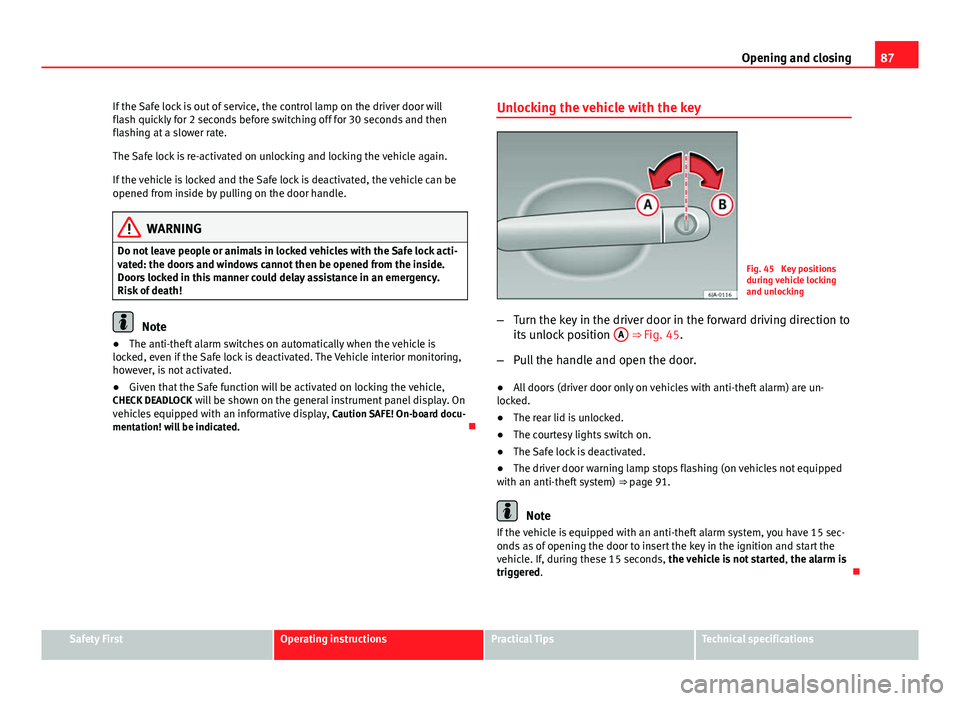
– Turn the key in the driver door in the forward driving direction to
its unlock position A
⇒ Fig. 45.
– Pull the handle and open the door.
● All doors (driver door only on vehicles with anti-theft alarm) are un-
locked.
● The rear lid is unlocked.
● The courtesy lights switch on.
● The Safe lock is deactivated.
● The driver door warning lamp stops flashing (on vehicles not equipped
with an anti-theft system) ⇒ page 91.
Note
If the vehicle is equipped with an anti-theft alarm system, you have 15 sec-
onds as of opening the door to insert the key in the ignition and start the
vehicle. If, during these 15 seconds, the vehicle is not started , the alarm is
triggered.
Safety FirstOperating instructionsPractical TipsTechnical specifications
Page 90 of 258
88Opening and closing
Locking the vehicle with the key
–Turn the key in the driver door lock cylinder in the reverse direc-
tion to its lock position B ⇒ Fig. 45.
● The doors and the rear lid are locked.
● The courtesy lights switch off.
● The Safe lock is immediately activated.
● Warning lamp on the driver door starts to flash.
Note
The vehicle doors cannot be locked if the driver door is open.
Central lock button
Fig. 46 Central lock but-
ton
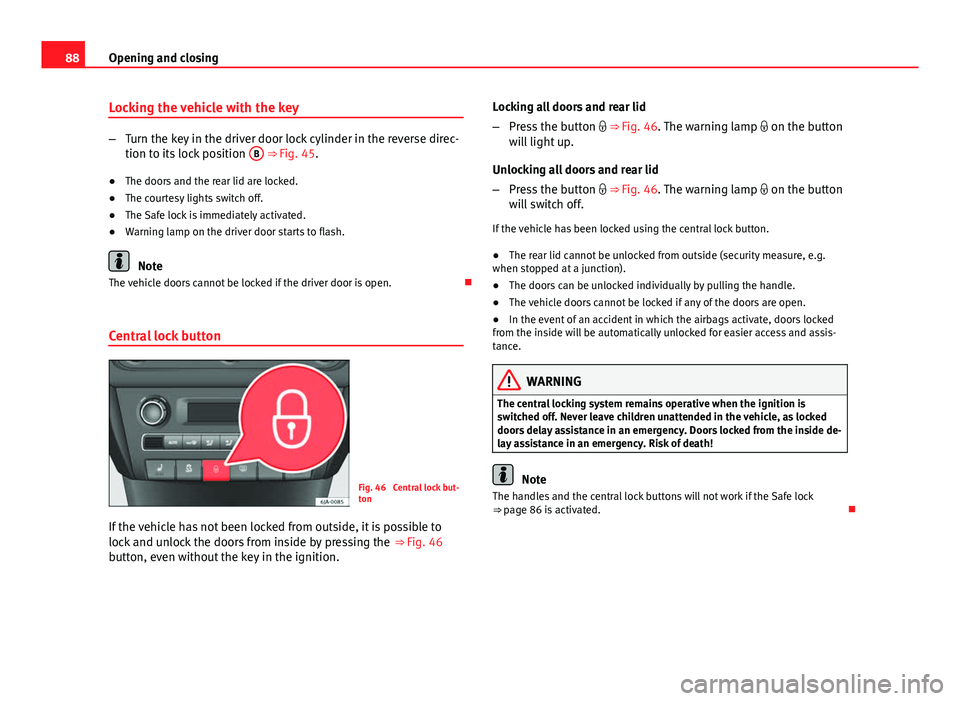
If the vehicle has not been locked from outside, it is possible to
lock and unlock the doors from inside by pressing the ⇒ Fig. 46
button, even without the key in the ignition. Locking all doors and rear lid
–
Press the button ⇒ Fig. 46. The warning lamp on the button
will light up.
Unlocking all doors and rear lid
– Press the button ⇒ Fig. 46. The warning lamp on the button
will switch off.
If the vehicle has been locked using the central lock button.
● The rear lid cannot be unlocked from outside (security measure, e.g.
when stopped at a junction).
● The doors can be unlocked individually by pulling the handle.
● The vehicle doors cannot be locked if any of the doors are open.
● In the event of an accident in which the airbags activate, doors locked
from the inside will be automatically unlocked for easier access and assis-
tance.
WARNING
The central locking system remains operative when the ignition is
switched off. Never leave children unattended in the vehicle, as locked
doors delay assistance in an emergency. Doors locked from the inside de-
lay assistance in an emergency. Risk of death!
Note
The handles and the central lock buttons will not work if the Safe lock
⇒ page 86 is activated.
Page 92 of 258
90Opening and closing
Unlocking and locking the vehicle
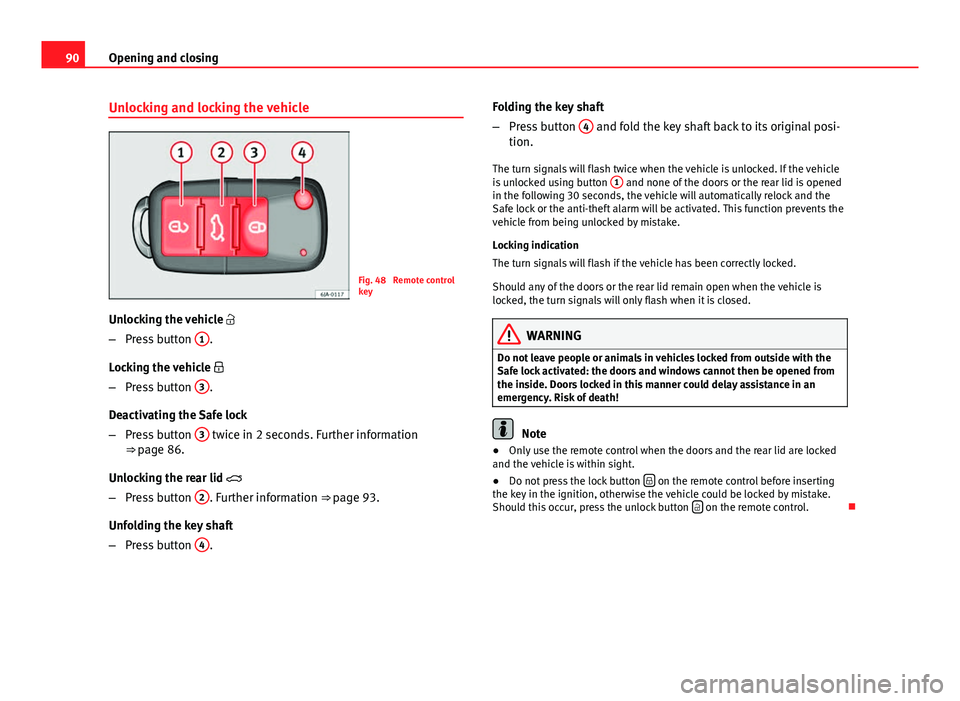
Fig. 48 Remote control
key
Unlocking the vehicle
– Press button 1
.
Locking the vehicle
– Press button 3
.
Deactivating the Safe lock
– Press button 3
twice in 2 seconds. Further information
⇒ page 86.
Unlocking the rear lid
– Press button 2
. Further information ⇒ page 93.
Unfolding the key shaft
– Press button 4
. Folding the key shaft
–
Press button 4
and fold the key shaft back to its original posi-
tion.
The turn signals will flash twice when the vehicle is unlocked. If the vehicle
is unlocked using button 1
and none of the doors or the rear lid is opened
in the following 30 seconds, the vehicle will automatically relock and the
Safe lock or the anti-theft alarm will be activated. This function prevents the
vehicle from being unlocked by mistake.
Locking indication
The turn signals will flash if the vehicle has been correctly locked.
Should any of the doors or the rear lid remain open when the vehicle is
locked, the turn signals will only flash when it is closed.
WARNING
Do not leave people or animals in vehicles locked from outside with the
Safe lock activated: the doors and windows cannot then be opened from
the inside. Doors locked in this manner could delay assistance in an
emergency. Risk of death!
Note
● Only use the remote control when the doors and the rear lid are locked
and the vehicle is within sight.
● Do not press the lock button
on the remote control before inserting
the key in the ignition, otherwise the vehicle could be locked by mistake.
Should this occur, press the unlock button
on the remote control.
Page 94 of 258
92Opening and closing
Vehicle interior monitoring and tow-away
protection system
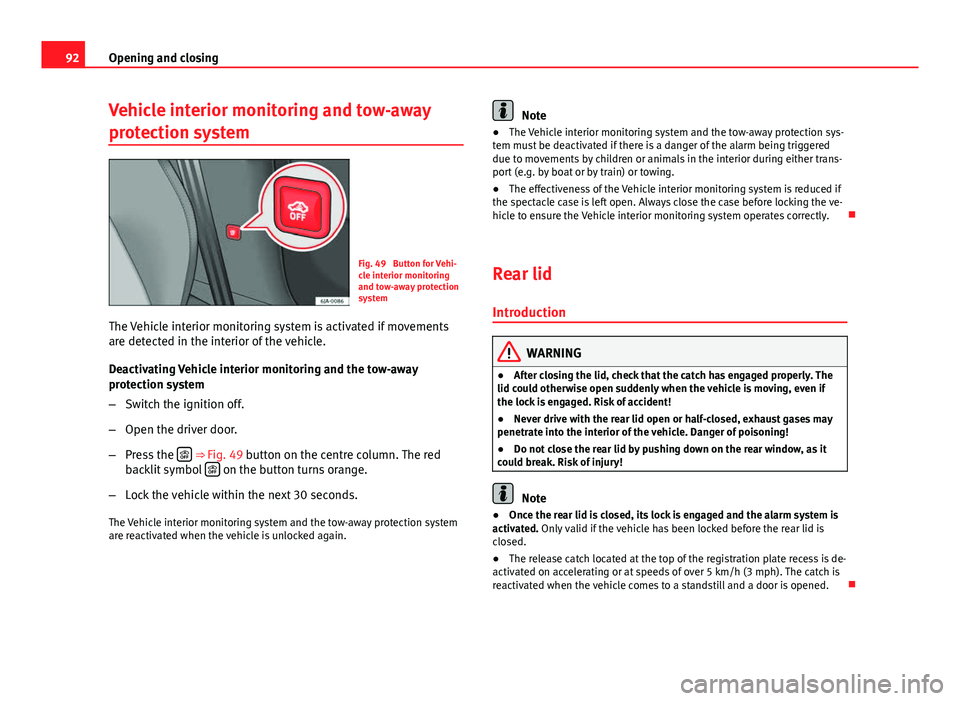
Fig. 49 Button for Vehi-
cle interior monitoring
and tow-away protection
system
The Vehicle interior monitoring system is activated if movements
are detected in the interior of the vehicle.
Deactivating Vehicle interior monitoring and the tow-away
protection system
– Switch the ignition off.
– Open the driver door.
– Press the
⇒ Fig. 49 button on the centre column. The red
backlit symbol on the button turns orange.
– Lock the vehicle within the next 30 seconds.
The Vehicle interior monitoring system and the tow-away protection system
are reactivated when the vehicle is unlocked again.
Note
● The Vehicle interior monitoring system and the tow-away protection sys-
tem must be deactivated if there is a danger of the alarm being triggered
due to movements by children or animals in the interior during either trans-
port (e.g. by boat or by train) or towing.
● The effectiveness of the Vehicle interior monitoring system is reduced if
the spectacle case is left open. Always close the case before locking the ve-
hicle to ensure the Vehicle interior monitoring system operates correctly.
Rear lid
Introduction
WARNING
● After closing the lid, check that the catch has engaged properly. The
lid could otherwise open suddenly when the vehicle is moving, even if
the lock is engaged. Risk of accident!
● Never drive with the rear lid open or half-closed, exhaust gases may
penetrate into the interior of the vehicle. Danger of poisoning!
● Do not close the rear lid by pushing down on the rear window, as it
could break. Risk of injury!
Note
● Once the rear lid is closed, its lock is engaged and the alarm system is
activated. Only valid if the vehicle has been locked before the rear lid is
closed.
● The release catch located at the top of the registration plate recess is de-
activated on accelerating or at speeds of over 5 km/h (3 mph). The catch is
reactivated when the vehicle comes to a standstill and a door is opened.