ignition Seat Toledo 2015 User Guide
[x] Cancel search | Manufacturer: SEAT, Model Year: 2015, Model line: Toledo, Model: Seat Toledo 2015Pages: 248, PDF Size: 5.06 MB
Page 30 of 248
The essentials
work hard and the outside temperature is
high, the en gine oi
l
temperature can in-
crease. This does not present any problem as
long as the warning lamps ››› table on
page 33 or ››› table on page 33 do not
appear on the display.
Additional electrical appliances ●
Operation with the windscreen wiper lever*:
Pre s
s the rocker switch ››› Fig. 35 2 until the
main menu ap pe
ars. Enter into the section
Journey data . With the rocker switch,
move to the display Convenience appli-
ances .
● Operation with the multi-function steering
whee l*:
Move with the buttons 1 or
2 to
Journey data and enter w
ith
OK . Turn the
thumbwheel to the right until the Conven-
ience appliances display appears.
In addition, a scale will inform you of the cur-
rent sum of all the additional appliances.
Saving tips Tips on how to save fuel will be displayed in
c
ondition
s
that increase fuel consumption.
Follow them to reduce consumption. The indi-
cations appear automatically only with the ef-
ficiency programme. After a time, the tips will
disappear automatically. If you wish to hide a saving tip immediately
after it
appears, press any button on the
windscreen wiper lever*/multifunction steer-
ing wheel*. Note
● If y
ou hide a saving tip, it will reappear af-
ter you switch the ignition on again.
● The saving tips do not appear in all situa-
tions, but
rather with a large separation of
time. Timer*
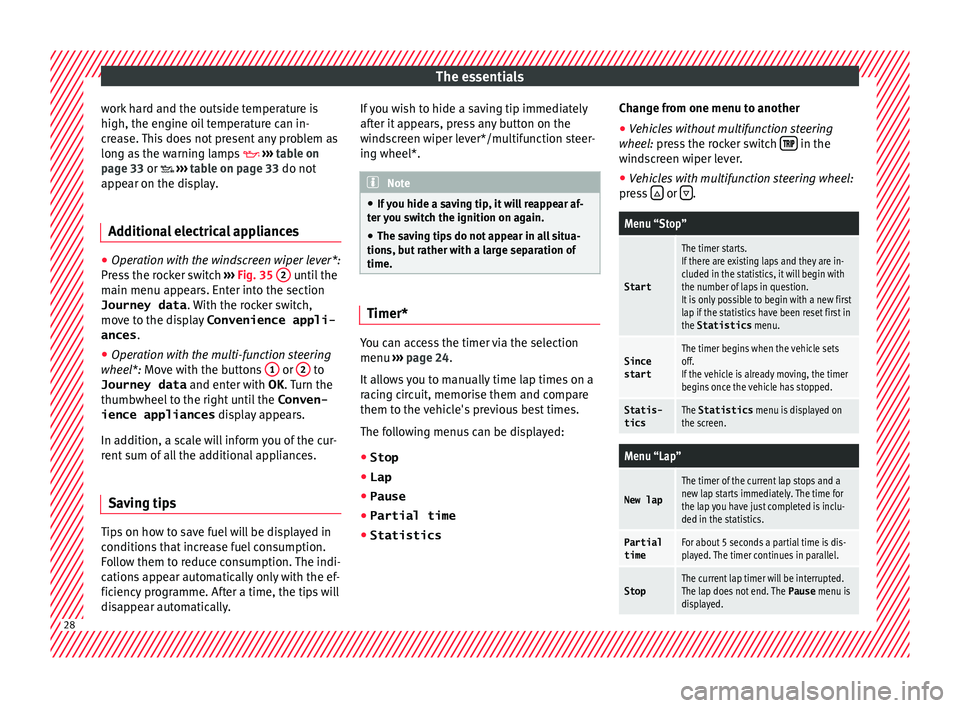
You can access the timer via the selection
menu
››
›
page 24.
It allows you to manually time lap times on a
racing circuit, memorise them and compare
them to the vehicle's previous best times.
The following menus can be displayed:
● Stop
● Lap
● Pause
● Partial time
● Statistics Change from one menu to another
● Vehicles without multifunction steering
wheel:
press the rocker switch in the
w ind
s
creen wiper lever.
● Vehicles with multifunction steering wheel:
pres
s or
.
Menu “Stop”
Start
The timer starts.
If there are existing laps and they are in-
cluded in the statistics, it will begin with
the number of laps in question.
It is only possible to begin with a new first
lap if the statistics have been reset first in
the Statistics
menu.
Since
startThe timer begins when the vehicle sets
off.
If the vehicle is already moving, the timer
begins once the vehicle has stopped.
Statis-
ticsThe Statistics menu is displayed on
the screen.
Menu “Lap”
New lap
The timer of the current lap stops and a
new lap starts immediately. The time for
the lap you have just completed is inclu-
ded in the statistics.
Partial timeFor about 5 seconds a partial time is dis-
played. The timer continues in parallel.
StopThe current lap timer will be interrupted.
The lap does not end. The Pause menu is
displayed. 28
Page 32 of 248
The essentials
speed of 120 km/h (80 mph). This is a facto-
ry
-
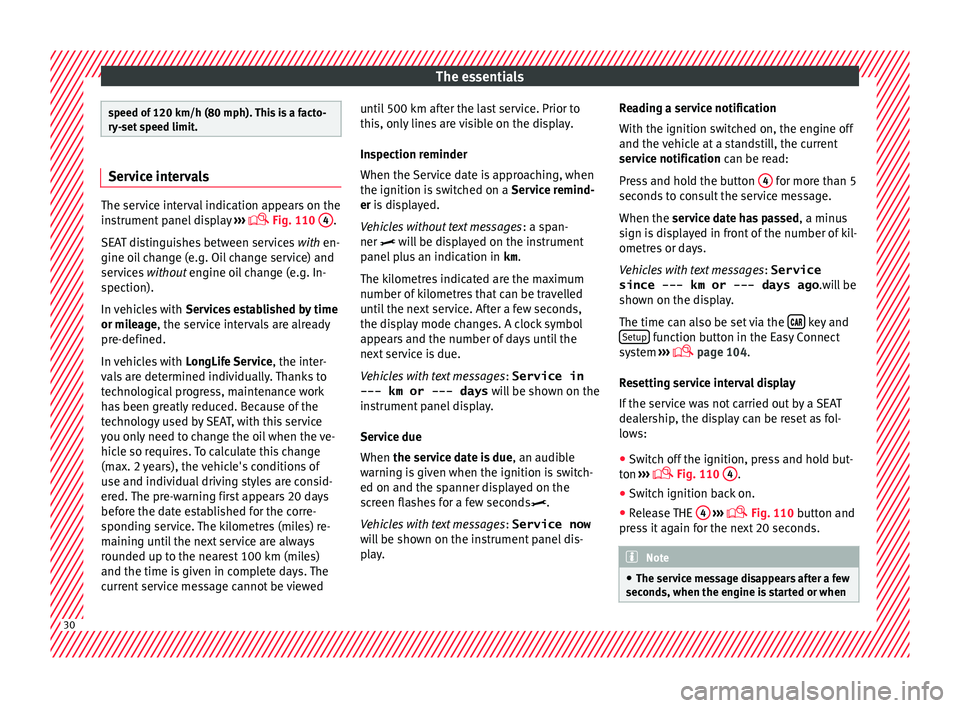
set speed limit. Service intervals
The service interval indication appears on the
ins
trument
panel display ›››
Fig. 110
4 .
SEA T di
stinguishes between services with en-
gine oil change (e.g. Oil change service) and
services without engine oil change (e.g. In-
spection).
In vehicles with Services established by time
or mileage, the service intervals are already
pre-defined.
In vehicles with LongLife Service , the inter-
vals are determined individually. Thanks to
technological progress, maintenance work
has been greatly reduced. Because of the
technology used by SEAT, with this service
you only need to change the oil when the ve-
hicle so requires. To calculate this change
(max. 2 years), the vehicle's conditions of
use and individual driving styles are consid-
ered. The pre-warning first appears 20 days
before the date established for the corre-
sponding service. The kilometres (miles) re-
maining until the next service are always
rounded up to the nearest 100 km (miles)
and the time is given in complete days. The
current service message cannot be viewed until 500 km after the last service. Prior to
this, on
ly
lines are visible on the display.
Inspection reminder
When the Service date is approaching, when
the ignition is switched on a Service remind-
er is displayed.
Vehicles without text messages : a span-
ner will be displayed on the instrument
panel plus an indication in km.
The kilometres indicated are the maximum
number of kilometres that can be travelled
until the next service. After a few seconds,
the display mode changes. A clock symbol
appears and the number of days until the
next service is due.
Vehicles with text messages : Service in
--- km or --- days will be shown on the
instrument panel display.
Service due
When the service date is due , an audible
warning is given when the ignition is switch-
ed on and the spanner displayed on the
screen flashes for a few seconds .
Vehicles with text messages : Service now
will be shown on the instrument panel dis-
play. Reading a service notification
With the ignition swit
ched on, the engine off
and the vehicle at a standstill, the current
service notification can be read:
Press and hold the button 4 for more than 5
sec ond
s
to consult the service message.
When the service date has passed , a minus
sign is displayed in front of the number of kil-
ometres or days.
Vehicles with text messages : Service
since --- km or --- days ago .will be
shown on the display.
The time can also be set via the key and
Set up function button in the Easy Connect
sy s
t
em ›››
page 104.
Resetting service interval display
If the service was not carried out by a SEAT
dealership, the display can be reset as fol-
lows:
● Switch off the ignition, press and hold but-
ton ››
› Fig. 110
4 .
● Switch ignition back on.
● Release THE 4
› ›
›
Fig. 110
button and
press it again for the next 20 seconds. Note
● The serv ic
e message disappears after a few
seconds, when the engine is started or when 30
Page 35 of 248
The essentials
Front brake pads worn.
›››
page
167
it lights up:
Fault in the ESC, or dis-
connection caused by the system.
flashes: ESC or ASR activated.
ASR manually deactivated.
ABS faulty or does not work.
Rear fog light switched on.›››
page
18
lights up or flashes:
fault in the
emission control system.››› page
101
it lights up:
pre-ignition of diesel
engine.
››› page
102
flashes: fault in the diesel engine
management.
fault in the petrol engine manage-
ment.›››
page
102
lights up or flashes:
fault in the
steering system.››› page
100
Tyre pressure too low, or fault in
the tyre pressure monitoring sys-
tem.›››
page
103
Fuel tank almost empty.›››
page
102
Fault in airbag system and seat
belt tensioners.›››
page
66 Other warning lamps
Left or right turn signal.›››
page
18
Hazard warning lights on.››› page
126
Trailer turn signals›››
page
185
it lights up:
Press the foot brake!
flashes: the selector lever locking
button has not engaged.››› page
158
it lights up:
cruise control activated
or speed limiter switched on and
active.
››› page
31
flashes: the speed set by the
speed limiter has been exceeded.
Main beam on or flasher on.›››
page
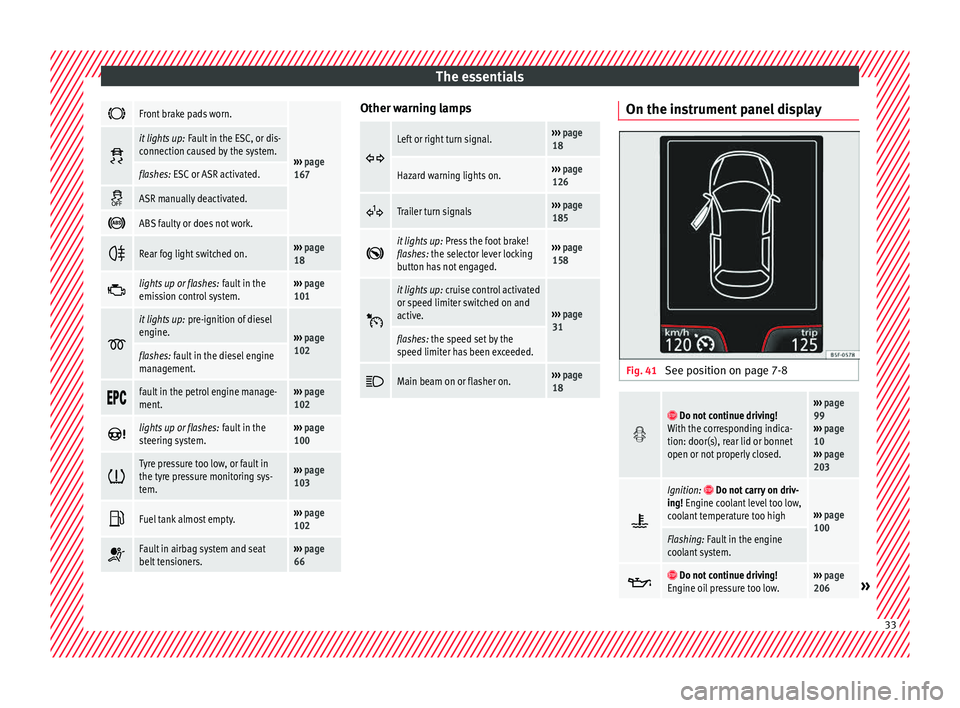
18 On the instrument panel display
Fig. 41
See position on page 7-8
Do not continue driving!
With the corresponding indica-
tion: door(s), rear lid or bonnet
open or not properly closed.››› page
99
››› page
10
››› page
203
Ignition: Do not carry on driv-
ing! Engine coolant level too low,
coolant temperature too high
››› page
100
Flashing: Fault in the engine
coolant system.
Do not continue driving!
Engine oil pressure too low.››› page
206» 33
Page 36 of 248
The essentials
Fault in the battery.›››
page
99
Driving light totally or partially
faulty.›››
page
83
Fault in the cornering light sys-
tem.››› page
121
Diesel particulate filter blocked›››
page
102
Level of windscreen washer fluid
too low.›››
page
103
Flashing: Fault in the oil level de-
tection. Control manually.›››
page
206
Ignition: Insufficient engine oil.
Fault in the gearbox.›››
page
162
Immobiliser active.
Service interval display›››
page
30
Mobile telephone is connected
via Bluetooth to the original tele-
phone device.›››
Book-
let Radio
or
››› Book-
let Navi-
gation
system
Mobile telephone battery charge
meter. Available only for devices
pre-installed in factory.
Freezing warning. The outside
temperature is lower than +4°C
(+39°F).›››
page
24
Start-Stop system activated.›››
page
182
Start-Stop system unavailable.
Low consumption driving status›››
page
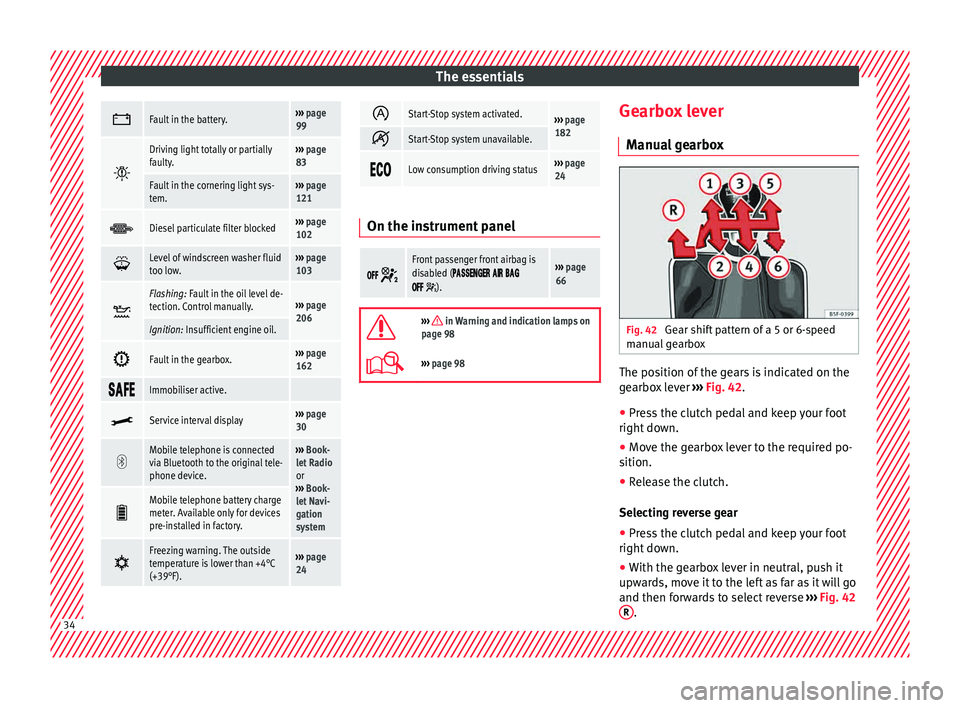
24 On the instrument panel
Front passenger front airbag is
disabled (
).
››› page
66
››› in Warning and indication lamps on
page 98
››› page 98 Gearbox lever
M anua
l
gearbox Fig. 42
Gear shift pattern of a 5 or 6-speed
m anual
g
earbox The position of the gears is indicated on the
g
e
arbo
x lever ››› Fig. 42.
● Press the clutch pedal and keep your foot
right down.
● Mo
ve the gearbox lever to the required po-
sition.
● Rel
ease the clutch.
Selecting r
everse gear
● Press the clutch pedal and keep your foot
right down.
● W
ith the gearbox lever in neutral, push it
upwar
ds, move it to the left as far as it will go
and then forwards to select reverse ››› Fig. 42
R .
34
Page 45 of 248
The essentials
Emergencies F u
se
s
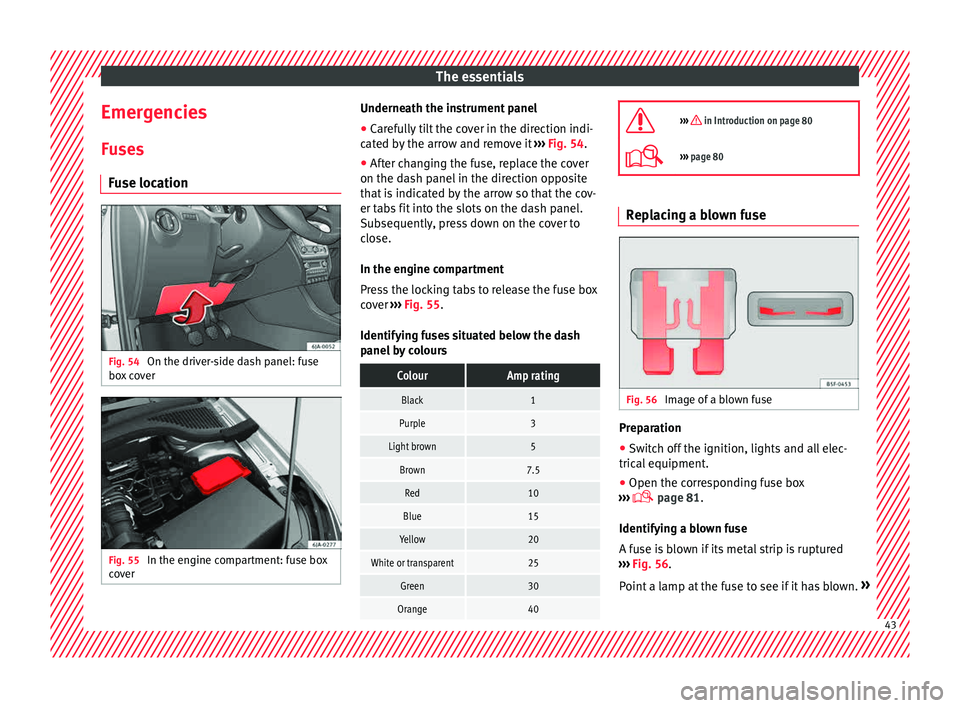
Fuse location Fig. 54
On the driver-side dash panel: fuse
bo x
c
over Fig. 55
In the engine compartment: fuse box
c o
v
er Underneath the instrument panel
● Carefully tilt the cover in the direction indi-
c at ed b
y the arrow and remove it ››› Fig. 54.
● After changing the fuse, replace the cover
on the dash p
anel in the direction opposite
that is indicated by the arrow so that the cov-
er tabs fit into the slots on the dash panel.
Subsequently, press down on the cover to
close.
In the engine compartment
Press the locking tabs to release the fuse box
cover ››› Fig. 55.
Identifying fuses situated below the dash
panel by colours
ColourAmp rating
Black1
Purple3
Light brown5
Brown7.5
Red10
Blue15
Yellow20
White or transparent25
Green30
Orange40
››› in Introduction on page 80
›››
page 80 Replacing a blown fuse
Fig. 56
Image of a blown fuse Preparation
● Switch off the ignition, lights and all elec-
tric al
equipment
.
● Open the corresponding fuse box
›››
page 81.
Identifying a blown fuse
A fuse is blown if its metal strip is ruptured
››› Fig. 56.
Point a lamp at the fuse to see if it has blown. » 43
Page 53 of 248
The essentials
Notes for the driver of the towing vehicle
● The tow rope must be taut before you drive
off .
● Rel
ease the clutch very carefully when start-
ing the v
ehicle (manual gearbox), or acceler-
ate gently (automatic gearbox).
Driving style
Towing requires some experience, especially
when using a tow rope. Both drivers should
realise how difficult it is to tow a vehicle. In-
experienced drivers should not attempt to
tow.
Do not pull too hard with the towing vehicle
and take care to avoid jerking the tow rope.
When towing on an unpaved road, there is al-
ways a risk of overloading and damaging the
anchorage points.
The towline anchorages are located under
the floor panel in the luggage compartment.
Switch on the ignition so that the turn sig-
nals, windscreen wipers and windscreen
washer can work. Ensure that the steering
wheel is unlocked and moves freely.
Place the gear lever in neutral on vehicles
with a manual gearbox. With an automatic
gearbox, place the lever in N.
To brake, press the brake pedal firmly. The
brake servo does not work when the engine
is switched off. The power steering only works when the igni-
tion is sw
itched on and the vehicle is moving,
provided that the battery is sufficiently charg-
ed. Otherwise, it will need more force.
Ensure that the tow rope remains taut at all
times.
››› page 78 Tow-starting
If the engine will not start, first try starting it
u
s
in
g the battery of another vehicle
››› page 51. You should only attempt to tow-
start a vehicle if charging the battery does
not work. This is done by leveraging wheel
movement.
When tow-starting a vehicle with a petrol en-
gine, do not tow it more than a short dis-
tance, otherwise unburned fuel can enter the
catalytic converter.
● Engage 2nd or 3rd gear before moving off.
● Press the clutch and hold the pedal down.
● Switch the ignition on.
● Once both vehicles are moving, release the
clutc
h.
● As soon as the engine has started, press
the clutc
h and move the gear lever to neutral. How to jump start
Jump lea
ds The jump lead must have a sufficient wire
cr
o
ss section.
If the engine fails to start because of a dis-
charged battery, the battery can be connec-
ted to the battery of another vehicle to start
the engine.
Both batteries need to have nominal voltage
of 12 V. The capacity (Ah) of the back-up bat-
tery should not be notably less than the
drained battery.
Jump leads must comply with standard DIN
72553 (see cable manufacturer's instruc-
tions). The wire cross section must be at least
25 mm 2
for petrol engines and at least
35 mm 2
for diesel engines.
Jump leads
Positive cable – usually red
Negative cable – usually black WARNING
● A flat b
attery can also freeze at tempera-
tures slightly below to 0°C (32°F). Do not at-
tempt to start the vehicle with a frozen bat-
tery. Risk of explosion! » 51
Page 54 of 248
The essentials
●
Ple a
se note the safety warnings referring to
working in the engine compartment
››› page 203.
● The non-insulated parts of the battery
clamp
s must not be allowed to touch. Addi-
tionally, the jump lead attached to the posi-
tive battery terminal must not touch metal
parts of the vehicle. Risk of short circuit!
● Do not connect the negative lead to the
negativ
e terminal of the discharged battery.
In the event of sparks when starting the en-
gine, the explosive gas given off by the bat-
tery could catch fire.
● Position the jump leads in such a way that
they cannot
come into contact with any mov-
ing parts in the engine compartment.
● Do not bend over the battery. Risk of acid
burns!
● The s
crew plugs on the battery cells must
be scr
ewed in firmly.
● Keep sources of fire (flames, lit cigarettes,
etc.) a
way from the battery. - Risk of explo-
sion!
● Never use the jump leads on batteries in
which the electr
olyte level is too low. Risk of
explosion and acid burns. Note
● The v ehic
les must not touch each other, as
electricity could flow as soon as the positive
terminals are connected. ●
The dis c
harged battery must be properly
connected to the vehicle electrical system.
● The jump leads should be checked in a spe-
cia
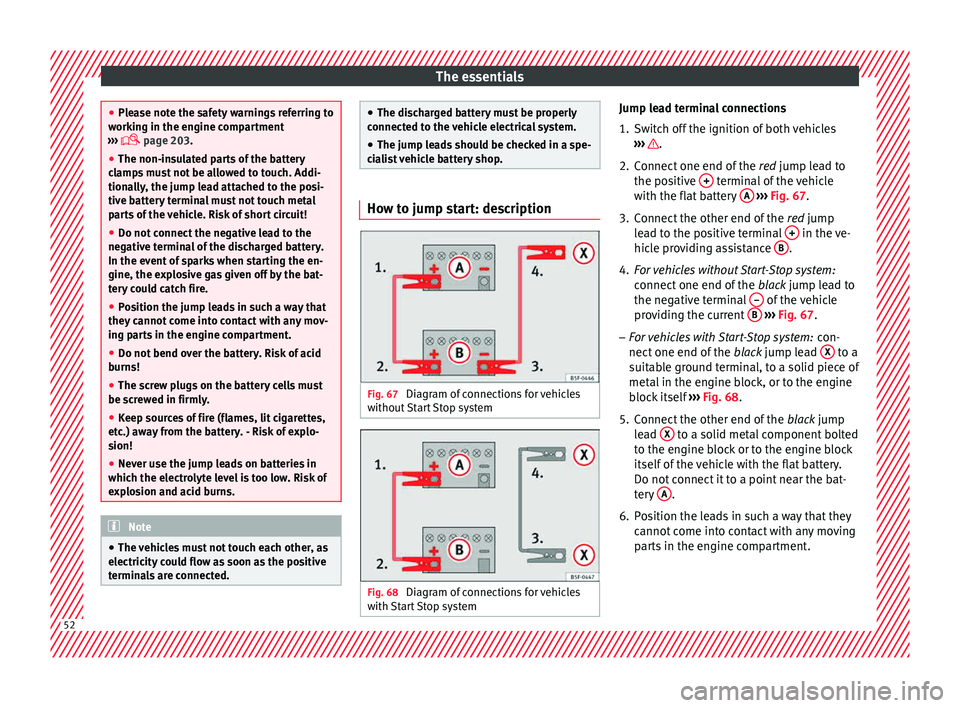
list vehicle battery shop. How to jump start: description
Fig. 67
Diagram of connections for vehicles
w ithout
Start Stop system Fig. 68
Diagram of connections for vehicles
w ith
St
art Stop system Jump lead terminal connections
1. Switch off the ignition of both vehicles
›››
.
2. Connect one end of the re
d
jump lead to
the positive + terminal of the vehicle
w ith the fl
at
battery A
› ››
Fig. 67
.
3.
Connect the other end of the red
jump
lead to the positive terminal + in the ve-
hic l
e pr
oviding assistance B .
4. For vehicles without Start-Stop system:
connect
one end of
the black jump lead to
the negative terminal – of the vehicle
pr o
v
iding the current B
› ›
› Fig. 67 .
– For vehicles with Start-Stop system: con-
nect one end of
the black jump lead X to a
s uit
ab
le ground terminal, to a solid piece of
metal in the engine block, or to the engine
block itself ››› Fig. 68.
5. Connect the other end of the black
jump
lead X to a solid metal component bolted
t o the en
gine b
lock or to the engine block
itself of the vehicle with the flat battery.
Do not connect it to a point near the bat-
tery A .
6. Position the leads in such a way that they cannot
c
ome into contact with any moving
parts in the engine compartment. 52
Page 56 of 248
The essentials
Service position
● Close the bonnet.
● Switch the ignition on and off.
● Press the lever to position 4›››
Fig. 140
››
›
page 129, the wind-
screen wiper arms are set to the service posi-
tion.
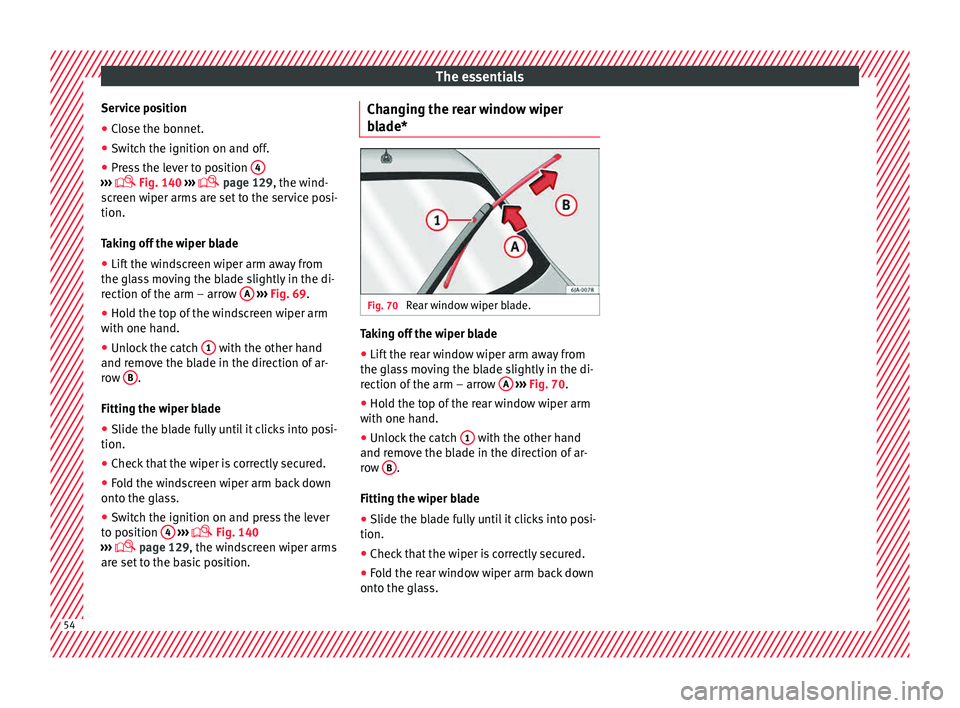
Taking off the wiper blade
● Lift the windscreen wiper arm away from
the glas
s moving the blade slightly in the di-
rection of the arm – arrow A
› ›
› Fig. 69
.
● Hold the top of the windscreen wiper arm
with one hand.
● Un
lock the catch 1 with the other hand
and r emo
v
e the blade in the direction of ar-
row B .
Fittin g the w
iper b
lade
● Slide the blade fully until it clicks into posi-
tion.
● Check that the wiper is correctly secured.
● Fold the windscreen wiper arm back down
onto the gla
ss.
● Switch the ignition on and press the lever
to pos
ition 4
› ›
›
Fig. 140
›
›› page 129, the windscreen wiper arms
are set to the basic position. Changing the rear window wiper
bla
de* Fig. 70
Rear window wiper blade. Taking off the wiper blade
● Lift the rear window wiper arm away from
the gl a
s
s moving the blade slightly in the di-
rection of the arm – arrow A
› ›
› Fig. 70
.
● Hold the top of the rear window wiper arm
with one hand.
● Un
lock the catch 1 with the other hand
and r emo
v
e the blade in the direction of ar-
row B .
Fittin g the w
iper b
lade
● Slide the blade fully until it clicks into posi-
tion.
● Check that the wiper is correctly secured.
● Fold the rear window wiper arm back down
onto the gla
ss.54
Page 63 of 248
Seat belts
Seat belts
The wh y
s
and wherefores of
seat belts
Number of seats Your vehicle has
five se
ats, two in the front
and three in the rear. Each seat is equipped
with a three-point seat belt.
In some versions, your vehicle is approved
only for four seats. Two front seats and two
rear seats. WARNING
● Never tr an
sport more than the permitted
amount of people in your vehicle.
● Every vehicle occupant must properly fas-
ten and we
ar the seat belt belonging to his or
her seat. Children must be protected with an
appropriate child restraint system. Seat belt lamp*
The control lamp illuminates to remind the
driv
er t
o f
asten his seat belt.
Before starting the vehicle: –
Fas
ten your seat belt securely.
– Instruct your passengers to fasten their
seat belts
properly before driving off.
– Protect children by using a child seat ac-
cordin
g to the child's height and weight.
The control lamp on the instrument panel
lights up 1)
if the driver or passenger 1)
has
not fastened their belt when the ignition is
switched on.
If, when starting to drive, speed surpasses
25 km/h (15 mph) approx. and no seat belts
are worn or they are unfastened during the
drive, a warning sound will be heard for a few
seconds. The warning light will also flash .
The lamp goes out when the driver and
passenger seat belts are fastened with the ig-
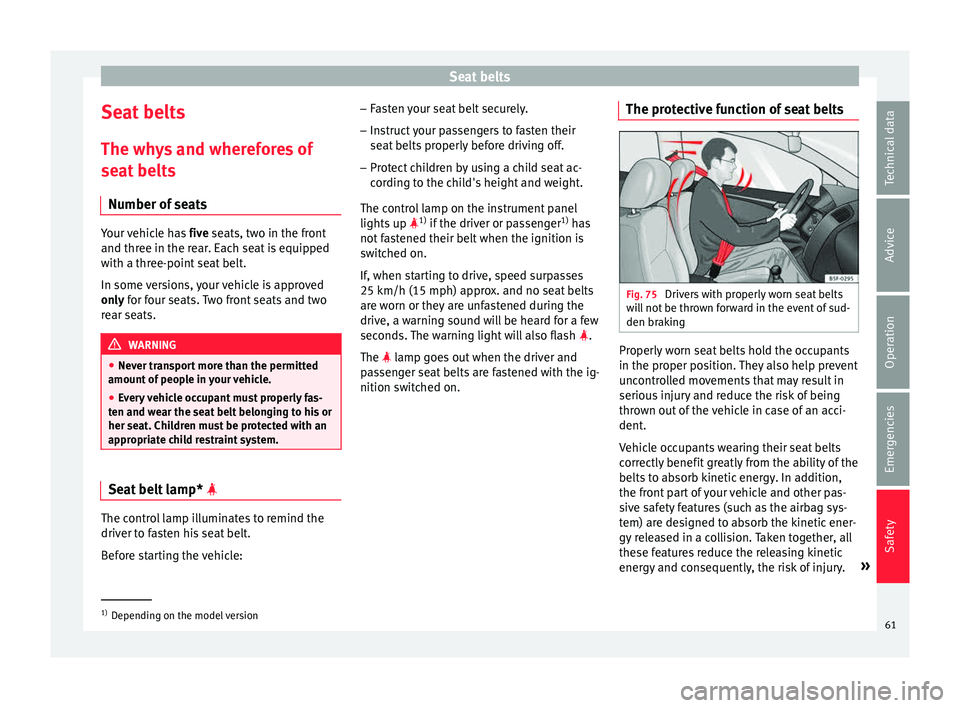
nition switched on. The protective function of seat belts Fig. 75
Drivers with properly worn seat belts
w i
l
l not be thrown forward in the event of sud-
den braking Properly worn seat belts hold the occupants
in the pr
oper po
s
ition. They also help prevent
uncontrolled movements that may result in
serious injury and reduce the risk of being
thrown out of the vehicle in case of an acci-
dent.
Vehicle occupants wearing their seat belts
correctly benefit greatly from the ability of the
belts to absorb kinetic energy. In addition,
the front part of your vehicle and other pas-
sive safety features (such as the airbag sys-
tem) are designed to absorb the kinetic ener-
gy released in a collision. Taken together, all
these features reduce the releasing kinetic
energy and consequently, the risk of injury. »1)
Depending on the model version
61
Technical data
Advice
Operation
Emergencies
Safety
Page 69 of 248
Airbag system
airbag. In this case, the inflating airbag may
inflict c
ritic
al or fatal injuries on the occu-
pant. This also applies to children.
Always maintain the greatest possible dis-
tance between yourself and the front airbag.
This way, the front airbags can completely
deploy when triggered, providing their maxi-
mum protection.
The most important factors that will trigger
an airbag are: the type of accident, the angle
of collision and the speed of the vehicle.
Whether or not the airbags are triggered de-
pends primarily on the vehicle deceleration
rate resulting from the collision and detected
by the control unit. If the vehicle deceleration
occurring during the collision and measured
by the control unit remains below the speci-
fied reference values, the front, side and/or
curtain airbags will not be triggered. Take in-
to account that the visible damage in a vehi-
cle involved in an accident, no matter how
serious, is not a determining factor for the
airbags to have been triggered. WARNING
● We arin
g the seat belt incorrectly or assum-
ing an incorrect sitting position can lead to
critical or fatal injuries.
● All vehicle occupants, including children,
who are not pr
operly belted can sustain criti-
cal or fatal injuries if the airbag is triggered.
Children up to 12 years old should always travel on the rear seat. Never transport chil-
dren in the
v
ehicle if they are not restrained
or the restraint system is not appropriate for
their age, size or weight.
● If you are not wearing a seat belt, or if you
lean f
orward or to the side while travelling or
assume an incorrect sitting position, there is
a substantially increased risk of injury. This
increased risk of injury will be further in-
creased if you are struck by an inflating air-
bag.
● To reduce the risk of injury from an inflating
airbag, alw
ays wear the seat belt properly
››› page 61.
● Always adjust the front seats properly. Description of airbag system
The airbag system mainly comprises (as per
v
ehic
l
e equipment):
● an electronic control and monitoring sys-
tem (contr
ol unit)
● frontal airbags for driver and passenger,
● side airbags,
● curtain airbags,
● a control lamp on the dash p
anel
››› page 68.
● key-operated switch for front passenger air-
bag,
● a contr
ol lamp for disabling/enabling the
front p
assenger airbag. The airbag system operation is monitored
electronic
ally. The airbag control lamp will il-
luminate for a few seconds every time the ig-
nition is switched on (self-diagnosis).
There is a fault in the system if the control
lamp :
● does not light up when the ignition is
switc
hed on ››› page 68,
● turns off after 4 seconds after the ignition
is sw
itched on
● turns off and then lights up again after the
ignition is sw
itched on
● illuminates or flashes while the vehicle is
movin
g.
The airbag system is not triggered if:
● the ignition is switched off
● there is a minor frontal collision
● there is a minor side collision
● there is a rear-end collision
● the vehicle turns over. WARNING
● The seat belt
s and airbags can only provide
maximum protection if the occupants are
seated correctly ››› page 56, Correct position
for passengers.
● If a fault has occurred in the airbag system,
have the sy
stem checked immediately by a
specialised workshop. Otherwise, during a » 67
Technical data
Advice
Operation
Emergencies
Safety