service Seat Toledo 2015 Owner's manual
[x] Cancel search | Manufacturer: SEAT, Model Year: 2015, Model line: Toledo, Model: Seat Toledo 2015Pages: 248, PDF Size: 5.06 MB
Page 6 of 248
Table of Contents
Driver assistance systems . . . . . . . . . . . . . . . . . 167
Braking and stability systems . . . . . . . . . . . . . . 167
Parking aid . . . . . . . . . . . . . . . . . . . . . . . . . . . . . 168
Rear Assist “Rear View Camera”* . . . . . . . . . . . 173
cruise speed (Cruise control)* . . . . . . . . . . . . . . 176
Monitoring system Front Assist* . . . . . . . . . . . . 177
Start-Stop System* . . . . . . . . . . . . . . . . . . . . . . . 182
Tiredness detection (break recommenda-
tion)* . . . . . . . . . . . . . . . . . . . . . . . . . . . . . . . . . .
184
T o
wing bracket device . . . . . . . . . . . . . . . . . . . . 185
Driving with a trailer . . . . . . . . . . . . . . . . . . . . . . 185
Towing bracket device for trailer . . . . . . . . . . . . 187
Advice . . . . . . . . . . . . . . . . . . . . . . . . . . . . . . . . 193
Care and maintenance . . . . . . . . . . . . . . . . . . . . 193
Accessories and modifications to the vehi-
cle
. . . . . . . . . . . . . . . . . . . . . . . . . . . . . . . . . . . . 193
Care and cleaning . . . . . . . . . . . . . . . . . . . . . . . 194
Checking and refilling levels . . . . . . . . . . . . . . . 200
Fuel . . . . . . . . . . . . . . . . . . . . . . . . . . . . . . . . . . . 200
Engine compartment . . . . . . . . . . . . . . . . . . . . . 203
Engine oil . . . . . . . . . . . . . . . . . . . . . . . . . . . . . . 206
Coolant . . . . . . . . . . . . . . . . . . . . . . . . . . . . . . . . 208
Brake fluid . . . . . . . . . . . . . . . . . . . . . . . . . . . . . 209
Windscreen washer . . . . . . . . . . . . . . . . . . . . . . 210
Battery . . . . . . . . . . . . . . . . . . . . . . . . . . . . . . . . . 211
Wheels and tyres . . . . . . . . . . . . . . . . . . . . . . . . 215
Wheels . . . . . . . . . . . . . . . . . . . . . . . . . . . . . . . . 215
Spare wheel . . . . . . . . . . . . . . . . . . . . . . . . . . . . 218
Tyre monitoring systems . . . . . . . . . . . . . . . . . . 219
Winter service . . . . . . . . . . . . . . . . . . . . . . . . . . . 219
Technical data . . . . . . . . . . . . . . . . . . . . . . . . 221
Technical specifications . . . . . . . . . . . . . . . . . . 221
Important information . . . . . . . . . . . . . . . . . . . . 221
Information on fuel consumption . . . . . . . . . . . 223
Driving with a trailer . . . . . . . . . . . . . . . . . . . . . . 223
Wheels . . . . . . . . . . . . . . . . . . . . . . . . . . . . . . . . 224 Engine data . . . . . . . . . . . . . . . . . . . . . . . . . . . . . 225
Dimensions . . . . . . . . . . . . . . . . . . . . . . . . . . . . . 231
Index . . . . . . . . . . . . . . . . . . . . . . . . . . . . . . . . . 233
4
Page 15 of 248
The essentials
Seat belt tensioners During a collision, the seat belts on the front
seats
ar
e retracted automatically.
The tensioner can be triggered only once.
››› in Service and disposal of belt ten-
sioners on page 66
››› page 65 Adjusting the exterior mirrors
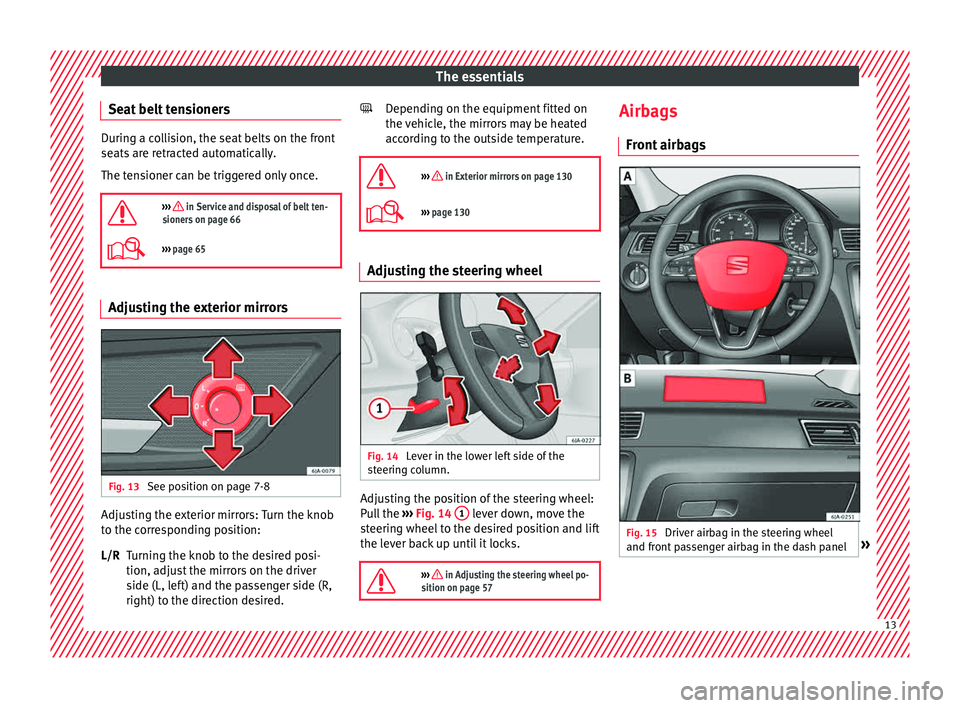
Fig. 13
See position on page 7-8 Adjusting the exterior mirrors: Turn the knob
t
o the c
orr
esponding position:
Turning the knob to the desired posi-
tion, adjust the mirrors on the driver
side (L, left) and the passenger side (R,
right) to the direction desired.
L/R Depending on the equipment fitted on
the vehic
le, the mirrors may be heated
according to the outside temperature.
››› in Exterior mirrors on page 130
››› page 130 Adjusting the steering wheel
Fig. 14
Lever in the lower left side of the
s t
eerin
g column. Adjusting the position of the steering wheel:
P
u
l
l the ››› Fig. 14 1 lever down, move the
s t
eerin
g wheel to the desired position and lift
the lever back up until it locks.
››› in Adjusting the steering wheel po-
sition on page 57
Airbags
Fr ont
airb
ags Fig. 15
Driver airbag in the steering wheel
and fr ont
p
assenger airbag in the dash panel » 13
Page 19 of 248
The essentials
“ISOFIX” and Top Tether child seat
mou ntin
g sy
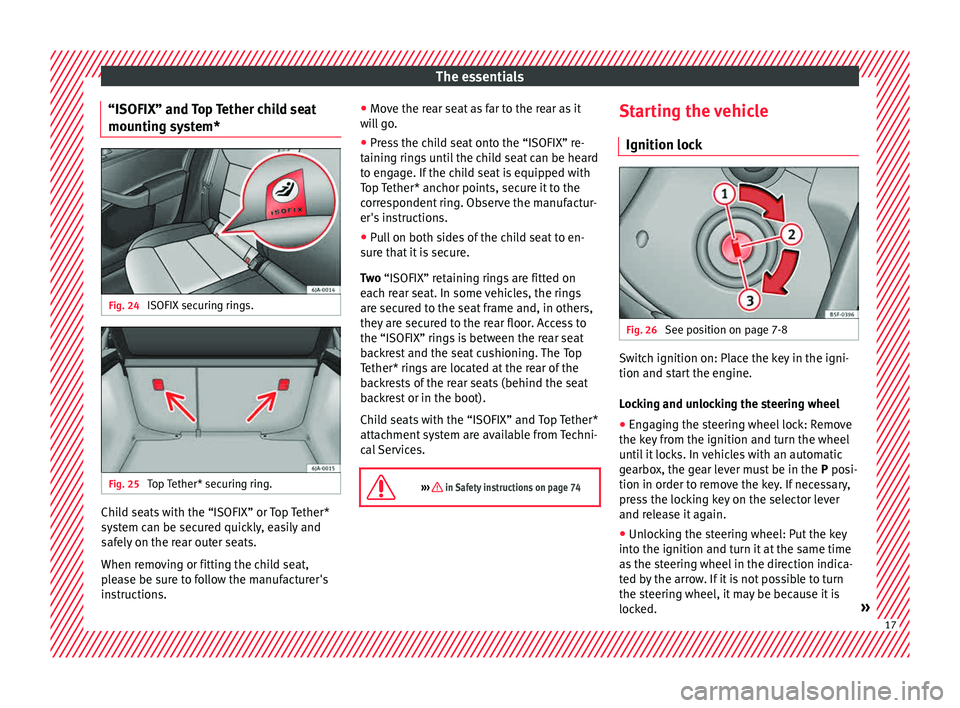
stem*Fig. 24
ISOFIX securing rings. Fig. 25
Top Tether* securing ring. Child seats with the “ISOFIX” or Top Tether*
sy
s
t
em can be secured quickly, easily and
safely on the rear outer seats.
When removing or fitting the child seat,
please be sure to follow the manufacturer's
instructions. ●
Move the r
ear seat as far to the rear as it
will go.
● Press the child seat onto the “ISOFIX” re-
taining rin
gs until the child seat can be heard
to engage. If the child seat is equipped with
Top Tether* anchor points, secure it to the
correspondent ring. Observe the manufactur-
er's instructions.
● Pull on both sides of the child seat to en-
sure th
at it is secure.
Two “ISOFIX” retaining rings are fitted on
each rear seat. In some vehicles, the rings
are secured to the seat frame and, in others,
they are secured to the rear floor. Access to
the “ISOFIX” rings is between the rear seat
backrest and the seat cushioning. The Top
Tether* rings are located at the rear of the
backrests of the rear seats (behind the seat
backrest or in the boot).
Child seats with the “ISOFIX” and Top Tether*
attachment system are available from Techni-
cal Services.
››› in Safety instructions on page 74 Starting the vehicle
Ignition loc k Fig. 26
See position on page 7-8 Switch ignition on: Place the key in the igni-
tion and s
t
ar
t the engine.
Locking and unlocking the steering wheel
● Engaging the steering wheel lock: Remove
the key fr
om the ignition and turn the wheel
until it locks. In vehicles with an automatic
gearbox, the gear lever must be in the P posi-
tion in order to remove the key. If necessary,
press the locking key on the selector lever
and release it again.
● Unlocking the steering wheel: Put the key
into the ignition and turn it
at the same time
as the steering wheel in the direction indica-
ted by the arrow. If it is not possible to turn
the steering wheel, it may be because it is
locked. » 17
Page 24 of 248
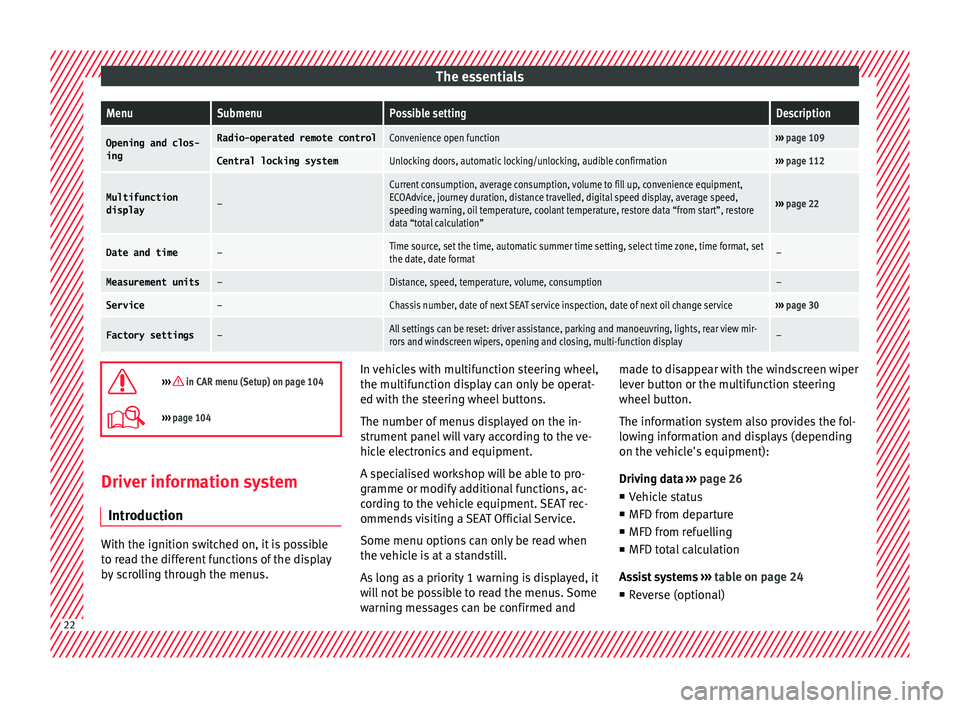
The essentialsMenuSubmenuPossible settingDescription
Opening and clos-
ingRadio-operated remote controlConvenience open function››› page 109
Central locking systemUnlocking doors, automatic locking/unlocking, audible confirmation››› page 112
Multifunction
display–
Current consumption, average consumption, volume to fill up, convenience equipment,
ECOAdvice, journey duration, distance travelled, digital speed display, average speed,
speeding warning, oil temperature, coolant temperature, restore data “from start”, restore
data “total calculation”
››› page 22
Date and time–Time source, set the time, automatic summer time setting, select time zone, time format, set
the date, date format–
Measurement units–Distance, speed, temperature, volume, consumption–
Service–Chassis number, date of next SEAT service inspection, date of next oil change service››› page 30
Factory settings–All settings can be reset: driver assistance, parking and manoeuvring, lights, rear view mir-
rors and windscreen wipers, opening and closing, multi-function display–
››› in CAR menu (Setup) on page 104
›››
page 104 Driver information system
Intr oduction With the ignition switched on, it is possible
to r
e
ad the different functions of the display
by scrolling through the menus. In vehicles with multifunction steering wheel,
the multif
u
nction display can only be operat-
ed with the steering wheel buttons.
The number of menus displayed on the in-
strument panel will vary according to the ve-
hicle electronics and equipment.
A specialised workshop will be able to pro-
gramme or modify additional functions, ac-
cording to the vehicle equipment. SEAT rec-
ommends visiting a SEAT Official Service.
Some menu options can only be read when
the vehicle is at a standstill.
As long as a priority 1 warning is displayed, it
will not be possible to read the menus. Some
warning messages can be confirmed and made to disappear with the windscreen wiper
lever b
utton or the multifunction steering
wheel button.
The information system also provides the fol-
lowing information and displays (depending
on the vehicle's equipment):
Driving data ››› page 26
■ Vehicle status
■ MFD from departure
■ MFD from refuelling
■ MFD total calculation
Assist systems ››› table on page 24
■ Reverse (optional) 22
Page 32 of 248
The essentials
speed of 120 km/h (80 mph). This is a facto-
ry
-
set speed limit. Service intervals
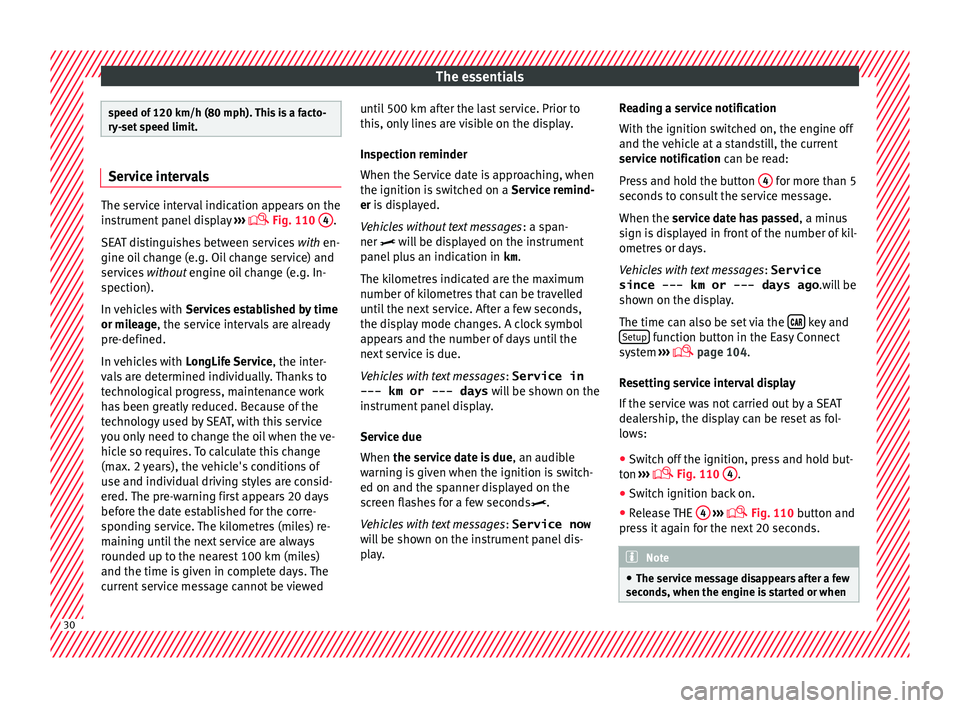
The service interval indication appears on the
ins
trument
panel display ›››
Fig. 110
4 .
SEA T di
stinguishes between services with en-
gine oil change (e.g. Oil change service) and
services without engine oil change (e.g. In-
spection).
In vehicles with Services established by time
or mileage, the service intervals are already
pre-defined.
In vehicles with LongLife Service , the inter-
vals are determined individually. Thanks to
technological progress, maintenance work
has been greatly reduced. Because of the
technology used by SEAT, with this service
you only need to change the oil when the ve-
hicle so requires. To calculate this change
(max. 2 years), the vehicle's conditions of
use and individual driving styles are consid-
ered. The pre-warning first appears 20 days
before the date established for the corre-
sponding service. The kilometres (miles) re-
maining until the next service are always
rounded up to the nearest 100 km (miles)
and the time is given in complete days. The
current service message cannot be viewed until 500 km after the last service. Prior to
this, on
ly
lines are visible on the display.
Inspection reminder
When the Service date is approaching, when
the ignition is switched on a Service remind-
er is displayed.
Vehicles without text messages : a span-
ner will be displayed on the instrument
panel plus an indication in km.
The kilometres indicated are the maximum
number of kilometres that can be travelled
until the next service. After a few seconds,
the display mode changes. A clock symbol
appears and the number of days until the
next service is due.
Vehicles with text messages : Service in
--- km or --- days will be shown on the
instrument panel display.
Service due
When the service date is due , an audible
warning is given when the ignition is switch-
ed on and the spanner displayed on the
screen flashes for a few seconds .
Vehicles with text messages : Service now
will be shown on the instrument panel dis-
play. Reading a service notification
With the ignition swit
ched on, the engine off
and the vehicle at a standstill, the current
service notification can be read:
Press and hold the button 4 for more than 5
sec ond
s
to consult the service message.
When the service date has passed , a minus
sign is displayed in front of the number of kil-
ometres or days.
Vehicles with text messages : Service
since --- km or --- days ago .will be
shown on the display.
The time can also be set via the key and
Set up function button in the Easy Connect
sy s
t
em ›››
page 104.
Resetting service interval display
If the service was not carried out by a SEAT
dealership, the display can be reset as fol-
lows:
● Switch off the ignition, press and hold but-
ton ››
› Fig. 110
4 .
● Switch ignition back on.
● Release THE 4
› ›
›
Fig. 110
button and
press it again for the next 20 seconds. Note
● The serv ic
e message disappears after a few
seconds, when the engine is started or when 30
Page 33 of 248
The essentials
OK/RESET
is pressed on the windscreen wiper
lev er
, or OK on the multifunction steering
wheel.
● In v
ehicles with the LongLife system in
which the batt
ery has been disconnected for
a long period of time, it is not possible to cal-
culate the date of the next service. Therefore
the service interval display may not be cor-
rect. In this case, bear in mind the maximum
service intervals permitted in the ››› Book-
let Maintenance Programme. Cruise control
Oper atin
g the c
ruise control system
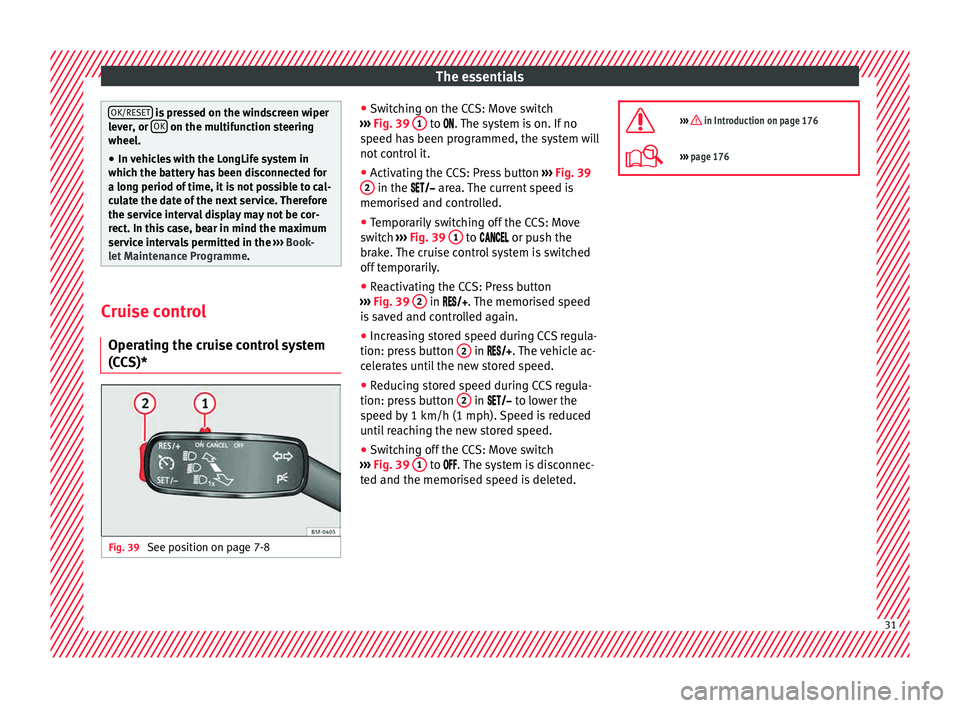
(CCS)* Fig. 39
See position on page 7-8 ●
Sw it
c
hing on the CCS: Move switch
››› Fig. 39 1 to .
The system is on. If no
s peed h
as been programmed, the system will
not control it.
● Activating the CCS: Press button ›››
Fig. 39
2 in the ar
e
a. The current speed is
memorised and controlled.
● Temporarily switching off the CCS: Move
switc
h ››› Fig. 39 1 to
or push the
br ak
e. The cruise control system is switched
off temporarily.
● Reactivating the CCS: Press button
›››
Fig. 39 2 in
. The memorised speed
i
s saved and controlled again.
● Increasing stored speed during CCS regula-
tion: pres
s button 2 in
. The vehicle ac-
c
elerates until the new stored speed.
● Reducing stored speed during CCS regula-
tion: pres
s button 2 in t
o lower the
s peed b
y 1 km/h (1 mph). Speed is reduced
until reaching the new stored speed.
● Switching off the CCS: Move switch
›››
Fig. 39 1 to .
The system is disconnec-
t ed and the memori
sed speed is deleted.
››› in Introduction on page 176
›››
page 176 31
Page 36 of 248
The essentials
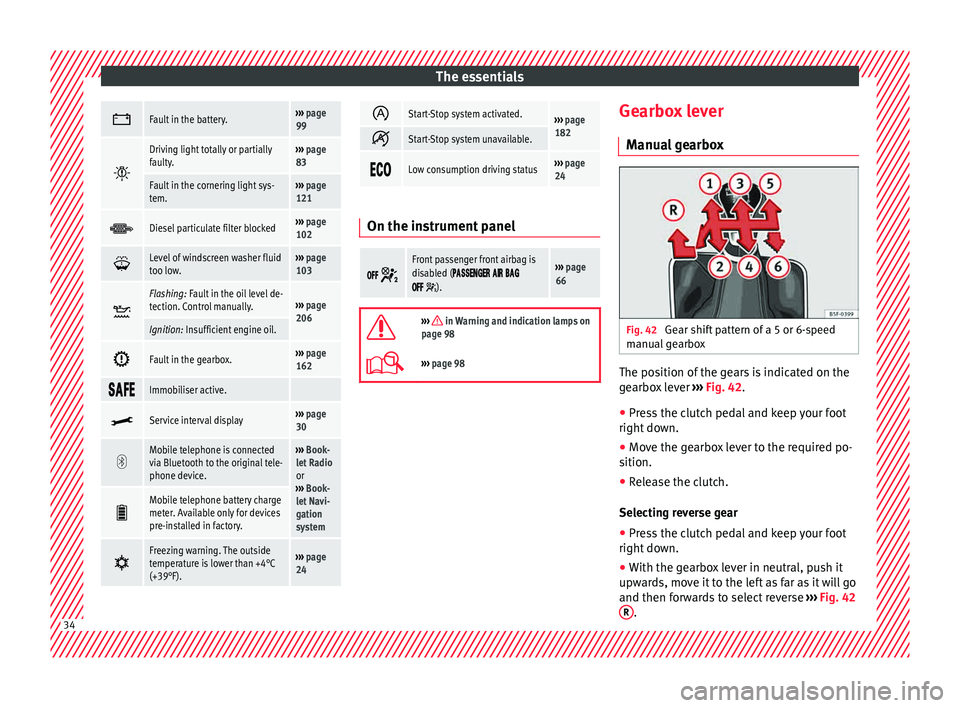
Fault in the battery.›››
page
99
Driving light totally or partially
faulty.›››
page
83
Fault in the cornering light sys-
tem.››› page
121
Diesel particulate filter blocked›››
page
102
Level of windscreen washer fluid
too low.›››
page
103
Flashing: Fault in the oil level de-
tection. Control manually.›››
page
206
Ignition: Insufficient engine oil.
Fault in the gearbox.›››
page
162
Immobiliser active.
Service interval display›››
page
30
Mobile telephone is connected
via Bluetooth to the original tele-
phone device.›››
Book-
let Radio
or
››› Book-
let Navi-
gation
system
Mobile telephone battery charge
meter. Available only for devices
pre-installed in factory.
Freezing warning. The outside
temperature is lower than +4°C
(+39°F).›››
page
24
Start-Stop system activated.›››
page
182
Start-Stop system unavailable.
Low consumption driving status›››
page
24 On the instrument panel
Front passenger front airbag is
disabled (
).
››› page
66
››› in Warning and indication lamps on
page 98
››› page 98 Gearbox lever
M anua
l
gearbox Fig. 42
Gear shift pattern of a 5 or 6-speed
m anual
g
earbox The position of the gears is indicated on the
g
e
arbo
x lever ››› Fig. 42.
● Press the clutch pedal and keep your foot
right down.
● Mo
ve the gearbox lever to the required po-
sition.
● Rel
ease the clutch.
Selecting r
everse gear
● Press the clutch pedal and keep your foot
right down.
● W
ith the gearbox lever in neutral, push it
upwar
ds, move it to the left as far as it will go
and then forwards to select reverse ››› Fig. 42
R .
34
Page 42 of 248
The essentials
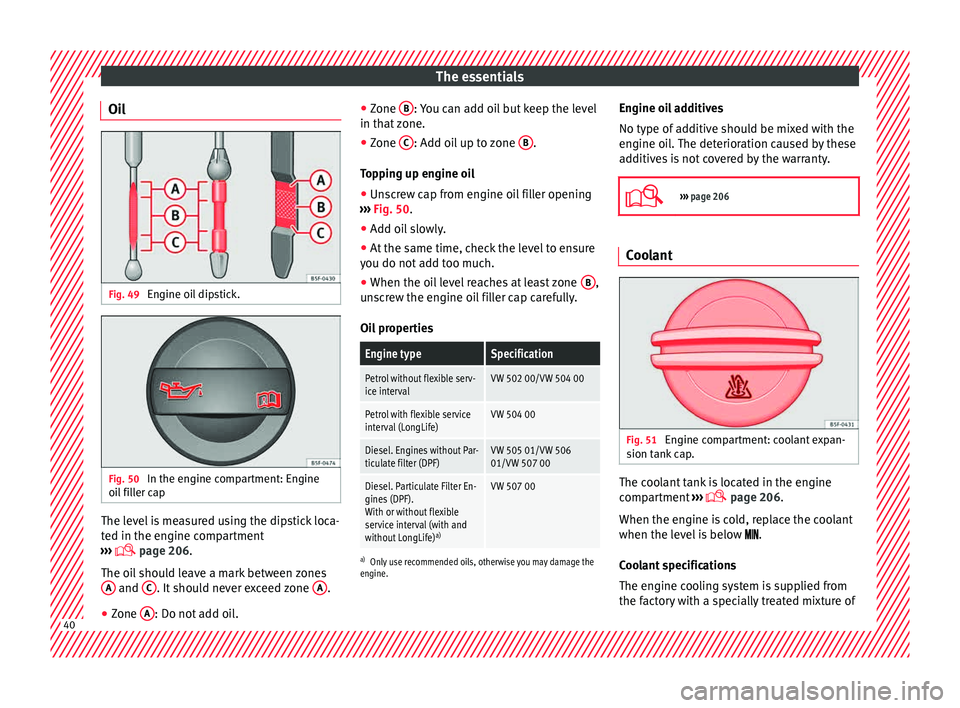
Oil Fig. 49
Engine oil dipstick. Fig. 50
In the engine compartment: Engine
oi l
fi
ller cap The level is measured using the dipstick loca-
t
ed in the en
gine c
ompartment
››› page 206.
The oil should leave a mark between zones A and
C . It should never exceed zone
A .
● Zone A : Do not add oil. ●
Zone B : You can add oil but keep the level
in th at
zone.
● Zone C : Add oil up to zone
B .
T op
pin
g up engine oil
● Unscrew cap from engine oil filler opening
›››
Fig. 50.
● Add oil slowly.
● At the same time, check the level to ensure
you do not a
dd too much.
● When the oil level reaches at least zone B ,
u n
s
crew the engine oil filler cap carefully.
Oil properties
Engine typeSpecification
Petrol without flexible serv-
ice intervalVW 502 00/VW 504 00
Petrol with flexible service
interval (LongLife)VW 504 00
Diesel. Engines without Par-
ticulate filter (DPF)VW 505 01/VW 506
01/VW 507 00
Diesel. Particulate Filter En-
gines (DPF).
With or without flexible
service interval (with and
without LongLife) a)VW 507 00
a)
Only use recommended oils, otherwise you may damage the
engine.
Engine oil additives
No type of additive should be mixed with the
engine oil. The deterioration caused by these
additives is not covered by the warranty.
››› page 206 Coolant
Fig. 51
Engine compartment: coolant expan-
s ion t
ank
cap. The coolant tank is located in the engine
c
omp
ar
tment ›››
page 206.
When the engine is cold, replace the coolant
when the level is below .
Coolant specifications
The engine cooling system is supplied from
the factory with a specially treated mixture of 40
Page 43 of 248
The essentials
water and at least 40 % of the additive G13
(TL -
VW
774 J), purple. This mixture gives the
necessary frost protection down to -25°C
(-13°F) and protects the light alloy parts of
the engine cooling system against corrosion.
It also prevents scaling and considerably rai-
ses the boiling point of the coolant.
To protect the cooling system, the percentage
of additive must always be at least 40 %,
even in warm climates where anti-freeze pro-
tection is not required.
If for weather reasons further protection is
necessary, the proportion of additive may be
increased, but only up to 60 %; otherwise an-
tifreeze protection will diminish and this will
worsen cooling.
When the coolant is topped up, use a mixture
of distilled water and at least 40% of the G13
or G12 plus-plus (TL-VW 774 G) additive
(both are purple) to obtain an optimum anti-
corrosion protection. The mixture of G13 with
G12 plus (TL-VW 774 F), G12 (red) or G11
(green-blue) engine coolants will reduce anti-
corrosion protection and should therefore be
avoided.
››› in Topping up the coolant level on
page 209
››› page 208 Brake fluid
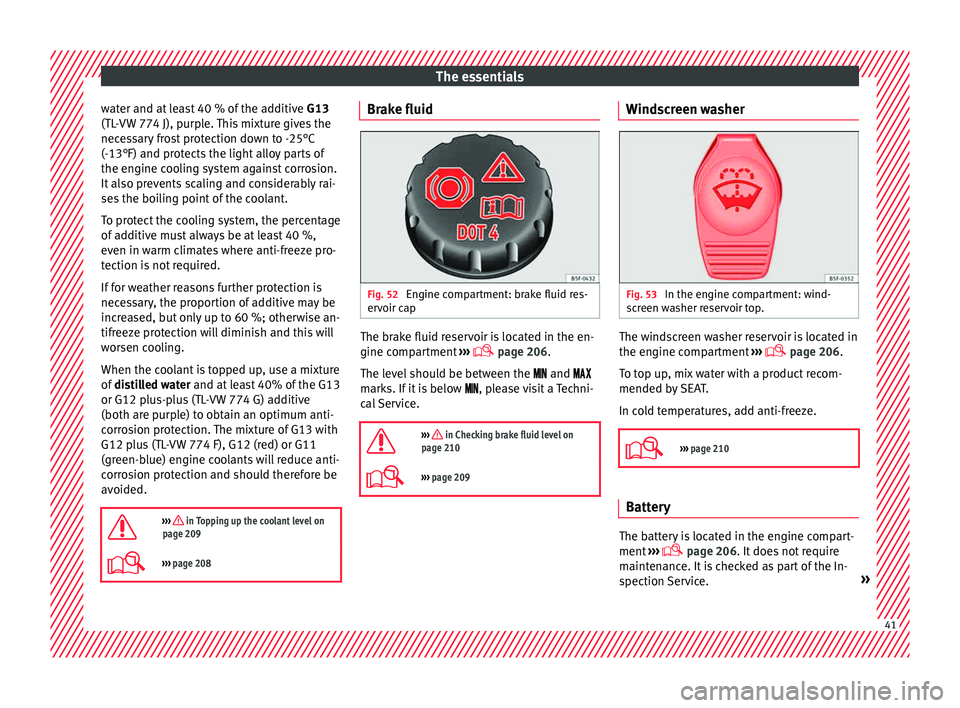
Fig. 52
Engine compartment: brake fluid res-
er v
oir c
ap The brake fluid reservoir is located in the en-
gine c
omp
ar
tment ›››
page 206.
The level should be between the and
marks. If it is below , please visit a Techni-
cal Service.
››› in Checking brake fluid level on
page 210
››› page 209 Windscreen washer
Fig. 53
In the engine compartment: wind-
s c
r
een washer reservoir top. The windscreen washer reservoir is located in
the en
gine c
omp
artment ›››
page 206.
To top up, mix water with a product recom-
mended by SEAT.
In cold temperatures, add anti-freeze.
››› page 210 Battery
The battery is located in the engine compart-
ment
›
›
› page 206. It does not require
maintenance. It is checked as part of the In-
spection Service. » 41
Page 55 of 248
The essentials
Starting
7. Start the engine of the vehicle with the boo s
tin
g battery and let it run at idling
speed.
8. Start the engine of the vehicle with the flat batter
y and wait for 2 or 3 minutes until
the engine is running.
Removing the jump leads
9. Before you remove the jump leads, switch off the dipped be
am headlights if they are
switched on.
10.
Turn on the heater blower and heated rear
window in the vehicle with the flat battery.
This helps minimise voltage peaks which
are generated when the leads are discon-
nected.
11.When the engine is running, disconnect the lea
ds in reverse order to the details
given above.
Make sure the battery clamps have sufficient
metal-to-metal contact with the battery termi-
nals.
If the engine fails to start, switch off the start-
er after about 10 seconds and try again after
about 1 minute. WARNING
● Ple a
se note the safety warnings referring to
working in the engine compartment
››› page 203.
● The battery providing assistance must have
the same v
oltage as the flat battery (12V) and
approximately the same capacity (see imprint
on battery). Failure to comply could result in
an explosion.
● Never use jump leads when one of the bat-
teries
is frozen. Danger of explosion! Even af-
ter the battery has thawed, battery acid could
leak and cause chemical burns. If a battery
freezes, it should be replaced.
● Keep sparks, flames and lighted cigarettes
awa
y from batteries, danger of explosion.
Failure to comply could result in an explo-
sion.
● Observe the instructions provided by the
manufact
urer of the jump leads.
● Do not connect the negative cable from the
other vehic
le directly to the negative terminal
of the flat battery. The gas emitted from the
battery could be ignited by sparks. Danger of
explosion.
● Do not attach the negative cable from the
other vehic
le to parts of the fuel system or to
the brake line.
● The non-insulated parts of the battery
clamp
s must not be allowed to touch. The
jump lead attached to the positive battery
terminal must not touch metal parts of the ve-
hicle, this can cause a short circuit. ●
Po s
ition the leads in such a way that they
cannot come into contact with any moving
parts in the engine compartment.
● Do not lean on the batteries. This could re-
sult
in chemical burns. Note
The vehicles must not touch each other, oth-
er wi
se electricity could flow as soon as the
positive terminals are connected. Changing the windscreen wiper
b
l
a
des
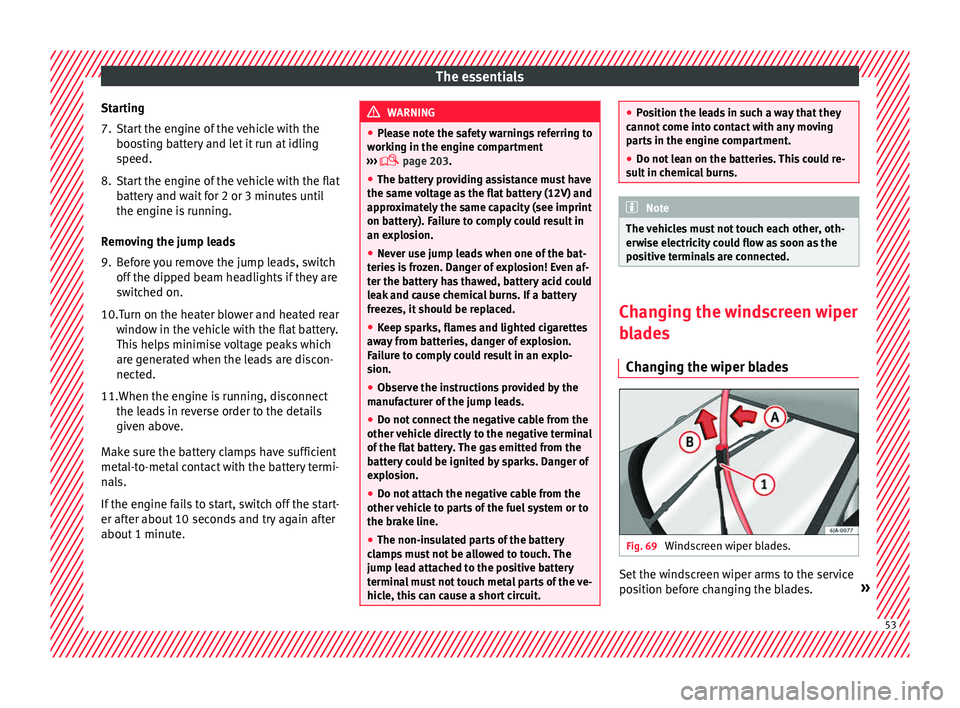
Changing the wiper blades Fig. 69
Windscreen wiper blades. Set the windscreen wiper arms to the service
po
s
ition bef
ore changing the blades. » 53