instrument panel Seat Toledo 2016 Owner's Guide
[x] Cancel search | Manufacturer: SEAT, Model Year: 2016, Model line: Toledo, Model: Seat Toledo 2016Pages: 248, PDF Size: 5.82 MB
Page 103 of 248
Communications and multimedia
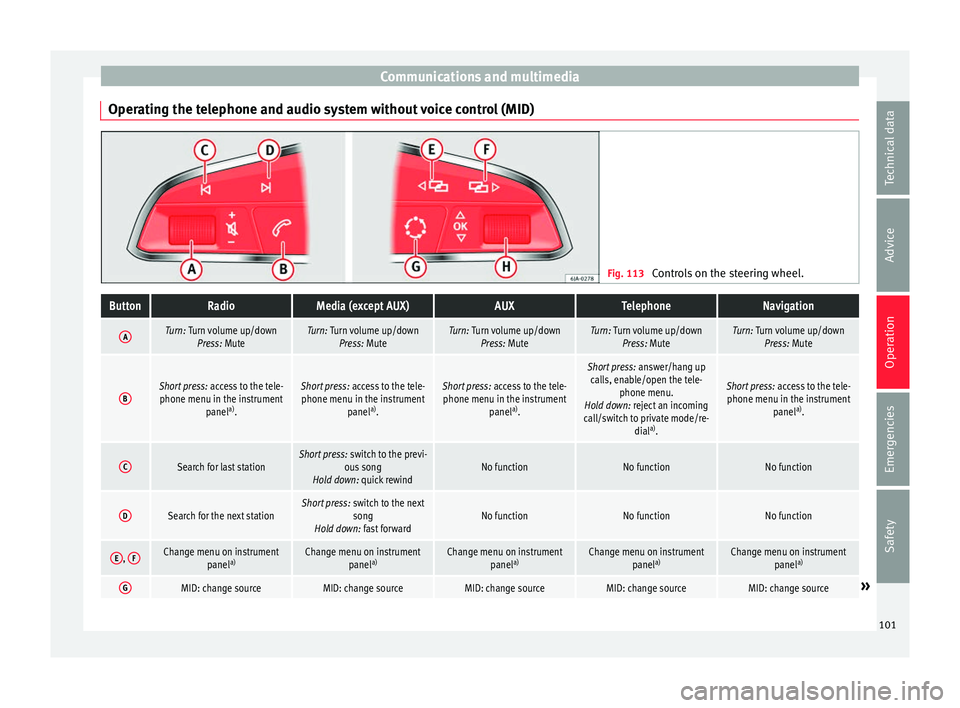
Operating the telephone and audio system without voice control (MID) Fig. 113
Controls on the steering wheel.ButtonRadioMedia (except AUX)AUXTelephoneNavigation
ATurn: Turn volume up/down
Press: MuteTurn: Turn volume up/downPress: MuteTurn: Turn volume up/downPress: MuteTurn: Turn volume up/downPress: MuteTurn: Turn volume up/downPress: Mute
BShort press: access to the tele-
phone menu in the instrument panela)
.Short press: access to the tele-
phone menu in the instrument panela)
.Short press: access to the tele-
phone menu in the instrument panela)
.
Short press: answer/hang up
calls, enable/open the tele- phone menu.
Hold down: reject an incoming
call/switch to private mode/re- diala)
.
Short press: access to the tele-
phone menu in the instrument panela)
.
CSearch for last stationShort press: switch to the previ-
ous song
Hold down: quick rewindNo functionNo functionNo function
DSearch for the next stationShort press: switch to the next
song
Hold down: fast forwardNo functionNo functionNo function
E, FChange menu on instrument
panela)Change menu on instrument
panela)Change menu on instrument
panela)Change menu on instrument
panela)Change menu on instrument
panela)
GMID: change sourceMID: change sourceMID: change sourceMID: change sourceMID: change source» 101
Technical data
Advice
Operation
Emergencies
Safety
Page 104 of 248
OperationButtonRadioMedia (except AUX)AUXTelephoneNavigation
HTurn: Next/previous preset
b)
Press: Acts on the MFDTurn: Next/previous song b)
Press: Acts on the MFDTurn: No function
Press: Acts on the MFDTurn: Acts on the MFD Press: ConfirmTurn: Changes menu or memory on instrument panel
Press: Operates on instrument panel
a)According to the vehicle's equipment package.
b) Only if the dash panel is in audio menu.
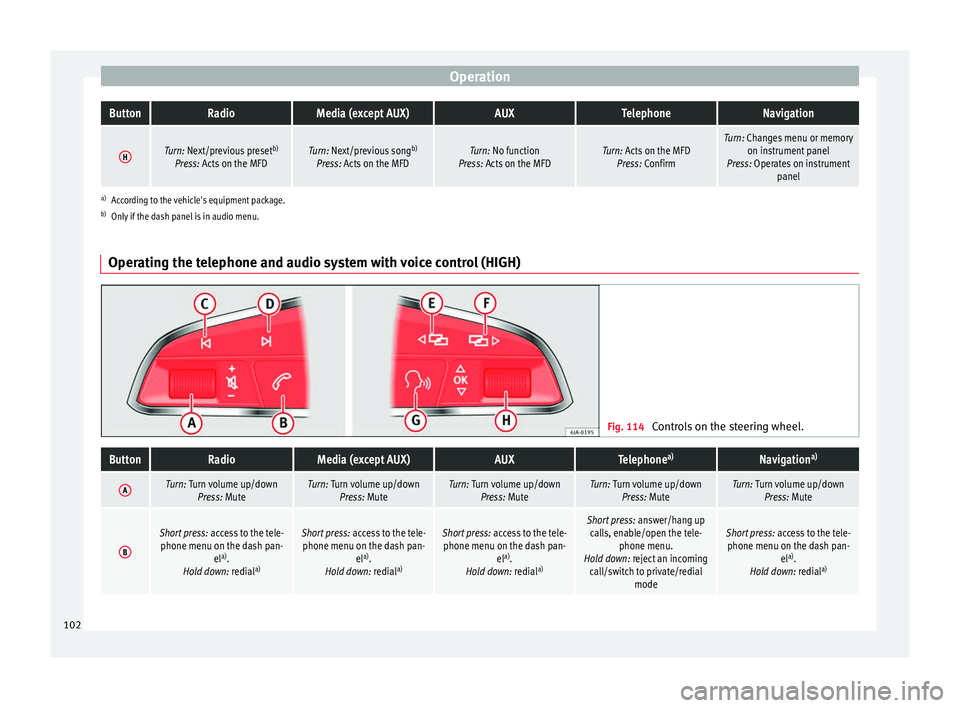
Operating the telephone and audio system with voice control (HIGH) Fig. 114
Controls on the steering wheel.
ButtonRadioMedia (except AUX)AUXTelephone a)Navigation a)
ATurn: Turn volume up/down
Press: MuteTurn: Turn volume up/downPress: MuteTurn: Turn volume up/downPress: MuteTurn: Turn volume up/downPress: MuteTurn: Turn volume up/downPress: Mute
B
Short press: access to the tele-
phone menu on the dash pan- ela)
.
Hold down: redial a)Short press:
access to the tele-
phone menu on the dash pan- ela)
.
Hold down: redial a)Short press:
access to the tele-
phone menu on the dash pan- ela)
.
Hold down: redial a)Short press:
answer/hang up
calls, enable/open the tele- phone menu.
Hold down: reject an incoming call/switch to private/redial modeShort press: access to the tele-
phone menu on the dash pan- ela)
.
Hold down: redial a)102
Page 105 of 248
Communications and multimediaButtonRadioMedia (except AUX)AUXTelephone
a)Navigation a)
CSearch for last stationShort press:
switch to the previ-
ous song
Hold down: quick rewindNo functionNo function b)Radio/media functionality (ex-
cept AUX )
DSearch for the next stationShort press: switch to the next
song
Hold down: fast forwardNo functionNo function b)Radio/media functionality (ex-
cept AUX )
E, FChange menu on instrument
panelChange menu on instrumentpanelChange menu on instrumentpanelChange menu on instrumentpanelChange menu on instrumentpanel
GEnable/disable voice control a)Enable/disable voice controla)Enable/disable voice controla)No functionb)Enable/disable voice control
H
Turn: Next/previous preset c)
Press: Acts on the MFD or con- firms the menu option of the
dash panel depending on the menu optionTurn: Next/previous song c)
Press: Acts on the MFD or con- firms the menu option of the
dash panel depending on the menu optionTurn: Acts upon the dash panelmenu depending on where it is located
Press: Acts on the MFD or con- firms the menu option of the
dash panel depending on the menu optionTurn: Acts upon the dash panelmenu depending on where it is located
Press: Acts on the MFD or con- firms the menu option of the
dash panel depending on the menu optionTurn: Acts upon the dash panelmenu depending on where it is located
Press: Acts on the MFD or con- firms the menu option of the
dash panel depending on the menu option
a)According to the vehicle's equipment package.
b) When a call is being made, radio/media functionality (except AUX).
c) Only if the dash panel is in audio menu.
103
Technical data
Advice
Operation
Emergencies
Safety
Page 116 of 248
Operation
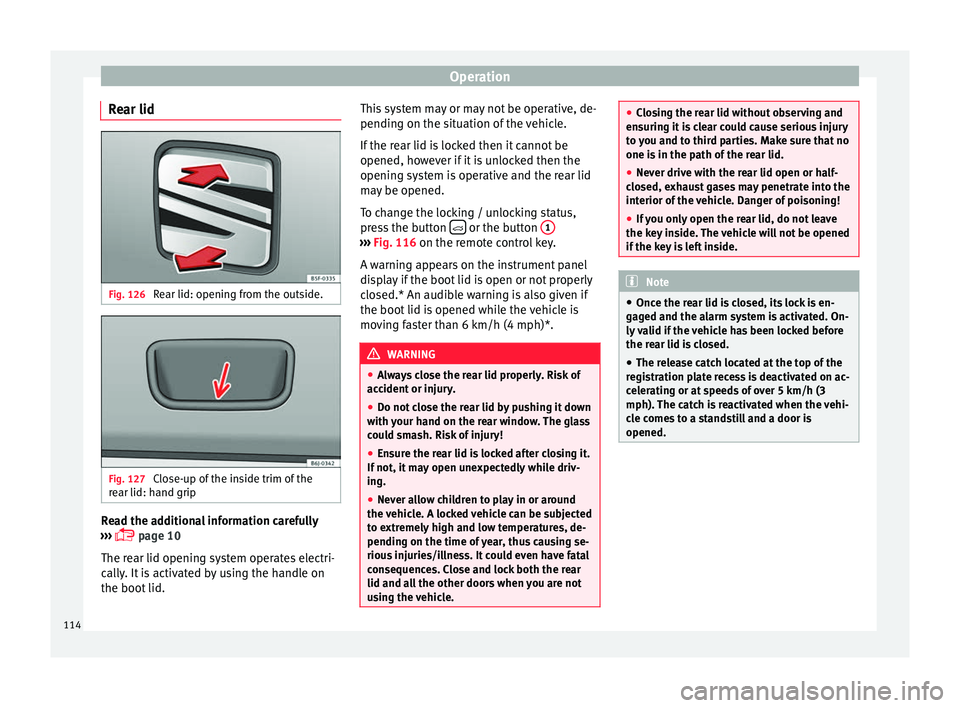
Rear lid Fig. 126
Rear lid: opening from the outside. Fig. 127
Close-up of the inside trim of the
r e
ar lid: h
and grip Read the additional information carefully
› ›
›
page 10
The rear lid opening system operates electri-
cally. It is activated by using the handle on
the boot lid. This system may or may not be operative, de-
pending on the sit
uation of the vehicle.
If the rear lid is locked then it cannot be
opened, however if it is unlocked then the
opening system is operative and the rear lid
may be opened.
To change the locking / unlocking status,
press the button or the button
1 ›››
Fig. 116 on the r emot
e c
ontrol key.
A warning appears on the instrument panel
display if the boot lid is open or not properly
closed.* An audible warning is also given if
the boot lid is opened while the vehicle is
moving faster than 6 km/h (4 mph)*. WARNING
● Alw a
ys close the rear lid properly. Risk of
accident or injury.
● Do not close the rear lid by pushing it down
with y
our hand on the rear window. The glass
could smash. Risk of injury!
● Ensure the rear lid is locked after closing it.
If not, it m
ay open unexpectedly while driv-
ing.
● Never allow children to play in or around
the vehic
le. A locked vehicle can be subjected
to extremely high and low temperatures, de-
pending on the time of year, thus causing se-
rious injuries/illness. It could even have fatal
consequences. Close and lock both the rear
lid and all the other doors when you are not
using the vehicle. ●
Clo s
ing the rear lid without observing and
ensuring it is clear could cause serious injury
to you and to third parties. Make sure that no
one is in the path of the rear lid.
● Never drive with the rear lid open or half-
closed, e
xhaust gases may penetrate into the
interior of the vehicle. Danger of poisoning!
● If you only open the rear lid, do not leave
the key in
side. The vehicle will not be opened
if the key is left inside. Note
● Onc e the r e
ar lid is closed, its lock is en-
gaged and the alarm system is activated. On-
ly valid if the vehicle has been locked before
the rear lid is closed.
● The release catch located at the top of the
regi
stration plate recess is deactivated on ac-
celerating or at speeds of over 5 km/h (3
mph). The catch is reactivated when the vehi-
cle comes to a standstill and a door is
opened. 114
Page 119 of 248
Lights and visibility
It lights up
Main beam on or flasher on
››› page 118.
It lights up
Bulb failure
››› page 83
For example, the information display indicates:
Check front right dipped headlight! Several warning and control lamps light up
for a f
ew sec
onds when the ignition is switch-
ed on, signalling that the function is being
verified. They will switch off after a few sec-
onds. WARNING
Observe the safety warnings ›››
in Warning
and contr o
l lamps on page 98. Note
The rear side lights and number plate light
cont ain sev
eral bulbs. The control lamp
lights up only when there is a fault in all the
number plate bulbs or side light bulbs (of a
combined tail light). Therefore it is advisable
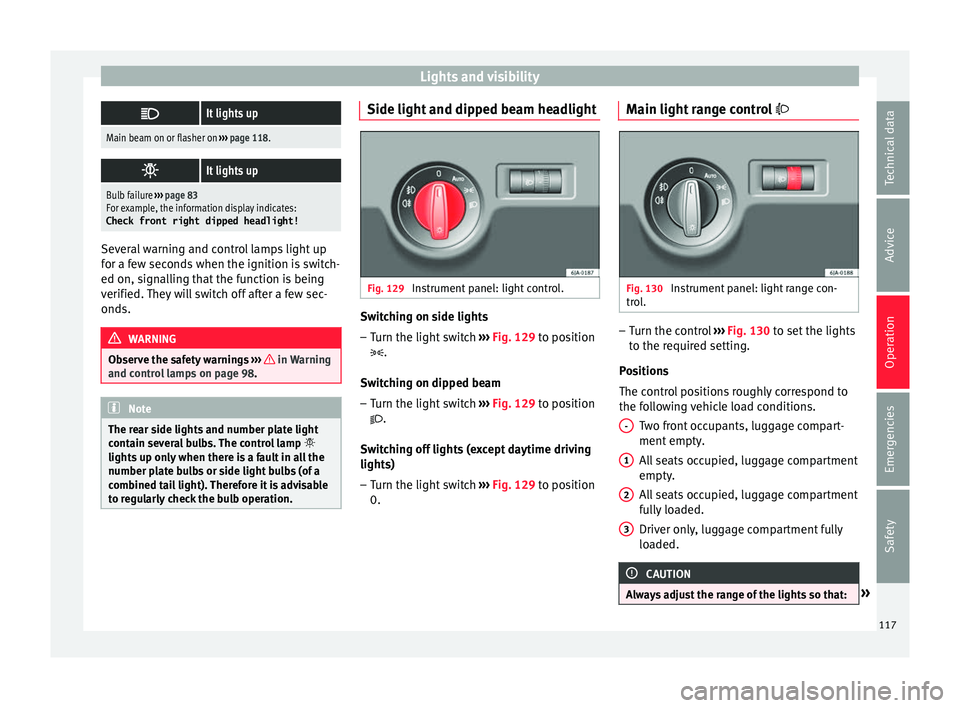
to regularly check the bulb operation. Side light and dipped beam headlight
Fig. 129
Instrument panel: light control. Switching on side lights
– Turn the light switch ››
›
Fig. 129 to position
.
Switching on dipped beam
– Turn the light switch ›››
Fig. 129 to position
.
Switching off lights (except daytime driving
lights) – Turn the light switch ›››
Fig. 129 to position
0. Main light range control
Fig. 130
Instrument panel: light range con-
tr o
l
. –
Turn the control ››
›
Fig. 130 to set the lights
to the required setting.
Positions
The control positions roughly correspond to
the following vehicle load conditions. Two front occupants, luggage compart-
ment empty.
All seats occupied, luggage compartment
empty.
All seats occupied, luggage compartment
fully loaded.
Driver only, luggage compartment fully
loaded. CAUTION
Always adjust the range of the lights so that: » -
1
2
3
117
Technical data
Advice
Operation
Emergencies
Safety
Page 120 of 248
Operation
●
Your v
ehicle does not dazzle others, partic-
ularly oncoming traffic
● The range of the headlights is sufficient for
safe driv
ing Note
Make sure you set the range of the main
light s when the dip
ped beam headlights are
switched on. Daytime running lights
Daytime running lights are signalling devices
f
or impr
o
ving road safety. The lights are built
into the headlights and come on each time
the ignition is turned on if the light switch is
in position 0 or ››› Fig. 129. It is automat-
ically switched off when the side lights are
turned on.
Switching the daytime driving lights on
● Remove the key from the ignition, move the
turn sign
al lever upward (right turn signal),
press it back to flash position and hold it
there.
● Insert the key and switch on the ignition,
holdin
g it in this position for 3 seconds.
Then, switch off the ignition. The daytime
running light is now activated and the corre-
sponding lights can come on. Switching the daytime running light off
●
Remove the key from the ignition, press the
turn sign
al lever down (left turn signal), press
it back to flash position and hold it here.
● Insert the key and switch on the ignition,
holdin
g it in this position for 3 seconds.
Then, switch off the ignition. The daytime
running light is now deactivated and the cor-
responding lights cannot come on.
OR: activate and deactivate the daytime
lights using the Easy Connect system
››› page 21.
Automatic control of the dipped beam in
combination with the daytime running lights
If the dipped beam control and the daytime
running lights are activated at the same
time, the dipped beams and the instrument
panel lighting will automatically come on as
required (e.g. when entering a tunnel) and
the daytime running lights will switch off.
When the automatic dipped beam control
switches off the dipped beams (e.g. when
coming out of a tunnel), the daytime running
lights come back on. WARNING
The rear lights do not come on with the day-
time drivin g light
. A vehicle which does not
have the rear lights on may not be visible to
other drivers in the darkness, if it is raining
or in conditions of poor visibility. Note
Please observe any relevant legal require-
ments whic
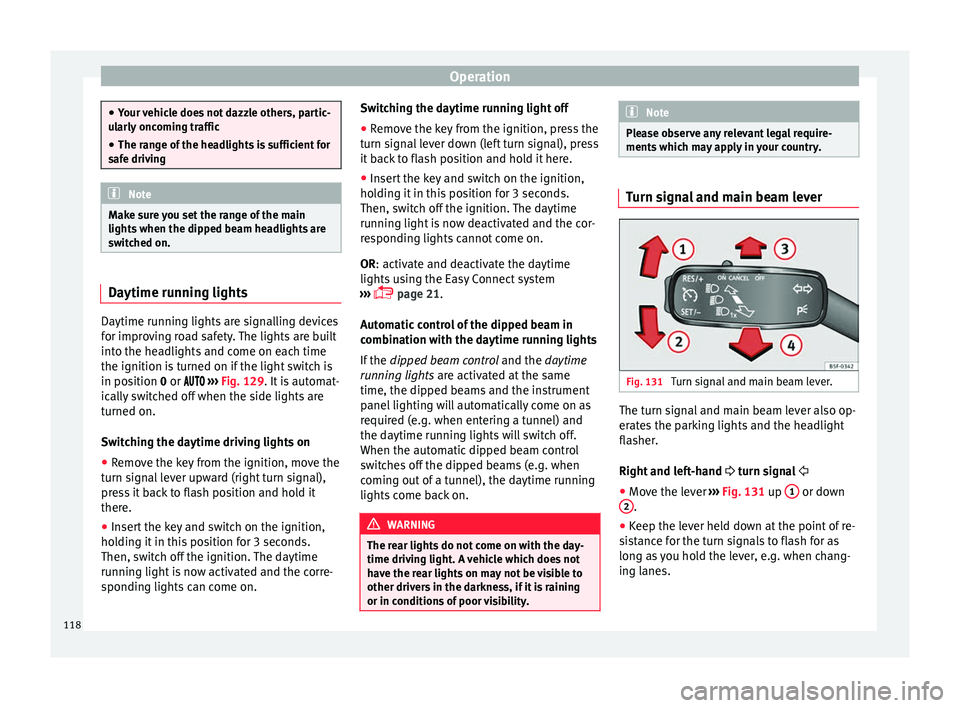
h may apply in your country. Turn signal and main beam lever
Fig. 131
Turn signal and main beam lever. The turn signal and main beam lever also op-
er
at
e
s the parking lights and the headlight
flasher.
Right and left-hand turn signal
● Move the lever ›››
Fig. 131 up 1 or down
2 .
● Keep the lever held down at the point of re-
s i
s
tance for the turn signals to flash for as
long as you hold the lever, e.g. when chang-
ing lanes.
118
Page 122 of 248
Operation
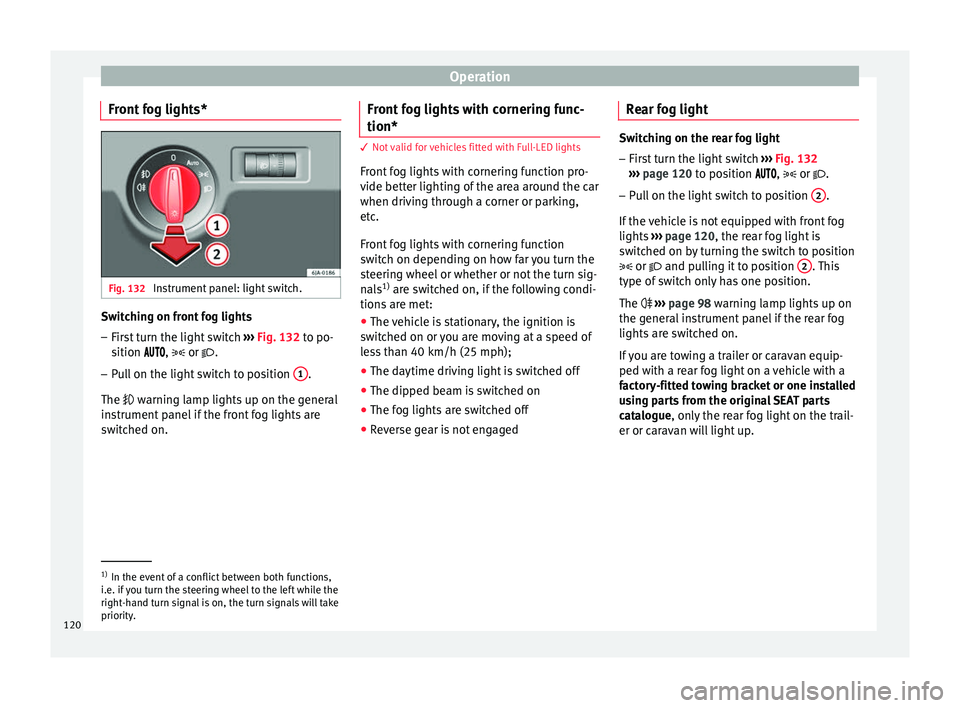
Front fog lights* Fig. 132
Instrument panel: light switch. Switching on front fog lights
– First turn the light switch ››
› Fig. 132 to po-
sition , or .
– Pull on the light switch to position 1 .
The w arnin
g l
amp lights up on the general
instrument panel if the front fog lights are
switched on. Front fog lights with cornering func-
tion* 3 Not valid for vehicles fitted with Full-LED lights
Fr
ont
fog lights with cornering function pro-
vide better lighting of the area around the car
when driving through a corner or parking,
etc.
Front fog lights with cornering function
switch on depending on how far you turn the
steering wheel or whether or not the turn sig-
nals 1)
are switched on, if the following condi-
tions are met:
● The vehicle is stationary, the ignition is
swit c
hed on or you are moving at a speed of
less than 40 km/h (25 mph);
● The daytime driving light is switched off
● The dipped beam is switched on
● The fog lights are switched off
● Reverse gear is not engaged Rear fog light Switching on the rear fog light
– First turn the light switch ›››
Fig. 132
››› page 120 to position , or .
– Pull on the light switch to position 2 .
If the v
ehicle is not equipped with front fog
lights ››› page 120, the rear fog light is
switched on by turning the switch to position
or and pulling it to position 2 . This
type of sw it
ch only has one position.
The ››› page 98 warning lamp lights up on
the general instrument panel if the rear fog
lights are switched on.
If you are towing a trailer or caravan equip-
ped with a rear fog light on a vehicle with a
factory-fitted towing bracket or one installed
using parts from the original SEAT parts
catalogue, only the rear fog light on the trail-
er or caravan will light up. 1)
In the event of a conflict between both functions,
i.e. if
you turn the steering wheel to the left while the
right-hand turn signal is on, the turn signals will take
priority.
120
Page 123 of 248

Lights and visibility
Function “Coming Home”/“Leaving
Home”* This function makes it possible, under poor
vi
s
ibility conditions, to automatically turn on
the lights for a brief period of time after the
vehicle has been parked or when approach-
ing the vehicle.
The function is automatically turned on if the
following conditions are met:
● The light switch is in position
››
› page 119.
● The visibility around the vehicle is reduced.
● The ignition is switched off.
To t urn on thi
s function, switch on the head-
light flasher prior to exiting the vehicle.
The light is adjusted according to the data re-
corded by the light sensor that is installed
between the windscreen and the inside rear
view mirror.
The function automatically turns on the side
lights and headlights, the lighting for the en-
try area on the exterior mirrors and the num-
ber plate light.
“Coming Home” function
The light is automatically switched on when
the driver door is opened (for 60 seconds af-
ter the ignition is switched off). The lights is switched off when all the doors
and the boot lid are c
losed.
If a door or the boot lid remains open, the
light will switch off after 60 seconds.
“Leaving Home” function
The light is automatically switched on when
the vehicle is unlocked using the remote con-
trol.
The light is switched off after 10 seconds or
when the vehicle is locked.
Hazard warning lights switch Fig. 133
Instrument panel: switch for hazard
w arnin
g lights. –
Press the button ›
››
Fig. 133 to switch
the hazard warning lights on or off.
The warning lamps on the instrument panel
and the warning lamp on the switch will flash at the same time as the turn signals when
the hazar
d warning lights are switched on.
The hazard warning lights also work when
the ignition is switched off.
The hazard warning lights come on automati-
cally in the event of an accident in which an
airbag is triggered. Note
Switch on the hazard warning lights to warn
other ro a
d users, for example:
● When reaching the tail end of a traffic jam
● if the vehicle has a technical fault or you
are inv
olved in an emergency situation. Parking lights*
Parking lights
– Switch the ignition off.
– Move the turn signal lever ››
›
Fig. 131
››› page 118 up or down to turn on the right
or left-hand parking lights respectively.
Parking light on both sides
– Turn the light switch ›››
Fig. 129
››› page 117 to position and engage the
steering lock. »
121
Technical data
Advice
Operation
Emergencies
Safety
Page 133 of 248
Transport and practical equipment
CAUTION
Take care when handling the rear backrests
so as not
to damage the seat belts. The seat
belt must never be left behind the lifted back-
rest. Transport and practical
equipment
Pr actic
a
l equipment
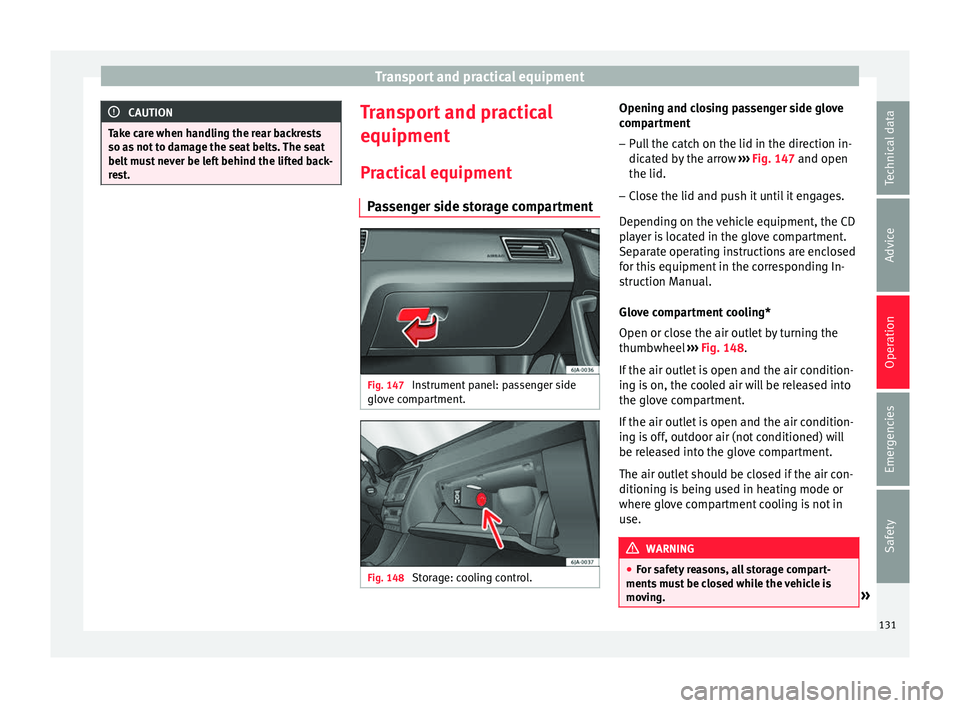
Passenger side storage compartment Fig. 147
Instrument panel: passenger side
glo v
e c
ompartment. Fig. 148
Storage: cooling control. Opening and closing passenger side glove
c
omp ar
tment
– Pull the catch on the lid in the direction in-
dicated b
y the arrow ››› Fig. 147 and open
the lid.
– Close the lid and push it until it engages.
Depending on the
vehicle equipment, the CD
player is located in the glove compartment.
Separate operating instructions are enclosed
for this equipment in the corresponding In-
struction Manual.
Glove compartment cooling*
Open or close the air outlet by turning the
thumbwheel ››› Fig. 148.
If the air outlet is open and the air condition-
ing is on, the cooled air will be released into
the glove compartment.
If the air outlet is open and the air condition-
ing is off, outdoor air (not conditioned) will
be released into the glove compartment.
The air outlet should be closed if the air con-
ditioning is being used in heating mode or
where glove compartment cooling is not in
use. WARNING
● For s af
ety reasons, all storage compart-
ments must be closed while the vehicle is
moving. » 131
Technical data
Advice
Operation
Emergencies
Safety
Page 134 of 248
Operation
●
Never p l
ace any objects on the instrument
panel. These objects could be flown around
the interior while the vehicle is moving (on
accelerating or turning) and distract you. Risk
of accident!
● Make sure objects remain in the centre con-
sole or other c
ompartments while the vehicle
is moving. Otherwise, this could prevent you
from braking, changing gear or accelerating.
Risk of accident! Note
The glove compartment can hold a bottle no
l ar g
er than 1 litre. Storage compartment for reflective
v
e
s
t Fig. 149
Driver's seat: storage compartment There is a compartment below the driver seat
› ›
›
Fig. 149 to store the reflective vests. WARNING
The compartment is solely designed to store
the refl ectiv
e vest and no other objects. Ob-
jects falling out of the storage compartment
could limit or prevent use of the pedals. CAUTION
The compartment is solely designed to store
the refl ectiv
e vest and no other objects, since
there is a risk of damaging the storage com-
partment. Storage pocket under the front seats
There is a storage pocket on the rear part of
the b
ac
k
rest of the front seats.
These pockets are designed to hold maps,
magazines, etc. WARNING
Do not place heavy objects in the pockets.
Risk of
injury! CAUTION
Do not place overly large objects in the pock-
ets (e.
g. bottles) or objects with sharp edges.
Risk of damage to the pockets and the up-
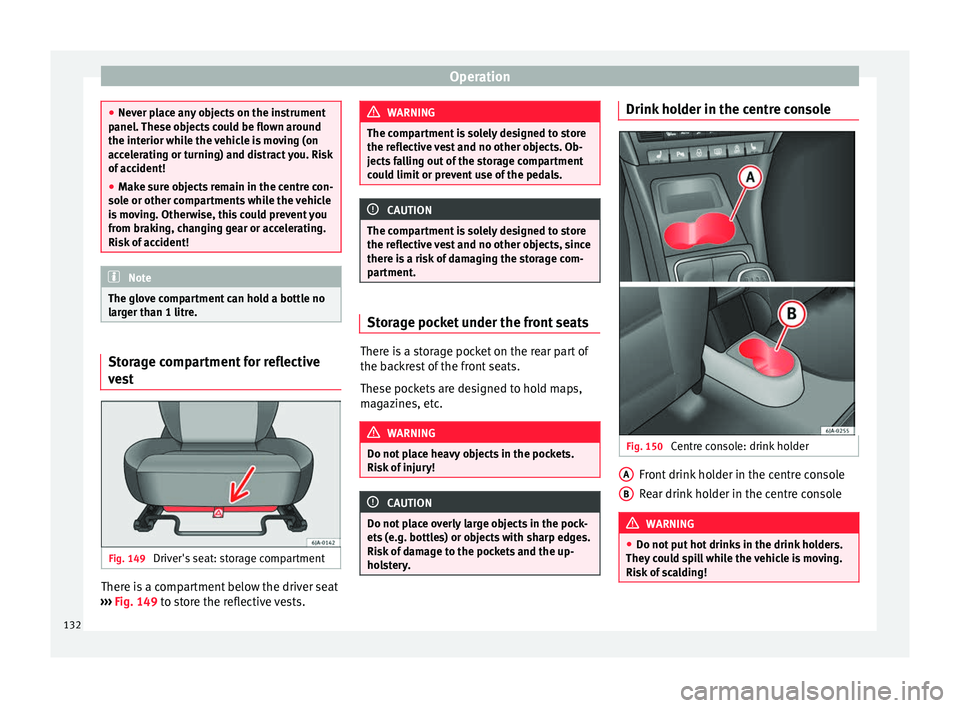
holstery. Drink holder in the centre console
Fig. 150
Centre console: drink holder Front drink holder in the centre console
R
e
ar drink
holder in the centre console WARNING
● Do not p ut
hot drinks in the drink holders.
They could spill while the vehicle is moving.
Risk of scalding! A
B
132