SEAT TOLEDO 2019 User Guide
TOLEDO 2019
SEAT
SEAT
https://www.carmanualsonline.info/img/39/58442/w960_58442-0.png
SEAT TOLEDO 2019 User Guide
Page 96 of 300
Emergencies
Note
Check the condition of the seal. If dam-
aged, a repl acement can be acquir
ed from
an Official Service. Changing the side and num-
ber plat
e bulbs
Side t
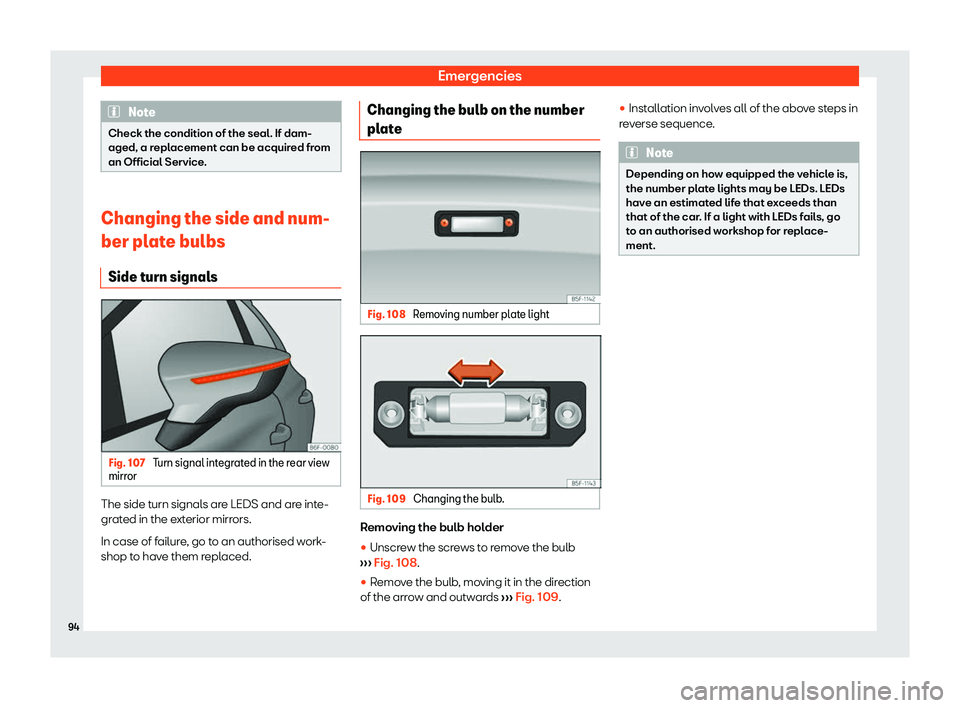
urn signals Fig. 107
Turn signal integrated in the rear view
mirr or The side turn signals are LEDS and are inte-
gr
at
ed in the e
xterior mirrors.
In case of failure, go to an authorised work-
shop to have them replaced. Changing the bulb on the number
plate
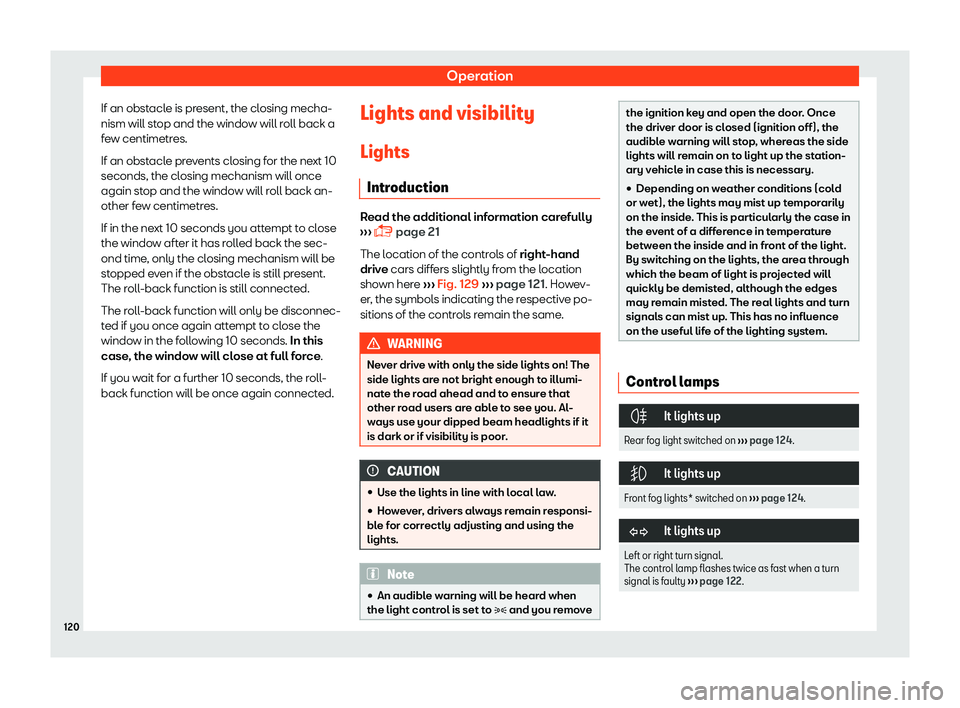
Fig. 108
Removing number plate light Fig. 109
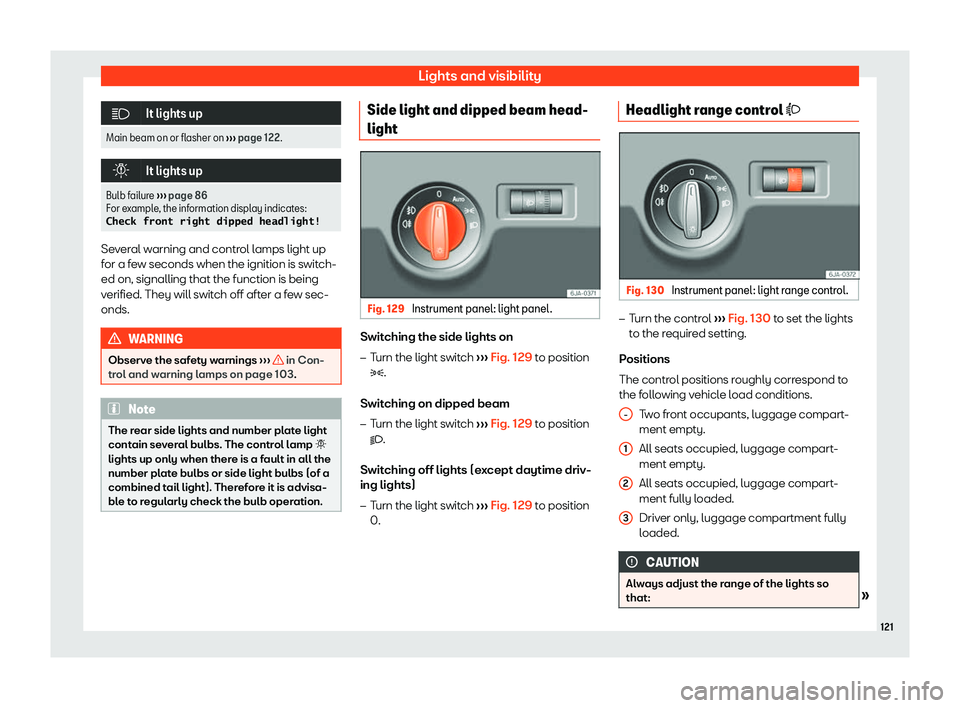
Changing the bulb. Removing the bulb holder
�
Page 122 of 300
Operation
If an obstacle is present, the closing mecha-
nism will st op and the windo
w will r
oll back a
few centimetres.
If an obstacle prevents closing for the next 10
seconds, the closing mechanism will once
again stop and the window will roll back an-
other few centimetres.
If in the next 10 seconds you attempt to close
the window after it has rolled back the sec-
ond time, only the closing mechanism will be
stopped even if the obstacle is still present.
The roll-back function is still connected.
The roll-back function will only be disconnec-
ted if you once again attempt to close the
window in the following 10 seconds. In this
case, the window will close at full force.
If you wait for a further 10 seconds, the roll-
back function will be once again connected. Lights and visibility
Lights Intr oduction Read the additional information carefully
Page 123 of 300
Lights and visibility
It lights up
Main beam on or flasher on
Page 125 of 300
Lights and visibility
long as you hold the lever, e.g. when chang-
ing l anes.
Conv enience t
urn signals
For the convenience turn signals, move the
lever as far as possible upwards or down-
wards and release the lever. The turn signal
will flash three times.
The convenience turn signals are activated
and deactivated in the Easy Connect system
via the button and the
SETTINGS function
butt on
Page 126 of 300
Operation
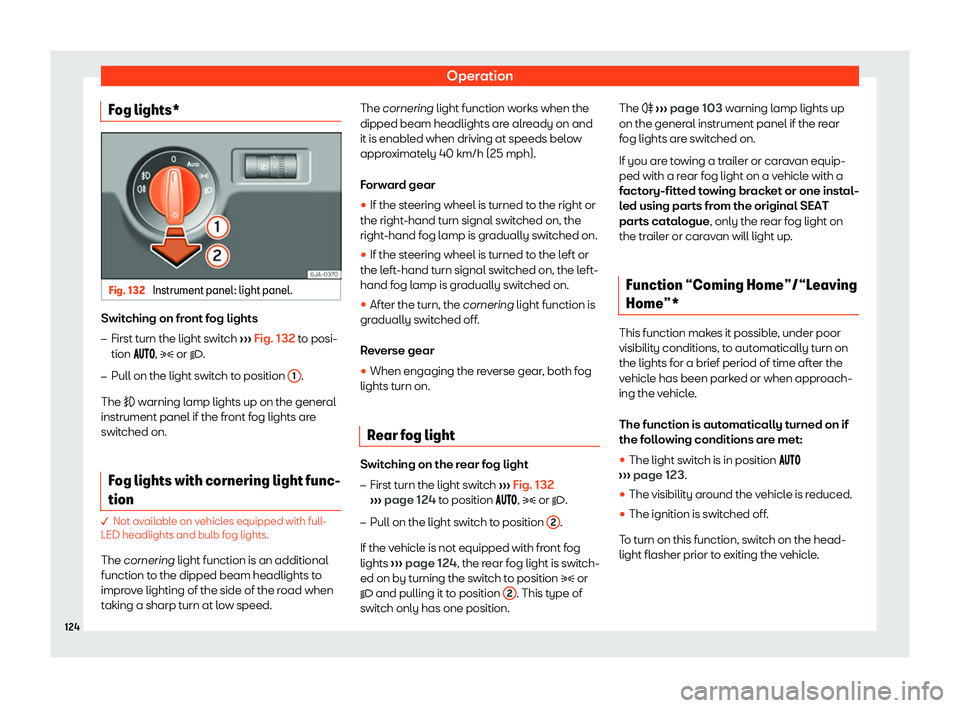
Fog lights* Fig. 132
Instrument panel: light panel. Switching on front fog lights
Page 127 of 300
Lights and visibility
The light is adjusted according to the data re-
cor ded by the light sensor that is inst
all
ed be-
tween the windscreen and the inside rear
view mirror.
The function automatically turns on the side
lights and headlights, the lighting for the en-
try area on the exterior mirrors and the num-
ber plate light.
“Coming Home” function
The light is automatically switched on when
the driver door is opened (for 60 seconds af-
ter the ignition is switched off).
The light is switched off when all the doors
and the rear lid are closed.
If a door or the rear lid remains open, the light
will switch off after 60 seconds.
“Leaving Home” function
The light is automatically switched on when
the vehicle is unlocked using the remote con-
trol.
The light is switched off after 10 seconds or
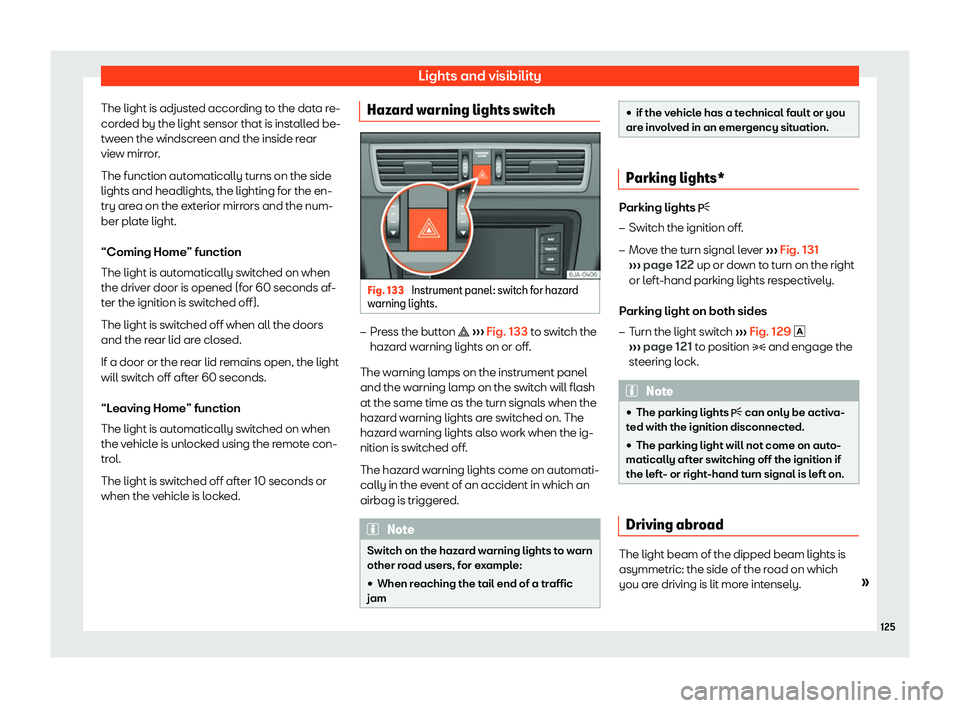
when the vehicle is locked. Hazard warning lights switch
Fig. 133
Instrument panel: switch for hazard
w arning lights.
Page 128 of 300
Operation
When a car that is manufactured in a country
that driv es on the right tr
av
els to a country
that drives on the left (or vice versa), it is nor-
mally necessary to cover part of the head-
light bulbs with stickers or to change the ad-
justment of the headlights to avoid dazzling
other drivers.
In such cases, the regulations specify certain
light values that must be complied with for
designated points of the light distribution. This
is known as “Tourist light”.
The light distribution of the halogen and full-
LED headlights allows the specific “tourist
light” values to be met without the need for
stickers or changes in the settings. Note
“Tourist light” is only allowed temporarily. If
you are pl anning a l
ong stay in a country
that drives on the other side, you should
take the vehicle to an Authorised Technical
Service to change the headlights. Interior lights
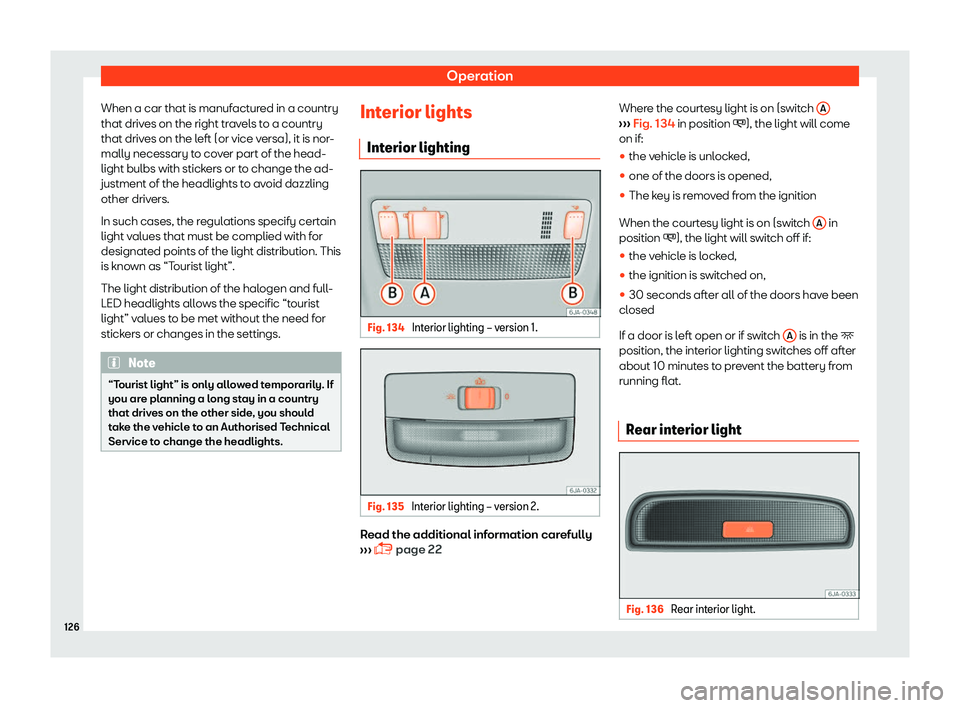
Int erior lighting Fig. 134
Interior lighting
Page 129 of 300
Lights and visibility
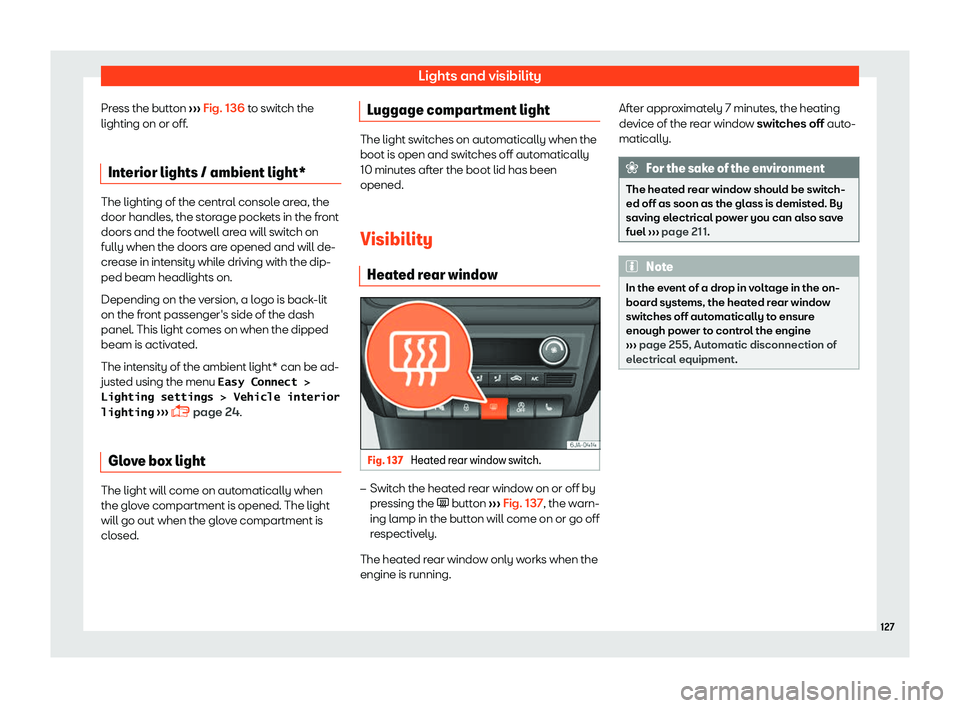
Press the button
Page 131 of 300
Lights and visibility
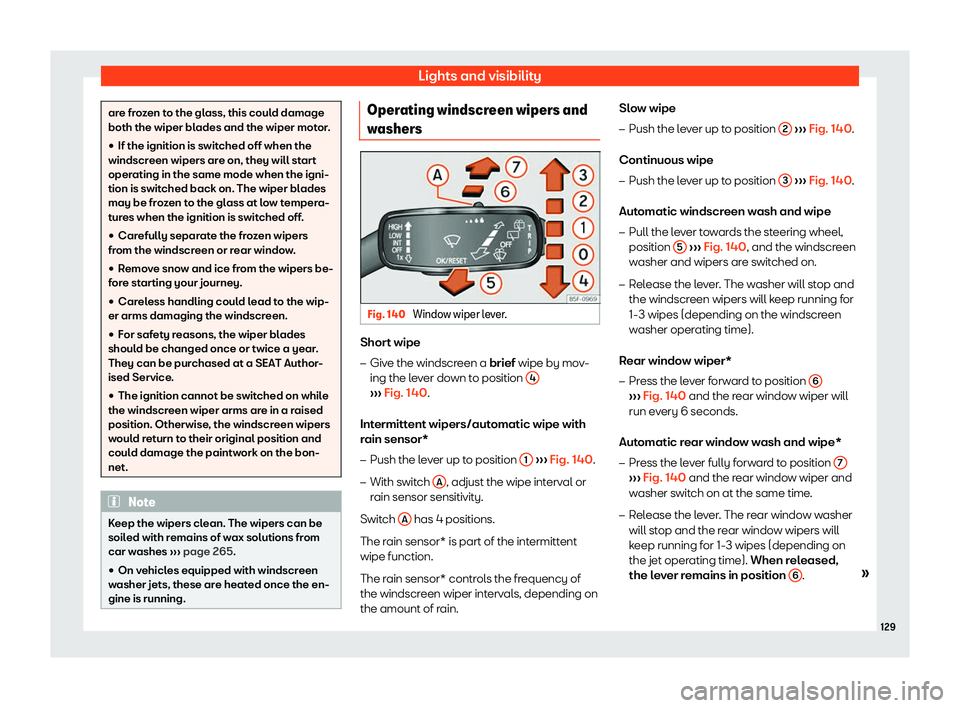
are frozen to the glass, this could damage
both the wiper blades and the wiper mot
or
.
�
Page 162 of 300
Infotainment System
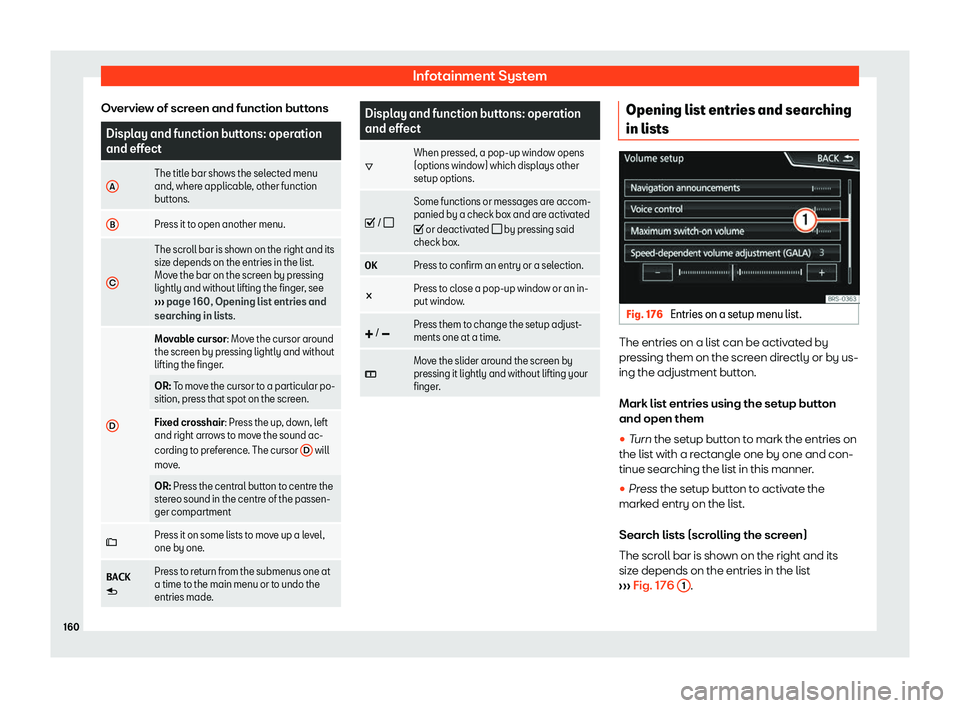
Overview of screen and function buttons Display and function buttons: operation
and effect
A The title bar shows the selected menu
and, where applicabl
e
, other function
buttons.
B Press it to open another menu.
C The scroll bar is shown on the right and its
size depends on the entries in the list.
Mo
v
e the bar on the screen by pressing
lightly and without lifting the finger, see