light SKODA CITIGO 2012 1.G Owner's Guide
[x] Cancel search | Manufacturer: SKODA, Model Year: 2012, Model line: CITIGO, Model: SKODA CITIGO 2012 1.GPages: 157, PDF Size: 3.9 MB
Page 29 of 157
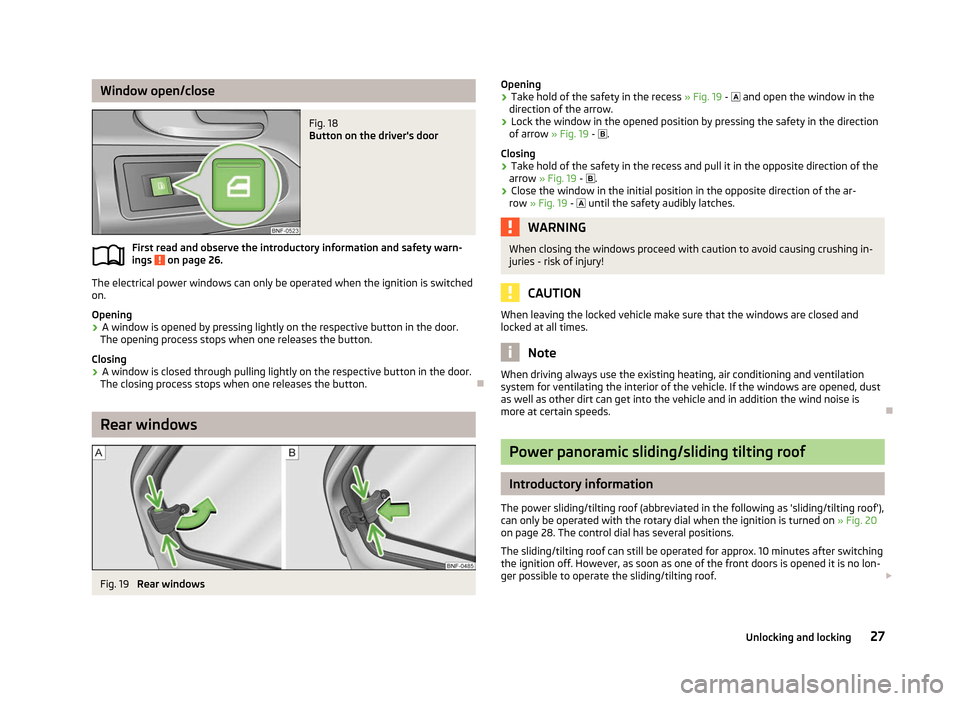
Window open/close
Fig. 18
Button on the driver's door
First read and observe the introductory information and safety warn-
ings on page 26.
The electrical power windows can only be operated when the ignition is switched
on.
Opening
›
A window is opened by pressing lightly on the respective button in the door.
The opening process stops when one releases the button.
Closing
› A window is closed through pulling lightly on the respective button in the door.
The closing process stops when one releases the button. ÐRear windows
Fig. 19
Rear windows
ä
Opening
› Take hold of the safety in the recess
» Fig. 19 - and open the window in the
direction of the arrow.
› Lock the window in the opened position by pressing the safety in the direction
of arrow » Fig. 19 - .
Closing
› Take hold of the safety in the recess and pull it in the opposite direction of the
arrow » Fig. 19 - .
› Close the window in the initial position in the opposite direction of the ar-
row » Fig. 19 - until the safety audibly latches. WARNING
When closing the windows proceed with caution to avoid causing crushing in-
juries - risk of injury! CAUTION
When leaving the locked vehicle make sure that the windows are closed and
locked at all times. Note
When driving always use the existing heating, air conditioning and ventilation
system for ventilating the interior of the vehicle. If the windows are opened, dust
as well as other dirt can get into the vehicle and in addition the wind noise is
more at certain speeds. Ð Power panoramic sliding/sliding tilting roof
Introductory information
The power sliding/tilting roof (abbreviated in the following as 'sliding/tilting roof'),
can only be operated with the rotary dial when the ignition is turned on »
Fig. 20
on page 28. The control dial has several positions.
The sliding/tilting roof can still be operated for approx. 10 minutes after switching
the ignition off. However, as soon as one of the front doors is opened it is no lon-
ger possible to operate the sliding/tilting roof. £
27
Unlocking and locking
Page 31 of 157
Lights and visibility
Lights
ä
Introduction
This chapter contains information on the following subjects:
Switching lights on and off 29
DAY LIGHT function (Daytime running light) 30
Fog lights 30
Rear fog light 30
Parking light 30
Headlight beam adjustment 30
Switches for the hazard warning light system 31
Turn signal and main beam lever 31
On models fitted with right-hand steering the position of certain switches differs
from that shown in » Fig. 21 on page
29. The symbols which mark the switch po-
sitions are identical, however. WARNING
Never drive with only the side lights on! The side lights are not bright enough
to light up the road sufficiently in front of you or to be seen by other oncom-
ing traffic. Therefore always switch on the low beam when it is dark or if visi-
bility is poor. CAUTION
■ The activation of the lights should only be undertaken in accordance with na-
tional legal requirements.
■ The driver is always responsible for the correct settings and use of the lights. Note
■ If the light switch is in the position , the ignition key is removed and the driv-
er's door is open, an audible warning signal will sound. The audible warning signal
is switched off by means of the door contact when the driver's door is closed (ig-
nition off), however, the side lights remain on to illuminate the parked vehicle if
necessary. ■ The instruments are also illuminated when the side light or low beam light is
switched on. ■ In the event of cool or humid weather conditions, the headlights can be misted
up from inside. The temperature difference between interior and external area of
the headlight lenses is decisive. When the driving lights are switched on, the light
outlet surfaces are free from mist after a short period, although the headlight
lenses may still be misted up in the peripheral areas. It also concerns reverse light
and turn signal lights. This mist has no influence on the life of the lighting system. Ð Switching lights on and off
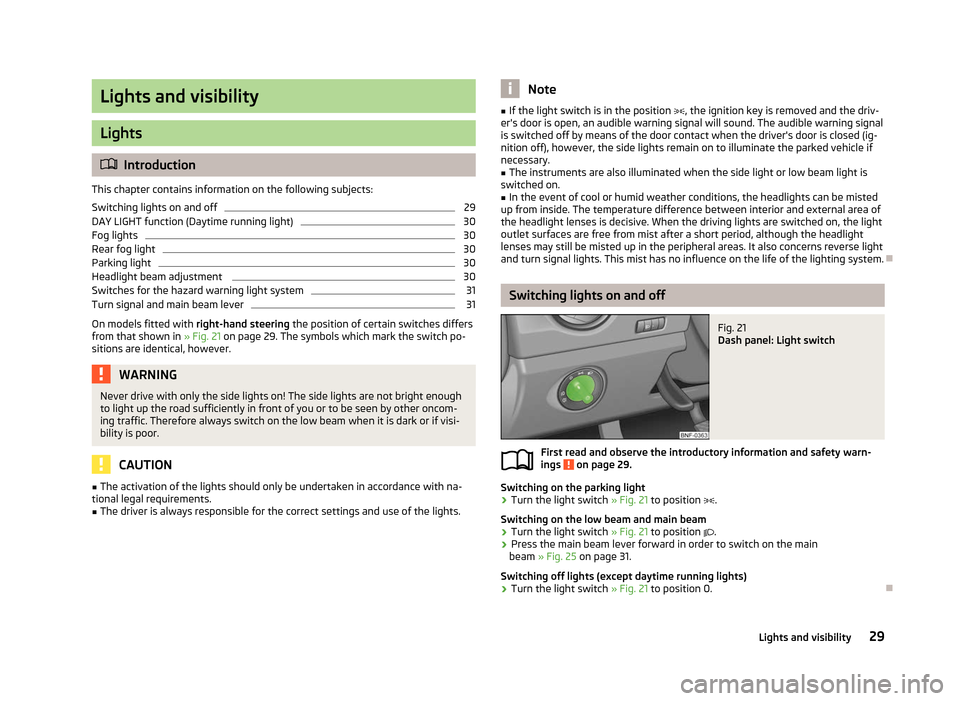
Fig. 21
Dash panel: Light switch
First read and observe the introductory information and safety warn-
ings on page 29.
Switching on the parking light
›
Turn the light switch
» Fig. 21 to position .
Switching on the low beam and main beam
› Turn the light switch
» Fig. 21 to position .
› Press the main beam lever forward in order to switch on the main
beam » Fig. 25 on page 31
.
Switching off lights (except daytime running lights)
› Turn the light switch
» Fig. 21 to position 0. Ð
ä
29
Lights and visibility
Page 32 of 157
DAY LIGHT function (Daytime running light)
First read and observe the introductory information and safety warn-
ings on page 29.
Switching on daytime running lights
›
Turn the ignition on and turn the light switch
» Fig. 21 on page 29 to position 0.
Activating/deactivating the daytime running lights function
› Deactivate and activate the daytime running lights by removing/applying the
fuse » page 138, Fuses on the underside of the dash panel .
On vehicles with lamps for daytime running lights, the parking light and the li-
cence plate light do not come on when activating the daytime running lights
function (neither front nor rear).
When the daytime running lights are switched on, the lighting of the instrument
cluster is switched on. ÐFog lights
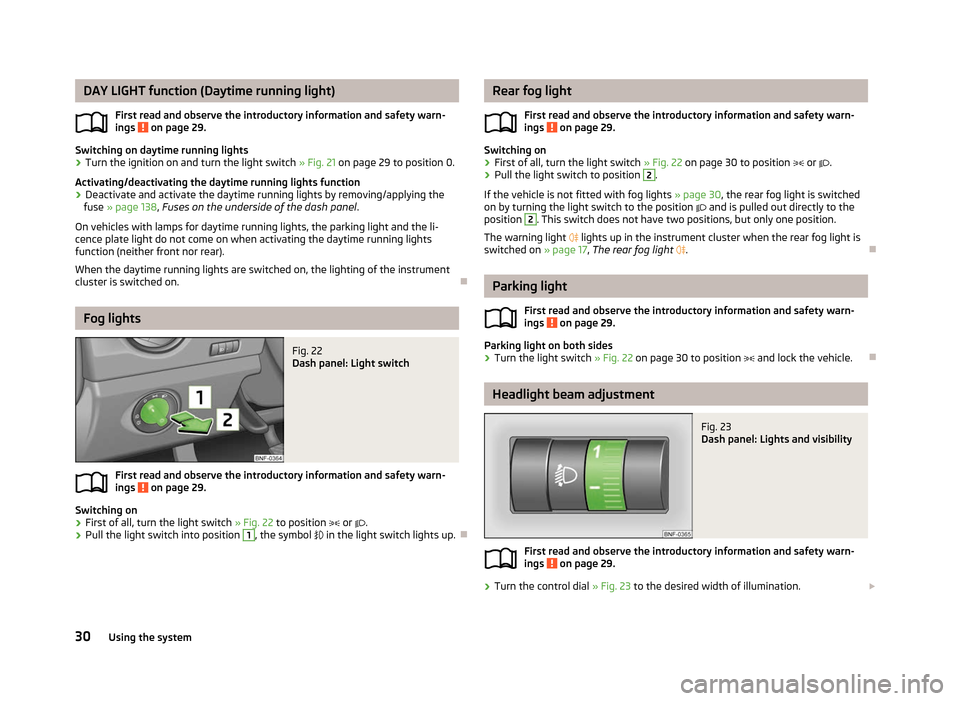
Fig. 22
Dash panel: Light switch
First read and observe the introductory information and safety warn-
ings on page 29.
Switching on
›
First of all, turn the light switch
» Fig. 22 to position or .
› Pull the light switch into position 1
, the symbol
in the light switch lights up. Ð
ä
ä Rear fog light
First read and observe the introductory information and safety warn-
ings on page 29.
Switching on
›
First of all, turn the light switch
» Fig. 22 on page 30 to position or .
› Pull the light switch to position 2
.
If the vehicle is not fitted with fog lights » page 30, the rear fog light is switched
on by turning the light switch to the position and is pulled out directly to the
position 2
. This switch does not have two positions, but only one position.
The warning light
lights up in the instrument cluster when the rear fog light is
switched on » page 17, The rear fog light . Ð Parking light
First read and observe the introductory information and safety warn-
ings on page 29.
Parking light on both sides
›
Turn the light switch
» Fig. 22 on page 30 to position and lock the vehicle. Ð Headlight beam adjustment
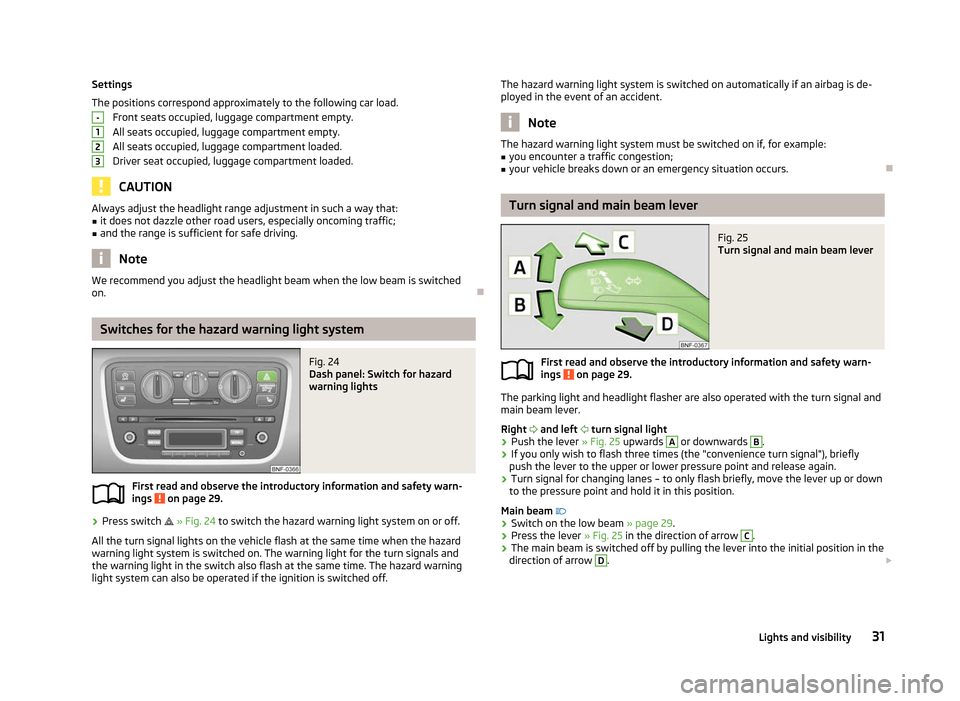
Fig. 23
Dash panel: Lights and visibility
First read and observe the introductory information and safety warn-
ings on page 29.
›
Turn the control dial
» Fig. 23 to the desired width of illumination. £
ä
ä
ä
30 Using the system
Page 33 of 157
Settings
The positions correspond approximately to the following car load.
Front seats occupied, luggage compartment empty.
All seats occupied, luggage compartment empty.
All seats occupied, luggage compartment loaded.
Driver seat occupied, luggage compartment loaded. CAUTION
Always adjust the headlight range adjustment in such a way that:
■ it does not dazzle other road users, especially oncoming traffic;
■ and the range is sufficient for safe driving. Note
We recommend you adjust the headlight beam when the low beam is switched
on. ÐSwitches for the hazard warning light system
Fig. 24
Dash panel: Switch for hazard
warning lights
First read and observe the introductory information and safety warn-
ings on page 29.
›
Press switch
» Fig. 24 to switch the hazard warning light system on or off.
All the turn signal lights on the vehicle flash at the same time when the hazard
warning light system is switched on. The warning light for the turn signals and
the warning light in the switch also flash at the same time. The hazard warning
light system can also be operated if the ignition is switched off. -
1
2
3
ä The hazard warning light system is switched on automatically if an airbag is de-
ployed in the event of an accident. Note
The hazard warning light system must be switched on if, for example:
■ you encounter a traffic congestion;
■ your vehicle breaks down or an emergency situation occurs. Ð Turn signal and main beam lever
Fig. 25
Turn signal and main beam lever
First read and observe the introductory information and safety warn-
ings on page 29.
The parking light and headlight flasher are also operated with the turn signal and
main beam lever.
Right and left turn signal light
› Push the lever
» Fig. 25 upwards A
or downwards B
.
› If you only wish to flash three times (the "convenience turn signal"), briefly
push the lever to the upper or lower pressure point and release again.
› Turn signal for changing lanes – to only flash briefly, move the lever up or down
to the pressure point and hold it in this position.
Main beam
› Switch on the low beam » page 29.
› Press the lever
» Fig. 25 in the direction of arrow C
.
› The main beam is switched off by pulling the lever into the initial position in the
direction of arrow D
.
£
ä
31
Lights and visibility
Page 34 of 157
Headlight flasher
› Pull the lever towards the steering wheel (spring-tensioned position) in the di-
rection of arrow D
» Fig. 25 - the main beam and warning light
in the instru-
ment cluster come on. CAUTION
Only use the main beam or the headlight flasher if other road users will not be
dazzled. Note
■ The turn signal system only operates when the ignition is switched on. The cor-
responding warning light or in the instrument cluster also flashes.
■ The turn signal is automatically cancelled after negotiating a curve.
■ An acoustic warning signal will sound when the driver's door is opened if the
lever is not in the middle position after removing the ignition key from the igni-
tion lock. The acoustic warning signal will stop just as soon as the driver's door is
closed. ÐInterior light
Interior light - Version 1
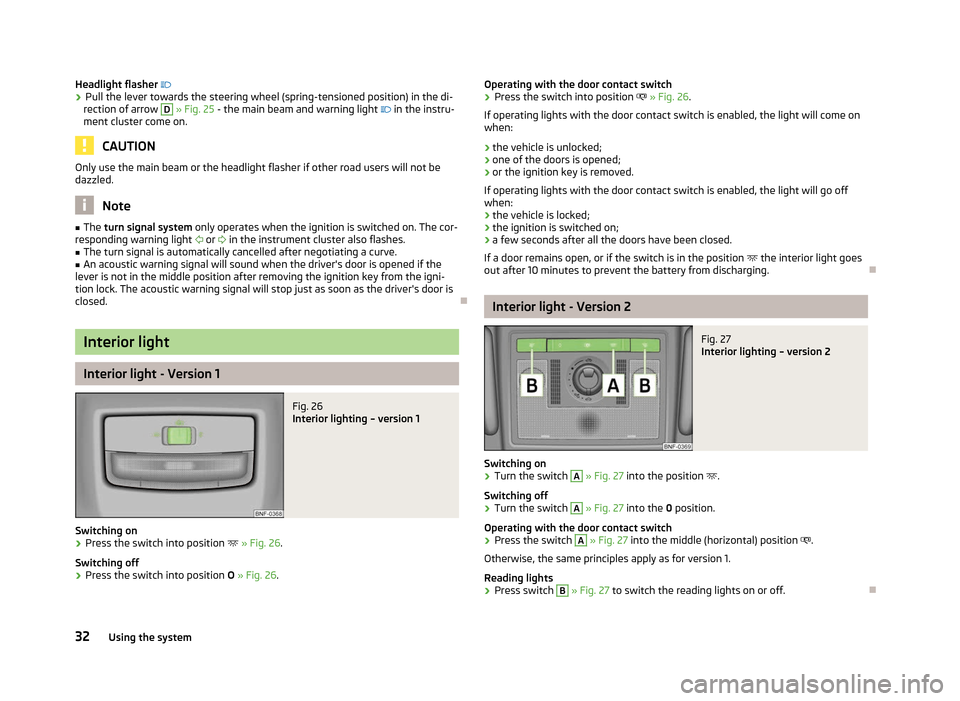
Fig. 26
Interior lighting – version 1
Switching on
› Press the switch into position
» Fig. 26.
Switching off
› Press the switch into position
O » Fig. 26. Operating with the door contact switch
› Press the switch into position
» Fig. 26.
If operating lights with the door contact switch is enabled, the light will come on
when:
› the vehicle is unlocked;
› one of the doors is opened;
› or the ignition key is removed.
If operating lights with the door contact switch is enabled, the light will go off
when:
› the vehicle is locked;
› the ignition is switched on;
› a few seconds after all the doors have been closed.
If a door remains open, or if the switch is in the position the interior light goes
out after 10
minutes to prevent the battery from discharging. Ð Interior light - Version 2
Fig. 27
Interior lighting – version 2
Switching on
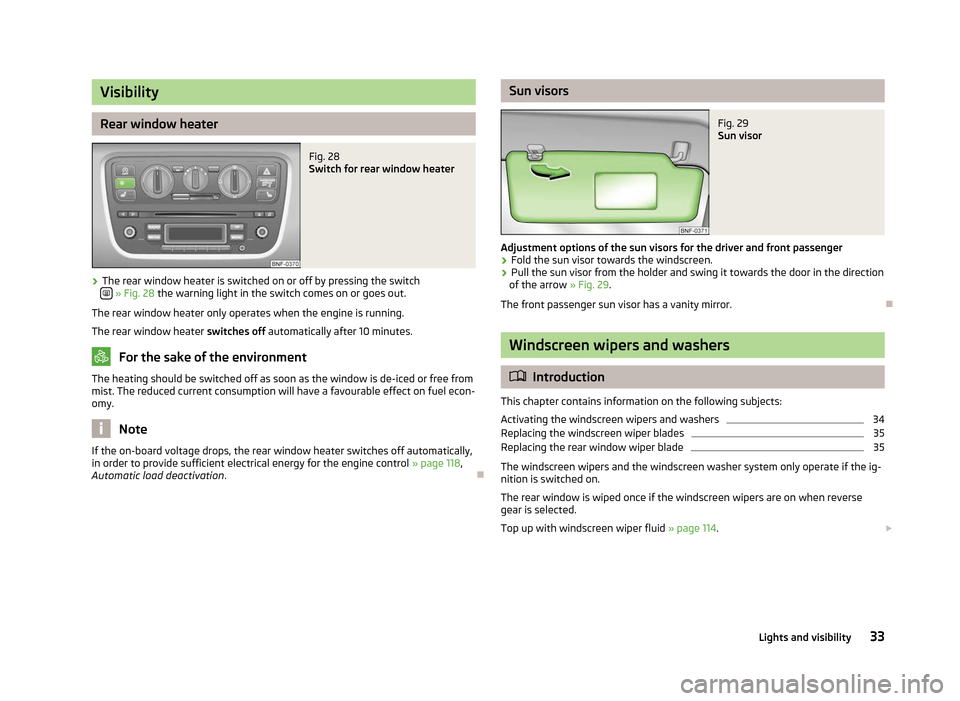
› Turn the switch A
» Fig. 27
into the position .
Switching off
› Turn the switch A
» Fig. 27
into the 0 position.
Operating with the door contact switch
› Press the switch A
»
Fig. 27 into the middle (horizontal) position
.
Otherwise, the same principles apply as for version 1.
Reading lights
› Press switch B
» Fig. 27 to switch the reading lights on or off.
Ð
32 Using the system
Page 35 of 157
Visibility
Rear window heater
Fig. 28
Switch for rear window heater
› The rear window heater is switched on or off by pressing the switch
» Fig. 28
the warning light in the switch comes on or goes out.
The rear window heater only operates when the engine is running.
The rear window heater switches off automatically after 10 minutes. For the sake of the environment
The heating should be switched off as soon as the window is de-iced or free from
mist. The reduced current consumption will have a favourable effect on fuel econ-
omy. Note
If the on-board voltage drops, the rear window heater switches off automatically,
in order to provide sufficient electrical energy for the engine control »
page 118,
Automatic load deactivation . Ð Sun visors
Fig. 29
Sun visor
Adjustment options of the sun visors for the driver and front passenger
› Fold the sun visor towards the windscreen.
› Pull the sun visor from the holder and swing it towards the door in the direction
of the arrow » Fig. 29.
The front passenger sun visor has a vanity mirror. Ð Windscreen wipers and washers
ä
Introduction
This chapter contains information on the following subjects:
Activating the windscreen wipers and washers 34
Replacing the windscreen wiper blades 35
Replacing the rear window wiper blade 35
The windscreen wipers and the windscreen washer system only operate if the ig-
nition is switched on.
The rear window is wiped once if the windscreen wipers are on when reverse
gear is selected.
Top up with windscreen wiper fluid » page 114. £
33
Lights and visibility
Page 37 of 157
›
Release the lever. The washer system stops and the wiper continues for anoth-
er 1-3 wiper strokes (depending on the duration of the spraying process). The
lever will stay in position after releasing it 6
.
Switching windscreen wipers off
› Move the lever back into the home position 0
» Fig. 30.
ÐReplacing the windscreen wiper blades
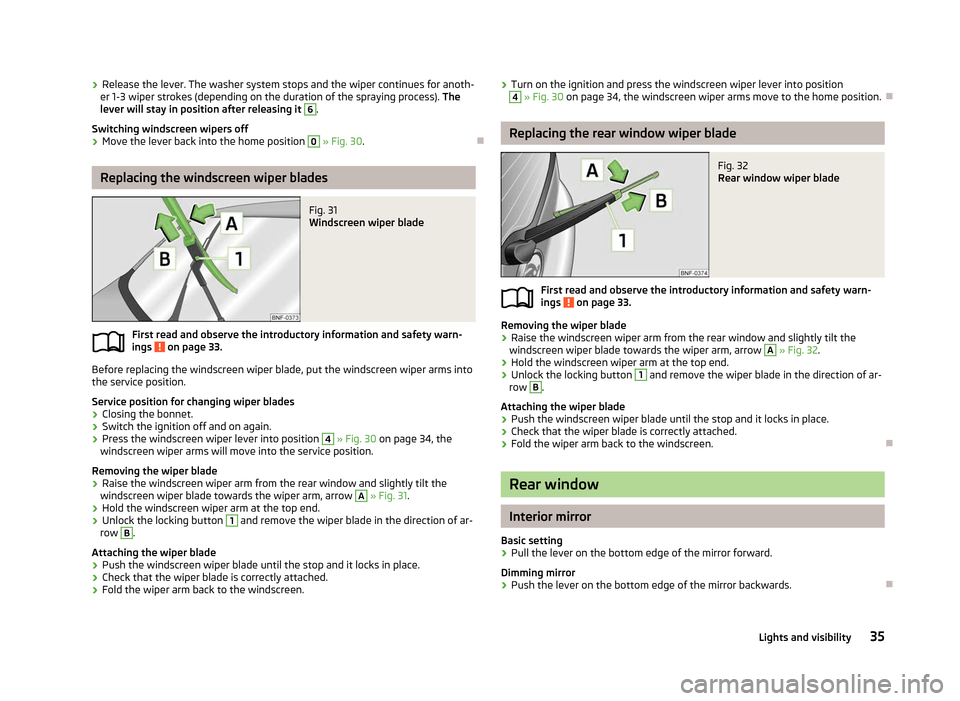
Fig. 31
Windscreen wiper blade
First read and observe the introductory information and safety warn-
ings on page 33.
Before replacing the windscreen wiper blade, put the windscreen wiper arms into
the service position.
Service position for changing wiper blades
›
Closing the bonnet.
› Switch the ignition off and on again.
› Press the windscreen wiper lever into position 4
» Fig. 30 on page 34, the
windscreen wiper arms will move into the service position.
Removing the wiper blade
› Raise the windscreen wiper arm from the rear window and slightly tilt the
windscreen wiper blade towards the wiper arm, arrow A
»
Fig. 31.
› Hold the windscreen wiper arm at the top end.
› Unlock the locking button 1
and remove the wiper blade in the direction of ar-
row B
.
Attaching the wiper blade
› Push the windscreen wiper blade until the stop and it locks in place.
› Check that the wiper blade is correctly attached.
› Fold the wiper arm back to the windscreen.
ä ›
Turn on the ignition and press the windscreen wiper lever into position 4
» Fig. 30 on page 34, the windscreen wiper arms move to the home position.
Ð Replacing the rear window wiper blade
Fig. 32
Rear window wiper blade
First read and observe the introductory information and safety warn-
ings on page 33.
Removing the wiper blade
›
Raise the windscreen wiper arm from the rear window and slightly tilt the
windscreen wiper blade towards the wiper arm, arrow A
»
Fig. 32.
› Hold the windscreen wiper arm at the top end.
› Unlock the locking button 1
and remove the wiper blade in the direction of ar-
row B
.
Attaching the wiper blade
› Push the windscreen wiper blade until the stop and it locks in place.
› Check that the wiper blade is correctly attached.
› Fold the wiper arm back to the windscreen. Ð Rear window
Interior mirror
Basic setting
› Pull the lever on the bottom edge of the mirror forward.
Dimming mirror
› Push the lever on the bottom edge of the mirror backwards. Ð
ä
35
Lights and visibility
Page 39 of 157
Note
■ Do not touch the surface of the exterior mirrors if the exterior mirror heater is
switched on. ■ If the power setting function fails at any time, the exterior mirrors can be set by
hand by pressing on the edge of the mirror surface.
■ Contact your ŠKODA specialist garage if there is a fault with the power setting
of the exterior mirrors. Ð 37
Lights and visibility
Page 40 of 157
Seats and Stowage
Front seats
ä
Introduction
This chapter contains information on the following subjects:
Adjusting the front seats 38
Front seat heating 39
The driver's seat should be adjusted in such a way that the pedals can be fully
pressed to the floor with slightly bent legs.
The seat backrest on the driver's seat should be adjusted in such a way that the
upper point of the steering wheel can be easily reached with slightly bent arms.
Correct adjustment of the seats is particularly important for:
› safely and quickly reaching the controls;
› a relaxed, fatigue-free body position;
› achieving the maximum protection offered by the seat belts and the airbag
system. WARNING
■ Only adjust the driver's seat when the vehicle is stationary – risk of accident!
■ Caution when adjusting the seat! You may suffer injuries or bruises as a re-
sult of adjusting the seat without paying proper attention.
■ The seat backrests must not be angled too far back when driving otherwise
this will affect proper operation of the seat belts and of the airbag system –
risk of injury!
■ Never carry more people than the number of seats in the vehicle.
■ Each occupant must correctly fasten the seat belt belonging to the seat.
Children must be fastened » page 87, Transporting children safely with a
suitable restraint system.
■ The front seats and rear head restraints must always be adjusted to match
the body size, in order to offer an optimal protection for you and your occu-
pants. WARNING (Continued)
■ Always keep your feet in the footwell when the car is being driven – never
place your feet on the instrument panel, out of the window or on the surfaces
of the seats. This is particularly important for the front seat passenger. You
will be exposed to increased risk of injury if it becomes necessary to apply the
brake or in the event of an accident. If an airbag is deployed, you may suffer
fatal injuries when adopting an incorrect seated position!
■ It is important for the driver and front passenger to maintain a distance of at
least 25 cm from the steering wheel or dash panel. Not maintaining this mini-
mum distance will mean that the airbag system will not be able to properly
protect you – hazard!
■ Ensure that there are no objects in the driver's footwell as they may get
caught behind the pedals when driving or applying the braking. You would
then no longer be able to operate the clutch, brake or accelerate.
■ Do not transport any objects on the front passenger seat except objects
(e.g. child safety seat) provided for this purpose – risk of accident! Note
After a certain time, play can develop within the adjustment mechanism of the
backrest angle. Ð Adjusting the front seats
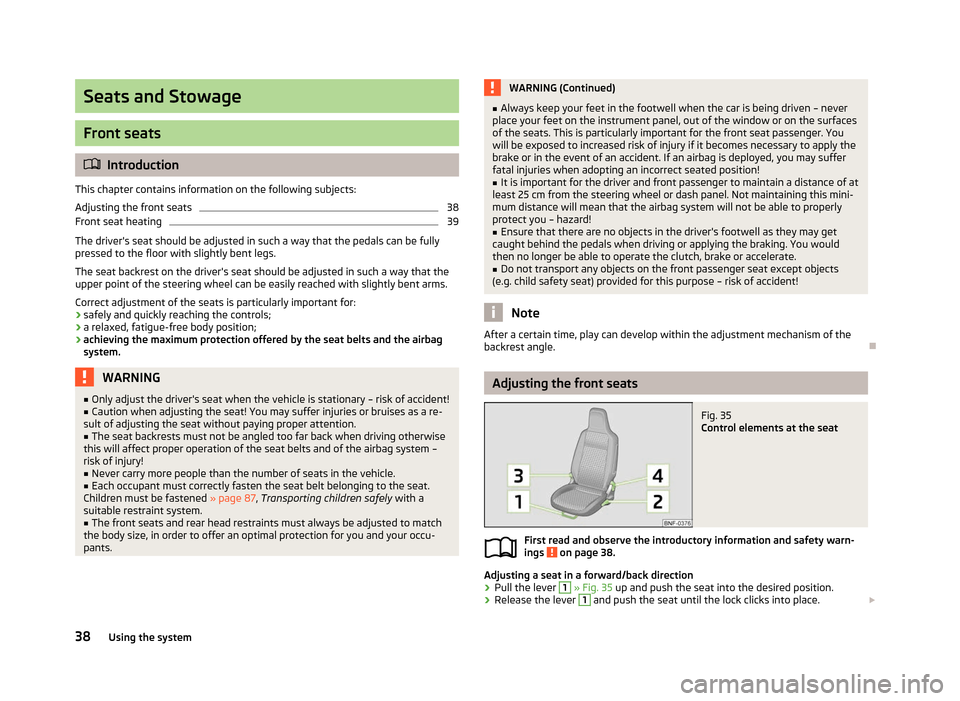
Fig. 35
Control elements at the seat
First read and observe the introductory information and safety warn-
ings on page 38.
Adjusting a seat in a forward/back direction
› Pull the lever 1
» Fig. 35 up and push the seat into the desired position.
› Release the lever 1
and push the seat until the lock clicks into place.
£
ä
38 Using the system
Page 41 of 157
Adjusting height of seat
›
To lift the seat, pull or pump the lever 2
» Fig. 35 upwards.
› To lower the seat, push or pump the lever 2
downwards.
Adjusting the angle of the seat backrest
› Remove the load on the seat backrest (do not lean on it), pull the lever 3
» Fig. 35 or 4 1)
towards the rear and set the desired angle of the seat back-
rest with the back.
Folding the front seat forwards and moving it 1
)
› Pull the lever 3
» Fig. 35
or 4
and fold the seat backrest fully forwards. At the
same time, move the seat forwards.
Moving seats into the initial position 1
)
› Move the seat towards the rear until the lock is heard to engage.
› Then push the seat backrest back into the upright position until the unlocking
button clicks into place - check by pulling on the seat backrest. ÐFront seat heating
Fig. 36
Heated front seats
First read and observe the introductory information and safety warn-
ings on page 38.
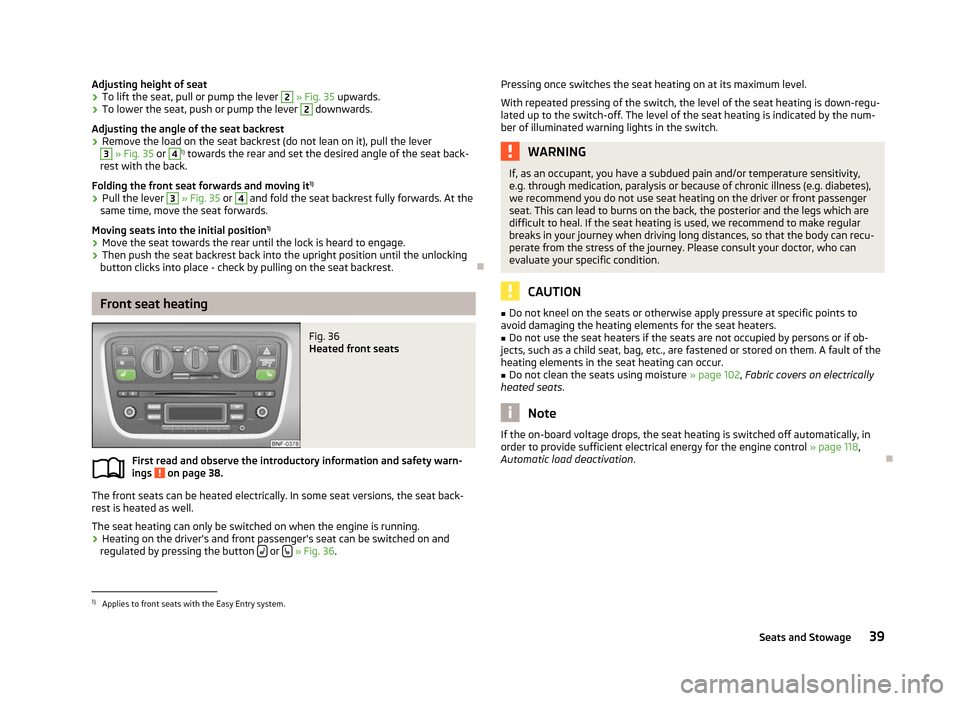
The front seats can be heated electrically. In some seat versions, the seat back-
rest is heated as well.
The seat heating can only be switched on when the engine is running.
› Heating on the driver's and front passenger's seat can be switched on and
regulated by pressing the button or
» Fig. 36.
ä Pressing once switches the seat heating on at its maximum level.
With repeated pressing of the switch, the level of the seat heating is down-regu-
lated up to the switch-off. The level of the seat heating is indicated by the num-
ber of illuminated warning lights in the switch. WARNING
If, as an occupant, you have a subdued pain and/or temperature sensitivity,
e.g. through medication, paralysis or because of chronic illness (e.g. diabetes),
we recommend you do not use seat heating on the driver or front passenger
seat. This can lead to burns on the back, the posterior and the legs which are
difficult to heal. If the seat heating is used, we recommend to make regular
breaks in your journey when driving long distances, so that the body can recu-
perate from the stress of the journey. Please consult your doctor, who can
evaluate your specific condition. CAUTION
■ Do not kneel on the seats or otherwise apply pressure at specific points to
avoid damaging the heating elements for the seat heaters.
■ Do not use the seat heaters if the seats are not occupied by persons or if ob-
jects, such as a child seat, bag, etc., are fastened or stored on them. A fault of the
heating elements in the seat heating can occur.
■ Do not clean the seats using moisture » page 102, Fabric covers on electrically
heated seats. Note
If the on-board voltage drops, the seat heating is switched off automatically, in
order to provide sufficient electrical energy for the engine control »
page 118,
Automatic load deactivation . Ð1)
Applies to front seats with the Easy Entry system.
39
Seats and Stowage