instrument cluster SKODA CITIGO 2014 1.G User Guide
[x] Cancel search | Manufacturer: SKODA, Model Year: 2014, Model line: CITIGO, Model: SKODA CITIGO 2014 1.GPages: 164, PDF Size: 12.08 MB
Page 42 of 164
The control symbols or indicate whether any passengers have put on their
seat belts in the rear seats.
The passenger on the associated rear seat is belted.
The passenger on the associated back seat is not wearing a seat belt.
If a seat belt is unfastened on the rear seat during the journey at a speed of
more than 25 km/h, an acoustic signal will sound, and the belt status indicator
for the rear seats
flashes for around 30 seconds.
Further information » page 11, Seat belts .
City Safe Drive
Read and observe
on page 34 first.
If the indicator symbol
flashes rapidly, the City Safe Drive system brakes the
car brakes automatically straight away.
If the indicator symbol
flashes slowly , the system is not available or there is
a system malfunction.
If the system is turned off and the vehicle is moving at a speed of about 5-30
km/h, illumination occurs on the display of the instrument cluster of he warn-
ing symbol .
If the system is activated again, the warning light
in the instrument clus-
ter display illuminates for about 5 s .
Further information » page 90, City Safe Drive .
/ START-STOP
Read and observe
on page 34 first.
A glowing indicator symbol
shows the START-STOP system is active.
A glowing indicator symbol
shows the START-STOP system is active, but no
automatic engine cut-off is possible.
A flashing indicator symbol
shows the START-STOP system is not available.
Further information » page 88, START-STOP .
Unlocking and opening
Unlocking and locking
Introduction
This chapter contains information on the following subjects:
Unlock / lock using key and lock
40
Unlocking / locking with the remote control key
41
Opening/closing a door
41
Door opening lever
42
Safe securing system
42
Locking / unlocking the vehicle with the central locking button
43
Child safety lock
43
The central locking system allows you to lock and unlock all doors and the lug-
gage compartment lid at the same time » page 44.
The safe securing system » page 42 is integrated in the central locking sys-
tem. Once the car is locked from the outside, the door locks 1)
are automatically
blocked by the safe securing system »
.
The following is true after unlocking
› All the doors and the boot lid are unlocked.
› The interior light operated via the door contact illuminates.
› The safe securing system is switched off 1)
.
› The indicator light in the driver door stops flashing.
The following is true after locking
› All the doors and the luggage compartment lid are locked.
› The interior light operated via the door contact goes out.
› The safe securing system is switched on 1)
.
› The warning light in the driver door begins flashing.
Fault display
If the warning light in the driver's door initially flashes quickly for around 2 sec-
onds, and then illuminates for 30 seconds without interruption before flashing
again slowly, you will need to seek the assistance of a specialist garage.
1)
This function only applies to certain countries.
39Unlocking and opening
Page 45 of 164
WARNING■Make sure that the door has closed correctly as it can open suddenly
while driving – risk of death!■
Only open and close the door when there is no one in the opening/closing
range – risk of injury!
■
An opened door can close automatically if there is a strong wind or the
vehicle is on an incline – risk of injury!
■
Never drive with the doors open - there is a risk of death!
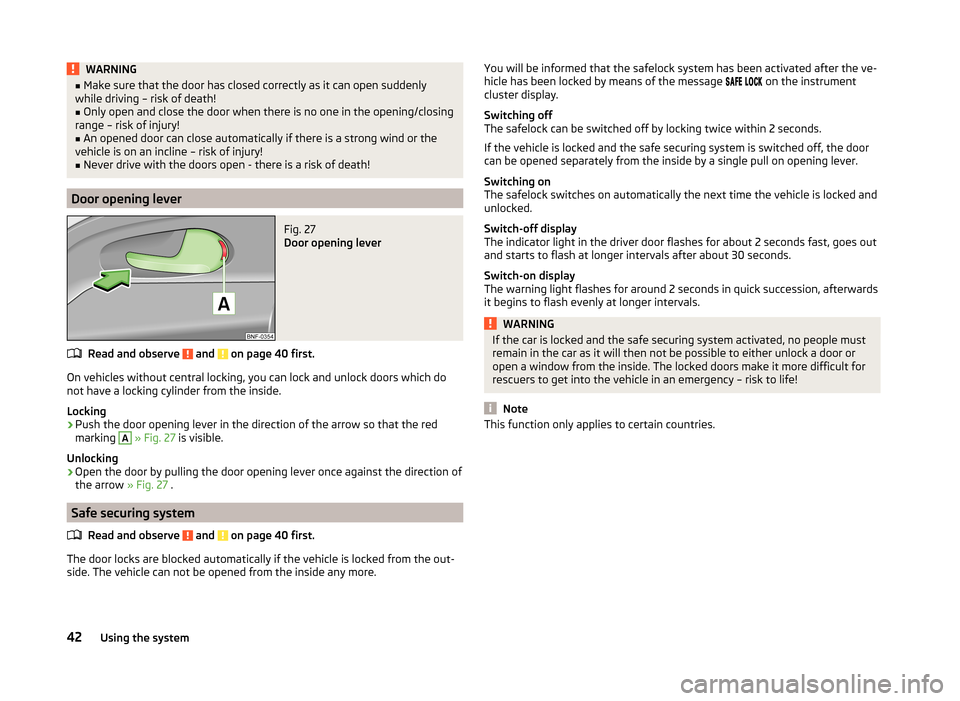
Door opening lever
Fig. 27
Door opening lever
Read and observe and on page 40 first.
On vehicles without central locking, you can lock and unlock doors which do
not have a locking cylinder from the inside.
Locking
›
Push the door opening lever in the direction of the arrow so that the red
marking
A
» Fig. 27 is visible.
Unlocking
›
Open the door by pulling the door opening lever once against the direction of
the arrow » Fig. 27 .
Safe securing system
Read and observe
and on page 40 first.
The door locks are blocked automatically if the vehicle is locked from the out-side. The vehicle can not be opened from the inside any more.
You will be informed that the safelock system has been activated after the ve-
hicle has been locked by means of the message on the instrument
cluster display.
Switching off
The safelock can be switched off by locking twice within 2 seconds.
If the vehicle is locked and the safe securing system is switched off, the door
can be opened separately from the inside by a single pull on opening lever.
Switching on
The safelock switches on automatically the next time the vehicle is locked and
unlocked.
Switch-off display
The indicator light in the driver door flashes for about 2 seconds fast, goes out
and starts to flash at longer intervals after about 30 seconds.
Switch-on display
The warning light flashes for around 2 seconds in quick succession, afterwards
it begins to flash evenly at longer intervals.WARNINGIf the car is locked and the safe securing system activated, no people must
remain in the car as it will then not be possible to either unlock a door or
open a window from the inside. The locked doors make it more difficult for
rescuers to get into the vehicle in an emergency – risk to life!
Note
This function only applies to certain countries.42Using the system
Page 52 of 164
We recommend you adjust the headlight beam when the low beam is switched
on.WARNINGAlways adjust the headlight beam to meet the following conditions.■The vehicle does not dazzle other road users, especially oncoming vehi-
cles.■
The beam range is sufficient for safe driving.
CAUTION
If leaving the vehicle without wanting to use the parking lights, always turn
the light switch to position .
Note
If the light switch is in the position , the ignition key is removed and the
driver's door is open, an audible warning signal will sound. The audible warning
signal is switched off by means of the door contact when the driver's door is
closed, however the side lights remain on to illuminate the parked vehicle if
necessary.
Daylight running lights (DAY LIGHT)
Read and observe
on page 48 first.
The daytime running lights function provides the lighting of the front area ofthe vehicle.
The daytime running lights are switched on automatically if the following
conditions are met.
The ignition is switched on.
The light switch is in position
» Fig. 35 on page 48 .
When the daytime running lights are switched on, the lighting of the instru-
ment cluster is switched on.
WARNINGWhen the daytime running light is switched on, the side lights (neither at
the front or rear) and the number plate lights are not illuminated. Therefore
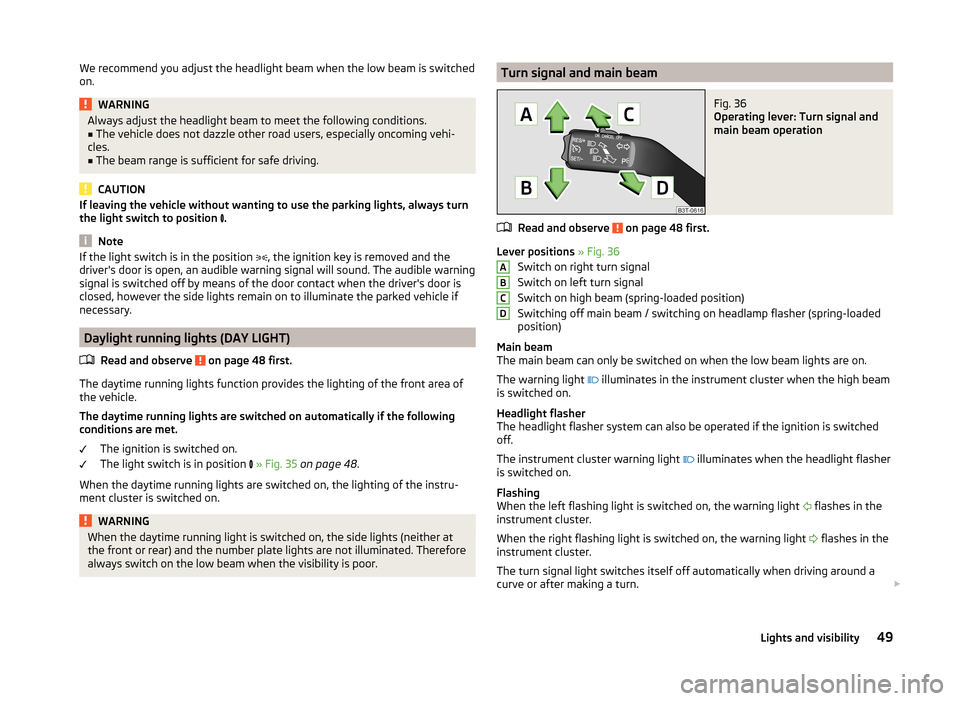
always switch on the low beam when the visibility is poor.Turn signal and main beamFig. 36
Operating lever: Turn signal and
main beam operation
Read and observe on page 48 first.
Lever positions » Fig. 36
Switch on right turn signal
Switch on left turn signal
Switch on high beam (spring-loaded position)
Switching off main beam / switching on headlamp flasher (spring-loaded
position)
Main beam
The main beam can only be switched on when the low beam lights are on.
The warning light illuminates in the instrument cluster when the high beam
is switched on.
Headlight flasher
The headlight flasher system can also be operated if the ignition is switched
off.
The instrument cluster warning light illuminates when the headlight flasher
is switched on.
Flashing
When the left flashing light is switched on, the warning light flashes in the
instrument cluster.
When the right flashing light is switched on, the warning light flashes in the
instrument cluster.
The turn signal light switches itself off automatically when driving around a
curve or after making a turn.
ABCD49Lights and visibility
Page 53 of 164
“Convenience turn signal”
If you only wish to flash three times, briefly push the lever to the upper or low-
er pressure point and release again.WARNINGOnly turn on the main beam or the headlight flasher if other road users will
not be dazzled.
Note
An acoustic warning signal will sound when the driver's door is opened if the
lever is not in the middle position after removing the ignition key from the igni-
tion lock. The acoustic warning signal will stop just as soon as the driver's door
is closed.
Fog lights
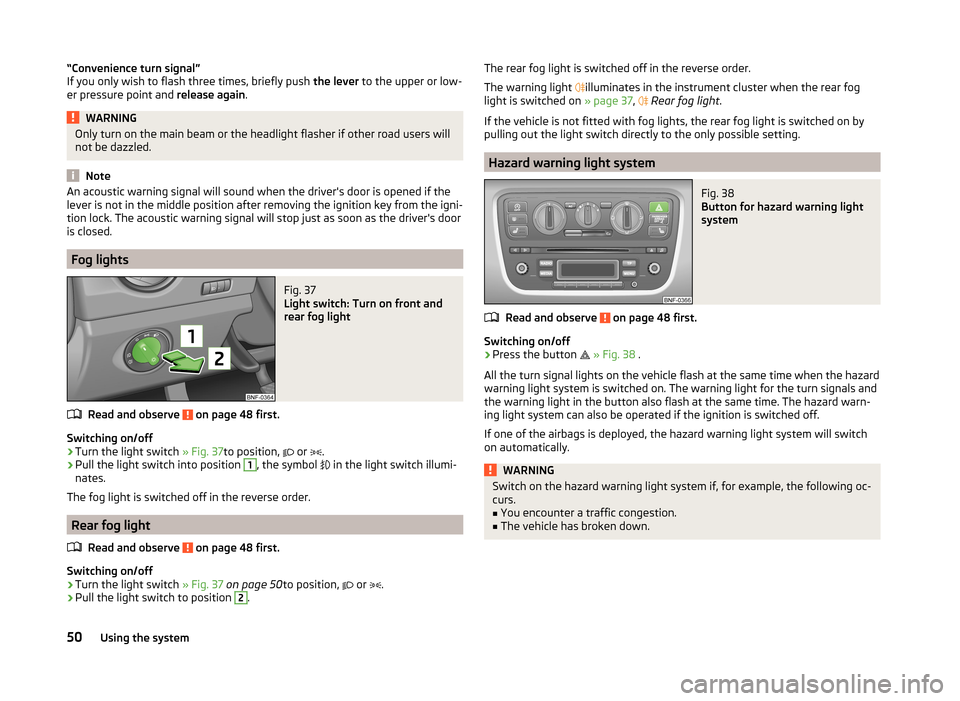
Fig. 37
Light switch: Turn on front and
rear fog light
Read and observe on page 48 first.
Switching on/off
›
Turn the light switch » Fig. 37to position,
or
.
›
Pull the light switch into position
1
, the symbol
in the light switch illumi-
nates.
The fog light is switched off in the reverse order.
Rear fog light
Read and observe
on page 48 first.
Switching on/off
›
Turn the light switch » Fig. 37 on page 50 to position,
or
.
›
Pull the light switch to position
2
.
The rear fog light is switched off in the reverse order.
The warning light
illuminates in the instrument cluster when the rear fog
light is switched on » page 37,
Rear fog light .
If the vehicle is not fitted with fog lights, the rear fog light is switched on by
pulling out the light switch directly to the only possible setting.
Hazard warning light system
Fig. 38
Button for hazard warning light
system
Read and observe on page 48 first.
Switching on/off
›
Press the button
» Fig. 38 .
All the turn signal lights on the vehicle flash at the same time when the hazard
warning light system is switched on. The warning light for the turn signals and
the warning light in the button also flash at the same time. The hazard warn-
ing light system can also be operated if the ignition is switched off.
If one of the airbags is deployed, the hazard warning light system will switch
on automatically.
WARNINGSwitch on the hazard warning light system if, for example, the following oc-
curs.■
You encounter a traffic congestion.
■
The vehicle has broken down.
50Using the system
Page 84 of 164
Modes and lever controlFig. 81
Selector lever
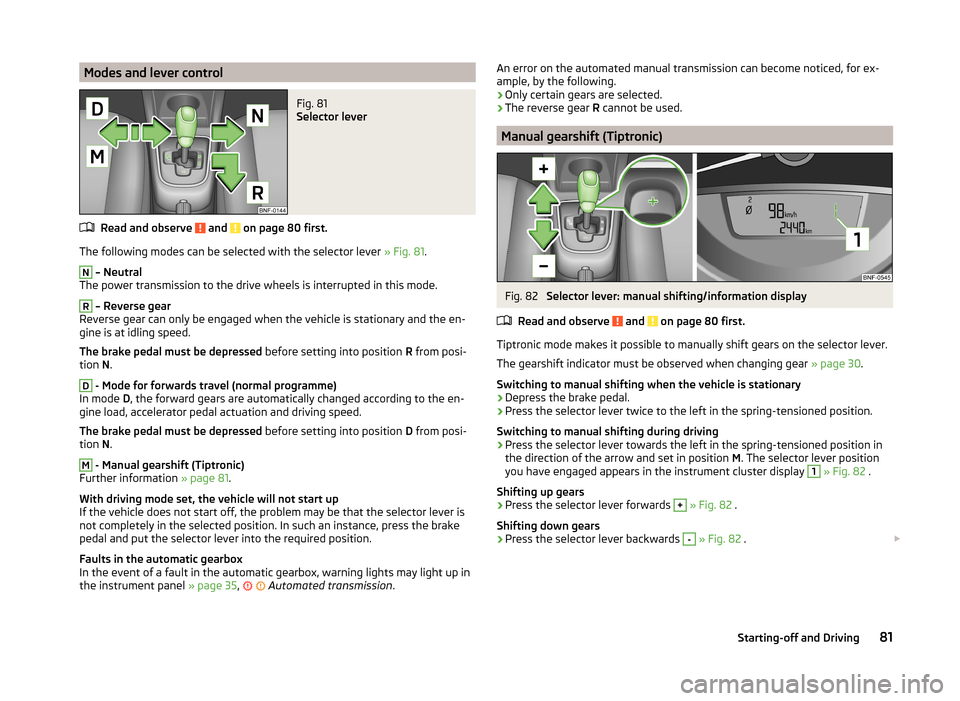
Read and observe and on page 80 first.
The following modes can be selected with the selector lever » Fig. 81.
N
– Neutral
The power transmission to the drive wheels is interrupted in this mode.
R
– Reverse gear
Reverse gear can only be engaged when the vehicle is stationary and the en-
gine is at idling speed.
The brake pedal must be depressed before setting into position R from posi-
tion N.
D
- Mode for forwards travel (normal programme)
In mode D, the forward gears are automatically changed according to the en-
gine load, accelerator pedal actuation and driving speed.
The brake pedal must be depressed before setting into position D from posi-
tion N.
M
- Manual gearshift (Tiptronic)
Further information » page 81.
With driving mode set, the vehicle will not start up
If the vehicle does not start off, the problem may be that the selector lever is
not completely in the selected position. In such an instance, press the brake
pedal and put the selector lever into the required position.
Faults in the automatic gearbox
In the event of a fault in the automatic gearbox, warning lights may light up in
the instrument panel » page 35,
Automated transmission
.
An error on the automated manual transmission can become noticed, for ex-
ample, by the following.
› Only certain gears are selected.
› The reverse gear
R cannot be used.
Manual gearshift (Tiptronic)
Fig. 82
Selector lever: manual shifting/information display
Read and observe
and on page 80 first.
Tiptronic mode makes it possible to manually shift gears on the selector lever. The gearshift indicator must be observed when changing gear » page 30.
Switching to manual shifting when the vehicle is stationary
›
Depress the brake pedal.
›
Press the selector lever twice to the left in the spring-tensioned position.
Switching to manual shifting during driving
›
Press the selector lever towards the left in the spring-tensioned position in
the direction of the arrow and set in position M. The selector lever position
you have engaged appears in the instrument cluster display
1
» Fig. 82 .
Shifting up gears
›
Press the selector lever forwards
+
» Fig. 82 .
Shifting down gears
›
Press the selector lever backwards
-
» Fig. 82 .
81Starting-off and Driving
Page 88 of 164
Antilock Braking System (ABS)Read and observe
on page 84 first.
ABS prevents the wheels locking when braking. Thus helping the driver to
maintain control of the vehicle.
The intervention of the ABS is noticeable from the pulsating movements of
the brake pedal which is accompanied by noises.
When the ABS system is active, do not brake periodically or reduce the pres-
sure on the brake pedal.
Traction Control System (TC)
Read and observe
on page 84 first.
TCS prevents the spinning of the wheels of the driven axle. TCS reduces thedrive power transmitted to the wheels in the case of slipping wheels. Thus, for
example, driving on road surfaces with low grip is made easier.
If your vehicle is fitted with the ESC system, TC is integrated into the ESC sys-
tem » page 84 .
Note
For vehicles without stabilization control (ESC), during a TC-intervention the
control indicator in the instrument cluster flashes.
Electronic Differential Lock (EDL)
Read and observe
on page 84 first.
EDL prevents the turning of the respective wheel of the driven axle. EDL
brakes the spinning wheel, if necessary, and transmits the driving force to the
other driving wheel. Driving becomes easier on road surfaces with different
traction under each wheel of the driven axle.
The EDL switches off automatically in order to avoid excessive heat generation
on the brake of the wheel being braked. The vehicle can continue to be driven
and has the same characteristics as a vehicle not fitted with EDL. Once the
brakes have cooled down, there is an automatic re-activation of EDL.
Hydraulic Brake Assist (HBA)
Read and observe
on page 84 first.
HBA increases the braking effect and helps to shorten the braking distance.The HBA is activated by very quick operation of the brake pedal. In order to
achieve the shortest possible braking distance, the brake pedal must be ap-
plied firmly until the vehicle has come to a standstill.
The HBA function is automatically switched off when the brake pedal is re-
leased.
Hill Hold Control (HHC)
Read and observe
on page 84 first.
When driving on slopes, HHC allows you to move your foot from the brake ped-al to the accelerator pedal without having to use the handbrake.
The system holds the brake pressure produced by the activation of the brake pedal for approx. 2 seconds after the brake pedal is released.
The brake pressure drops gradually the more you operate the accelerator ped-
al. If the vehicle does not start off within 2 seconds, it starts to roll back.
The HHC is active as of a 5 % slope, if the driver door is closed. HHC is always
only active on slopes when in forward or reverse start off.
Parking aid
Introduction
This chapter contains information on the following subjects:
Function
86
Visual parking system
86
The parking aid (hereinafter referred to only as a system) draws attention via
acoustic signals and a display in the multifunction device Move & Fun screen
when manoeuvring around obstacles in the vicinity of the vehicle » page 86,
Visual parking system .
The system uses ultrasound waves to calculate the distance between the
bumper and an obstacle. The ultrasonic sensors are integrated in the rear
bumper » Fig. 84 on page 86 .
85Assist systems
Page 94 of 164
The system is ready to intervene automatically in the following conditions.The engine is running.
The system is activated.
The travel speed is about 5-30 km/h.
The field of view of the laser sensor is not impaired.
If the system triggers automatic braking, the indicator symbol flashes
in the
display of the instrument cluster quickly.
Automatic braking interventions by the emergency brake function can be ter-
minated by pressing the clutch or the accelerator or by moving the steering
wheel.
The system can, for example, be affected in the following situations or not
be available.
› When visibility is poor, (e.g. fog, heavy rain, thick snowfall).
› Driving around “sharp” bends.
› When fully pressing down the accelerator pedal.
› When the laser sensor is dirty or obscured.
› When the vehicles are very dirty and have a low level of reflection.
If the system is not available or there is a system malfunction, the indicator
symbol flashes
slowly in the display of the instrument cluster.WARNING■
The windscreen may be neither blocked nor covered with dirt in the area
of the laser sensor. This can lead to impaired function of the sensor - risk of
accidents!WARNINGThe laser beam from the laser sensor can cause serious eye injuries. The la-
ser beam is not visible to the human eye.■
Never use optical devices, e.g. a range-finder camera or magnifying glass
to look into the laser sensor.
■
The laser beam can also be active when the system is disabled or is not
available.
CAUTION■ Remove the snow from the windscreen in the area of the laser sensor with a
hand brush and the ice with a solvent-free de-icing spray.■
If the laser sensor range on the windscreen has scratches, cracks, etc, re-
place the windscreen. Only use windscreens approved by the manufacturer.
■
When replacing the windscreen wiper blades, only use windscreen wiper
blades approved by the manufacturer.
Note
If an automatic brake intervention is triggered by the system, the pressure in
the brake system increases and the brake pedal cannot be operated with the
normal pedal stroke.
Disable / Enable
Fig. 90
Lower part of the centre console:
Button for the City Safe Drive
system
Read and observe and on page 90 first.
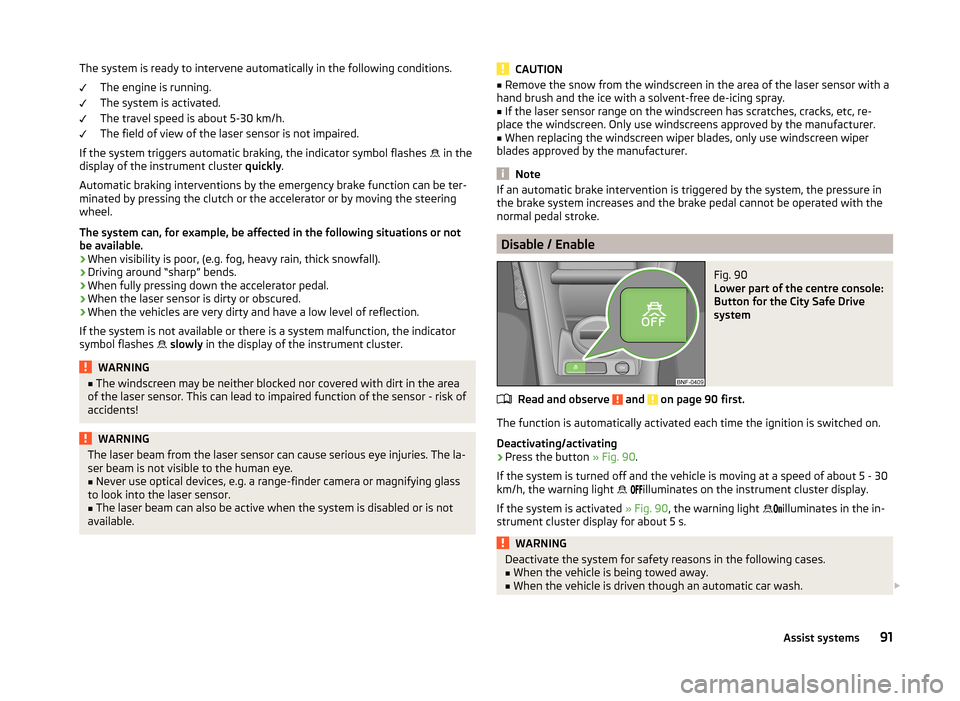
The function is automatically activated each time the ignition is switched on.
Deactivating/activating
›
Press the button » Fig. 90.
If the system is turned off and the vehicle is moving at a speed of about 5 - 30
km/h, the warning light
illuminates on the instrument cluster display.
If the system is activated » Fig. 90, the warning light
illuminates in the in-
strument cluster display for about 5 s.
WARNINGDeactivate the system for safety reasons in the following cases.■When the vehicle is being towed away.■
When the vehicle is driven though an automatic car wash.
91Assist systems
Page 95 of 164
WARNING (Continued)■If the laser sensor is damaged or faulty.■When the vehicle is on a rolling test bench.■
When the windscreen is damaged in the region of the laser sensor.
■
For example, if the charge extends to the roof rack over the front edge of
the roof.
Tyre pressure monitoring
Introduction
This chapter contains information on the following subjects:
Save tyre pressure values
92
The tyre pressure monitoring function (hereinafter referred to only as a sys-
tem) monitors the tyre pressure while driving.
If the rolling circumference of a wheel is changed, the warning light in the
instrument cluster illuminates and an audible signal sounds.
Information on the procedure for the notification of change of tyre inflation
pressure » page 37 .
The system can only function properly if the tyres have the prescribed inflation
pressure and these pressure values are stored in the system.
WARNING■ Having the correct tyre inflation pressure is always the driver's responsi-
bility. Tyre pressure should be checked regularly » page 118.■
The system cannot warn in case of very rapid tyre inflation pressure loss,
e.g. in case of sudden tyre damage.
Save tyre pressure valuesFig. 91
Key for storing the pressure val-
ues
Read and observe on page 92 first.
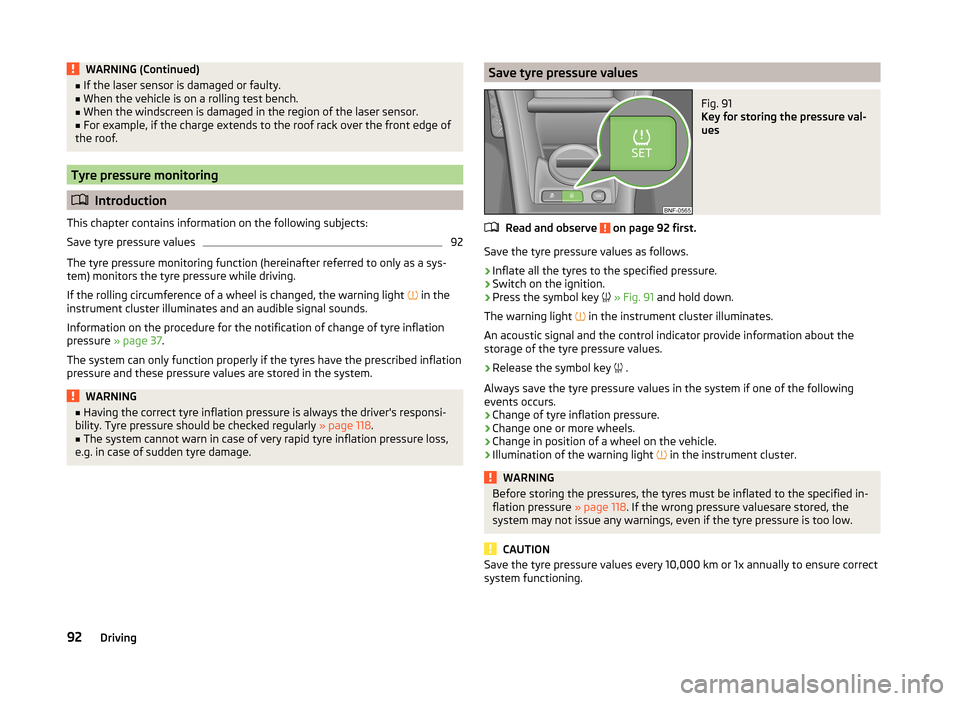
Save the tyre pressure values as follows.
›
Inflate all the tyres to the specified pressure.
›
Switch on the ignition.
›
Press the symbol key
» Fig. 91 and hold down.
The warning light in the instrument cluster illuminates.
An acoustic signal and the control indicator provide information about the
storage of the tyre pressure values.
›
Release the symbol key .
Always save the tyre pressure values in the system if one of the following
events occurs.
› Change of tyre inflation pressure.
› Change one or more wheels.
› Change in position of a wheel on the vehicle.
› Illumination of the warning light
in the instrument cluster.
WARNINGBefore storing the pressures, the tyres must be inflated to the specified in-
flation pressure » page 118. If the wrong pressure valuesare stored, the
system may not issue any warnings, even if the tyre pressure is too low.
CAUTION
Save the tyre pressure values every 10,000 km or 1x annually to ensure correct
system functioning.92Driving
Page 114 of 164
The oil can be checked and topped up, if the following conditions are satisfied.The vehicle is standing on a horizontal surface.
The engine operating temperature is reached.
The engine is turned off.
The bonnet is open.
Checking the level›
Wait a few minutes until the engine oil flows back into the oil trough.
›
Pull out the dipstick.
›
Wipe the dipstick with a clean cloth and insert it again to the stop.
›
Pull the dipstick out again and check the oil level.
›
Re-insert the dipstick.
The engine consumes a little oil. The oil consumption may be as much as 0.5 l/
1 000 km depending on your style of driving and the conditions under which
you operate your vehicle. Consumption may be slightly higher than this during
the first 5 000 km.
The oil level must be checked at regular intervals.
In case of the oil level being too low, the display of the instrument cluster
shows the control symbol
» page 35 . Check the oil level using the dipstick as
soon as possible. Add oil accordingly.
CAUTION
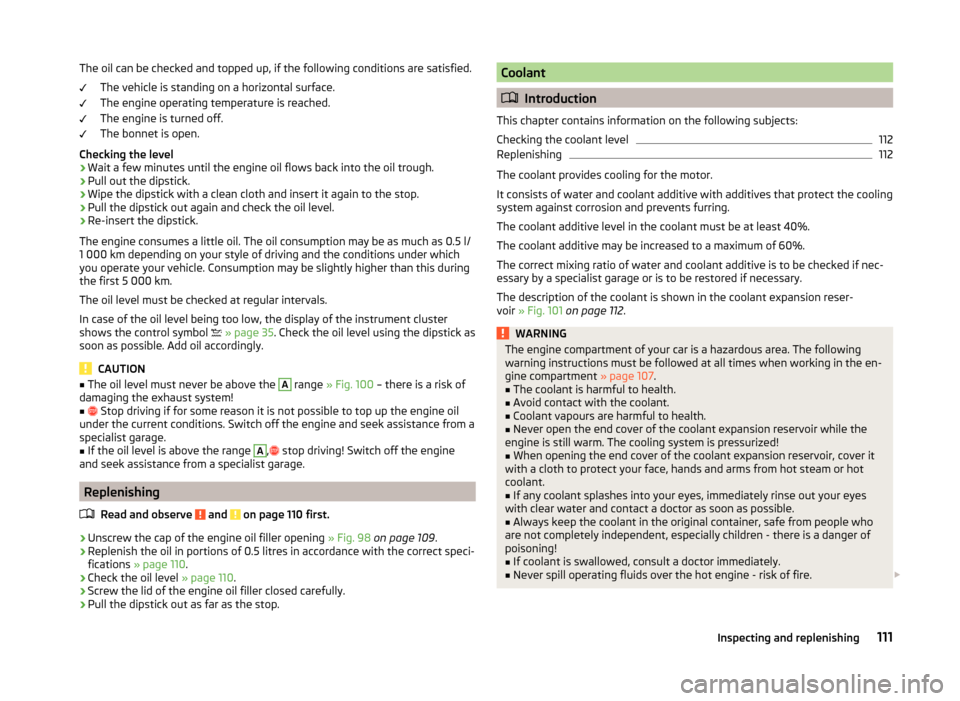
■ The oil level must never be above the A range » Fig. 100 – there is a risk of
damaging the exhaust system!■
Stop driving if for some reason it is not possible to top up the engine oil
under the current conditions. Switch off the engine and seek assistance from a
specialist garage.
■
If the oil level is above the range
A
,
stop driving! Switch off the engine
and seek assistance from a specialist garage.
Replenishing
Read and observe
and on page 110 first.
›
Unscrew the cap of the engine oil filler opening » Fig. 98 on page 109 .
›
Replenish the oil in portions of 0.5 litres in accordance with the correct speci-
fications » page 110 .
›
Check the oil level » page 110.
›
Screw the lid of the engine oil filler closed carefully.
›
Pull the dipstick out as far as the stop.
Coolant
Introduction
This chapter contains information on the following subjects:
Checking the coolant level
112
Replenishing
112
The coolant provides cooling for the motor.
It consists of water and coolant additive with additives that protect the cooling
system against corrosion and prevents furring.
The coolant additive level in the coolant must be at least 40%.
The coolant additive may be increased to a maximum of 60%.
The correct mixing ratio of water and coolant additive is to be checked if nec- essary by a specialist garage or is to be restored if necessary.
The description of the coolant is shown in the coolant expansion reser-
voir » Fig. 101 on page 112 .
WARNINGThe engine compartment of your car is a hazardous area. The following
warning instructions must be followed at all times when working in the en-
gine compartment » page 107.■
The coolant is harmful to health.
■
Avoid contact with the coolant.
■
Coolant vapours are harmful to health.
■
Never open the end cover of the coolant expansion reservoir while the
engine is still warm. The cooling system is pressurized!
■
When opening the end cover of the coolant expansion reservoir, cover it
with a cloth to protect your face, hands and arms from hot steam or hot
coolant.
■
If any coolant splashes into your eyes, immediately rinse out your eyes
with clear water and contact a doctor as soon as possible.
■
Always keep the coolant in the original container, safe from people who
are not completely independent, especially children - there is a danger of
poisoning!
■
If coolant is swallowed, consult a doctor immediately.
■
Never spill operating fluids over the hot engine - risk of fire.
111Inspecting and replenishing
Page 115 of 164
CAUTION■ Do not continue if for some reason it is not possible to fill with coolant un-
der the current circumstances! Switch off the engine and seek assistance from
a specialist garage.■
If the expansion tank is empty, do not top up with coolant. The system could
fill with air - risk of engine damage,
stop driving! Switch off the engine and
seek assistance from a specialist garage.
■
The concentration of coolant additive in the coolant must never be under
40%.
■
Over 60% of coolant additive in the coolant reduces the antifreeze protec-
tion and cooling effect.
■
A coolant additive that does not comply with the correct specification can
significantly reduce the corrosion protection of the cooling system.
■
Any faults resulting from corrosion may cause a loss of coolant and can con-
sequently result in major engine damage!
■
Do not fill the coolant above the mark
» Fig. 101 on page 112 .
■
If an error occurs, leading to the engine overheating, the help of a professio-
nal garage is to be sought - there is a risk of serious engine damage occurring.
■
Additional headlights and other attached components in front of the air inlet
impair the cooling efficiency of the coolant.
■
Never cover the radiator - there is a risk of the engine overheating.
Checking the coolant level
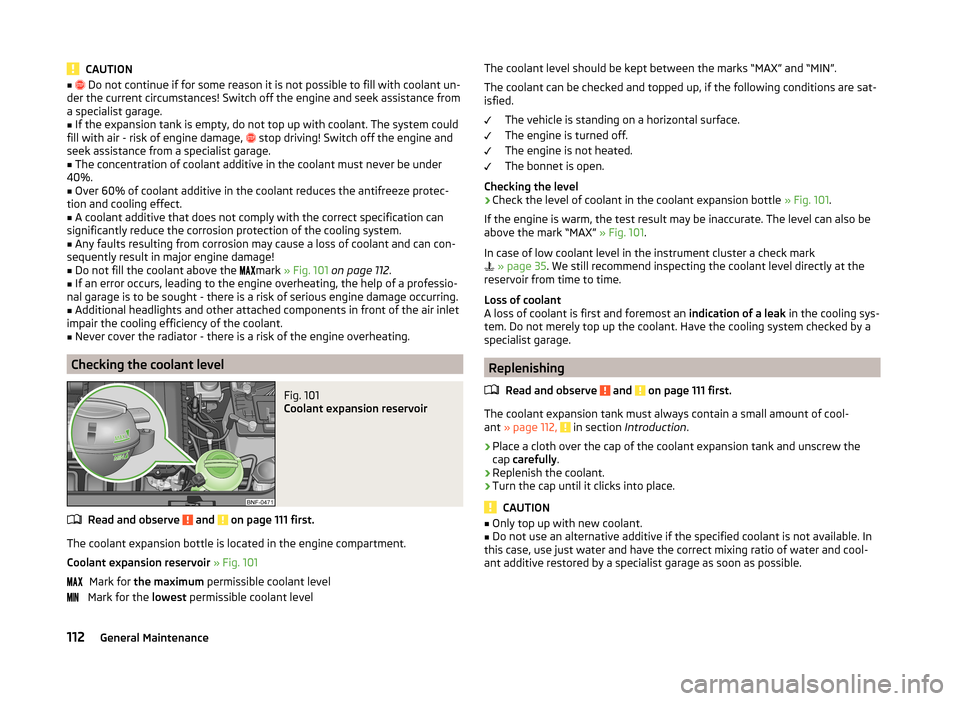
Fig. 101
Coolant expansion reservoir
Read and observe and on page 111 first.
The coolant expansion bottle is located in the engine compartment.
Coolant expansion reservoir » Fig. 101
Mark for the maximum permissible coolant level
Mark for the lowest permissible coolant level
The coolant level should be kept between the marks “MAX” and “MIN”.
The coolant can be checked and topped up, if the following conditions are sat-isfied.
The vehicle is standing on a horizontal surface.
The engine is turned off.
The engine is not heated.
The bonnet is open.
Checking the level›
Check the level of coolant in the coolant expansion bottle » Fig. 101.
If the engine is warm, the test result may be inaccurate. The level can also be
above the mark “MAX” » Fig. 101.
In case of low coolant level in the instrument cluster a check mark
» page 35 . We still recommend inspecting the coolant level directly at the
reservoir from time to time.
Loss of coolant
A loss of coolant is first and foremost an indication of a leak in the cooling sys-
tem. Do not merely top up the coolant. Have the cooling system checked by a
specialist garage.
Replenishing
Read and observe
and on page 111 first.
The coolant expansion tank must always contain a small amount of cool-
ant » page 112, in section Introduction .
›
Place a cloth over the cap of the coolant expansion tank and unscrew the
cap carefully .
›
Replenish the coolant.
›
Turn the cap until it clicks into place.
CAUTION
■
Only top up with new coolant.■Do not use an alternative additive if the specified coolant is not available. In
this case, use just water and have the correct mixing ratio of water and cool-
ant additive restored by a specialist garage as soon as possible.112General Maintenance