engine SKODA KAMIQ 2019 Owner´s Manual
[x] Cancel search | Manufacturer: SKODA, Model Year: 2019, Model line: KAMIQ, Model: SKODA KAMIQ 2019Pages: 185, PDF Size: 25.05 MB
Page 143 of 185
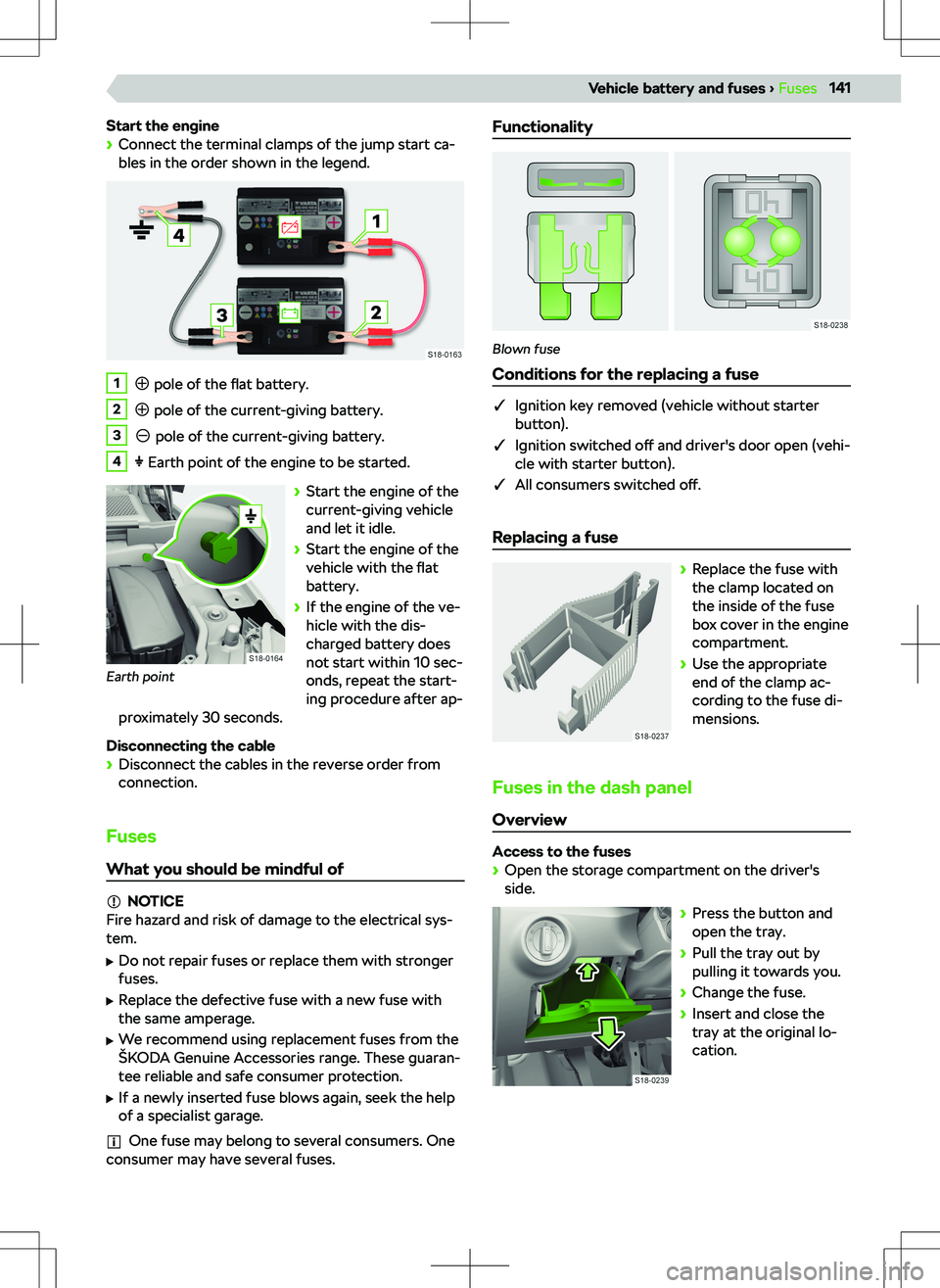
Start the engine
Page 145 of 185
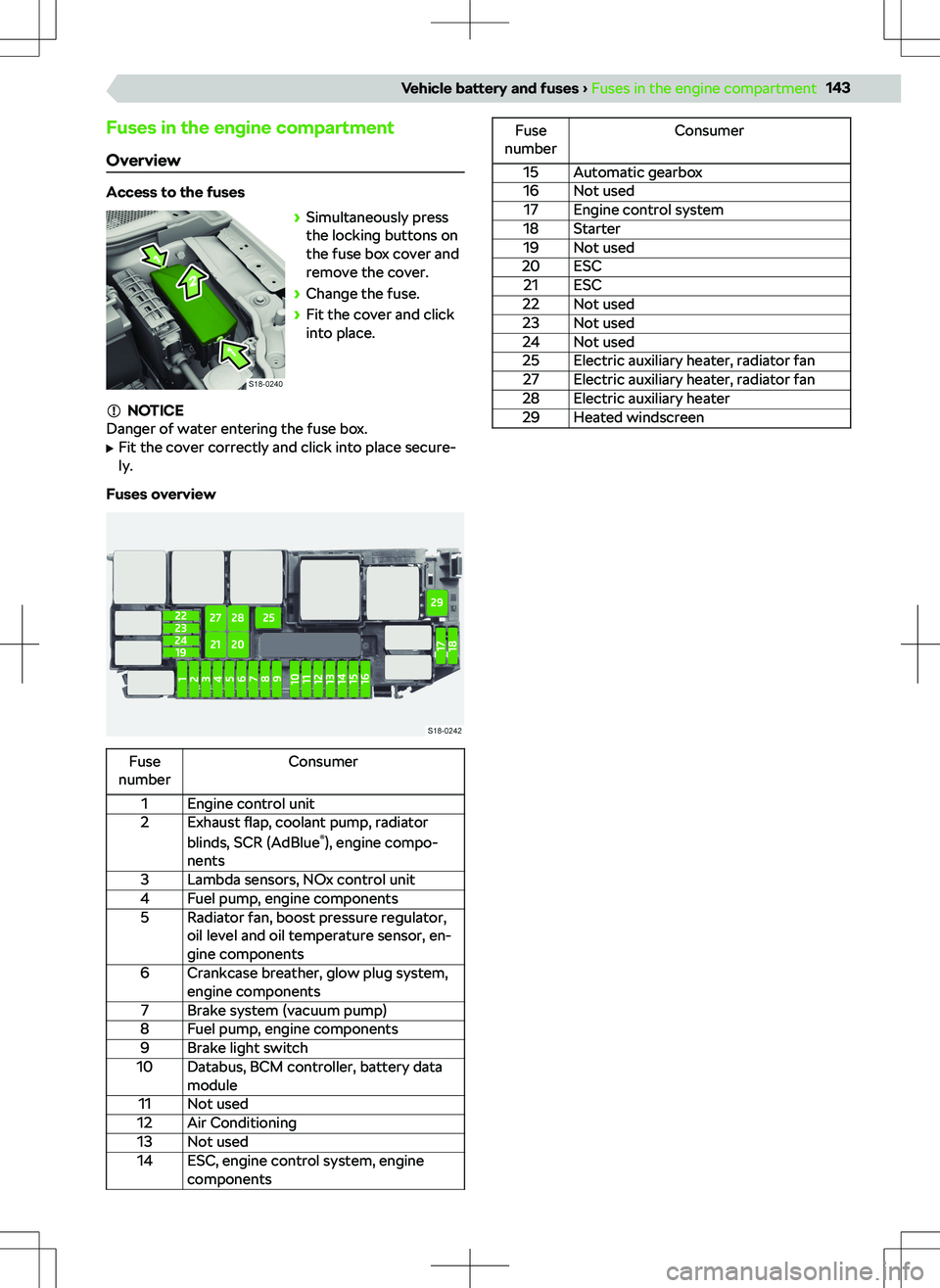
Fuses in the engine compartment
Overview
Access to the fuses
Page 167 of 185
Service
Engine number
The engine number is embossed in the engine block.
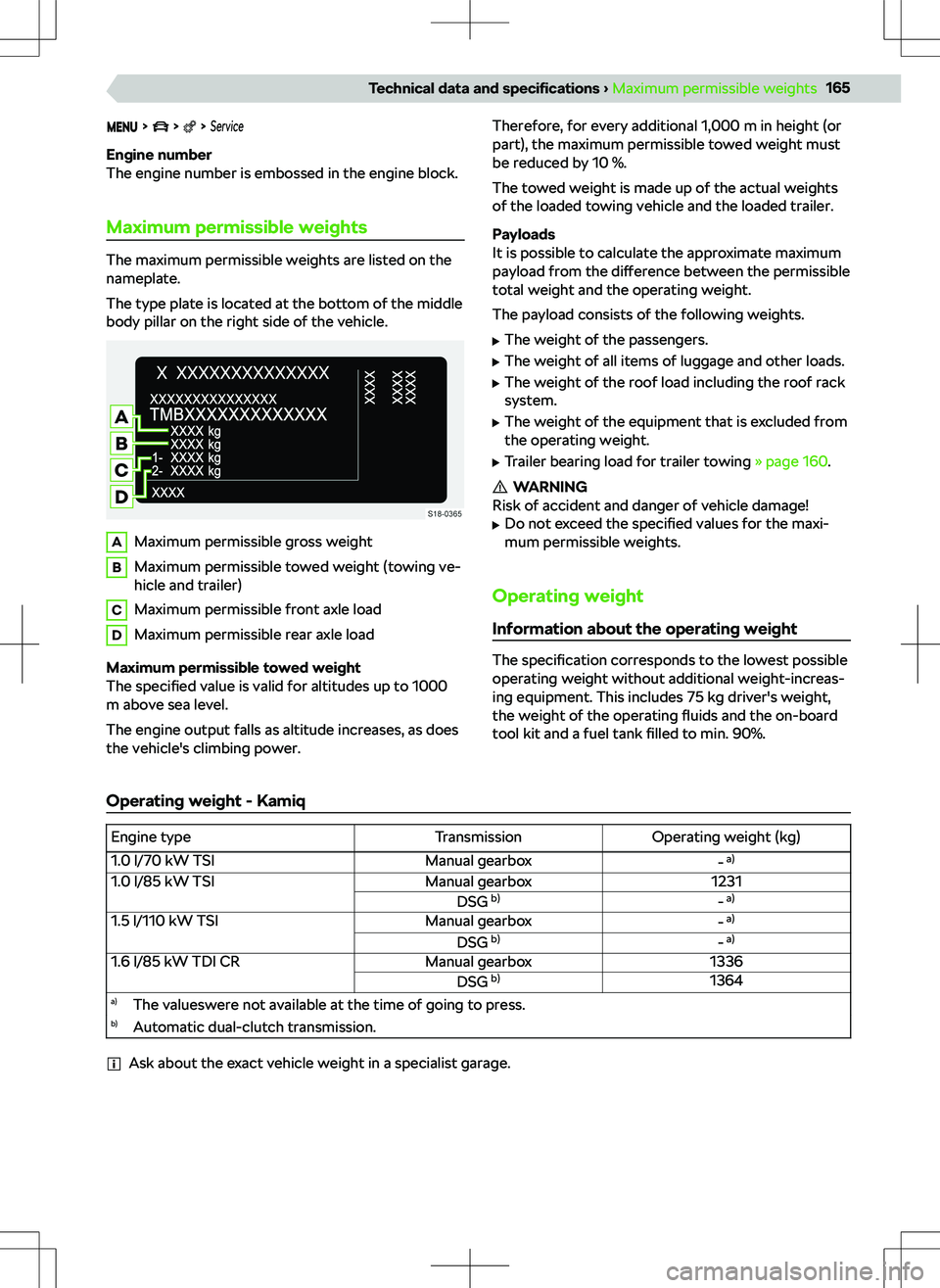
Maximum permissible weights
The maximum permissible weights are listed on the
nameplate.
The type plate is located at the bottom of the middle body pillar on the right side of the vehicle.
AMaximum permissible gross weightBMaximum permissible towed weight (towing ve-
hicle and trailer)CMaximum permissible front axle loadDMaximum permissible rear axle load
Maximum permissible towed weight
The specified value is valid for altitudes up to 1000
m above sea level.
The engine output falls as altitude increases, as does
the vehicle
Page 168 of 185
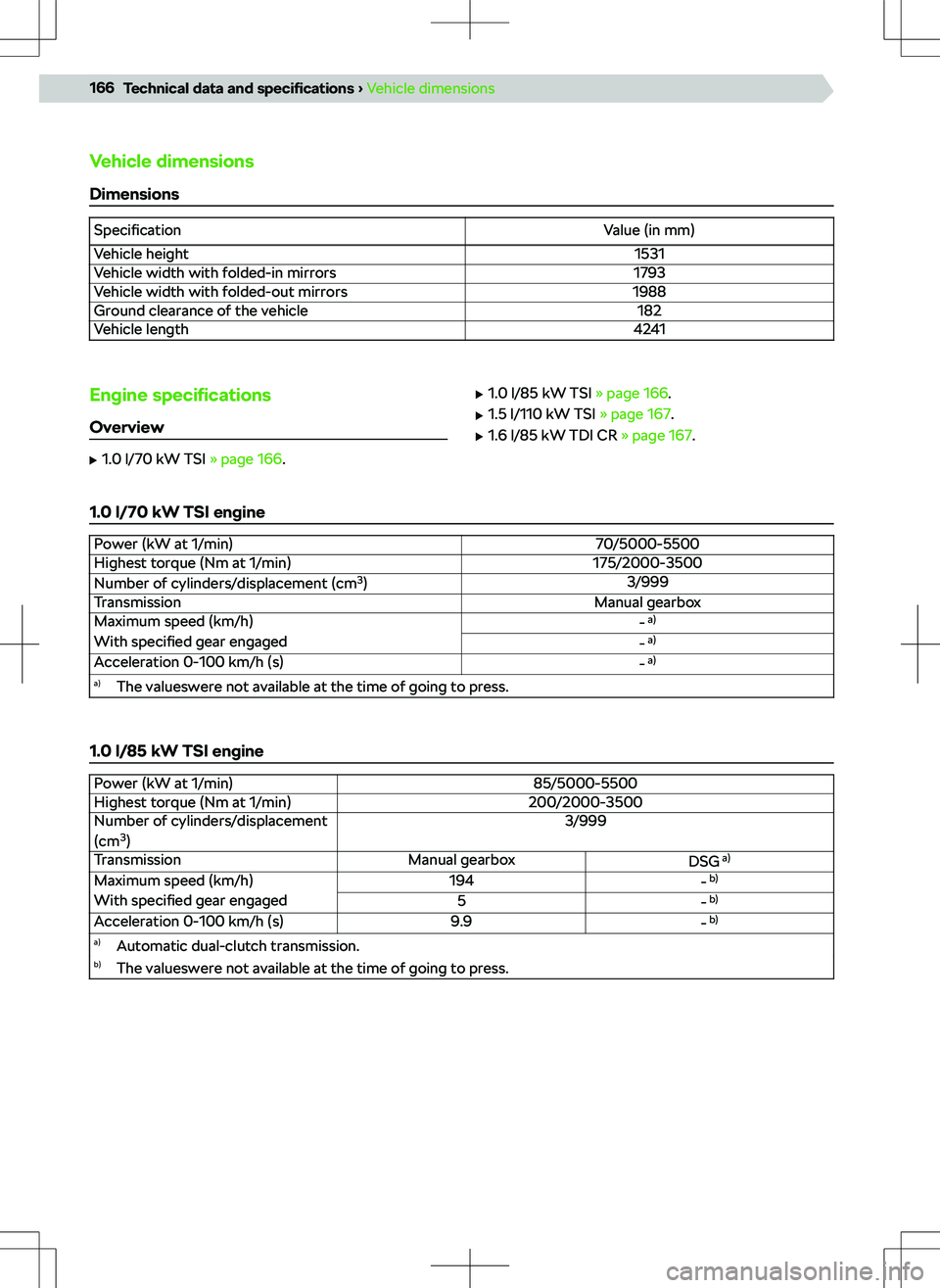
Vehicle dimensionsDimensions
SpecificationValue (in mm)Vehicle height1531Vehicle width with folded-in mirrors1793Vehicle width with folded-out mirrors1988Ground clearance of the vehicle182Vehicle length4241Engine speci
Page 169 of 185
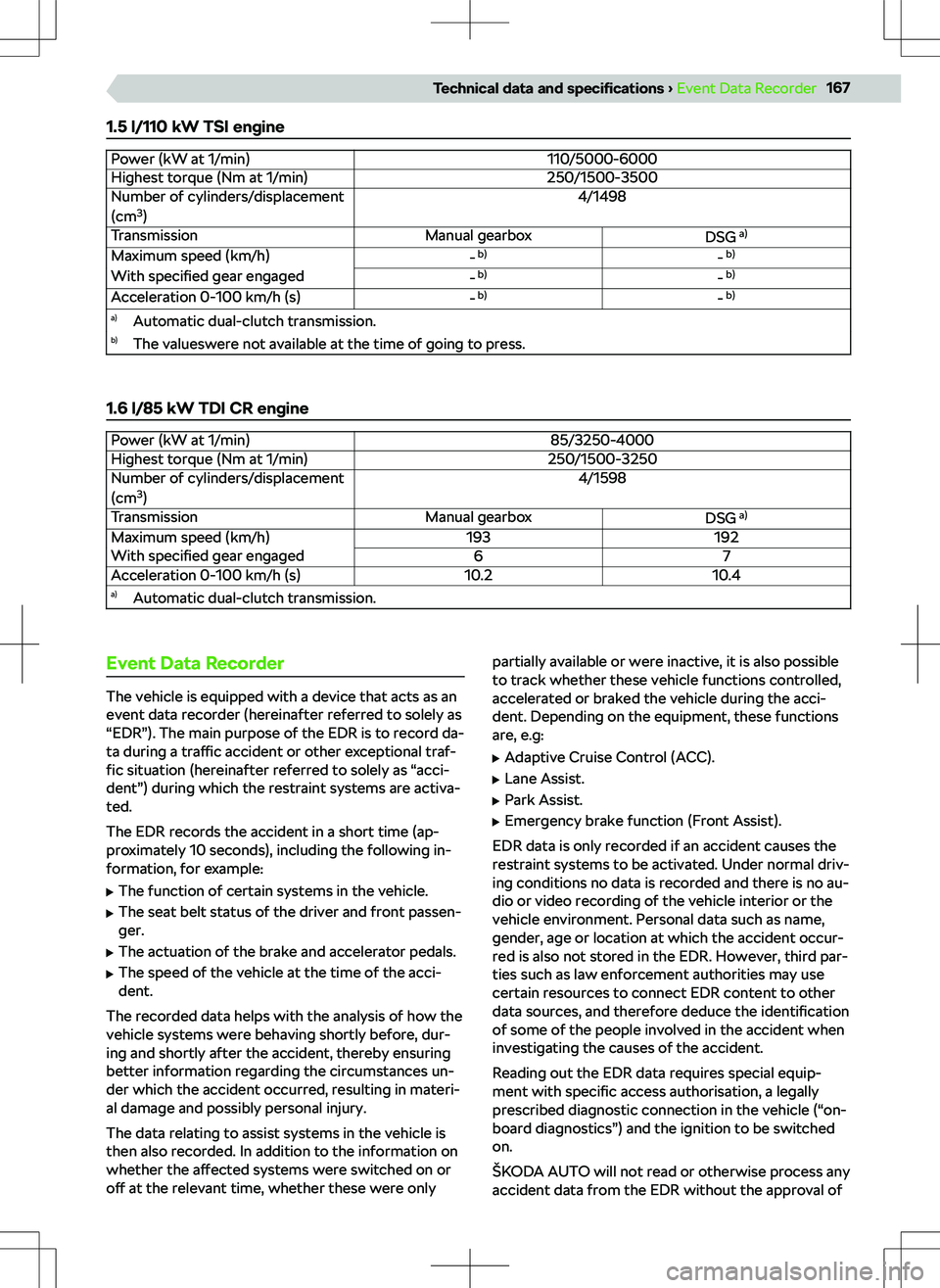
1.5 l/110 kW TSI enginePower (kW at 1/min)110/5000-6000Highest torque (Nm at 1/min)250/1500-3500Number of cylinders/displacement
(cm 3
)4/1498TransmissionManual gearboxDSG a)Maximum speed (km/h)- b)- b)With
specified gear engaged- b)- b)Acceleration 0-100 km/h (s)- b)- b)a)
Automatic dual-clutch transmission.b)The valueswere not available at the time of going to press.
1.6 l/85 kW TDI CR engine
Power (kW at 1/min)85/3250-4000Highest torque (Nm at 1/min)250/1500-3250Number of cylinders/displacement
(cm 3
)4/1598TransmissionManual gearboxDSG a)Maximum speed (km/h)193192With
specified gear engaged67Acceleration 0-100 km/h (s)10.210.4a)
Automatic dual-clutch transmission.Event Data Recorder
The vehicle is equipped with a device that acts as an
event data recorder (hereinafter referred to solely as
“EDR”). The main purpose of the EDR is to record da-
ta during a traffic accident or other exceptional traf-
fic situation (hereinafter referred to solely as “acci-
dent”) during which the restraint systems are activa-
ted.
The EDR records the accident in a short time (ap-
proximately 10 seconds), including the following in-
formation, for example:
Page 175 of 185
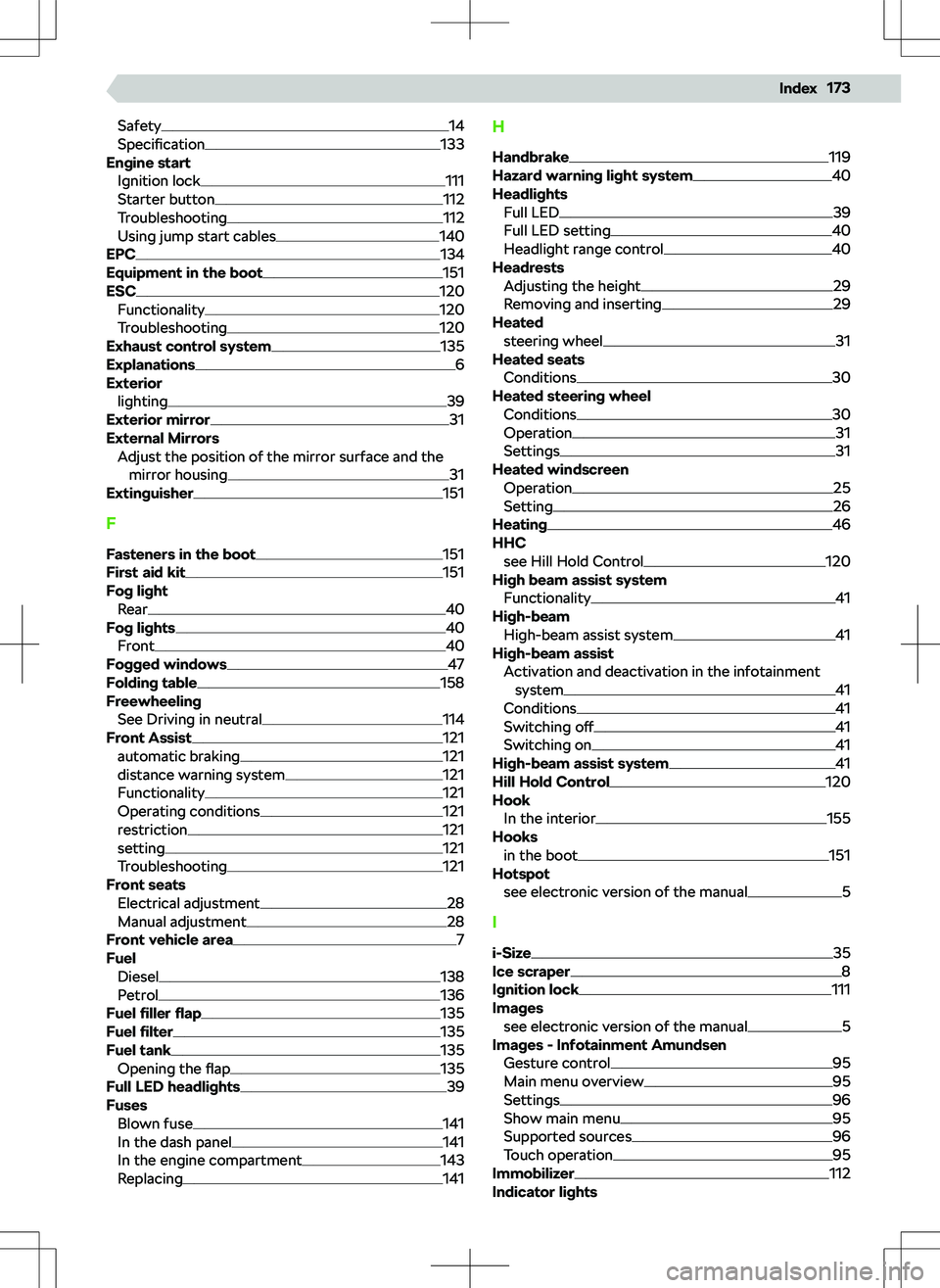
Safety14
Specification133
Engine start Ignition lock
111
Starter button112
Troubleshooting112
Using jump start cables140
EPC134
Equipment in the boot151
ESC120
Functionality120
Troubleshooting120
Exhaust control system135
Explanations6
Exterior
lighting
39
Exterior mirror31
External Mirrors Adjust the position of the mirror surface and themirror housing
31
Extinguisher151
F
Fasteners in the boot
151
First aid kit151
Fog light Rear
40
Fog lights40
Front40
Fogged windows47
Folding table158
Freewheeling See Driving in neutral
114
Front Assist121
automatic braking121
distance warning system121
Functionality121
Operating conditions121
restriction121
setting121
Troubleshooting121
Front seats Electrical adjustment
28
Manual adjustment28
Front vehicle area7
Fuel Diesel
138
Petrol136
Fuel
Page 178 of 185
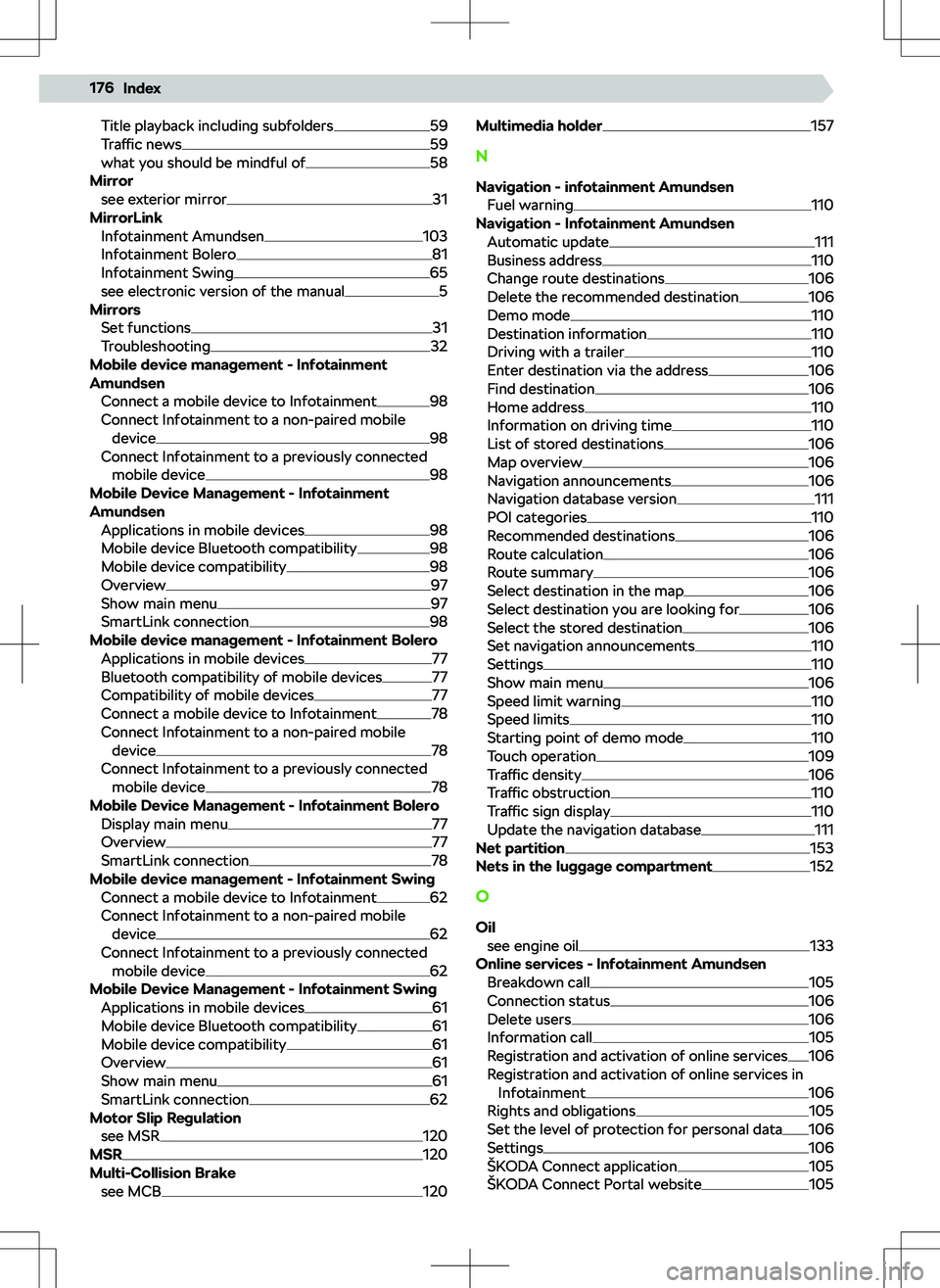
Title playback including subfolders59
Traffic news59
what you should be mindful of58
Mirror see exterior mirror
31
MirrorLink Infotainment Amundsen
103
Infotainment Bolero81
Infotainment Swing65
see electronic version of the manual5
Mirrors Set functions
31
Troubleshooting32
Mobile device management - Infotainment
Amundsen
Connect a mobile device to Infotainment
98
Connect Infotainment to a non-paired mobile device
98
Connect Infotainment to a previously connected mobile device
98
Mobile Device Management - Infotainment
Amundsen Applications in mobile devices
98
Mobile device Bluetooth compatibility98
Mobile device compatibility98
Overview97
Show main menu97
SmartLink connection98
Mobile device management - Infotainment Bolero Applications in mobile devices
77
Bluetooth compatibility of mobile devices77
Compatibility of mobile devices77
Connect a mobile device to Infotainment78
Connect Infotainment to a non-paired mobile device
78
Connect Infotainment to a previously connected mobile device
78
Mobile Device Management - Infotainment Bolero Display main menu
77
Overview77
SmartLink connection78
Mobile device management - Infotainment Swing Connect a mobile device to Infotainment
62
Connect Infotainment to a non-paired mobile device
62
Connect Infotainment to a previously connected mobile device
62
Mobile Device Management - Infotainment Swing Applications in mobile devices
61
Mobile device Bluetooth compatibility61
Mobile device compatibility61
Overview61
Show main menu61
SmartLink connection62
Motor Slip Regulation see MSR
120
MSR120
Multi-Collision Brake see MCB
120
Multimedia holder157
N
Navigation - infotainment Amundsen Fuel warning
110
Navigation - Infotainment Amundsen Automatic update
111
Business address110
Change route destinations106
Delete the recommended destination106
Demo mode110
Destination information110
Driving with a trailer110
Enter destination via the address106
Find destination106
Home address110
Information on driving time110
List of stored destinations106
Map overview106
Navigation announcements106
Navigation database version111
POI categories110
Recommended destinations106
Route calculation106
Route summary106
Select destination in the map106
Select destination you are looking for106
Select the stored destination106
Set navigation announcements110
Settings110
Show main menu106
Speed limit warning110
Speed limits110
Starting point of demo mode110
Touch operation109
Traffic density106
Traffic obstruction110
Traffic sign display110
Update the navigation database111
Net partition153
Nets in the luggage compartment152
O
Oil see engine oil
133
Online services - Infotainment Amundsen Breakdown call
105
Connection status106
Delete users106
Information call105
Registration and activation of online services106
Registration and activation of online services in Infotainment
106
Rights and obligations105
Set the level of protection for personal data106
Settings106
Page 183 of 185
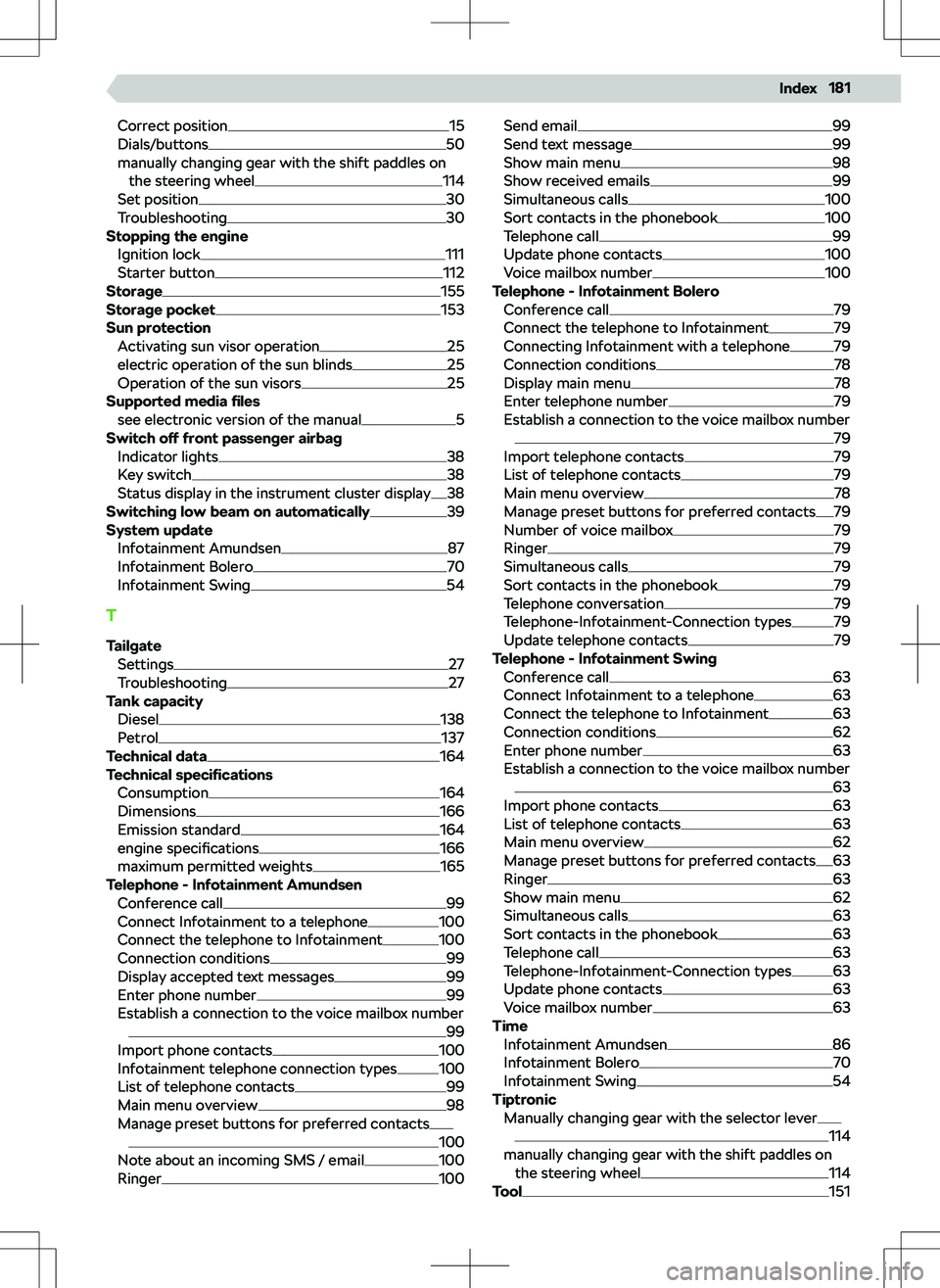
Correct position15
Dials/buttons50
manually changing gear with the shift paddles on the steering wheel
114
Set position30
Troubleshooting30
Stopping the engine
Ignition lock
111
Starter button112
Storage155
Storage pocket153
Sun protection Activating sun visor operation
25
electric operation of the sun blinds25
Operation of the sun visors25
Supported media